


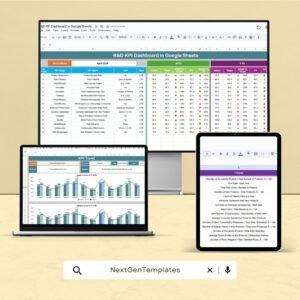
Innovation drives progress — but to manage innovation effectively, you need measurable insights. The R&D KPI Scorecard in Google Sheets is a ready-to-use performance management tool that helps organizations evaluate their research and development effectiveness with real-time data, automated KPIs, and interactive visuals. ⚙️📈
This smart, cloud-based scorecard empowers R&D managers, project leads, and executives to track productivity, resource efficiency, and innovation outcomes — all within a structured and easy-to-use Google Sheets dashboard.
🔑 Key Features of the R&D KPI Scorecard in Google Sheets
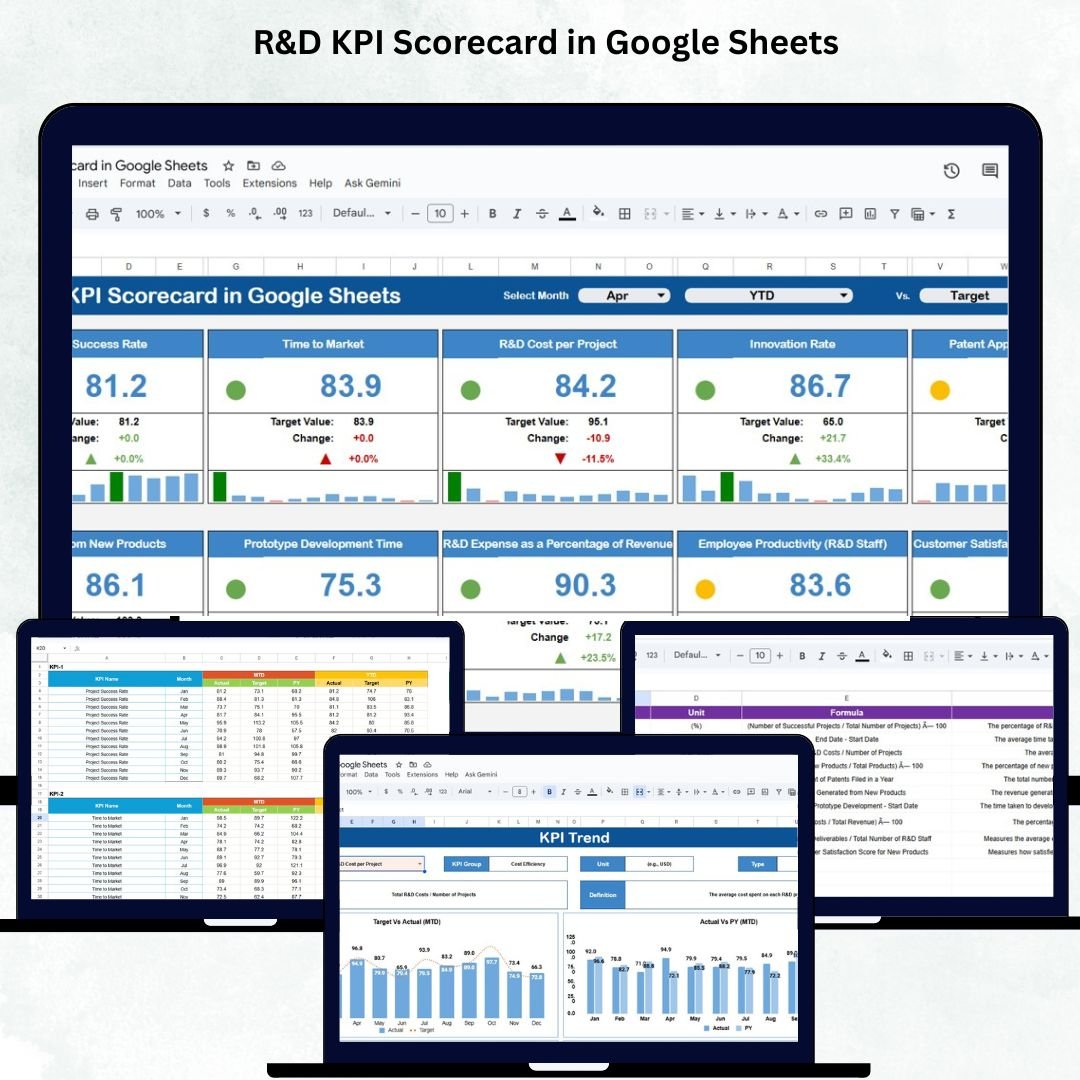
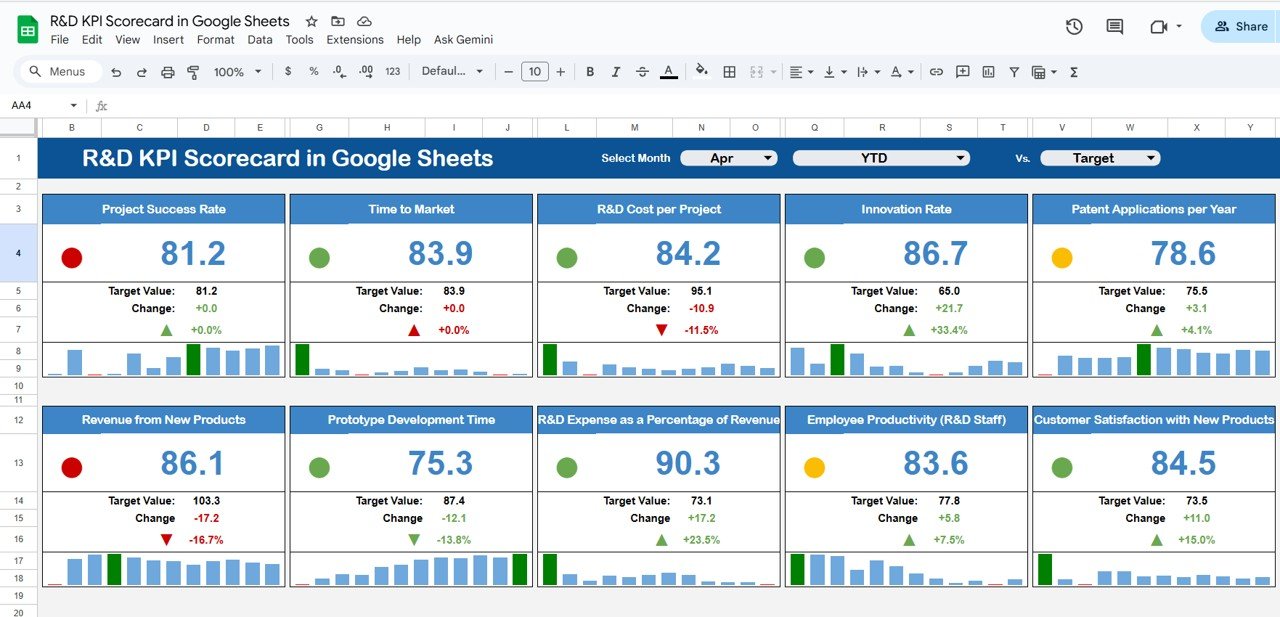
📋 Dashboard Sheet Tab (Main Interface)
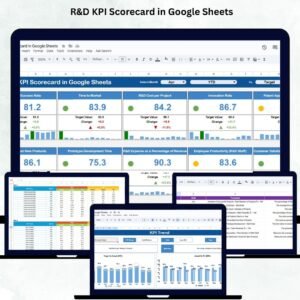
Get a snapshot of your R&D department’s health in one visual dashboard.
✨ Features:
Month Selector (Cell D3): Instantly switch months to view dynamic data updates.
MTD/YTD View Toggle: Compare Month-to-Date and Year-to-Date performance with one click.
Comparative Insights:
Actual vs Target
Actual vs Previous Year
Visual Indicators:
🟢 Green Light: On or above target
🔴 Red Light: Below target
⬆️ Up Arrow: Performance improved
⬇️ Down Arrow: Performance declined
This sheet delivers instant visibility into performance trends, allowing leadership to identify strengths and gaps quickly.
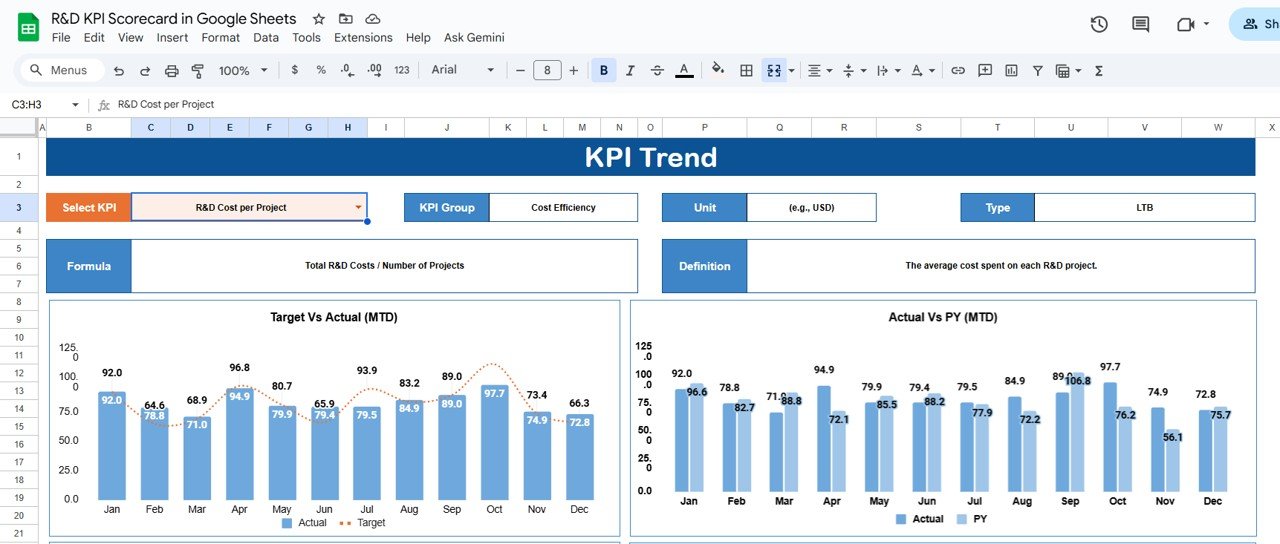
📈 Trend Sheet Tab (Performance Analysis)
This tab provides detailed monthly trends for each KPI.
💡 Features Include:
Select a KPI from the dropdown (Cell C3) for in-depth analysis.
Automatically display:
KPI Group
Unit of Measurement
KPI Type (UTB/LTB)
Formula & Definition
Dynamic trend charts showing month-by-month performance for actionable insights.
This feature helps spot improvement patterns or potential bottlenecks early.
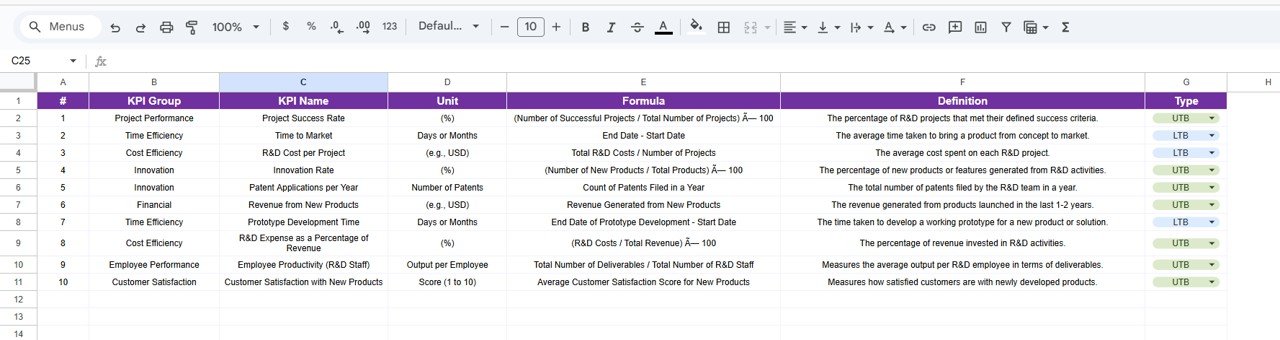
📊 KPI Definition Sheet Tab (Reference Sheet)
Maintain transparency and consistency across teams with clearly defined KPIs.
Includes columns for:
KPI Name & Group
Unit
Formula
Definition
Type (UTB – Upper the Better / LTB – Lower the Better)
This ensures every team member interprets KPIs uniformly and avoids misreporting.
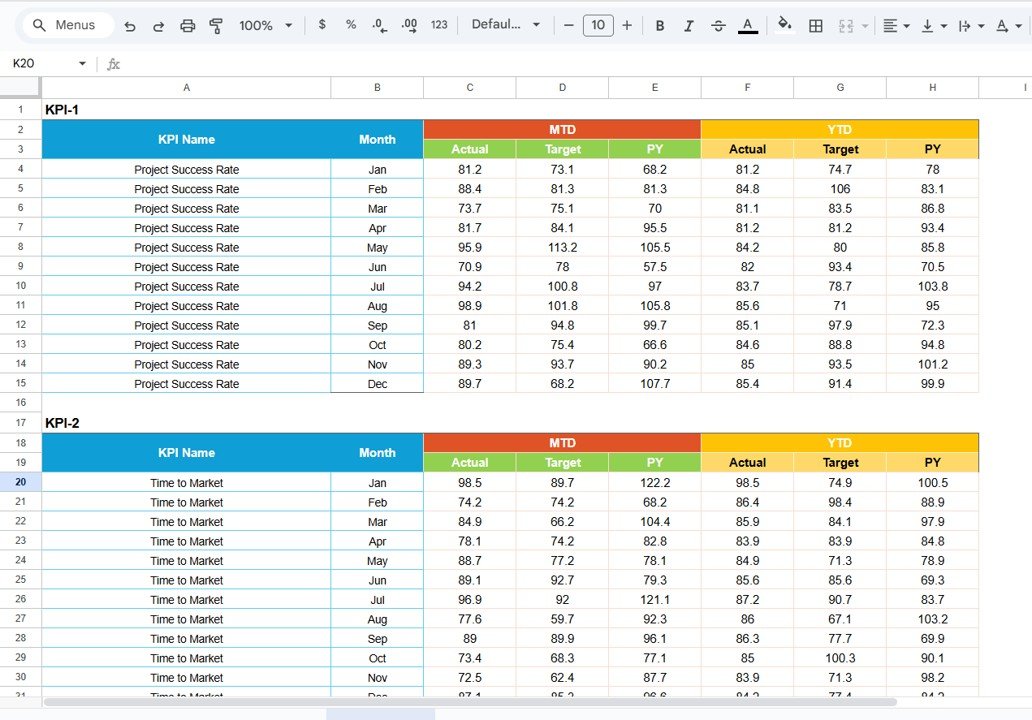
🧾 Data Input Sheet Tab (Data Entry)
The foundation of the entire scorecard. Input MTD and YTD data for each KPI — Actual, Target, and Previous Year values.
As soon as you update this sheet, the dashboard and trend charts auto-refresh, providing instant insights with zero manual recalculation.
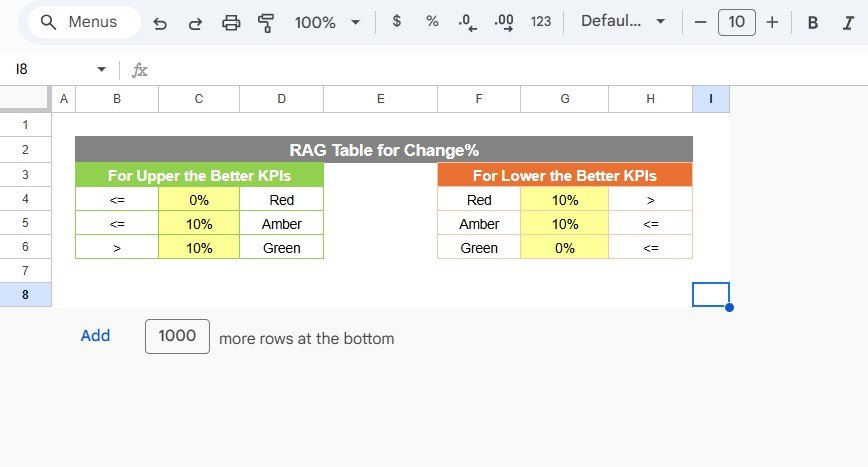
🎨 Color Settings Sheet Tab (Customization Controls)
Adjust visual thresholds and indicator settings effortlessly.
Define color codes for various performance levels (e.g., <80% = Red, >100% = Green).
Customize arrow symbols and traffic light logic.
Perfect for organizations that prefer tailored visuals and reporting standards.
📦 What’s Inside the R&D KPI Scorecard
✅ Pre-built Google Sheets dashboard with 100% editable setup
✅ Automated KPI calculations and visuals
✅ Trend analysis and monthly comparison
✅ KPI definition table for consistency
✅ Customizable color and threshold settings
✅ MTD & YTD toggle view for deeper insights
✅ Cloud collaboration for real-time access
Everything you need to evaluate R&D performance — all in one dynamic scorecard.
🧑💼 Who Can Benefit from This Scorecard
🎯 R&D Managers – Track innovation performance, budget utilization, and project outcomes.
🔬 Project Leads – Monitor progress against targets and detect performance dips.
🏢 Executives – Access real-time insights into innovation ROI and departmental efficiency.
💼 Startups & Enterprises – Perfect for both early-stage innovation teams and large corporate R&D divisions.
This scorecard transforms scattered R&D data into structured, visual insights that accelerate strategic decision-making.
🧪 How to Use the R&D KPI Scorecard
1️⃣ Enter KPI Data – Input Actual, Target, and Previous Year values in the Data Input sheet.
2️⃣ Select Month – Choose the month in the Dashboard tab to auto-update KPIs.
3️⃣ View Insights – Instantly visualize performance with traffic lights and arrows.
4️⃣ Analyze Trends – Open the Trend Sheet to explore month-by-month patterns.
5️⃣ Customize – Adjust visuals or thresholds in the Color Settings sheet.
💡 Pro Tip: Connect Google Forms or automation scripts to collect and update KPI data automatically from your R&D teams!
🌟 Why Choose This Scorecard
Real-time R&D performance tracking
Intuitive visualization through color-coded indicators
100% customizable metrics and layout
Fully cloud-based and shareable
Ideal for continuous innovation and strategic R&D improvement
The R&D KPI Scorecard in Google Sheets brings clarity and precision to innovation management — helping your organization stay focused, agile, and future-ready. 🌟
🔗 Click here to read the Detailed blog post
🔗 Visit our YouTube channel to learn step-by-step video tutorials
Compatibility and Requirements
- Works in Google Sheets. You need a free Google account and a web browser.
- You pick the month from a dropdown on the Dashboard sheet and the KPI from a dropdown on the Trend sheet. Google explains dropdowns in Create an in-cell dropdown list.
Frequently Asked Questions
Which sheets are included?
The scorecard has a Dashboard, a Trend sheet, a KPI Definition sheet, a Data Input sheet and a Color Settings sheet.
How do I update the scorecard?
Enter the Actual, Target and Previous Year values for each KPI in the Data Input sheet. The Dashboard and trend charts refresh from that data.
Can I switch between month-to-date and year-to-date views?
Yes. The Dashboard has an MTD/YTD toggle, and you choose the month in cell D3.
What do the colors and arrows on the Dashboard mean?
A green light means a KPI is on or above target, and a red light means it is below target. An up arrow shows performance improved and a down arrow shows it declined.
Can I change the colors and thresholds?
Yes. The Color Settings sheet lets you set the color codes for performance levels and adjust the arrow symbols and traffic light logic.
Is there an Excel or Power BI version?
This page covers the Google Sheets version. For a similar scorecard on another platform, see the related templates below.
Related KPI Scorecard Templates
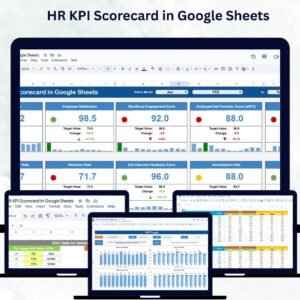
- HR KPI Scorecard in Google Sheets: the same scorecard layout for HR metrics
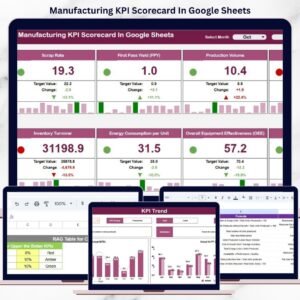
- Manufacturing KPI Scorecard In Google Sheets: a Google Sheets scorecard for production KPIs
- Project Management KPI Scorecard in Excel: an Excel scorecard for tracking project performance
- Quality KPI Scorecard in Excel: an Excel scorecard for quality metrics
- KPI Scorecard Mega Pack: 12 Excel and Google Sheets scorecards in one download
Browse all Google Sheets KPI dashboards.





























Reviews
There are no reviews yet.