

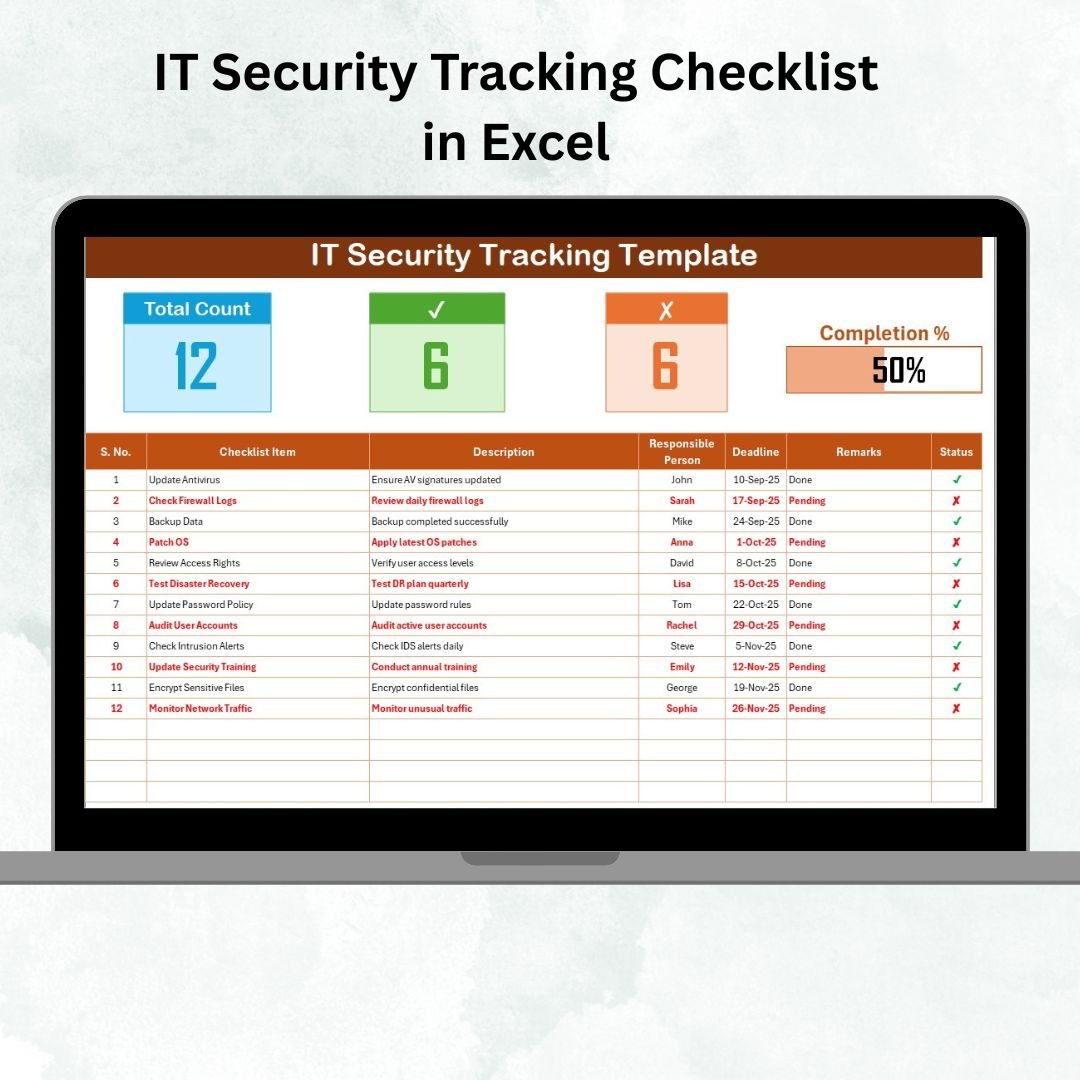

Cybersecurity threats are growing every day, from phishing and malware to ransomware and unauthorized access. Without a structured process, even the best IT teams risk overlooking critical security tasks. That’s why we designed the IT Security Tracking Checklist in Excel — a ready-to-use tool that simplifies tracking, monitoring, and managing IT security activities.
This checklist template is built entirely in Microsoft Excel, making it accessible, cost-effective, and user-friendly. It centralizes all your IT security tasks into one file, complete with visual indicators, structured fields, and interactive features. Whether you’re a small business, an IT administrator, or a compliance manager, this tool ensures stronger accountability, better reporting, and fewer missed tasks.
✨ Key Features
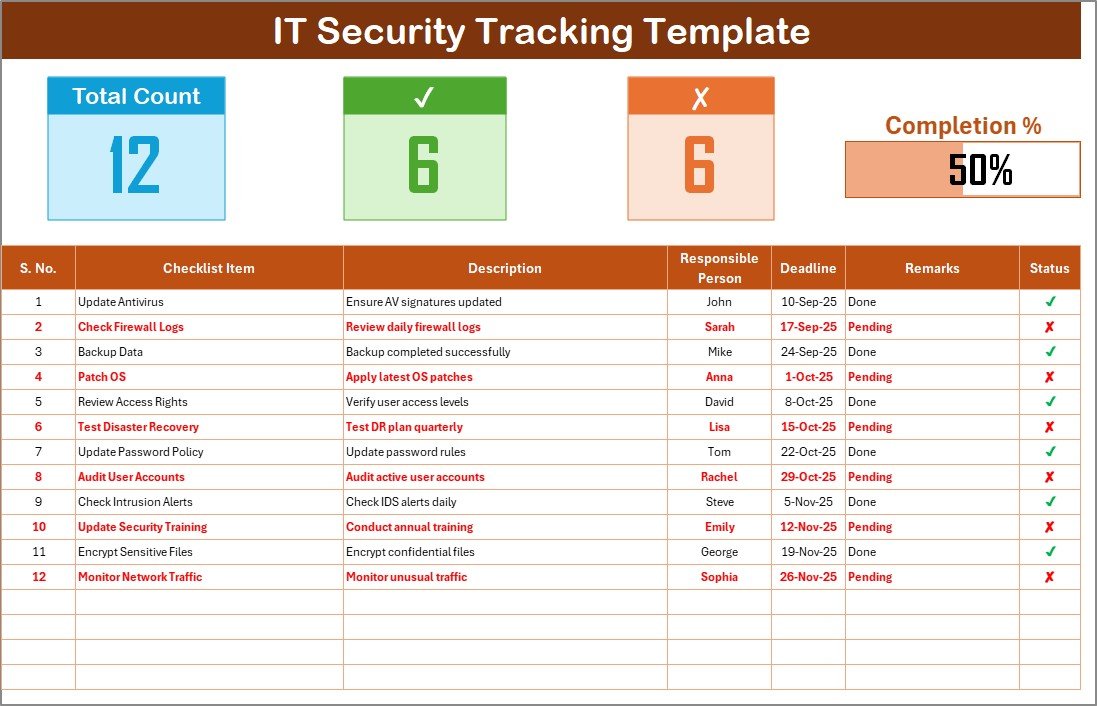
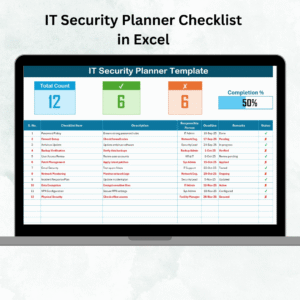
🗂️ IT Security Tracking Checklist Sheet
Tracks all your IT security activities in one place.
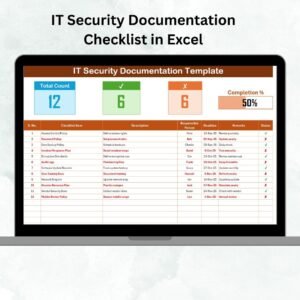
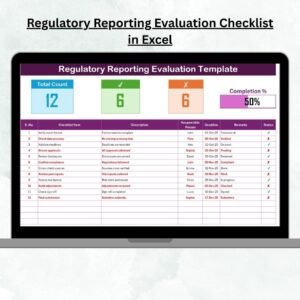
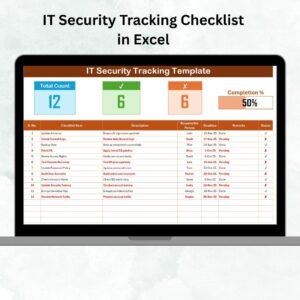
Displays Total Tasks, Completed Count, Pending Count, and a dynamic progress bar that updates automatically.
Organized checklist table with the following fields:
Serial No.
Checklist Item
Description
Responsible Person
Deadline
Remarks
Status (✔ for complete, ✘ for pending).
📋 List Sheet Tab
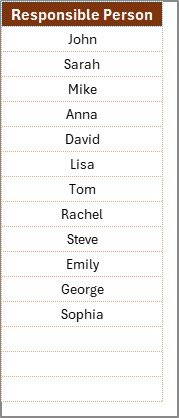
Stores a master list of responsible persons.
Provides dropdown menus to prevent errors in task assignment.
Standardizes accountability across all IT tasks.
💡 Why Use an IT Security Tracking Checklist?
Modern organizations depend heavily on IT infrastructure. However, without a structured system, key steps like firewall updates, backups, and compliance checks can be missed. This checklist helps you:
✅ Ensure consistent monitoring of IT systems.
✅ Assign clear responsibilities for each security task.
✅ Track deadlines and avoid compliance delays.
✅ Provide a visual progress indicator for managers.
✅ Simplify audit preparation with documented evidence.
📊 Advantages
📌 Centralized Tracking – All security activities documented in one place.
🧑💻 Accountability – Each task has an assigned responsible person.
⏰ Deadline Management – Track and meet security timelines easily.
🎨 Customizable – Add, edit, or remove tasks as per organizational needs.
📊 Visual Progress Bar – See completion rates instantly.
🔎 Audit Ready – Generate evidence for compliance reporting with ease.
👨🏫 Simple to Use – No training needed; anyone familiar with Excel can use it.
🛠️ How to Use
1️⃣ Define Categories – Group tasks into categories like network security, data protection, access control, compliance, and incident response.
2️⃣ Add Tasks – Examples include updating firewalls, testing backups, patching systems, and monitoring suspicious logins.
3️⃣ Assign Responsibilities – Select responsible persons using dropdown menus.
4️⃣ Set Deadlines – Ensure all tasks have realistic due dates.
5️⃣ Update Status – Mark tasks ✔ or ✘ to track progress. The progress bar updates automatically.
📌 Best Practices
🔄 Update weekly or monthly to keep tasks relevant.
🎨 Use conditional formatting (e.g., overdue = red, upcoming = yellow).
📑 Align tasks with IT policies and compliance standards.
👥 Share across IT, compliance, and management teams.
💾 Keep backups of the file for security and audit purposes.
⚡ Automate with Power Query, VBA, or Teams reminders for advanced workflows.
🌍 Who Can Benefit?
🏢 Small Businesses – Track antivirus updates, system backups, and basic IT controls.
🏛️ Enterprises – Manage compliance-heavy security measures at scale.
🏥 Healthcare Providers – Ensure HIPAA-related IT tasks are consistently tracked.
💳 Financial Institutions – Meet strict IT security and regulatory requirements.
🎓 Educational Institutions – Secure student and faculty data efficiently.
🚀 Opportunities for Improvement
Add macro automation for email or popup reminders.
Integrate with Outlook or Teams for live alerts.
Expand with a risk assessment sheet to prioritize high-impact tasks.
Use pivot charts or connect with Power BI for advanced visualization.
Host on SharePoint/Cloud for multi-user collaboration.
✅ Conclusion
The IT Security Tracking Checklist in Excel is more than just a spreadsheet — it’s a practical, customizable, and cost-effective management system. It helps organizations prevent overlooked risks, improve accountability, and simplify compliance reporting. By combining structured data with visual progress indicators, it empowers IT and compliance teams to stay on top of security requirements.
With this checklist, you can reduce risks, improve efficiency, and strengthen your IT security posture — all in a tool you already know and trust: Microsoft Excel.
🔗 Click here to read the Detailed blog post
👉 Visit our YouTube channel for tutorials: PKAnExcelExpert
Watch the step-by-step video tutorial:
Compatibility and Requirements
- Works in Microsoft Excel desktop (Excel 2016 or later, or Microsoft 365).
- The Responsible Person column uses dropdown menus fed by the List sheet. Microsoft explains them in Create a drop-down list.
Frequently Asked Questions
Which sheets are included?
Two sheets: the IT Security Tracking Checklist sheet and the List sheet. The List sheet stores the responsible persons used in the dropdown menus.
What fields does each task have?
Serial No., Checklist Item, Description, Responsible Person, Deadline, Remarks and Status.
How is progress tracked?
Mark each task with a check mark for complete or a cross for pending. The Total Tasks, Completed Count and Pending Count figures and the progress bar update automatically.
How do I assign a task to someone?
Add the person’s name to the List sheet, then pick it from the dropdown in the Responsible Person column.
Is there a cybersecurity tracking checklist or dashboard I can pair with this?
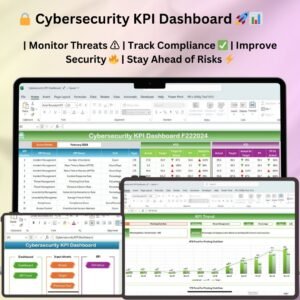
Yes. See the Cybersecurity Tracking Checklist in Excel and the Cybersecurity KPI Dashboard in Excel.
Related IT Security Templates
- Cybersecurity Tracking Checklist in Excel: another checklist for tracking security tasks
- Cybersecurity Checklist in Excel: a general cybersecurity checklist
- IT Security Policy Checklist Template in Excel: a checklist for security policies
- Cybersecurity KPI Dashboard in Excel: a KPI view of your security results
- IT and Cybersecurity Operations Bundle: 8 templates for IT and security teams in one download
Browse all Excel checklists.

























Reviews
There are no reviews yet.