


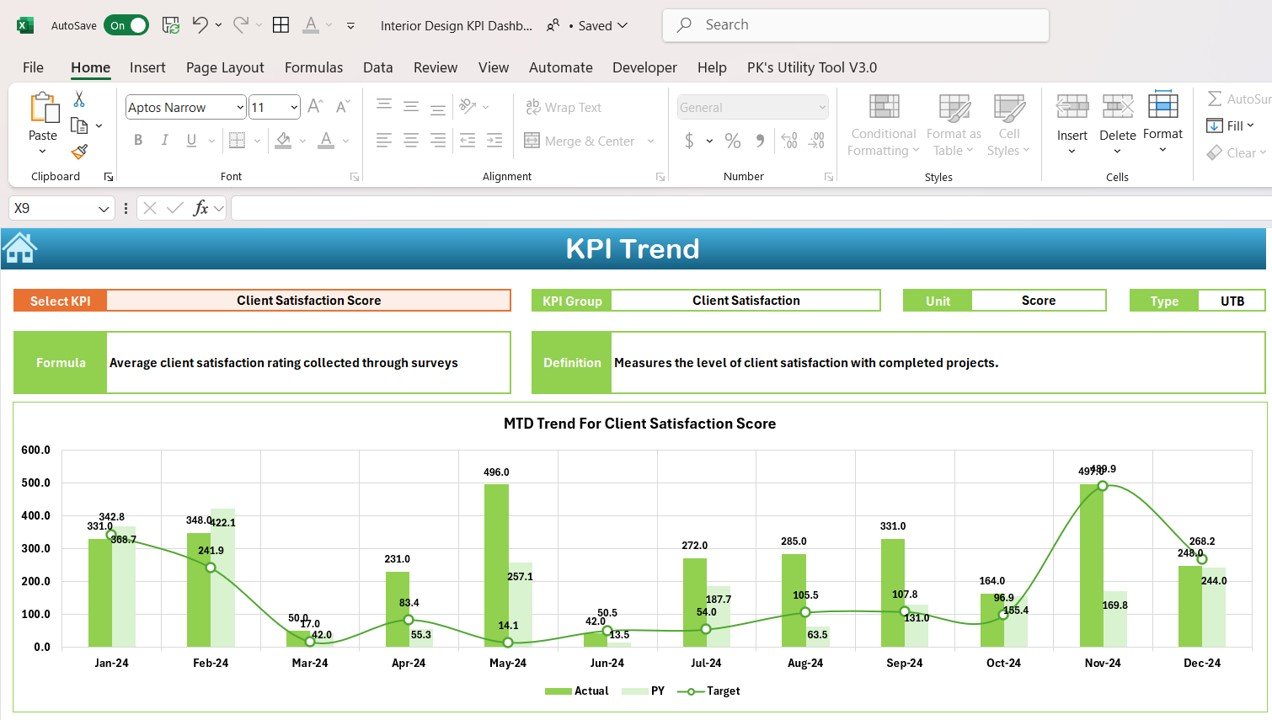
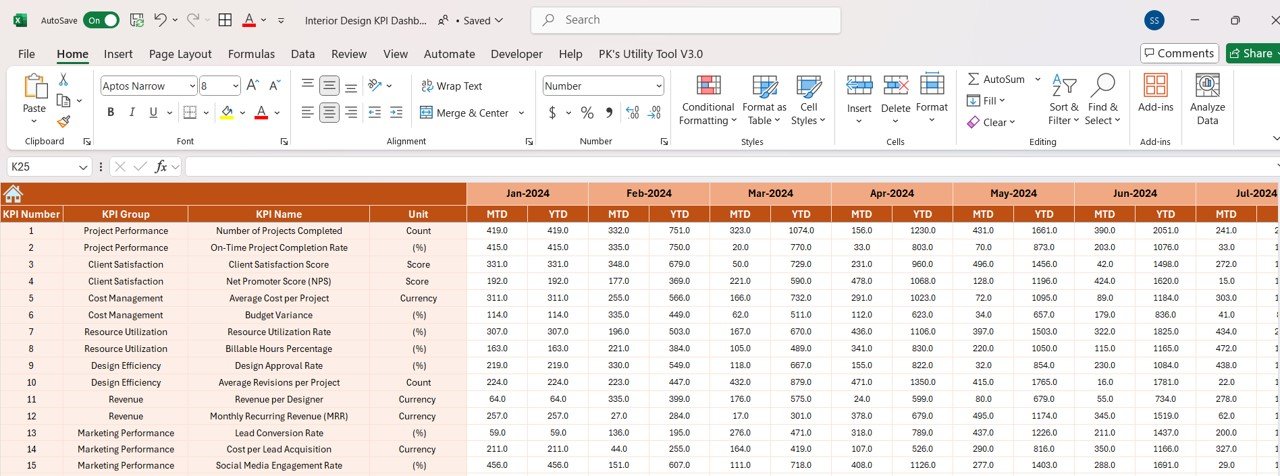
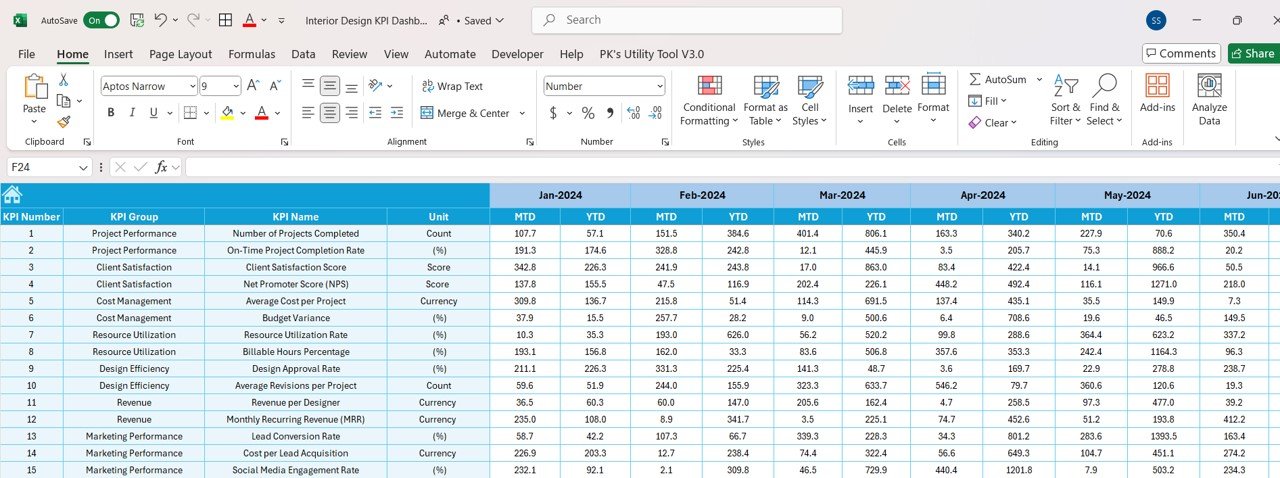

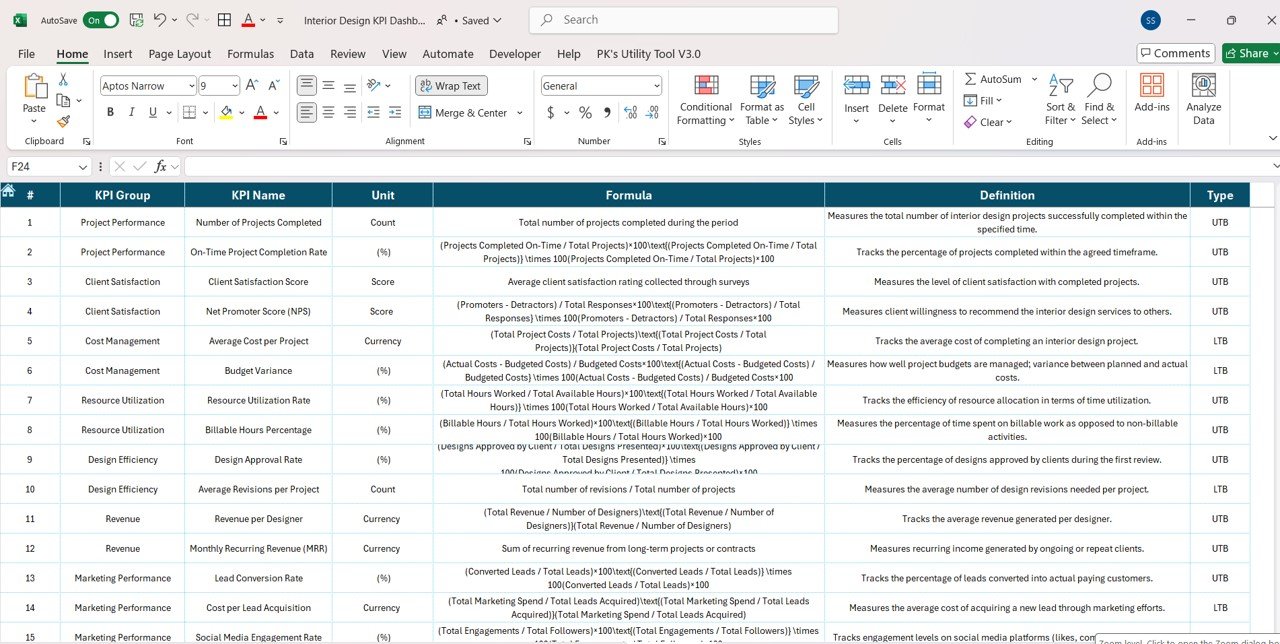

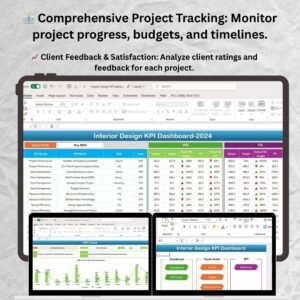
The Interior Design KPI Dashboard in Excel is a powerful tool for interior designers, design agencies, and business owners in the interior design industry. This customizable dashboard allows you to track and analyze key performance indicators (KPIs) related to design projects, client satisfaction, budget management, and resource allocation. With real-time data tracking and visual insights, this dashboard helps you streamline your design process, optimize project performance, and improve client outcomes.
Whether you’re managing residential or commercial design projects, this Excel-based dashboard provides a comprehensive overview of your design business, enabling you to make data-driven decisions, optimize project timelines, and enhance client satisfaction. It’s the perfect tool for maximizing efficiency and improving the overall success of your interior design projects.
Key Features of the Interior Design KPI Dashboard in Excel
🏢 Comprehensive Project Tracking
Track essential KPIs such as project progress, design budgets, material costs, timelines, and resource usage. Ensure that every design project stays on track and within budget.
⚡ Real-Time Performance Monitoring
Monitor the progress of each design project in real-time, from initial concept to final installation. Keep track of key metrics like project milestones, completion percentages, and client approvals.
📈 Client Satisfaction & Feedback Insights
Analyze client satisfaction levels and feedback for each project. Use this data to improve client relationships and ensure that design projects meet client expectations.
📅 Customizable KPIs for Interior Design Projects
Easily adjust the dashboard to track KPIs specific to your design business, such as project timelines, client satisfaction, design budget, and resource allocation.
🖥️ Interactive & User-Friendly Interface
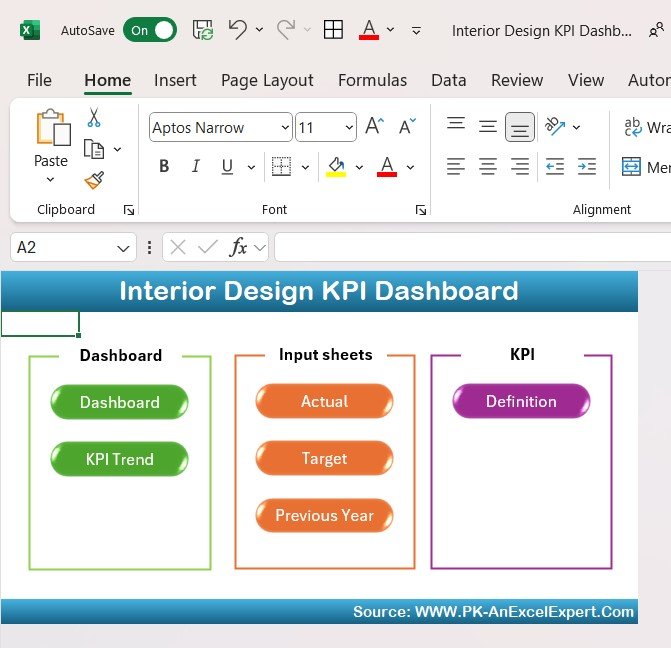
Designed for ease of use, the dashboard is equipped with interactive charts, filters, and slicers that allow you to drill down into specific data points, making it easy to track and analyze your projects.
Why You’ll Love the Interior Design KPI Dashboard in Excel
✅ Track Project Progress & Budgets
Monitor design project progress, track timelines, and stay on top of material and labor costs to keep projects on schedule and within budget.
✅ Enhance Client Satisfaction
Track client satisfaction and feedback to ensure that design projects meet expectations, improving client relationships and securing repeat business.
✅ Optimize Resource Allocation
Track resource usage (such as design materials and labor) to ensure efficient allocation, reduce waste, and increase profitability.
✅ Improve Design Efficiency
Use insights from project tracking to streamline workflows, reduce delays, and improve overall design efficiency, delivering projects on time and within budget.
✅ Make Data-Driven Design Decisions
Leverage insights from KPIs to make informed decisions about future design projects, client priorities, and resource allocation.
What’s Inside the Interior Design KPI Dashboard Template?
- Project & Budget Tracking: Monitor design project progress, material costs, and labor expenses.
- Client Satisfaction Analysis: Track client feedback and satisfaction levels for each project.
- Timeline Management: Visualize project timelines and milestones, ensuring that all deadlines are met.
- Resource Allocation & Efficiency: Monitor resource usage and improve project efficiency by ensuring that materials and labor are optimally allocated.
- Customizable KPIs: Adjust the dashboard to track specific metrics, such as project complexity or design phases.
How to Use the Interior Design KPI Dashboard in Excel
1️⃣ Download the Template: Instantly access your Interior Design KPI Dashboard.
2️⃣ Enter Project Data: Input data such as project timelines, budgets, client feedback, and resource usage.
3️⃣ Track & Monitor KPIs: Use the dashboard to monitor real-time performance across multiple design projects.
4️⃣ Analyze & Optimize: Leverage insights from the dashboard to optimize design processes, improve client satisfaction, and ensure efficient resource management.
Who Can Benefit from the Interior Design KPI Dashboard in Excel?
🔹 Interior Designers & Design Agencies
🔹 Project Managers in Interior Design
🔹 Small Business Owners & Entrepreneurs in the Design Industry
🔹 Contractors & Builders in Design Projects
🔹 Anyone Managing Multiple Interior Design Projects
🔹 Professionals Looking to Improve Design Efficiency & Client Satisfaction
Track, analyze, and optimize your interior design projects with the Interior Design KPI Dashboard in Excel. Monitor budgets, project progress, client satisfaction, and resource allocation to ensure successful project outcomes.
Click here to read the Detailed blog post
Visit our YouTube channel to learn step-by-step video tutorials
Youtube.com/@PKAnExcelExpert
Compatibility and Requirements
- Works in Microsoft Excel desktop (Excel 2016 or later, or Microsoft 365).
- Slicers filter the dashboard. Microsoft explains them in Use slicers to filter data.
Frequently Asked Questions
Which KPIs does it track?
Project progress, material costs and labor expenses, client feedback and satisfaction, timelines and milestones, and resource use.
Can I add my own KPIs?
Yes. You can track other metrics, such as project complexity or design phases.
Can I drill into one project?
Yes. Charts, filters and slicers let you drill down into specific data points.
Is there a Power BI or Google Sheets version?
Yes. See the Interior Design KPI Dashboard in Power BI and the Interior Design KPI Dashboard in Google Sheets.
Related Interior Design Templates
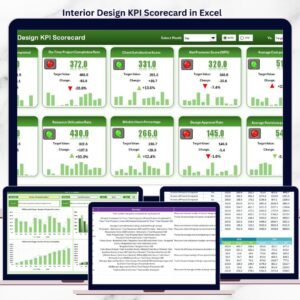
- Interior Design KPI Scorecard in Excel: a scorecard view
- Interior Design KPI Dashboard in Power BI: the Power BI edition
- Interior Fit-Out KPI Dashboard in Excel: KPIs for fit-out projects
- Home Renovation Checklist in Excel: a checklist for renovation jobs
- KPI Dashboard Library (Excel): 15 Excel KPI dashboards in one library
Browse all Excel KPI dashboards.





























Reviews
There are no reviews yet.