

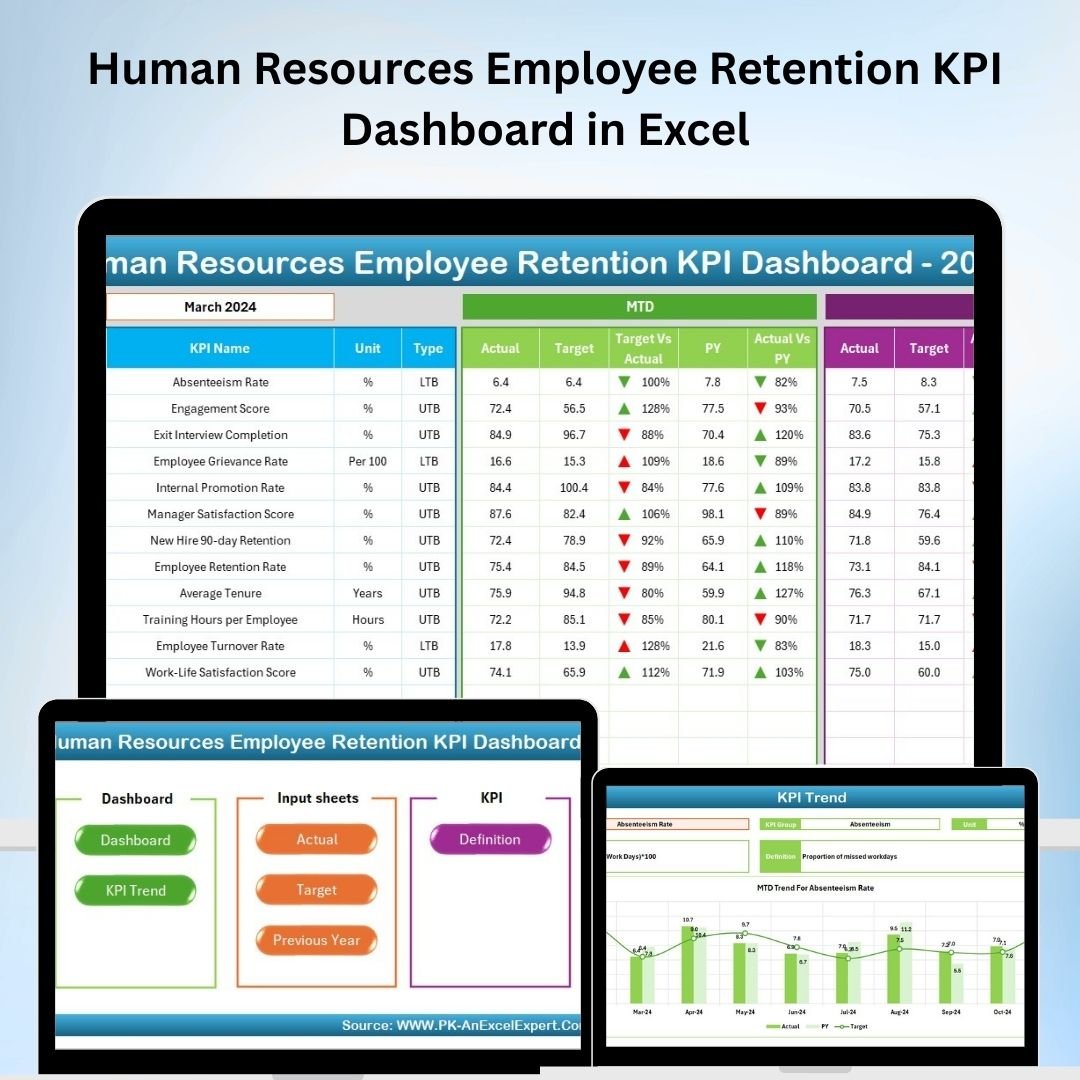
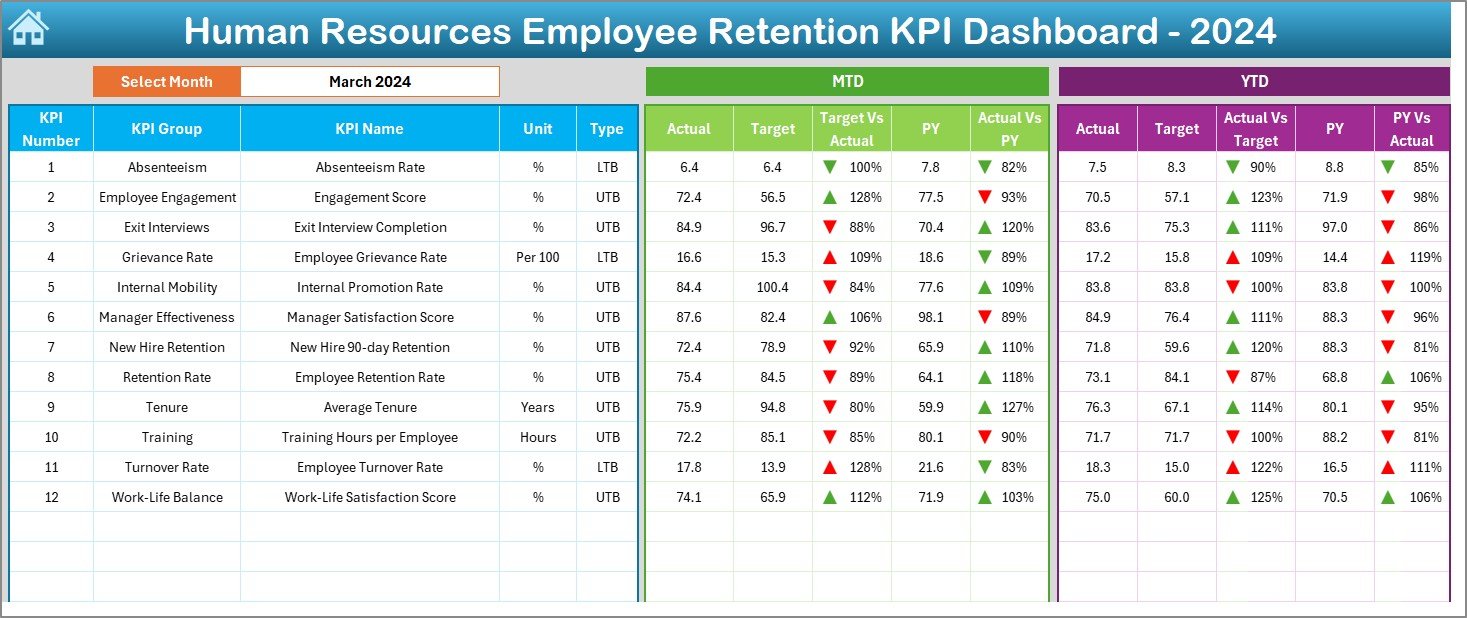
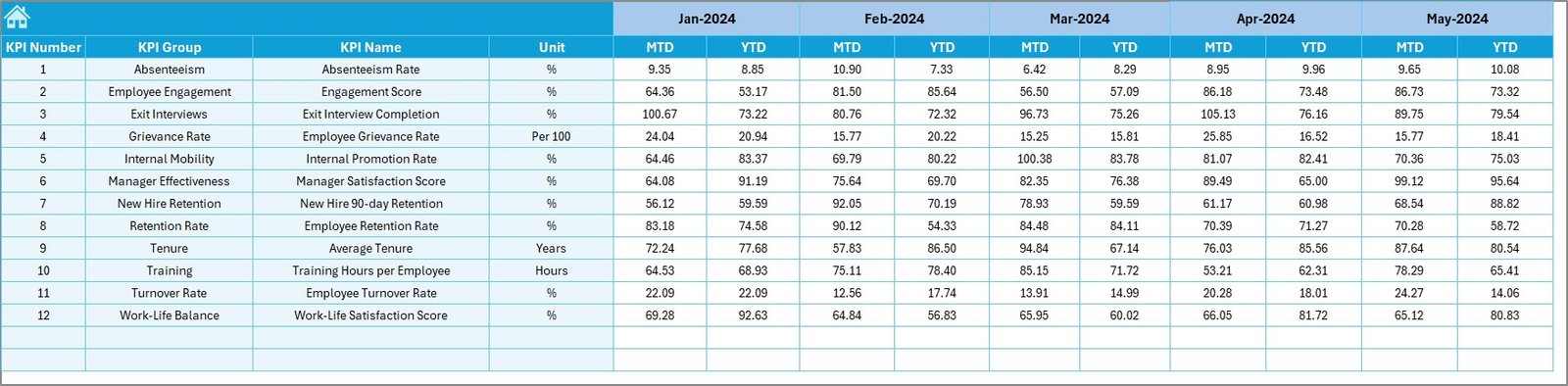
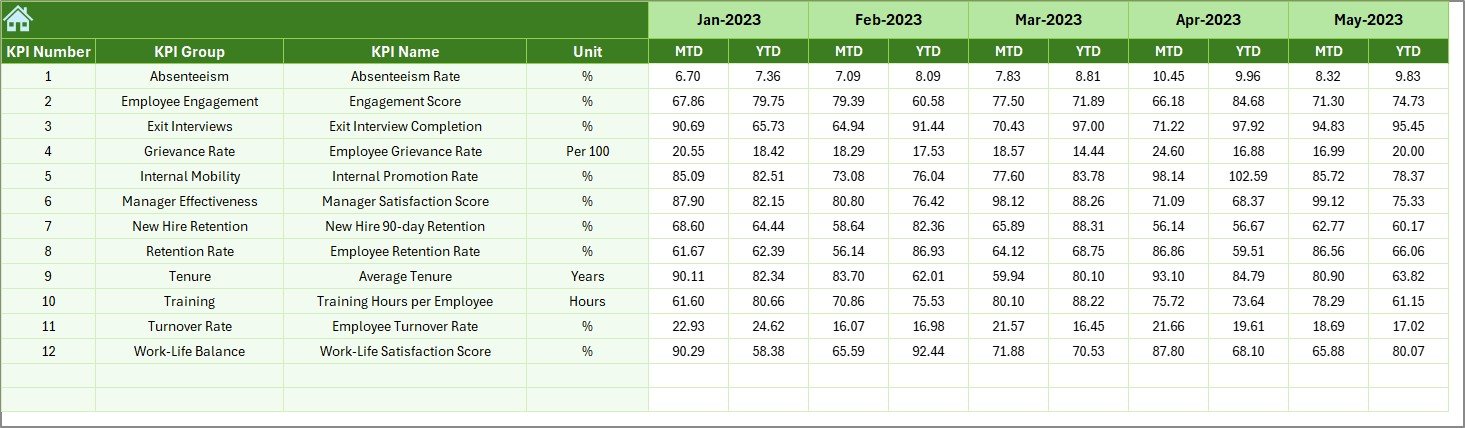

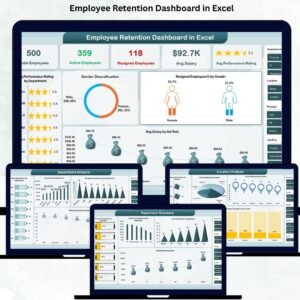
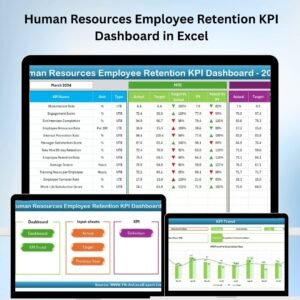
The Human Resources Employee Retention KPI Dashboard in Excel is an invaluable tool for HR teams and business leaders who aim to improve employee retention and satisfaction. This Excel-based dashboard allows you to monitor key performance indicators (KPIs) related to employee retention, such as turnover rates, satisfaction scores, and reasons for employee departure, helping you create effective retention strategies and foster a positive work environment.
By providing real-time insights into retention trends and identifying areas that need attention, this dashboard helps you make data-driven decisions to enhance employee engagement, reduce turnover, and improve long-term employee retention. Whether you’re a small business owner or managing a large organization, this tool gives you the actionable insights you need to maintain a motivated and committed workforce.
Key Features of the Human Resources Employee Retention KPI Dashboard in Excel
📊 Employee Turnover Rate Monitoring
Track employee turnover over time and identify trends that indicate whether retention efforts are working. Analyze turnover by department, tenure, or other relevant categories to pinpoint specific areas for improvement.
📈 Employee Satisfaction Tracking
Monitor employee satisfaction scores from surveys and feedback. Track how satisfaction levels correlate with turnover, helping you identify areas where improvements can reduce dissatisfaction.
📝 Reason for Departure Analysis
Record and analyze the reasons for employee departure, whether voluntary or involuntary. This data helps you understand why employees leave and implement strategies to address the root causes of turnover.
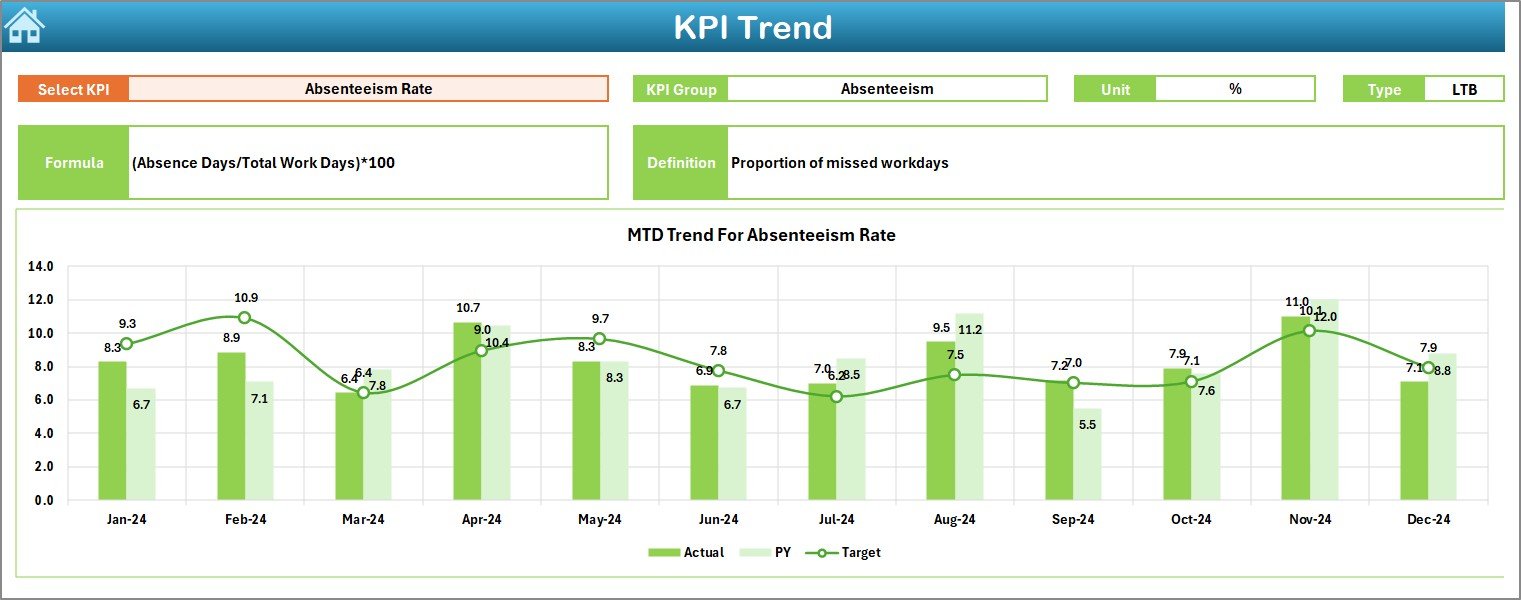
📅 Time-Based Performance Analysis
Analyze employee retention over different time periods, such as monthly, quarterly, or annually. This feature helps you assess the long-term effectiveness of your retention programs and measure the impact of specific initiatives.
🔑 Customizable KPIs & Metrics
Customize the dashboard to include the KPIs most relevant to your organization. Whether you’re tracking performance by department, job role, or other factors, the dashboard can be tailored to your needs.
⚙️ Real-Time Data Updates
The dashboard integrates with your HR data in real time, providing up-to-date insights into your retention strategies. Monitor changes as they happen and take immediate action to optimize employee retention.
Why You’ll Love the Human Resources Employee Retention KPI Dashboard in Excel
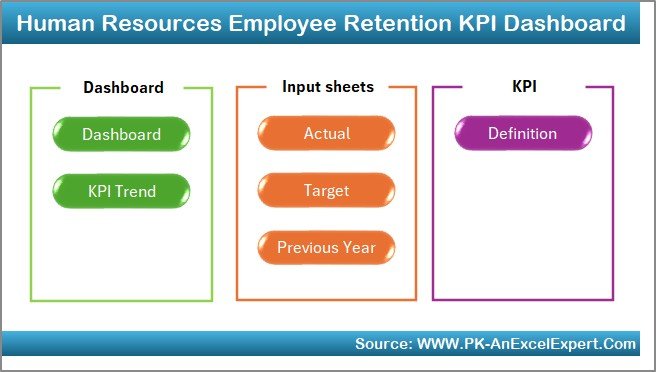
✅ Track Retention Metrics Effectively
Monitor employee turnover, satisfaction, and reasons for departure in one place. Quickly assess the health of your retention efforts and make informed decisions to improve employee engagement.
✅ Identify Patterns & Trends
Use data to spot patterns and trends in employee retention. Understand which departments or roles are experiencing higher turnover rates and why, allowing you to address specific issues.
✅ Improve Employee Satisfaction & Retention
Measure employee satisfaction and correlate it with retention trends. Use this data to implement changes that enhance the work environment and increase employee loyalty.
✅ Data-Driven Decision Making
Leverage actionable insights from the dashboard to make decisions about employee engagement programs, training initiatives, and retention strategies.
✅ Customizable & Scalable
The dashboard is adaptable to fit your organization’s specific needs. Track the KPIs that matter most to your business, whether you’re managing a small team or a large workforce.
What’s Inside the Human Resources Employee Retention KPI Dashboard in Excel?
Employee Turnover Rate Monitoring: Track turnover trends by department, tenure, and other factors.
Employee Satisfaction Tracking: Monitor satisfaction scores and correlate them with retention data.
Reason for Departure Analysis: Record and analyze reasons for employee departure.
Time-Based Performance Analysis: Track employee retention trends over different time periods.
Customizable KPIs: Tailor the dashboard to reflect your organization’s unique retention goals.
Real-Time Data Integration: Keep retention data up-to-date for real-time insights and decision-making.
How to Use the Human Resources Employee Retention KPI Dashboard in Excel
1️⃣ Download the Template: Access the Employee Retention KPI Dashboard in Excel instantly.
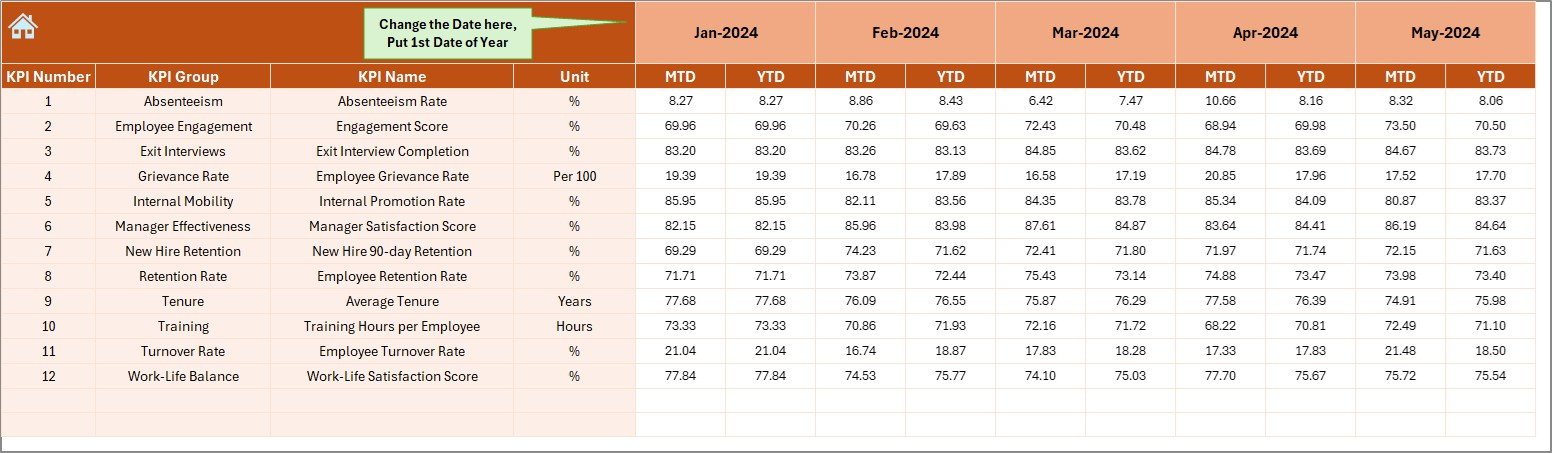
2️⃣ Input Retention Data: Enter turnover rates, satisfaction scores, and reasons for departure.
3️⃣ Monitor KPIs & Trends: Track key metrics such as employee satisfaction, turnover rates, and retention performance.
4️⃣ Analyze Data & Identify Areas for Improvement: Use time-based analysis to track retention efforts and improve strategies.
5️⃣ Implement Data-Driven Changes: Use insights from the dashboard to optimize your employee retention strategies.
Who Can Benefit from the Human Resources Employee Retention KPI Dashboard in Excel?
🔹 HR Teams & Managers
🔹 Business Owners & Founders
🔹 Employee Engagement & Satisfaction Teams
🔹 Small & Medium Enterprises (SMBs)
🔹 Large Corporations & Enterprises
🔹 Talent Management & Retention Specialists
🔹 Data Analysts in HR
Ensure that your organization maintains a motivated and engaged workforce with the Human Resources Employee Retention KPI Dashboard in Excel. Track turnover rates, employee satisfaction, and reasons for departure, and use the insights to reduce turnover and improve retention.
Click here to read the Detailed blog post
Visit our YouTube channel to learn step-by-step video tutorials
Youtube.com/@PKAnExcelExpert
Watch the step-by-step video Demo:
Compatibility and Requirements
- Works in Microsoft Excel desktop (Excel 2016 or later, or Microsoft 365).
- Microsoft’s guide Create a chart from start to finish explains how Excel charts work if you want to change one.
Frequently Asked Questions
What does the Employee Retention KPI Dashboard track?
Employee turnover by department, tenure and other factors, employee satisfaction scores, reasons for departure (voluntary or involuntary) and retention trends over monthly, quarterly or yearly periods.
What data do I need to enter?
Turnover rates, satisfaction scores and reasons for departure. The dashboard then shows where turnover is high and how it changes over time.
Can I track retention by department or job role?
Yes. You can set up the KPIs that matter to your organization and look at them by department, job role or other groups.
Is there a demo video?
Yes. The step-by-step video above walks through the dashboard.
Related Employee Retention Templates
- Employee Retention KPI Dashboard in Excel: another employee retention KPI dashboard in Excel
- Employee Retention Dashboard in Excel: a multi-chart retention dashboard in Excel
- Employee Retention Dashboard in Google Sheets: employee retention in Google Sheets
- Employee Retention Dashboard in Power BI: employee retention reporting in Power BI
- HR & Workforce Analytics Bundle: HR and workforce templates in one bundle
Browse all Excel KPI dashboards or the Excel HR and payroll templates.




















Reviews
There are no reviews yet.