



The Healthcare Market Expansion KPI Dashboard in Excel is a powerful tool designed to help healthcare organizations track and analyze key metrics related to their market expansion strategies. Whether you’re launching a new product, entering a new region, or growing your customer base, this dashboard provides critical insights that guide your business decisions. It’s an essential tool for executives, managers, and analysts in the healthcare industry who are focused on expanding their reach and optimizing their market strategies.
This Excel-based KPI dashboard consolidates various data sources and tracks key performance indicators (KPIs) such as market penetration, sales growth, customer acquisition, and regional performance. The tool enables users to monitor progress in real time, identify trends, and make data-driven decisions to boost growth.
Key Features of the Healthcare Market Expansion KPI Dashboard in Excel
📊 Comprehensive Market Data Tracking
Track essential market expansion metrics like new customer acquisition, market penetration, sales revenue, and more. This provides a clear overview of your market expansion performance.
📈 Regional Performance Overview
Gain insights into the performance of different regions, identifying which areas are performing well and which need more attention. This enables you to allocate resources efficiently.
📅 Time-Based Performance Analysis
Track your market expansion progress over different time periods (weekly, monthly, quarterly, etc.). This feature helps in evaluating trends and forecasting future growth.
📉 Sales and Revenue Insights
Monitor sales performance and revenue growth during market expansion, ensuring you are meeting your financial targets and objectives.
⚙️ Customizable KPI Inputs
Tailor the dashboard to your unique market expansion goals by adding, editing, or removing KPIs that matter most to your organization.
🔑 Real-Time Data Integration
The dashboard seamlessly integrates with your data sources, providing real-time updates for accurate decision-making. Track your progress live, no need for manual updates.
Why You’ll Love the Healthcare Market Expansion KPI Dashboard in Excel

✅ Streamlined Decision-Making
With all key metrics at your fingertips, you can make informed, data-driven decisions to support and accelerate your market expansion efforts.
✅ Maximize Market Penetration
Easily track your market reach and customer acquisition efforts. Identify successful strategies and focus on replicating them in underperforming regions.
✅ Boost Sales & Revenue Growth
With sales and revenue tracking integrated, you can quickly spot trends, adjust strategies, and boost profitability during the expansion process.
✅ Efficient Resource Allocation
Use regional performance data to allocate resources more effectively, ensuring that your market expansion efforts are optimized for success.
✅ Fully Customizable
This dashboard is highly flexible, allowing you to add your preferred KPIs, making it adaptable to various market expansion strategies in the healthcare sector.
What’s Inside the Healthcare Market Expansion KPI Dashboard in Excel?
Market Penetration & Customer Acquisition: Track the rate of new customer acquisition and market share growth.
Sales Revenue Tracking: Monitor sales performance and identify any gaps in revenue generation.
Regional Performance Analysis: View data on how different regions are performing during the expansion process.
Time-Based Metrics: Track progress over specific time periods to assess long-term trends.
Customizable KPI Inputs: Add, edit, or remove KPIs as needed to match your specific market goals.
Real-Time Updates: Data integration from your system ensures live performance monitoring.
How to Use the Healthcare Market Expansion KPI Dashboard in Excel
1️⃣ Download the Template: Gain instant access to the Healthcare Market Expansion KPI Dashboard in Excel.
2️⃣ Integrate Your Data: Link your data sources, including sales, customer, and regional performance data, for real-time updates.
3️⃣ Track Your KPIs: Use the dashboard to monitor key market expansion metrics such as customer acquisition and sales growth.
4️⃣ Analyze Regional Performance: View performance data by region and adjust your strategy based on this insight.
5️⃣ Customize for Your Needs: Modify KPIs and input sources to align with your specific expansion objectives.
Who Can Benefit from the Healthcare Market Expansion KPI Dashboard in Excel?
🔹 Healthcare Executives
🔹 Sales & Marketing Teams
🔹 Business Analysts & Data Analysts
🔹 Market Expansion Managers
🔹 Healthcare Organizations & Providers
🔹 Medical Device Manufacturers & Pharma Companies
Stay on top of your healthcare market expansion efforts and make data-driven decisions with the Healthcare Market Expansion KPI Dashboard in Excel. Optimize your market penetration, sales, and customer acquisition strategies for better growth outcomes.
Click here to read the Detailed blog post
Visit our YouTube channel to learn step-by-step video tutorials
Youtube.com/@PKAnExcelExpert
Watch the step-by-step video Demo:
Compatibility and Requirements
- Works in Microsoft Excel desktop (Excel 2016 or later, or Microsoft 365).
- New to Excel? Microsoft’s Excel for Windows training covers the basics.
Frequently Asked Questions
What does the market expansion dashboard track?
It tracks market penetration, customer acquisition, sales revenue and regional performance.
Can I see how each region is doing?
Yes. Regional performance analysis shows how each region performs during the expansion.
Can I measure market share growth?
Yes. It tracks the rate of new customer acquisition and market share growth.
Can I track results over time?
Yes. Time-based metrics show progress over set periods so you can assess long-term trends.
Can I change the KPIs?
Yes. You can add, edit or remove KPIs to match your market goals.
Related Market Expansion and Healthcare Templates
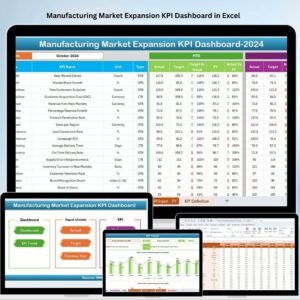
- Manufacturing Market Expansion KPI Dashboard in Excel: the same idea for manufacturing
- Finance and Accounting Market Expansion KPI Dashboard in Excel: the same idea for finance teams
- Healthcare KPI Dashboard In Excel: core healthcare KPIs
- Healthcare Customer Feedback KPI Dashboard in Excel: track patient feedback
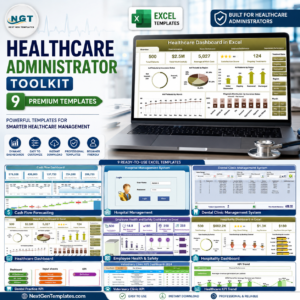
- Healthcare Administrator Toolkit: 9 healthcare templates in one download
Browse all Excel KPI dashboards or the Excel dashboards.




Reviews
There are no reviews yet.