

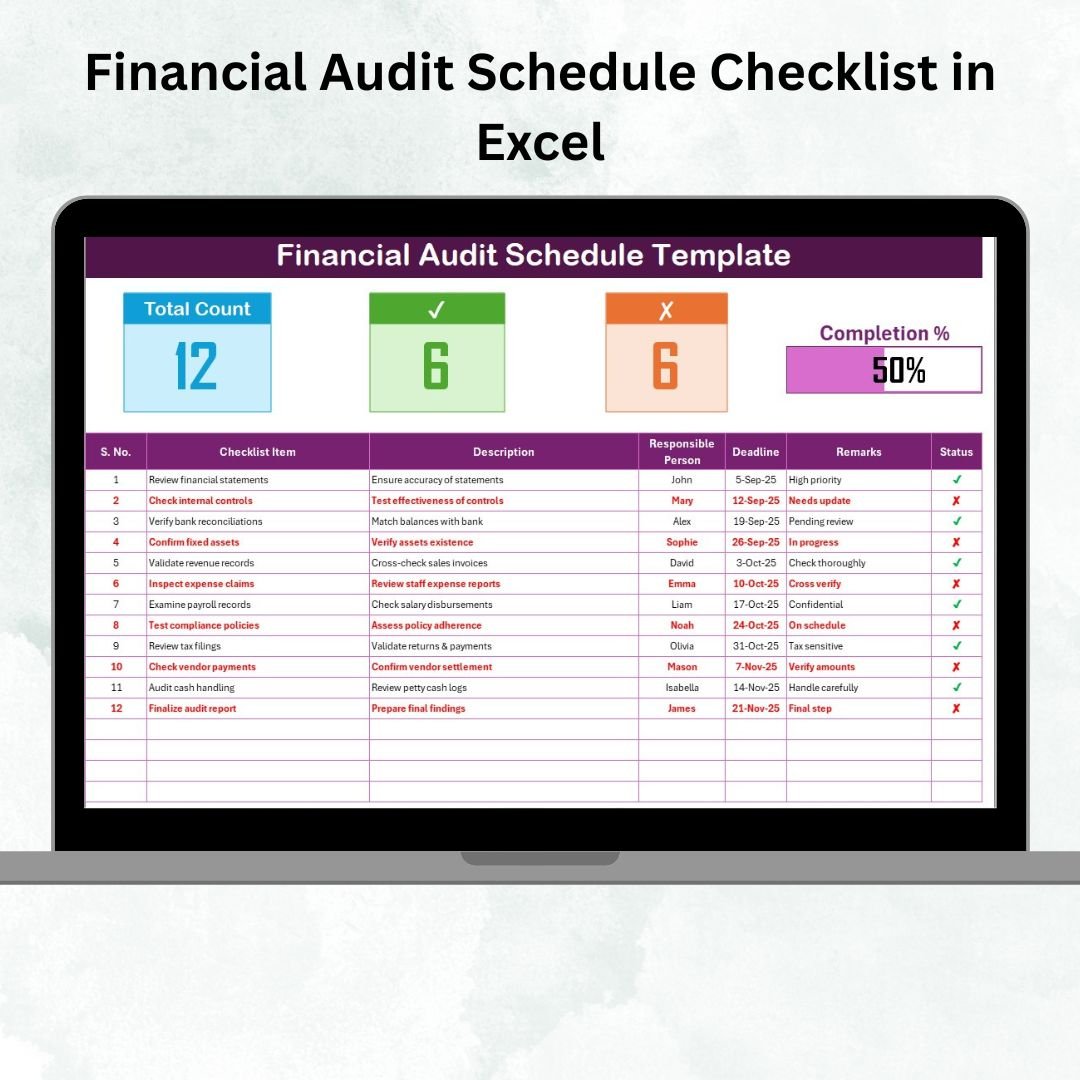

Financial Audit Schedule Checklist in Excel 📊✅
Financial audits are one of the most important responsibilities for any organization. They ensure transparency, compliance, and accuracy of financial records. But without a structured system, managing audit schedules can be chaotic—deadlines get missed, tasks remain incomplete, and accountability becomes unclear. To solve this, we’ve built the Financial Audit Schedule Checklist in Excel—a ready-to-use tool that streamlines audit management, improves efficiency, and ensures no critical detail is overlooked.
This template is designed for finance professionals, auditors, and managers who want a simple yet powerful way to track audit tasks from start to finish. With automated progress tracking, checkboxes, deadlines, and responsible person assignments, it transforms traditional audit planning into a transparent, organized process.
✨ Key Features of the Financial Audit Schedule Checklist
📑 Structured Audit Checklist
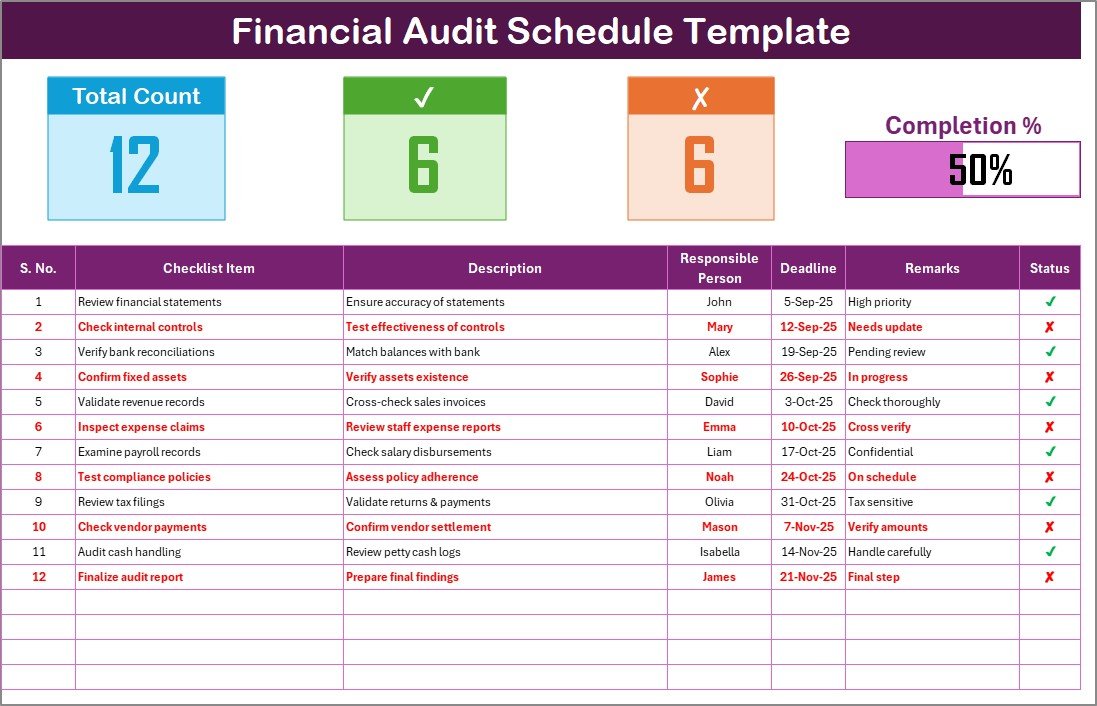
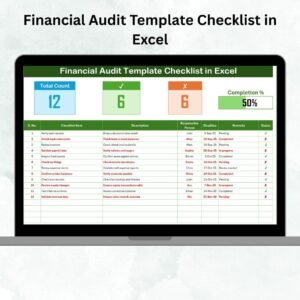
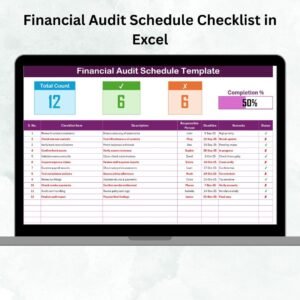
Pre-designed checklist table with essential columns:
Serial No.
Checklist Item
Description
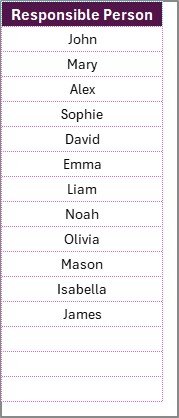
Responsible Person (drop-down list)
Deadline
Remarks
Status (✔ or ✘)
Covers every audit activity in a clear, step-by-step format.
📊 Automated Progress Tracking
Top section displays real-time audit progress:
Total Count of tasks
Completed (✔)
Pending (✘)
Progress Bar (%) for instant visibility
Helps management monitor audit readiness at a glance.
👥 Accountability Made Simple
Assign tasks to specific individuals via a drop-down Responsible Person list.
Linked List Sheet Tab ensures consistency and avoids spelling mistakes.
Encourages accountability by making responsibilities clear.
🎨 Visual Tracking with Conditional Formatting
Completed tasks appear in green, pending tasks in red.
Overdue tasks can be highlighted automatically for easy identification.
Ensures audit managers don’t miss critical delays.
🖥 User-Friendly Design
Built in Microsoft Excel—no extra software required.
Fully customizable for small businesses, corporations, and audit firms.
Works on both desktop and cloud-shared Excel files (OneDrive, Google Drive, SharePoint).
✅ Advantages of Financial Audit Schedule Checklist in Excel
📌 Improved Organization – Keeps all audit activities in one place.
⏱ Saves Time – Automated calculations reduce manual updates.
🔒 Accountability – Assign clear ownership of every task.
📊 Transparency – Easy-to-read audit trail for stakeholders.
⚡ Error Reduction – Avoids missing key audit activities.
💻 Flexibility – Adaptable to industry-specific compliance needs.
💰 Cost-Effective – No need for expensive audit management software.
🔧 Opportunities for Improvement
🔗 Integration with Power BI or Google Sheets for dynamic dashboards.
⏰ Automated email alerts for overdue tasks.
☁ Cloud collaboration features for real-time updates across teams.
📲 Mobile-friendly versions for auditors in the field.
📌 Best Practices
Keep checklist items short and clear (under 70 characters).
Update task status daily during audit periods.
Use color coding to highlight overdue and completed tasks.
Assign realistic deadlines to avoid last-minute issues.
Back up the checklist in shared drives for secure collaboration.
Review progress weekly to keep audits on track.
👥 Who Can Benefit?
Finance Teams – Ensure smooth internal audits.
Audit Firms – Manage multiple client checklists with consistency.
Small Businesses – Stay compliant without expensive tools.
Large Enterprises – Track hundreds of audit tasks across departments.
External Auditors – Use structured schedules for clear reporting.
🚀 Conclusion
The Financial Audit Schedule Checklist in Excel is more than a simple template—it’s a complete framework for ensuring audits run smoothly, efficiently, and error-free. With features like automated progress tracking, accountability through assigned roles, and visual monitoring, it empowers organizations to improve compliance and reduce risks.
Whether you’re a small business preparing for your first audit or a multinational corporation managing complex schedules, this Excel-based checklist is a cost-effective, reliable, and user-friendly solution to keep your audit processes on track.
📖 Click here to read the Detailed Blog Post
🎥 Visit our YouTube Channel for step-by-step tutorials
Watch the step-by-step video tutorial:
Compatibility and Requirements
- Works in Microsoft Excel desktop (Excel 2016 or later, or Microsoft 365).
- The Responsible Person column uses a dropdown linked to the List Sheet tab. Microsoft explains dropdowns in Create a drop-down list.
Frequently Asked Questions
What columns does the checklist table have?
Serial No., Checklist Item, Description, Responsible Person, Deadline, Remarks and Status.
How do I assign a task to someone?
Pick the name from the Responsible Person dropdown. The names come from the List Sheet tab, so add your team there first.
How is progress tracked?
The top of the sheet shows the total count of tasks, completed tasks, pending tasks and a progress bar in percent. Mark a task with a tick or a cross in the Status column and the figures update.
Can I see overdue tasks?
Completed tasks show in green and pending tasks in red. Overdue tasks can be highlighted automatically with conditional formatting.
Is there a Google Sheets version?
This product is the Excel version. For Google Sheets, see the Financial Audit Preparation Checklist in Google Sheets.
Related Financial Audit Templates
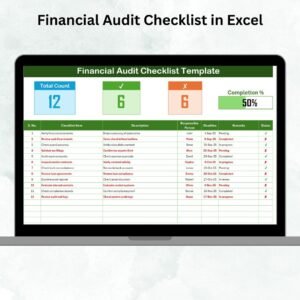
- Financial Audit Checklist in Excel: a general checklist for financial audits
- Financial Audit Calendar in Excel: plan audit dates on a calendar
- Financial Audit Action Plan Checklist in Excel: follow up on audit actions
- Internal Audit Schedule Checklist in Excel: the same schedule approach for internal audits
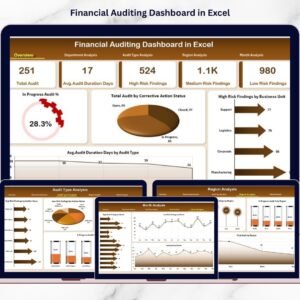
- Financial Auditing Dashboard in Excel: a dashboard view of audit results
Browse all Excel checklist templates.


























Reviews
There are no reviews yet.