



The Employee Timesheet for Billable Hours in Google Sheets is an essential tool for businesses and freelancers to track billable hours efficiently. This user-friendly template allows you to log employee working hours, calculate total billable hours, and generate reports that help in invoicing clients and managing payroll. Whether you’re a small business owner, freelancer, or team leader, this template helps ensure accurate billing and payment tracking.
With automated calculations, the timesheet makes it easy to monitor hours worked, billable hours, overtime, and more. This makes it ideal for businesses offering services or consulting work where accurate tracking of employee time is essential.

Key Features of the Employee Timesheet for Billable Hours in Google Sheets
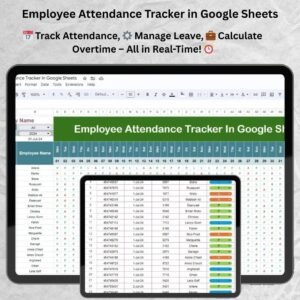
📅 Time Tracking: Track employee work hours, including billable and non-billable hours, with ease.
⚙️ Billable Hour Calculation: Automatically calculate total billable hours based on hourly rates and time worked.
📊 Overtime Tracking: Track overtime hours separately and calculate overtime pay if applicable.
💼 Customizable: Modify the template to suit your billing rates, working hours, and overtime policies.
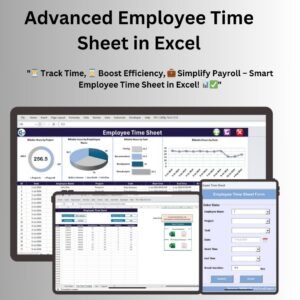
📈 Visual Reports: Use built-in graphs and charts to visualize billable hours, time trends, and overall productivity.
🔄 Real-Time Updates: Collaborate with your team and keep track of time entries in real time for accurate reporting.
Why You’ll Love the Employee Timesheet for Billable Hours in Google Sheets
✅ Accurate Billing: Ensure precise billing by automatically calculating billable hours and overtime based on logged time.
✅ Streamlined Invoicing: Easily create client invoices by extracting billable hours and rates directly from the timesheet.
✅ Real-Time Tracking: Keep track of time worked in real time for immediate reporting and quick adjustments.
✅ Customizable: Tailor the timesheet to fit your team’s unique needs, whether for hourly employees or freelancers.
✅ Easy to Use: Simple interface that allows employees to input their hours with minimal effort, while managers can easily monitor time and billing.
What’s Inside the Employee Timesheet for Billable Hours in Google Sheets?
📅 Time Log: A section for employees to log their work hours each day.
⚙️ Billable Hours Tracker: Automatically calculate the total billable hours worked based on inputted time.
📈 Payroll Report: Generate payroll reports showing billable hours, overtime, and total pay.
💼 Customizable Fields: Add custom billing rates, overtime rates, and job categories.
📊 Visual Performance Insights: Use charts to analyze billable hours and track employee productivity over time.
How to Use the Employee Timesheet for Billable Hours in Google Sheets
1️⃣ Download the Template – Access the pre-configured timesheet template.
2️⃣ Input Time Data: Employees log their hours worked, including billable and non-billable time.
3️⃣ Calculate Billable Hours: The template automatically calculates total billable hours based on inputted data.
4️⃣ Monitor Overtime: Track overtime hours and adjust pay accordingly.
5️⃣ Generate Reports: Use visual charts and reports for accurate billing and payroll processing.
Who Can Benefit from the Employee Timesheet for Billable Hours in Google Sheets?
🔹 Business Owners
🔹 Freelancers
🔹 Consultants
🔹 Project Managers
🔹 Payroll Managers
🔹 HR Teams
🔹 Team Leaders
Streamline timesheet management, ensure accurate billing, and improve payroll efficiency with the Employee Timesheet for Billable Hours in Google Sheets. A simple tool for tracking time, managing pay, and generating invoices.
Click here to read the detailed blog post
Visit our YouTube channel to learn step-by-step video tutorials
Watch the step-by-step video tutorial:
Compatibility and Requirements
- Works in Google Sheets with a free Google account and a web browser. Nothing to install.
- Share the timesheet so employees log hours and managers review them in the same file. Google explains the basics in How to use Google Sheets.
Frequently Asked Questions
Does it separate billable and non-billable hours?
Yes. Employees log both, and the template totals billable hours from the time entered.
Can I set my own billing and overtime rates?
Yes. Add custom billing rates, overtime rates and job categories to match your policies.
Can I use it for client invoices?
Yes. The billable hours and rates in the timesheet give you the figures to bill clients, and the payroll report shows billable hours, overtime and total pay.
Does it include charts?
Yes. Built-in charts show billable hours, time trends and productivity over time.
Related Timesheet and Billing Templates
- Billable Hours and Time Tracker in Google Sheets: another way to log client hours
- Automated Employee Timesheet Template in Excel: the Excel option
- Timesheet Form Template in MS Word and Google Docs: a free printable timesheet
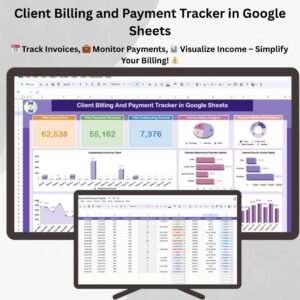
- Client Billing and Payment Tracker in Google Sheets: track the invoices you raise from these hours
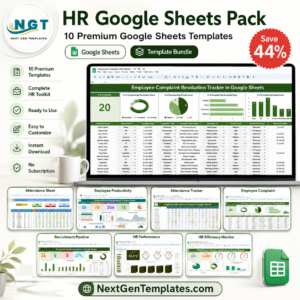
- HR Google Sheets Pack: 10 premium HR templates in Google Sheets
Browse all Google Sheets HR and payroll templates.












Reviews
There are no reviews yet.