
Managing personal finances effectively requires clarity, organization, and regular monitoring. Many individuals earn income from multiple sources, invest in different financial instruments, and manage various liabilities such as mortgages, personal loans, or credit card balances. However, without a structured financial tracking system, it becomes difficult to understand your true financial position.
Many people attempt to manage their finances through scattered spreadsheets or handwritten notes. Unfortunately, this often leads to confusion, inaccurate records, and difficulty tracking financial progress. As a result, individuals may struggle to evaluate their assets, liabilities, and overall net worth.
This is where the Annual Personal Financial Statement Template in Excel becomes extremely valuable.
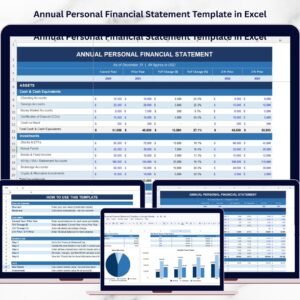
The Annual Personal Financial Statement Template in Excel is a ready-to-use financial management tool designed to help individuals track their assets, liabilities, and net worth in a clear and structured format. Instead of manually calculating totals and trends, the template automatically performs calculations and generates financial insights.
Because the template organizes financial data systematically, users can quickly understand their financial health and make smarter financial decisions. Whether you are planning investments, applying for loans, preparing for retirement, or simply monitoring your financial progress, this template provides the clarity you need.
By maintaining an annual financial statement, individuals can track long-term financial growth, identify financial risks, and improve wealth management strategies.
💰 Key Feature of Annual Personal Financial Statement Template in Excel
The Annual Personal Financial Statement Template includes powerful features that simplify personal financial tracking and analysis.
📊 Complete Financial Overview
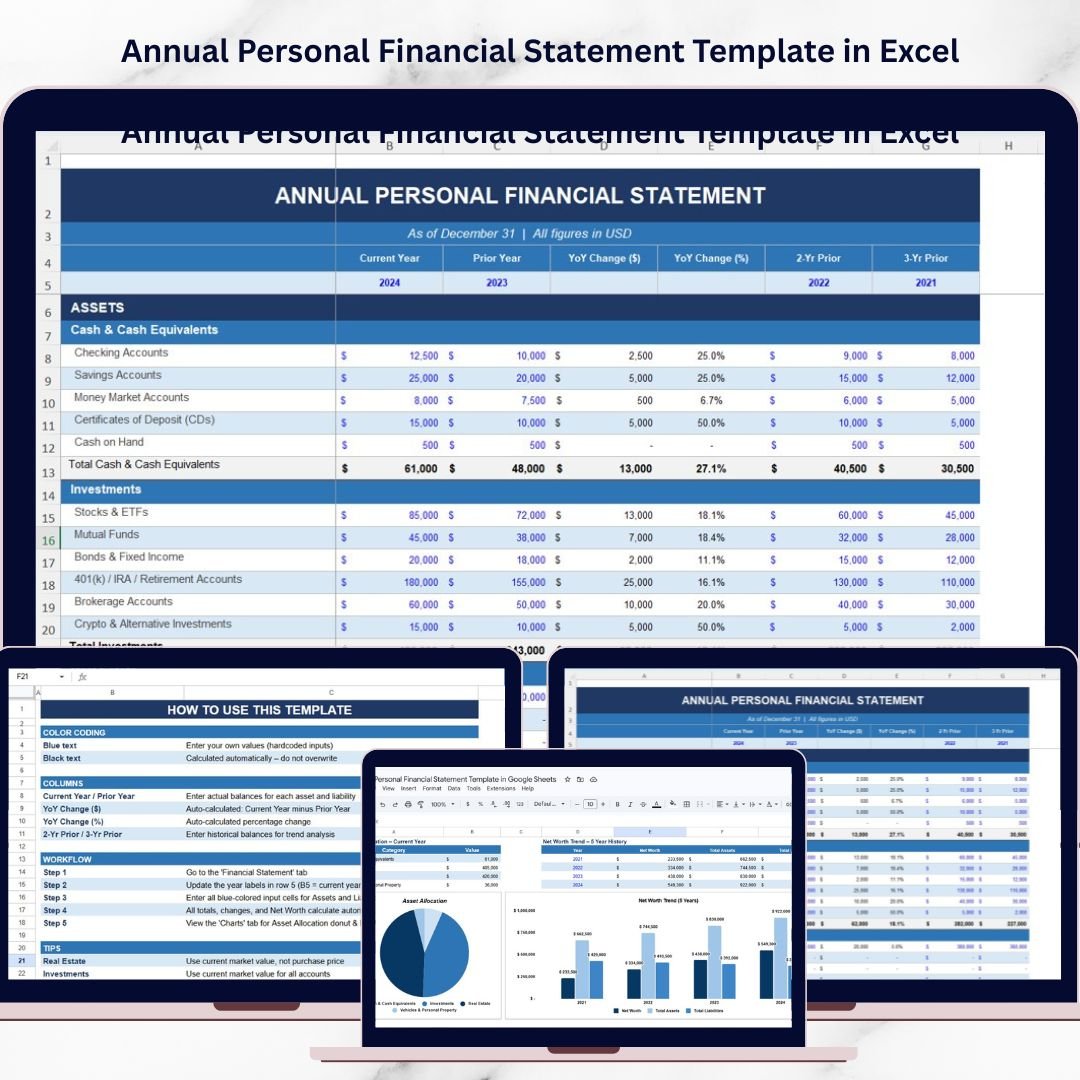
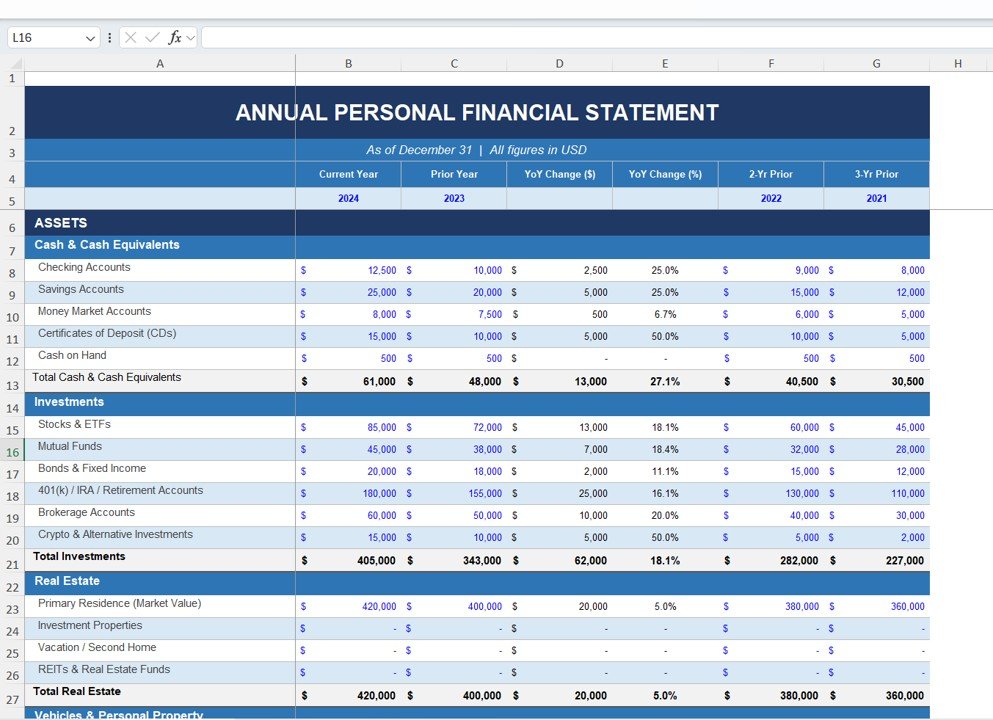
The template organizes all financial information including assets, liabilities, and net worth in one structured statement.
📈 Automatic Net Worth Calculation
The template automatically calculates Net Worth = Total Assets – Total Liabilities, allowing users to instantly evaluate their financial position.
📅 Year-Over-Year Financial Comparison
Users can compare financial data across multiple years to track financial progress and growth.
📊 Automatic Financial Calculations
All totals and percentages are calculated automatically, reducing manual effort and calculation errors.
📉 Net Worth Trend Analysis
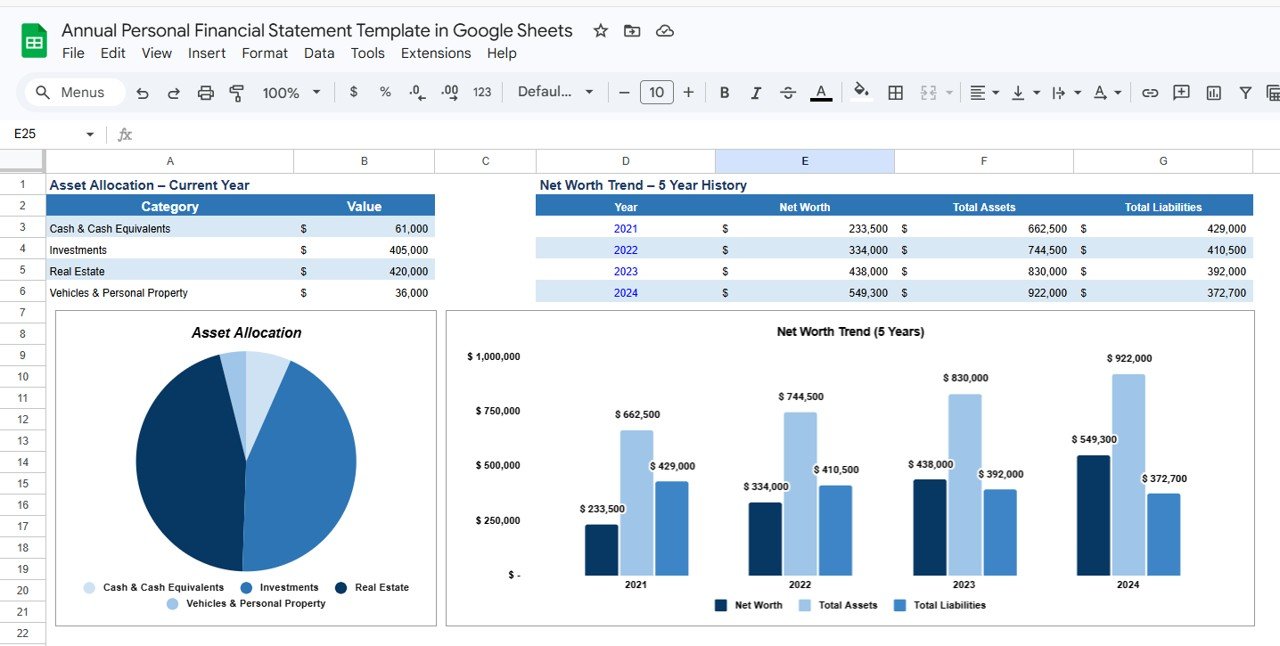
The template includes charts that show changes in Net Worth, Total Assets, and Total Liabilities over time.
📊 Asset Allocation Visualization
A dedicated chart displays how assets are distributed across categories such as cash, investments, real estate, and personal property.
📂 Structured Asset Categories
The template includes organized sections for Cash, Investments, Real Estate, Vehicles, and Personal Property.
⚡ Easy Data Entry
Users only need to enter financial values while the template handles calculations automatically.
📈 Financial Growth Tracking
Track financial progress year after year to evaluate long-term wealth accumulation.
📦 What’s Inside the Annual Personal Financial Statement Template in Excel
This template includes several structured sections designed to provide a complete overview of personal finances.
💵 Cash & Cash Equivalents Section
Track liquid assets such as checking accounts, savings accounts, money market funds, and cash balances.
📊 Investments Section
Record investment holdings including stocks, ETFs, mutual funds, bonds, retirement accounts, and brokerage portfolios.
🏡 Real Estate Section
Track the current market value of properties including primary residence, rental properties, and vacation homes.
🚗 Vehicles & Personal Property Section
Monitor valuable personal assets such as vehicles, jewelry, collectibles, and other high-value possessions.
📈 Year-Over-Year Financial Comparison
Compare financial data across multiple years with automatic calculations for YoY Change ($) and YoY Change (%).
📊 Asset Allocation Chart
Visualize how wealth is distributed across different asset classes.
📉 Net Worth Trend Chart
Monitor long-term financial progress with charts showing Net Worth, Total Assets, and Total Liabilities.
Together, these sections provide a complete financial overview that supports smarter financial planning.
⚙️ How to Use the Annual Personal Financial Statement Template in Excel
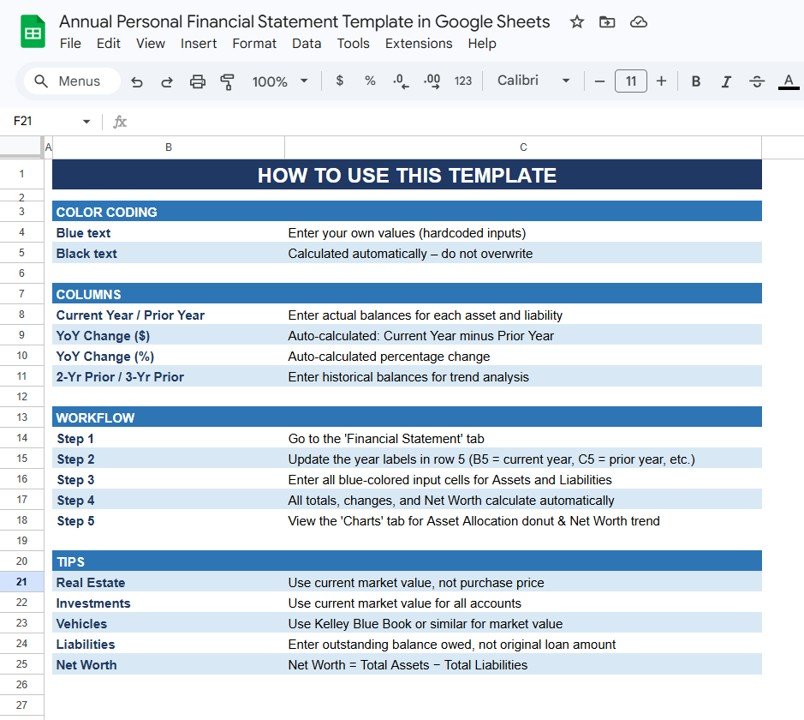
Using this financial statement template is simple and requires no advanced Excel skills.
Step 1 – Enter Asset Values
Add current market values for assets such as cash balances, investments, real estate, and personal property.
Step 2 – Enter Liability Information
Record outstanding balances for liabilities including mortgages, loans, and credit cards.
Step 3 – Review Net Worth Calculation
The template automatically calculates total assets, total liabilities, and net worth.
Step 4 – Analyze Financial Trends
Use the Net Worth Trend chart to monitor long-term financial growth.
Step 5 – Evaluate Asset Allocation
Review the asset allocation chart to ensure a balanced financial portfolio.
By following these steps, individuals can build a structured and effective financial monitoring system.
👥 Who Can Benefit from This Annual Personal Financial Statement Template in Excel
This template is useful for many individuals who want better financial visibility.
👨💼 Professionals & Employees – Monitor personal wealth and track financial progress.
💰 Investors – Evaluate investment portfolios and asset allocation.
🏡 Property Owners – Track real estate values and liabilities.
📊 Financial Planners – Analyze financial health and planning strategies.
🎓 Students & Personal Finance Learners – Understand how assets, liabilities, and net worth work.
📈 Entrepreneurs & Business Owners – Track personal financial health alongside business activities.
Anyone who wants to take control of their financial future can benefit from this structured financial statement template.
### Click hare to read the Detailed blog post
Watch the step-by-step video tutorial:
### Visit our YouTube channel to learn step-by-step video tutorials
https://youtube.com/@PKAnExcelExpert
Compatibility and Requirements
- Works in Microsoft Excel desktop (Excel 2016 or later, or Microsoft 365).
- The net worth trend and asset allocation views are Excel charts. Microsoft explains charts in Create a chart from start to finish.
Frequently Asked Questions
How is net worth calculated?
The template calculates Net Worth = Total Assets minus Total Liabilities automatically from the values you enter.
Which asset categories are included?
Cash and cash equivalents, investments, real estate, vehicles and personal property.
Can I compare one year with another?
Yes. The year-over-year section shows YoY Change ($) and YoY Change (%) across multiple years.
Which charts are included?
A Net Worth Trend chart showing net worth, total assets and total liabilities, and an Asset Allocation chart.
Where do I record loans and credit cards?
Enter outstanding balances for liabilities such as mortgages, loans and credit cards, and the totals update on their own.
Related Personal Finance Templates
- Annual Personal Financial Statement Template in Google Sheets: the same statement in Google Sheets
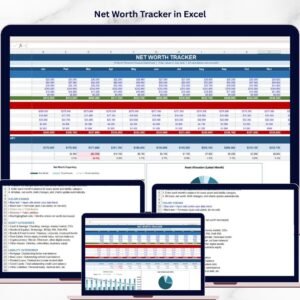
- Net Worth Tracker in Excel: tracks net worth over time
- Personal Finance Tracker in Excel: tracks income and spending
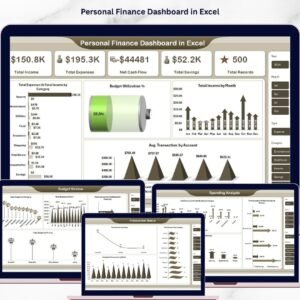
- Personal Finance Dashboard in Excel: a full personal finance dashboard
Browse all Excel financial tools or the Google Sheets financial tools.