

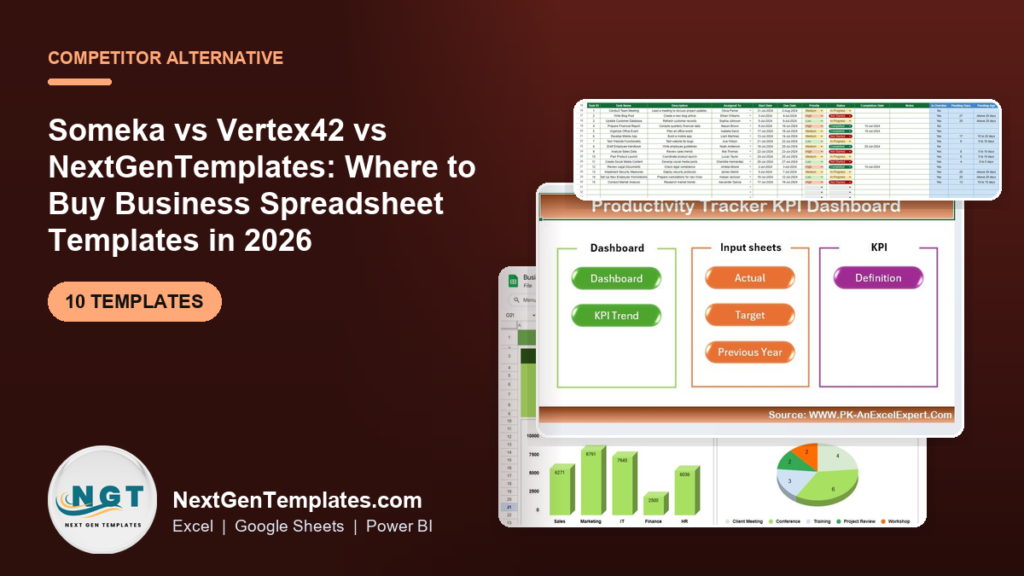
Someka and Vertex42 are excellent template shops, but small teams increasingly outgrow them on price. NextGenTemplates sells the same business spreadsheet templates as one-time downloads from $6.99, with a 12-tool Tracker Toolkit at $45.99 that costs less than a single Someka premium bundle. Buy per tool, own it forever, no seats.
Once you have chosen where to buy, the next question is when a file should graduate into a full tool. Our pricing guide walks through how to scale a spreadsheet to a business system, with real prices and a bundle-vs-single worked example.
Last updated: September 2026
Key takeaways
- NextGenTemplates lists business spreadsheet templates from $6.99, versus Someka premium templates and bundles that commonly run from tens into the hundreds of dollars.
- The Tracker Toolkit — 12 Premium Templates is $45.99 for Excel and Google Sheets copies of all 12 tools — the best-value entry point in this list.
- Someka and Vertex42 remain the right call for very large template libraries, deep VBA add-ins, and buyers who want one recognised brand for everything.
- Small teams churn off template shops for three reasons: per-template cost stacking up, paying for modules they never open, and the admin of stitching disconnected files together.
- Every template below is a one-time purchase you own forever — no seats, no subscription, works in desktop Excel, Google Sheets, or Power BI.
 Launch offer
SUMIFS, XLOOKUP, FILTER, LAMBDA and checking AI-written formulas, with real business projects. 11h 47m of video by PK, with practice files, quizzes and a capstone.
Business spreadsheet templates compared
| Template | Format | Best for | Price |
|---|---|---|---|
| Tracker Toolkit — 12 Premium Templates (Best value) | Excel + Google Sheets | Teams that want a whole tracking stack at once | $45.99 |
| Business Travel Plan Tracker & Dashboard | Excel | Trip budgets, itineraries and spend reporting | $17.99 |
| Productivity Tracker KPI Dashboard in Excel (Best overall) | Excel | Team output and KPI reporting | $14.99 |
| Productivity Tracker KPI Dashboard in Power BI | Power BI | Interactive KPI reporting for leadership | $11.99 |
| Procurement Tracker & Dashboard in Google Sheets | Google Sheets | Purchase orders and supplier spend | $9.99 |
| Monthly Budget Planner Template in Excel | Excel | Forward-looking monthly budgeting | $6.99 |
| Monthly Budget Tracker in Microsoft Excel | Excel | Actuals vs budget by category | $6.99 |
| Annual Leave Tracker (Daily & Monthly view) | Excel | PTO and absence management | $6.99 |
| Travel Authorization Tracker in Excel | Excel (VBA) | Approving and logging travel requests | $6.99 |
| IT Equipment Request Tracker in Excel | Excel (VBA) | Hardware requests and asset issue | $6.99 |
What Someka and Vertex42 actually cost in 2026
Both shops publish their pricing openly, and both are fair value for what they are. Someka sells individual Excel and Google Sheets templates — many priced in the tens of dollars — alongside category bundles and an all-templates bundle that reaches into the hundreds. Vertex42 keeps a large free library and charges for its premium and "Pro" templates, typically in the low tens of dollars each, plus a handful of bundles.
Prices change, so treat any single figure as a snapshot. Check the source before you buy: the official Someka pricing page and the Vertex42 site are the authorities on their own numbers. The point of this comparison is not that those shops are expensive — it is that a lot of small teams do not need what a bundle bills them for.
Here is where teams tend to leak money, and it maps to the three reasons people switch:
- Per-template cost stacks up. One premium template is fine. By your fifth, you have spent more than a small bundle from another shop would have cost for a dozen tools.
- You pay for modules you never open. A big bundle is only good value if you use most of it. Most teams use three or four tools and leave the rest untouched.
- Admin overhead. Disconnected files with different layouts, colour codes and instructions cost time to learn and stitch together, which is a hidden line item on top of the sticker price.
How we picked these templates
We searched the NextGenTemplates catalogue of roughly 6,900 published products for the tools a Someka or Vertex42 buyer is most likely shopping for: trackers, budget templates, procurement and KPI dashboards. We kept only paid, ready-to-use downloads with a clear business use case, priced them in USD, and excluded anything free or loosely related. Bundles were ranked on cost-per-tool, single templates on how completely they replace a paid competitor download.
Someka and Vertex42 features vs the NextGenTemplates equivalent
| What you would buy from Someka / Vertex42 | NextGenTemplates equivalent | NGT price |
|---|---|---|
| A set of individual tracker templates | Tracker Toolkit (12 tools, Excel + Sheets) | $45.99 |
| KPI dashboard template | Productivity Tracker KPI Dashboard in Excel | $14.99 |
| Interactive BI dashboard | Productivity Tracker KPI Dashboard in Power BI | $11.99 |
| Purchase order / procurement tracker | Procurement Tracker & Dashboard (Google Sheets) | $9.99 |
| Monthly budget template | Monthly Budget Planner + Budget Tracker in Excel | $6.99 each |
| Leave / PTO tracker | Annual Leave Tracker (Daily & Monthly view) | $6.99 |
| Travel request & expense workflow | Business Travel Plan Tracker + Travel Authorization Tracker | $17.99 / $6.99 |
The 10 best business spreadsheet templates for 2026
1. Tracker Toolkit — 12 Premium Templates — best overall

The Tracker Toolkit is the single strongest reason to buy from NextGenTemplates instead of paying per template. It bundles 12 premium trackers — task management, projects, habits, goals, attendance and more — and every one ships in both Excel and Google Sheets, so you are not locked to one platform.
Who it is for: operations leads, small-business owners and teams who want a complete tracking stack in one purchase rather than buying tools one at a time.
What is inside:
- 12 ready-to-use trackers with consistent layout and colour coding
- Excel and Google Sheets versions of every file
- Pre-built summaries and dashboards on each tool
- Editable dropdowns, categories and status fields
At $45.99 the toolkit works out to under $4 a tool. A team standardising on one tracking system for a 10-person office gets consistent reporting without buying and re-learning a dozen separate files. A founder running projects and habits from the same workbook set avoids the admin overhead that pushes people off template shops in the first place. Best for: anyone who wants breadth and consistency in one payment.
2. Business Travel Plan Tracker and Dashboard
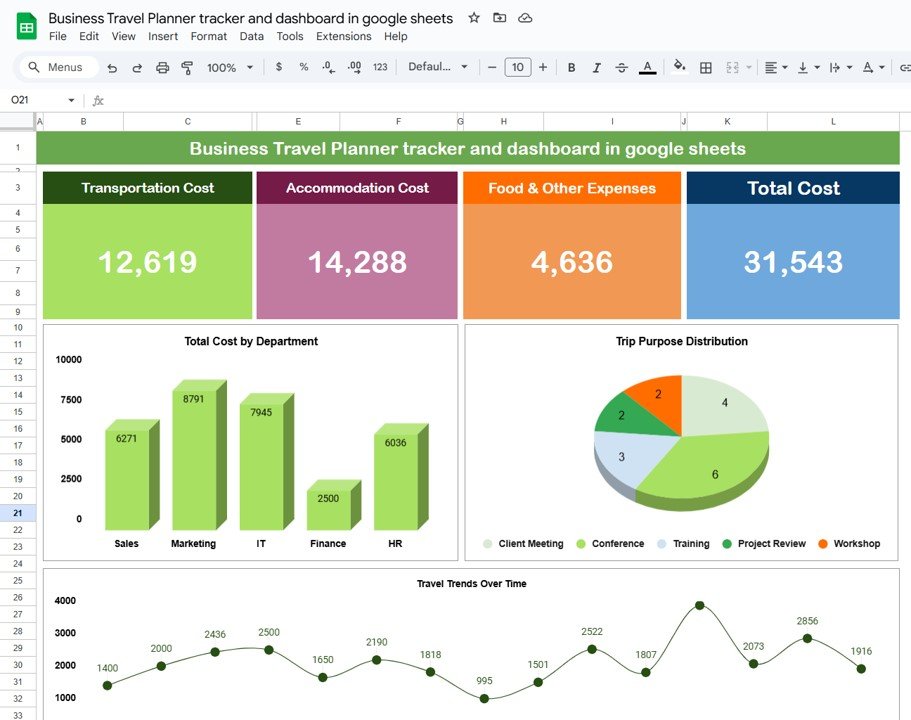
This template turns scattered trip bookings into a single planned-vs-actual view. You log itineraries, per-trip budgets and expenses, and the built-in dashboard rolls it into spend by trip, category and traveller.
Who it is for: office managers and finance staff who approve travel and need to see where the budget went without building pivot tables by hand.
What is inside:
- Trip planner with dates, destinations and cost lines
- Budget vs actual tracking per trip
- Dashboard charts for spend by category and traveller
For a team that sends five people to two conferences a quarter, this replaces a shared spreadsheet nobody trusts. Set a $2,000 per-trip budget, log flights and hotels, and the overspend flags itself. At $17.99 it is a one-time cost against travel budgets that run into thousands. Best for: controlling and reporting business travel spend.
3. Productivity Tracker KPI Dashboard in Excel — best value single tool
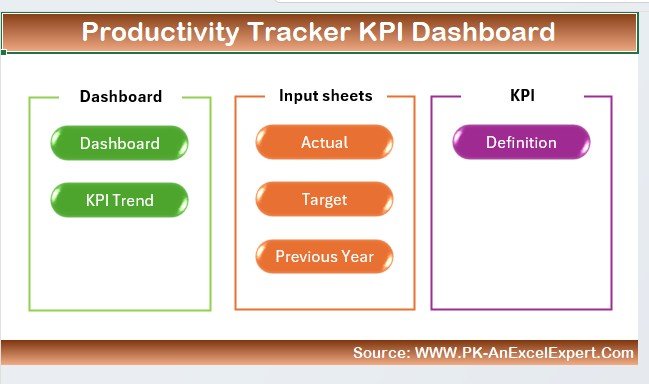
A clean, formula-driven KPI dashboard that turns raw activity data into an executive view. You enter actuals, targets and prior-year numbers on the input sheets and the dashboard shows KPI trends and definitions automatically.
Who it is for: team leads and managers who report output monthly and want a repeatable dashboard instead of rebuilding charts every cycle.
What is inside:
- Actual, Target and Previous-Year input sheets
- KPI Trend and KPI Definition views
- Auto-updating charts and traffic-light indicators
Track ten KPIs across a 12-person team, refresh the numbers on the first of the month, and the leadership view redraws itself. Because it is pure Excel with no add-ins, IT does not have to approve anything. At $14.99 it is a fraction of a comparable premium dashboard from a template shop. Best for: monthly KPI reporting in native Excel.
4. Productivity Tracker KPI Dashboard in Power BI
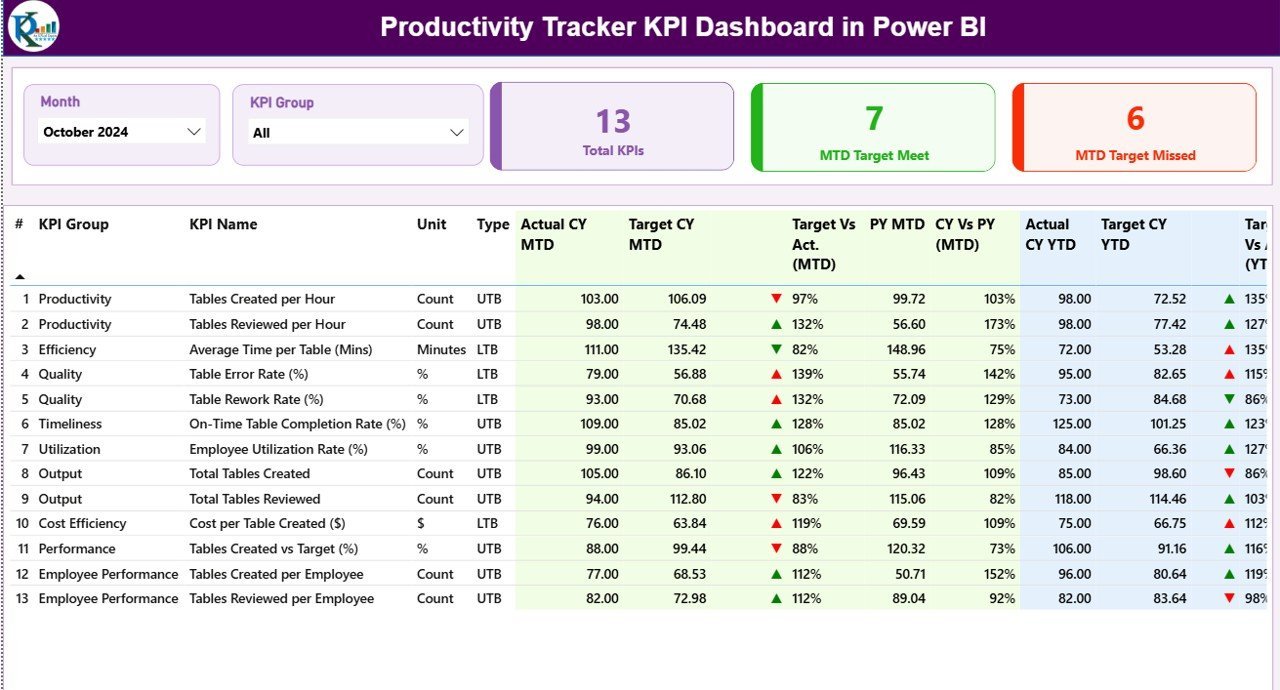
The same productivity KPI logic delivered as a Power BI report, for teams that have moved reporting into Microsoft’s BI stack. Slicers, drill-downs and interactive visuals replace static charts.
Who it is for: analysts and leadership teams already on Power BI who want a pre-built KPI model rather than starting from a blank canvas.
What is inside:
- Pre-modelled KPI measures and relationships
- Interactive trend and comparison pages
- Slicers for period, team and metric
Point it at your data, refresh, and share to the Power BI service for the leadership team to explore on their phones. It saves the days of DAX and modelling that a custom KPI report normally takes. At $11.99 it is the cheapest way to get a working Power BI KPI dashboard. Best for: interactive KPI reporting on Power BI.
5. Procurement Tracker and Dashboard in Google Sheets

A live procurement log and dashboard built for Google Sheets, so the whole team can update purchase orders in one shared file. It tracks POs, suppliers, order status and spend, then summarises it visually.
Who it is for: small operations and procurement teams that work in Google Workspace and want real-time collaboration without a paid procurement platform.
What is inside:
- Purchase-order log with supplier and status fields
- Spend-by-supplier and spend-by-category dashboard
- Shareable, cloud-native Google Sheets file
Give three buyers edit access, log every PO, and the dashboard shows this month’s committed spend without anyone exporting anything. For a team spending $50,000 a quarter across 20 suppliers, that visibility usually justifies far more than the $9.99 sticker. Best for: collaborative procurement tracking in Google Sheets.
6. Monthly Budget Planner Template in Excel
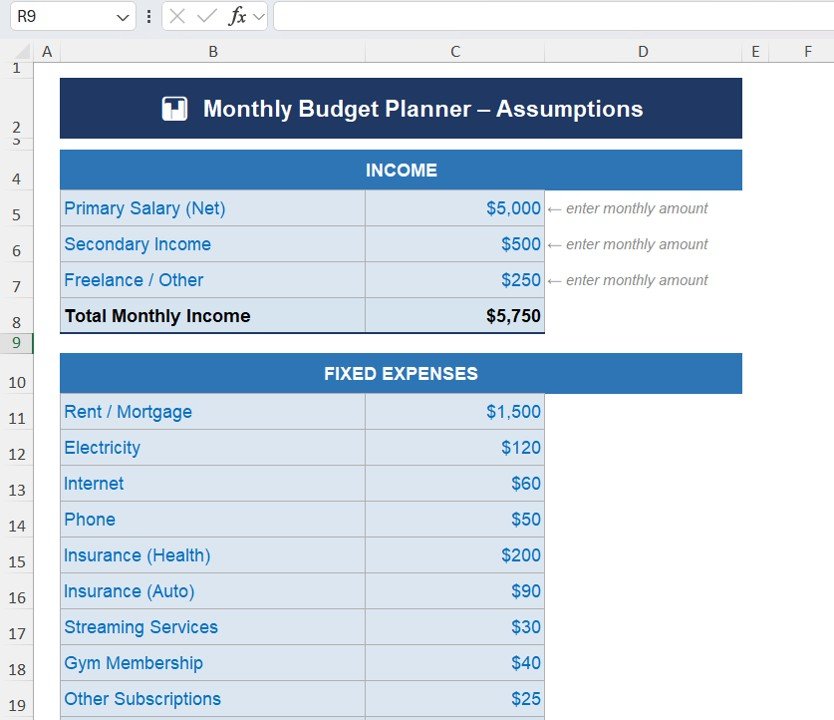
A forward-looking budget template for planning income and expenses month by month. Set category targets, enter what you expect, and see the projected surplus or shortfall before the month begins.
Who it is for: households and solo operators who want to plan a budget rather than only record it after the fact.
What is inside:
- Income and expense categories with monthly columns
- Projected vs planned totals and running balance
- Simple summary charts
Plan a $4,000 monthly budget across rent, groceries and savings, and the template flags the month you would go negative before it happens. It is the planning half of budgeting that a bank statement can never give you. At $6.99 it is an easy first purchase to test the shop. Best for: planning next month’s budget.
7. Monthly Budget Tracker in Microsoft Excel

The tracking counterpart to the planner: it records actual spend against budget by category and shows exactly where you overran. Pair it with the planner for a full plan-then-track loop.
Who it is for: anyone who wants to compare real spending to a budget each month and adjust categories that keep going over.
What is inside:
- Category budget vs actual columns
- Variance highlighting for over-budget lines
- Month-to-date and year-to-date roll-ups
Log every transaction, and by month-end the tracker shows groceries ran 18% over while transport came in under. That is the feedback that actually changes behaviour. At $6.99, buying both the planner and tracker still costs less than $14 for a complete budgeting system. Best for: tracking actual spend against a set budget.
8. Annual Leave Tracker with Daily & Monthly View in Excel
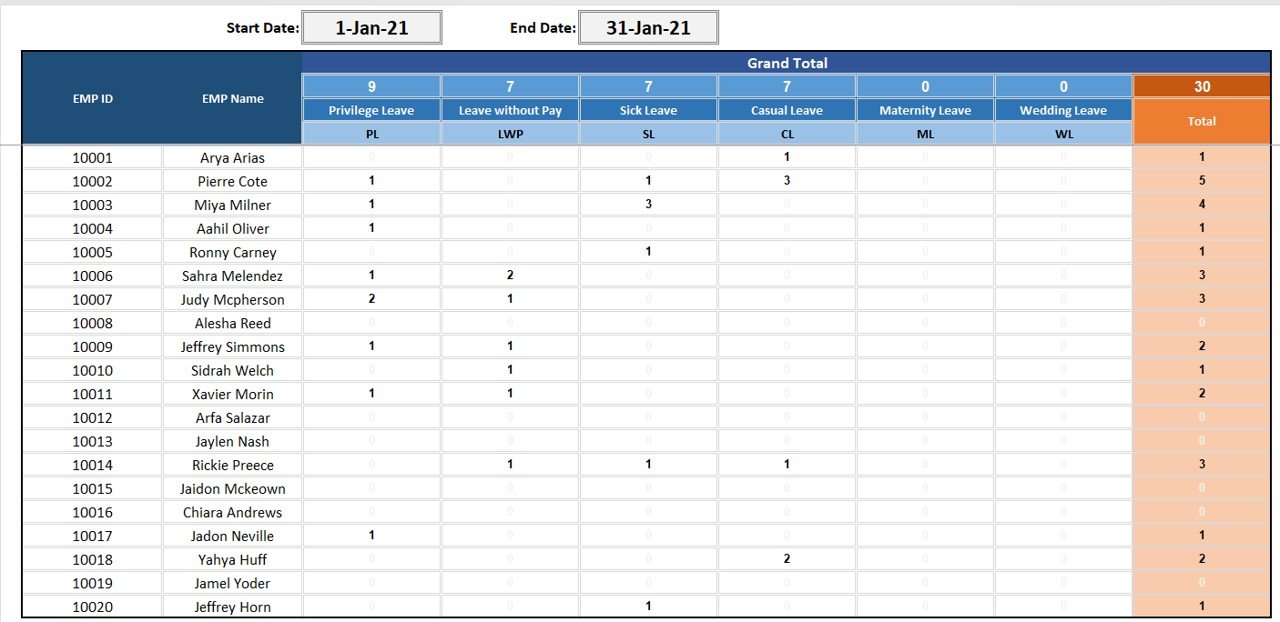
A PTO and absence tracker that shows leave both day-by-day and as a monthly calendar, with per-employee balances that update as you log days off.
Who it is for: small HR teams and managers who track leave in a spreadsheet and want a proper calendar view instead of a plain list.
What is inside:
- Daily and monthly leave calendars
- Per-employee entitlement and remaining-balance tracking
- Leave-type categories (annual, sick, unpaid)
For a 15-person team, log everyone’s holiday and the monthly view instantly shows the week in August when four people are out at once — the clash you want to catch before approving it. At $6.99 it replaces a manual absence sheet that always drifts out of date. Best for: visual PTO and absence management.
9. Travel Authorization Tracker in Excel
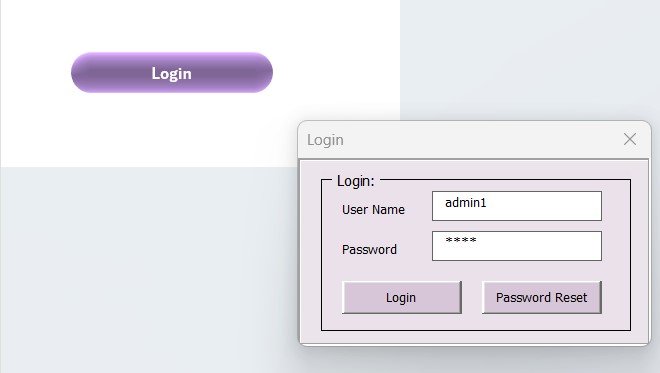
A VBA-powered tool for logging and approving travel requests. Staff submit a request, approvers mark it, and the tool keeps an audit trail of who authorised what and when.
Who it is for: companies that need a lightweight approval workflow for travel without buying a full expense platform.
What is inside:
- Add / update / approve request buttons (VBA)
- Status tracking and approval log
- Filterable request history
Route 30 travel requests a month through one file: each gets a status, an approver and a date stamp, so finance has a clean record at year end. Because the automation is native VBA, there is nothing to subscribe to. At $6.99 it is a genuine workflow tool at template pricing. Best for: a simple travel-approval trail. It pairs naturally with the Business Travel Plan Tracker above.
10. IT Equipment Request Tracker in Excel
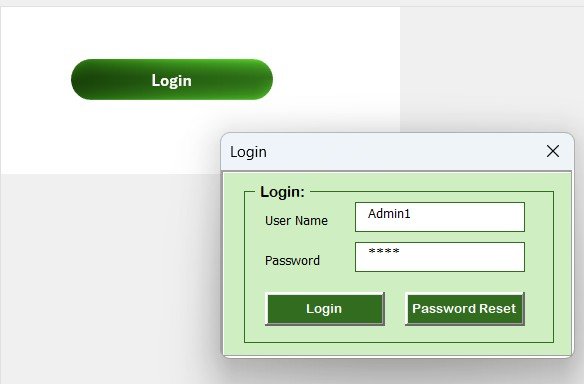
A VBA-driven tracker for hardware requests and asset issue. Employees request laptops, monitors or phones; IT logs approval, issue and return in one auditable file.
Who it is for: IT and office managers who hand out equipment and need to know who has what without a full asset-management system.
What is inside:
- Request form with device type and requester
- Approval, issue and return status tracking
- Searchable equipment-request history
When 40 staff share a pool of laptops and docking stations, this file answers "who has device #12" in one lookup instead of an email hunt. The VBA buttons make add and update a click each. At $6.99 it is the cheapest starting point for spreadsheet-based asset tracking. Best for: tracking IT hardware requests and issue.
How to choose between them
Use this quick decision path:
- Want the most for one payment? Buy the Tracker Toolkit at $45.99 and you have 12 tools in Excel and Sheets.
- Need one specific tool? Buy the matching single template from $6.99 and skip the bundle.
- Report KPIs? Excel dashboard ($14.99) for native Office, Power BI version ($11.99) if you are on the Microsoft BI stack.
- Team collaborates in the cloud? Pick the Google Sheets tools like the Procurement Tracker.
- Need approvals and an audit trail? The VBA trackers (Travel Authorization, IT Equipment) add workflow buttons.
For adjacent needs, browse the related roundups: expense tracker Excel templates, inventory management Excel templates, the best HR dashboard templates in Excel, and the best sales dashboard templates for 2026.
When Someka or Vertex42 is still the right call
This is a switcher post, but it would be dishonest to pretend the incumbents never win. Buy from Someka or Vertex42 when:
- You need the sheer breadth of one library. Someka’s catalogue spans hundreds of niches; if you want dozens of very specific templates under one brand and one checkout, that convenience has real value.
- You rely on their heavier automation. Some Someka tools ship complex add-ins and macros that go well beyond a single-purpose tracker. If a specific Someka product is the exact engine you need, buy it.
- You want a large amount of genuinely free content. Vertex42’s free library is deservedly well known. For casual, personal use you may not need to pay anyone.
- Brand standardisation matters to your org. Some companies prefer to source everything from one established vendor for support and consistency, and will pay a premium for it.
And a template of any brand is the wrong answer entirely when you need multi-user permissions, an audit trail across hundreds of users, or a live database. At that point buy purpose-built software — a spreadsheet, however good, is not an ERP.
Frequently asked questions
What is the best Excel template site for small business in 2026?
For price-sensitive small teams, NextGenTemplates is hard to beat: business spreadsheet templates start at $6.99 and a 12-tool Tracker Toolkit is $45.99. Someka and Vertex42 are strong for library breadth and free content. The best site depends on whether you value breadth or lowest cost per tool.
Is NextGenTemplates a good Someka and Vertex42 alternative?
Yes, especially on price. NextGenTemplates sells comparable trackers, budgets, procurement and KPI dashboards as one-time downloads from $6.99, with no seats or subscription. If you only need a handful of tools rather than a whole branded library, it is usually the cheaper switch.
How much do Someka templates cost?
Someka publishes its pricing openly: individual templates commonly run in the tens of dollars, with category bundles and an all-templates bundle reaching into the hundreds. Prices change, so check the official Someka pricing page before buying. The value is real if you use most of a bundle.
Does Vertex42 still offer free templates?
Yes. Vertex42 keeps a large free library and charges for its premium and Pro templates, typically in the low tens of dollars. For casual personal use the free tier may be all you need; for business tools with dashboards and automation you will usually be looking at paid options.
Do NextGenTemplates templates work in Google Sheets and Power BI?
Many do. The Tracker Toolkit ships in both Excel and Google Sheets, the Procurement Tracker is Google Sheets native, and the Productivity KPI Dashboard comes in both Excel and Power BI versions. Check each product page for the exact formats included before buying.
Are these one-time purchases or subscriptions?
Every template listed here is a one-time purchase you download and own forever. There are no seat licences, no recurring fees and no user limits. That is the core cost advantage over per-seat SaaS tools and over stacking up multiple premium single-template purchases.
Which template is the best value for a whole team?
The Tracker Toolkit at $45.99. It bundles 12 premium trackers in both Excel and Google Sheets, which works out to under $4 per tool. For a team standardising on one tracking system, it is far cheaper than buying the same tools individually from any shop.
Can I get a refund if a template does not fit?
Refund terms are set per shop, so check the policy on the site you buy from. Because these are instant digital downloads, the practical protection is to read the product page, screenshots and format list carefully first — every listing shows what is inside before you pay $6.99 and up.
Do I need VBA or macros enabled to use them?
Only for the VBA tools. The Travel Authorization Tracker and IT Equipment Request Tracker use VBA buttons, so you enable macros. The budget, leave and KPI templates are pure formulas with no macros, so IT approval is rarely needed and they open anywhere Excel runs.
Get more business spreadsheet templates
Start with the Tracker Toolkit — 12 Premium Templates for $45.99 for the best value, or pick any single tool from $6.99. Every purchase is a one-time download you own forever, in Excel, Google Sheets or Power BI.
Prefer to watch a template in action first? See walkthroughs on the NextGenTemplates YouTube channel, then browse related picks like asset management templates and supplier management Excel templates.