

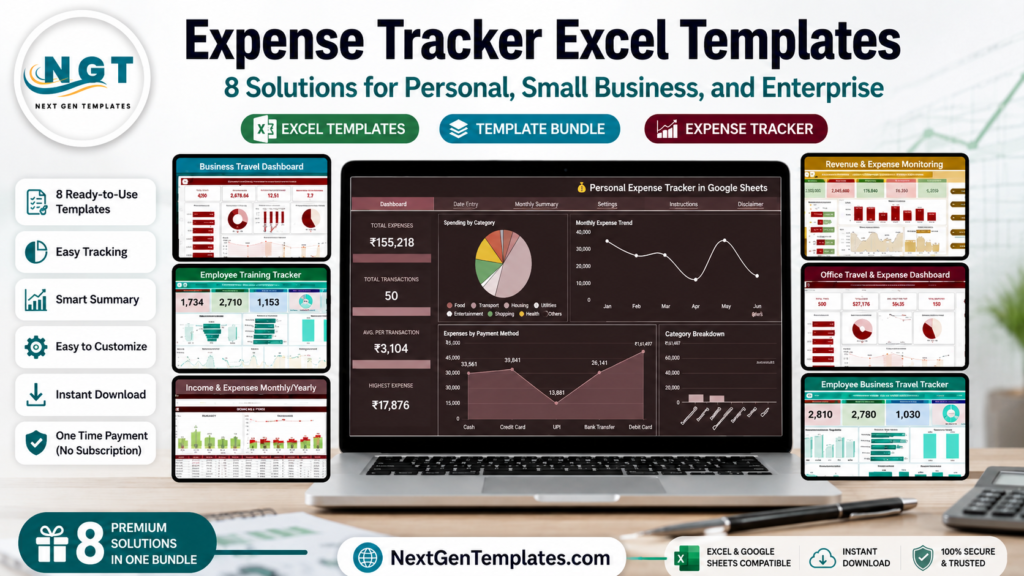
Expense tracker Excel templates and Google Sheets expense dashboards give individuals and teams a faster way to understand spending without committing to a full SaaS rollout. In the U.S., the pain is real on both sides of the market: households are trying to manage rising annual spending, while small businesses need cleaner expense reports, travel records, and approval trails. A dedicated SaaS expense platform can be useful, but public pricing from Expensify’s billing overview shows paid business plans can run from $5 per member per month to higher active-user rates depending on plan and terms. By comparison, the one-time templates in this roundup range from $6.99 to $19.99. This post compares eight NextGenTemplates solutions for personal budgeting, company expense template workflows, business travel expense reports, category dashboards, and reimbursement approval systems.
Why Expense Tracking Matters Now
Expense tracking is not only a bookkeeping chore. It is a control system for cash flow, reimbursement accuracy, tax documentation, and management visibility. Before choosing a template, it helps to understand the scale of the problem.
- Household spending is large enough to require structure: The U.S. Bureau of Labor Statistics Consumer Expenditure Survey reported average annual consumer-unit expenditures of $78,535 for 2024, so even personal budgets benefit from category views and monthly summaries.
- Small businesses need lightweight systems: The SBA Office of Advocacy reported 36.2 million U.S. small businesses, accounting for almost 46% of private-sector employment. Many of these firms need tracking before they need enterprise software.
- Travel spend is a major cost center: GBTA projected U.S. business travel spending at $395.4 billion in 2025 in its 2025 business travel forecast, making travel expense dashboards valuable even for modest teams.
- Mileage reimbursement needs current rules: The IRS updated the 2026 standard mileage rate to 72.5 cents per mile, which makes structured travel logs important for employees, freelancers, and company reimbursement policies.
- Approval workflows reduce tax and payroll risk: IRS accountable plan guidance requires a business connection, timely substantiation, and return of excess amounts, as explained in the IRS accountable plan rules for reimbursements. A good expense report template helps capture the right proof before month-end.
Compare the 8 Expense Tracker Templates
| Template | Format | Best For | Price |
|---|---|---|---|
| Personal Expense Tracker in Google Sheets | Google Sheets | Personal budgets, freelancers, students, households | $6.99 |
| Expense Reimbursement Management System V1.0 in Excel VBA | Excel VBA | Employee claims, reimbursement approvals, finance teams | $19.99 |
| Business Travel Expense Control Dashboard in Google Sheets | Google Sheets | Corporate travel spend, approval time, department controls | $6.99 |
| Employee Training Expense Tracker in Google Sheets | Google Sheets | HR, learning and development, training budgets | $6.99 |
| Revenue and Expense Monitoring Dashboard in Google Sheets | Google Sheets | Revenue vs expense analysis, profit/loss monitoring | $9.99 |
| Office Travel and Expense Dashboard in Google Sheets | Google Sheets | Office travel, city analysis, monthly trip trends | $6.99 |
| Employee Business Travel Expense Tracker in Google Sheets | Google Sheets | Row-level travel logs, receipt tracking, employee trip expenses | $6.99 |
| Income and Expenses Monthly and Yearly View in Google Sheets | Google Sheets | Monthly and yearly income/expense summaries | $6.99 |
Template Reviews: 8 Expense Tracker Options
1. Personal Expense Tracker in Google Sheets
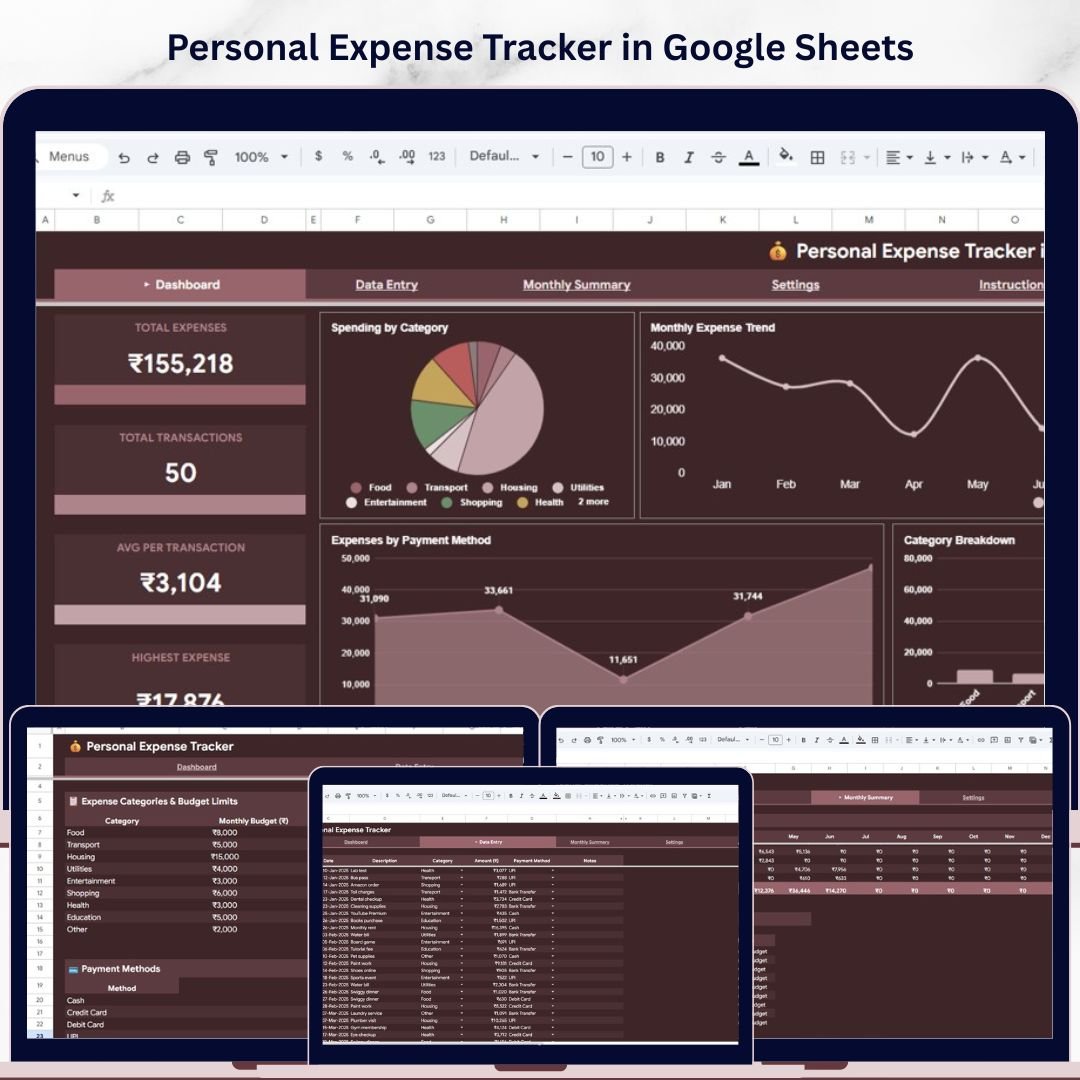
The Personal Expense Tracker in Google Sheets is the best starting point if you want a clean personal finance system without complex accounting software. It is built for row-level transaction entry, category summaries, and budget visibility. The template includes a Dashboard, Monthly Summary, Settings page, and Data Entry sheet, which makes it practical for users who want both simple logging and visual insights.
Screenshot section: The product screens show KPI cards for total expenses, total transactions, average transaction amount, and highest expense. The dashboard also includes spending by category, monthly expense trend, payment-method breakdown, and category analysis. The Settings page lets you define expense categories, budget limits, and payment methods, so the tracker fits your real-life spending habits.
- Track household spending by category and payment method.
- Monitor freelance or side-hustle expenses separately from personal costs.
- Compare monthly budgets against actual spending.
- Build better money habits with a simple daily expense log.
Pricing: $6.99. View the Personal Expense Tracker in Google Sheets.
2. Expense Reimbursement Management System V1.0 in Excel VBA
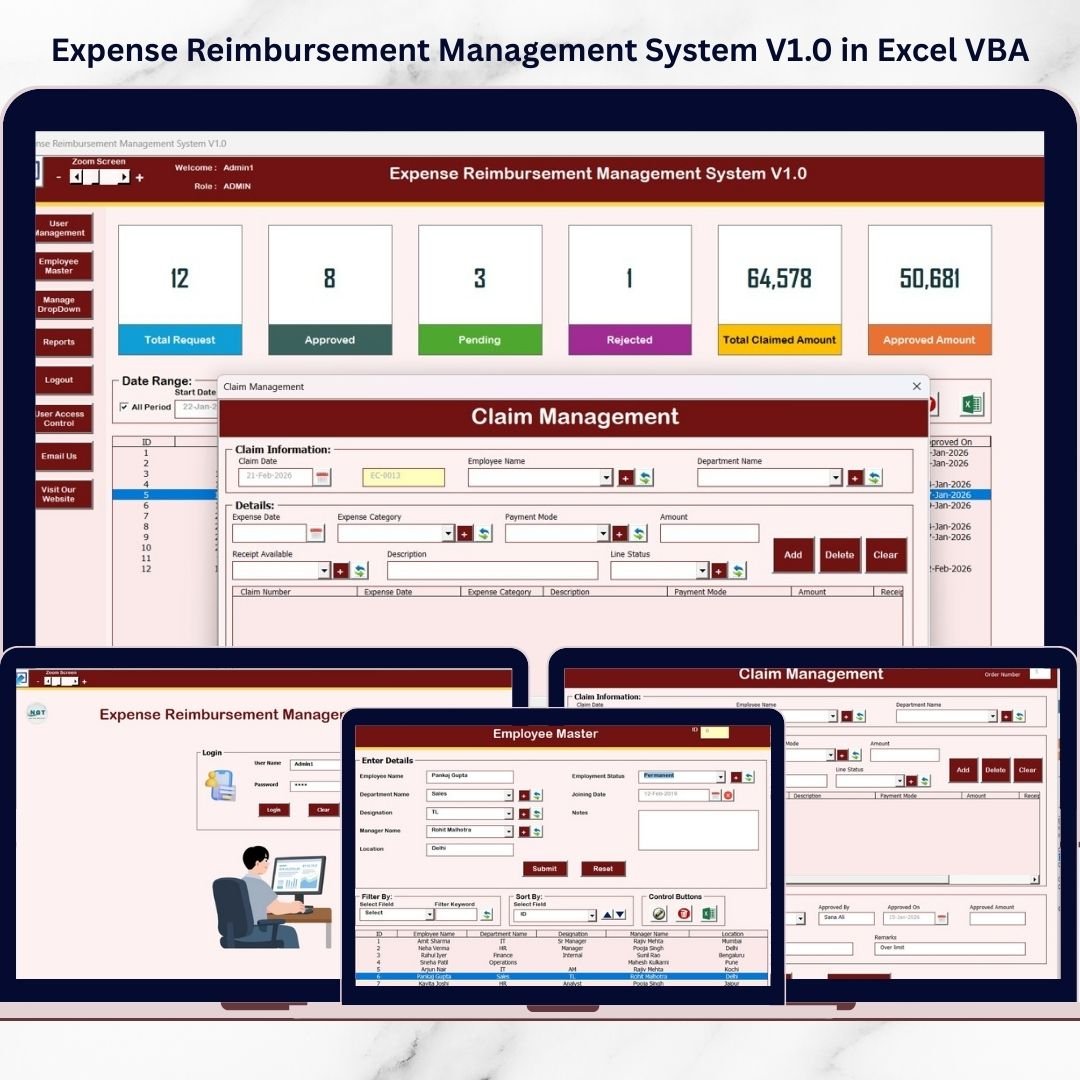
The Expense Reimbursement Management System V1.0 in Excel VBA is the strongest option in this roundup for companies that need an approval workflow, not just a company expense template. It is an Excel VBA system with secure login, role-based access, employee records, claim management, reports, filters, and export options. For small and mid-sized teams that still work in Microsoft Excel, this can replace scattered email threads and disconnected expense report files.
Screenshot section: The product visuals show a login form, central management screen, claim entry forms, list management, employee master data, reporting modules, and user access controls. Instead of only storing expenses, the system supports claim creation, review, filtering, and reporting from one interface.
- Manage employee reimbursement claims in a controlled Excel system.
- Give finance teams a searchable claim history.
- Use role-based access for admin and user workflows.
- Export filtered reimbursement reports for management review.
Pricing: $19.99. View the Expense Reimbursement Management System in Excel VBA.
3. Business Travel Expense Control Dashboard in Google Sheets
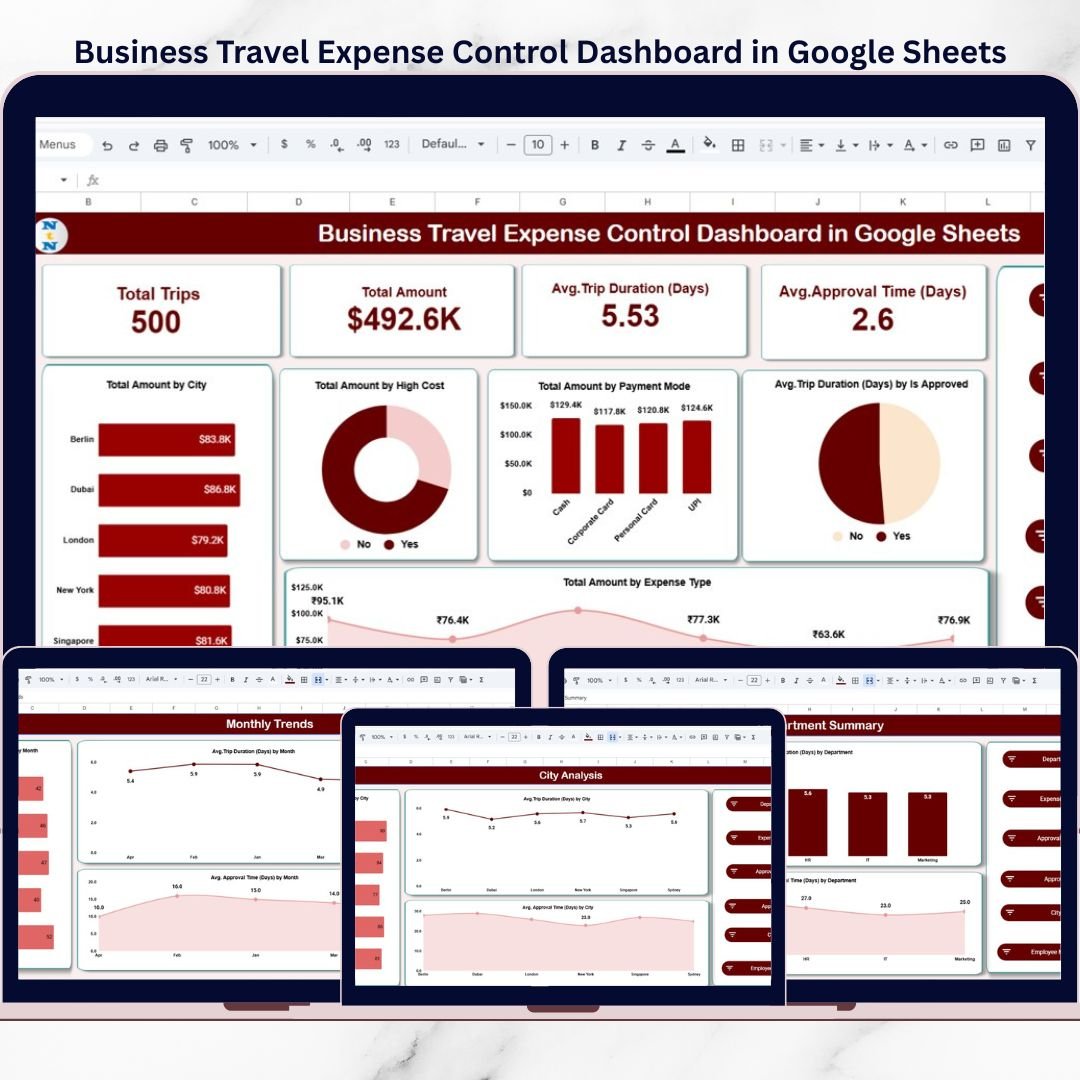
The Business Travel Expense Control Dashboard in Google Sheets is designed for organizations that need travel spend visibility by department, city, employee, expense type, and approval status. It is not just a row log. It is a category dashboard for business travel, with interactive slicers and multiple analysis pages that help finance, HR, admin, and leadership teams review where travel costs are coming from.
Screenshot section: The screens show a main dashboard with total trips, total amount, average trip duration, and average approval time. The template also includes city analysis, department summary, expense type analysis, monthly trends, and search/detail views. These pages help teams move from raw trip records to budget control decisions.
- Monitor travel spend by department, city, and employee.
- Identify high-cost destinations or expense categories.
- Measure average approval time by team or approver.
- Review monthly travel patterns before budget meetings.
Pricing: $6.99. View the Business Travel Expense Control Dashboard.
4. Employee Training Expense Tracker in Google Sheets
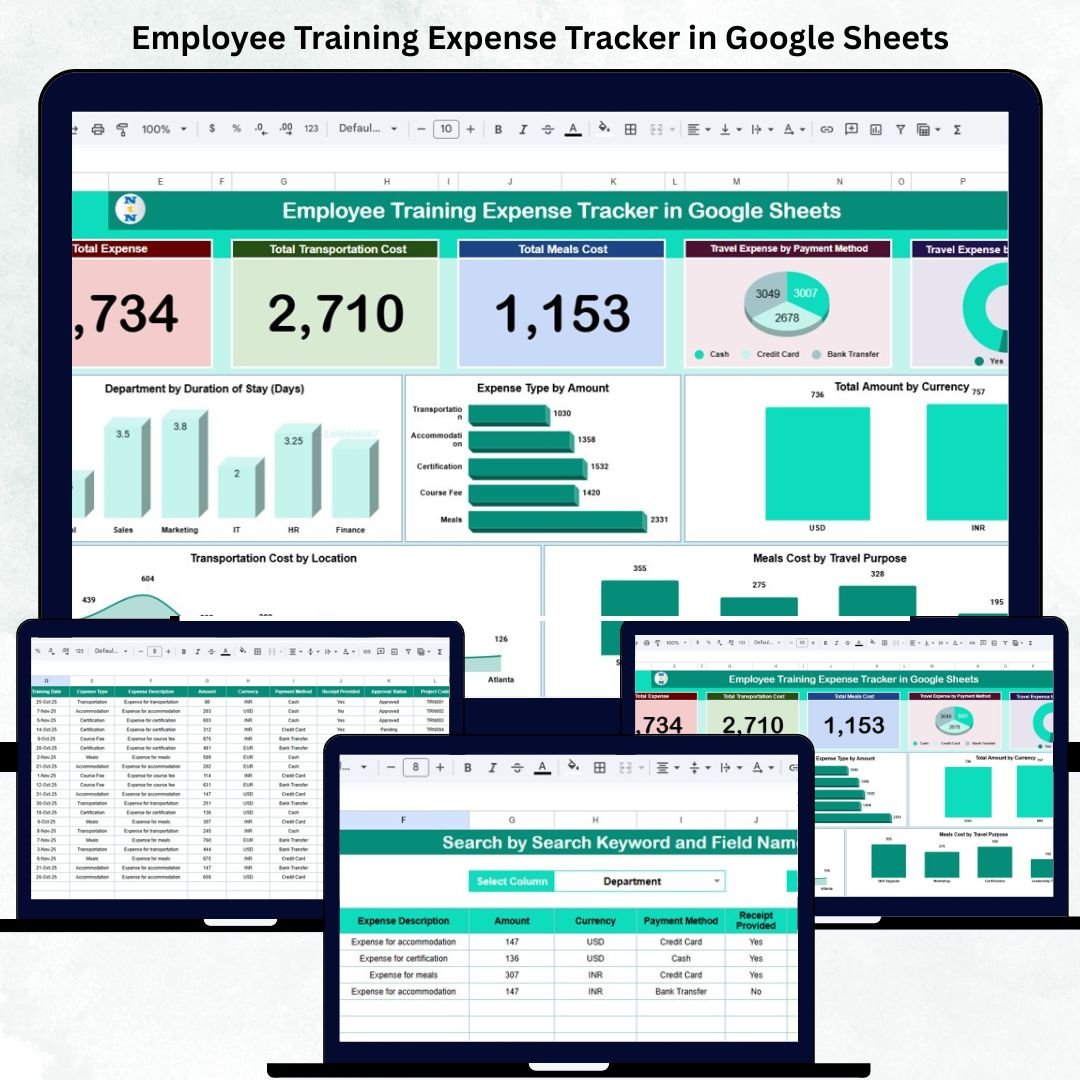
The Employee Training Expense Tracker in Google Sheets focuses on training-related costs rather than general overhead. That makes it useful for HR, learning and development, finance, and operations teams that need to track workshops, certifications, travel, accommodation, meals, registration fees, and materials. It is a strong choice when training spend needs audit-ready structure but a full HRIS or finance platform would be overkill.
Screenshot section: The tracker includes KPI cards for total expense, transportation cost, and meals cost, plus charts for payment method, receipt provided, department duration, expense type amount, currency totals, meals by travel purpose, and transportation cost by location. It also includes a search sheet and a structured data sheet for row-level records.
- Track training expenses by department and program purpose.
- Verify receipt status for training-related travel and meals.
- Compare expense categories such as materials, registration, and transport.
- Support L&D budget reviews with visual summaries.
Pricing: $6.99. View the Employee Training Expense Tracker.
5. Revenue and Expense Monitoring Dashboard in Google Sheets
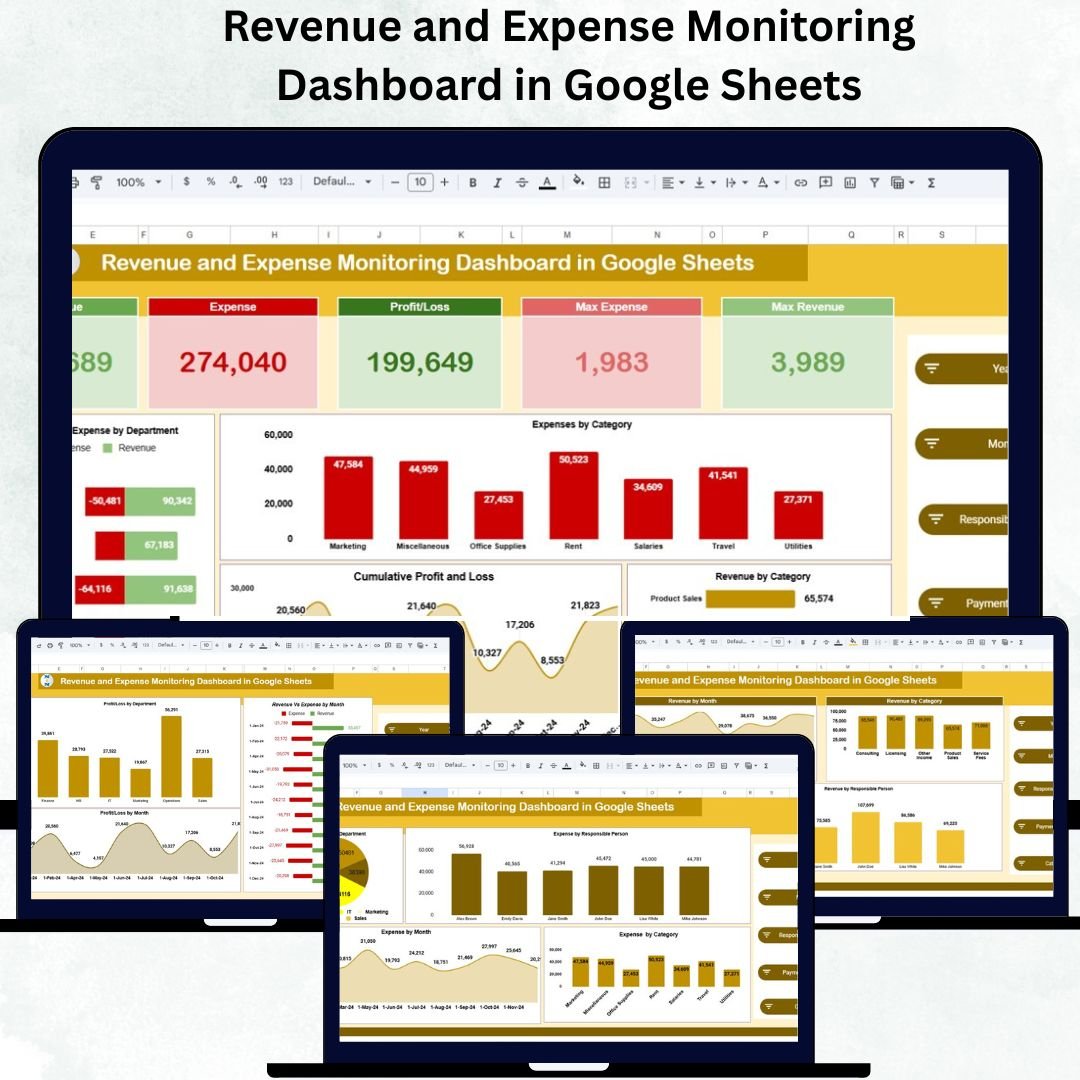
The Revenue and Expense Monitoring Dashboard in Google Sheets is ideal when expense tracking needs to connect with revenue, profit, loss, and department performance. Many small businesses track expenses in one file and revenue in another, which makes it hard to understand margin movement. This template brings both sides together, making it useful for founders, finance teams, consultants, and department managers.
Screenshot section: The dashboard includes KPI cards for revenue, expense, profit/loss, max revenue, and max expense. The visuals cover revenue vs expense by department, expenses by category, revenue by category, cumulative profit and loss, and profit/loss trends. It also includes dedicated profit/loss, expense analysis, revenue analysis, and data-entry pages.
- Track revenue, expenses, and profit in one Google Sheets system.
- Compare department performance and spending patterns.
- Spot high-cost categories before they reduce margins.
- Use monthly profit/loss views for business reviews.
Pricing: $9.99. View the Revenue and Expense Monitoring Dashboard.
6. Office Travel and Expense Dashboard in Google Sheets
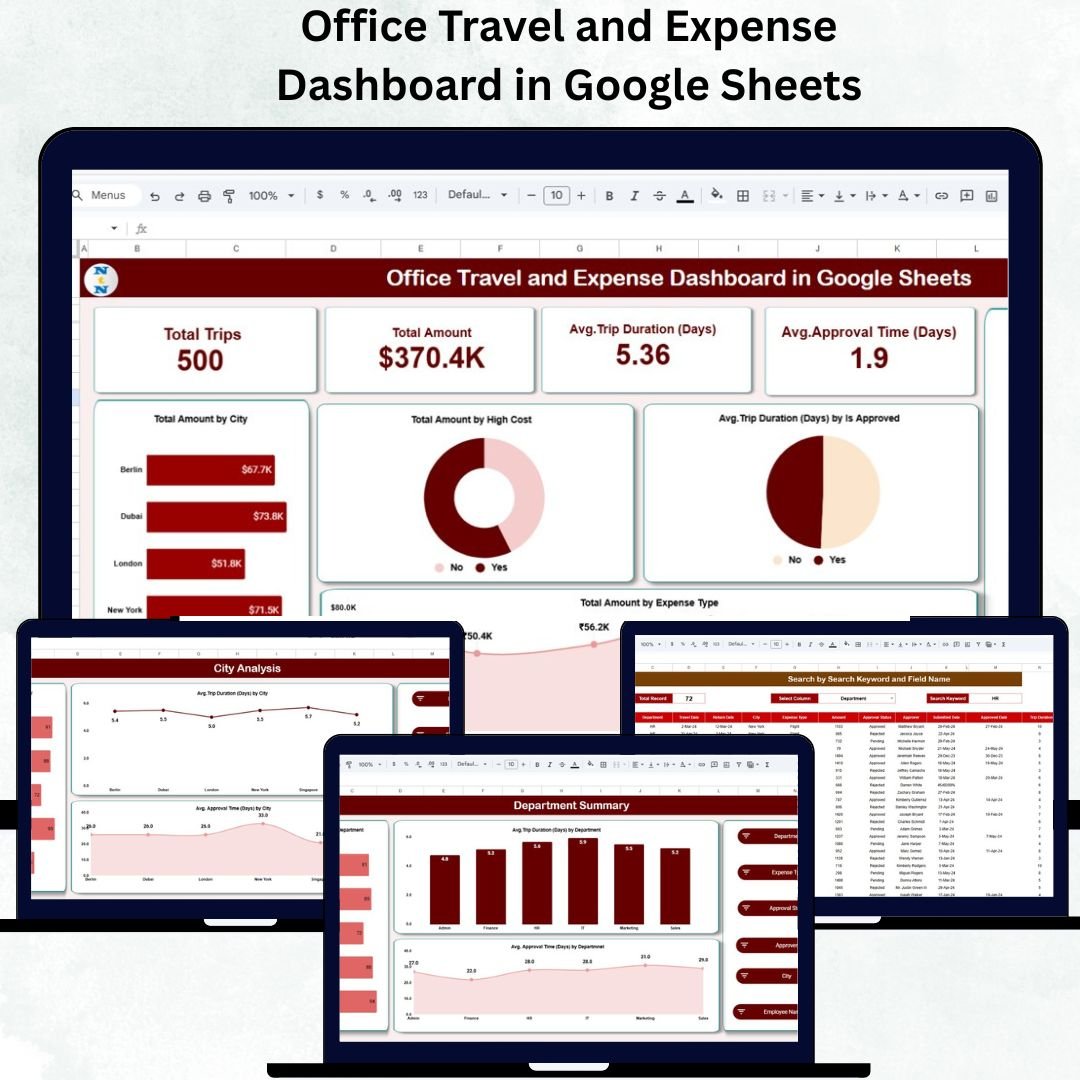
The Office Travel and Expense Dashboard in Google Sheets is a practical company expense template for teams that need travel reporting without complex setup. It focuses on office travel activity, including trip count, travel amount, average duration, approval time, city analysis, department summaries, and monthly trends. It is especially useful for admin and finance teams that need a quick way to review travel spend before approving the next cycle of trips.
Screenshot section: The dashboard screens show total trips, total amount, average trip duration, and average approval time, along with charts for city, high-cost flags, approval status, and expense type. Other pages focus on department summary, city analysis, expense type analysis, monthly trends, search, and detailed data entry.
- Analyze business travel costs by city and department.
- Review average approval time for travel expenses.
- Track expense types such as lodging, airfare, meals, and transport.
- Prepare monthly travel summaries for managers.
Pricing: $6.99. View the Office Travel and Expense Dashboard.
7. Employee Business Travel Expense Tracker in Google Sheets
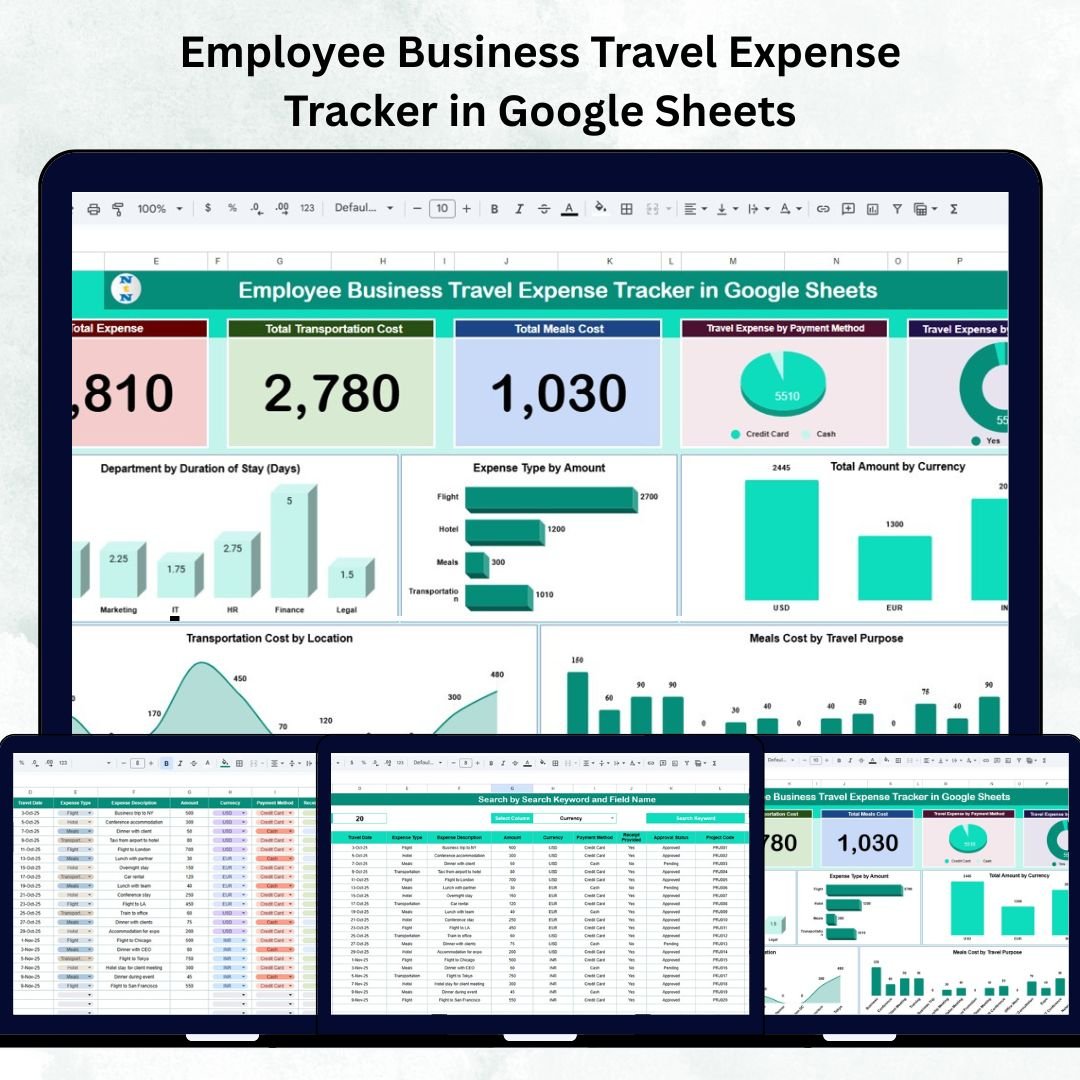
The Employee Business Travel Expense Tracker in Google Sheets is the better fit when you need row-level employee trip records with supporting analysis. It is more tracker-oriented than the broader dashboard templates, which makes it good for teams that need employee names, departments, locations, expense types, payment methods, currency, receipts, and travel purpose in one structured log.
Screenshot section: The screens show a tracker dashboard with total expense, transportation cost, meals cost, expense by payment method, receipt status, department duration, expense type amount, currency totals, meals by travel purpose, and transportation cost by location. The Search Sheet helps users retrieve records quickly, while the Data Sheet serves as the expense database.
- Create row-level travel logs for each employee trip.
- Track whether receipts were provided for audit support.
- Review meals, transportation, currency, and location totals.
- Support reimbursement review before finance approval.
Pricing: $6.99. View the Employee Business Travel Expense Tracker.
8. Income and Expenses Monthly and Yearly View in Google Sheets
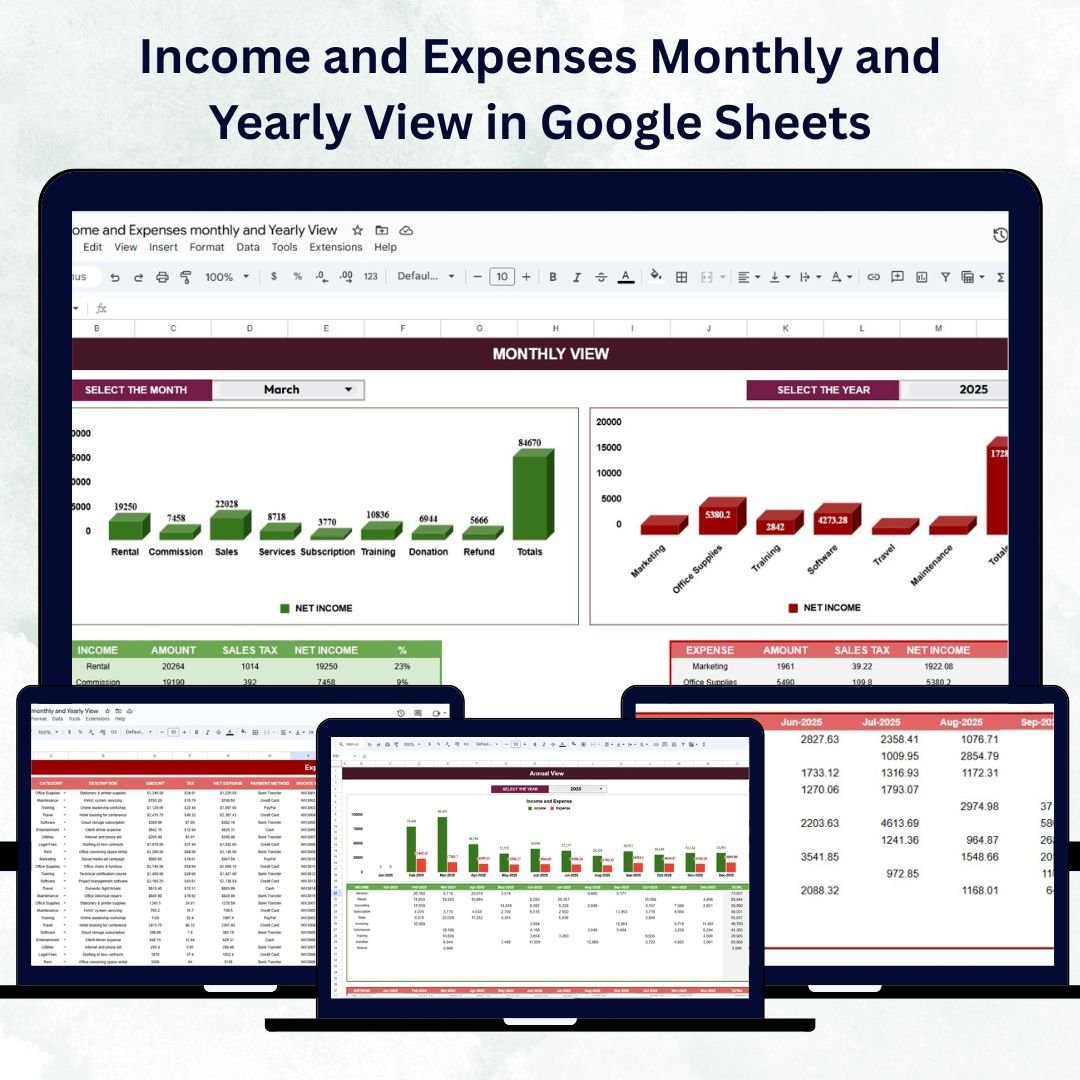
The Income and Expenses Monthly and Yearly View in Google Sheets is best for users who want a month-by-month and year-by-year financial picture. It works for personal finances, freelancers, nonprofits, startups, consultants, and small businesses that want to track both income and expenses without building formulas from scratch. Compared with a pure expense report, it gives you broader financial context.
Screenshot section: The product screens show an Income Sheet, Expenses Sheet, Monthly View, and Annual View. Users can record income sources, expense categories, taxes, net amounts, and category percentages. The Monthly View uses dropdowns for month/year selection, while the Annual View helps compare performance across the full year.
- Track monthly income and expenses in one place.
- Review annual trends for budgeting and tax preparation.
- Separate categories such as rent, sales, marketing, software, and training.
- Share a clean financial summary with partners or accountants.
Pricing: $6.99. View the Income and Expenses Monthly and Yearly View template.
How to Choose Between Logs, Dashboards, and Approval Workflows
The best expense tracker template depends on whether you need data entry, analysis, or governance. Most teams fail when they choose a beautiful dashboard but do not have a reliable transaction log underneath it. Others choose a simple row log when the real problem is approval visibility.
Choose a row-level log when accuracy is the first problem. If you need to capture date, employee, department, amount, payment method, receipt status, currency, and notes, start with a tracker. The Employee Business Travel Expense Tracker, Employee Training Expense Tracker, and Personal Expense Tracker are strong choices because they make each transaction easy to record before analysis begins.
Choose a category dashboard when leadership needs visibility. If the main question is “Where is our money going?” a dashboard is more useful than a plain ledger. The Revenue and Expense Monitoring Dashboard, Business Travel Expense Control Dashboard, and Office Travel and Expense Dashboard are better for category totals, trends, department comparisons, and monthly management reviews.
Choose an approval workflow when reimbursement control matters. If employees submit claims and finance needs to approve, filter, export, and audit records, use the Expense Reimbursement Management System V1.0 in Excel VBA. It is the only option here built around controlled claim management rather than only dashboard reporting.
Choose a monthly/yearly finance view when you need planning. If the goal is to understand income and expenses across months and years, use the Income and Expenses Monthly and Yearly View. It is less about individual reimbursement claims and more about financial rhythm, budgeting, and annual review.
Frequently Asked Questions
What is the best expense tracker Excel template for a small business?
Short answer: For small businesses that need approvals, the Expense Reimbursement Management System V1.0 in Excel VBA is the best fit. For dashboard-style tracking in the cloud, the Revenue and Expense Monitoring Dashboard or Office Travel and Expense Dashboard in Google Sheets may be easier for shared reporting.
Can a Google Sheets expense tracker replace expense management SaaS?
Short answer: A Google Sheets expense tracker can replace SaaS for simple logging, category reporting, and small-team dashboards. It is not a full substitute for enterprise policy enforcement, card feeds, OCR receipt capture, or multi-level approvals, but it is often enough before a business needs a larger platform.
Which template should I use for employee expense reports?
Short answer: Use the Expense Reimbursement Management System V1.0 in Excel VBA if employees submit claims that finance must review. Use the Employee Business Travel Expense Tracker in Google Sheets if the main need is a structured travel expense report with receipt and category tracking.
What is the difference between an expense tracker and an expense dashboard?
Short answer: An expense tracker captures individual rows such as date, category, amount, employee, and receipt status. An expense dashboard summarizes those records into KPIs, charts, and trends. The best setup usually has both: a clean data sheet feeding a visual dashboard.
Which template is best for personal finance?
Short answer: The Personal Expense Tracker in Google Sheets is the best personal finance option because it includes daily data entry, payment methods, category budgets, monthly summaries, and dashboard visuals. The Income and Expenses Monthly and Yearly View is better if you also want income tracking and annual comparisons.
Which template is best for business travel expenses?
Short answer: For company-wide travel cost control, choose the Business Travel Expense Control Dashboard or Office Travel and Expense Dashboard. For detailed employee-by-employee trip records, choose the Employee Business Travel Expense Tracker. The right choice depends on whether your main need is analysis or row-level documentation.
Do these templates support approval workflows?
Short answer: The Expense Reimbursement Management System V1.0 in Excel VBA is the strongest approval-workflow option because it includes login, user roles, claim management, reports, filters, and export features. The Google Sheets dashboards can track approval status and timing, but they are primarily analytics templates.
Are these templates better for Excel or Google Sheets users?
Short answer: Excel users should choose the VBA reimbursement system when they need controlled desktop automation. Google Sheets users should choose the dashboard and tracker templates when they need real-time collaboration, Drive access, and easier sharing with managers, employees, accountants, or remote teams.
How much do these expense tracker templates cost?
Short answer: Most templates in this roundup are $6.99. The Revenue and Expense Monitoring Dashboard is $9.99, and the Excel VBA Expense Reimbursement Management System is $19.99. That makes the set useful for teams that want structure before adopting recurring software.
What fields should a company expense template include?
Short answer: A company expense template should include date, employee, department, category, amount, payment method, receipt status, business purpose, approval status, approver, reimbursement status, and notes. Travel templates should also include trip dates, destination, duration, mileage, currency, and expense type.
Final Recommendation and About the Author
If you need a fast personal budget, start with the Personal Expense Tracker in Google Sheets. If you need small business reporting, use the Revenue and Expense Monitoring Dashboard in Google Sheets. If you need travel control, choose one of the three travel templates based on whether you need a dashboard or row-level employee tracker. If reimbursement approvals are the real bottleneck, go straight to the Expense Reimbursement Management System V1.0 in Excel VBA.
Closing CTA: Build your expense system today.
Browse the featured templates above and choose the one that matches your workflow: personal expense tracking, travel dashboards, revenue and expense monitoring, training cost tracking, or reimbursement approvals. Each template is ready to download from NextGenTemplates.com and designed to help you move from scattered expense records to cleaner decisions.
Related: Expenses are one line of the P&L. For the wider finance picture without a monthly subscription, read our QuickBooks alternatives — 8 accounting templates in Excel & Sheets — covering cash flow, receivables, compliance and firm KPIs, with an honest account of what a spreadsheet cannot replace.
Built by PK – Microsoft Certified Professional with 15+ years of Excel, Google Sheets, and Power BI experience. Founder of NextGenTemplates, reaching 300K+ subscribers across YouTube channels. Every template is hand-built and tested before release.
For step-by-step template tutorials, visit the NextGenTemplates YouTube channel.
Last updated: June 13, 2026.
Deciding what to buy versus template across your business? Read The 2026 Small Business Software Stack: What to Buy and What to Template.
Related reading: Not sure which license you need? See Template Licensing Explained: Personal, Commercial and Team Use for a plain-English breakdown of personal, commercial and team use with a full pricing table.