

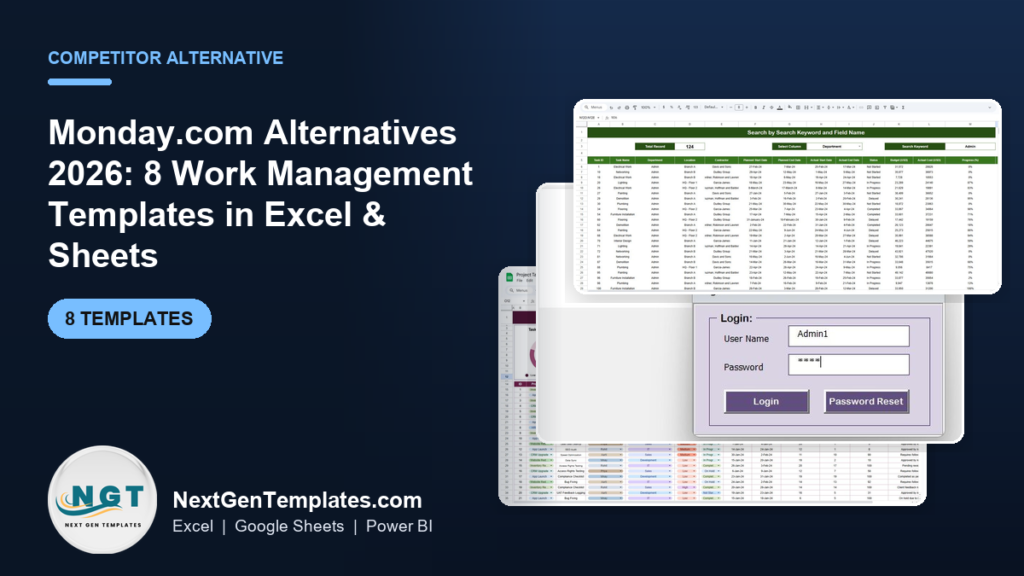
The best Monday.com alternatives in 2026 are one-time-purchase work management templates in Excel and Google Sheets that replace recurring per-seat fees. Top picks like the Project Task Assignment Tracker and the Construction Project Task Performance Dashboard cost $6.99 once and hold unlimited users, versus $9-$19 per seat every month on Monday.com.
Last updated: August 2026
Related guide: Comparing kanban tools specifically? Read Trello alternatives: 8 kanban board templates in Excel & Sheets.
Key takeaways
- Monday.com’s paid Work Management plans run $9/seat/month (Basic), $12 (Standard) and $19 (Pro) billed annually, so a 10-person team on Pro pays roughly $2,280 a year, forever.
- All eight templates below are one-time $6.99 purchases with no seat caps, no renewals and no admin console to maintain.
- The Project Task Assignment Tracker in Excel is our best overall Monday.com alternative because its Add/Update/Delete form behaves like a Monday board without the subscription.
- Teams that need real-time co-editing should choose the Google Sheets versions; teams that live offline or need a VBA form should choose the Excel versions.
- Monday.com still wins for 50-plus-user companies that need automations, integrations, permissions and an audit trail. We say so in the honest-limits section below.
 Launch offer
SUMIFS, XLOOKUP, FILTER, LAMBDA and checking AI-written formulas, with real business projects. 11h 47m of video by PK, with practice files, quizzes and a capstone.
Monday.com’s real 2026 pricing, and why small teams leave
Monday.com is priced per seat, per month, and the meter never stops. As published on the official monday.com pricing page in August 2026, the Work Management product costs $9/seat/month on Basic, $12 on Standard and $19 on Pro when billed annually; monthly billing runs about 18% higher. The Free plan is real but capped at 2 seats and 3 boards, which most teams outgrow in a week. Enterprise is a custom quote.
Run the arithmetic. A 10-person team on the Standard plan pays $120 a month, or $1,440 every year. Move that team to Pro for the automations and you are at $190 a month, $2,280 a year, indefinitely. Add three more people and the bill climbs again, because every head is another seat.
Three reasons small teams churn off Monday.com keep repeating in cancellation surveys and refund threads:
- Seat cost that scales the wrong way. The tool gets more expensive exactly as your team grows, which is the worst possible time for a fixed cost to rise. A five-person agency that hires two contractors just added $228-$456 a year for two people who touch the boards twice a week.
- Modules nobody uses. Most teams use boards, statuses and due dates. They pay Pro prices for time tracking, dependency columns, formula columns, private boards and dashboards that sit untouched. You are renting a suite to use a spreadsheet.
- Admin overhead. Someone has to own the workspace, manage permissions, archive boards, reassign seats when people leave and answer “why can’t I see this board.” A $6.99 file has no admin console, no seat management and no one to email when billing lapses.
None of this makes Monday.com a bad product. It makes it the wrong shape for a small, cost-conscious team whose real need is “assign tasks, track status, see what’s late.” That is precisely the job the templates below do for a one-time $6.99. If your work is closer to task lists than portfolios, our task and to-do management templates for Excel and Google Sheets are a natural companion read.
Monday.com vs the NGT templates: head-to-head
Here is the practical mapping. For each core Monday.com job, this shows the NGT template that covers it and what you pay.
| Monday.com feature / job | NGT template that covers it | Format | Price |
|---|---|---|---|
| Main board: assign tasks, owners, status | Project Task Assignment Tracker | Excel & Google Sheets | $6.99 |
| Dashboards & progress reporting | Construction Project Task Performance Dashboard | Google Sheets | $6.99 |
| Project close-out & status reports | Project Completion Report Tracker | Excel | $6.99 |
| Change requests / scope control | Project Change Order Tracker | Excel | $6.99 |
| Budget approvals | Project Budget Request Tracker | Excel | $6.99 |
| Bug / issue tracking board | Project Management Issue Tracker Form | Excel (VBA) | $6.99 |
| Event & sign-up boards | Team Building Activity Signup Tracker | Excel | $6.99 |
| Per-seat monthly fee | None — one-time purchase, unlimited users | — | $0/month |
The 8 best Monday.com alternative templates compared
| # | Template | Format | Best for | Price |
|---|---|---|---|---|
| 1 | Project Task Assignment Tracker in Excel (Best overall) | Excel + VBA | Replacing the Monday board with a form-driven tracker | $6.99 |
| 2 | Project Task Assignment Tracker in Google Sheets (Best value) | Google Sheets | Real-time, shareable, free to run in the cloud | $6.99 |
| 3 | Construction Project Task Performance Dashboard | Google Sheets | Visual dashboards and progress reporting | $6.99 |
| 4 | Project Completion Report Tracker in Excel | Excel | Closing projects and status reporting | $6.99 |
| 5 | Project Change Order Tracker in Excel | Excel | Scope and change-request control | $6.99 |
| 6 | Project Budget Request Tracker in Excel | Excel | Budget approvals and spend requests | $6.99 |
| 7 | Project Management Issue Tracker Form | Excel (VBA) | Bug and issue boards | $6.99 |
| 8 | Team Building Activity Signup Tracker in Excel | Excel | Event and sign-up management | $6.99 |
How we picked these
We searched the NextGenTemplates catalog of roughly 6,900 published products for work management, project tracking and task assignment tools that map directly onto the jobs a small team actually uses Monday.com for. We shortlisted paid, ready-to-use templates only, then kept the eight that together cover the full Monday.com surface a lean team needs: a task board, a reporting dashboard, and the supporting trackers for issues, change orders, budgets and completion. We excluded single-use checklists, free magnets and anything that duplicated a stronger pick. Every template here is a $6.99 one-time purchase with no user cap, so the comparison against a per-seat subscription is apples to apples on capability and honest on cost.
The 8 best Monday.com alternative templates for 2026
1. Project Task Assignment Tracker in Excel — best overall
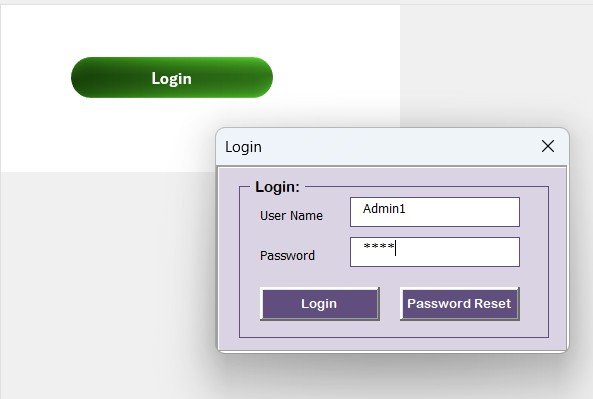
This is the closest one-file replacement for a Monday.com main board. It pairs a clean task table with a VBA-powered Add / Update / Delete form, so entering and editing tasks feels like using an app, not wrestling a spreadsheet.
Who it is for: team leads and project coordinators who want Monday.com’s assign-and-track workflow without a subscription.
What is inside:
- Task table with owner, department, status, start/due dates and progress %
- Add/Update/Delete data-entry form driven by VBA
- Dropdown-driven status and assignee fields to keep data clean
- Built-in summary of totals by status and owner
Use it to assign 40 tasks across a 6-person team and see instantly who is overloaded; flip a status to “Delayed” and watch the summary update; filter to one assignee for a one-on-one. A 10-person team that would pay $1,440 a year on Monday.com Standard runs this for $6.99 once. Best for: the single tool most teams need to leave Monday.com.
Get the Project Task Assignment Tracker in Excel — $6.99
2. Project Task Assignment Tracker in Google Sheets — best value
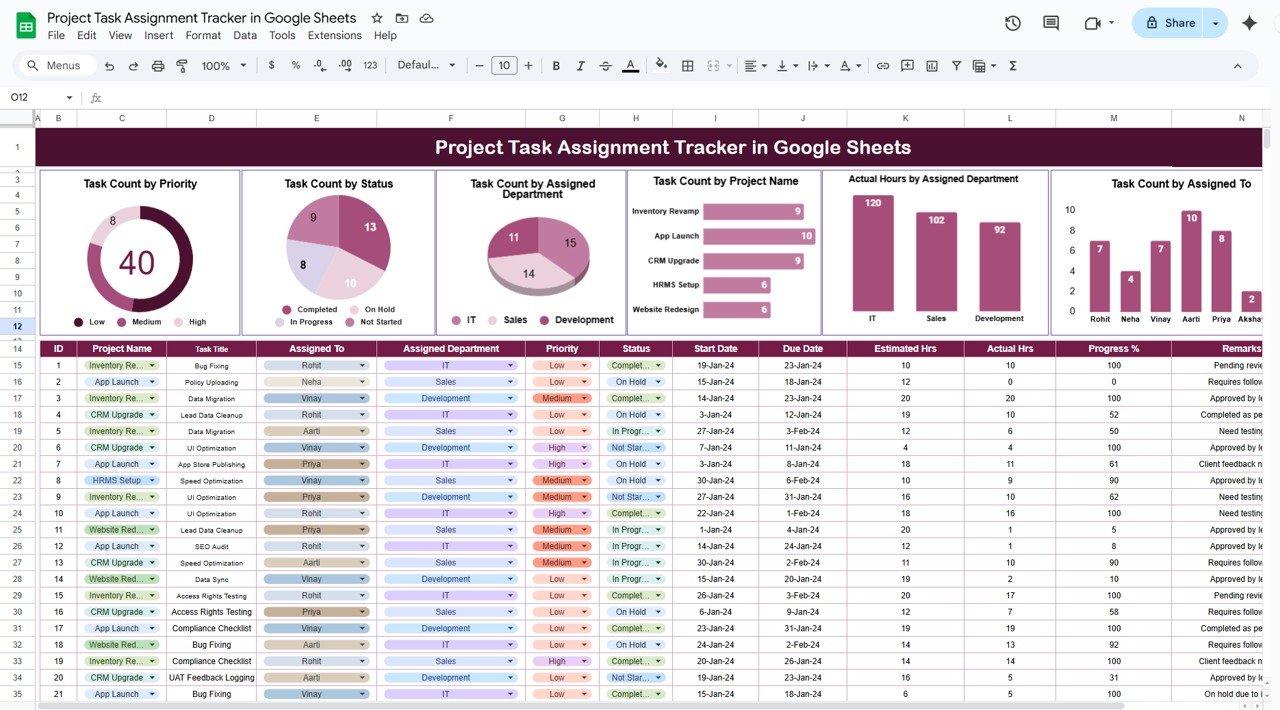
The same assign-and-track workflow as our top pick, rebuilt for the cloud. Because it lives in Google Sheets, multiple people edit it in real time, comments and sharing work exactly as they do on Monday.com, and it runs free on any Google account.
Who it is for: distributed or hybrid teams that need live collaboration but not per-seat billing.
What is inside:
- Shared task board with owners, status and dates
- Real-time co-editing and cell-level comments
- Dropdown lists for consistent status and priority
- Auto-calculating progress and status counts
Share one link with the whole team, assign work in the morning stand-up, and let everyone update their own rows through the day. This is the pick that most literally reproduces Monday.com’s shared-board feel. Best for: the best value because it delivers cloud collaboration at a one-time $6.99 with zero hosting cost.
Get the Project Task Assignment Tracker in Google Sheets — $6.99
3. Construction Project Task Performance Dashboard in Google Sheets
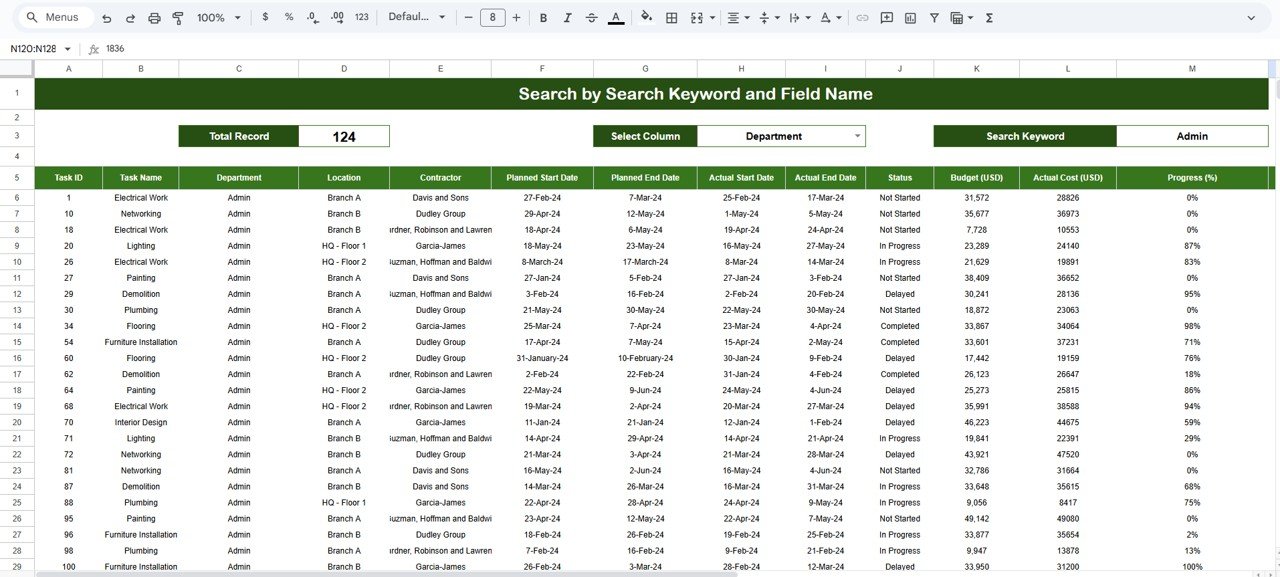
Monday.com’s dashboards are a Pro-plan feature. This template gives you the reporting layer on its own: charts and KPI cards that summarize task performance, completion rates and workload, all fed from a single data sheet.
Who it is for: anyone who leaves Monday.com but still needs the manager-facing dashboard view.
What is inside:
- KPI cards for tasks completed, in progress and overdue
- Charts by status, department and owner
- A clean data-entry sheet that drives every visual
- Built for construction but reusable for any project type
Point it at your task list and hand stakeholders a live dashboard link instead of exporting screenshots. Track percent-complete across 12 work packages, or spot the crew with five overdue items. Best for: replacing Monday.com’s paid dashboard widgets with a one-time file.
Get the Construction Project Task Performance Dashboard — $6.99
4. Project Completion Report Tracker in Excel
Monday.com is strong at running projects and weak at closing them cleanly. This tracker owns the close-out: it captures deliverables, sign-offs, dates and final status so every finished project leaves a paper trail.
Who it is for: PMs and agencies who owe clients or leadership a completion report at the end of each engagement.
What is inside:
- Deliverable-by-deliverable completion log
- Planned vs actual dates and variance
- Sign-off and status columns
- Summary view for the final report
Close out a 20-deliverable project and export a one-page status summary in minutes; show which items slipped and by how many days. It pairs naturally with our project management dashboard templates for teams that want both live tracking and formal reporting. Best for: clean, defensible project close-out.
Get the Project Completion Report Tracker in Excel — $6.99
5. Project Change Order Tracker in Excel
Scope creep is where small projects lose money, and Monday.com does not track change orders out of the box. This template logs every change request with its cost, schedule impact and approval status.
Who it is for: construction, agency and consulting teams that bill for scope changes.
What is inside:
- Change request log with ID, description and requester
- Cost and schedule impact columns
- Approval status and decision dates
- Running total of approved change value
Log a client’s mid-project request, attach the added cost, and route it for approval before work starts. See at a glance that approved changes have added $8,400 and nine days to a job. Best for: protecting margin on projects where scope moves.
Get the Project Change Order Tracker in Excel — $6.99
6. Project Budget Request Tracker in Excel
The financial-approval workflow Monday.com only offers through paid apps and integrations. This tracker handles budget and spend requests: who asked, how much, for what and whether it was approved.
Who it is for: project leads and finance partners who need a lightweight approval trail for project spend.
What is inside:
- Request log with amount, category and justification
- Approver, status and decision-date fields
- Approved vs requested totals
- Dropdowns to keep categories consistent
Route a $2,500 software request through approval and keep the record; report total approved spend against the project budget without opening a separate finance tool. Best for: teams that need budget control alongside task tracking.
Get the Project Budget Request Tracker in Excel — $6.99
7. Project Management Issue Tracker Form
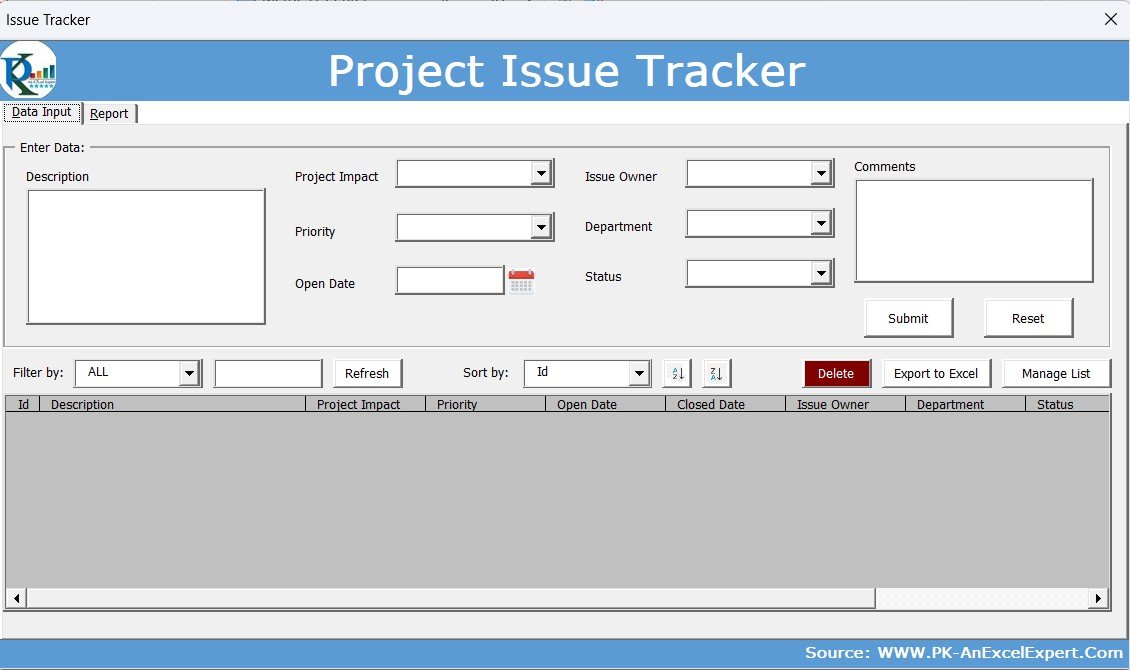
Teams often run a whole Monday.com board just for bugs and issues. This VBA-driven form does that one job well: log an issue, assign it, set priority and track it to resolution.
Who it is for: software, operations and QA teams that need a focused issue log.
What is inside:
- Issue-entry form with priority, severity and assignee
- Status workflow from open to resolved
- Filterable issue register
- Counts by status and priority
Capture a defect during testing, assign it to a developer with High priority, and watch the open count fall as issues close. It sits well next to our quality control Excel templates for ISO-minded teams. Best for: a dedicated bug and issue board on a budget.
Get the Project Management Issue Tracker Form — $6.99
8. Team Building Activity Signup Tracker in Excel
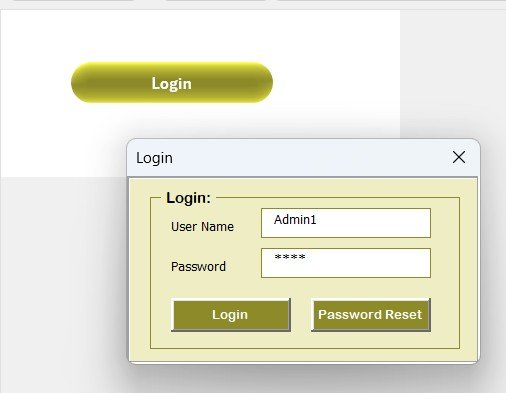
Not every board is a project. People use Monday.com for events, sign-ups and internal drives too. This tracker covers that lighter workflow: list activities, collect sign-ups and see head counts.
Who it is for: HR, office managers and team leads organizing internal events.
What is inside:
- Activity list with dates, capacity and owner
- Sign-up log with attendee and status
- Capacity vs registered counts
- Simple, shareable layout
Open sign-ups for three activities, cap each at 20 people, and watch remaining spots update as the team registers. Best for: the sign-up and event boards Monday.com is overkill for.
Get the Team Building Activity Signup Tracker in Excel — $6.99
How to choose between them
Use this quick decision guide:
- You just want the Monday board, offline, with an app-like form? Buy the Project Task Assignment Tracker in Excel (#1).
- Your team is remote and needs to co-edit live? Buy the Google Sheets version (#2).
- You mostly need the manager dashboard? Buy the Construction Project Task Performance Dashboard (#3).
- You close a lot of projects and owe reports? Add the Project Completion Report Tracker (#4).
- Scope, budget or issues are your pain? Add #5, #6 or #7 respectively.
Most teams leaving Monday.com only need one or two of these. Start with the task tracker in your preferred format, then bolt on the change-order, budget or issue tracker only if that workflow is real for you. Because each is $6.99, buying three of them still costs less than one seat-month on Monday.com Pro.
When Monday.com is still the right call
We sell templates, and we will still tell you when to keep the subscription. A spreadsheet is the wrong tool, and Monday.com (or a comparable platform) is worth the seat cost, when:
- You have 50+ users touching the same data. At real scale, a shared file breaks down. You need row-level permissions, an audit trail and conflict handling that only a database-backed platform provides.
- You depend on automations and integrations. If work only happens when a status change fires a Slack message, updates a CRM and emails a client, Monday.com’s automation engine earns its price. A template cannot trigger workflows.
- You need granular permissions. When some people must see a board but not edit it, or must be walled off from salary or client data entirely, spreadsheet sharing is too blunt.
- You want mobile apps and notifications out of the box. Field teams that update tasks from a phone and expect push alerts are better served by the native app.
- Compliance requires it. SSO, SOC 2, retention policies and centralized access reviews are platform features, not spreadsheet features.
If two or more of those describe you, keep Monday.com and spend your energy trimming to the cheapest plan that covers your needs. If none of them do, you are paying enterprise prices for a task list, and the templates above will do the job for the price of a coffee.
Frequently asked questions
What is the best free Monday.com alternative?
Monday.com’s own Free plan is the most direct free option, but it caps you at 2 seats and 3 boards. For unlimited users, the Google Sheets templates here run free on any Google account after the one-time $6.99 purchase, which is effectively free forever with no seat limit.
How much does Monday.com actually cost in 2026?
Per the official pricing page, Work Management costs $9/seat/month (Basic), $12 (Standard) and $19 (Pro) billed annually, with monthly billing about 18% higher. A 10-person team on Standard pays $1,440 a year; on Pro, $2,280 a year. The Free plan allows up to 2 seats.
Can Excel or Google Sheets really replace Monday.com?
For small teams whose real need is assigning tasks, tracking status and reporting progress, yes. A template covers the board, the dashboard and the trackers. What it cannot replace is automations, deep integrations, granular permissions and native mobile apps, which is why we list those in the honest-limits section.
Is there a one-time-payment alternative to Monday.com?
Yes. Every template in this guide is a one-time $6.99 purchase with no renewal, no per-seat fee and no user cap. Buying the task tracker, a dashboard and one supporting tracker totals about $21 once, versus $1,440-plus per year for a 10-seat Monday.com plan.
Do these templates support multiple users at once?
The Google Sheets versions support real-time multi-user editing exactly like a shared Google file, with comments and version history. The Excel versions are best for one editor at a time or shared via OneDrive/SharePoint co-authoring; they include a VBA form for fast, structured data entry.
Which template is the closest Monday.com board replacement?
The Project Task Assignment Tracker, in Excel or Google Sheets. It reproduces the core Monday.com board: assignees, statuses, dates and progress, with dropdowns and a summary. The Excel edition adds an Add/Update/Delete form so it behaves like an app rather than a raw grid.
What do I lose by switching from Monday.com to a template?
You lose automations, third-party integrations, granular role permissions, native mobile apps with push notifications, and centralized admin controls. You gain a one-time cost, unlimited users, full data ownership in a file you control, and no vendor lock-in. For lean teams the trade is usually worth it.
Can I use these templates for construction or agency projects?
Yes. The Construction Project Task Performance Dashboard is built for construction but reusable for any project type, and the change-order, budget-request and completion trackers are especially relevant to construction, consulting and agency work where scope and billing move.
How do I move my Monday.com data into a template?
Export your Monday.com boards to Excel or CSV, then paste the columns into the template’s data sheet and map owner, status and date fields to the matching columns. Because the templates use plain tables with dropdowns, most boards transfer in a single copy-paste with light cleanup.
Are there Monday.com alternatives for specific industries?
Yes. Beyond project work, NextGenTemplates covers adjacent operations tools such as CMMS and maintenance templates in Excel and Google Sheets and inventory management templates, so you can standardize on one-time-purchase spreadsheets across more than just task boards.
Get more work management templates
Leaving a per-seat subscription is the easiest cost cut most small teams will make this year. Start with the Project Task Assignment Tracker in Excel or its Google Sheets version at $6.99 each, add the performance dashboard if you need reporting, and you have replaced the Monday.com core for under $21 one time. Browse more project management dashboard templates and task management templates to round out your stack.
Want to see these templates in action first? Watch walkthroughs and setup guides on the NextGenTemplates YouTube channel, our best-converting channel for buyers who like to see a tool work before they buy.
If your team runs agile sprints, also see our Jira alternative Excel and Sheets templates for velocity, burndown, and issue tracking on a one-time budget.
If ClickUp is the tool you are moving off, see our roundup of ClickUp alternatives in Excel and Google Sheets for a direct feature-by-feature switch.
Related: Moving off another platform? See our Smartsheet alternatives — 8 work management templates in Excel & Google Sheets.
Managing your workforce too? Compare our Workday alternatives — 8 HR and workforce templates in Excel, Google Sheets and Power BI.