

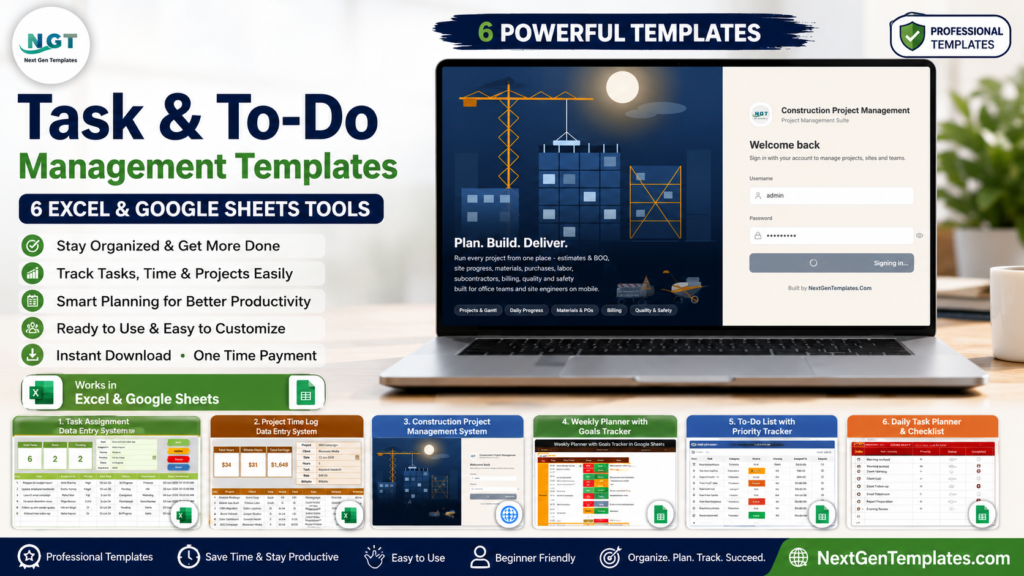
Task & To-Do Management Templates are the practical middle ground between scattered notes and a full project management platform. Microsoft’s Work Trend Index reports that the average Microsoft 365 user spends 57% of work time communicating and 43% creating, while Asana’s Anatomy of Work Global Index shows how much modern productivity depends on collaboration, goal clarity, and clean workflows. When tasks are split across email, chat, paper lists, and separate spreadsheets, teams lose time deciding what to do next instead of completing the work itself.Task & To-Do Management Templates
That is where Excel and Google Sheets task management templates still earn their place. They give you ownership, due dates, priorities, statuses, notes, dashboards, and recurring workflows without forcing every small team into a monthly software subscription. Below are six paid NextGenTemplates tools for task assignment, to-do planning, project tracking, time logging, service requests, and construction project execution.Task & To-Do Management Templates
Why Task & To-Do Management Templates Still Work
A good template is not only a place to type tasks. It is a repeatable operating system for small business work: capture the task, assign the owner, set the priority, define the due date, track the status, and review progress from a dashboard. For many teams, that structure is enough to reduce follow-up messages and make accountability visible.Task & To-Do Management Templates
Spreadsheet-based systems also have two big advantages. First, most teams already know Excel or Google Sheets, so adoption is faster than a new SaaS app. Second, the data stays flexible. You can sort, filter, export, analyze, customize lists, and adapt fields to your department without waiting for a vendor feature release.Task & To-Do Management Templates
 Launch offer
SUMIFS, XLOOKUP, FILTER, LAMBDA and checking AI-written formulas, with real business projects. 11h 47m of video by PK, with practice files, quizzes and a capstone.
Quick Comparison: 6 Excel and Google Sheets Tools
| Template | Platform | Best for | Standout controls | Price |
|---|---|---|---|---|
| Advanced Task Management System Web App Template | Google Sheets + Apps Script | Team task workflows and recurring tasks | Role-based login, 12 KPI cards, recurring rules, reports | $24.99 |
| Task Assignment Data Entry System in Excel | Excel + VBA | Simple department task assignment | Task form, Add/Update/Delete buttons, live KPI cards | $5.99 |
| Project Time Log Data Entry System in Excel | Excel + VBA | Tracking hours, tasks, clients, and billable work | Time log form, billable status, earnings KPI cards | $5.99 |
| Construction Project Management System Web App | Google Sheets + Apps Script | Construction tasks, schedules, milestones, and reports | 36 screens, 18 KPI cards, Gantt view, procurement and safety modules | $39.99 |
| Weekly Planner with Goals Tracker in Google Sheets | Google Sheets | Personal planning, goals, habits, and weekly reviews | Weekly view, to-do master, goal dashboard, habit tracker | $4.99 |
| Office Cleaning Request Tracker in Excel | Excel + VBA | Operations requests and task-like service tickets | UserForm entry, dashboard, slicers, login, list management | $6.99 |
Prices are based on the product pages reviewed on July 5, 2026 and may change during sales or product updates.
How to Choose the Right Task Management Template
Start with the way your team actually works. If you need multiple people to access the system from a browser, a Google Sheets and Apps Script web app is usually the better fit. If your team works heavily inside Excel and wants fast form-based data entry, an Excel VBA template is often simpler.Task & To-Do Management Templates
Then look at the workflow depth. A weekly planner is ideal for personal priorities and light to-do tracking. A task assignment form is better for departments that need ownership and status control. A web app makes sense when you need role-based access, recurring tasks, reports, and a more structured management system. For project-heavy teams, time logs and construction project tools add context that a basic checklist cannot capture.Task & To-Do Management Templates
Explore Relevant Templates
1. Advanced Task Management System Web App Template
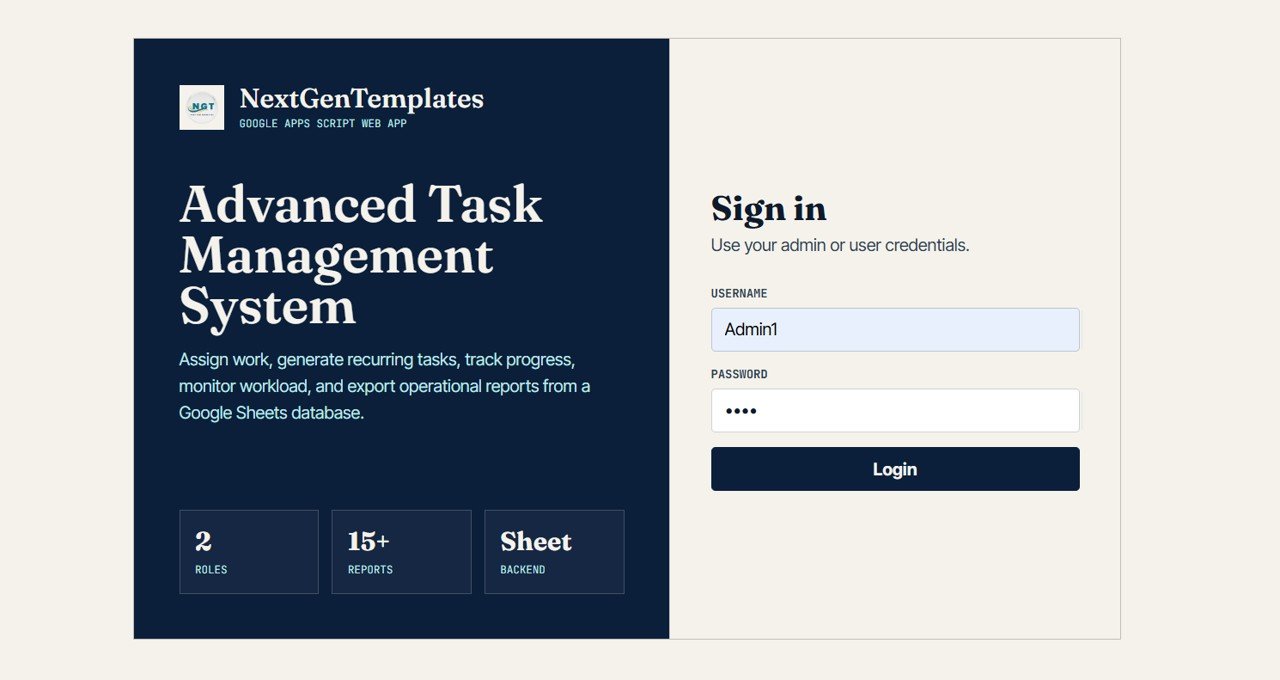
The Advanced Task Management System Web App Template is the strongest all-around option in this list for teams that want a dedicated task system without building one from scratch. It is built with Google Sheets and Apps Script, giving you a web-app style interface backed by a spreadsheet database.
Use it when your team needs assigned tasks, recurring task rules, user access, dashboards, reports, and task lists that go beyond a simple sheet. The template includes role-based sign in, 12 KPI cards, bulk task import, recurring task setup, user management, list management, settings, and a How To Use page.Task & To-Do Management Templates
View Advanced Task Management System
2. Task Assignment Data Entry System in Excel
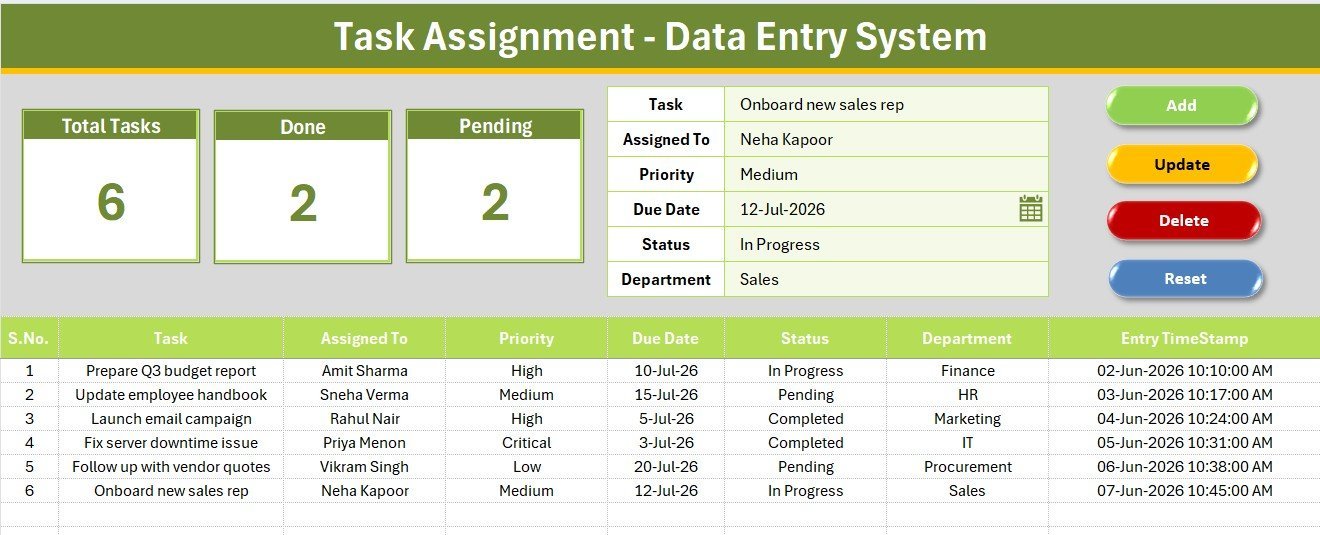
The Task Assignment Data Entry System in Excel is built for teams that want a focused task entry form. It uses a six-field form for Task, Assigned To, Priority, Due Date, Status, and Department, then stores the records in a structured Excel database.
The built-in VBA buttons make daily use faster: Add, Update, Delete, and Reset. Live KPI cards show Total Tasks, Done, and Pending so managers can review progress without building formulas manually. This template is a strong fit for admin teams, HR teams, operations teams, and project coordinators who need clear task ownership.
3. Project Time Log Data Entry System in Excel
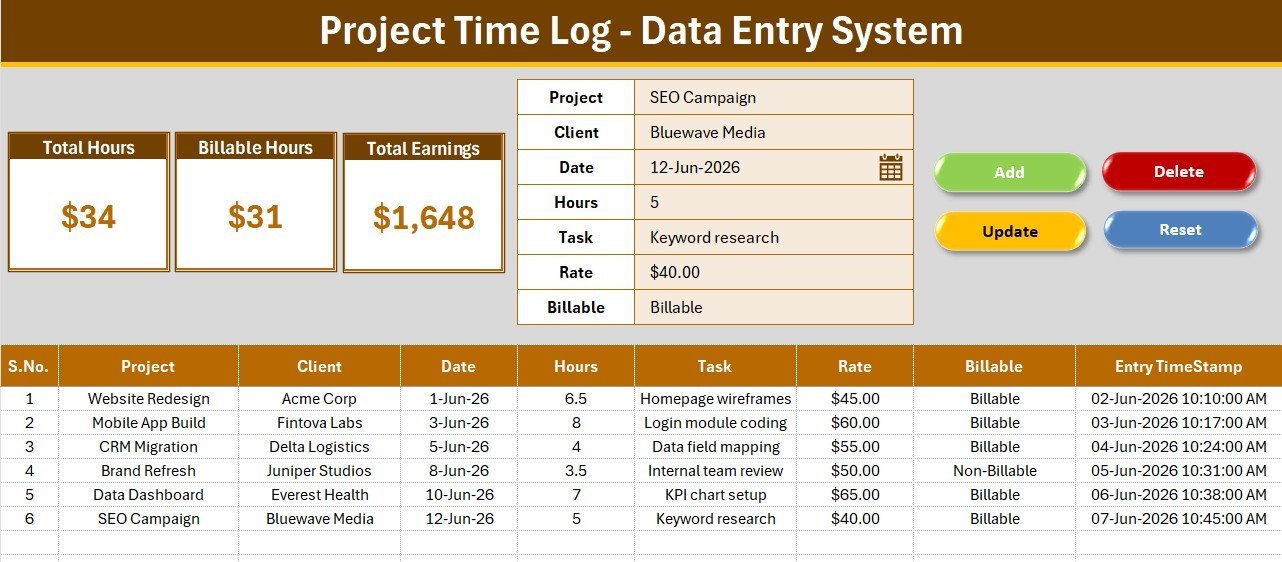
The Project Time Log Data Entry System in Excel is best when the task is only half the story and time matters just as much. It tracks Project, Client, Date, Hours, Task, Rate, and Billable status, which makes it useful for consultants, agencies, freelancers, and service teams.
Instead of keeping a separate time sheet and task list, the template connects work descriptions to hours and earnings. KPI cards summarize Total Hours, Billable Hours, and Total Earnings, while VBA controls help users add, update, delete, reset, and edit records quickly.
View Project Time Log Template
4. Construction Project Management System Web App
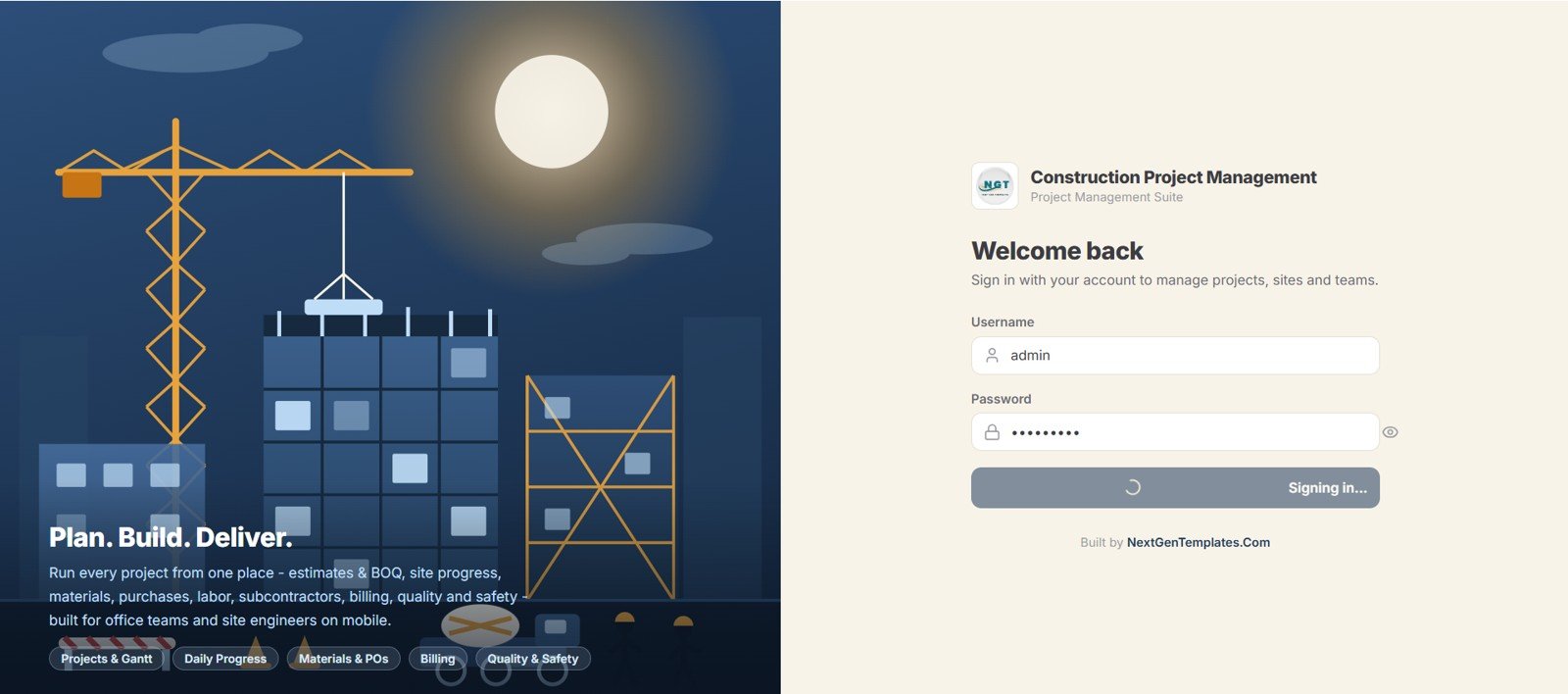
The Construction Project Management System Web App is for construction businesses that need more than a general checklist. Built on Google Sheets and Apps Script, it gives teams a connected system for project tasks, schedules, milestones, procurement, finance, quality, safety, documents, reports, and users.
It includes 36 connected screens, role-based login for seven user types, 18 dashboard KPI cards, seven charts, and nearly 20 reports. For contractors and construction managers, this is the better choice when task management needs to connect with site activity, purchasing, compliance, and project progress.
View Construction Project Web App
5. Weekly Planner with Goals Tracker in Google Sheets
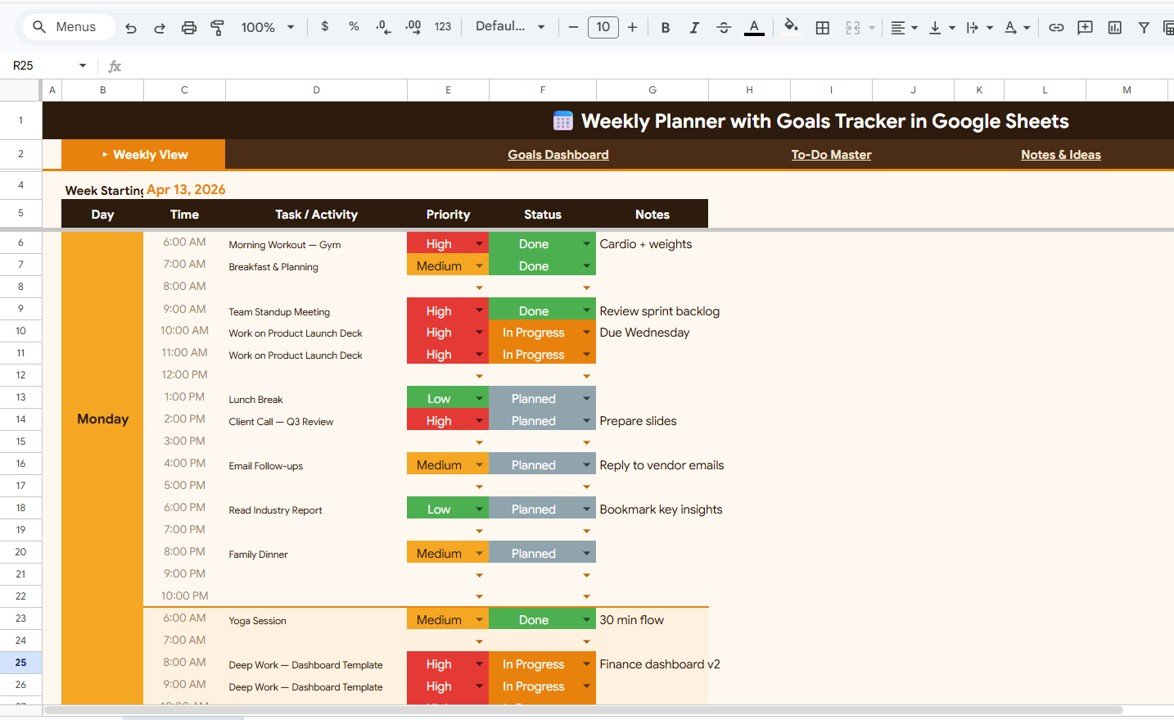
The Weekly Planner with Goals Tracker in Google Sheets is the best personal productivity option in this roundup. It includes five pages: Weekly View, Goals Dashboard, To-Do Master, Notes & Ideas, and Weekly Review.
The To-Do Master helps organize tasks by priority, while the dashboard shows charts for tasks by day, priority, and status. It is especially useful for founders, students, remote workers, and busy professionals who want one clean place to connect weekly tasks with longer-term goals and habits.
6. Office Cleaning Request Tracker in Excel
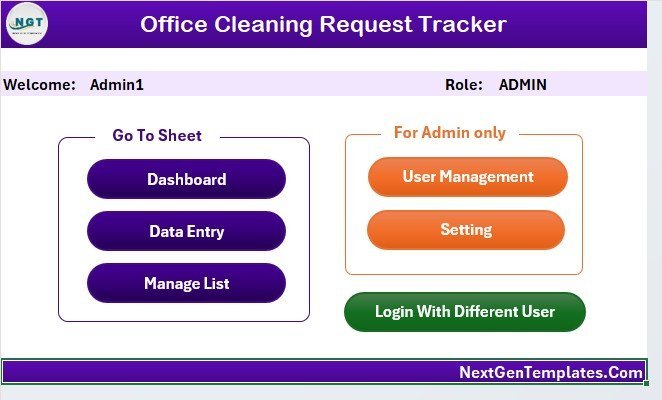
The Office Cleaning Request Tracker in Excel is a practical example of task management for recurring operational requests. Instead of managing facilities tasks through emails and verbal follow-ups, teams can log each request, update the status, assign responsibility, and review request patterns from a dashboard.
The workbook includes eight worksheets, a VBA UserForm for Add/Update/Delete actions, an interactive dashboard with five charts and four slicers, login and user management, customizable lists, and auto-refresh functionality. It is ideal for office managers, admin teams, cleaning supervisors, and operations departments.
View Office Cleaning Request Tracker
Best Practices for Using Task Management Templates
Keep the fields simple. Every extra field creates friction. Start with owner, priority, due date, status, department or project, and notes. Add more only when the team actually uses the data.
Protect the system owner role. One person should own list updates, user access, status options, and template changes. This prevents duplicate statuses, broken formulas, and messy dashboards.
Review dashboards on a schedule. A task tracker becomes valuable when someone reviews overdue items, pending work, completed work, and bottlenecks. Add a short weekly review habit so the template becomes part of the workflow.
Handle macros and sharing carefully. For Excel VBA tools, follow Microsoft’s guidance for enabling or disabling macros in Microsoft 365 files and only enable macros from sources you trust. For Google Sheets tools, use Google’s guidance on sharing files securely so each person gets the right viewer, commenter, or editor access.
Frequently Asked Questions
What is the best task management template for a team?
The best all-around team option is the Advanced Task Management System Web App Template because it supports role-based login, recurring task rules, dashboards, reports, user management, and bulk task import.
Should I use Excel or Google Sheets for task management?
Use Excel when your workflow is local, form-driven, or heavily spreadsheet based. Use Google Sheets when you need easier browser access, shared editing, and Apps Script web app functionality.
Are Excel VBA task templates safe to use?
Macro-enabled templates can be useful, but you should only enable macros from trusted sources and follow Microsoft’s macro security guidance. NextGenTemplates Excel tools are built for practical business workflows, but your organization should still follow its internal security policy.
Can these templates replace project management software?
For many small teams, yes. These templates can handle assignment, due dates, status tracking, dashboards, reports, time logs, and request workflows. Larger organizations may still need dedicated platforms for advanced integrations, permissions, and automation.
Which template is best for a personal to-do list?
The Weekly Planner with Goals Tracker in Google Sheets is the best personal option because it combines a weekly plan, to-do master, goals dashboard, notes, habits, and review pages in one workbook.
About the Author
Built by PK – Microsoft Certified Professional with 15+ years of Excel, Google Sheets, and Power BI experience. Founder of NextGenTemplates, reaching 300K+ subscribers across YouTube channels. Every template is hand-built and tested before release.
Conclusion
The best task management template is the one your team will actually maintain. For a full team workflow, start with the Advanced Task Management System Web App Template. For simple Excel-based task entry, choose the Task Assignment Data Entry System. For personal planning, the Weekly Planner with Goals Tracker is the cleanest fit.
You can explore more spreadsheet automation ideas, dashboard walkthroughs, and template tutorials on the NextGenTemplates YouTube channel.
Comparing tools by price? See our guide to Monday.com alternatives in Excel & Google Sheets — eight $6.99 work management templates that replace Monday.com’s per-seat fees.
Weighing a switch away from paid project software? See our roundup of Asana alternative Excel & Google Sheets templates that replace Asana with a one-time purchase.
Managing a dev backlog rather than a to-do list? Our Jira alternatives for small teams cover sprint KPIs, bug resolution, and scrum reporting in Excel, Google Sheets, and Power BI.
Switching off ClickUp? Our ClickUp alternative spreadsheet templates map each ClickUp view to a one-time Excel or Google Sheets template.