

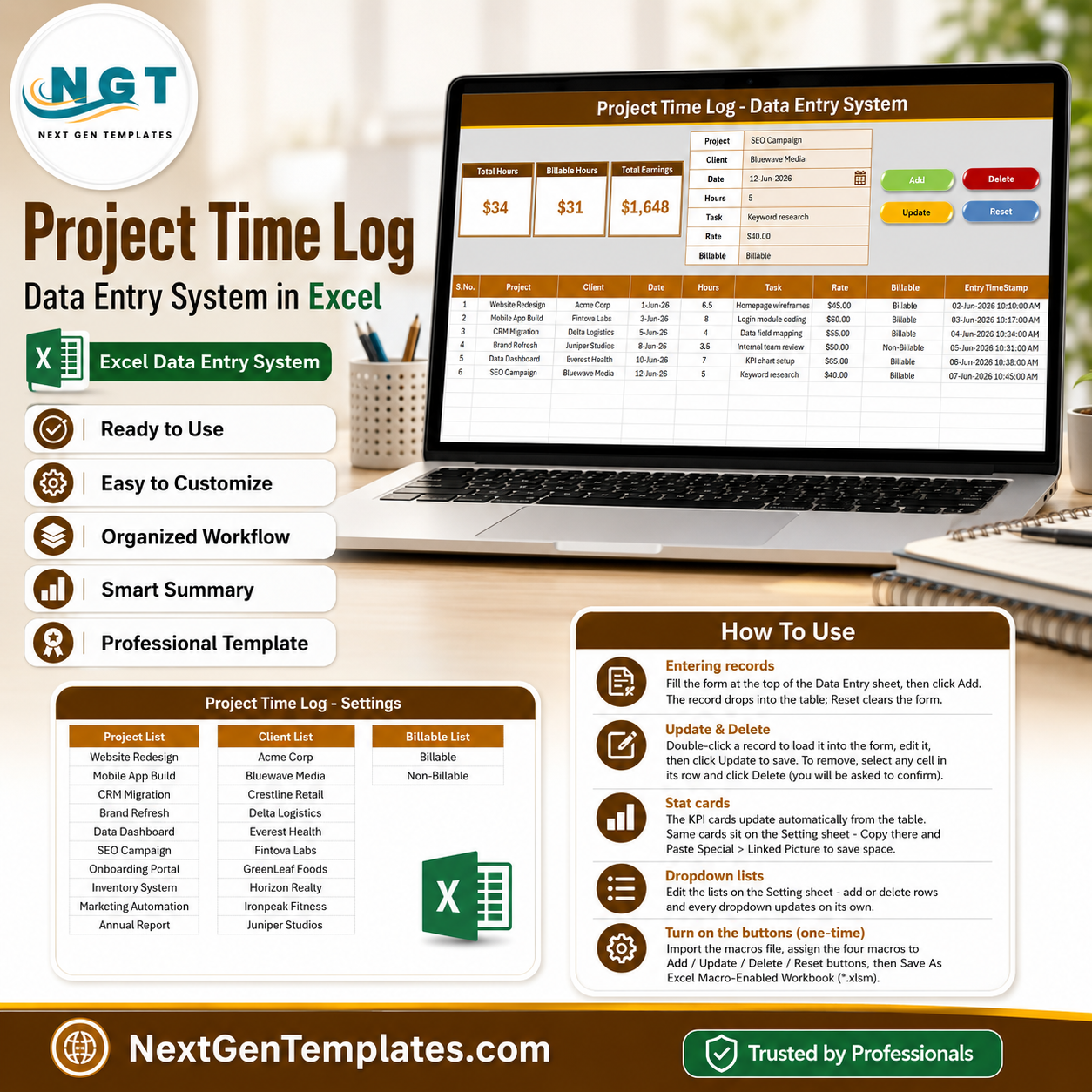
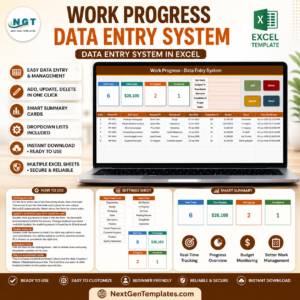
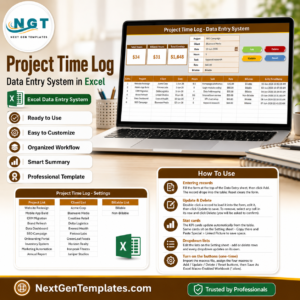
The Project Time Log Data Entry System in Excel captures 7 fields per time entry — Project, Client, Date, Hours, Task, Rate, and Billable status — through a VBA-powered form with one-click Add, Update, Delete, and Reset buttons. Three live KPI cards show Total Hours, Billable Hours, and Total Earnings (Hours × Rate) the moment a record is saved. Setup takes under 10 minutes: import the VBA module, add your projects and clients to the Setting sheet, and start logging.
🌍 Join 8,400+ teams in 40+ countries using NextGenTemplates to replace paid SaaS tools with one-time-purchase Excel, Google Sheets, Power BI, and HTML templates.
✅ Instant download · One-time payment · No subscription · No per-user fees · Lifetime access
🔑 Key Features of the Project Time Log Data Entry System in Excel
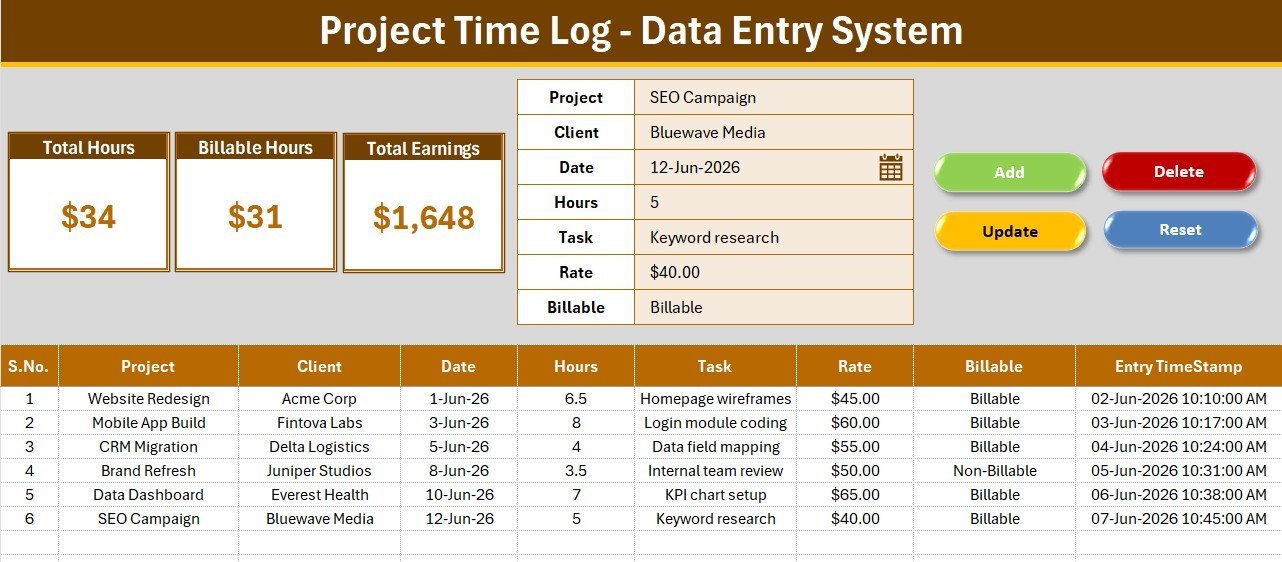
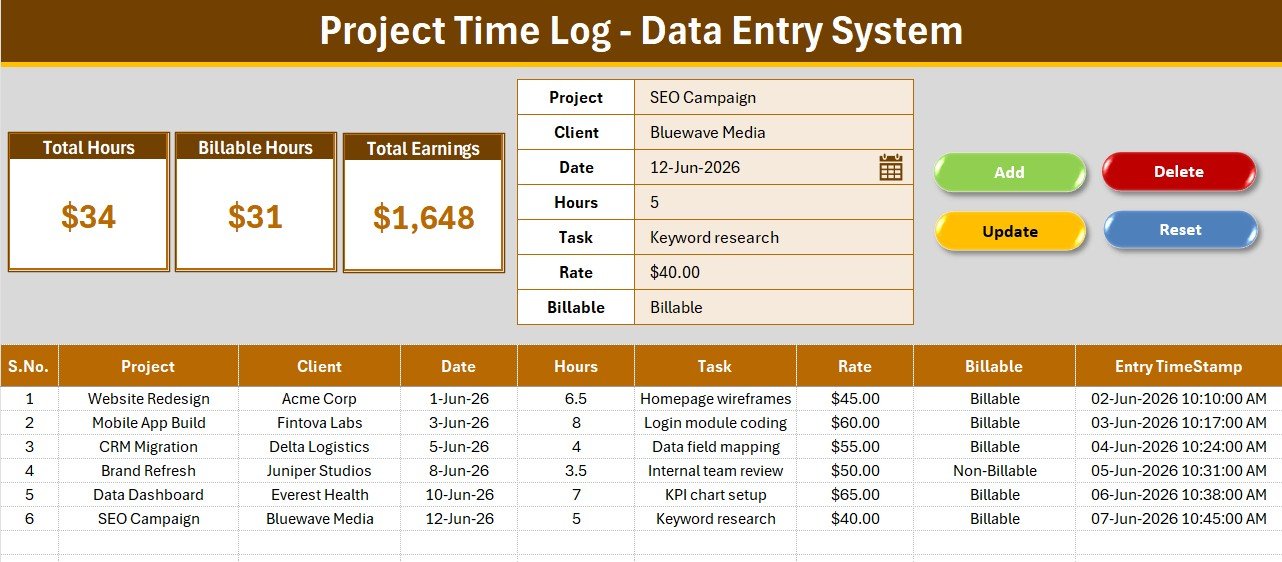
- ⏱️ Structured 7-field entry form — the form captures Project, Client, Date, Hours, Task, Rate, and a Billable/Non-Billable flag on one clean panel, so every time entry lands in the log with identical structure and zero typing into raw table cells.
- 📊 3 live KPI cards — Total Hours sums every logged hour, Billable Hours counts only entries flagged Billable, and Total Earnings multiplies Hours × Rate for billable rows. All three recalculate instantly with each saved record.
- 🖱️ 4 VBA action buttons — Add saves a new entry with an automatic timestamp, Update rewrites an existing row, Delete removes it, and Reset clears the form. Double-click any record to load it back into the form for editing.
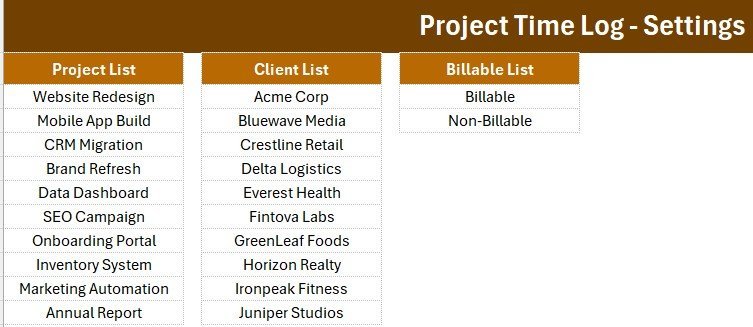
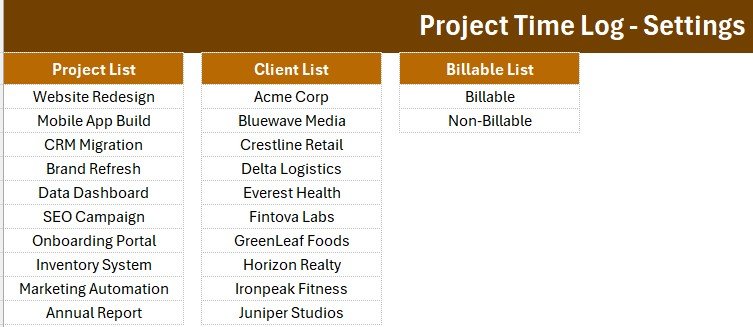
- 📋 Dropdown-controlled accuracy — Project, Client, and Billable fields pull from named lists on the Setting sheet, which ships with 10 sample projects and 10 sample clients you can replace with your own.
- 🔢 Auto serial number and Entry TimeStamp — every row gets a self-maintaining S.No and a saved timestamp, giving you a clean audit trail for invoicing disputes.
- 🎨 Professional amber-brown theme — dark heading bar, KPI cards, and table headers styled consistently across all sheets, ready to present to clients as-is.
📦 What’s Inside the Project Time Log Data Entry System in Excel
Data Entry Sheet — Form, KPIs, and Time Log Table
The main dashboard combines the 3 KPI cards (Total Hours, Billable Hours, Total Earnings), the 7-field entry form with Add / Update / Delete / Reset buttons, and the records table with auto serial numbers, currency-formatted rates, and an Entry TimeStamp column.
Setting Sheet — Dropdown Lists and Linked Stat Cards
This sheet holds the three dropdown source lists — Projects, Clients, and Billable status — plus duplicated KPI cards you can paste anywhere as linked pictures. Add a new project or client here and it appears in the form dropdowns immediately.
Instructions Sheet — One-Time Setup Guide
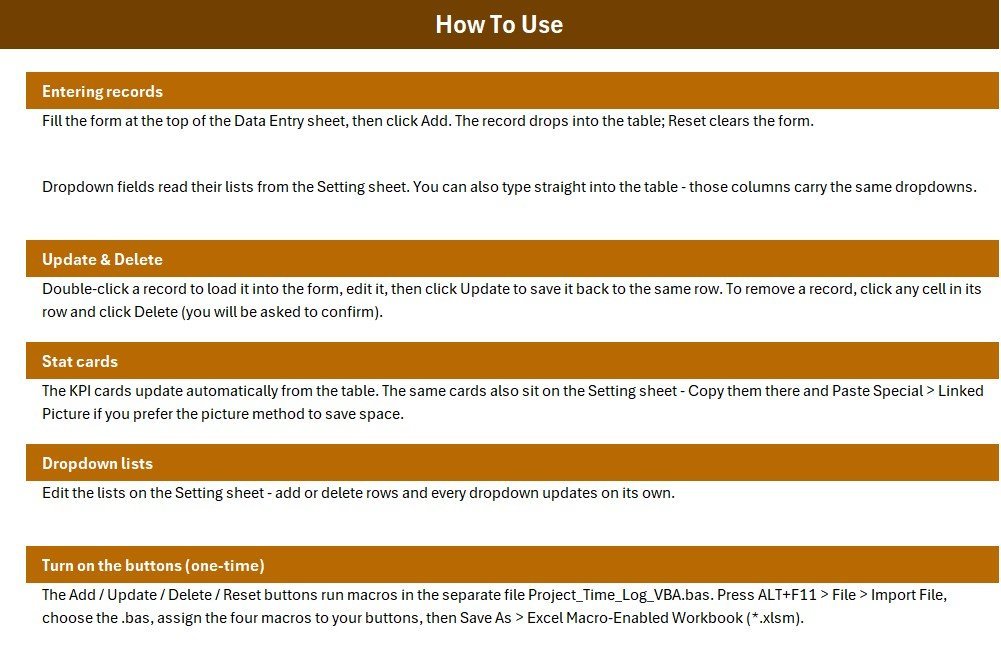
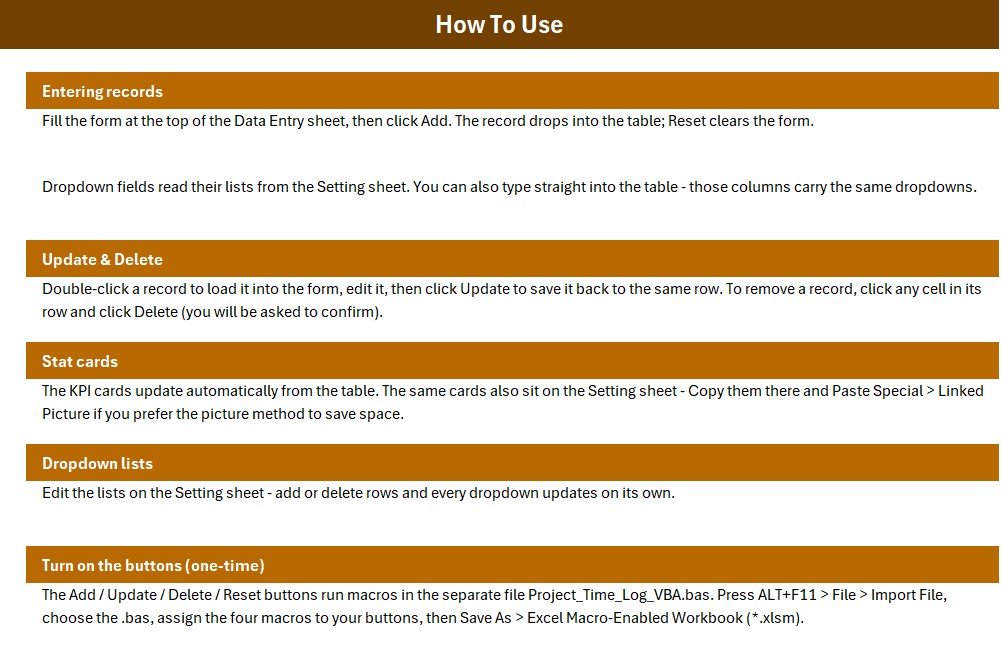
Step-by-step activation instructions: importing the VBA module, assigning macros to the four buttons, enabling the double-click editor, and saving as a macro-enabled workbook.
📊 Project Time Log Data Entry System vs. Google Sheets Timesheet vs. Toggl Track / Harvest — Where This Fits
| Feature | Project Time Log Data Entry System in Excel | Google Sheets Timesheet | Toggl Track / Harvest |
|---|---|---|---|
| Cost | $5.99 one-time | Free but manual build | $9–12 / user / month |
| Platform | Microsoft Excel (offline, your file) | Browser, Google account required | Cloud SaaS |
| Setup time | Under 10 minutes ✅ | Hours to build from scratch | 30–60 min + team onboarding |
| Billable vs non-billable tracking | Built-in flag + auto earnings ✅ | Manual formulas needed | ✅ Included |
| Earnings calculation (Hours × Rate) | Automatic per entry ✅ | Manual formulas needed | Paid plans only |
| Works offline | ✅ Fully offline | Limited | ❌ Internet required |
| Data ownership | ✅ Your local file forever | Google’s cloud | Vendor’s servers |
| Year-1 cost at 5 users | $5.99 total ✅ | $0 + build time | $540–720 |
For freelancers and small teams that want billable-hours tracking with automatic earnings math without paying a monthly per-user fee, the Project Time Log Data Entry System in Excel sits in the sweet spot.
👥 Who This Template Is For — and Who It’s Not For
✅ This template is built for:
- Freelancers and consultants who bill clients by the hour and need clean Total Hours / Billable Hours / Earnings numbers for invoicing
- Small agencies (2–15 people) logging time across multiple client projects without a SaaS subscription
- Project managers who need a lightweight, offline time log they fully own and can email as a single file
❌ This template is NOT for:
- Teams needing simultaneous multi-user entry in real time — a cloud tool or our Google Sheets Web Apps fit better
- Enterprises requiring timer-based tracking, SSO, or payroll system integration
⚙️ How to Use the Project Time Log Data Entry System in Excel
- Unzip the download and open the workbook in Microsoft Excel.
- Press ALT+F11 and import the included VBA module (File → Import File).
- Assign the Add_Record, Update_Record, Delete_Record, and Reset_Form macros to the four form buttons.
- Save as a macro-enabled workbook (.xlsm) — a one-time step covered on the Instructions sheet.
- Replace the sample Projects and Clients on the Setting sheet with your own.
- Fill the form, click Add, and watch the KPI cards update instantly.
💼 Real-World Use Cases
Ravi is a freelance web developer juggling 6 client projects. He logs each work session with the project, hours, rate, and billable flag, then reads his Total Earnings card at month-end to raise invoices — replacing a $10/month Harvest seat with a $5.99 one-time file.
Meera runs a 8-person design studio. Her team emails weekly entries, she logs them in under five minutes using the dropdown-driven form, and the Billable Hours card tells her exactly what percentage of studio time is revenue-generating.
Daniel manages internal IT projects at a mid-size firm. He tracks non-billable internal hours alongside billable consulting work, using the Billable flag to separate cost-center time from client-chargeable time in one log.
❓ Frequently Asked Questions
What does the Project Time Log Data Entry System in Excel track?
The Project Time Log Data Entry System in Excel tracks 7 fields per entry — Project, Client, Date, Hours, Task, Rate, and Billable status — and reports 3 live KPIs: Total Hours, Billable Hours, and Total Earnings calculated as Hours × Rate for billable rows.
How is Total Earnings calculated?
The Project Time Log Data Entry System multiplies Hours × Rate for every entry flagged Billable and sums the result automatically. Non-billable entries are counted in Total Hours but excluded from Billable Hours and Total Earnings, so your invoicing numbers stay clean.
How long does setup take?
Under 10 minutes. Import the VBA module via ALT+F11, assign the four macros to the Add, Update, Delete, and Reset buttons, save as .xlsm, and replace the sample projects and clients on the Setting sheet. The Instructions sheet walks through every step.
Can I add my own projects and clients?
Yes. The Setting sheet holds the Project, Client, and Billable dropdown lists. Type new names into those lists and they appear in the Project Time Log entry form immediately — no formula editing required.
How does this compare to Toggl Track or Harvest?
Toggl Track and Harvest cost $9–12 per user per month and store your data on their servers. The Project Time Log Data Entry System in Excel is a $5.99 one-time purchase, works fully offline, and keeps every time entry in a file you own forever.
Do I need VBA knowledge to use it?
No. The VBA module ships ready-made — you import it once following the Instructions sheet and click buttons from then on. No coding is required to add, update, or delete time entries.
Can I edit a record after saving it?
Yes. Double-click any row in the records table and it loads back into the form. Change the values and click Update to rewrite the row, or Delete to remove it entirely.
👤 About the Author
Built by PK — Microsoft Certified Professional with 15+ years of Excel, Google Sheets, and Power BI experience. Founder of NextGenTemplates, reaching 300K+ subscribers across YouTube channels (@PK-AnExcelExpert, @NextGenTemplates, @NeoTechNavigators). Every template is hand-built and tested before release.
🔗 Explore Related Templates
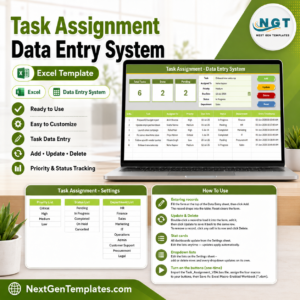
- 📌 Task Assignment Data Entry System in Excel — assign and track project tasks with the same one-click VBA form workflow.
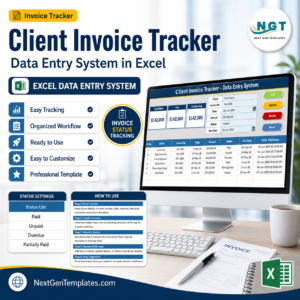
- 📌 Client Invoice Tracker Data Entry System in Excel — turn your logged billable hours into tracked invoices and payments.
- 📌 Monthly Timesheet Calendar in Excel — a calendar-style view of monthly working hours.
- 📌 Employee Attendance Data Entry System in Excel — log daily attendance with the same form-and-KPI layout.
Browse more Excel VBA Tools and Project Management Templates.
📖 Click here to read the Detailed Blog Post
🎥 Visit our YouTube channel for step-by-step video tutorials
👉 YouTube.com/@NextGenTemplates
📅 Last updated: July 2026














Reviews
There are no reviews yet.