

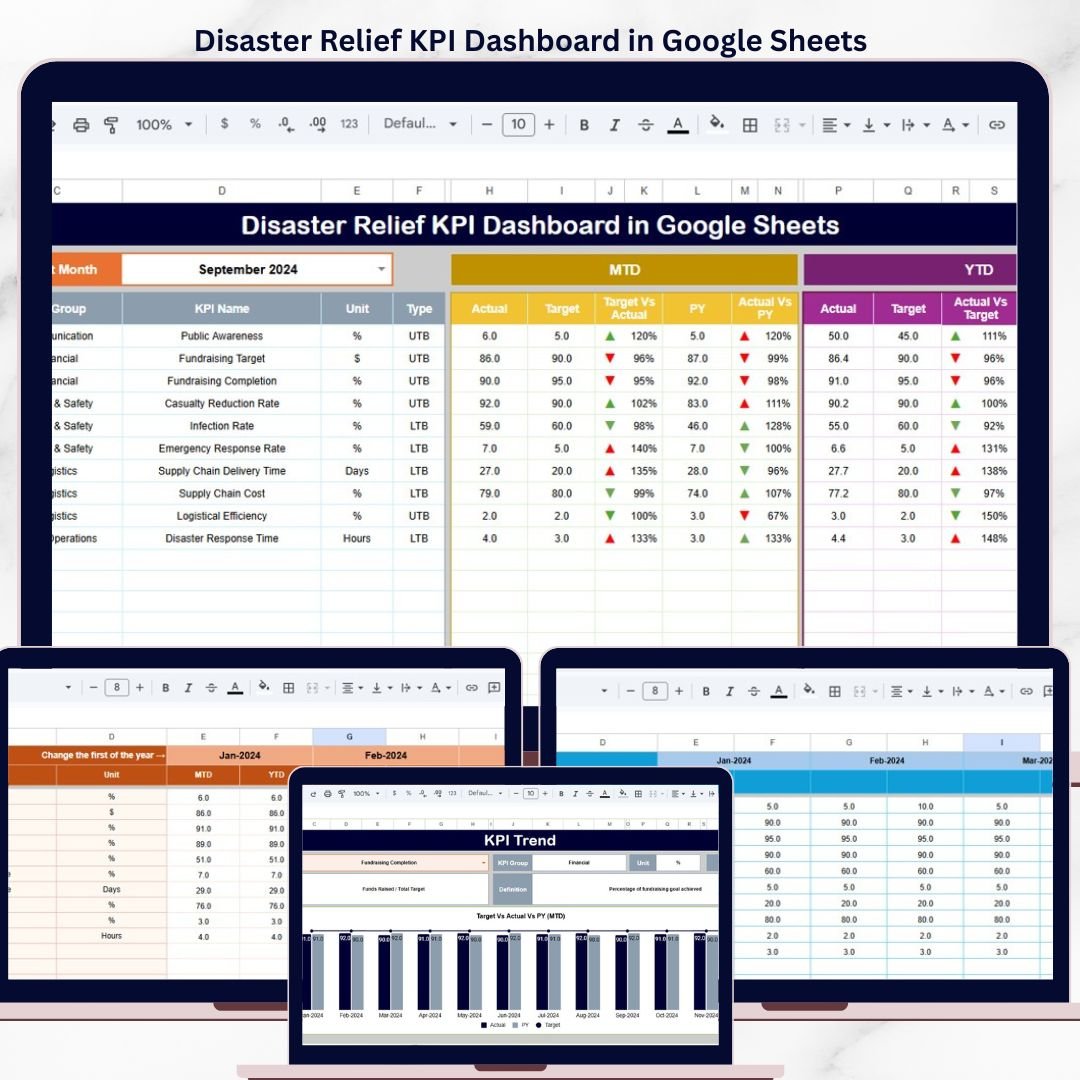
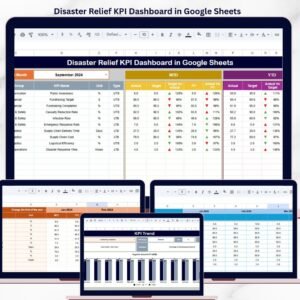
The Disaster Relief KPI Dashboard in Google Sheets tracks 12+ key performance indicators across 6 interactive sheets, with pre-built trend charts, conditional formatting arrows, and a month-selector dropdown. Setup takes under 10 minutes — just copy the template to your Google Drive, replace the sample data, and every metric updates automatically.
🌍 Join 8,400+ teams in 40+ countries using NextGenTemplates to replace paid SaaS tools with one-time-purchase Excel, Google Sheets, Power BI, and HTML templates.
✅ Instant download · One-time payment · No subscription · No per-user fees · Lifetime access
🔑 Key Features of the Disaster Relief KPI Dashboard in Google Sheets
📊 Dynamic Month Selector: Select any month from the drop-down on cell D3. The entire dashboard refreshes to display MTD Actual, Target, and Previous Year data — along with YTD Actual, Target, and Previous Year — for that specific period.
📈 Conditional Formatting Arrows: Target vs Actual and PY vs Actual comparisons are highlighted with up/down arrows, making it easy to spot performance gaps across all disaster relief KPIs at a glance.
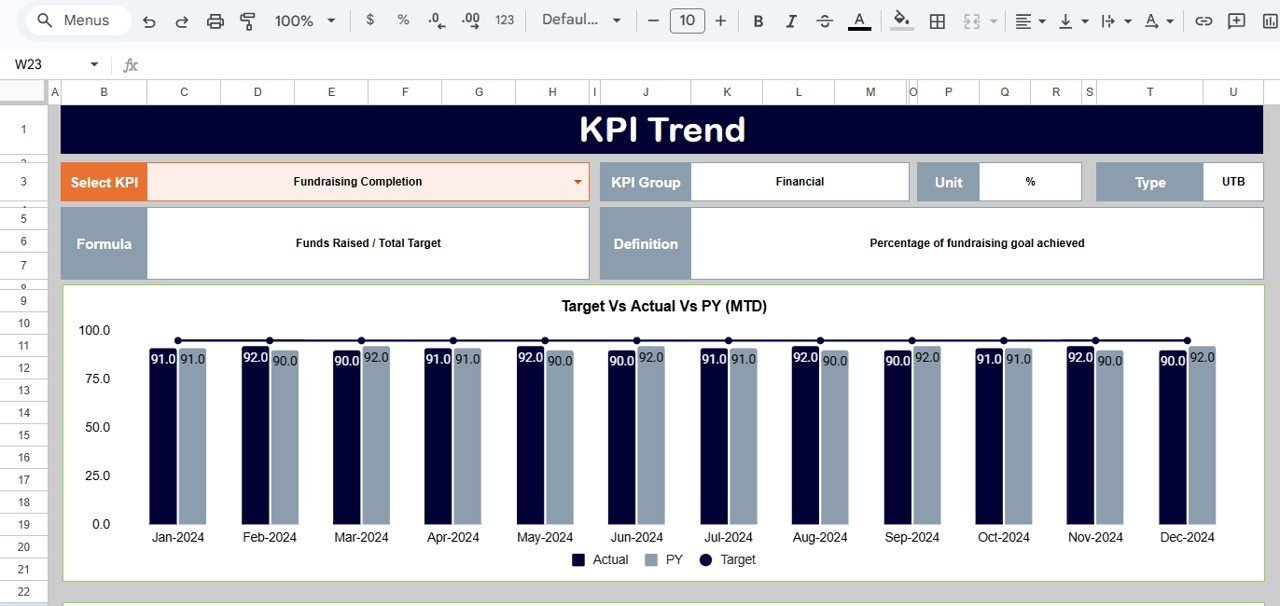
🔍 Individual KPI Trend Analysis: On the KPI Trend sheet, select any KPI from the dropdown on cell C3. The sheet displays the KPI Group, Unit, Type (Lower the Better or Upper the Better), Formula, and Definition alongside MTD and YTD trend charts for Actual, Target, and PY numbers.
⚙️ Separate Data Input Sheets: Three dedicated input sheets — Actual Numbers, Target Numbers, and Previous Year Numbers — keep your data organized. Change the starting month on range E1 of the Actual sheet to align with your fiscal year.
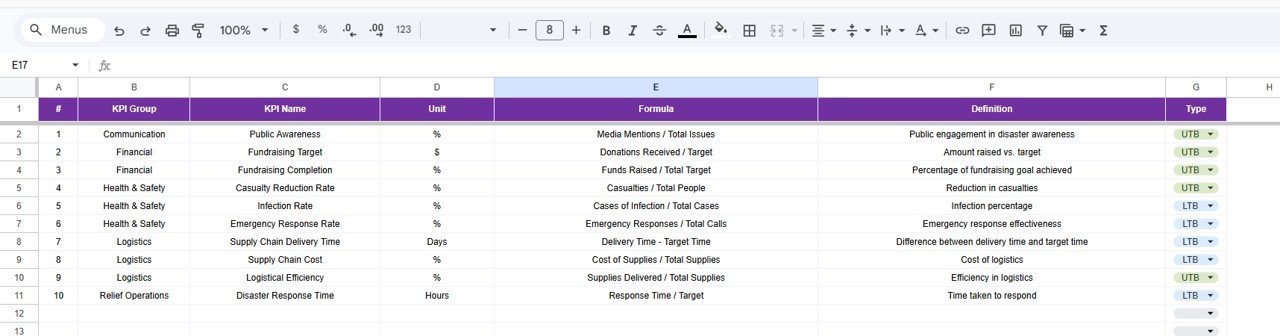
📝 KPI Definition Sheet: Define every metric with KPI Name, KPI Group, Unit, Formula, KPI Definition, and KPI Type (LTB or UTB). This serves as a single source of truth for your disaster relief reporting team.
This Google Sheets KPI Dashboard is built for disaster relief coordinators, NGO program managers, and emergency response teams who need a structured way to track response times, resource distribution, beneficiary reach, and operational costs — without subscribing to expensive SaaS platforms.
Also available as: Disaster Relief KPI Dashboard in Excel | Emergency Management KPI Dashboard in Excel
📦 What’s Inside the Disaster Relief KPI Dashboard in Google Sheets
This template includes 6 purpose-built sheets:
📊 1. Dashboard Sheet: The main analysis page. Select any month from the dropdown on D3 and view MTD Actual, Target, Previous Year data plus YTD Actual, Target, Previous Year data. Conditional formatting arrows (up/down) indicate Target vs Actual and PY vs Actual performance.
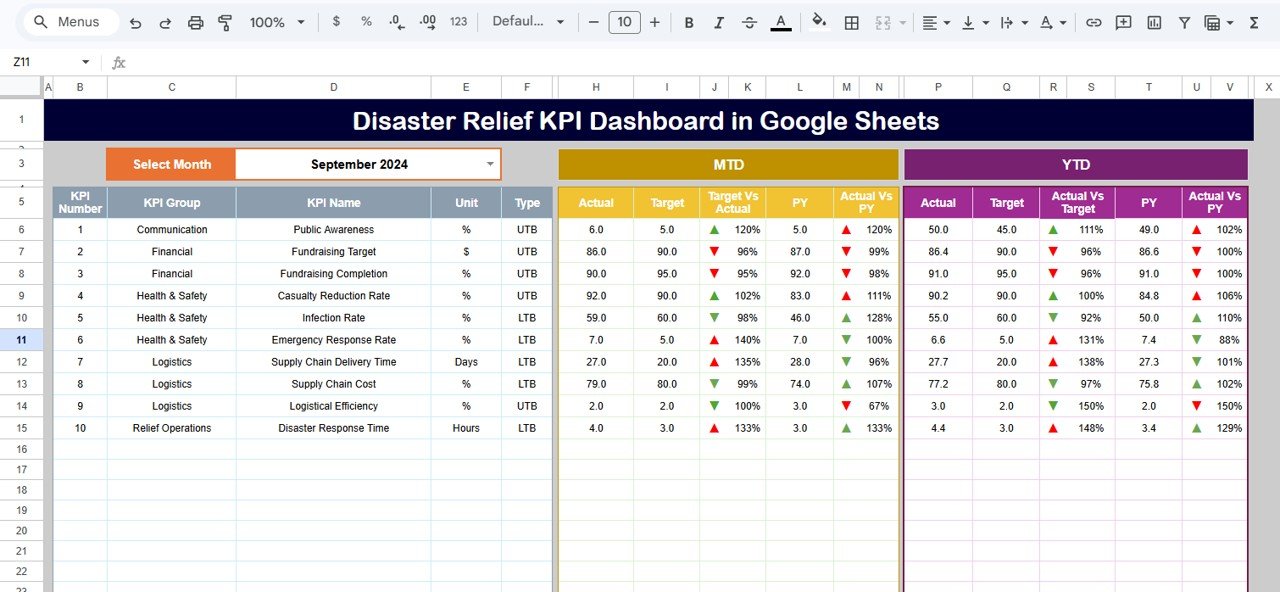
Disaster Relief KPI Dashboard in Google Sheets
📈 2. KPI Trend Sheet: Select any KPI from the dropdown on C3. View KPI Group, Unit, Type (LTB/UTB), Formula, and Definition. MTD and YTD trend charts compare Actual, Target, and PY numbers over time.
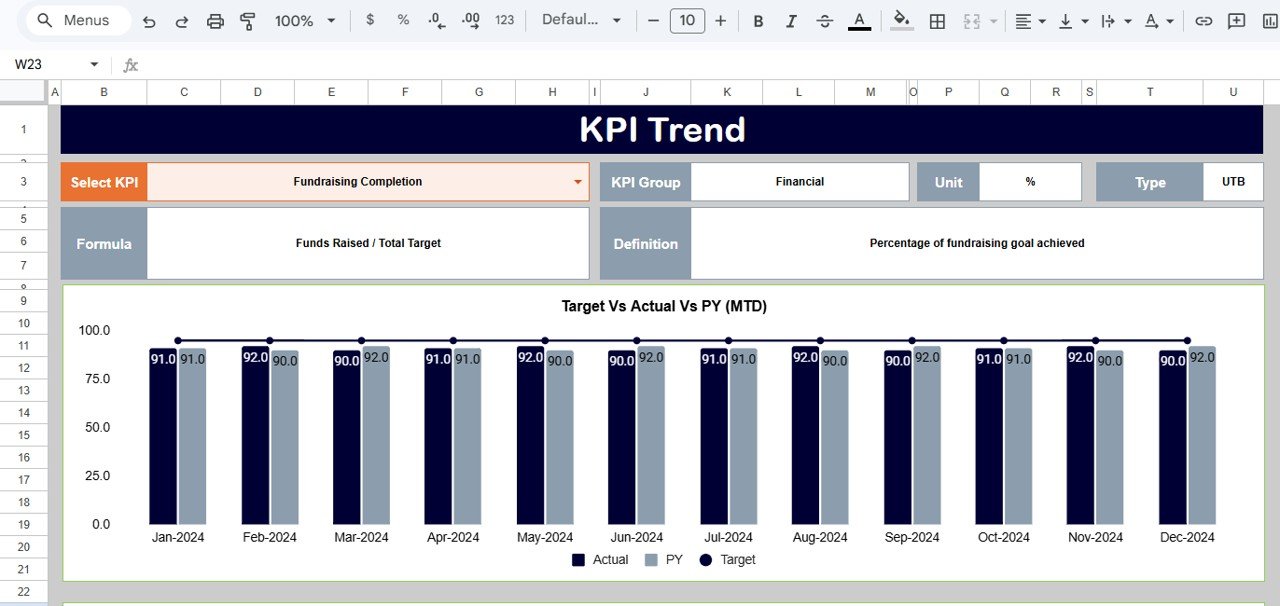
KPI Trend Sheet
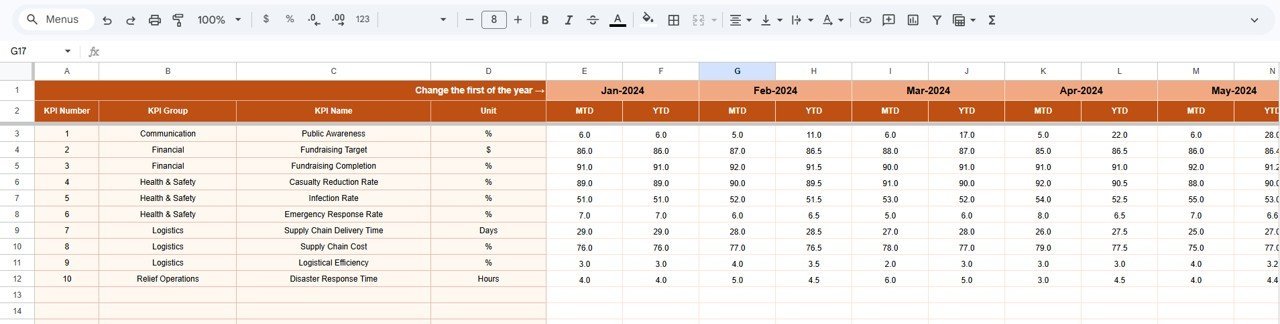
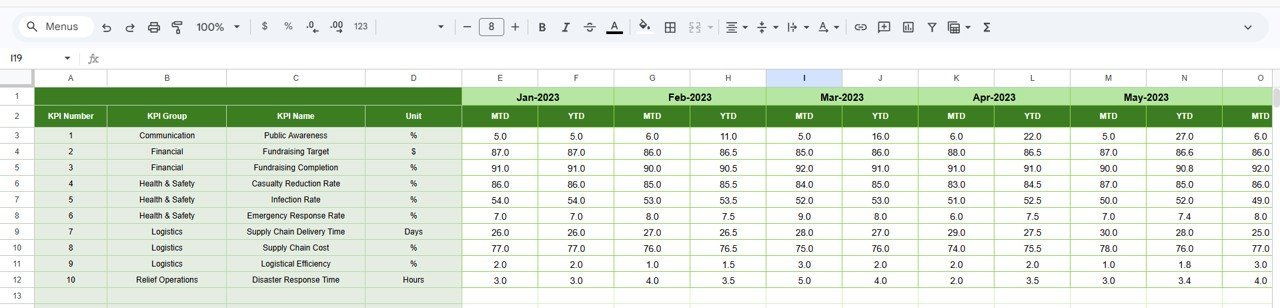
📝 3. Actual Numbers Input Sheet: Enter MTD and YTD actual numbers for each month. Change the starting month on range E1 to align with your fiscal year.
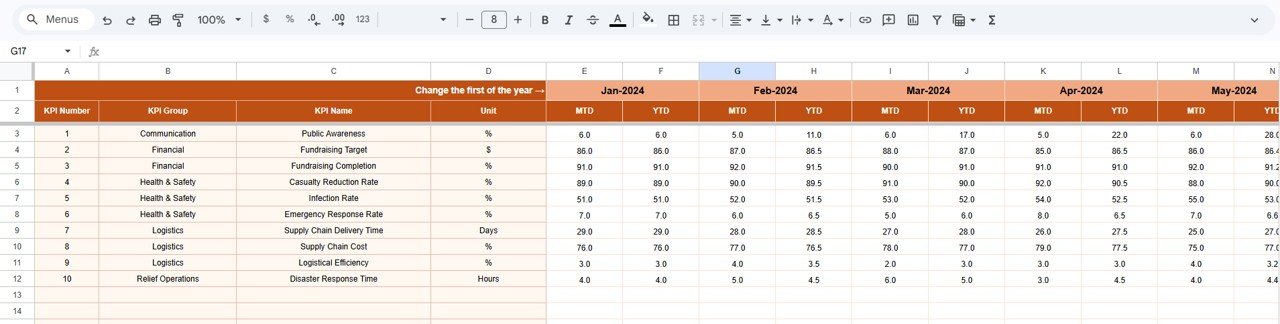
Actual Numbers Input Sheet
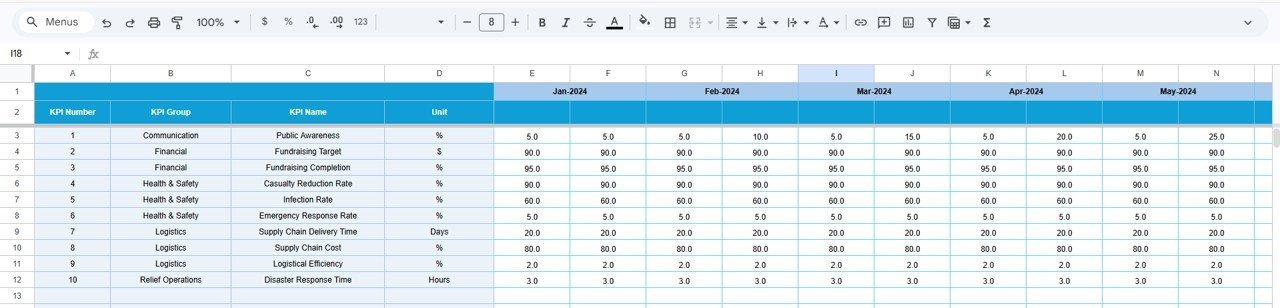
🎯 4. Target Number Input Sheet: Enter target numbers for each KPI for every month — both MTD and YTD targets.
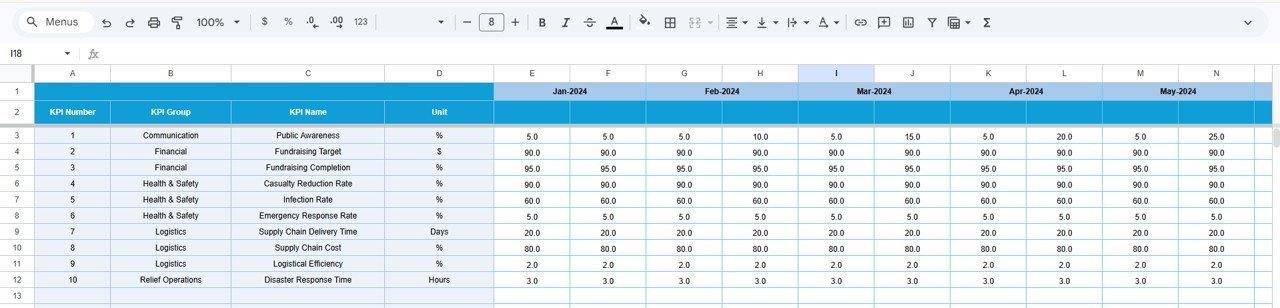
Target Number Input Sheet
📅 5. Previous Year Number Sheet: Enter the numbers for the previous year in the same format — used for year-over-year comparison on the dashboard and trend sheets.
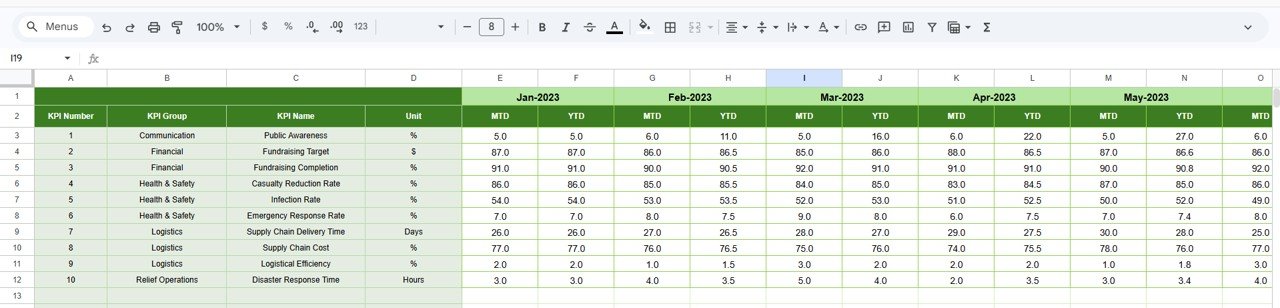
Previous Year Number Input Sheet
📖 6. KPI Definition Sheet: Enter KPI Name, KPI Group, Unit, Formula, KPI Definition, and KPI Type as LTB (Lower the Better) or UTB (Upper the Better).
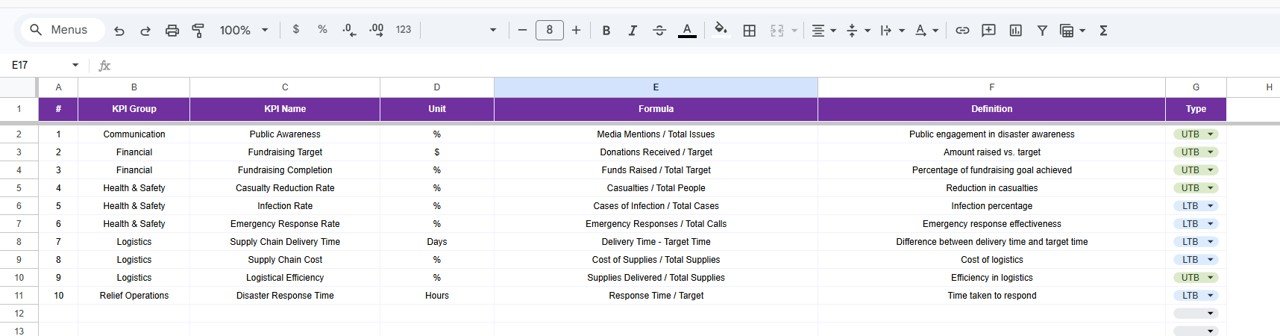
KPI Definition Sheet
📊 Disaster Relief KPI Dashboard in Google Sheets vs. Microsoft Excel vs. Paid Disaster Management Software — Where This Fits
| Feature | Disaster Relief KPI Dashboard in Google Sheets | Microsoft Excel Dashboard | Aidstream / ReliefWeb Analytics |
|---|---|---|---|
| Cost | $8.99 one-time | $14.99 one-time (NGT Excel version) | $50-200/user/month |
| Platform | Google Sheets (free, cloud) | Microsoft Excel (license needed) | Web-based SaaS |
| Setup Time | Under 10 minutes | Under 10 minutes | 2-4 weeks onboarding |
| Real-time Team Collaboration | ✅ Built-in (Google Sheets) | Limited (OneDrive needed) | ✅ Yes |
| Mobile Access | ✅ Any device with browser | Limited on mobile | ✅ Yes |
| Customizable KPIs | ✅ Fully editable | ✅ Fully editable | Limited to plan tier |
| Share with Link | ✅ One-click sharing | Requires OneDrive | ✅ Yes |
| Year-1 Cost at 5 Users | $8.99 total | $14.99 total | $3,000-12,000 |
| MTD/YTD Trend Charts | ✅ Built-in | ✅ Built-in | ✅ Yes |
For disaster relief teams that want structured KPI tracking without paying per-user SaaS fees, the Disaster Relief KPI Dashboard in Google Sheets sits in the sweet spot.
👥 Who This Template Is For — and Who It’s Not For
✅ This template is built for:
- NGO program managers tracking disaster response KPIs across field operations
- Government disaster relief coordinators monitoring response times and resource allocation
- Nonprofit organizations managing relief supplies distribution and beneficiary reach
- Small to mid-sized humanitarian organizations (10-500 staff) needing structured KPI tracking
❌ This template is NOT for:
- Large international agencies needing real-time GIS mapping and satellite-integrated dashboards
- Organizations requiring IATI/OCHA-compliant automated reporting pipelines
⚙️ How to Use the Disaster Relief KPI Dashboard in Google Sheets
1️⃣ Open the PDF guide in your download and click the Google Sheets copy link to create your own editable copy.
2️⃣ Go to the KPI Definition sheet and enter your disaster relief KPI names, groups, units, formulas, and types (LTB or UTB).
3️⃣ Navigate to the Actual Numbers Input sheet. Set the starting month on cell E1 and enter MTD and YTD actual data.
4️⃣ Fill in the Target Number Input sheet with monthly MTD and YTD targets for each KPI.
5️⃣ Enter previous year numbers in the Previous Year sheet for year-over-year comparison.
6️⃣ Go to the Dashboard sheet, select a month from dropdown D3, and view all KPIs with conditional formatting arrows.
7️⃣ Use the KPI Trend sheet to analyze individual KPI performance with MTD and YTD trend charts.
💼 Real-World Use Cases
Maria manages disaster response for a regional Red Cross chapter. She uses the Disaster Relief KPI Dashboard in Google Sheets to track 15 KPIs including response time, shelter occupancy rate, and food distribution coverage. Each month, she selects the period from the dropdown and shares the live Google Sheet with her 8-person field team — no per-user license fees, no onboarding.
Ravi leads operations at a flood relief NGO in South Asia. With limited budget, his team tracks resource utilization, volunteer deployment rate, and medical response time using the KPI Definition and Trend sheets. The PY vs Actual arrows help him demonstrate year-over-year improvements in donor reports.
Elena coordinates FEMA-partnered disaster preparedness at a county government office. She customized the template with 12 KPIs aligned to federal reporting requirements. The separate Actual, Target, and PY input sheets make it easy for three department heads to contribute data without breaking formulas.
❓ Frequently Asked Questions
What KPIs does the Disaster Relief KPI Dashboard in Google Sheets track?
The Disaster Relief KPI Dashboard in Google Sheets tracks any KPI you define — including response time, beneficiary reach, resource utilization, shelter occupancy, volunteer deployment rate, and more. All metrics are fully customizable via the KPI Definition sheet.
Can I change the fiscal year starting month?
Yes. On the Actual Numbers Input sheet, change the month on cell E1 to set your fiscal year start. All MTD and YTD calculations adjust accordingly across the dashboard.
How does this compare to paid disaster management software?
Paid platforms like Aidstream or ReliefWeb Analytics cost $50-200 per user per month. This template costs $8.99 total with no per-user fees, real-time Google Sheets collaboration, and under 10 minutes setup time.
How long does setup take?
Setup takes under 10 minutes. Copy the template to Google Drive, enter your KPI definitions, input your actual and target data, and the dashboard starts working immediately with pre-built formulas and charts.
Can multiple team members edit at the same time?
Yes. Google Sheets supports real-time collaboration. Share the spreadsheet link with your team and multiple users can enter data simultaneously without version conflicts.
Is the Excel version also available?
Yes. The Disaster Relief KPI Dashboard in Excel is available separately for teams that prefer Microsoft Excel.
Do I need to know Google Sheets formulas to use this?
No. All formulas, charts, and conditional formatting are pre-built. You only need to replace the sample data with your own numbers in the three input sheets.
👤 About the Author
Built by PK — Microsoft Certified Professional with 15+ years of Excel, Google Sheets, and Power BI experience. Founder of NextGenTemplates, reaching 300K+ subscribers across YouTube channels (@PK-AnExcelExpert, @NextGenTemplates, @NeoTechNavigators). Every template is hand-built and tested before release.
🔗 Explore Related Templates
📊 Disaster Relief KPI Dashboard in Excel — Same KPI tracking structure in Microsoft Excel format.
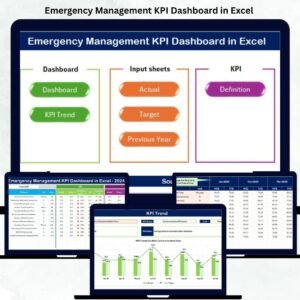
🚨 Emergency Management KPI Dashboard in Excel — Track emergency response times, resource utilization, and incident resolution rates.
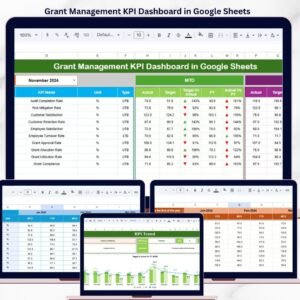
🌿 Grant Management KPI Dashboard in Google Sheets — Monitor grant utilization, compliance, and disbursement KPIs.
🚚 Transportation Safety KPI Scorecard in Google Sheets — Track safety-related KPIs with scorecard format.
📖 Click here to read the Detailed Blog Post
🎥 Visit our YouTube channel for step-by-step video tutorials
👉 YouTube.com/@NextGenTemplates


















Reviews
There are no reviews yet.