

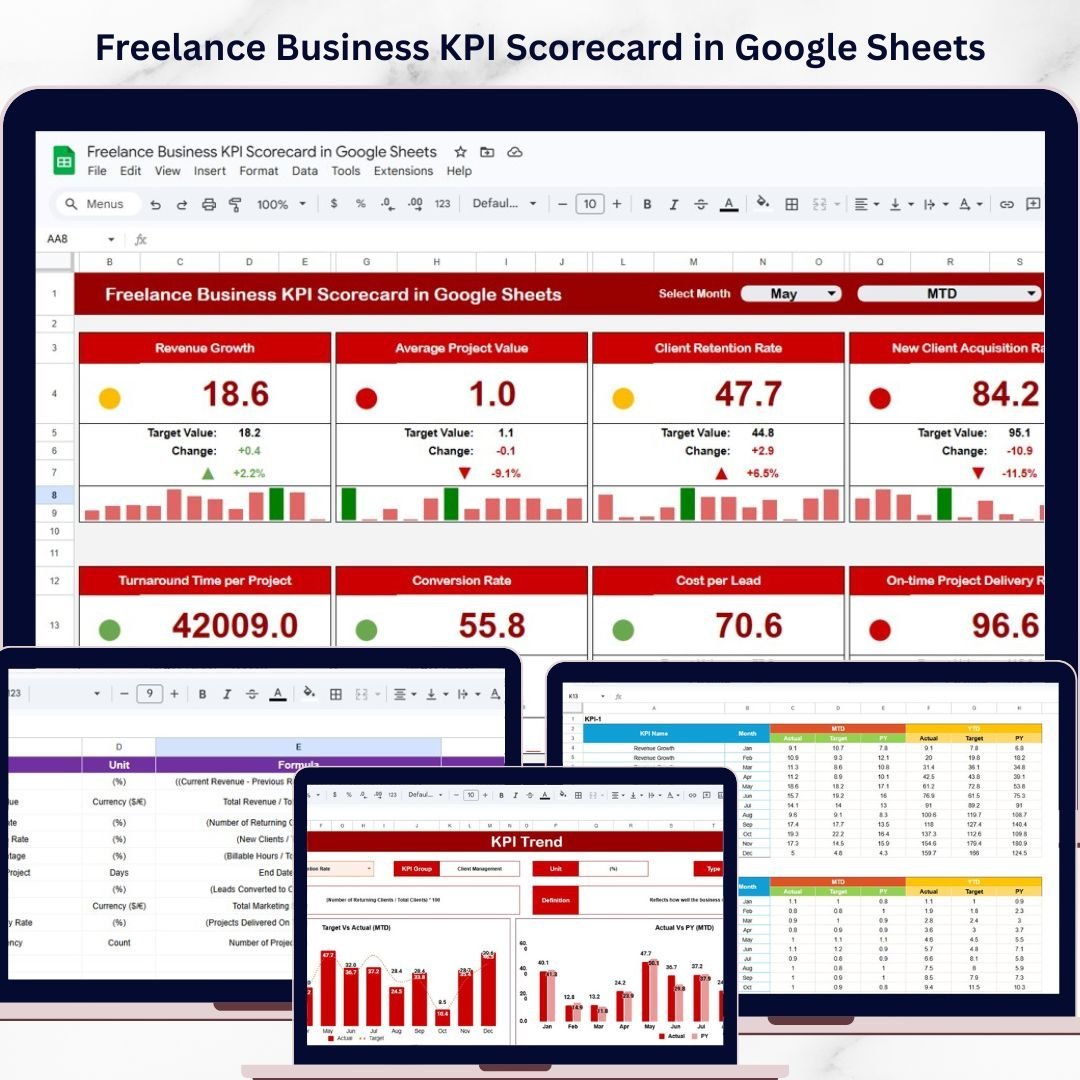
Key Features of Freelance Business KPI Scorecard in Google Sheets
Unlock the full potential of your freelance business with our Freelance Business KPI Scorecard in Google Sheets – a comprehensive, easy-to-use digital tool designed to track and analyze your key performance indicators with precision and clarity. This ready-to-use scorecard template is expertly crafted to help freelancers measure their success, optimize performance, and make data-driven decisions to grow their business efficiently.
Here’s what makes this KPI scorecard a must-have for every freelancer:
- 📊 Four Interactive Worksheets: The template includes four dynamic sheets: Scorecard Sheet, KPI Trend Sheet, Input Data Sheet, and KPI Definition Sheet, each serving a unique purpose to streamline your performance tracking.
- 📅 Customizable Timeframes: Easily toggle between Month-to-Date (MTD) and Year-to-Date (YTD) views using dropdown menus for targeted performance insights.
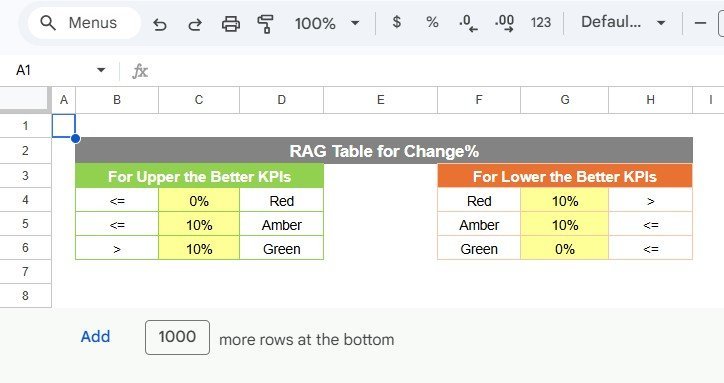
- 🎯 Actual vs Target Comparison: Quickly compare your actual KPI results against pre-set targets to identify areas of success and those needing improvement.
- 🌈 Visual Performance Indicators: Benefit from intuitive color-coded visuals and conditional formatting that highlight your KPI status at a glance for 10 critical metrics.
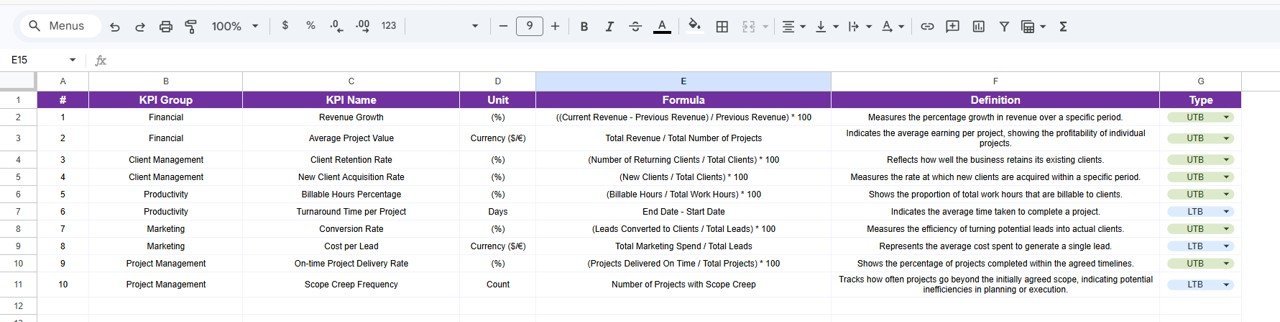
- 📈 Comprehensive KPI Overview: Access detailed KPI descriptions, units, formulas, and performance types (whether higher or lower values are better) to fully understand what each metric means for your business.
- 📊 Trend Analysis & Charts: Monitor your KPI trends with clear MTD and YTD charts showcasing actuals, targets, and previous year (PY) comparisons to track progress over time.
- 📝 Flexible Data Entry: Easily input and update your KPI data in the Input Data Sheet, keeping your scorecard current and relevant.
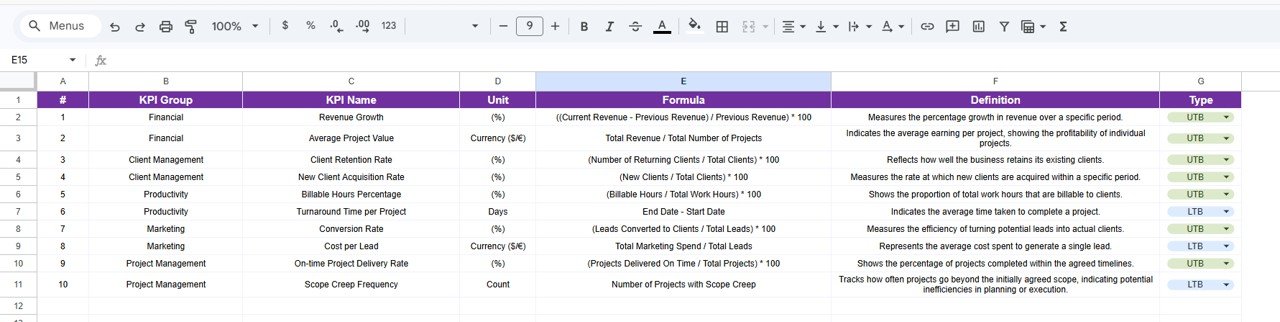
- 💡 KPI Definition Sheet: Maintain clarity and consistency by defining each KPI’s name, group, formula, and description in one organized location.
What’s Inside the Freelance Business KPI Scorecard in Google Sheets
This product contains a fully editable Google Sheets template featuring four core worksheets designed for seamless KPI management:
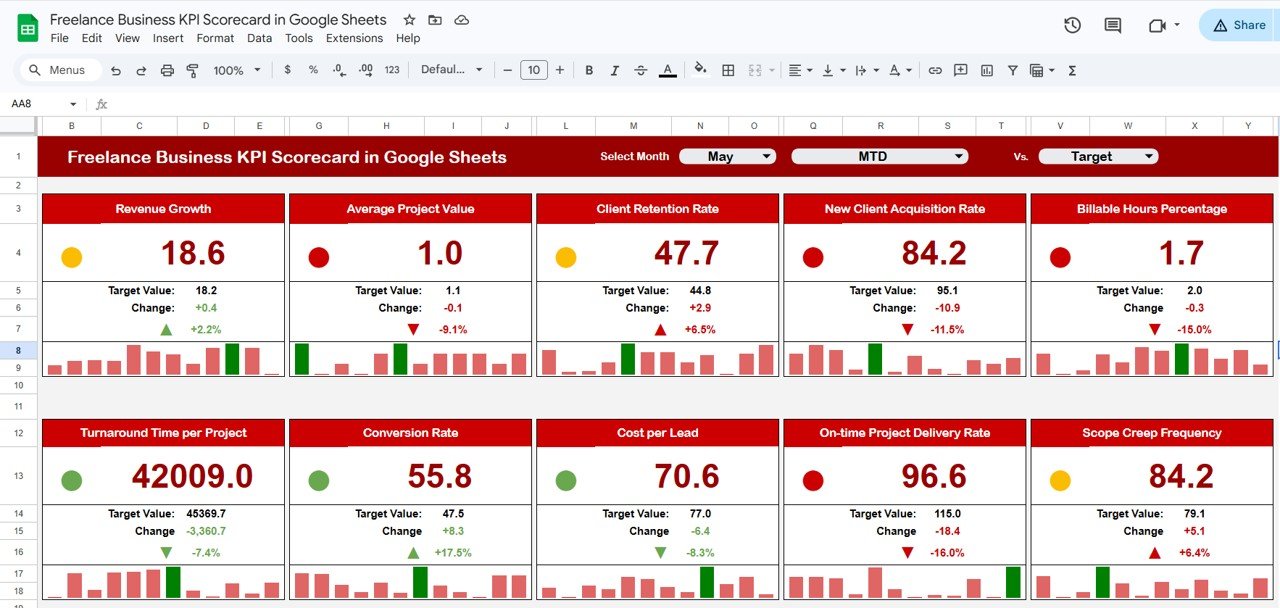
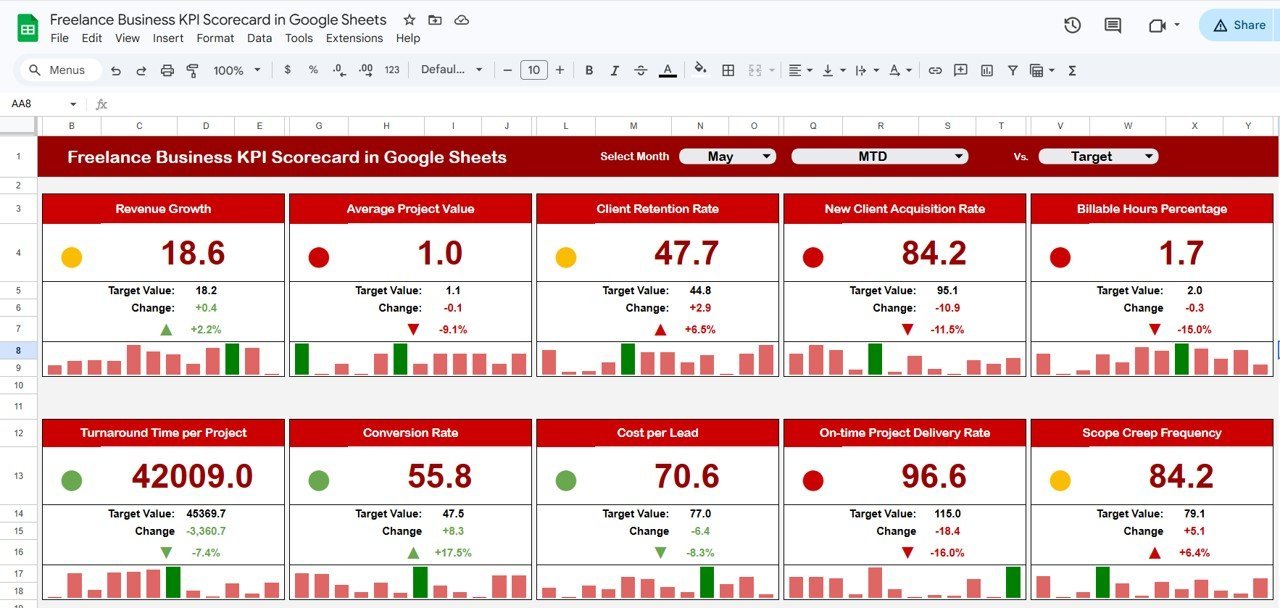
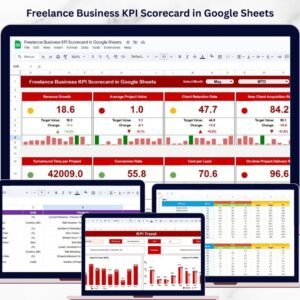
Freelance Business KPI Scorecard in Google Sheets
1. Scorecard Sheet: Your main dashboard featuring dropdown menus to select months and view MTD or YTD data, comparison of actual vs target KPIs, and color-coded visual indicators for swift performance appraisal.
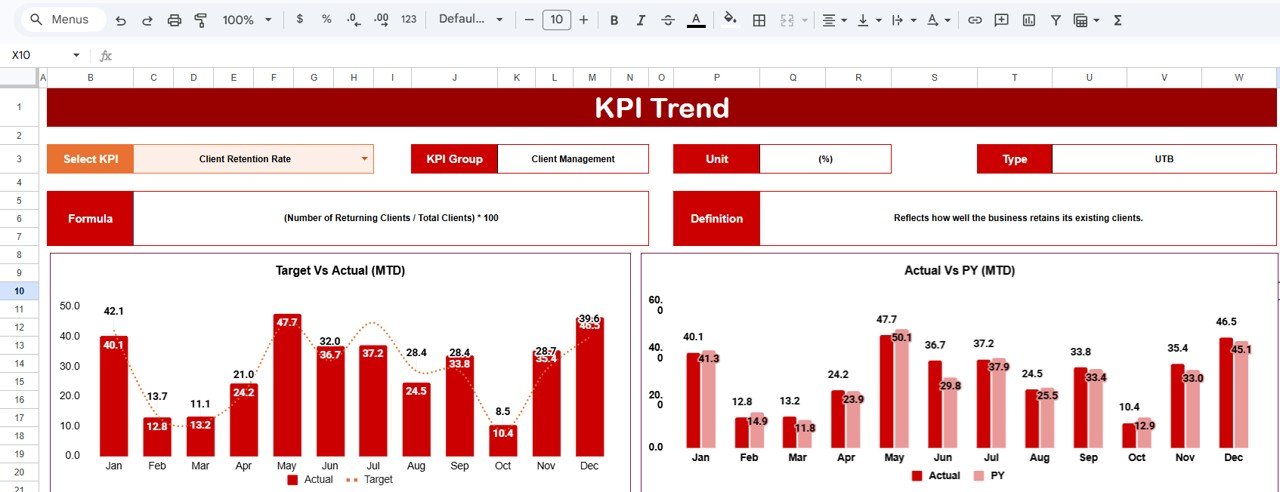
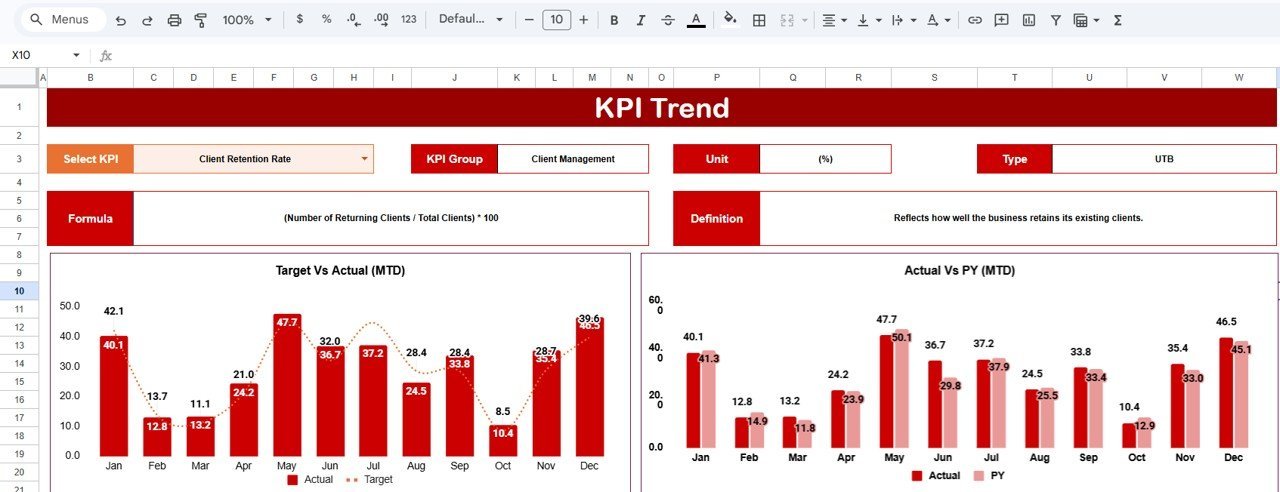
KPI Trend Sheet
2. KPI Trend Sheet: Dive deeper into each KPI by selecting its name from a dropdown. Understand the KPI group, unit, formula, and whether a higher or lower value is advantageous. View MTD and YTD trend charts comparing actual, target, and previous year data.
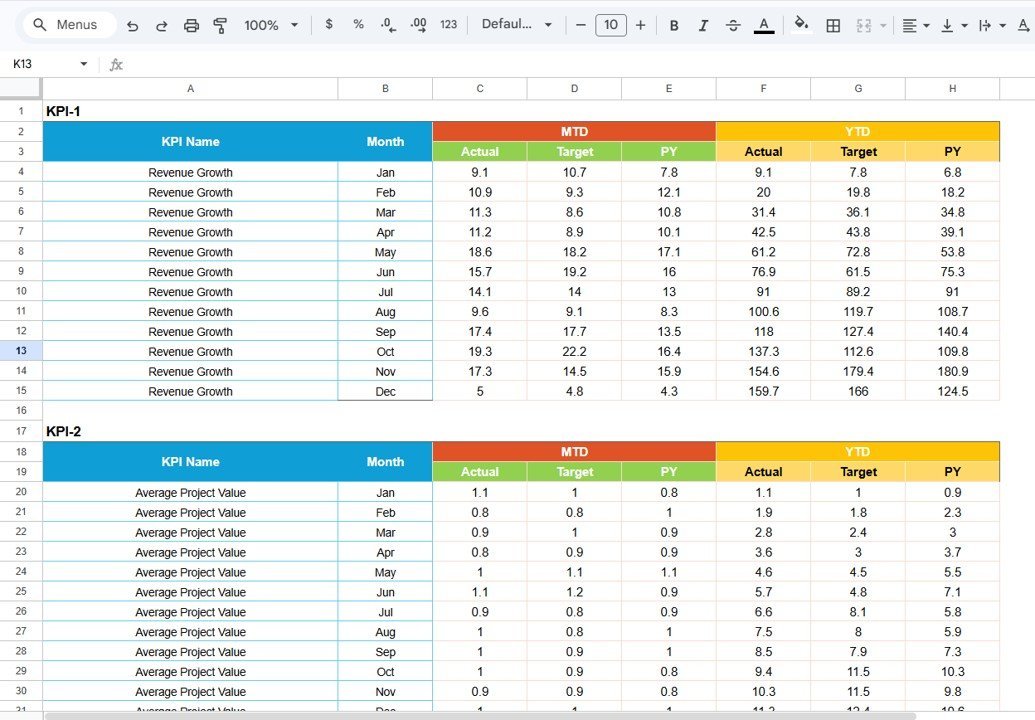
Input Data Sheet
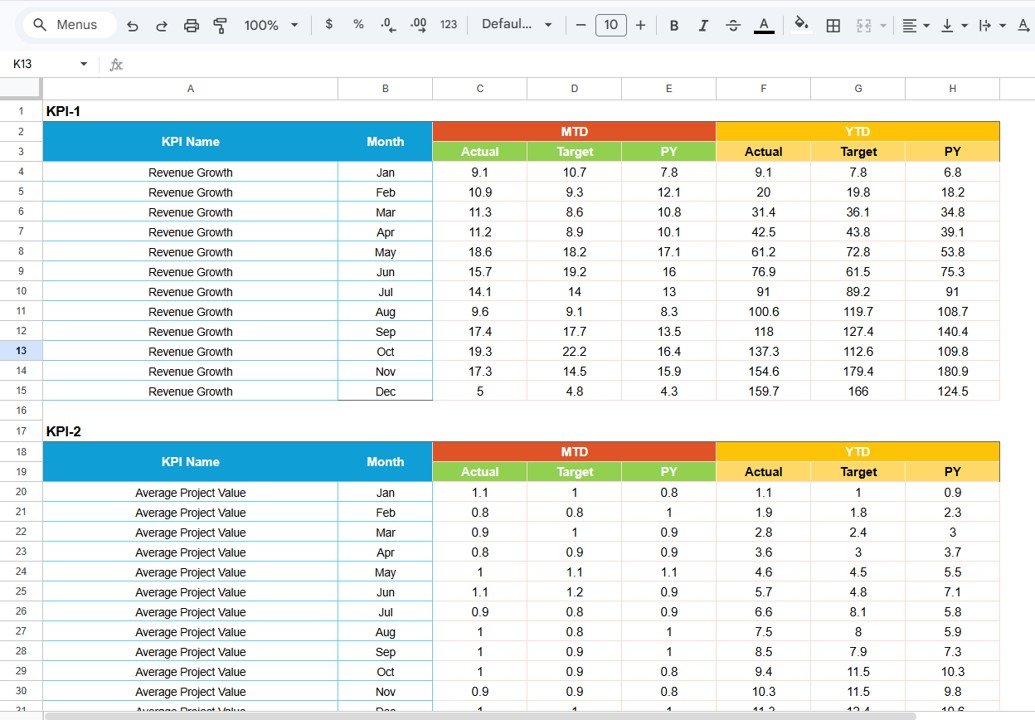
3. Input Data Sheet: The data entry hub where you record actual values, targets, and other key figures for each KPI. Designed for flexibility, keeping your scorecard data fresh and accurate.
KPI Definition sheet tab
4. KPI Definition Sheet: Organize and define each KPI with fields for name, group, unit, formula, and detailed definition to ensure clarity and standardized reporting.
How to Use the Freelance Business KPI Scorecard in Google Sheets
Getting started with the Freelance Business KPI Scorecard is simple and user-friendly, even for beginners:
- 🖱️ Step 1: Open the Google Sheets template and start by defining your KPIs in the KPI Definition Sheet, customizing names, formulas, and units to match your freelance business metrics.
- 📥 Step 2: Enter your actual performance data and targets into the Input Data Sheet. Update these values regularly to keep your scorecard accurate.
- 📊 Step 3: Use the Scorecard Sheet as your main dashboard to monitor current performance against targets. Toggle between MTD and YTD to analyze trends.
- 📈 Step 4: Explore the KPI Trend Sheet to visualize your KPI progress over time and make informed decisions based on trend data.
- 📅 Step 5: Update data monthly or as often as needed to maintain real-time insights and adjust your freelance strategies accordingly.
This intuitive layout allows you to focus on what matters most – growing your freelance business by understanding and optimizing your key metrics.
Who Can Benefit from This Freelance Business KPI Scorecard in Google Sheets
This KPI scorecard is designed to empower a wide range of freelance professionals and small business owners, including but not limited to:
- 🎨 Creative Freelancers: Graphic designers, writers, photographers, and other creatives seeking a clear performance overview.
- 💻 Tech Freelancers: Developers, programmers, and IT consultants looking to track project milestones and productivity KPIs.
- 📈 Marketing & Sales Freelancers: Digital marketers, SEO specialists, and sales consultants aiming to measure campaign success and client growth.
- 🧑💼 Freelance Consultants: Business, financial, or management consultants who want to keep track of client engagement and revenue KPIs.
- 🚀 Freelance Entrepreneurs: Anyone running a freelance business who wants a professional, data-driven approach to business growth.
By using this scorecard, freelancers can save time, reduce guesswork, and gain confidence in their business decisions with clear, actionable insights.














Reviews
There are no reviews yet.