



Key Features of Hospital Operations KPI Scorecard in Google Sheets
Introducing the Hospital Operations KPI Scorecard in Google Sheets-a powerful, ready-to-use digital template designed to help healthcare administrators and hospital managers monitor, analyze, and optimize operational performance with ease. This scorecard is tailored specifically for hospital settings, allowing you to track 10 critical KPIs that influence the efficiency and effectiveness of your hospital’s operations.
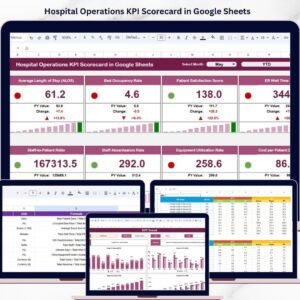
At the heart of this template is the Scorecard Sheet, where you can seamlessly view KPI performance across different time frames. The intuitive dropdown menus let you select the month and toggle between Month-to-Date (MTD) and Year-to-Date (YTD) data, enabling quick, dynamic performance analysis. Compare actual values against target benchmarks, and instantly grasp your hospital’s operational health through color-coded visual indicators that highlight performance status.
The template also includes comprehensive KPI insights so you can assess progress and identify areas that need attention. Whether you want to drill down into trends or assess overall operational health, this scorecard has you covered.
What’s Inside the Hospital Operations KPI Scorecard in Google Sheets
This digital product features four well-organized worksheets that work together to deliver a complete KPI management solution:

Hospital Operations KPI Scorecard in Google Sheets
- 📊 Scorecard Sheet: The main dashboard to view hospital KPI performance with dropdown filters, actual vs target comparisons, and visual status indicators.
- 📈 KPI Trend Sheet: Select specific KPIs to analyze their MTD and YTD trends with detailed charts showing Actual, Target, and Prior Year numbers, plus KPI definitions and formulas.

KPI Trend Sheet
- 📝 Input Data Sheet: Easily input and update KPI data, including actuals and targets, ensuring your scorecard stays current and accurate.

Input Data Sheet
- 📚 KPI Definition Sheet: Define each KPI’s name, group, unit, formula, and detailed description to keep your team aligned and informed.

KPI Definition sheet tab
How to Use the Hospital Operations KPI Scorecard in Google Sheets
Getting started is simple and intuitive, even if you’re new to KPI scorecards. Follow these easy steps to unlock the full potential of your hospital’s operational data:
- 🗓️ Select the Month and Period: Use dropdown menus on the Scorecard Sheet to filter KPIs by month and choose between Month-to-Date or Year-to-Date views.
- 📥 Input Your Data: Enter actual performance numbers, targets, and other relevant metrics in the Input Data Sheet. Update this regularly to keep insights accurate.
- 📊 Analyze Trends: Navigate to the KPI Trend Sheet to explore detailed charts and trends for each KPI, helping you spot patterns and areas for improvement.
- 📖 Understand KPIs: Use the KPI Definition Sheet to review definitions, formulas, and units so everyone on your team understands the metrics being tracked.
- 🔍 Monitor Performance: The Scorecard Sheet visually highlights performance status with color-coded indicators, making it easy to identify KPIs performing below or above targets.
- 📈 Make Data-Driven Decisions: Use insights from this scorecard to optimize hospital operations, improve patient outcomes, and enhance resource allocation.
Who Can Benefit from This Hospital Operations KPI Scorecard in Google Sheets
This scorecard is designed for healthcare professionals and hospital administrators who want to elevate operational efficiency and performance management:
- 🏥 Hospital Executives: Gain a comprehensive view of hospital performance to drive strategic decisions.
- 👩⚕️ Operations Managers: Monitor day-to-day KPI performance and quickly identify operational bottlenecks.
- 📊 Quality Assurance Teams: Track critical quality indicators and ensure compliance with healthcare standards.
- 🧑💻 Data Analysts: Leverage easy-to-use templates for efficient data input and analysis without complex software.
- 📅 Project Managers: Use trend analysis to assess the impact of operational improvements over time.
- 🎯 Healthcare Consultants: Deliver value to clients by providing actionable insights through a professional KPI scorecard.
Click here to read the Detailed blog post.
Visit our YouTube channel to learn step-by-step video tutorials.
Compatibility and Requirements
- Works in Google Sheets with a free Google account and a web browser.
- The month and period selectors are dropdowns. Google’s guide shows how to create an in-cell dropdown list.
Frequently Asked Questions
How many KPIs does the Hospital Operations KPI Scorecard track?
10 hospital operations KPIs. You can review and edit each one on the KPI Definition sheet.
Which sheets are included?
Four: Scorecard, KPI Trend, Input Data and KPI Definition.
How do I switch between MTD and YTD?
Use the dropdown menus on the Scorecard sheet to pick the month and choose Month-to-Date or Year-to-Date. The color-coded indicators update for that view.
Where do I enter the numbers?
Enter actuals and targets on the Input Data sheet. The Scorecard and KPI Trend sheets read from it.
What does the KPI Trend sheet show?
Pick a KPI to see MTD and YTD charts of actual, target and prior year numbers, along with its definition and formula.
Related Hospital Operations Templates
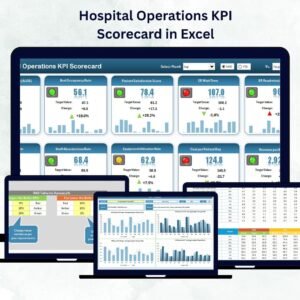
- Hospital Operations KPI Scorecard in Excel: the same scorecard in Excel
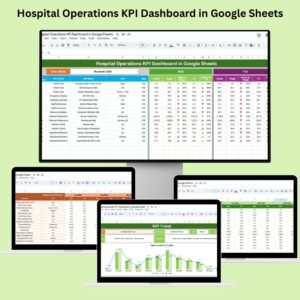
- Hospital Operations KPI Dashboard in Google Sheets: a dashboard view in Google Sheets
- Hospital Operations KPI Dashboard in Excel: the dashboard in Excel
- Hospital Operations KPI Dashboard in Power BI: the same topic in Power BI
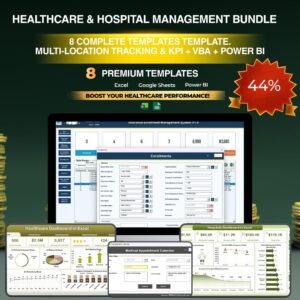
- Healthcare & Hospital Management Bundle: 8 healthcare templates in one bundle
Browse all Google Sheets KPI dashboards or the Google Sheets templates.












Reviews
There are no reviews yet.