

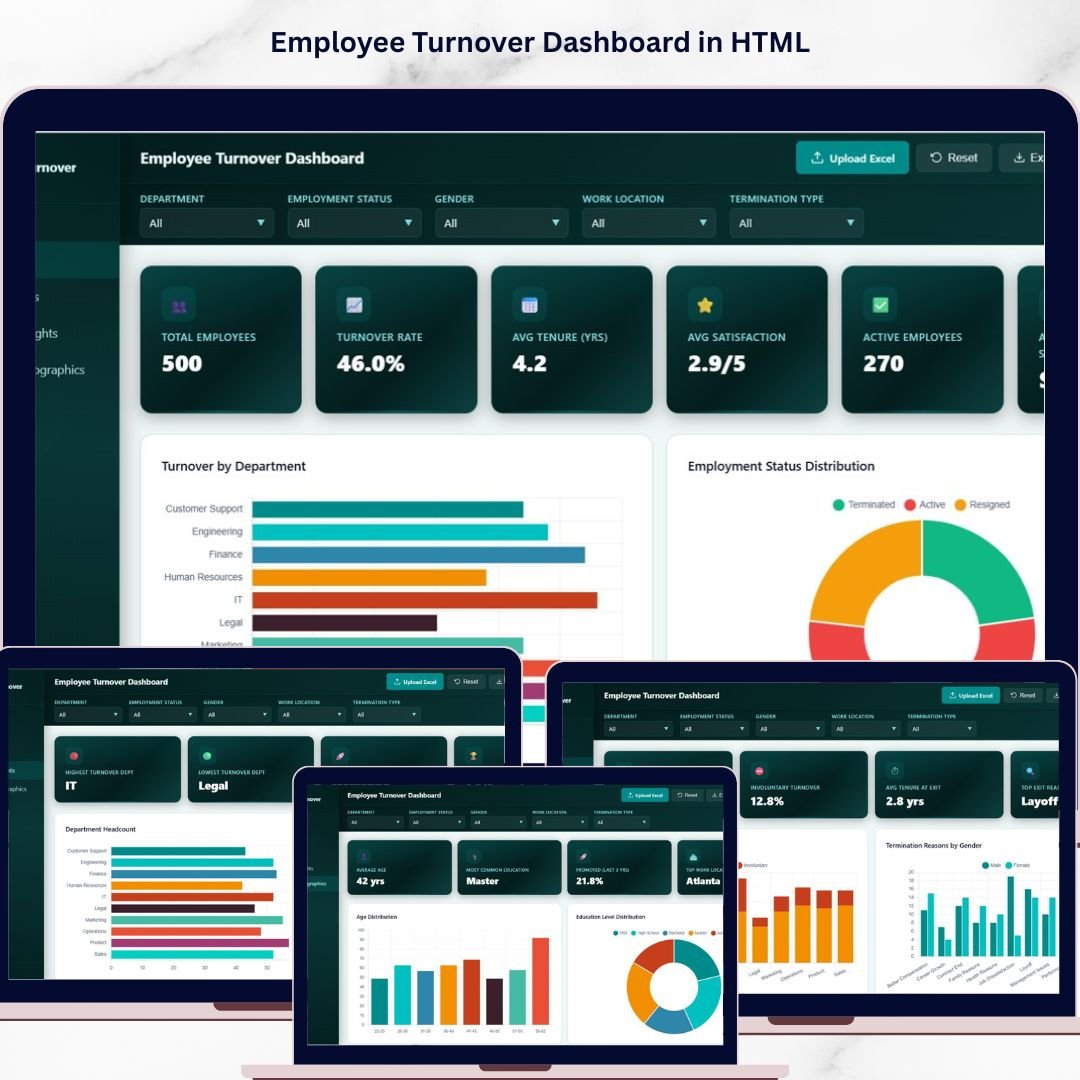
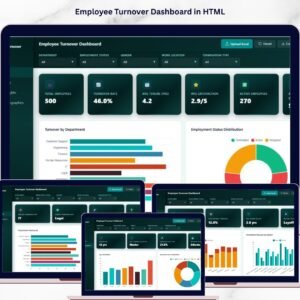
Employee Turnover Dashboard in HTML is a powerful, browser-based analytics tool built for HR professionals who need instant visibility into employee attrition trends, workforce demographics, and departmental performance. This interactive HTML dashboard includes 5 dedicated pages covering overview KPIs, attrition analysis, department insights, workforce demographics, and a detailed data view — giving you a complete 360-degree picture of your organization’s turnover landscape.
Whether you’re an HR Manager, CHRO, People Operations Lead, or Business Partner, this ready-to-use template lets you analyze turnover rates, pinpoint termination reasons, compare department performance, and track workforce composition — all from a single dashboard that opens in any modern web browser. Explore more HTML Dashboard Templates from our collection.
🔑 Key Features of Employee Turnover Dashboard in HTML
📊 5 Interactive Dashboard Pages — Overview, Attrition Analysis, Department Insights, Workforce Demographics, and Data View for comprehensive HR analytics
📈 6 High-Level KPI Cards — Total Employees, Turnover Rate, Avg Tenure (Yrs), Avg Satisfaction, Active Employees, and Avg Monthly Salary displayed prominently on the overview page
🔍 20+ Dynamic Charts & Visualizations — Including turnover by department, termination reasons breakdown, satisfaction score distribution, age distribution, and more
🎛️ Multiple Slicer Filters — Apply quick filters across the dashboard to drill down into specific departments, genders, locations, or time periods
📋 Full Data View with Search & Export — Browse all employee records with search, sort, pagination, and CSV export functionality
🌐 Works in Any Modern Browser — No software installation required — simply unzip and open index.html in Chrome, Edge, Firefox, or Safari
🔄 Easy Data Replacement — Swap the sample dataset with your own employee records and the entire dashboard updates automatically
📱 Responsive & Professional Design — Clean, modern interface with intuitive navigation between dashboard tabs
If you are looking for more HR & Payroll Templates, explore our growing collection across Excel, Google Sheets, and Power BI.
📦 What’s Inside the Employee Turnover Dashboard
This template includes 5 fully interactive dashboard pages designed to give you complete control over your HR turnover analytics:
1️⃣ Overview Page: The main landing page displays 6 KPI cards — Total Employees, Turnover Rate, Avg Tenure (Yrs), Avg Satisfaction, Active Employees, and Avg Monthly Salary. Below the cards, you’ll find powerful charts including Turnover by Department, Employment Status Distribution, Termination Reasons Breakdown, Turnover Trend by Hire Year, and Gender Distribution. Multiple slicers let you filter the entire page instantly.
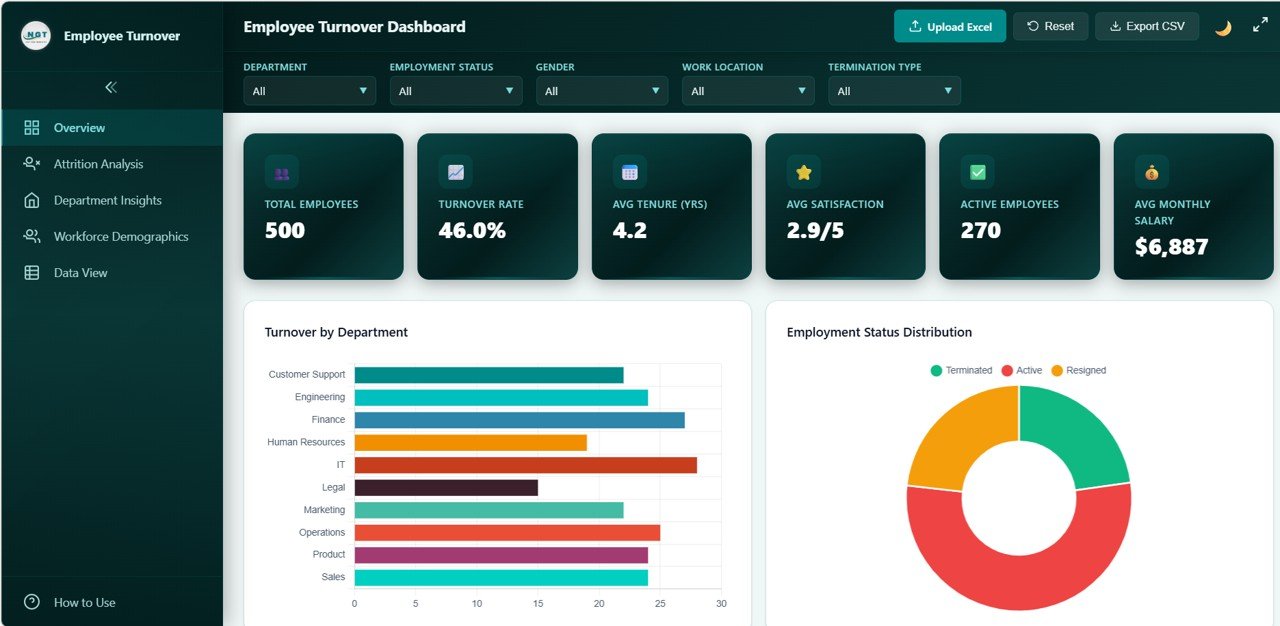
Employee Turnover Dashboard Overview
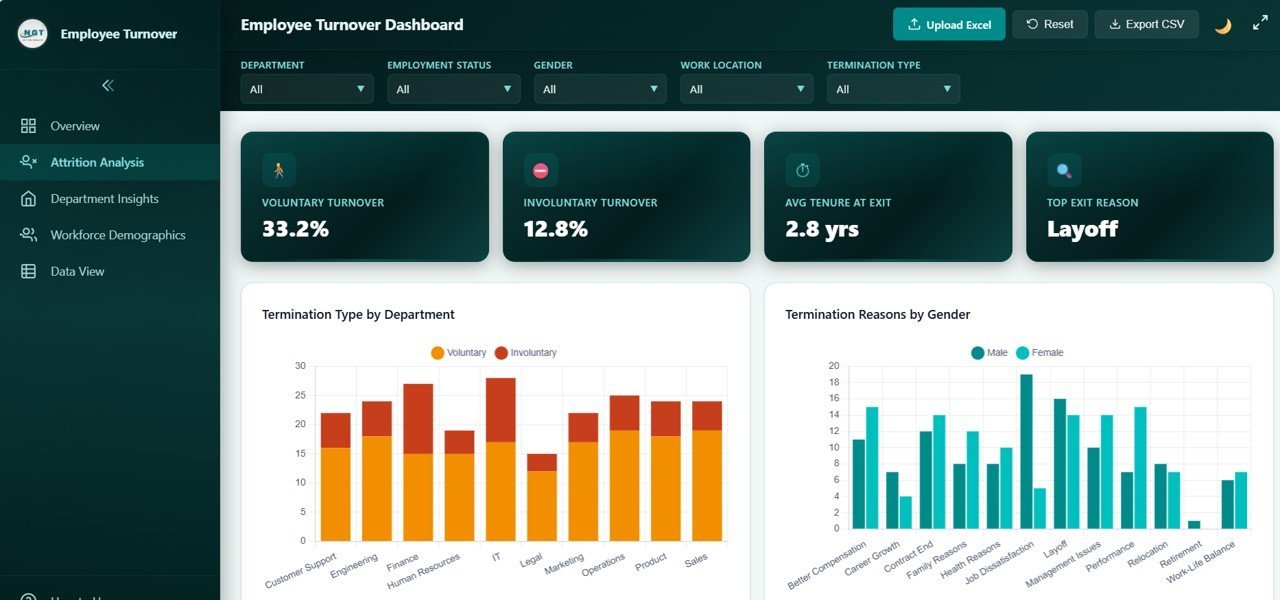
2️⃣ Attrition Analysis: Deep-dive into attrition patterns with charts showing Termination Type by Department, Termination Reasons by Gender, Satisfaction Score Distribution, Turnover by Tenure Range, and Attrition by Work Location. Identify which departments and demographics have the highest attrition and why.
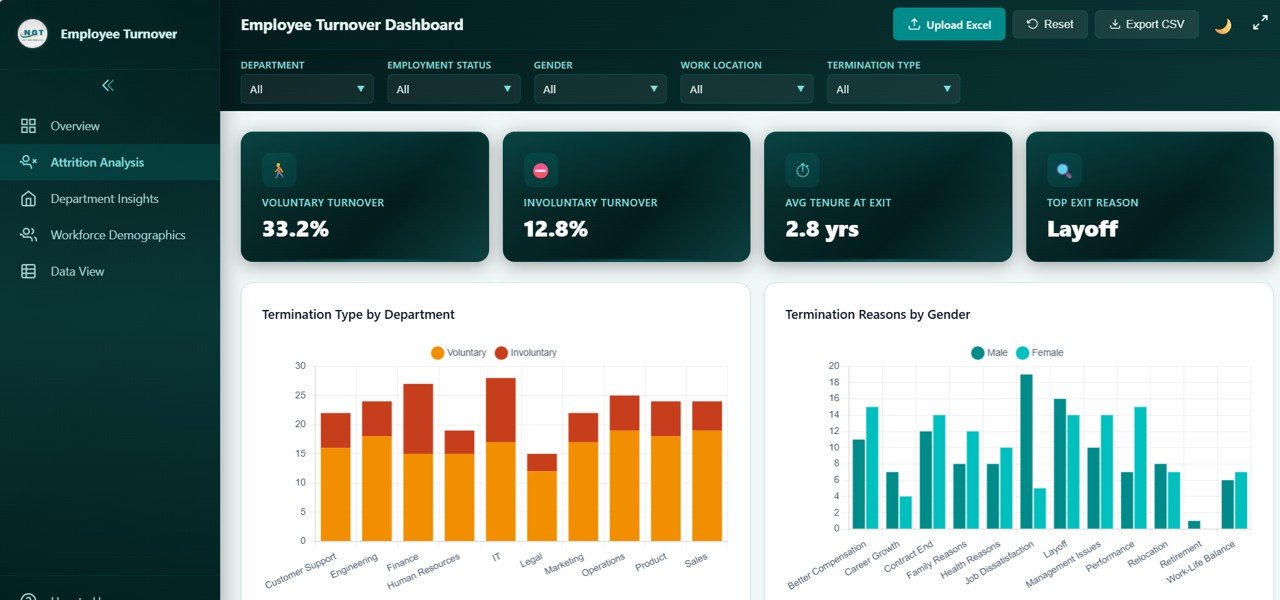
Attrition Analysis
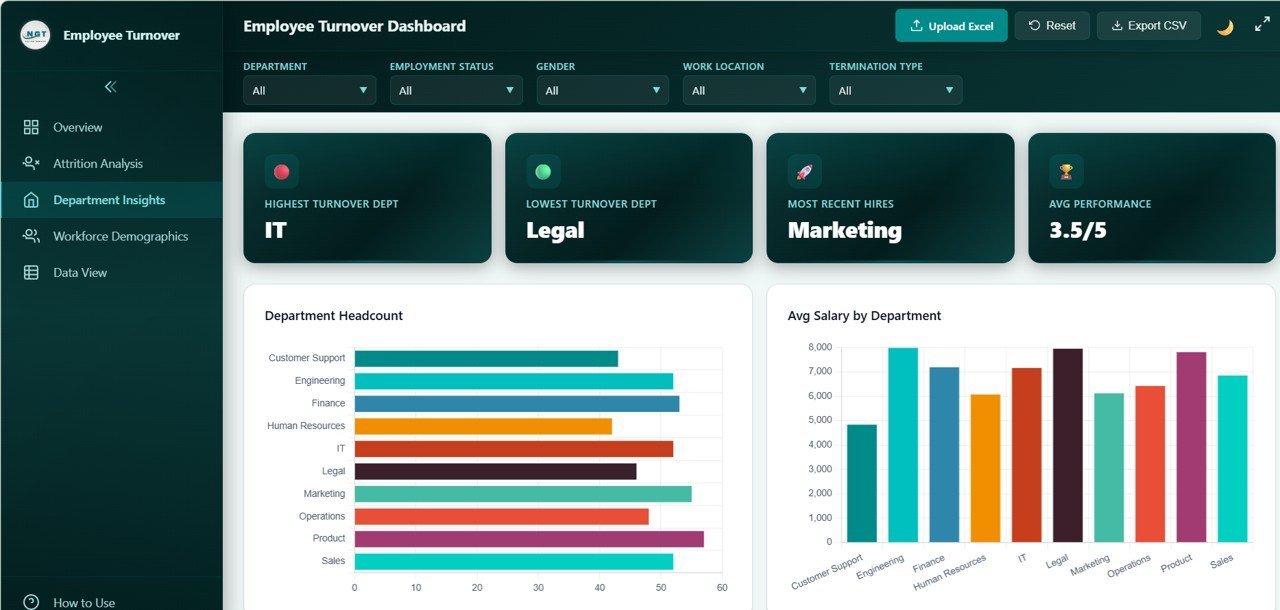
3️⃣ Department Insights: Compare departments side-by-side with visualizations for Department Headcount, Avg Salary by Department, Avg Satisfaction by Department, Performance Rating by Department, and Overtime Hours by Department. Spot underperforming or overburdened departments at a glance.
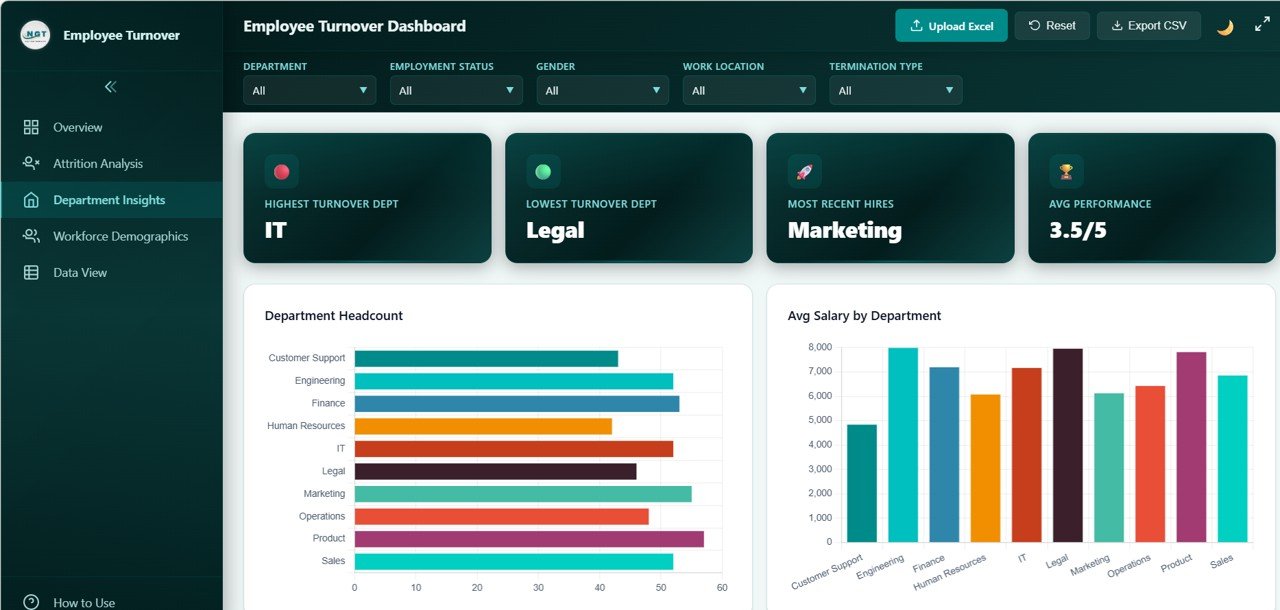
Department Insights
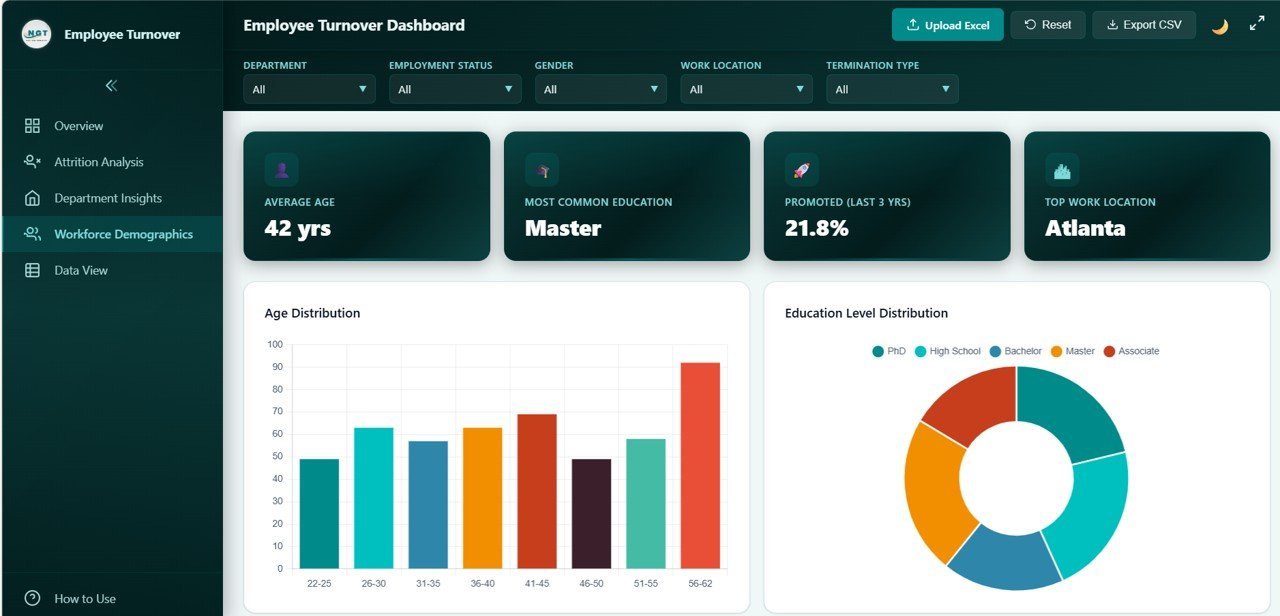
4️⃣ Workforce Demographics: Understand your workforce composition through Age Distribution, Education Level Distribution, Marital Status Distribution, Avg Salary by Education Level, and Training Hours by Department. Use these insights for diversity planning and talent development strategies.
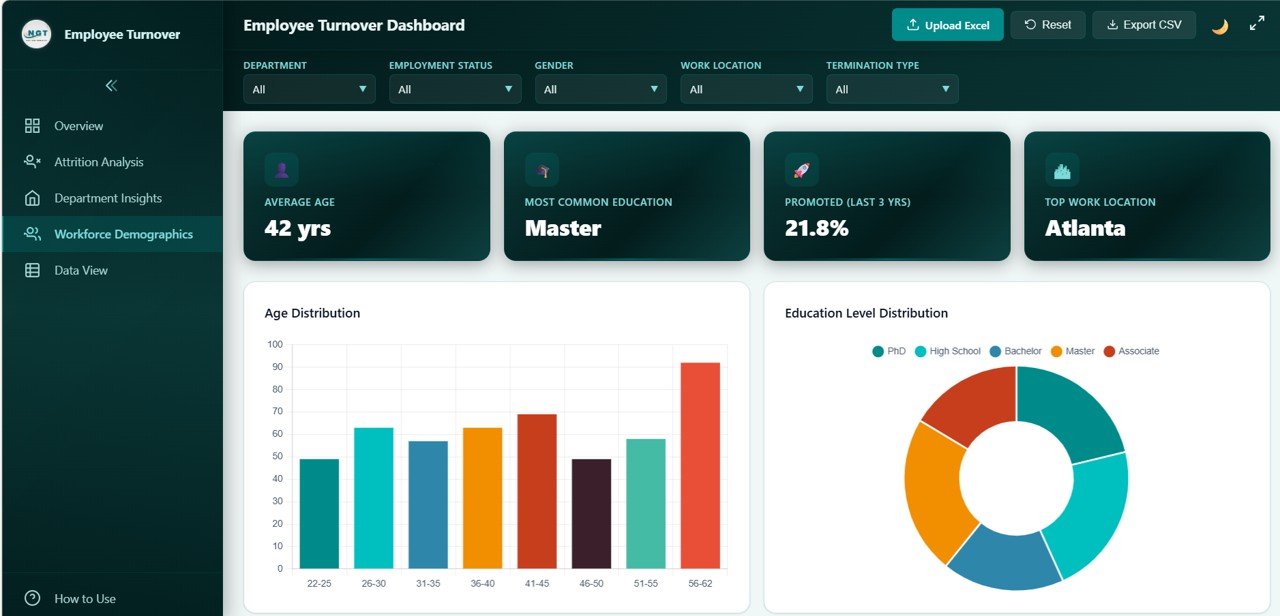
Workforce Demographics
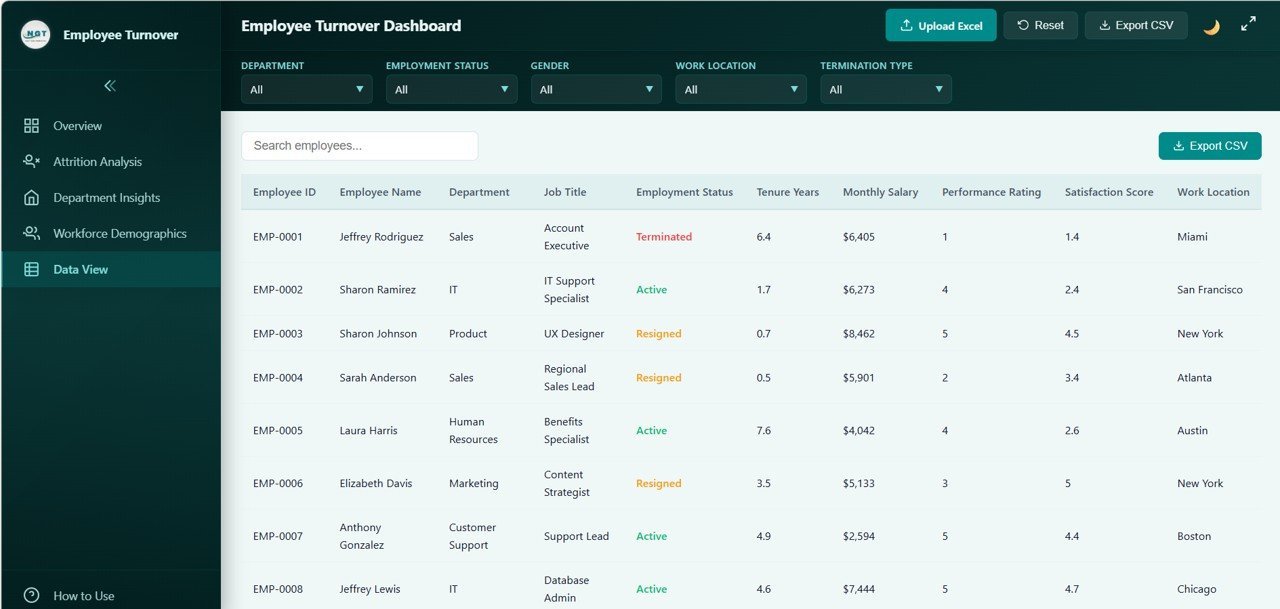
5️⃣ Data View: A detailed data table page where you can browse all employee records with search, sort, and pagination features. Quickly find specific employees or export filtered data to CSV for further analysis. Perfect for audits and detailed record review.
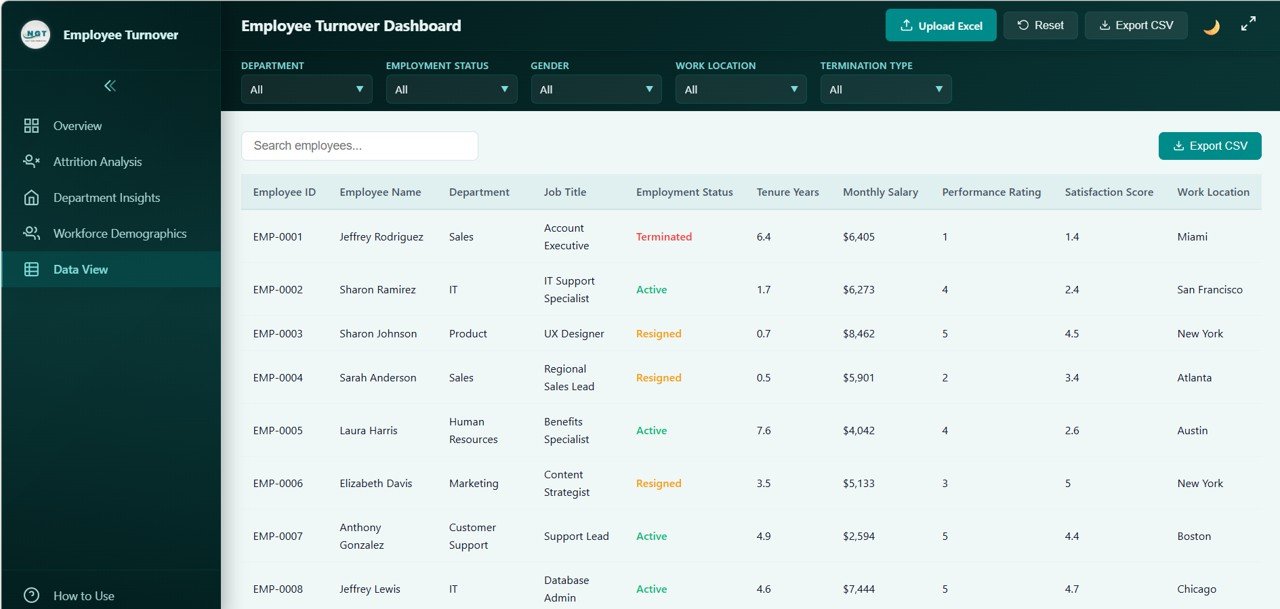
Data View
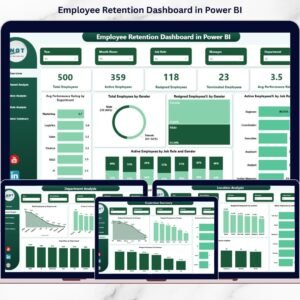
Looking for similar tools? Check out the Employee Retention Dashboard in Power BI or the Workforce Engagement Dashboard in Google Sheets for cross-platform HR analytics.
⚙️ How to Use the Employee Turnover Dashboard
1️⃣ Download and unzip the file to your computer
2️⃣ Open the index.html file in any modern browser (Chrome, Edge, Firefox, Safari)
3️⃣ Explore the 5 dashboard pages using the navigation tabs at the top
4️⃣ Use the slicer filters to drill down into specific segments of your workforce
5️⃣ Replace the sample data in the data file with your own employee records
6️⃣ All charts, KPI cards, and tables update automatically based on your data
7️⃣ Use the Data View page to search, sort, and export records to CSV
👥 Who Can Benefit from This Employee Turnover Dashboard
👨💼 HR Managers & Directors — Monitor turnover rates, identify problem areas, and present data-driven findings to leadership
👩💼 CHROs & VP of People — Get a strategic overview of workforce health across all departments
📊 People Analytics Teams — Analyze attrition patterns, demographics, and satisfaction scores to drive retention strategies
🏢 Business Partners & Consultants — Deliver professional turnover reports to clients or stakeholders
🎓 Students & Educators — Learn HR analytics concepts with real-world dashboard visualizations
❓ Frequently Asked Questions
What KPIs does the Employee Turnover Dashboard in HTML track?
The Employee Turnover Dashboard in HTML tracks 6 key performance indicators on the overview page: Total Employees, Turnover Rate, Avg Tenure (Yrs), Avg Satisfaction, Active Employees, and Avg Monthly Salary. Additionally, it provides 20+ analytical charts across attrition analysis, department insights, and workforce demographics.
Do I need any special software to use this HTML dashboard?
No. Simply unzip the downloaded file and open index.html in any modern web browser like Chrome, Firefox, Edge, or Safari. No Excel, Power BI, or additional software installation is needed.
Can I replace the sample data with my own employee data?
Yes. The dashboard is designed for easy data replacement. Update the data file included in the download with your own employee records, and all charts, KPIs, and tables refresh automatically to reflect your organization’s data.
How many dashboard pages are included in this template?
This template includes 5 interactive dashboard pages: Overview, Attrition Analysis, Department Insights, Workforce Demographics, and Data View. Each page focuses on a specific aspect of employee turnover analytics.
Is this template suitable for large organizations?
Yes. The Data View page includes search, sort, and pagination features designed to handle large datasets efficiently. You can also export filtered data to CSV for further analysis in Excel or other tools.
What is the best HTML template for tracking employee turnover?
The Employee Turnover Dashboard in HTML from NextGenTemplates is an ideal choice. It features 5 interactive pages, 6 KPI cards, 20+ charts, slicer filters, and CSV export — making it one of the most comprehensive browser-based HR turnover analytics tools available.
🔗 Explore Related Templates
📊 Workforce Engagement Dashboard in Google Sheets — Track engagement scores, participation rates, and satisfaction metrics across your workforce
📈 Employee Retention Dashboard in Power BI — Advanced retention analytics with interactive Power BI visuals and drill-through capabilities
📋 Exit Interview KPI Dashboard in Google Sheets — Analyze exit interview responses and identify top reasons employees leave
📖 Click here to read the Detailed Blog Post about Employee Turnover Dashboard in HTML
🎥 Visit our YouTube channel to learn step-by-step video tutorials
👉 YouTube.com/@NextGenTemplates































Reviews
There are no reviews yet.