

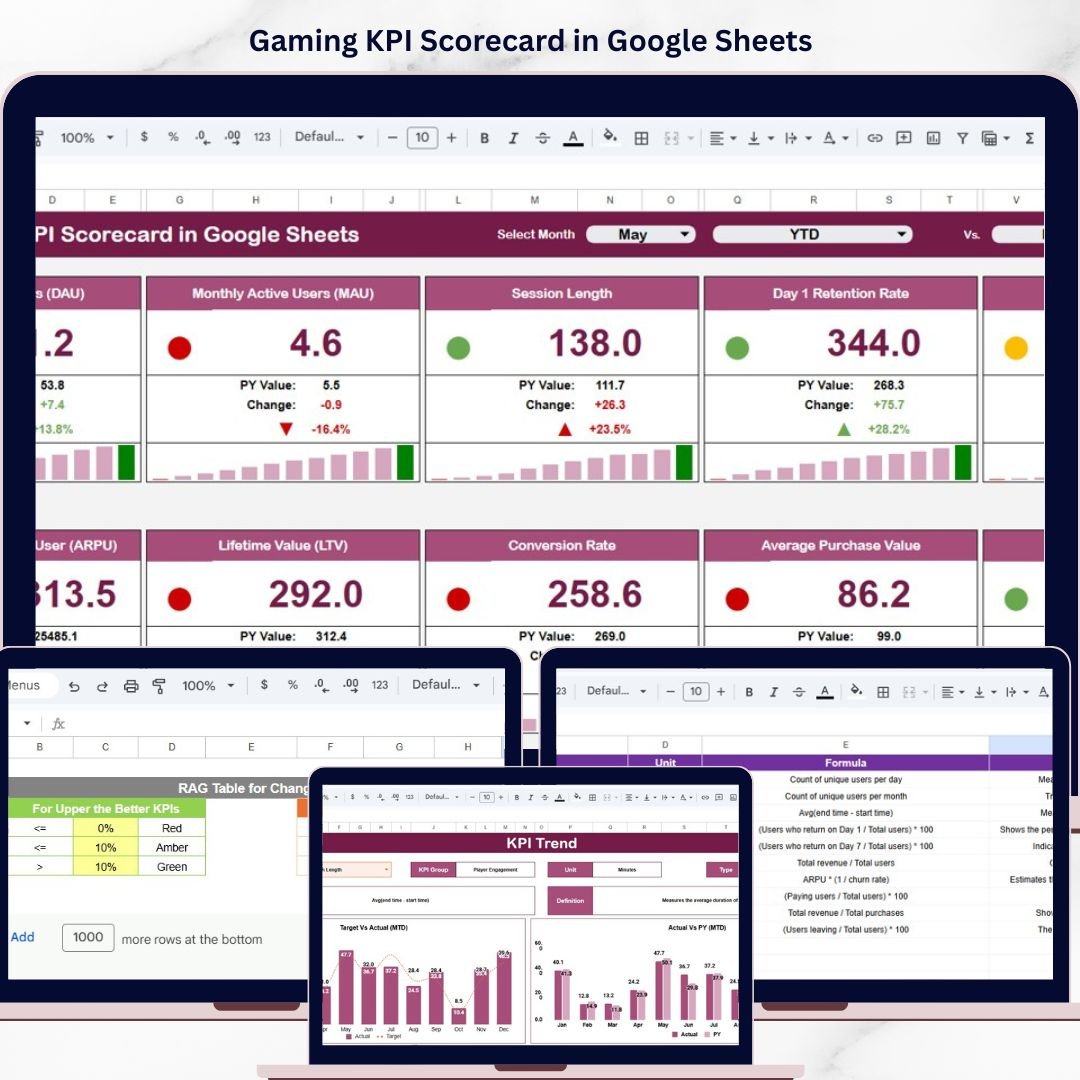
Gaming KPI Scorecard in Google Sheets is a powerful, ready-to-use performance tracking template designed specifically for the gaming industry. Whether you manage a gaming studio, an esports organization, a game publishing company, or a gaming retail business, this scorecard brings all your critical KPIs into one structured, interactive, and cloud-based Google Sheets environment. Instead of juggling multiple spreadsheets and reports, you can now monitor Month-to-Date and Year-to-Date performance, compare actuals against targets, and analyze year-over-year trends — all from a single professional scorecard.
The gaming industry moves fast. Revenue fluctuates with every new game release, player retention rates shift constantly, and operational costs must be closely monitored. This Gaming KPI Scorecard eliminates manual reporting and gives decision-makers a clear, data-driven view of how their gaming business is performing across every metric that matters.
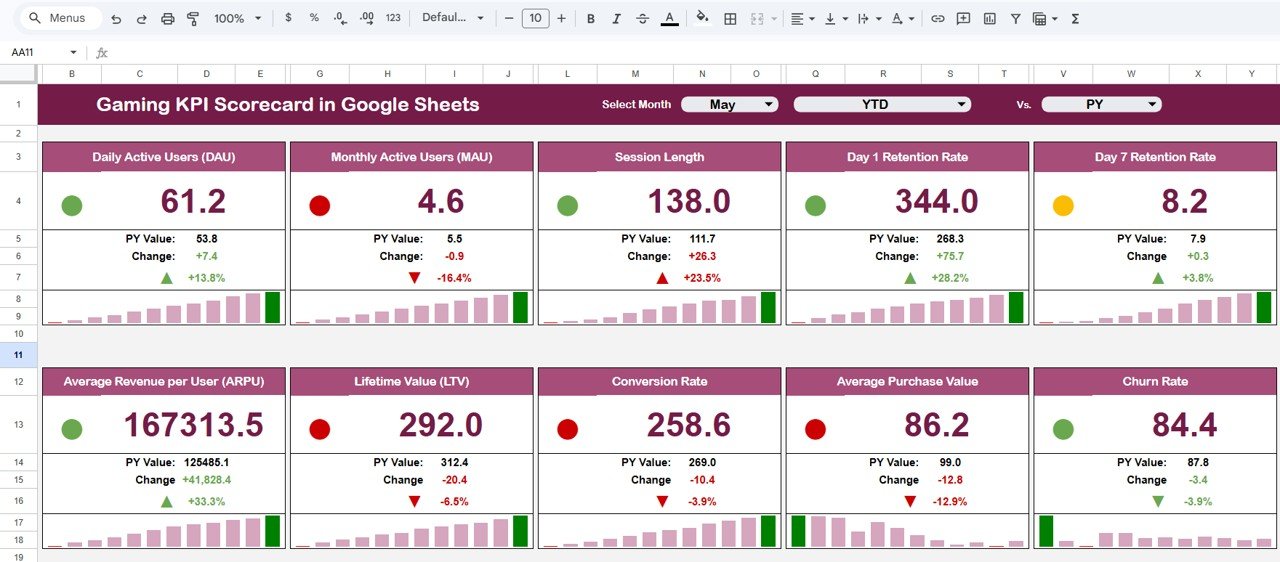 Gaming KPI Scorecard in Google Sheets
🔑 Key Features of Gaming KPI Scorecard in Google Sheets
🎯 All-in-One KPI Performance View – Track every critical gaming metric on a single scorecard screen. View MTD Actual, Target, and Previous Year data alongside YTD figures with instant variance calculations and directional indicators.
📅 Dynamic Month Selector – Switch between reporting months using a simple dropdown. All KPI values, variances, and trend indicators update automatically without any manual recalculation.
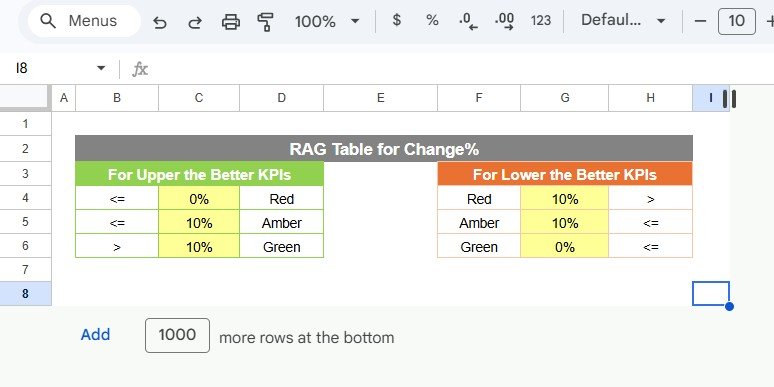
🚦 Conditional Formatting with Traffic Lights – Color-coded performance indicators using red, amber, and green highlight whether each KPI is below target, on track, or exceeding expectations. Up and down arrows show the direction of change at a glance.
📈 KPI Trend Analysis – Select any KPI from a dropdown and instantly view its monthly trend for both MTD and YTD, comparing Actual vs Target vs Previous Year performance with detailed charts and contextual information.
📊 Actual vs Target Comparison – Every KPI displays the percentage variance between actual performance and planned targets, making it effortless to identify performance gaps and areas requiring immediate attention.
📝 Structured Data Entry – Clean, organized input sheets for entering actual numbers and target values ensure data consistency and accuracy across all reporting periods.
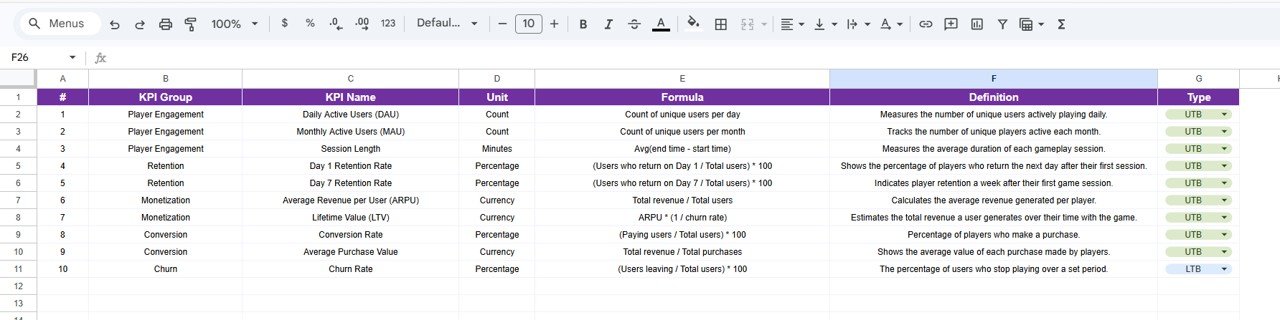
📚 KPI Governance with Definitions – A dedicated definition sheet documents every KPI name, group, unit, formula, and type (Lower the Better or Upper the Better) for full transparency and team alignment.
☁️ Cloud-Based Collaboration – Built entirely in Google Sheets, this scorecard is accessible from anywhere, supports real-time collaboration, and requires no expensive BI software installation.
📦 What’s Inside the Gaming KPI Scorecard in Google Sheets
This template includes five professionally structured worksheets designed for complete KPI management:
📌 1. Scorecard Sheet – The main dashboard view where you select the reporting month from a dropdown on cell D3. All KPI values refresh automatically to show MTD Actual, Target, Previous Year, YTD Actual, Target, Previous Year, along with Target vs Actual and PY vs Actual variance percentages. Conditional formatting with traffic light colors and directional arrows makes performance assessment instant and intuitive.
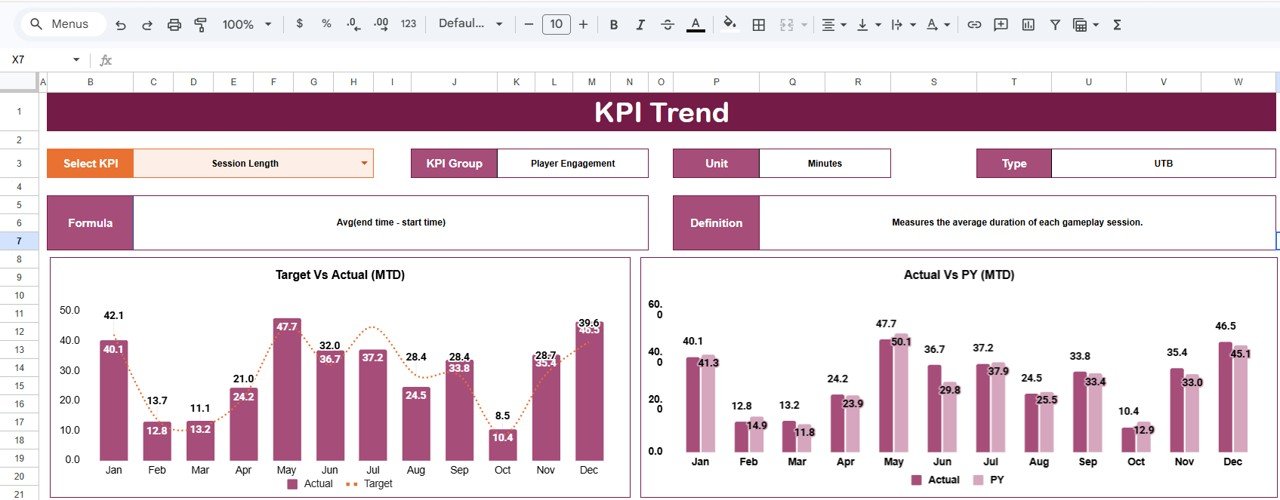 KPI Trend Sheet
📌 2. KPI Trend Sheet – Select any KPI from the dropdown on cell C3 to view its KPI Group, Unit, Type, Formula, and Definition. This sheet also displays MTD and YTD trend charts comparing Actual, Target, and Previous Year numbers across months — perfect for strategy reviews, forecasting sessions, and performance deep dives.
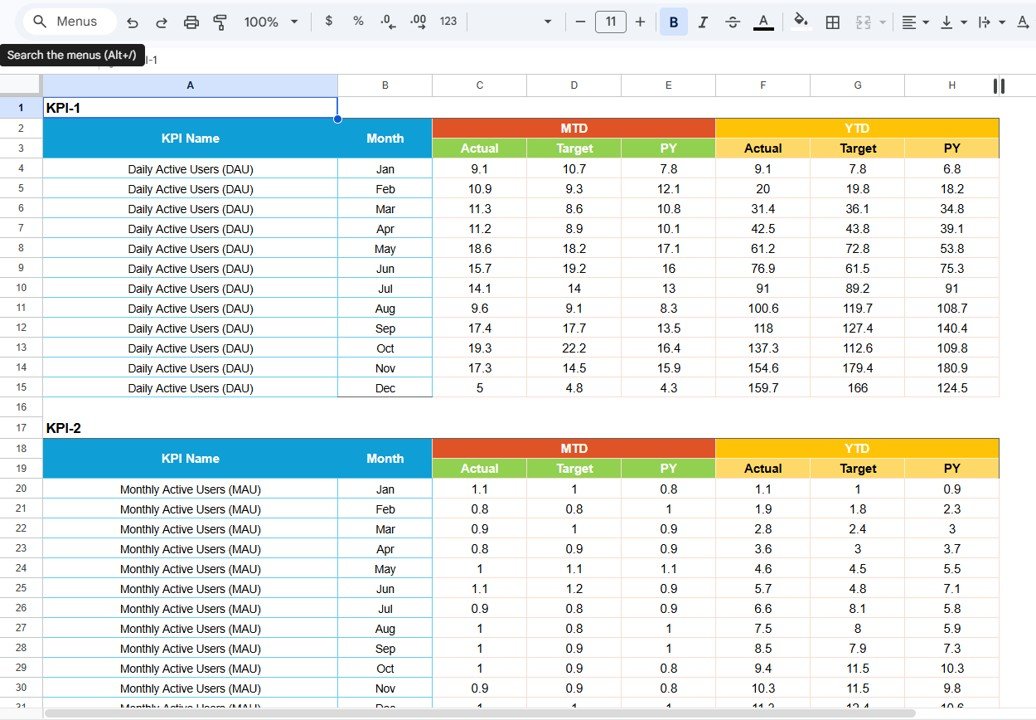
📌 3. Input Data Sheet – This is where you enter your actual KPI numbers for MTD and YTD, along with your target values for each reporting period. Simply set the first month of the year on cell E1, and the entire scorecard dynamically adjusts. No complex formulas are needed from the user — everything is pre-built and automated.
📌 4. KPI Definition Sheet – Define each KPI by entering its Name, Group, Unit, Formula, and detailed Definition. In the last column, specify the KPI type as LTB (Lower the Better) or UTB (Upper the Better) so the scorecard applies the correct conditional logic for performance evaluation.
⚙️ How to Use the Gaming KPI Scorecard in Google Sheets
1️⃣ Open the Google Sheets file and navigate to the Input Data Sheet
2️⃣ Enter your actual KPI values for MTD and YTD along with target numbers
3️⃣ Fill in the Previous Year Data Sheet with last year’s performance numbers
4️⃣ Go to the KPI Definition Sheet and enter the name, group, unit, formula, and type for each KPI
5️⃣ Navigate to the Scorecard Sheet, select the month from the dropdown, and instantly see all KPI performance
6️⃣ Use the KPI Trend Sheet to drill into individual KPIs and analyze monthly trends
7️⃣ Share the scorecard with your team for real-time collaborative performance tracking
👥 Who Can Benefit from This Gaming KPI Scorecard in Google Sheets
🎮 Gaming Studios and Developers – Track development milestones, release performance, player engagement, and revenue KPIs in one centralized scorecard.
🏆 Esports Organizations – Monitor team performance, sponsorship revenue, viewership metrics, and event ROI with structured KPI tracking and trend analysis.
📦 Game Publishers and Distributors – Evaluate title-level performance, distribution channel effectiveness, and market penetration across regions and platforms.
🛒 Gaming Retail and E-Commerce – Track sales, inventory turnover, customer acquisition costs, and return rates for gaming products and accessories.
📊 Business Analysts and Leadership – Use the scorecard for executive reporting, board presentations, and strategic planning sessions powered by real performance data.
🎓 Students and Researchers – Analyze gaming industry metrics for academic projects, case studies, and research papers using a professionally structured KPI scorecard template.
This scorecard helps gaming businesses move from reactive decision-making to proactive, data-driven strategy execution. By consolidating all critical KPIs into one collaborative Google Sheets template, teams save hours of manual work and gain the clarity needed to drive growth, profitability, and competitive advantage in the fast-paced gaming industry.
















Reviews
There are no reviews yet.