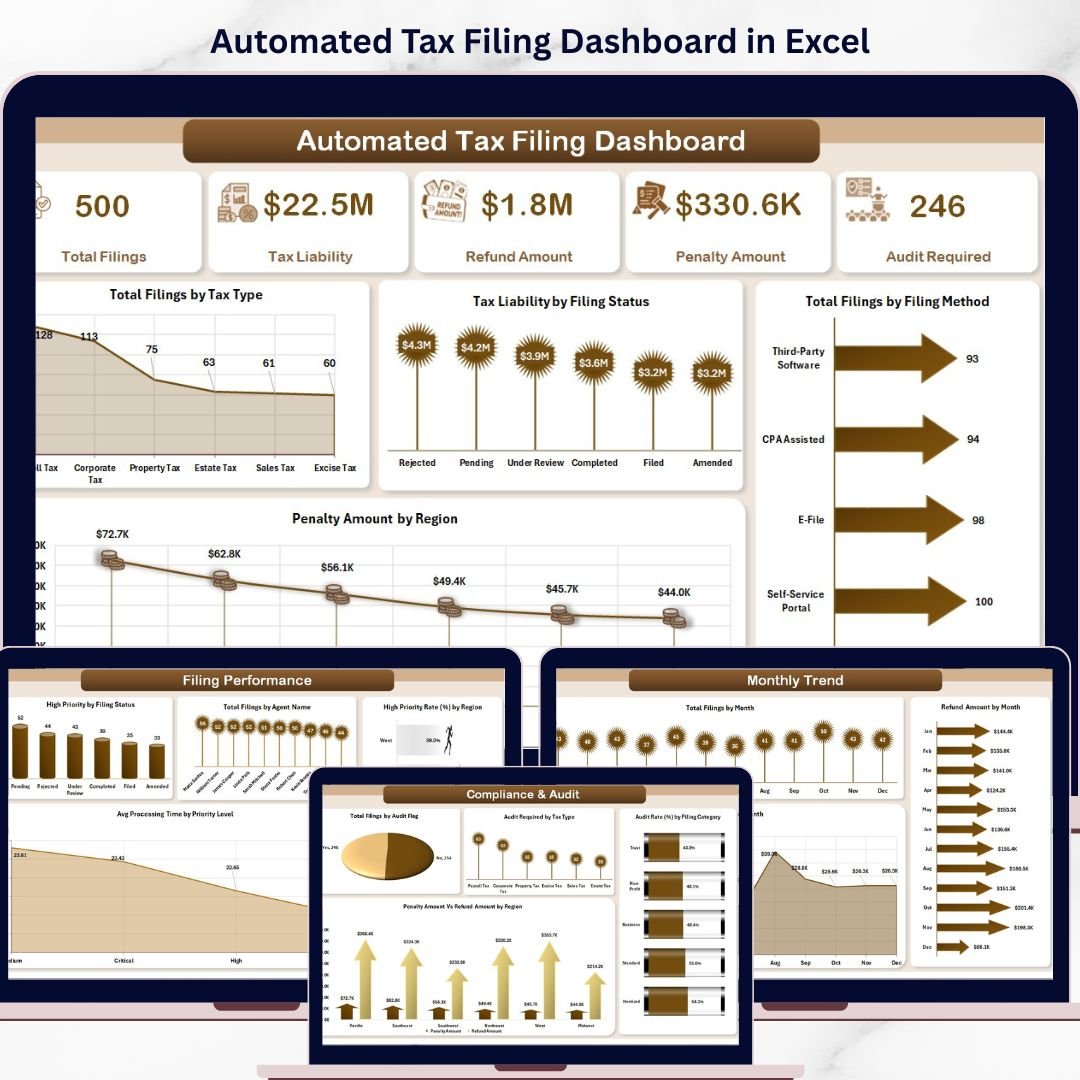


In today’s fast-moving financial environment, managing tax filings manually can be overwhelming. Businesses, accountants, and tax professionals deal with massive datasets including income, deductions, liabilities, refunds, and compliance tracking. Automated Tax Filing Dashboard in Excel However, when this data is scattered across multiple spreadsheets, it leads to errors, delays, and compliance risks.
So, how can you simplify tax filing, reduce errors, and stay fully compliant—all in one place?
👉 The answer is the Automated Tax Filing Dashboard in Excel.
Automated Tax Filing Dashboard in Excel This powerful, ready-to-use Excel dashboard helps you organize, analyze, and manage tax data effortlessly. Moreover, it converts complex tax information into clear, interactive visuals. Therefore, you can make faster, smarter, and more accurate financial decisions.
Whether you are a business owner, accountant, or tax consultant, this dashboard gives you complete control over your tax operations. 🚀
🔑 Key Features of Automated Tax Filing Dashboard in Excel
📊 Complete Tax Overview – Track filings, liabilities, refunds, and penalties in one place
💰 Financial Accuracy Tracking – Monitor tax calculations with reduced manual errors
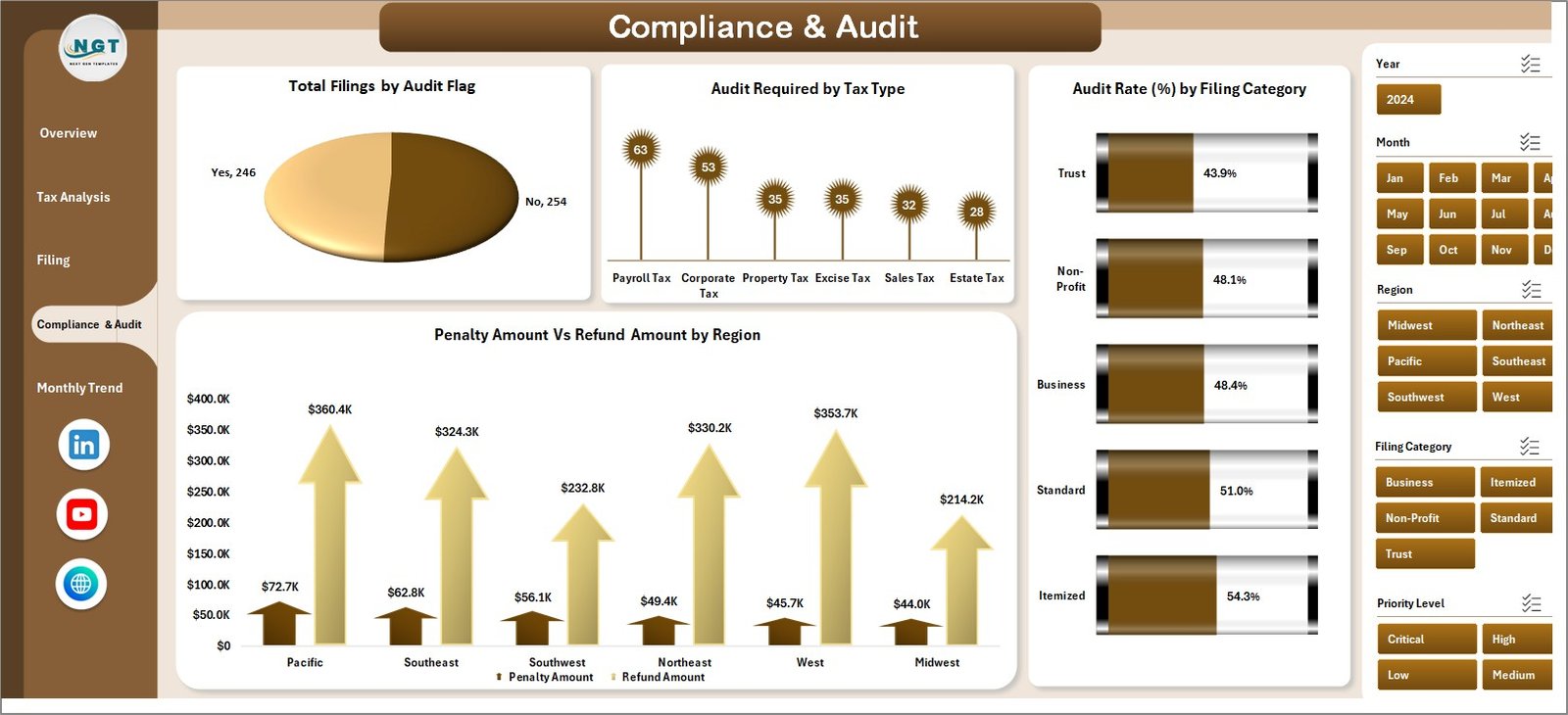
⚖️ Compliance Monitoring – Stay updated with audit flags and compliance risks
📈 Advanced Data Visualization – Convert raw tax data into meaningful insights
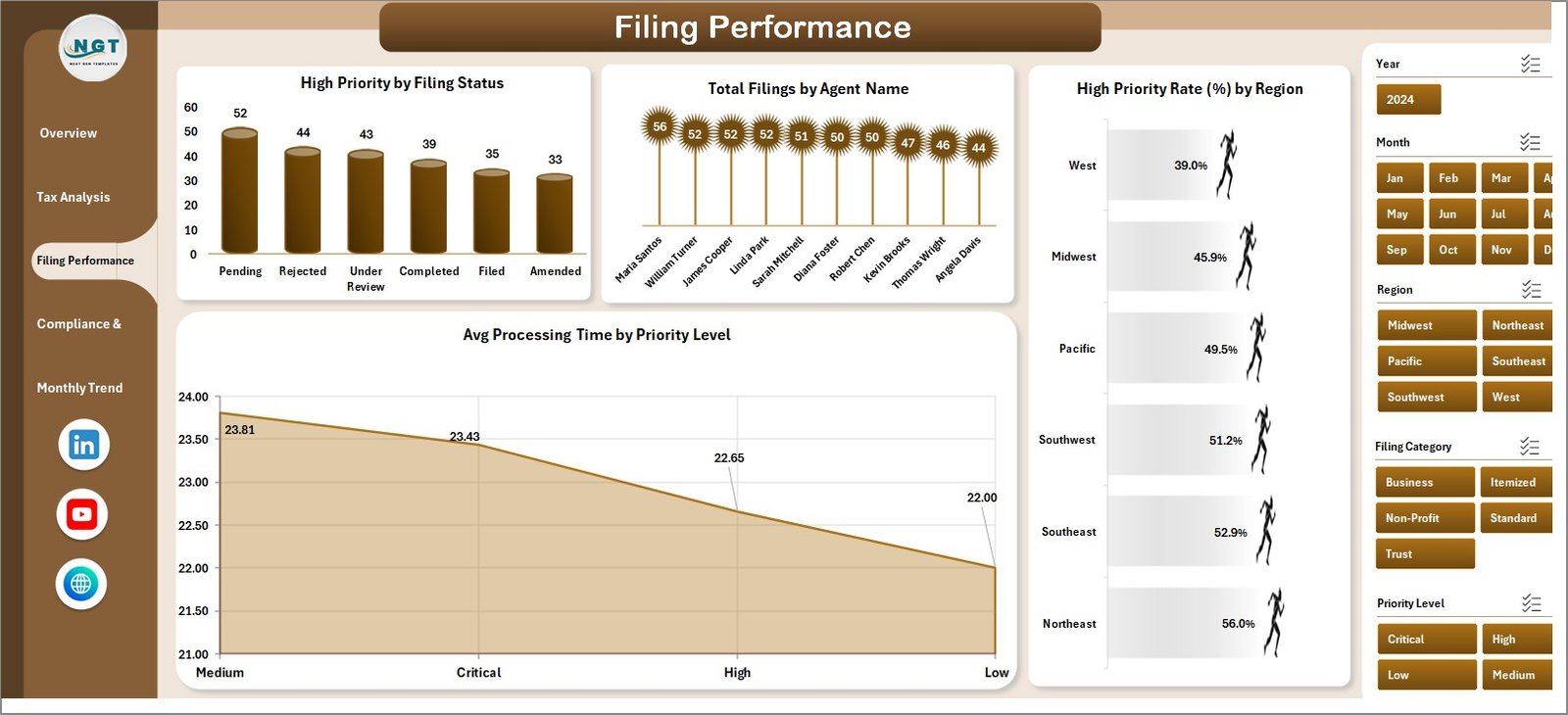
⏱️ Efficiency Tracking – Measure processing time and filing performance
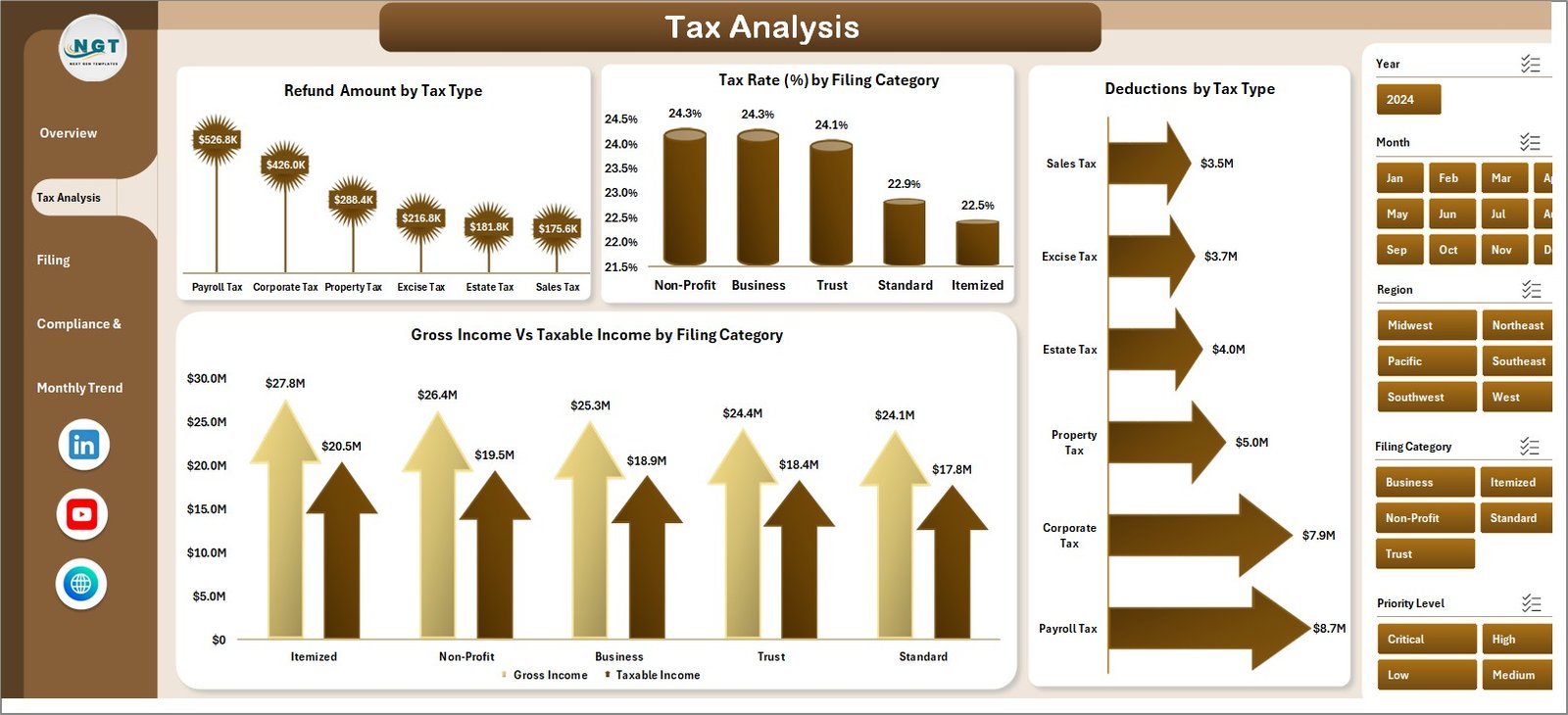
🔍 Detailed Tax Analysis – Analyze deductions, tax rates, and income categories
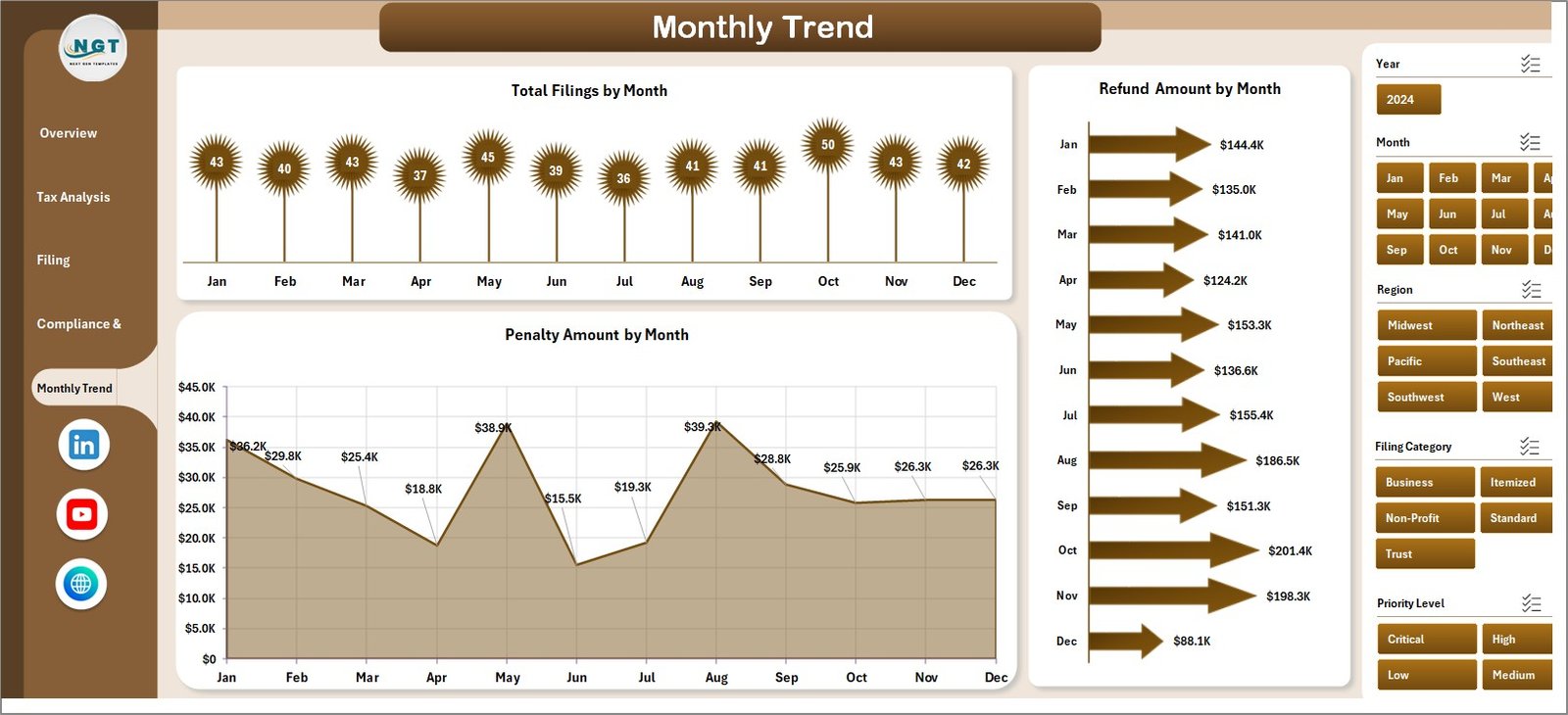
📅 Trend Analysis – Identify patterns in filings, refunds, and penalties over time
⚡ Automated Calculations – Reduce manual work and improve productivity
📦 What’s Inside the Automated Tax Filing Dashboard in Excel
This ready-to-use dashboard includes 5 interactive analytical pages designed for complete tax management:
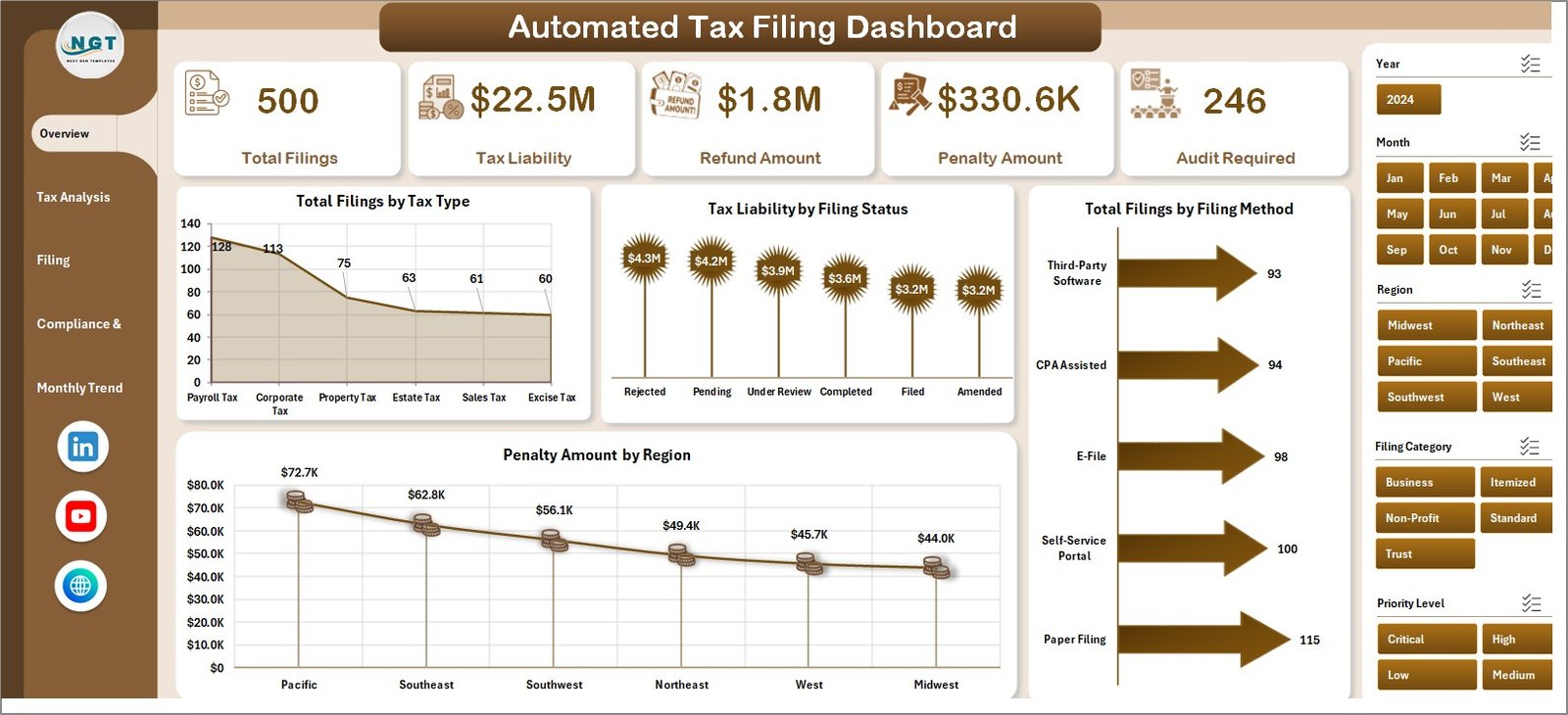
🏠 Overview Page – Get a quick summary of total filings, liabilities, refunds, and penalties
📊 Tax Analysis – Dive deeper into deductions, tax rates, and income comparisons
⚙️ Filing Performance – Track efficiency, processing time, and priority filings
🔍 Compliance & Audit – Monitor audit requirements and compliance risks
📅 Monthly Trends – Analyze filings, penalties, and refunds over time
👉 Therefore, you get a complete 360° view of your tax operations.
🛠️ How to Use the Automated Tax Filing Dashboard in Excel
Using this dashboard is simple and beginner-friendly:
📥 Enter Your Data – Input tax-related data into the designated sheets
🔄 Update Data Regularly – Keep your data accurate and up to date
🎛️ Use Filters (Slicers) – Select tax types, regions, or categories
📊 Review KPI Cards – Analyze key metrics instantly
🔍 Explore Detailed Pages – Dive deeper into tax analysis and compliance
📈 Track Trends – Use monthly insights for better planning
👉 As a result, you can manage tax filings efficiently with minimal effort.
👥 Who Can Benefit from This Automated Tax Filing Dashboard in Excel
This dashboard is perfect for:
💼 Accountants & Tax Professionals – Simplify tax calculations and compliance tracking
🏢 Business Owners – Manage tax liabilities and financial planning efficiently
📊 Finance Teams – Analyze tax performance and improve reporting accuracy
📈 Consultants – Provide data-driven tax strategies to clients
🚀 Startups & Enterprises – Scale financial operations with better control
👉 No matter your role, this dashboard helps you save time, reduce errors, and stay compliant.
With this dashboard, you no longer need to rely on complex spreadsheets or manual calculations. Instead, you get a centralized system that simplifies tax management and improves accuracy.
Moreover, it helps you track penalties, optimize deductions, and prepare for audits effectively. Therefore, you can reduce risks and improve financial performance.
If you want to streamline your tax filing process and gain complete financial clarity, this dashboard is a must-have solution. 🚀
📖 Click hare to read the Detailed blog post
🎥 Visit our YouTube channel to learn step-by-step video tutorials
👉 https://www.youtube.com/@PKAnExcelExpert