


Key Features of Agile Sprint Planning Calendar in Excel
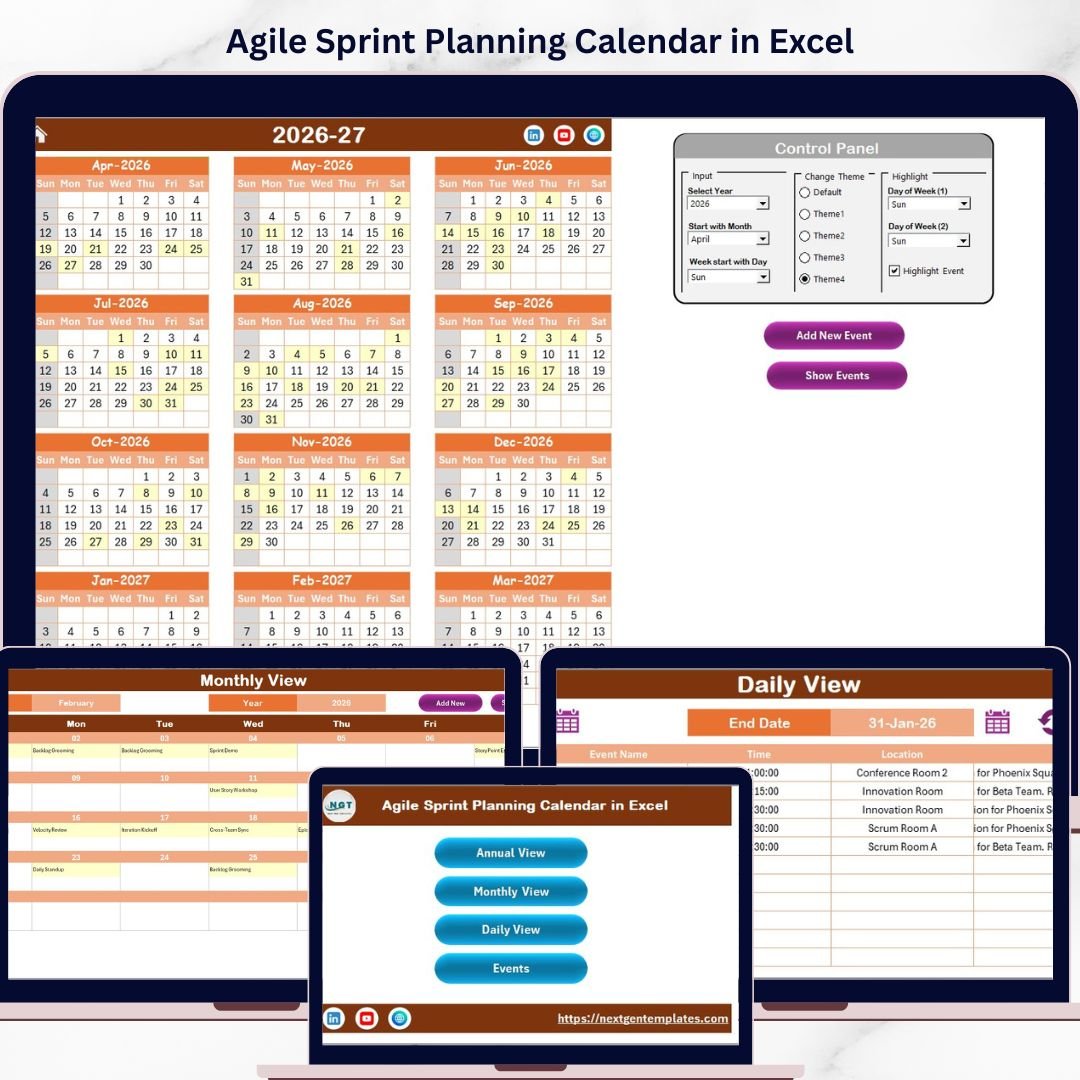
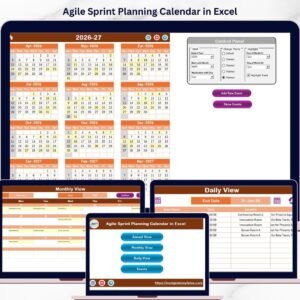
Our Agile Sprint Planning Calendar in Excel is a comprehensive, ready-to-use digital template designed to streamline your sprint planning process with ease and clarity. This versatile calendar template includes five interactive worksheets, enabling you to plan your agile sprints efficiently across multiple views-annual, monthly, daily, and event-based tracking.
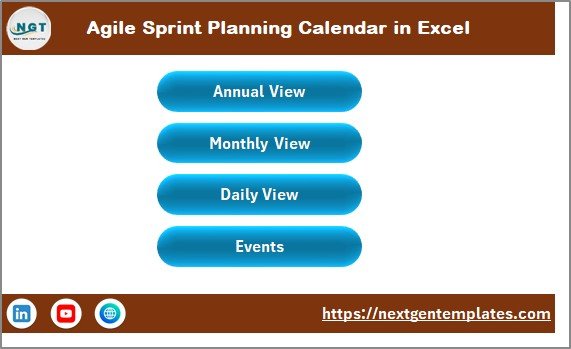
On the Home sheet tab, you’ll find a user-friendly index with four buttons allowing you to quickly jump between the Annual View, Monthly View, Daily View, and Events sheets. This intuitive navigation saves time and makes managing your sprint calendar seamless.
Agile Sprint Planning Calendar in Excel
What’s Inside the Agile Sprint Planning Calendar in Excel
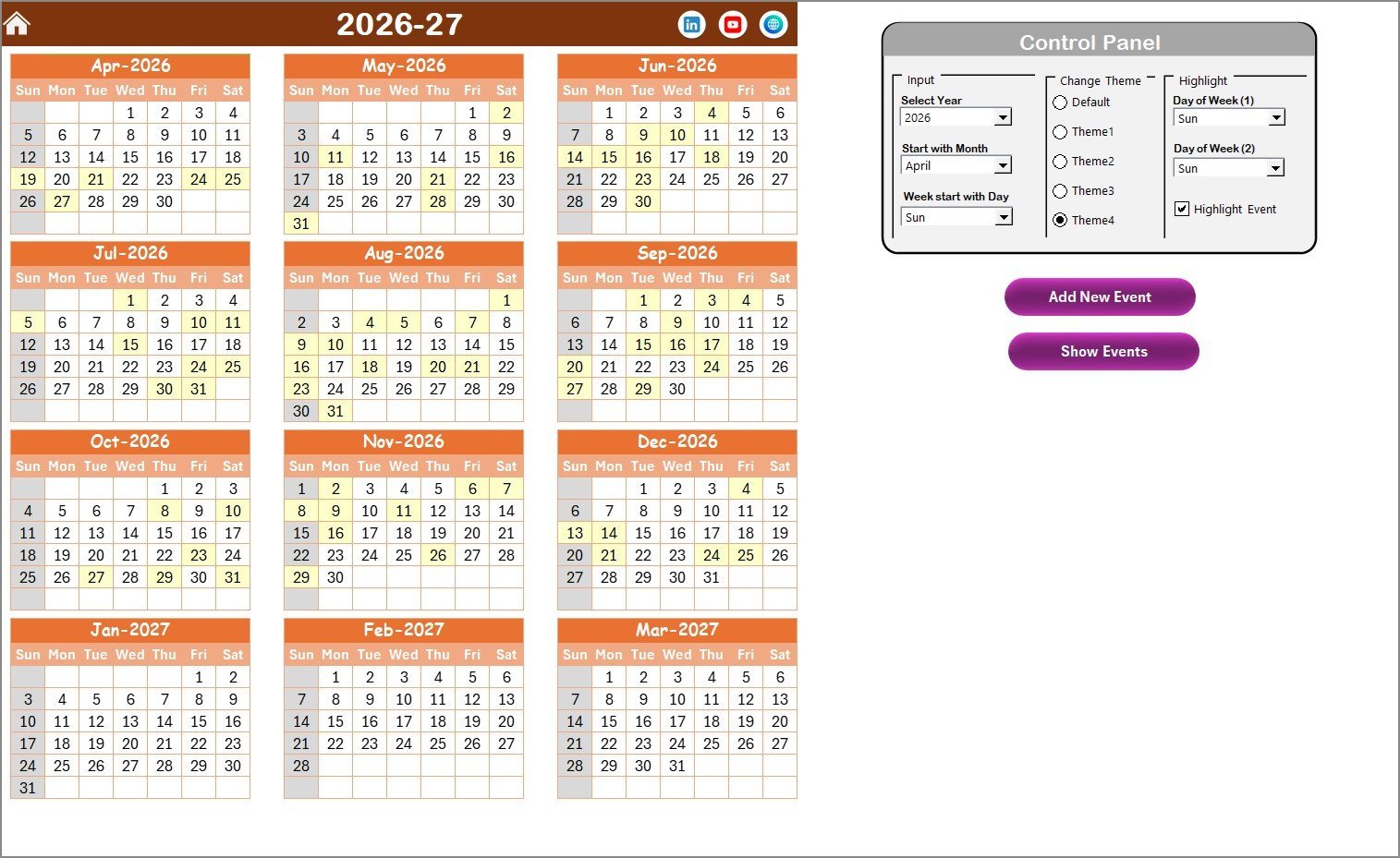
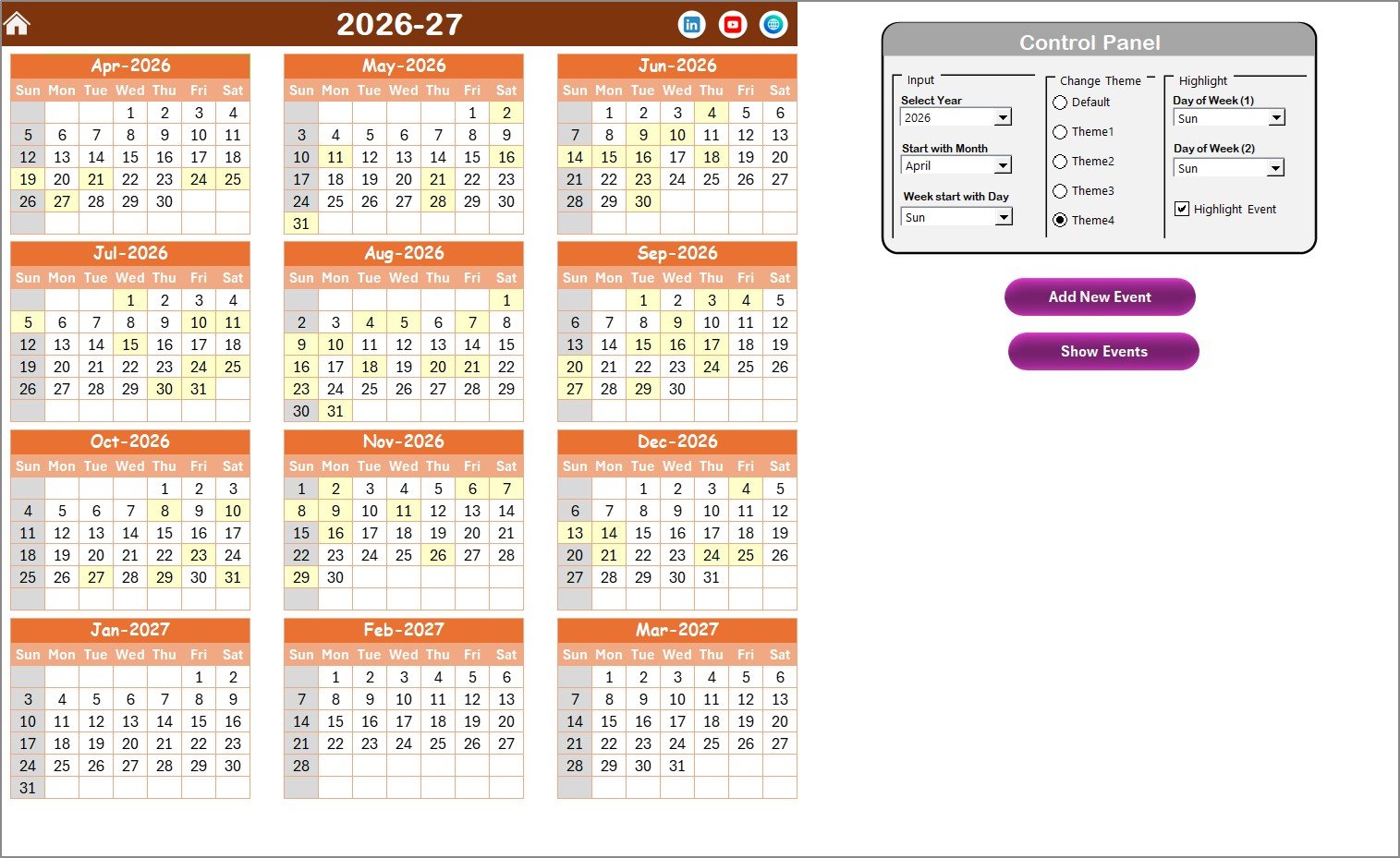
Annual View Sheet tab: Displays all 12 months of the year on one screen, allowing you to visualize the entire sprint calendar at a glance. With a powerful control panel, you can:
- 🗓️ Select the year and customize the starting month and starting day of the week.
- 🎨 Choose from 5 different color themes to personalize your calendar’s look and feel.
- 🔆 Highlight specific days of the week, such as weekends, in distinct colors.
- 📌 Highlight events automatically in yellow for easy spotting.
- ➕ Add new events directly by selecting a date and filling out a simple form.
- 📋 View event lists for any date with a quick click.
Annual View Sheet tab
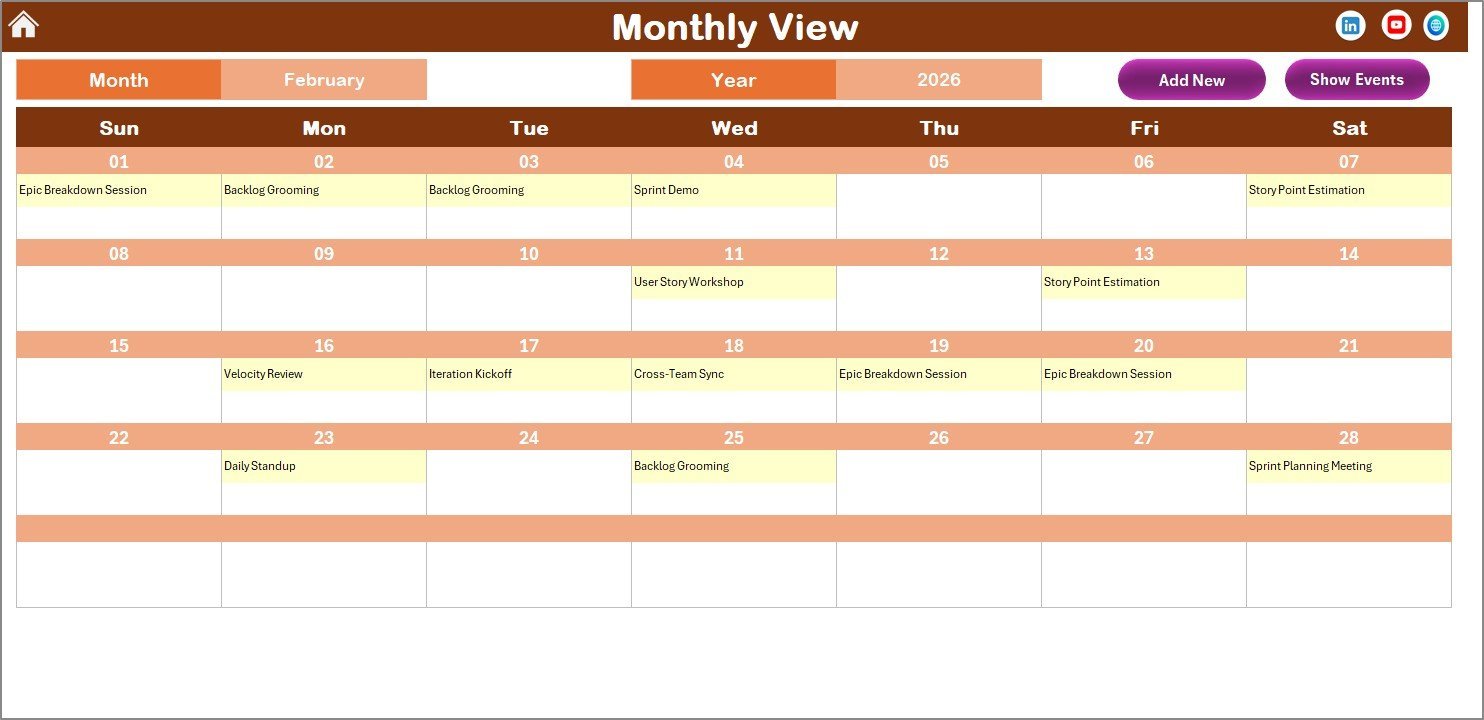
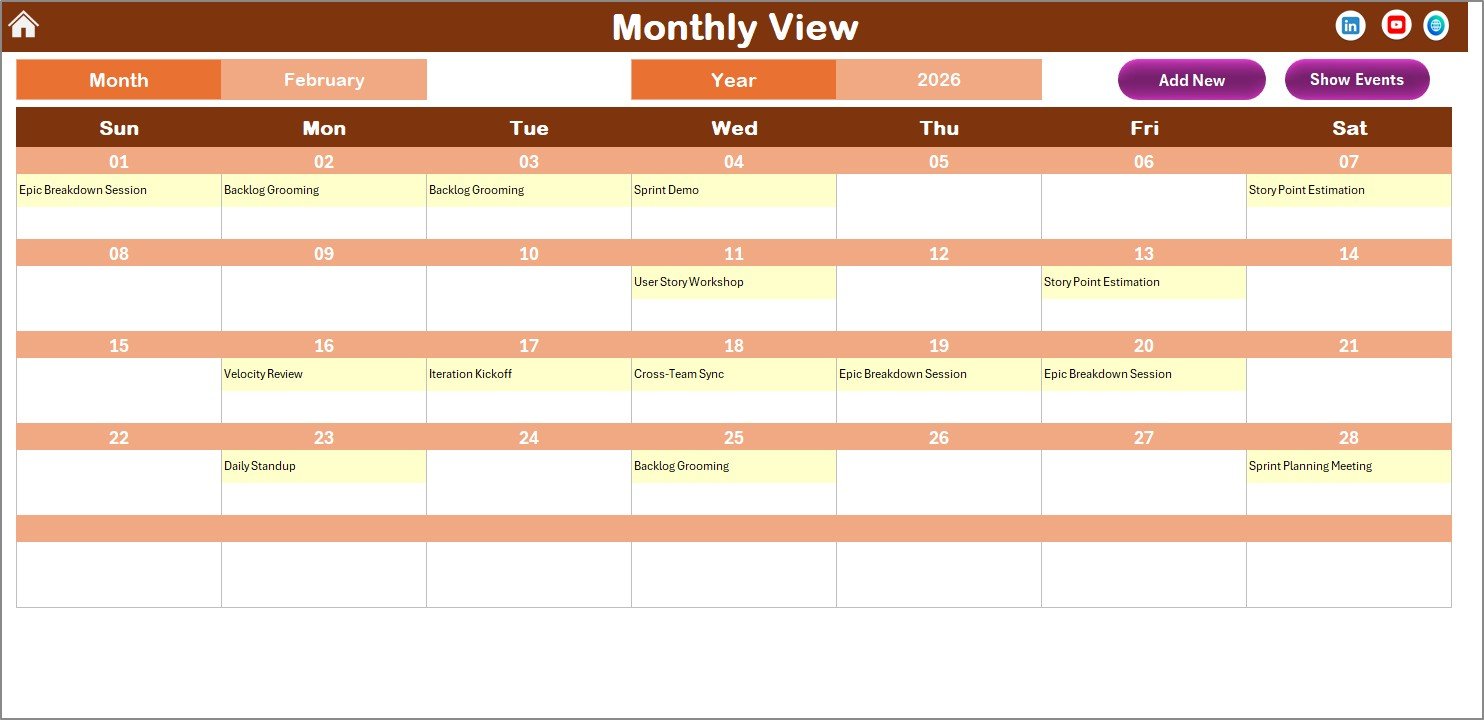
Monthly View Sheet tab: Offers a detailed, single-month calendar where you can select any month and year to focus on specific sprint cycles. It displays events clearly, showing if multiple events occur on the same day.
- ➕ Easily add new events for any date.
- 📋 Quickly access the list of scheduled events for selected dates.
Monthly View Sheet tab
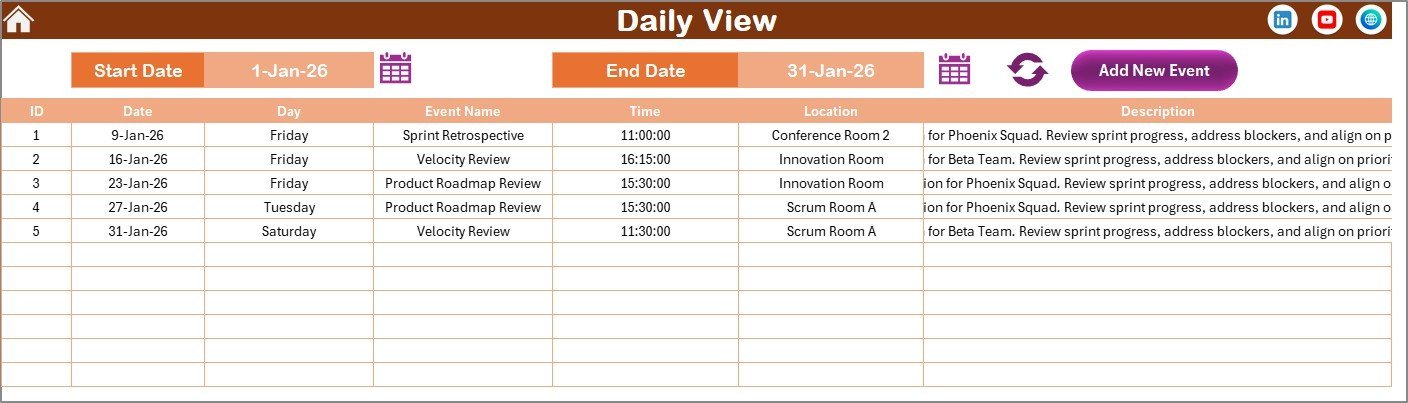
Daily View Sheet tab: This sheet details all events within a selected date range. Simply set your start and end dates using the calendar icons and refresh to see a comprehensive list of sprint activities.
- ➕ Add new events easily using the provided button.
- 🔄 Refresh the list anytime to get updated event details.
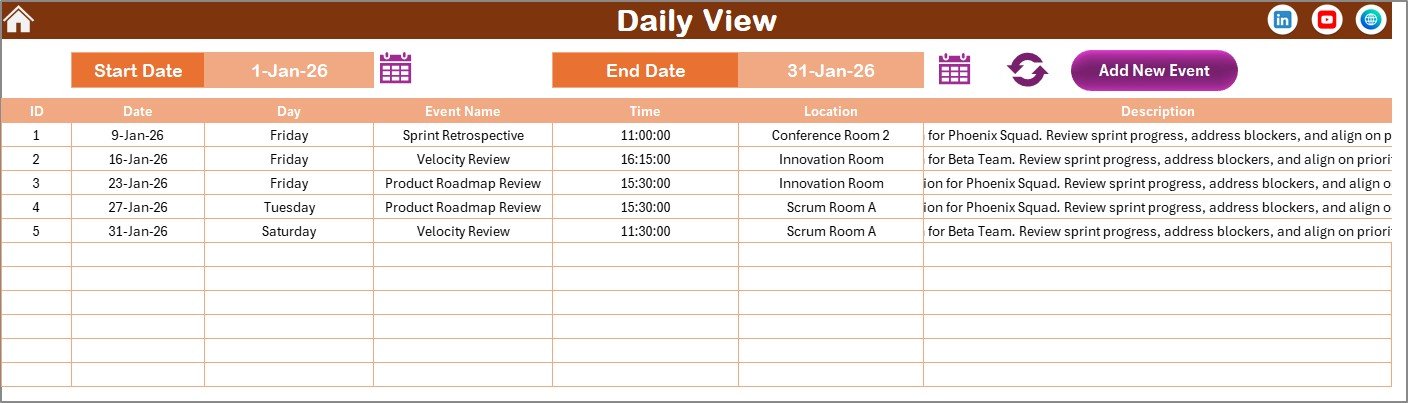
Daily View Sheet tab
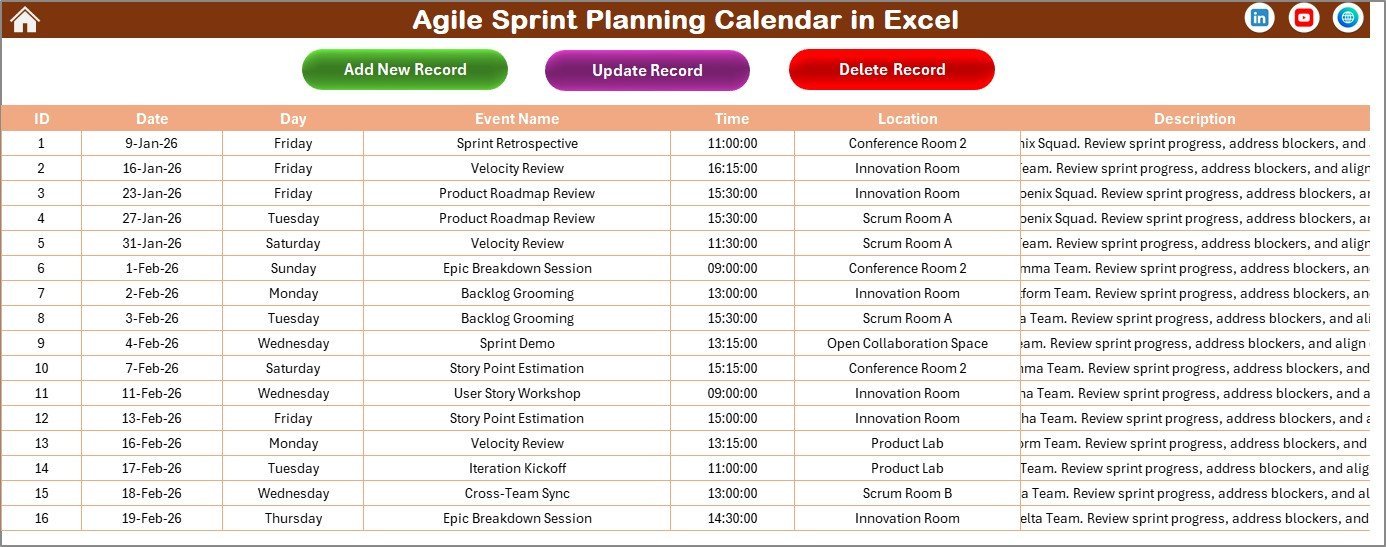
Events Sheet tab: Serves as the backend database storing all event details like ID, date, day, event name, time, location, and description. This sheet supports:
- ➕ Adding new event records
- ✏️ Updating existing records with prefilled forms for easy edits
- 🗑️ Deleting records to keep your data organized
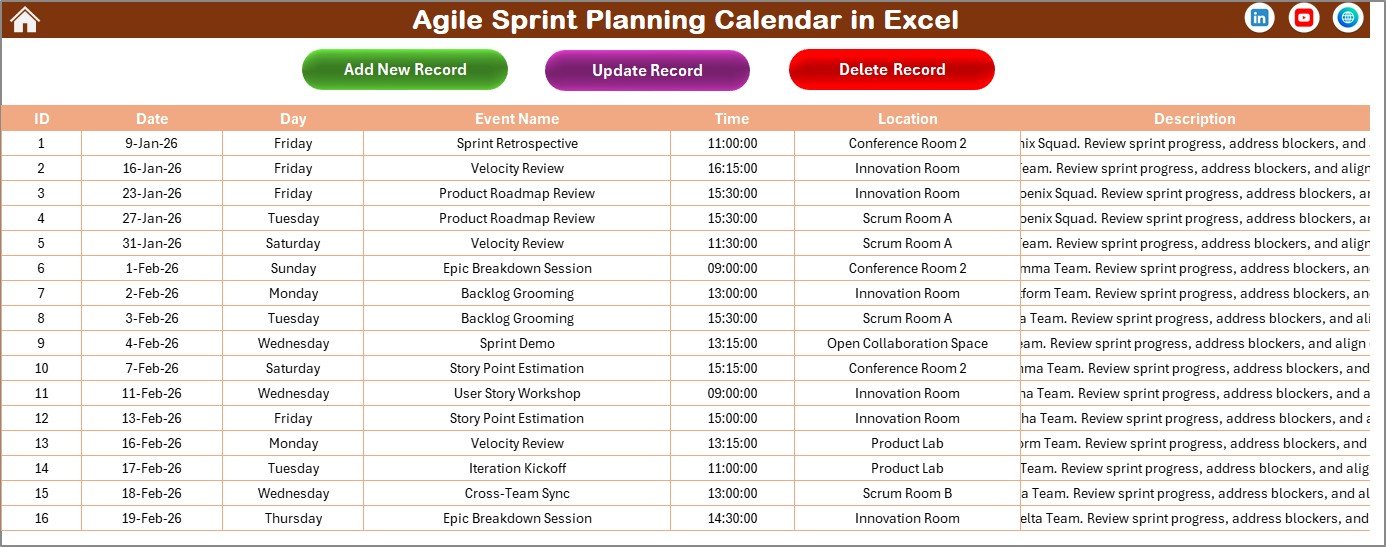
Events Sheet tab
How to Use the Agile Sprint Planning Calendar in Excel
Getting started with this agile sprint calendar is simple and requires no advanced Excel skills. First, open the Home sheet to navigate between views. Use the control panel on the Annual View to set your desired year, starting month, and day of the week. Customize the theme to suit your brand or preference.
To add events, select a date in any view and click the Add New Event button to open the event form. Fill in the details such as event name, time, location, and description, then submit. Events will display automatically across all relevant calendar views.
Use the Show Event button to view all events scheduled for a selected date quickly. For detailed tracking over a range of dates, switch to the Daily View and set your date range before refreshing the list.
Manage your event database directly in the Events sheet to maintain accuracy. Update or delete records as needed with the on-sheet buttons.
Who Can Benefit from This Agile Sprint Planning Calendar in Excel
This digital Agile Sprint Planning Calendar is perfect for:
- 📅 Agile Project Managers looking to organize sprints and visualize timelines clearly.
- 👨💻 Software Development Teams who want to keep track of sprint events, deadlines, and meetings.
- 📊 Scrum Masters needing a centralized tool for sprint planning and event tracking.
- 🏢 Product Owners managing delivery schedules and stakeholder meetings.
- 📈 Startups and SMEs seeking affordable, customizable sprint planning solutions.
- 🎯 Agile Coaches who want a professional template to train teams on sprint planning.
- 📂 Anyone who prefers an easy-to-use Excel-based calendar with detailed event management features.
Click here to read the Detailed blog post.
Visit our YouTube channel to learn step-by-step video tutorials
Compatibility and Requirements
- Made for Microsoft Excel desktop on Windows (Excel 2016 or later, or Microsoft 365).
- The event forms and buttons run on macros, so enable macros when you open the file. Microsoft explains how in Enable or disable macros in Microsoft 365 files.
- Excel for the web, Google Sheets and the Excel mobile apps can’t run these forms, so use the Excel desktop app.
Frequently Asked Questions
How do I add a sprint event to the Agile Sprint Planning Calendar?
Select a date in the Annual, Monthly or Daily view and click Add New Event. Fill in the event name, time, location and description in the form, and the event shows in every calendar view.
Can I start the calendar in a month other than January?
Yes. The control panel on the Annual View sheet sets the year, the starting month and the first day of the week.
How do I see all events between two dates?
Open the Daily View sheet, set the start and end dates and refresh the list.
Can I edit or delete an event?
Yes. The Events sheet stores every event, and its buttons open a prefilled form to update a record or delete it.
Can I change the colors?
Yes. Pick one of the 5 color themes, and choose which days of the week (such as weekends) are highlighted.
Related Agile Templates
- Agile Sprint KPI Dashboard in Excel: measure each sprint against targets.
- Scrum Team KPI Dashboard in Excel: KPIs for scrum teams.
- Agile Sprint KPI Dashboard in Google Sheets: the sprint KPIs in Google Sheets.
- Scrum Team KPI Dashboard in Power BI: the scrum KPIs in Power BI.
- Calendar & Planner Pack: 12 Excel and Google Sheets calendar templates.
Browse all Excel calendar templates or the Excel project management templates.

















Reviews
There are no reviews yet.