The gaming console industry is highly dynamic. Monthly sales volumes fluctuate, customer demand shifts rapidly, and performance targets must be monitored continuously. However, many gaming businesses still track KPIs across multiple spreadsheets, which makes performance reviews slow, inconsistent, and reactive.Gaming Console KPI Dashboard in Google Sheets
That is exactly why the Gaming Console KPI Dashboard in Google Sheets becomes a powerful, ready-to-use performance management solution.Gaming Console KPI Dashboard in Google Sheets
This dashboard is designed to help gaming console manufacturers, retailers, distributors, and sales teams monitor business performance in one centralized and interactive KPI dashboard. Instead of manually compiling reports, teams can instantly view MTD and YTD performance, target comparisons, and year-over-year trends using clear visual indicators.
Because the dashboard is built entirely in Google Sheets, it remains cloud-based, collaborative, and easy to customize—without the need for expensive BI tools.Gaming Console KPI Dashboard in Google Sheets
🚀 Key Features of Gaming Console KPI Dashboard in Google Sheets
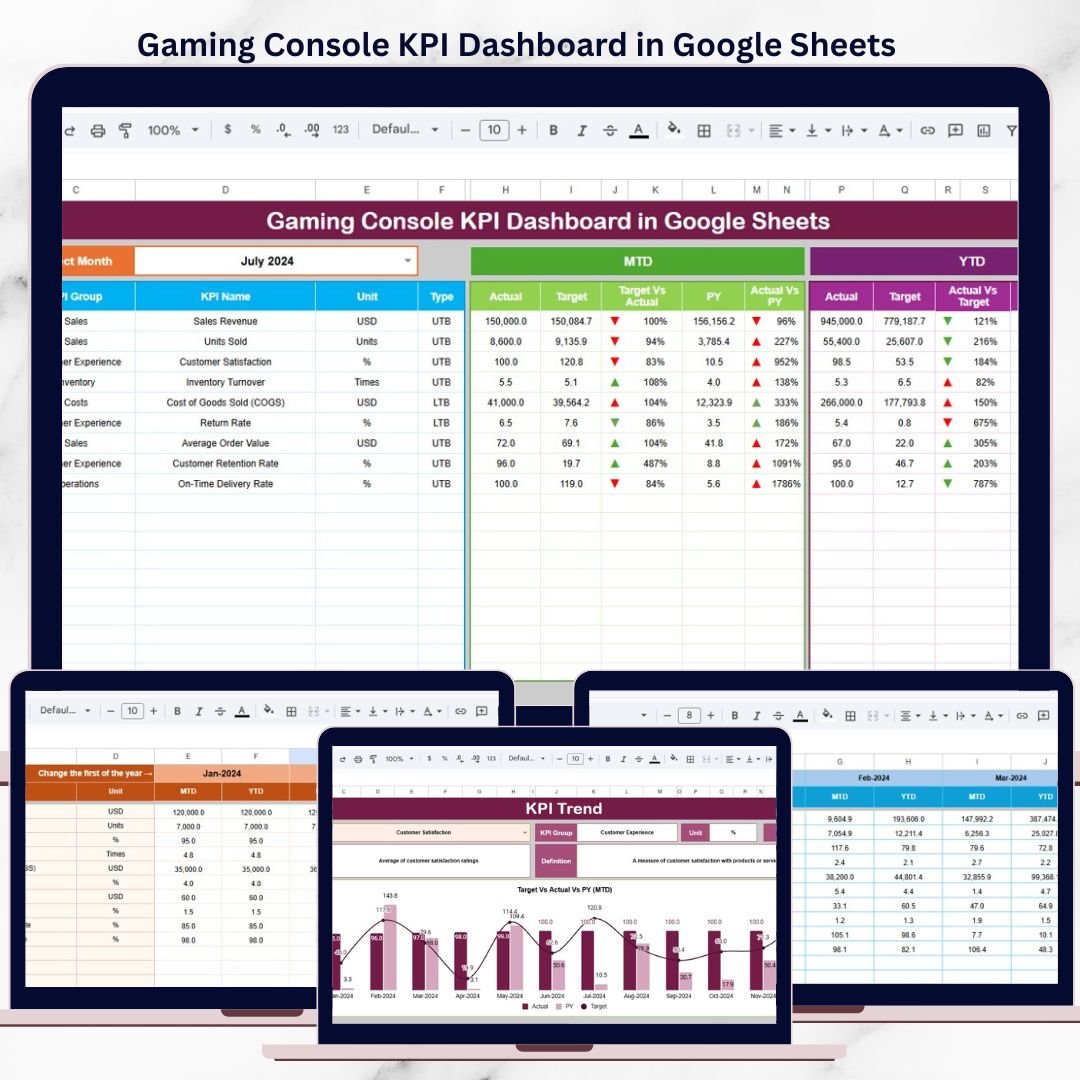
📊 All-in-One KPI Performance View
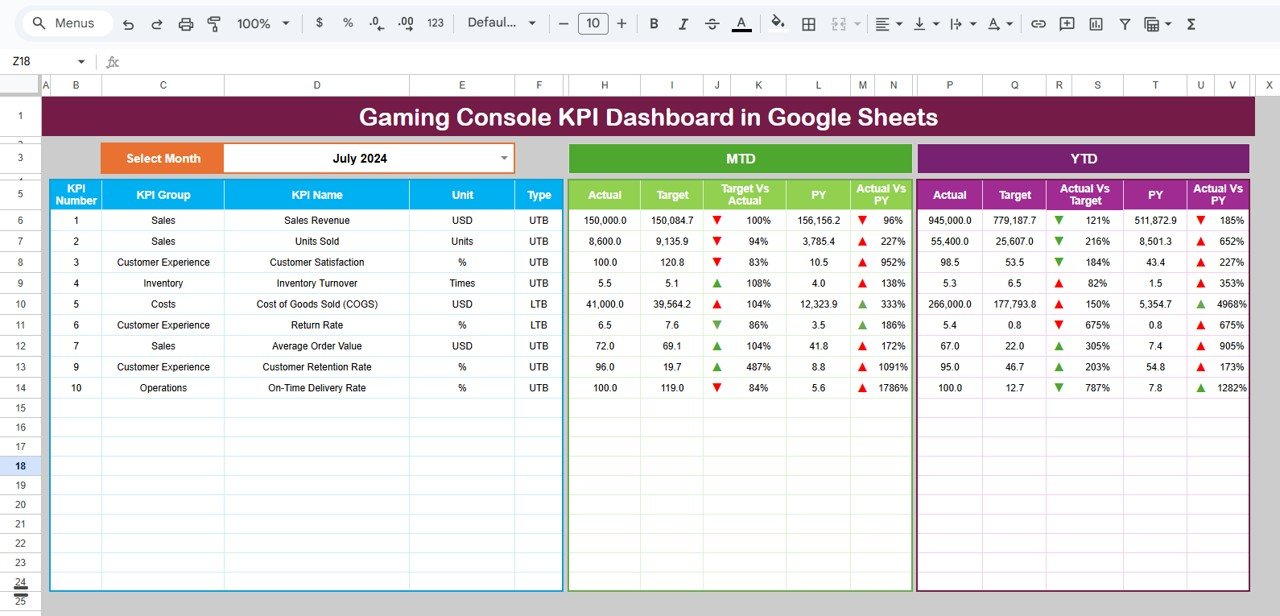
The dashboard brings all critical gaming console KPIs into a single screen, allowing leadership to evaluate performance at a glance.
It tracks:
Month-to-Date (MTD) performance
Year-to-Date (YTD) performance
Target vs Actual comparison
Previous Year vs Current Year analysis
Traffic lights and directional arrows instantly show whether performance is improving or declining.
📅 Dynamic Month Selector
A Month Selector (Cell D3) allows users to switch between months effortlessly.
Once a month is selected:
All KPI values update automatically
MTD and YTD numbers refresh instantly
Variance calculations recalculate without manual effort
This makes monthly performance reviews fast and accurate.
📌 Dashboard Sheet Tab – Main KPI View
This is the executive-level performance snapshot.
🔹 What the Dashboard Displays:
KPI Name
MTD Actual, Target, and Previous Year
Target vs Actual variance (%)
Previous Year vs Actual variance (%)
YTD Actual, Target, and Previous Year
Conditional formatting using:
🔴 Red (poor performance)
🟡 Amber (average performance)
🟢 Green (strong performance)
⬆️⬇️ Arrows for performance direction
This layout allows decision-makers to identify issues instantly.
📈 KPI Trend Sheet Tab – KPI Behavior Over Time
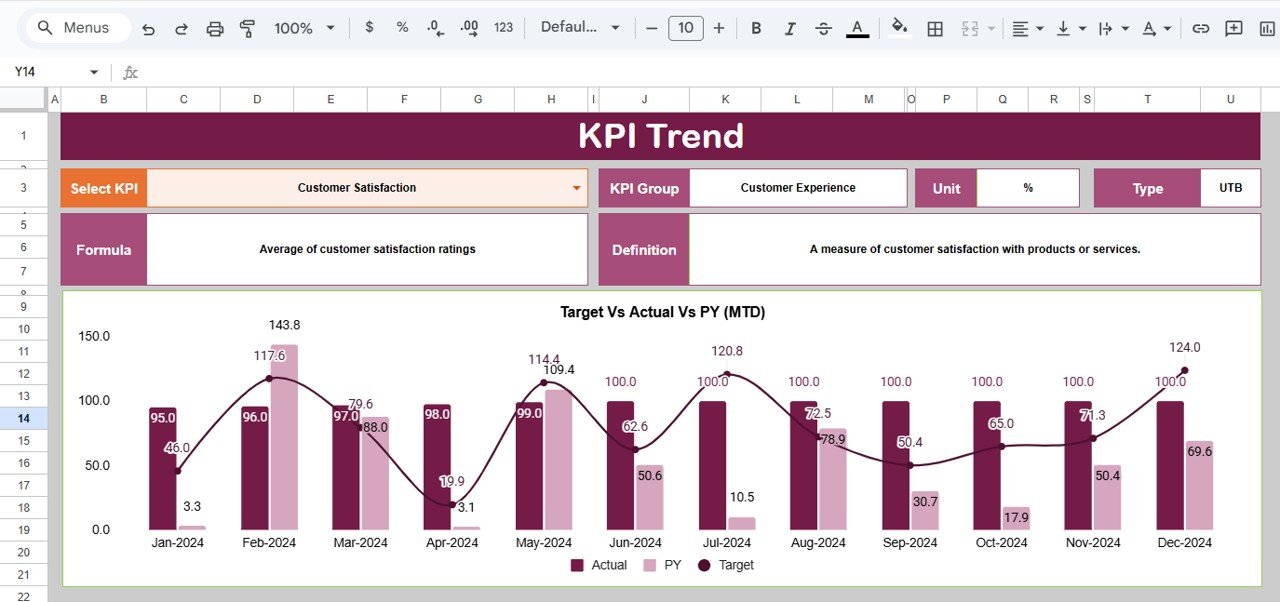
The KPI Trend Sheet helps teams understand how each KPI performs across months.
🔹 How It Works:
Select a KPI from the dropdown in Cell C3
The sheet automatically displays:
KPI Group
KPI Unit
KPI Type (Lower the Better / Upper the Better)
KPI Formula
KPI Definition
Monthly trend values
This sheet is ideal for strategy meetings, forecasting, and performance analysis.
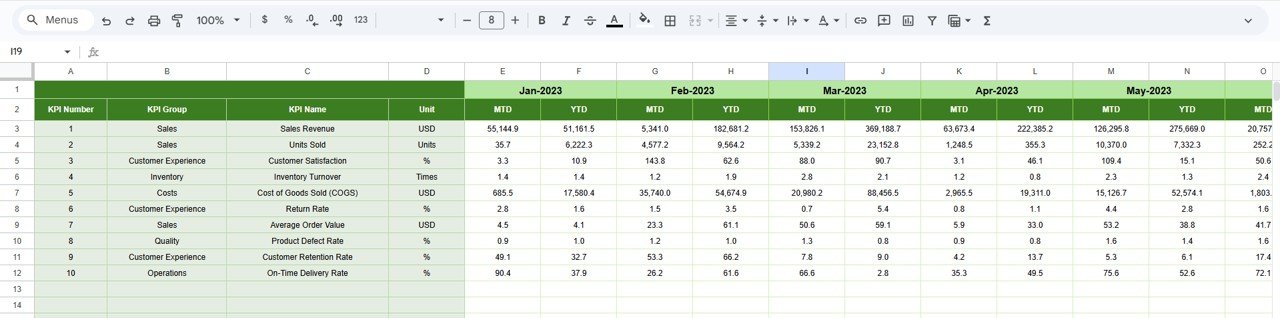
🧮 Actual Number Sheet Tab – Data Entry Sheet
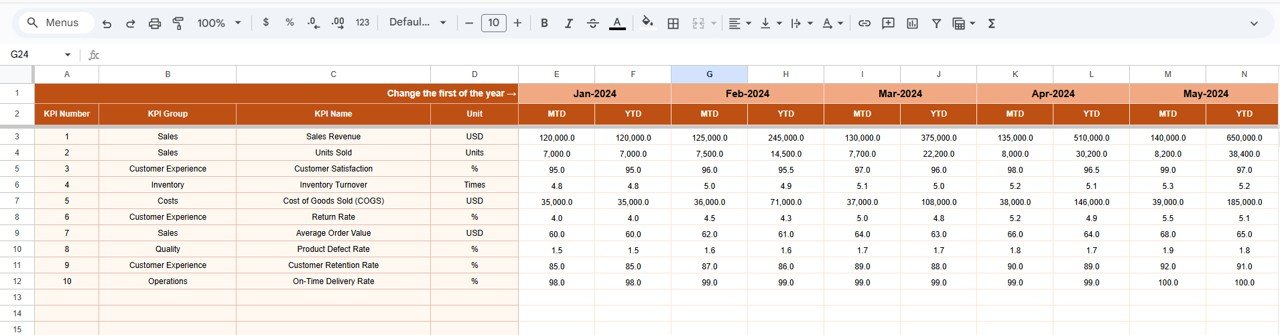
This sheet is used to enter real gaming performance data.
🔹 Key Capabilities:
Enter MTD and YTD actual values
Select the reporting month in Cell E1
Define the first month of the year only once
All dashboards and trends update automatically
No complex formulas are required from the user side.
🎯 Target Sheet Tab – Performance Benchmarks
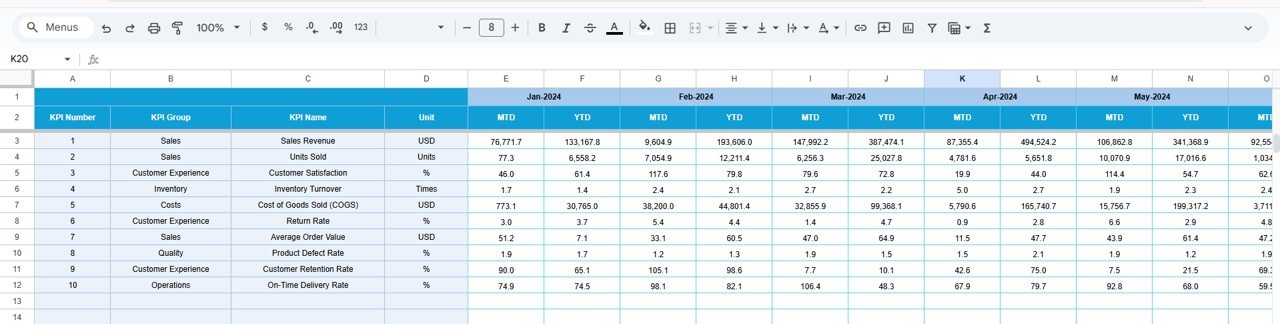
The Target Sheet stores planned KPI values.
You can:
Define monthly MTD targets
Define cumulative YTD targets
Maintain consistent benchmarking
Targets power all variance calculations in the dashboard.
📆 Previous Year Number Sheet Tab
This sheet stores last year’s KPI values.
🔹 Why It Matters:
Enables year-over-year comparison
Highlights growth and decline patterns
Supports seasonal analysis and forecasting
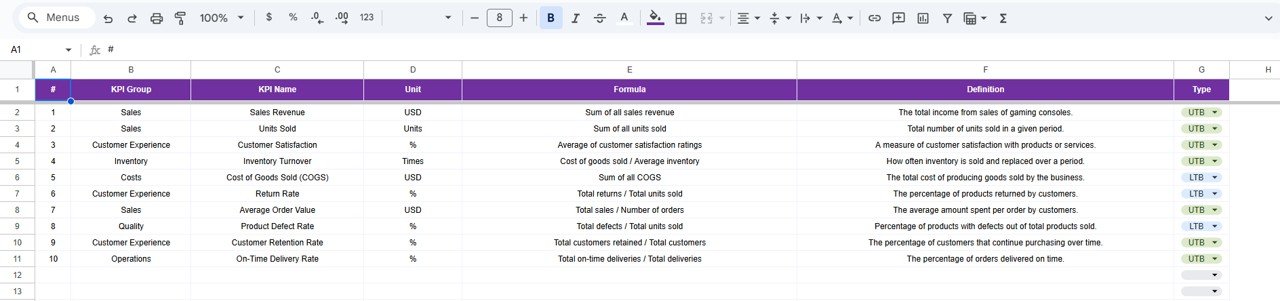
📚 KPI Definition Sheet Tab – KPI Governance
This sheet acts as the KPI master reference.
🔹 Fields Included:
KPI Name
KPI Group (Sales, Revenue, Operations, Inventory, Customer, etc.)
Unit
KPI Formula
KPI Definition
KPI Type (Lower / Upper the Better)
This ensures transparency, consistency, and audit readiness.
🎯 Who Should Use This Dashboard
🎮 Gaming Console Manufacturers
🏬 Electronics & Gaming Retailers
📦 Distributors & Channel Partners
📊 Sales & Operations Teams
👔 Business Analysts & Leadership
### Click here to read the Detailed blog post
Watch the step-by-step video tutorial: