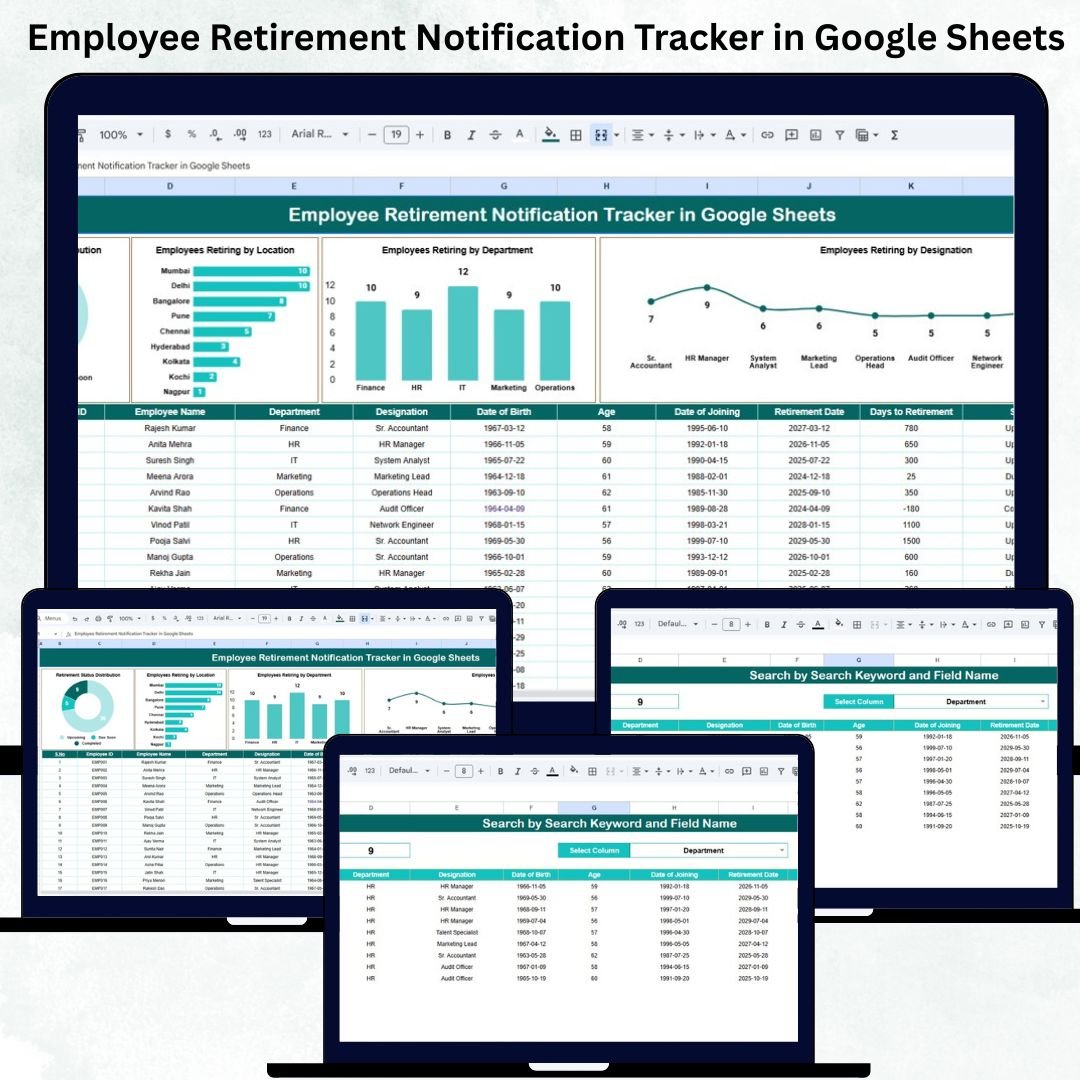
Managing employee retirement timelines is one of the most important responsibilities of HR teams. When organizations know exactly who is retiring, when they are retiring, and which locations, departments, and designations will be affected, workforce planning becomes smooth and stress-free. The Employee Retirement Notification Tracker in Google Sheets is designed exactly for this purpose. It gives HR teams complete visibility, accurate timelines, and powerful insights—all inside a simple, cloud-based Google Sheets file.Employee Retirement Notification Tracker in Google Sheets
Built for real-time collaboration, this tracker helps you avoid last-minute staffing shortages, plan succession smoothly, and ensure that every department stays prepared for upcoming retirements. Whether you manage a small workforce or a large organization, this ready-to-use tracker becomes your essential HR planning companion.Employee Retirement Notification Tracker in Google Sheets
✨ Key Features of the Employee Retirement Notification Tracker in Google Sheets
📊 Tracker Sheet – Your Main HR Dashboard
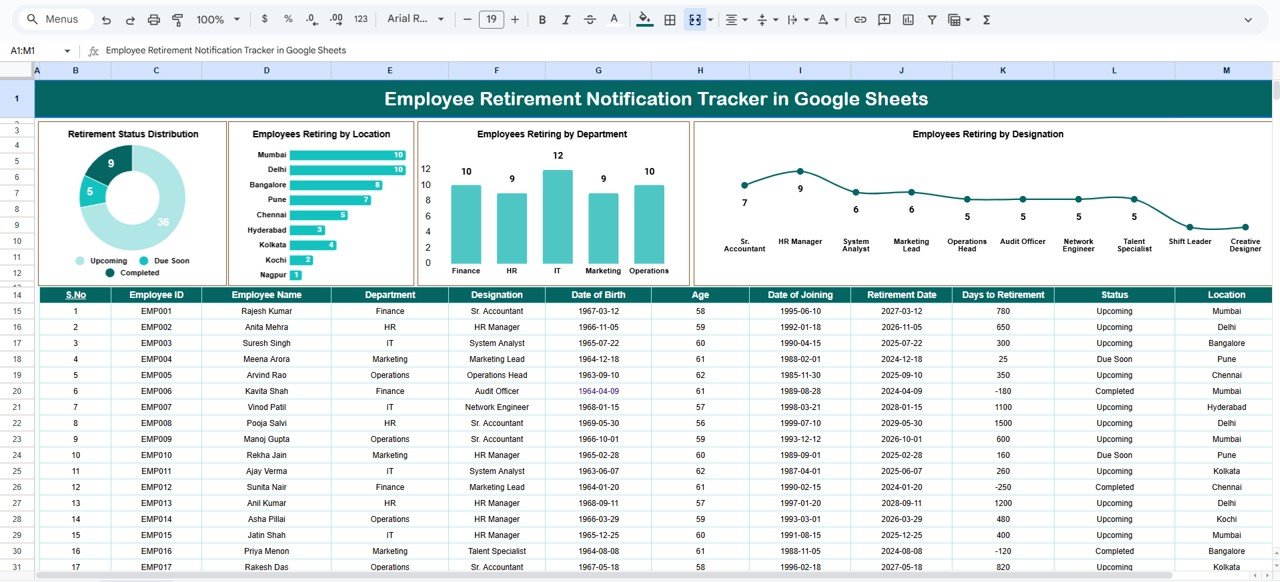
The Tracker Sheet acts as the central database where you enter employee information such as name, age, department, location, designation, retirement date, and status. All visuals, charts, and insights update automatically based on this sheet.
📍 Retirement Status Overview
Quickly understand how many employees are retiring soon, retiring this year, or retiring in upcoming years. This visual snapshot helps HR teams plan recruitment and training with confidence.
🏢 Location-Based Retirement Insights
The dashboard shows how many employees will retire from each location. HR can easily identify offices that may face manpower shortages and prepare replacements in advance.
📂 Department-Wise Retirement Trends
See upcoming retirements across key departments—IT, Finance, HR, Operations, Marketing, and more. This helps managers prepare succession plans for skill-based roles.
🎖️ Designation-Level Visibility
Identify retirements among senior leaders, executives, managers, or technical specialists. These roles often require early replacement planning, and this visual makes it easier to prioritize.
📦 What’s Inside the Employee Retirement Notification Tracker in Google Sheets
⭐ Tracker Sheet
This is the master sheet where all employee details are entered. It includes fields like:
Employee Name
Employee ID
Age / Birth Year
Retirement Date
Department
Location
Designation
Status
Charts on this sheet instantly display:
Retirement Status Distribution
Employees Retiring by Location
Employees Retiring by Department
Employees Retiring by Designation
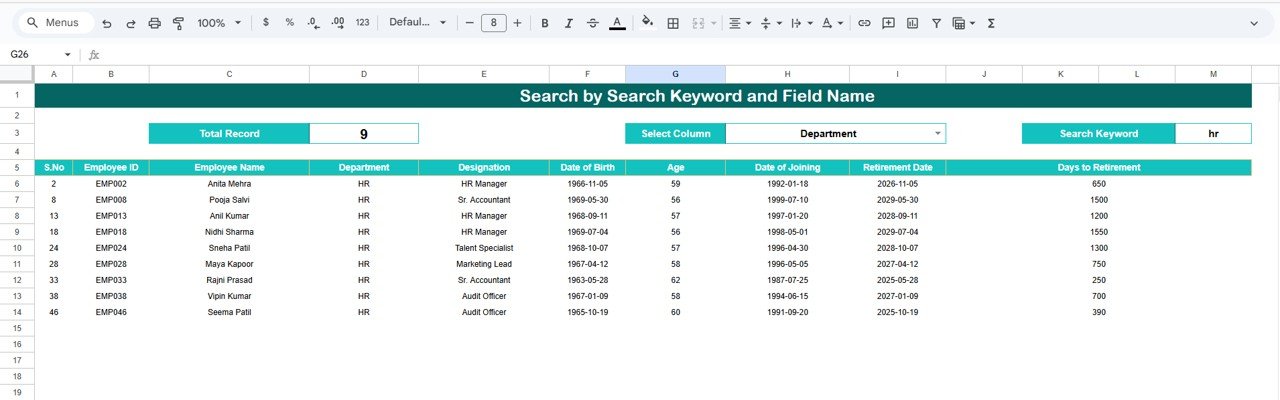
⭐ Search Sheet
The Search Sheet is a smart, filter-based lookup tool that allows HR to search instantly using:
Name
Department
Designation
Location
Retirement Month/Year
Just enter a keyword, select the field, and the matching results appear automatically. This sheet is perfect for audits, presentations, and HR review meetings.
🛠️ How to Use the Employee Retirement Notification Tracker in Google Sheets
1️⃣ Enter Employee Details
Fill in the basic employee information on the Tracker Sheet. All charts update automatically—no formulas needed.
2️⃣ Review Visual Insights
Use the dashboard charts to identify upcoming retirements across departments, designations, and locations.
3️⃣ Search Employees Instantly
Use the Search Sheet to quickly find information during HR discussions or reviews.
4️⃣ Customize as Needed
Add fields like:
Pension Eligibility
Replacement Assigned
Skill Transfer Status
Exit Interview Date
The tracker is designed to be fully editable.
5️⃣ Share with HR Team Members
Since it’s built in Google Sheets, multiple people can collaborate in real-time with no software installation required.
👥 Who Can Benefit from This Google Sheets Tracker
🧑💼 HR Teams
Monitor retirement timelines, perform workforce planning, and avoid staffing gaps.
📈 Senior Management
Get instant insights for future hiring and resource forecasting.
🏢 Department Managers
Understand when key team members are retiring and plan training or succession accordingly.
🌐 Multi-Location Organizations
Track retirements across different branches, offices, or regions with complete clarity.
The Employee Retirement Notification Tracker in Google Sheets is more than just a spreadsheet—it’s a complete HR planning system. With powerful visuals, cloud accessibility, instant search, and automated insights, this tool simplifies workforce forecasting like never before. Say goodbye to manual tracking and unexpected retirements. With this tracker, HR teams stay organized, proactive, and fully prepared for every staffing need.
Click Here to Read the Detailed Blog Post
Watch the step-by-step video Demo: