




The Public Sector KPI Scorecard in Excel is a powerful performance-management tool designed to help government departments, public agencies, and non-profits track their KPIs effectively. This ready-to-use Excel template brings transparency, accuracy, and efficiency to reporting — all in one place.
✅ Dynamic Dashboard View – Visualize Month-to-Date (MTD) and Year-to-Date (YTD) performance at a glance with easy dropdown selections.
✅ Actual vs Target Analysis – Instantly compare real results against goals to identify what’s on track and what needs improvement.
✅ Color-Coded Performance Indicators – Visual signals (green, yellow, red) simplify complex data interpretation.
✅ Automated Calculations – The template performs real-time updates when new data is entered — no coding or manual formulas needed.
✅ Multi-Department Support – Monitor finance, HR, operations, or citizen-service metrics seamlessly within one workbook.
✅ Customizable Design – Add or modify KPIs based on your department’s goals without altering core logic.
✅ User-Friendly Layout – Built with simplicity in mind, it requires only basic Excel knowledge.
This scorecard empowers public organizations to embrace data-driven decision-making with confidence and speed.
📊 What’s Inside the Public Sector KPI Scorecard in Excel
This Excel file includes four essential worksheets, each serving a unique function to streamline performance tracking:
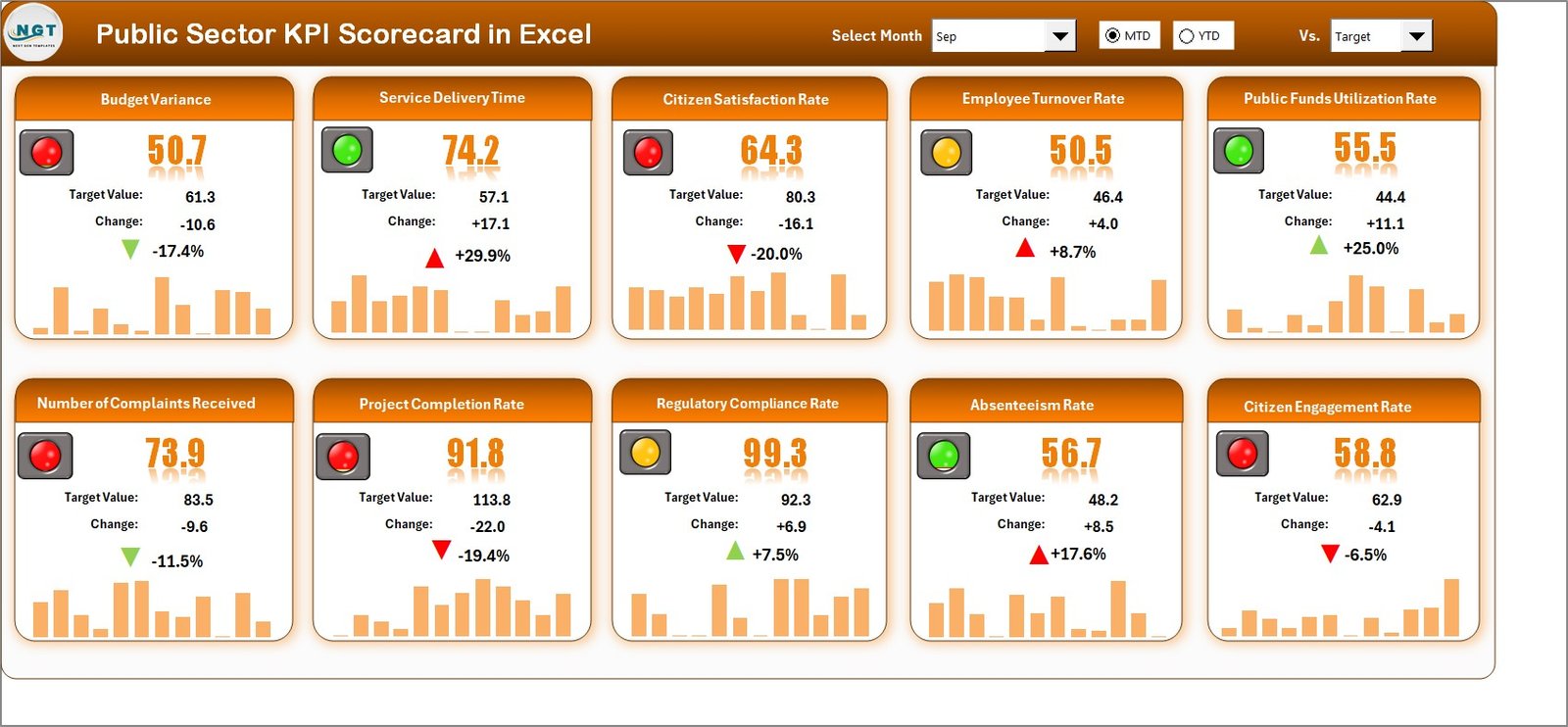
1️⃣ Scorecard Sheet (Main Dashboard)
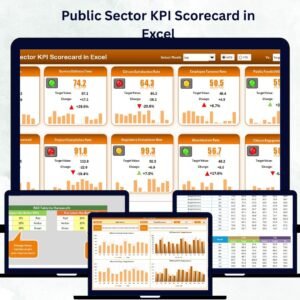
Your centralized hub for performance visualization. Select the month and MTD/YTD view to see real-time results across 10 KPIs at once. Visual cues and conditional formatting instantly reveal strengths and weaknesses.
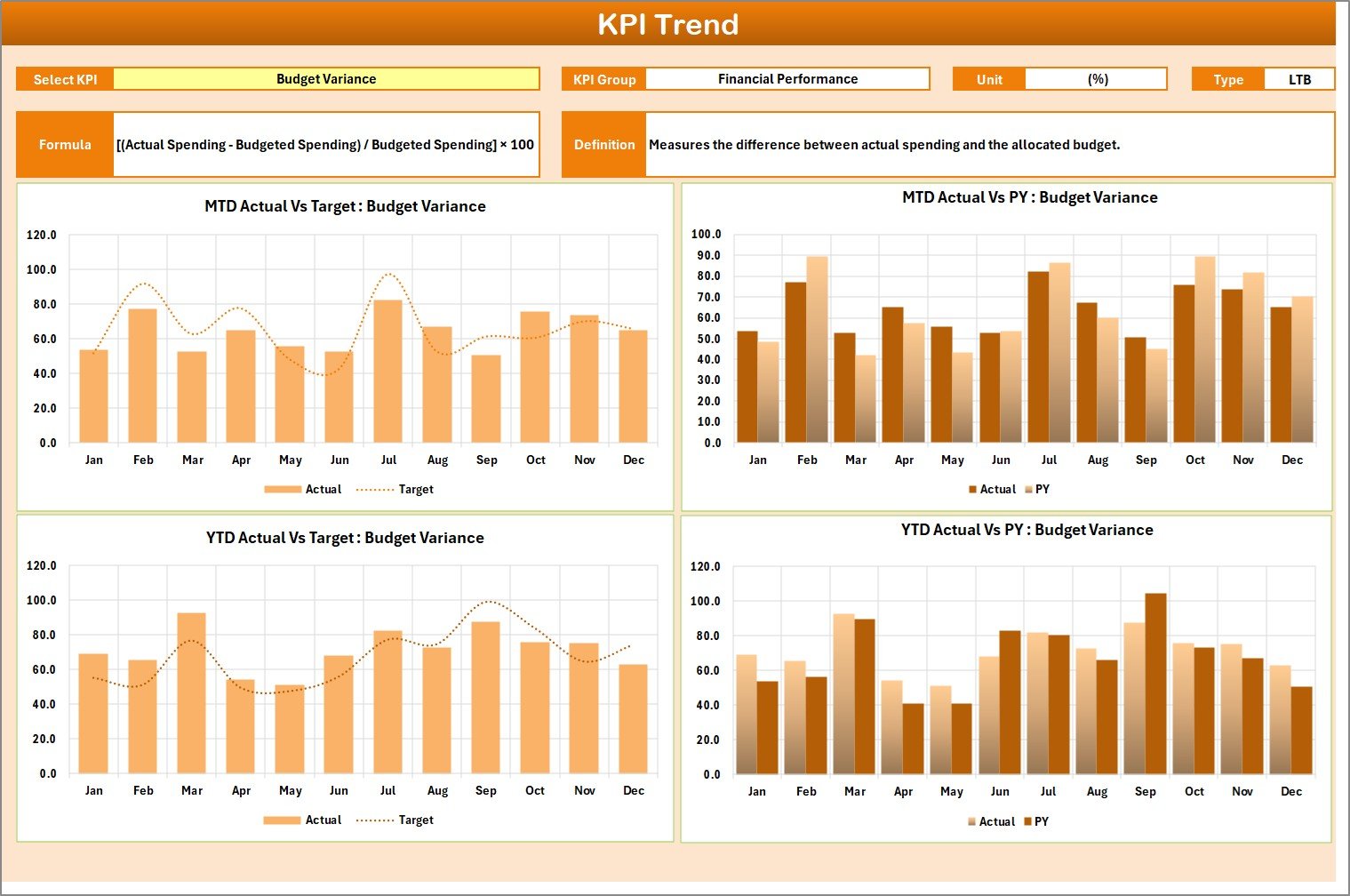
2️⃣ KPI Trend Sheet
Analyze long-term performance trends for any KPI. Use dropdown filters to view Actual, Target, and Previous Year comparisons. Interactive charts highlight historical performance and progress over time.
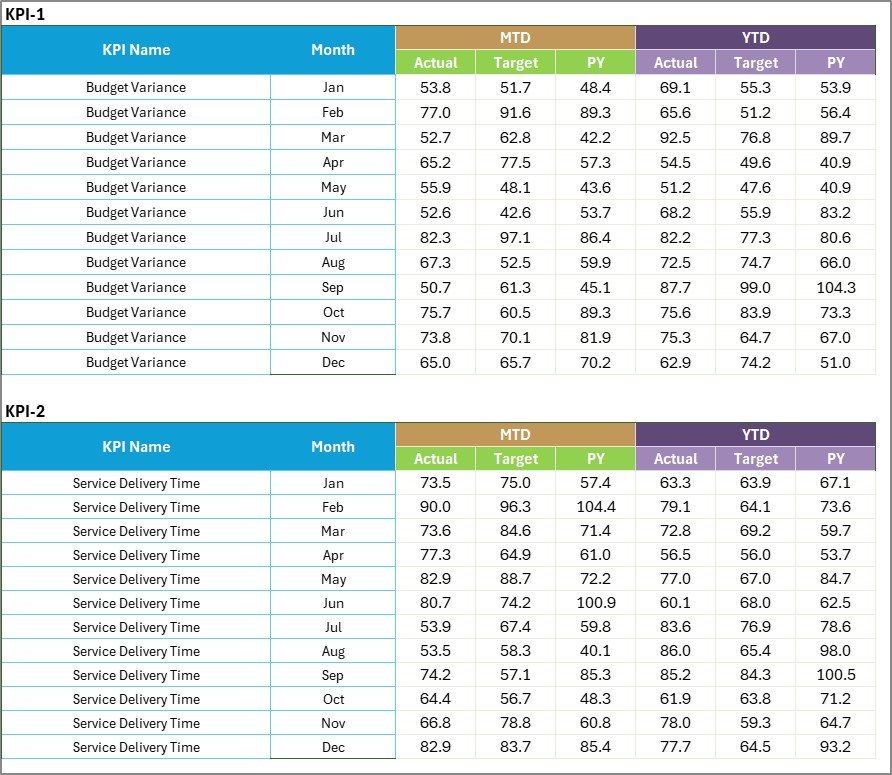
3️⃣ Input Data Sheet
The backbone of the template. Enter monthly Actual and Target data here, and watch the entire scorecard update automatically. It’s structured for accuracy and built to minimize data-entry errors.
4️⃣ KPI Definition Sheet
Ensure clarity and accountability with detailed KPI definitions — including Name, Group, Unit, Formula, and Definition. Every stakeholder knows exactly what’s being measured and why.
Together, these sheets form a complete, automated performance-tracking system tailored for the public sector.
🧠 How to Use the Public Sector KPI Scorecard in Excel
Using this tool is simple and intuitive:
1️⃣ Open the Template – Launch the Excel workbook and explore each tab (Scorecard, KPI Trend, Input Data, KPI Definition).
2️⃣ Enter Data – Populate the Input Data sheet with monthly Actual and Target values.
3️⃣ Review the Dashboard – Switch to the Scorecard tab to view automated MTD and YTD performance visuals.
4️⃣ Analyze Trends – Use the KPI Trend sheet to identify recurring issues or success patterns.
5️⃣ Update Regularly – Refresh data monthly or quarterly for accurate tracking.
6️⃣ Share with Stakeholders – Present visual dashboards to senior management, oversight bodies, or citizens.
With this system, you’ll never have to build manual reports again — everything updates in real time.
👥 Who Can Benefit from This Public Sector KPI Scorecard in Excel
This versatile scorecard is ideal for:
🏛️ Government Departments – Monitor project delivery, resource utilization, and policy performance.
📈 Public Agencies – Track operational efficiency and program impact.
💡 Non-Profit Organizations – Measure outcomes, financial sustainability, and donor accountability.
🧾 Auditors & Analysts – Generate evidence-based insights for performance reviews.
👨💼 Program Managers & Department Heads – Manage team goals and identify improvement areas quickly.
Whether you’re in finance, HR, infrastructure, or social services, this Excel-based scorecard enhances visibility, consistency, and transparency.
💼 Why Choose This KPI Scorecard
✅ Built in Excel — No expensive software required
✅ Fully editable and customizable
✅ Saves hours of manual reporting
✅ Promotes transparency and accountability
✅ Perfect for data-driven governance
It’s more than just a spreadsheet — it’s a strategic management tool designed to improve performance at every level of public service.
Click here to read the Detailed blog post
Watch the step-by-step video tutorial:
Visit our YouTube channel to learn step-by-step video tutorials
Compatibility and Requirements
- Works in Microsoft Excel desktop (Excel 2016 or later, or Microsoft 365).
- Visual cues come from conditional formatting. Microsoft explains it in Use conditional formatting to highlight information.
Frequently Asked Questions
Which sheets are included?
Four sheets: Scorecard, KPI Trend, Input Data and KPI Definition.
How many KPIs does the Scorecard show?
It shows 10 KPIs at once for the month and the MTD or YTD view you select.
Where do I enter my numbers?
Enter monthly Actual and Target values in the Input Data sheet. The scorecard updates from there.
How do I check one KPI’s history?
Use the dropdown on the KPI Trend sheet to compare Actual, Target and Previous Year for that KPI.
Is there a Google Sheets or Power BI version?
Related editions exist: the Public Sector KPI Scorecard In Google Sheets and the Public Sector KPI Dashboard in Power BI.
Related Public Sector Templates
- Public Sector KPI Dashboard In Excel: a full KPI dashboard in Excel
- Public Sector KPI Dashboard in Power BI: the dashboard in Power BI
- Public Sector KPI Scorecard In Google Sheets: the scorecard in Google Sheets
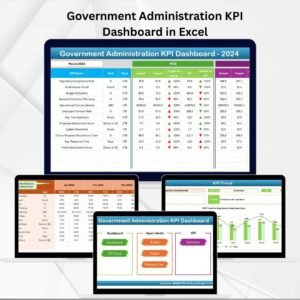
- Government Administration Dashboard in Excel: a dashboard for government offices
- KPI Scorecard Mega Pack: 12 KPI scorecards in one download
Browse all Excel KPI dashboards.
























Reviews
There are no reviews yet.