


Self-reflection is the secret ingredient to continuous improvement—both personally and professionally. Yet, without a structured system, weekly reviews often feel scattered, overwhelming, and inconsistent. That’s where the Weekly Reflection Preparation Guide in Excel comes in—your ready-to-use digital checklist template designed to simplify weekly reflections, boost productivity, and keep you focused on what truly matters.Weekly Reflection Preparation Guide Checklist in Excel
This Excel template combines clarity, accountability,Weekly Reflection Preparation Guide Checklist in Excel and visual progress tracking into one powerful tool. Whether you’re a student, professional, or manager, this guide empowers you to track achievements, evaluate performance, and plan ahead with confidence.Weekly Reflection Preparation Guide Checklist in Excel
✨ Key Features of the Weekly Reflection Preparation Guide in Excel
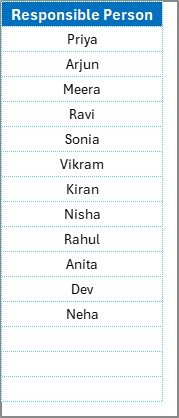
✅ Two Organized Worksheets – A Main Sheet Tab with your weekly checklist table and summary trackers, and a List Sheet Tab to manage responsible persons for dropdown selections.
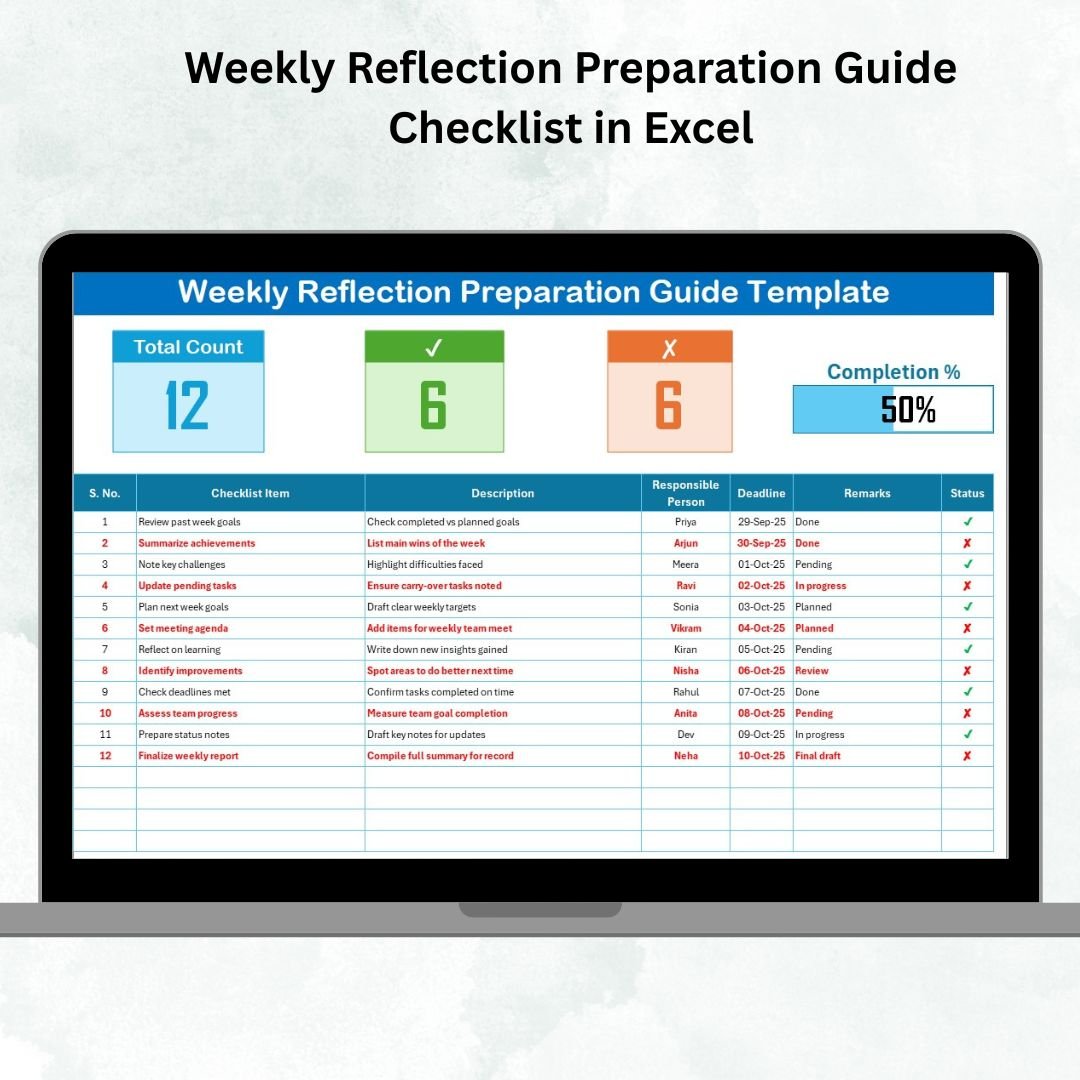
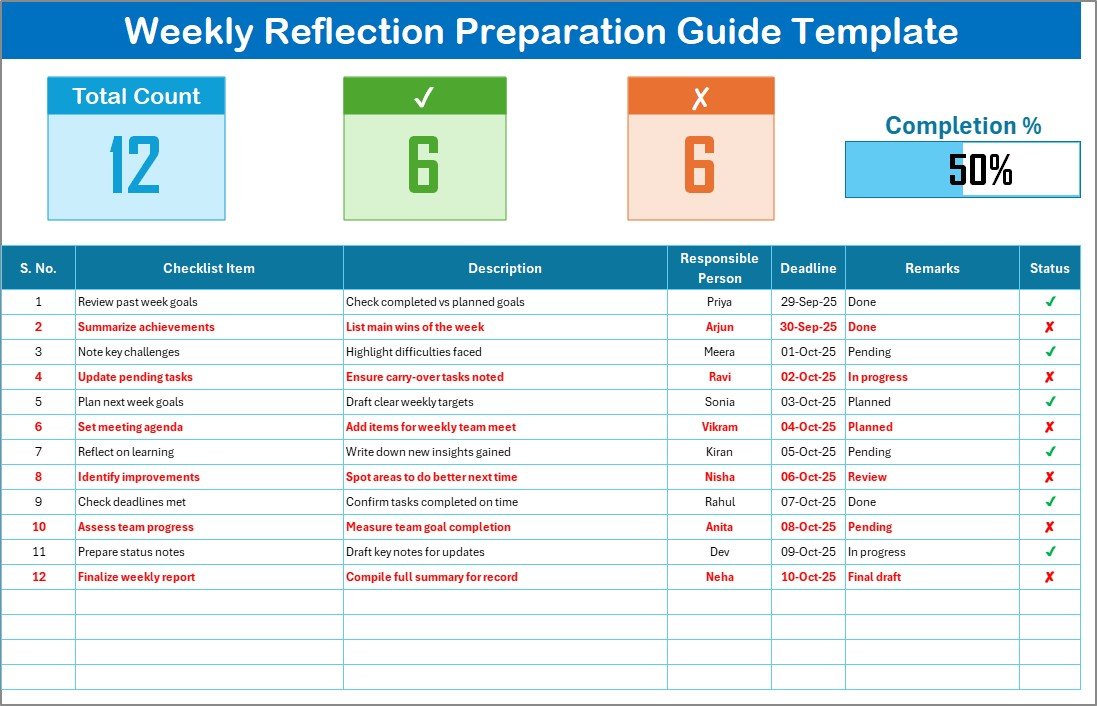
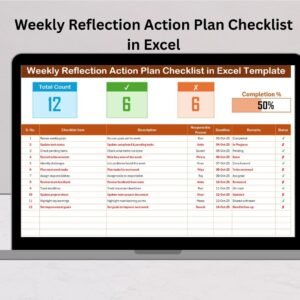
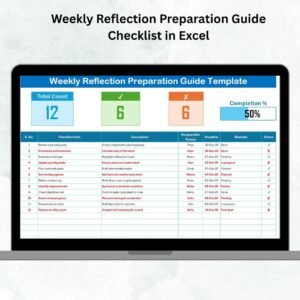
✅ Smart Summary Cards – At the top of the sheet, view Total Tasks, Completed Count, Pending Count, and a Progress Bar to instantly measure weekly performance.
✅ Comprehensive Checklist Table – Includes Serial No., Checklist Item, Description, Responsible Person, Deadline, Remarks, and Status fields for structured weekly reflections.
✅ Drop-Down Lists for Accountability – Assign tasks quickly and consistently with the clean list of responsible persons.
✅ Visual Progress Tracking – Stay motivated with automatic percentage completion updates and an easy-to-read progress bar.
✅ Customizable Layout – Tailor checklist items, columns, and even formatting to suit your personal or team needs.
📂 What’s Inside the Weekly Reflection Preparation Guide
When you download this product, you get:
📌 A ready-to-use Excel file designed for weekly reflections.
📌 Main Sheet Tab featuring the full checklist and progress monitoring.
📌 List Sheet Tab storing unique responsible person lists for dropdown menus.
📌 Built-in formulas that automatically update task counts and completion percentages.
📌 A clean and professional layout that is both functional and visually appealing.
🛠 How to Use the Weekly Reflection Preparation Guide
Using this checklist is simple and effective:
Set Up the Template – Open the file and navigate to the Main Sheet Tab.
Add Weekly Tasks – Enter reflection points, assignments, or goals into the checklist table.
Assign Responsibilities – Select the person in charge using the dropdown menu.
Set Deadlines – Define realistic dates to ensure accountability.
Update Status – At the end of the week, mark ✔ for completed or ✘ for pending tasks.
Review Progress – Use the summary cards and progress bar for instant insights.
Reflect & Plan Ahead – Add notes in the remarks column to carry lessons forward into the next week.
👥 Who Can Benefit from This Weekly Reflection Preparation Guide
🎓 Students – Stay on top of assignments, exam prep, and study habits.Weekly Reflection Preparation Guide Checklist in Excel
💼 Employees – Monitor weekly goals, deliverables, and personal performance.
👨💼 Managers – Review team tasks, responsibilities, and overall weekly outcomes.
👩💻 Freelancers – Keep track of projects, clients, and deadlines.
🌱 Personal Growth Enthusiasts – Reflect on health, habits, and lifestyle improvements.Weekly Reflection Preparation Guide Checklist in Excel
Whether you’re managing a team or working solo, this template provides the structure you need for consistent growth.
Click here to read the Detailed blog post
Watch the step-by-step video tutorial:
Visit our YouTube channel to learn step-by-step video tutorials.
Compatibility and Requirements
- Works in Microsoft Excel desktop (Excel 2016 or later, or Microsoft 365).
- You pick the responsible person for each task from a dropdown that reads from the List sheet. Microsoft explains dropdowns in Create a drop-down list.
Frequently Asked Questions
Which sheets are included?
Two sheets: a Main Sheet with the checklist table and summary cards, and a List Sheet that stores the responsible persons for the dropdown.
What fields does the checklist have?
Serial No., Checklist Item, Description, Responsible Person, Deadline, Remarks and Status.
How do I assign a task to someone?
Add the names to the List sheet, then choose a name from the Responsible Person dropdown on the Main sheet.
How do I see my weekly progress?
Mark each task as completed or pending in the Status column. The summary cards at the top show Total Tasks, Completed Count, Pending Count and a progress bar with the completion percentage.
Is there a Google Sheets version?
Yes. See the Weekly Reflection Preparation Guide Checklist in Google Sheets.
Related Weekly Reflection Templates
- Weekly Reflection Preparation Guide Checklist in Google Sheets: the same checklist in Google Sheets
- Weekly Reflection Review Checklist in Excel: a checklist for reviewing your week
- Weekly Reflection Planner Checklist in Excel: plan your reflection time in Excel
- Weekly Reflection Tracking Checklist in Excel: track reflection tasks week by week
- Monthly Review Preparation Guide Checklist in Excel: the monthly counterpart
Browse all Excel checklist templates.





Reviews
There are no reviews yet.