

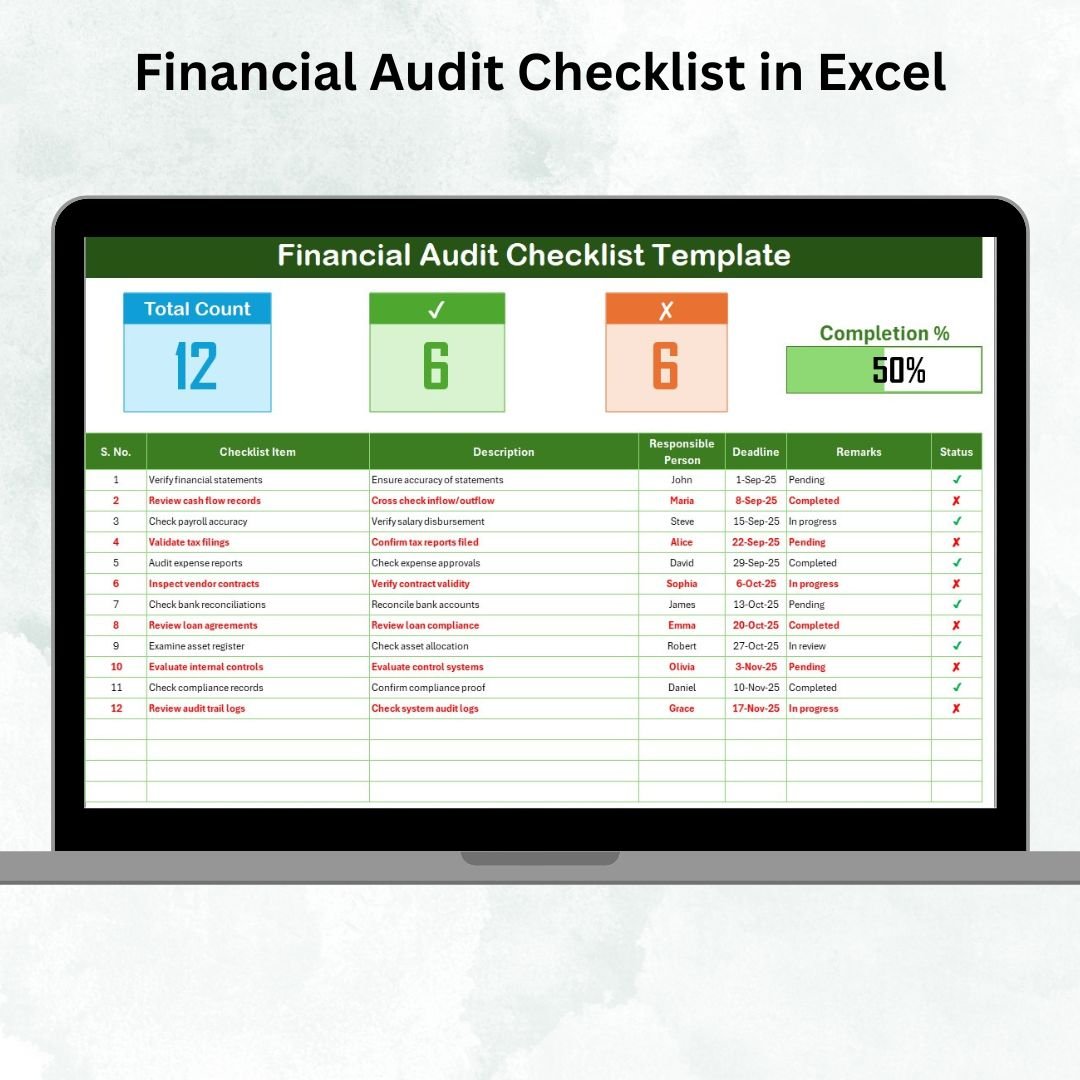

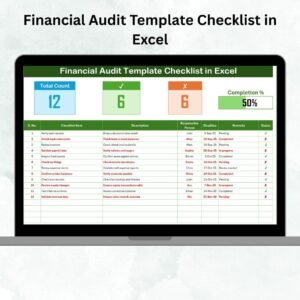
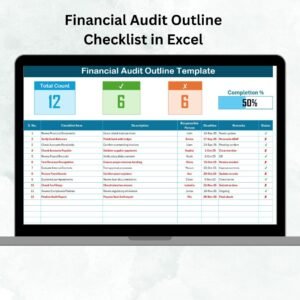
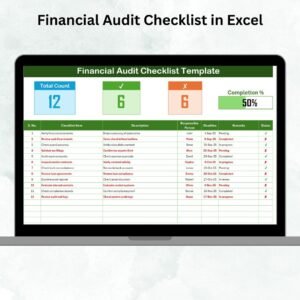
The Financial Audit Checklist in Excel is a pre-built, ready-to-use Excel template that turns audit preparation from a scattered, manual process into a structured, trackable workflow. Every audit task, deadline, responsible person, and completion status lives in one sheet, with an automatic progress bar at the top showing exactly how audit-ready you are right now.
If your current audit process lives in email threads, last year’s Word doc, and a whiteboard somewhere, this Excel checklist template gives you a single source of truth: a structured table with Serial No., Checklist Item, Description, Responsible Person (dropdown), Deadline, Remarks, and Status (✓ or ✗), plus a live summary dashboard that updates as soon as you tick a task complete.
Why Audit Checklists Matter More Than You Think
The numbers behind why a structured audit checklist is one of the highest-ROI $2 investments a finance team can make:
- Approximately 1 in 3 audits find a control deficiency per widely reported internal audit benchmark surveys — most of which trace back to incomplete or inconsistent documentation rather than intentional misstatement.
- Material weaknesses identified in a public company audit can wipe 5–10% off share price in the following weeks, according to academic studies on SOX 404 disclosures. For private companies the signal loss is felt with lenders and investors instead.
- Finance teams that use a standardised audit checklist report 30–40% less end-of-quarter scramble, because preparation work is distributed across weeks instead of compressed into the final 72 hours.
- A single missed reconciliation can add 5–15 audit hours in follow-up queries from external auditors — at typical $150–$400/hr billing rates that is $750–$6,000 of avoidable cost per oversight.
This Financial Audit Checklist in Excel costs less than a cup of coffee and directly targets the documentation and accountability gaps that drive those costs.
What You Get in the Financial Audit Checklist
The template is built as a two-sheet Excel workbook — simple enough that a junior analyst can use it on day one, structured enough to run a full audit cycle on.
📋 Main Checklist Sheet — Organised and Tracked
The core of the tool is a pre-designed audit checklist table with these columns:
- Serial No. — auto-numbered rows for easy reference in audit conversations.
- Checklist Item — the audit task or requirement (e.g., “Reconcile bank statements for Q4”).
- Description — short explanation of what the task actually involves.
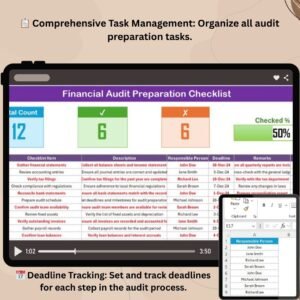
- Responsible Person — dropdown pulled from a clean list of team members (no free-text typos).
- Deadline — target date for task completion.
- Remarks — notes, exceptions, or evidence references.
- Status — ✓ (done) or ✗ (pending), with conditional formatting.
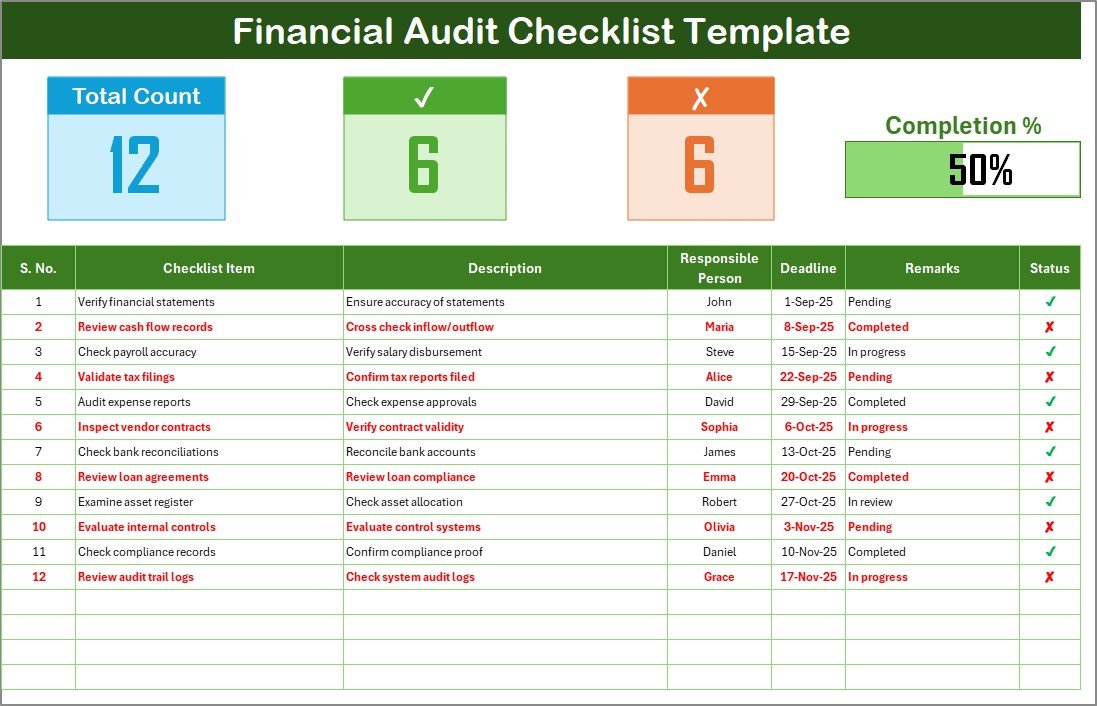
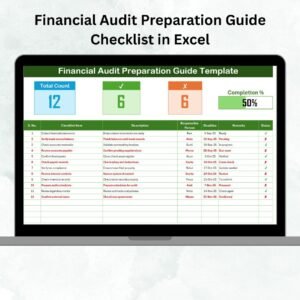
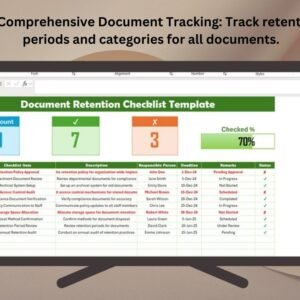
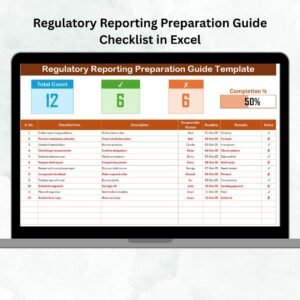
At the top of the sheet, a summary dashboard displays: Total Count of tasks, Checked Count (completed), Crossed Count (pending), and a visual progress bar showing percentage completion. Open the file, glance at the top — you know instantly where the audit stands.
📑 List Sheet — Consistent Data Entry
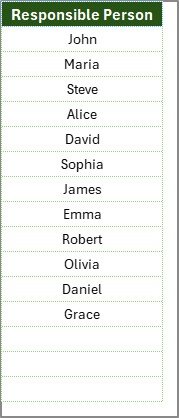
A second sheet holds the clean list of responsible persons that feeds the dropdown on the main sheet. This kills spelling mistakes, keeps assignments consistent, and makes filtering / pivoting on assignee actually work. Add or remove team members here, and every dropdown updates automatically.
✅ Ready to organise your next audit? Scroll up, click Add to Cart for just $1.99, download, and have your checklist populated in under ten minutes. No macros, no setup, no learning curve.
Key Features of the Financial Audit Checklist
- 🎯 Pre-built audit task table with seven structured columns
- 🎯 Dropdown-driven assignment for the Responsible Person field
- 🎯 Conditional formatting — completed tasks go green, pending tasks go red
- 🎯 Live progress bar showing percentage complete at a glance
- 🎯 Summary counts — total, completed, and pending tasks
- 🎯 Fully customisable — add, remove, or rename any column or checklist item
- 🎯 Cloud-friendly — works in Excel, Excel Online, OneDrive, SharePoint, and Google Sheets (after upload)
- 🎯 No macros — opens and runs on any machine without security prompts
- 🎯 One-time purchase — download, use it forever, copy for each audit cycle
- 🎯 Lightweight — a single Excel file under 100 KB
Excel Checklist vs. SaaS Audit Tools vs. Manual Checklist — How They Compare
The honest comparison for finance teams and small audit firms choosing an audit-tracking approach:
| Capability | 📘 This Excel Checklist | ☁️ SaaS Audit Platforms (AuditBoard, TeamMate) | 📝 Word Doc / Email Thread |
|---|---|---|---|
| Cost | ✅ $1.99 one-time | $10,000+ per year (enterprise pricing) | Free (but high hidden cost) |
| Time to first use | ✅ Under 10 minutes | Weeks to months of implementation | Immediate but unstructured |
| Progress tracking | ✅ Live progress bar + counts | ✅ Native dashboards | ❌ Manual head-count |
| Accountability (assigned owner) | ✅ Dropdown per task | ✅ Native | ❌ Often ambiguous |
| Audit trail | Excel track-changes / version history | ✅ Full immutable log | ❌ Easy to lose |
| Cloud collaboration | ✅ Via OneDrive / Google Sheets | ✅ Native | Email only |
| Works offline | ✅ Yes | ❌ Internet required | ✅ Yes |
| Best for | SMEs, single audits, startups, one-off engagements | Large enterprises with recurring SOX scope | Not recommended — high error risk |
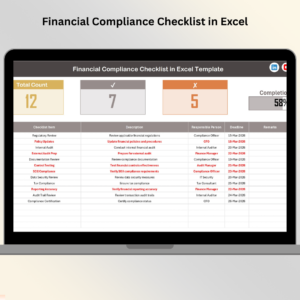
If you need schedule management on top of the checklist, pair this with the Financial Audit Schedule Checklist. For broader compliance tracking, see the Financial Compliance Checklist and the Compliance and Audit Dashboard in Excel.
Who Uses the Financial Audit Checklist
| Role / Team | How They Use the Checklist |
|---|---|
| Finance Managers | Running internal audit cycles, tracking monthly and quarterly close tasks |
| Internal Auditors | Structured task breakdowns for engagement-specific audit programs |
| External Auditors & Audit Firms | Standardised client-facing checklists across multiple small engagements |
| Chartered Accountants | Client audit preparation, especially for SMEs and family-owned businesses |
| Small Business Owners | Preparing for bank, loan, or investor audits without paying SaaS fees |
| Startup Founders | Due-diligence preparation ahead of investor or acquirer review |
| Nonprofit Treasurers | Annual audit preparation for donor, grant, and board reporting |
| Compliance & Risk Teams | Tracking control testing, evidence collection, and sign-off across cycles |
Advantages of Using the Financial Audit Checklist in Excel
- ✅ Improved accuracy — no task is overlooked because the list is the same every cycle
- ✅ Standardised process — every audit follows the same structured format, which is exactly what external auditors like to see
- ✅ Time efficiency — formulas and conditional formatting do the math; you do the work
- ✅ Clear accountability — every task has an assigned owner from the dropdown
- ✅ Real-time progress tracking — progress bar and summary counts answer “how ready are we” in one glance
- ✅ Transparency — a clean audit trail for both internal and external reviewers
- ✅ Customisable — add or modify items for your industry’s specific compliance needs
- ✅ Cost-effective — $1.99 one-time replaces either a messy Word doc or a SaaS contract
Best Practices for Using the Audit Checklist
- Keep checklist items short and clear — under 70 characters works best for readability and audit trail clarity.
- Update task status daily during audit periods so the progress bar actually reflects reality.
- Assign realistic deadlines that account for review cycles and sign-off, not just task completion.
- Assign one responsible person per task — accountability splits when two names appear.
- Protect the progress-bar formulas from accidental edits (Review → Protect Sheet, leave only the status column editable).
- Store the file on a secure shared drive (OneDrive, SharePoint, Google Drive) with access controls for audit trail and collaboration.
- Review progress weekly during audit periods to keep the engagement on schedule and surface blockers early.
Explore Related Checklists & Finance Templates
- 📅 Audit scheduling — Financial Audit Schedule Checklist (plan audit timelines alongside this checklist)
- 📊 Compliance tracking — Financial Compliance Checklist, Compliance and Audit Dashboard
- 📋 Finance checklists — Financial Staff Duty Checklist, Financial Maintenance Checklist, Financial Project Checklist
- 📘 All Checklists — browse every Excel checklist template
- 🗂️ Finance category — all Financial Tools templates
Frequently Asked Questions
What is the Financial Audit Checklist in Excel?
The Financial Audit Checklist in Excel is a ready-to-use Excel template for planning and tracking financial audit tasks. It includes a structured checklist table (with task name, description, responsible person, deadline, remarks, and status), a live summary dashboard with a progress bar, and a clean dropdown list for assignees. It is designed for finance teams, auditors, and small businesses that want to organise an audit cycle without paying for enterprise audit software.
How much does the Financial Audit Checklist cost?
The Financial Audit Checklist is priced at $1.99 as a one-time payment. There are no recurring fees, no user limits, and no hidden extras. You download the file, use it for every audit cycle, and make as many copies as you need for different engagements.
Do I need macros or any special Excel skills to use it?
No. The checklist uses only standard Excel features: a structured table, dropdowns, basic formulas, and conditional formatting. There are no macros, no VBA, and no setup steps. If you can type into a cell and tick a checkbox, you can use this template.
Can I customise the checklist items for my industry?
Yes. Every row is editable. Add new checklist items, remove the ones that do not apply to your business, rename columns, or extend the list with your own audit areas (revenue cycle, expense cycle, payroll, fixed assets, inventory, tax, etc.). The progress bar and summary counts recalculate automatically.
Does it work on Mac and Google Sheets?
Yes. The file opens in Excel for Windows, Excel for Mac, Excel Online, and can be uploaded to Google Sheets with full formula and conditional-formatting support. Since there are no macros, there are no compatibility gaps between platforms.
How is this different from the Financial Audit Schedule Checklist?
The Financial Audit Checklist focuses on the list of audit tasks themselves — what needs to be done, who is doing it, and whether it is complete. The Financial Audit Schedule Checklist focuses on the timeline — when each audit step happens across the calendar. Many teams use both: one for the task list, one for the scheduling calendar.
Can I share this checklist with my team for collaborative updates?
Yes. Upload the file to OneDrive, SharePoint, or Google Drive and share it with edit permissions. Because there are no macros, multiple people can work in the sheet simultaneously in Excel Online or Google Sheets without compatibility issues.
Is this suitable for external audit engagements (PCAOB, Big Four style)?
For SOX-regulated public companies or full PCAOB-style external audits, most Big Four teams use purpose-built platforms like TeamMate or AuditBoard. This Excel checklist is a strong fit for internal audits, SME external audits, and audit-readiness preparation — and it is commonly used as a pre-audit organisation tool even when the external auditor eventually works in their own system.
How many checklist items can this template handle?
Comfortably several hundred. The progress-bar formulas and conditional formatting extend by copying rows. Most financial audit checklists in practice run 40–150 items, so you will not hit any performance ceilings.
Is this a one-time purchase or a subscription?
One-time purchase. You pay $1.99 once, download immediately, and own the file for life. No recurring fees, no user limits, no cloud dependency.
Organise Your Next Audit Today
Stop running audits out of scattered emails, sticky notes, and last year’s Word doc. The Financial Audit Checklist in Excel gives you one structured sheet with every task, owner, deadline, and status — plus a live progress bar that shows where you stand at a glance. Click Add to Cart above for $1.99 and have your audit checklist ready in under ten minutes.
📖 Read the detailed Financial Audit Checklist walkthrough on our blog
For step-by-step video tutorials on Excel finance templates, visit our YouTube channel: Youtube.com/@PKAnExcelExpert
Watch the Step-by-Step Video Tutorial
Excel tip: the Responsible Person column is a drop-down list fed by the List sheet. Microsoft’s guide Create a drop-down list explains how to edit these lists.














Reviews
There are no reviews yet.