




🚀 Multispecialty Clinic Management System V1.0 – Excel-Based Clinic Control Made Easy!
Managing a multispecialty clinic can feel overwhelming—juggling appointments, handling patient records, tracking expenses, managing treatments, and generating reports. But what if there was a powerful tool to simplify it all, right within Excel?
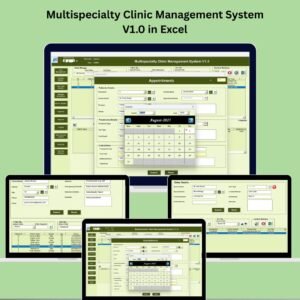
📊 Introducing the Multispecialty Clinic Management System V1.0 – a ready-to-use, Excel and VBA-based tool built to streamline your entire clinic operation without the need for expensive software or technical expertise!
✅ Key Features of Multispecialty Clinic Management System V1.0
🔐 Secure Login System
Start with a safe and user-specific login form. Predefined credentials (like Admin1/abcd) lead to a protected dashboard—perfect for clinics where data privacy is non-negotiable.
🧭 User-Friendly Dashboard
Get instant access to your clinic’s ecosystem with a dashboard that includes:
✔️ Easy filters by date or service
✔️ Smart sorting by treatment types, expenses, or appointment status
✔️ One-click buttons for Add, Update, Delete, Export, and History
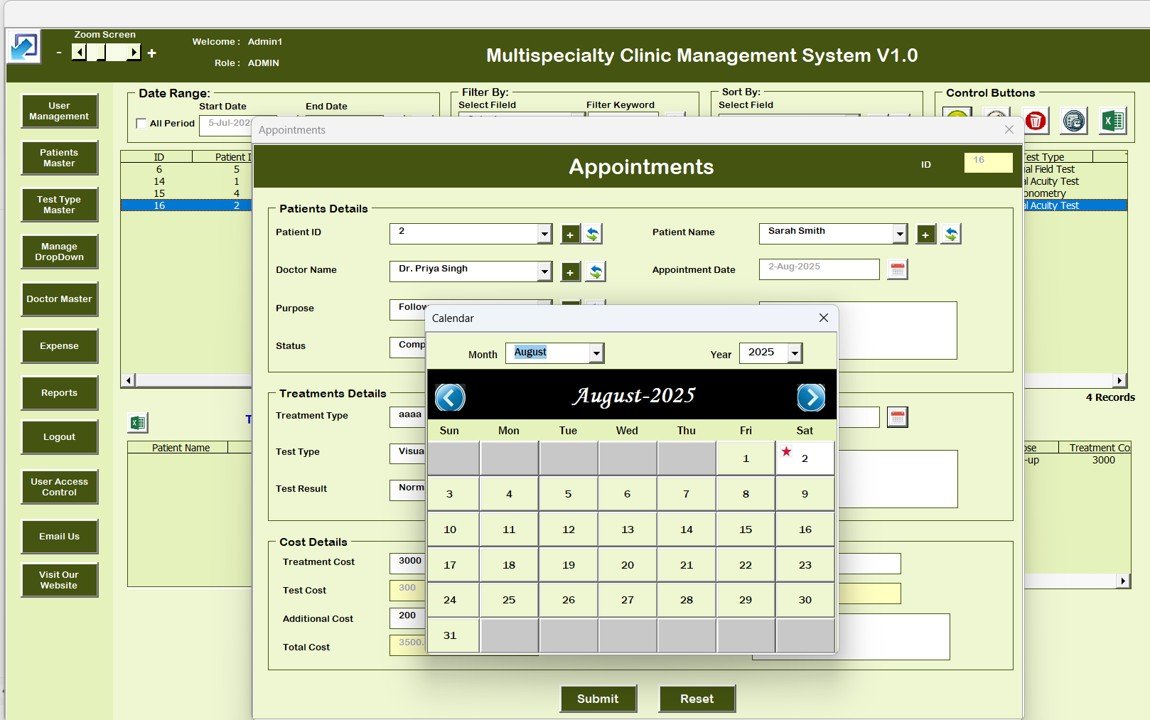
📅 Appointment Management
Never miss a booking again! Schedule, update, or cancel appointments with ease—your clinic calendar just got smarter.
👩⚕️ Patient Master Database
Manage patient profiles, medical history, and treatment logs all in one place. A must-have for maintaining continuity of care.
🧪 Test Type Master
Track all the diagnostic services your clinic offers by test type. Customize and categorize them easily.
💸 Expense Management Module
Log daily expenses, track spending trends, and maintain financial control—all within Excel.
🧑💼 User Management
Control who can do what. Add or remove users, assign roles, reset passwords, and keep data secure from unauthorized access.
🗂️ Record Logs & List Management
Maintain transparency with complete modification histories, track every change, and maintain clean records with the Manage List tab.
📊 Custom Reports Generator
From appointments to expenses, generate detailed reports instantly. Export and analyze to make better decisions fast.
📦 What’s Inside the Multispecialty Clinic Management System V1.0
🎯 Login Form with password protection
🧩 Main Dashboard with action buttons
📅 Appointment Scheduler
👤 Patients Master Sheet
🧪 Test Type List
💵 Expense Tracker
👨⚖️ User Control Module
🗃️ Manage List & Logs
📈 Report Generator
📤 Export to Excel Option
Everything is ready-made—no coding or software installation required.
🛠️ How to Use the Multispecialty Clinic Management System V1.0
🔐 Login using predefined credentials
🧭 Navigate the dashboard using filters or sorting tools
🗂️ Add/Update/Delete records as required
📅 Schedule appointments or edit existing ones
📥 Track expenses, enter financial logs
🔐 Manage user roles and control access
📊 Generate reports and export data when needed
It’s simple, intuitive, and built for non-tech users. You’ll be up and running in no time.
👥 Who Can Benefit from This Multispecialty Clinic Management System?
🏥 Multispecialty Clinics – Centralize your operations under one system
👨⚕️ Doctors & Healthcare Professionals – Manage appointments and patient records efficiently
🧑💼 Clinic Administrators – Gain full control over user access, logs, and records
💼 Healthcare Startups – Avoid paying for expensive software
🧾 Finance Teams in Clinics – Gain better clarity on expenses and costs
📊 Analysts & Managers – Use real-time reports to make smarter decisions
📚 Click here to read the Detailed blog post
📺 Visit our YouTube channel to learn step-by-step video tutorials
Watch the step-by-step video tutorial:
Compatibility and Requirements
- Needs Microsoft Excel desktop on Windows with macros enabled.
- It does not run in Excel for the web, Google Sheets or the Excel mobile apps.
- The system is built with Excel VBA and opens with a login form. Microsoft explains how to turn macros on in Enable or disable macros in Microsoft 365 files.
Frequently Asked Questions
Which modules are in the Multispecialty Clinic Management System?
Login form, main dashboard, appointment scheduler, patients master sheet, test type list, expense tracker, user control module, manage list and logs, and a report generator with export to Excel.
Is the data protected?
Yes. Each user signs in through a password-protected login form, and admins can add or remove users, assign roles and reset passwords.
Can I see who changed a record?
Yes. The record logs keep a history of every modification.
Can I export reports?
Yes. You can generate reports on appointments, expenses and other records and export them to Excel.
Do I need to install other software?
No. Everything runs inside Excel desktop with macros enabled.
Related Clinic and Hospital Management Systems
- Hospital Management System V1.0: a VBA system for hospital records
- Dental Clinic Management System V1.0: a system for dental practices
- Physiotherapy Clinic Management System V1.0 in Excel VBA: built for physiotherapy clinics
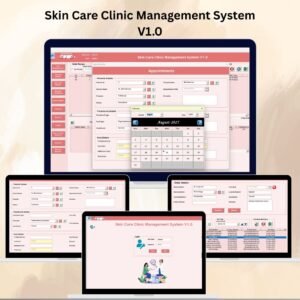
- Skin Care Clinic Management System V1.0: built for skin care clinics
- VBA Management Systems Mega Pack: 5 Excel VBA management systems in one pack
Browse all Excel health and safety templates or the Excel VBA tools.












Reviews
There are no reviews yet.