


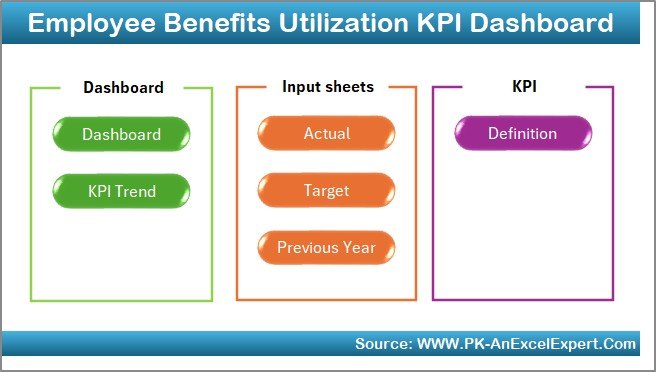



Managing employee benefits effectively is crucial for enhancing employee satisfaction and retention. The Employee Benefits Utilization KPI Dashboard in Excel is a comprehensive tool designed to help HR professionals monitor and analyze the utilization of various employee benefits. This dashboard provides valuable insights into how employees are engaging with the benefits offered, enabling organizations to make informed decisions about their benefits programs.

Key Features:
Comprehensive Benefits Tracking: Monitor the utilization rates of different benefits, such as health insurance, retirement plans, wellness programs, and paid time off.
Customizable Metrics: Tailor the dashboard to your organization’s specific benefits offerings and KPIs.
Visual Analytics: Utilize charts and graphs to visualize trends and patterns in benefits utilization over time.
Comparative Analysis: Compare current utilization rates with historical data to assess the effectiveness of benefits programs.
User-Friendly Interface: Navigate through the dashboard with ease, thanks to its intuitive design and layout.
Benefits:
Data-Driven Decision Making: Make informed decisions about benefits offerings based on actual utilization data.
Enhanced Employee Satisfaction: Identify underutilized benefits and take steps to increase employee engagement with these offerings.
Cost Optimization: Assess the cost-effectiveness of benefits programs by analyzing utilization rates and associated costs.
Strategic Planning: Use insights from the dashboard to plan and implement changes to benefits programs that align with organizational goals.
How to Use:
Access the Template: Open the provided Excel template link.
Customize Metrics: Modify the existing metrics or add new ones that align with your organization’s benefits offerings.
Input Data: Regularly update the dashboard with data on benefits utilization to keep it current.
Analyze Trends: Use the visual analytics to identify trends and make data-driven decisions.
Share Insights: Collaborate with team members and stakeholders by sharing the dashboard and discussing the insights gathered.
Who Can Benefit:
HR Professionals: Monitor and manage employee benefits programs effectively.
Benefits Administrators: Track utilization rates and assess the effectiveness of benefits offerings.
Finance Teams: Analyze the cost-effectiveness of benefits programs and identify areas for optimization.
Organizational Leaders: Make strategic decisions about benefits offerings based on data-driven insights.
By implementing the Employee Benefits Utilization KPI Dashboard in Excel, organizations can enhance their ability to monitor and optimize employee benefits programs, leading to improved employee satisfaction and retention.
Click here to read the Detailed blog post
Visit our YouTube channel to learn step-by-step video tutorials
Youtube.com/@PKAnExcelExpert
Watch the step-by-step video Demo:
Compatibility and Requirements
- Works in Microsoft Excel desktop (Excel 2016 or later, or Microsoft 365).
- Learn the basics of Excel charts in Microsoft’s guide Create a chart from start to finish.
Frequently Asked Questions
Which benefits can I track?
You can track utilization of benefits such as health insurance, retirement plans, wellness programs and paid time off.
Can I change the KPIs?
Yes. You can modify the existing metrics or add new ones that match your own benefits programs.
Can I compare this year with past data?
Yes. The dashboard compares current utilization rates with historical data, so you can see if a program is working.
How often should I update the data?
Update the utilization data regularly, for example every month, so the charts stay current.
Related Employee Benefits Templates
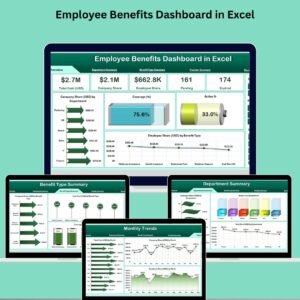
- Employee Benefits Dashboard in Excel: a full dashboard for benefits cost and enrollment
- Employee Benefits Utilization KPI Dashboard in Google Sheets: the same topic for Google Sheets users
- Employee Benefits Dashboard in Power BI: for teams that report in Power BI
- Employee Benefits Report in Excel: a printable benefits report
- HR and Workforce Analytics Bundle: 10 HR templates in one bundle
Browse all Excel KPI dashboards or the Excel HR and payroll templates.


















Reviews
There are no reviews yet.