

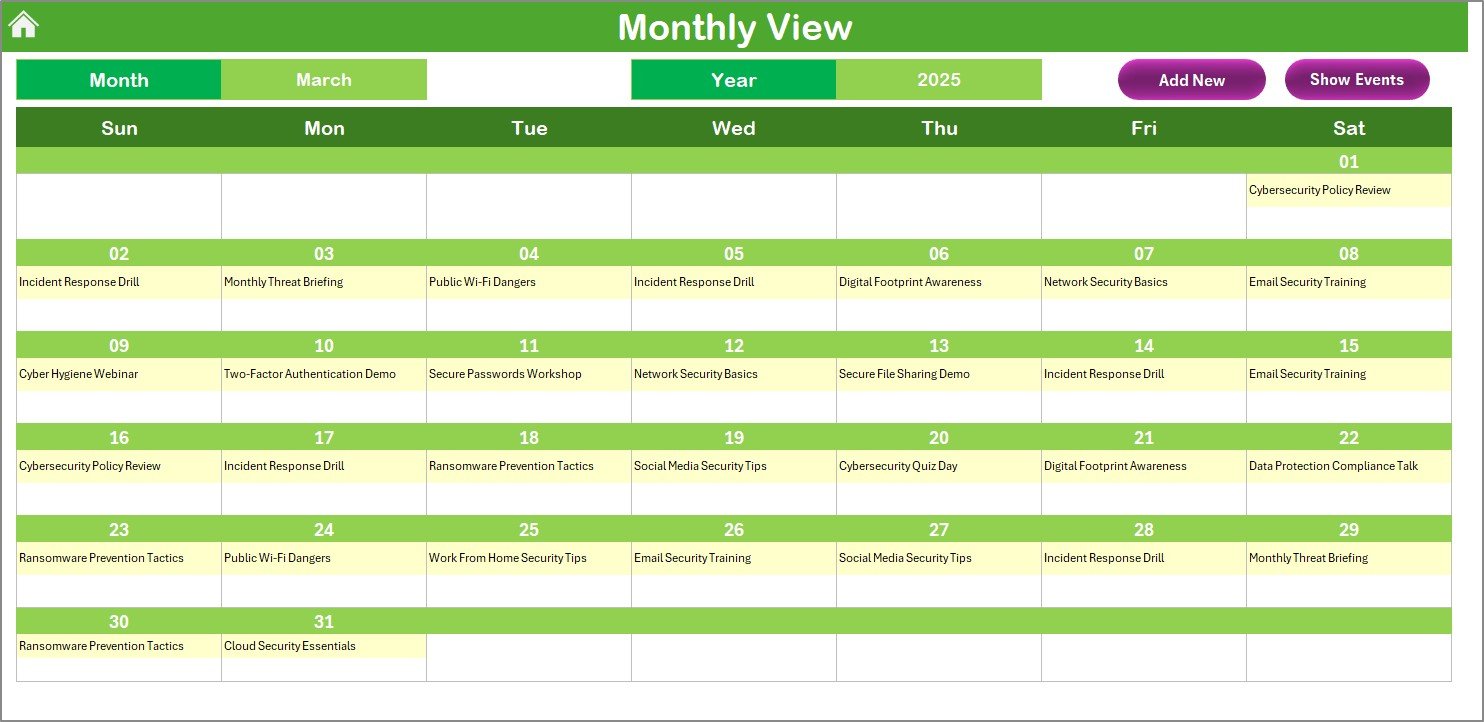



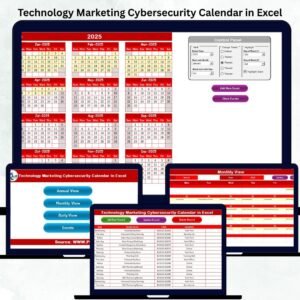
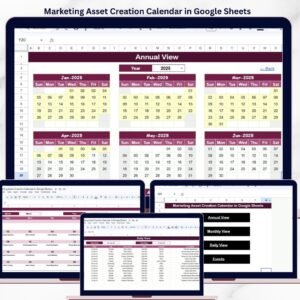
The Marketing Cybersecurity Calendar in Excel is a strategic tool designed to help marketing teams plan, track, and execute cybersecurity-focused marketing initiatives. This Excel-based calendar offers a structured approach to scheduling campaigns, monitoring progress, and ensuring that marketing efforts align with cybersecurity objectives, ultimately helping organizations mitigate risks and enhance their security awareness outreach.

Key Features of the Marketing Cybersecurity Calendar in Excel
📅 Comprehensive Campaign Planning
Centralized View: Manage all cybersecurity marketing initiatives in one place, making it easier to track and stay organized.
Campaign Scheduling: Set clear timelines for each campaign, ensuring timely execution and alignment with broader security goals.
📈 Customizable Schedule
Tailor the Calendar: Adjust the calendar to fit your organization’s unique cybersecurity marketing campaigns and goals.
Flexible Inputs: Input specific dates, deadlines, and milestones to track the success of each campaign.
🔧 Visual Indicators
Easy Tracking: Use color-coded signals to visually track campaign status and progress, ensuring timely execution and alignment with deadlines.
Automatic Updates: Automatically update the calendar with real-time changes to keep your team on track.
📊 Collaborative Features
Team Collaboration: Share the calendar across teams for better collaboration and communication, ensuring everyone stays aligned.
Stakeholder Visibility: Provide easy access to stakeholders for updates on ongoing and upcoming campaigns.
Benefits of Using the Marketing Cybersecurity Calendar in Excel
✅ Enhanced Coordination
Facilitate seamless collaboration between marketing and cybersecurity teams to ensure that all initiatives are aligned with organizational security goals.
✅ Increased Efficiency
Streamline campaign planning and execution, reducing manual tracking and administrative work, and making sure everything stays on schedule.
✅ Risk Mitigation
Ensure cybersecurity campaigns don’t inadvertently expose vulnerabilities and are aligned with the latest security protocols to protect the organization.
✅ Data-Driven Decision Making
Make informed decisions with a clear, data-driven approach to campaign tracking and adjustments as needed based on performance.
Getting Started with Your Marketing Cybersecurity Calendar in Excel
Download the Template: Begin by downloading the Marketing Cybersecurity Calendar template to get started.
Define Your Campaigns: Input all cybersecurity marketing initiatives you want to track, such as awareness programs, educational events, and digital security campaigns.
Set Timelines: Define specific start dates, milestones, and deadlines for each campaign.
Monitor & Track Progress: Use the calendar to track ongoing initiatives, assess completion, and ensure deadlines are met.
Review & Improve: Regularly review the calendar to optimize your campaigns and make adjustments based on performance and outcomes.
By utilizing the Marketing Cybersecurity Calendar in Excel, organizations can effectively manage their cybersecurity marketing initiatives, ensuring better planning, alignment, and execution of critical campaigns that support organizational security goals.
Click here to read the Detailed blog post
Marketing Cybersecurity Calendar in Excel
Visit our YouTube channel to learn step-by-step video tutorials
YouTube.com/@PKAnExcelExpert
Watch the step-by-step video Demo:
Who Uses This Calendar
Marketing teams, security awareness leads and IT communications staff who plan cybersecurity campaigns, training events and outreach through the year.
Compatibility and Requirements
- Works in Microsoft Excel desktop (Excel 2016 or later, or Microsoft 365).
- Campaign status is shown with color-coded signals. Microsoft explains color rules in Use conditional formatting to highlight information.
Frequently Asked Questions
What can I plan in this calendar?
You can plan cybersecurity marketing initiatives such as awareness programs, educational events and digital security campaigns, each with start dates, milestones and deadlines.
How do I see campaign status?
Color-coded signals show the status and progress of each campaign, so you can spot late items quickly.
Can I change the calendar?
Yes. You can adjust it to fit your own campaigns, dates, deadlines and milestones.
Can I share it with other teams?
Yes. You can share the calendar with marketing, security teams and stakeholders so everyone sees upcoming campaigns.
Related Cybersecurity and Marketing Calendars
- Operations Cybersecurity Calendar in Excel: security planning for operations teams
- Healthcare IT Cybersecurity Calendar in Excel: cybersecurity planning for healthcare IT
- Marketing Sustainability Calendar in Excel: plan sustainability campaigns
- Sales and Marketing Cybersecurity KPI Dashboard in Excel: measure cybersecurity KPIs
- Calendar & Planner Pack: 12 calendar and planner templates in one download
Browse all Excel calendar templates or the Excel IT templates.


























Reviews
There are no reviews yet.