



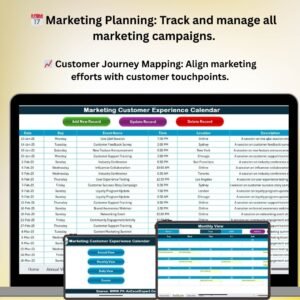
The Marketing Customer Experience Calendar in Excel is an essential tool for businesses looking to enhance their customer experience through a structured and data-driven marketing approach. This Excel-based calendar allows marketing teams to plan, schedule, and track all customer touchpoints, campaigns, and events throughout the year. By organizing and aligning your marketing activities with customer experience goals, you can ensure a seamless, personalized experience for your customers at every stage of their journey.
This calendar not only helps businesses stay organized but also provides valuable insights into customer interactions, enabling teams to identify patterns, optimize strategies, and improve overall customer satisfaction. Whether you’re working on product launches, promotional campaigns, or customer engagement initiatives, this tool will keep your marketing efforts on track and focused on delivering outstanding customer experiences.
Key Features of the Marketing Customer Experience Calendar in Excel
📅 Comprehensive Marketing Calendar
Track and schedule all marketing activities and events related to customer experience, including email campaigns, social media posts, product launches, customer feedback surveys, and more. Stay on top of key dates and milestones.
📊 Customer Journey Mapping
Visualize and map out your customer journey to ensure that each touchpoint is aligned with your customer experience strategy. Plan marketing initiatives that align with customer needs at every stage of their journey, from awareness to post-purchase.
📈 Performance Monitoring & Tracking
Monitor and track the effectiveness of marketing campaigns and customer interactions. Use KPIs such as engagement rates, conversion rates, and customer feedback scores to measure success and identify areas for improvement.
📉 Event & Campaign Tracking
Track and manage key marketing events and campaigns in one place. Schedule important product releases, promotional events, and customer engagement activities to ensure they align with customer experience goals.
💡 Customer Feedback Integration
Incorporate customer feedback into your marketing activities. Track customer sentiment and satisfaction and adjust your marketing strategies accordingly to continuously improve the customer experience.
⚙️ Customizable Calendar & Metrics
Customize the calendar to fit your specific business needs. Adjust the timeframes, events, and KPIs to align with your customer experience strategy and marketing goals.
Why You’ll Love the Marketing Customer Experience Calendar in Excel

✅ Organized Marketing Planning
Organize your entire marketing strategy in one easy-to-use calendar. Keep track of all customer experience-related events and ensure every campaign aligns with customer needs.
✅ Improve Customer Engagement
Ensure that your marketing efforts are aligned with each stage of the customer journey, from acquisition to post-purchase. Enhance customer engagement by delivering the right message at the right time.
✅ Track & Optimize Campaign Performance
Monitor marketing campaigns and customer interactions to measure their success. Use data to make informed decisions and optimize future campaigns for better results.
✅ Boost Customer Satisfaction & Loyalty
By aligning your marketing activities with customer expectations and feedback, this calendar helps ensure a seamless experience that improves customer satisfaction and loyalty.
✅ Customizable to Fit Your Needs
Adapt the calendar to your unique business needs and marketing goals. Whether you’re planning quarterly campaigns or managing a yearly customer experience strategy, this tool is fully customizable.
What’s Inside the Marketing Customer Experience Calendar in Excel?
- Marketing Activity Tracking: Plan, schedule, and track all marketing campaigns and activities.
- Customer Journey Mapping: Map out your customer journey and align marketing efforts with customer touchpoints.
- Performance Monitoring: Track KPIs such as engagement rates, conversions, and customer feedback.
- Event & Campaign Management: Track key events, product launches, and promotional campaigns.
- Customer Feedback Integration: Incorporate feedback into your marketing strategy for continuous improvement.
- Customizable Calendar: Adjust the calendar to your business’s unique marketing and customer experience needs.
How to Use the Marketing Customer Experience Calendar in Excel
1️⃣ Download the Template: Access the Marketing Customer Experience Calendar in Excel instantly.
2️⃣ Set Up Your Marketing Activities: Input all upcoming marketing events, campaigns, and customer touchpoints.
3️⃣ Monitor KPIs & Customer Feedback: Track customer engagement, feedback, and marketing performance.
4️⃣ Adjust & Optimize Campaigns: Use insights from the calendar to optimize future campaigns for better results.
5️⃣ Enhance Customer Experience: Align your marketing activities with your customer experience strategy to improve customer satisfaction and loyalty.
Who Can Benefit from the Marketing Customer Experience Calendar in Excel?
🔹 Marketing Teams & Managers
🔹 Customer Experience Teams
🔹 E-commerce & Retail Businesses
🔹 Product Launch & Event Planning Teams
🔹 Small & Medium Businesses (SMBs)
🔹 Large Corporations with a Customer-Centric Focus
🔹 Customer Relationship & Engagement Professionals
Ensure that your marketing initiatives are aligned with your customer experience strategy using the Marketing Customer Experience Calendar in Excel. Plan, track, and optimize your marketing activities to deliver a seamless and impactful experience at every customer touchpoint.
Click here to read the Detailed blog post
Visit our YouTube channel to learn step-by-step video tutorials
Youtube.com/@PKAnExcelExpert
Watch the step-by-step video Demo:
Compatibility and Requirements
- Works in Microsoft Excel desktop (Excel 2016 or later, or Microsoft 365).
- New to Excel? Microsoft has a free guide: Excel for Windows training.
Frequently Asked Questions
What can I plan with this calendar?
You can plan, schedule and track marketing campaigns, events, product launches, promotions and customer touchpoints across the year.
Does it track results?
Yes. You can record KPIs such as engagement rates, conversions and customer feedback next to your marketing activities.
Can I change the calendar?
Yes. You can adjust the calendar and its metrics to your own marketing and customer experience plans.
Who is it for?
It suits marketing teams that want their campaigns and events lined up with the customer journey.
Related Marketing Calendar Templates
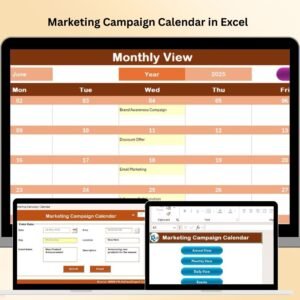
- Marketing Campaign Calendar in Excel: plan marketing campaigns month by month
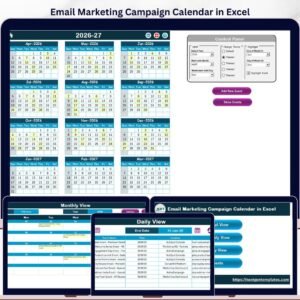
- Email Marketing Campaign Calendar in Excel: schedule email marketing campaigns
- Customer Experience (CX) KPI Dashboard in Excel: track customer experience KPIs in Excel
- Customer Service Customer Experience Calendar in Excel: a customer experience calendar for service teams
- Calendar & Planner Pack: 12 calendar and planner templates in one download
Browse all Excel calendars or the Excel sales and marketing templates.










Reviews
There are no reviews yet.