

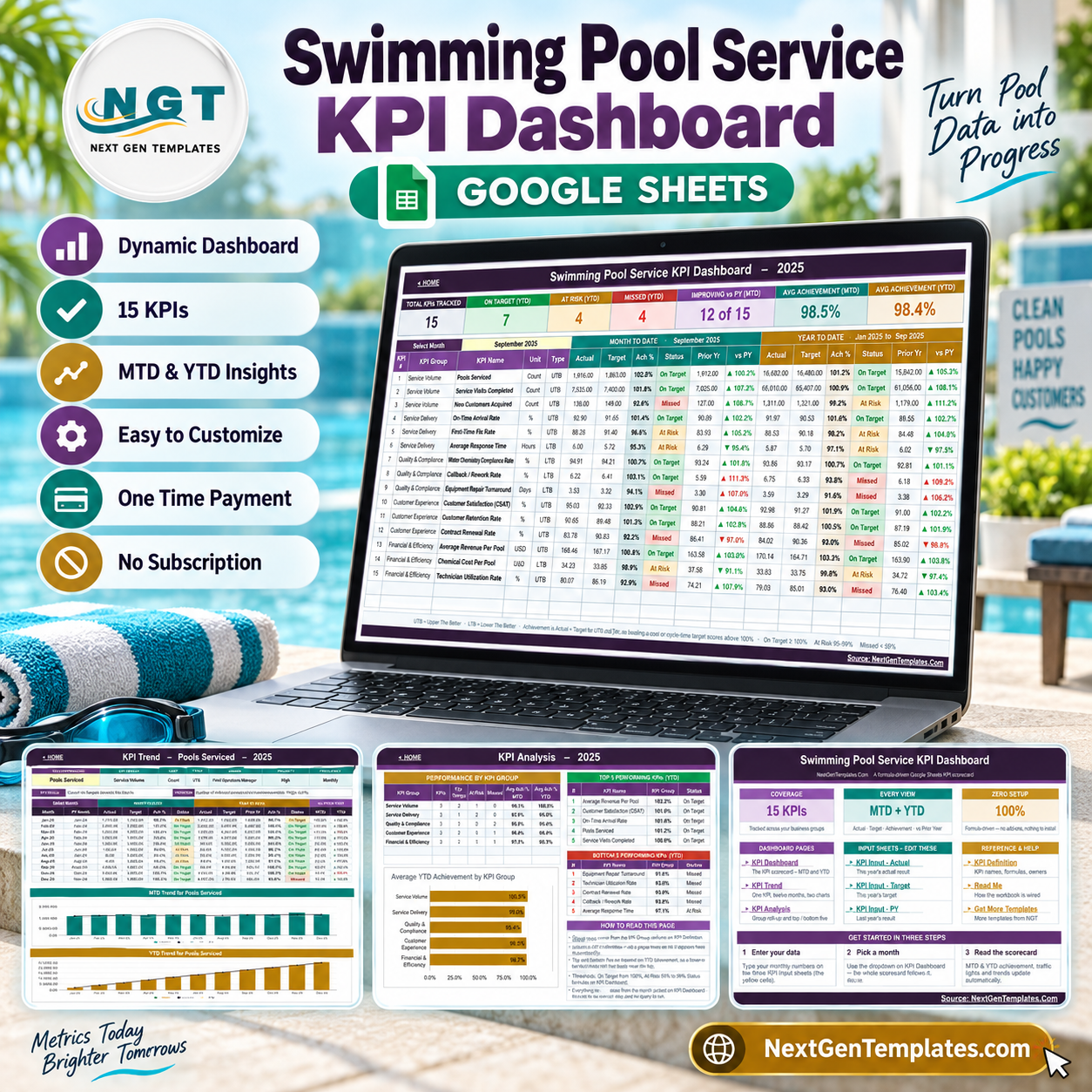

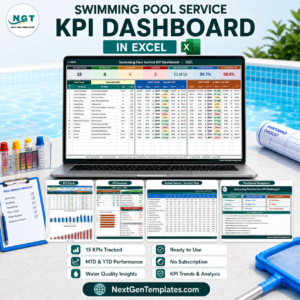
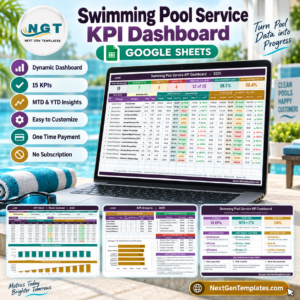
15 swimming pool service KPIs, 5 business groups, 12 monthly periods, and MTD plus YTD views come together in one formula-driven Google Sheets workbook. The Swimming Pool Service KPI Dashboard in Google Sheets compares actuals with targets and prior year, ranks the top and bottom five KPIs, and shows red, amber, and green status at a glance. You pay once, receive an editable copy in your own Google Drive, and can review every formula before using it. No add-on, connector, or subscription is required.
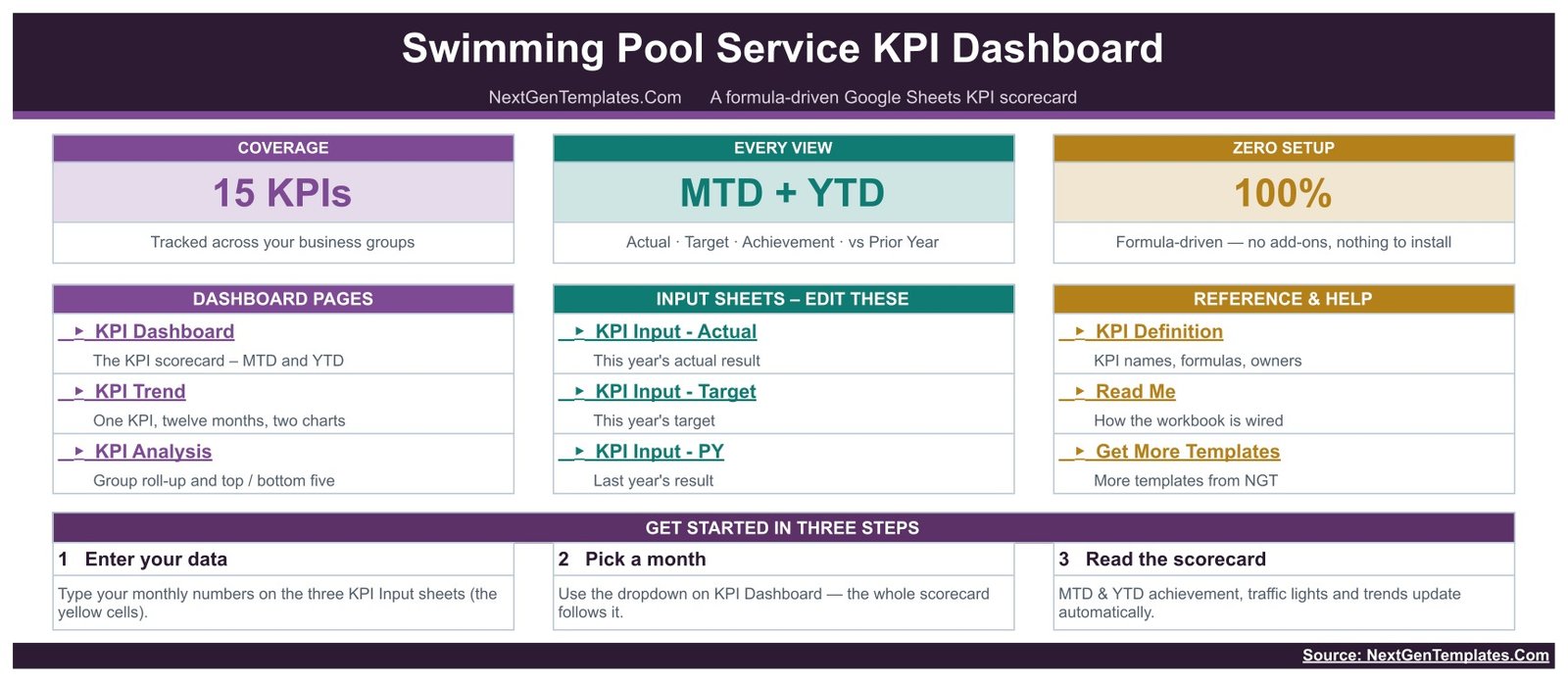
Key Features of Swimming Pool Service KPI Dashboard in Google Sheets
- 15 pool service KPIs: measure service volume, delivery, quality, customer experience, and financial efficiency.
- MTD and YTD reporting: see the selected month and cumulative year results together.
- Target and prior-year comparison: each KPI shows actual, target, achievement, status, prior year, and change.
- Direction-aware scoring: UTB and LTB flags correctly handle growth metrics as well as cost and turnaround metrics.
- Traffic-light review: On Target, At Risk, and Missed statuses make the monthly meeting faster.
- Trend page: select one KPI to review twelve months of MTD and YTD actual, target, and prior-year movement.
- Analysis page: compare groups and review the top and bottom five KPIs by YTD achievement.
- Editable definitions: names, groups, units, formulas, definitions, owners, priorities, frequency, and direction are visible cells.
What’s Inside the Swimming Pool Service KPI Dashboard in Google Sheets
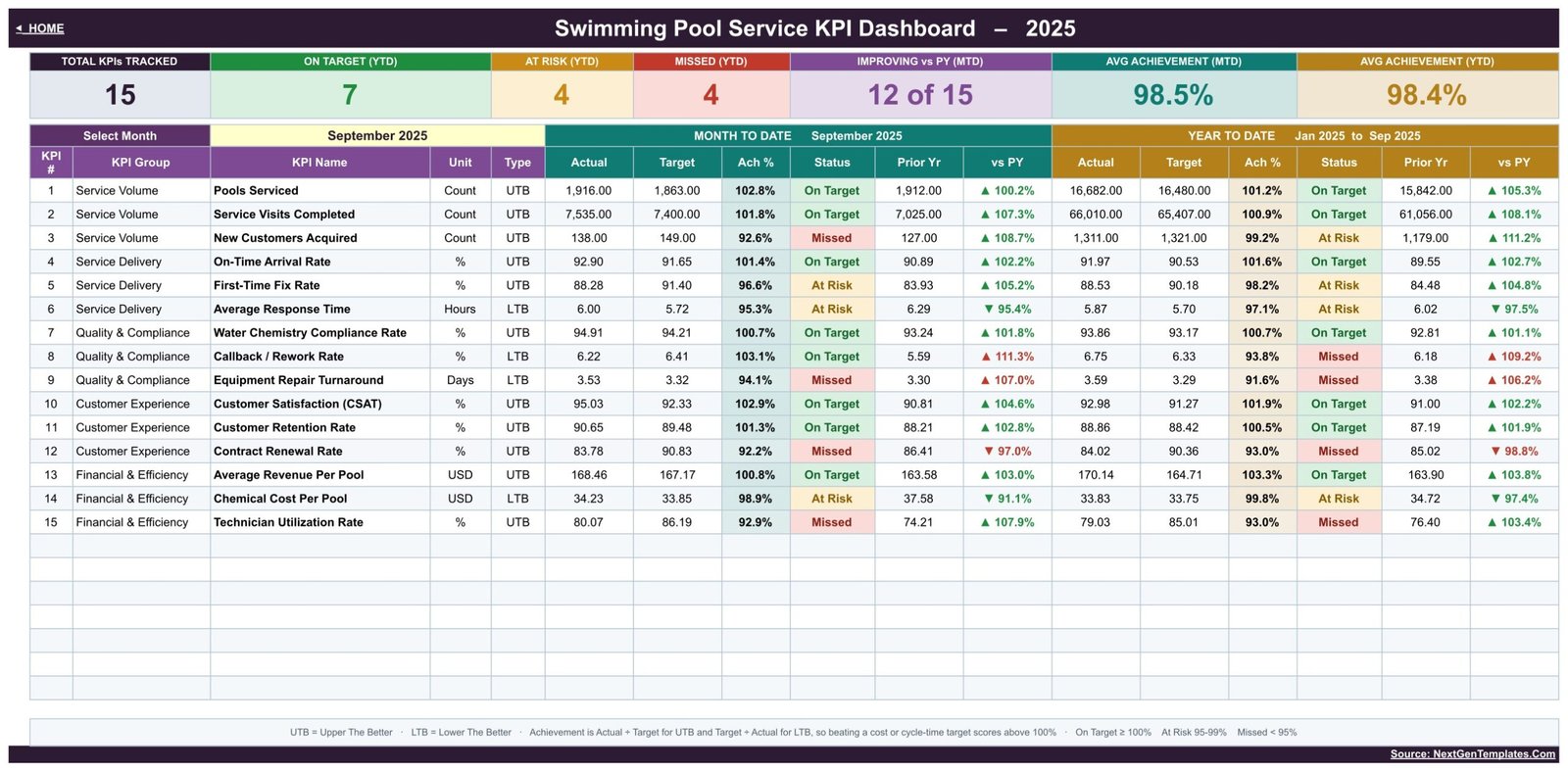
KPI Dashboard: the main scorecard lists all 15 KPIs. The sample September view shows 7 On Target, 4 At Risk, and 4 Missed on YTD, with average achievement of 98.5% MTD and 98.4% YTD. Those numbers are sample data, not industry benchmarks.
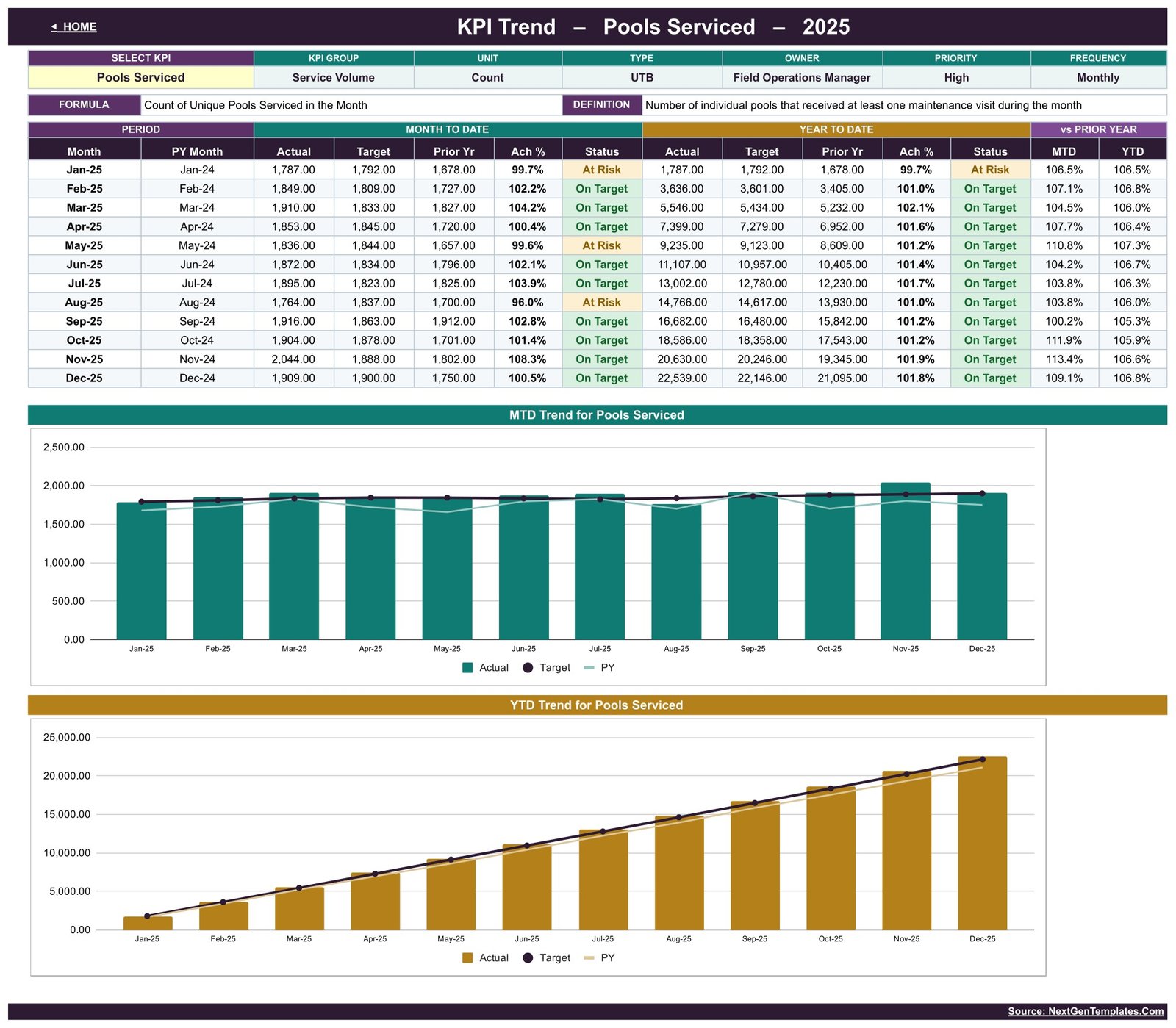
KPI Trend: choose a KPI such as Pools Serviced and review its monthly Actual, Target, Prior Year, achievement, status, and MTD/YTD trend charts.
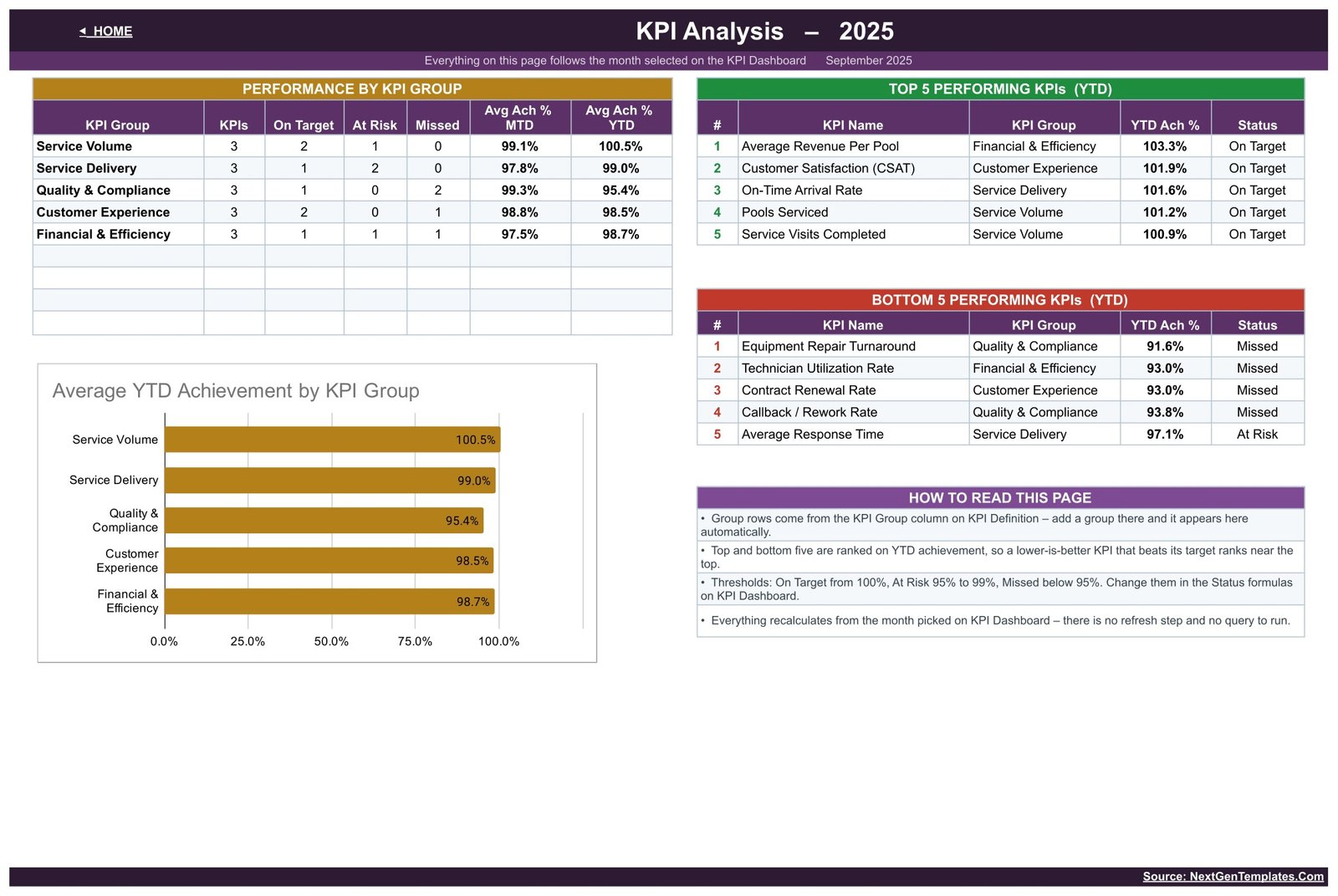
KPI Analysis: group roll-ups cover Service Volume, Service Delivery, Quality & Compliance, Customer Experience, and Financial & Efficiency. The page also ranks the top and bottom five YTD KPIs.
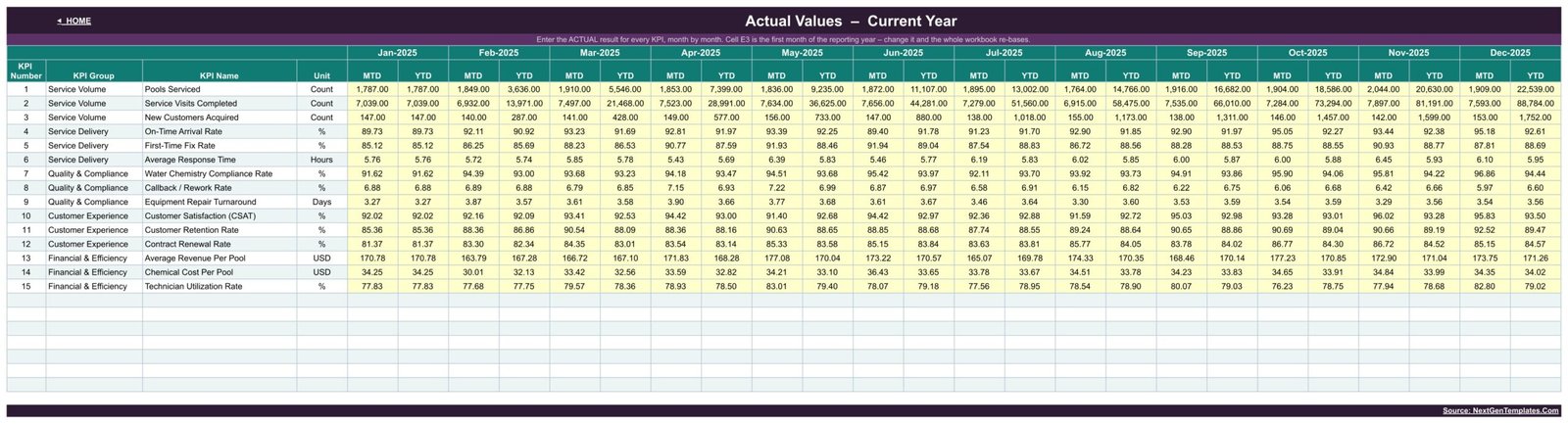
Three input sheets: KPI Input – Actual, KPI Input – Target, and KPI Input – PY hold monthly values. The dashboard calculates the cumulative figures from these tables.
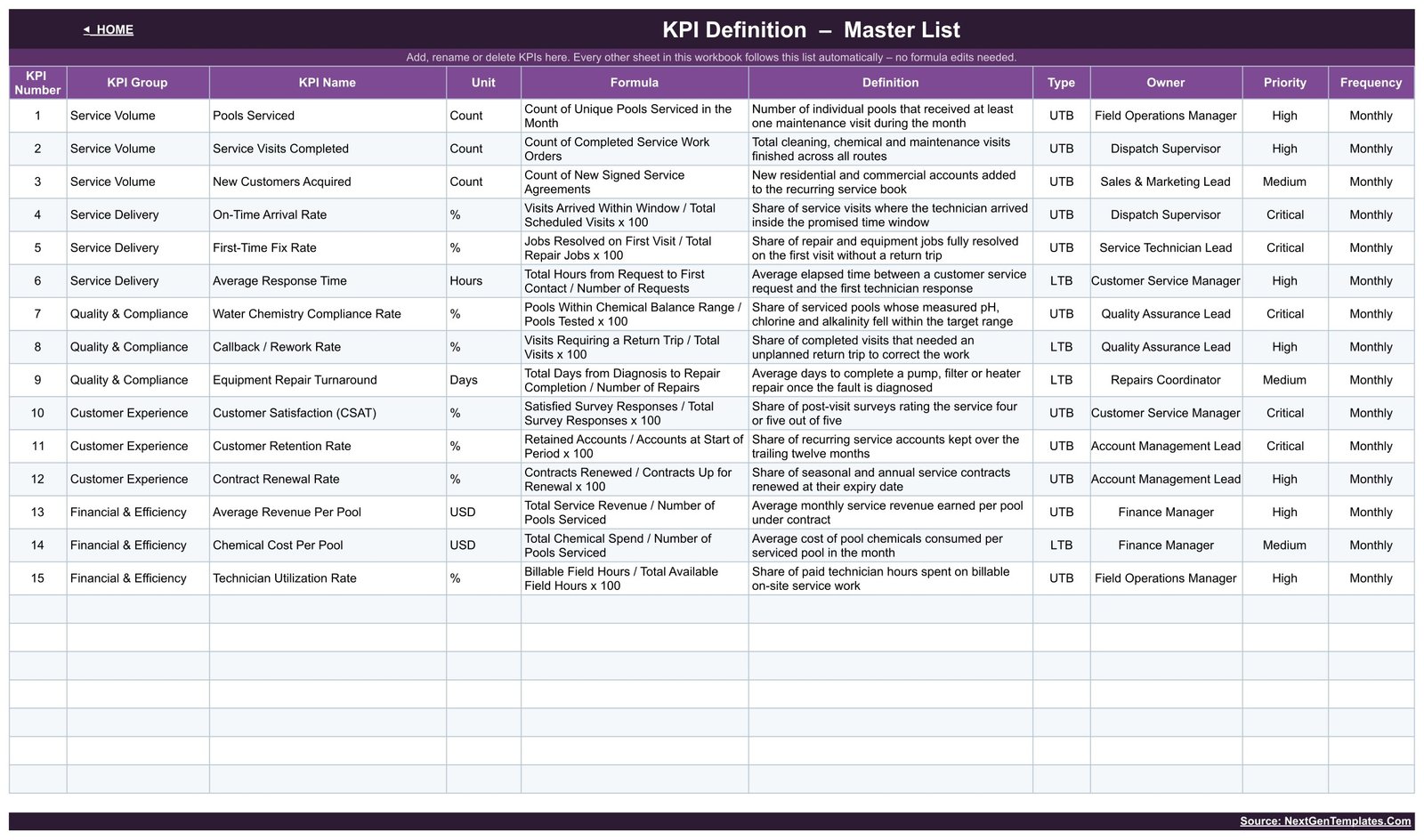
KPI Definition: the master list explains all 15 metrics, including Pools Serviced, Service Visits Completed, On-Time Arrival Rate, First-Time Fix Rate, Average Response Time, Water Chemistry Compliance Rate, Callback / Rework Rate, Customer Satisfaction, Average Revenue Per Pool, Chemical Cost Per Pool, and Technician Utilization Rate.
Swimming Pool Service KPI Dashboard in Google Sheets vs. Excel vs. Paid Field Service SaaS – Where This Fits
| Area | This Google Sheets template | Excel dashboard | Paid field service SaaS |
|---|---|---|---|
| Cost | $8.99 sale price, one time | Template plus Microsoft 365 if needed | Recurring subscription |
| Collaboration | Native browser sharing | Best through OneDrive | Native, normally seat-based |
| Setup | Copy the sheet and replace monthly values | Download and edit locally | Configuration and onboarding |
| Custom KPIs | Editable cells and definitions | Editable workbook | Depends on vendor plan |
| Five-user year-one cost | $8.99 total | Template plus licences | Usually hundreds or more |
| Dispatch, invoices, work orders | No | No | Usually yes |
| Pool chemistry records | Summary KPI only | Depends on workbook | May offer job-level records |
Who This Template Is For – and Who It’s Not For
It is designed for pool service owners, operations managers, dispatch supervisors, quality leads, and finance managers who already have monthly totals and need a consistent review board. It works well for a small or growing service company that wants a shared Google Sheet rather than another per-user subscription.
It is not dispatch, route-planning, CRM, invoicing, chemical dosing, inspection, or public-health software. Water Chemistry Compliance Rate is a user-entered summary percentage; the workbook does not store readings, certify water safety, or prove regulatory compliance. Keep the testing records and procedures required by your local authority.
How to Use the Swimming Pool Service KPI Dashboard in Google Sheets
- Open the downloaded PDF and use its Google Sheets link to make your own editable copy.
- Review the KPI Definition page and adapt names, formulas, owners, priorities, and UTB/LTB direction.
- Replace the sample monthly figures on Actual, Target, and PY input sheets.
- Select a month on KPI Dashboard and review MTD/YTD status.
- Open KPI Trend for one metric and KPI Analysis for group roll-ups and ranking.
Real-World Use Cases
Maya, an operations manager, reviews Pools Serviced, Service Visits Completed, arrival rate, first-time fix, and response time before allocating next month’s routes.
Arun, a quality lead, watches water chemistry compliance, callback/rework, and equipment repair turnaround together, without presenting the sheet as a laboratory or compliance record.
Leah, an owner, compares retention, renewals, revenue per pool, chemical cost per pool, and technician utilization before changing price or staffing assumptions.
Frequently Asked Questions
Is this the KPI Dashboard or the KPI Scorecard?
This is the 15-KPI Dashboard with separate Dashboard, Trend, and Analysis pages plus three monthly input sheets. The Swimming Pool Service KPI Scorecard is a separate 10-KPI template and not a duplicate.
Do I need a paid Google Workspace account?
No. A free Google account can make, edit, and share a copy.
Can I replace the supplied KPIs?
Yes. The definition register is editable. Keep names aligned across the definition and input tables so lookups continue to match.
Does it connect to scheduling or accounting software?
No. Monthly values are entered manually; there is no API, add-on, or automatic import.
Does Water Chemistry Compliance Rate prove a pool is safe?
No. It is only a management summary you calculate and enter. The template gives no chemical, dosing, testing, certification, or public-health advice.
Can several people collaborate?
Yes. Use normal Google Sheets sharing permissions and give edit access only to people who maintain the inputs.
About the Author
Built by PK – Microsoft Certified Professional with 15+ years of Excel, Google Sheets, and Power BI experience. Founder of NextGenTemplates, reaching 300K+ subscribers across YouTube channels. Every template is hand-built and tested before release.
Explore Related Templates
- Swimming Pool Service KPI Scorecard in Google Sheets – a compact 10-KPI companion.
- Septic Tank Service KPI Scorecard in Google Sheets – another route-service scorecard.
- Pest Control Business KPI Scorecard in Google Sheets – service quality and efficiency tracking.
- Locksmith Business KPI Scorecard in Google Sheets – a published trade-service companion.
- Browse the Google Sheets KPI Dashboard category.
Turn monthly pool service figures into a repeatable management review. Get the Swimming Pool Service KPI Dashboard in Google Sheets for a one-time $8.99 sale price.
Watch the step-by-step video Demo:
Last updated: September 5, 2026.
Compatibility and Requirements
- Works in Google Sheets. You need a free Google account and a web browser.
- You pick the month on the KPI Dashboard sheet and the KPI on the KPI Trend sheet. Google explains charts in Add and edit a chart or graph.
















Reviews
There are no reviews yet.