
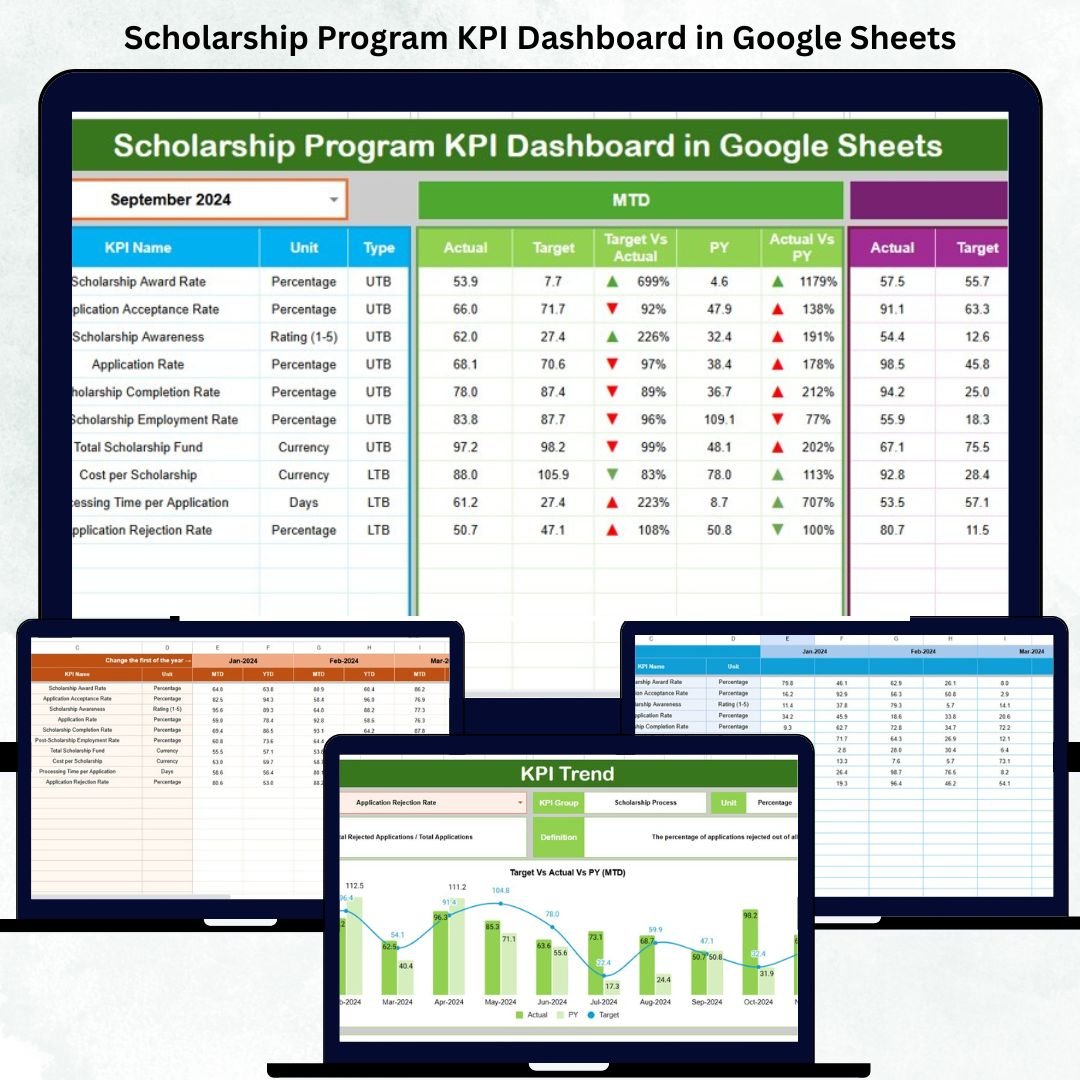
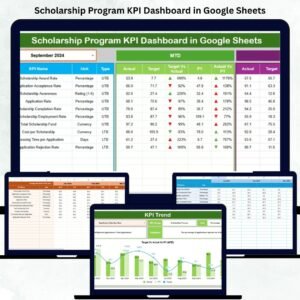
The Scholarship Program KPI Dashboard in Google Sheets is a powerful and easy-to-use tool designed to simplify the monitoring and analysis of scholarship performance metrics. 🎓 Built for educational administrators, NGOs, and funding organizations, this ready-to-use template transforms complex data into visual insights that drive real results.
Whether you’re tracking scholarship applications, fund disbursement, or student performance, this dashboard consolidates all your KPIs into one interactive platform — helping you make smarter, faster, and more transparent decisions.Scholarship Program KPI Dashboard in Google Sheets.
🎯 Key Features of Scholarship Program KPI Dashboard in Google Sheets
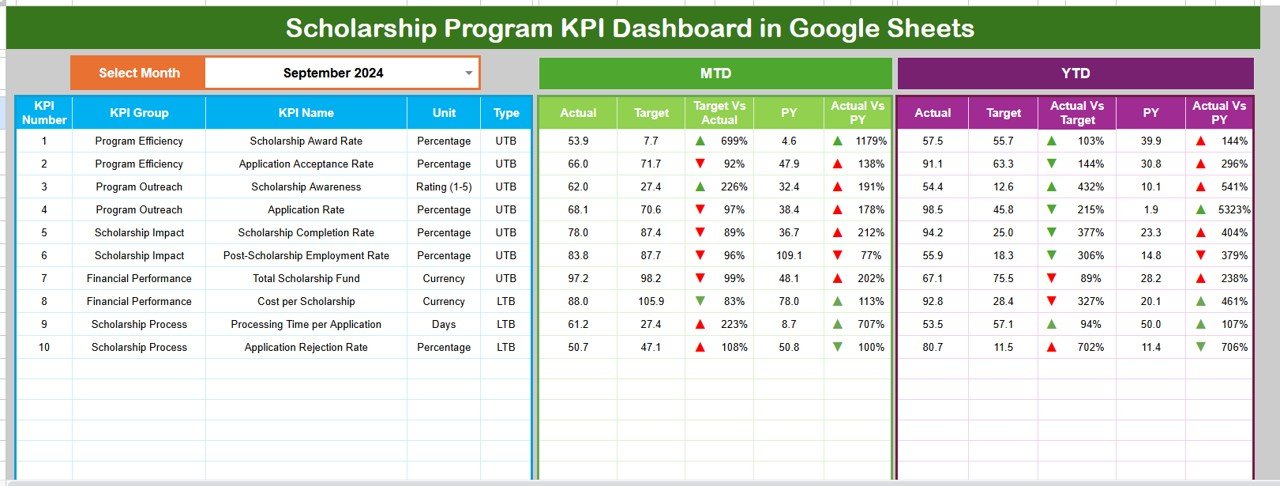
✨ Interactive Dashboard: Get real-time visibility into Month-to-Date (MTD) and Year-to-Date (YTD) performance metrics with color-coded visuals and dynamic charts.
📅 Monthly Selector: Easily change the reporting month with a simple drop-down in cell D3 — all numbers update automatically!
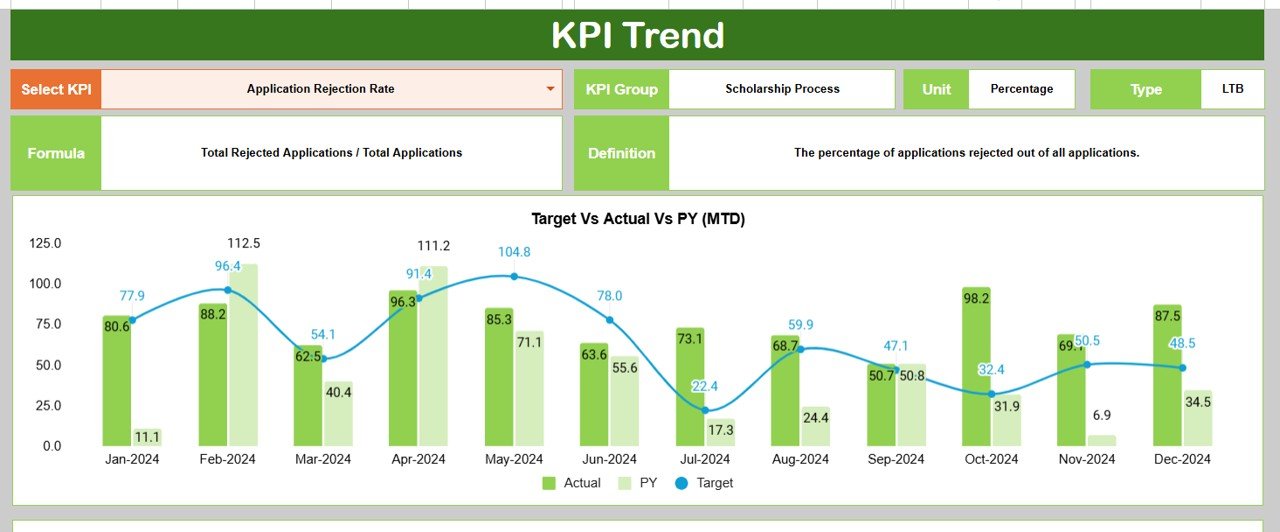
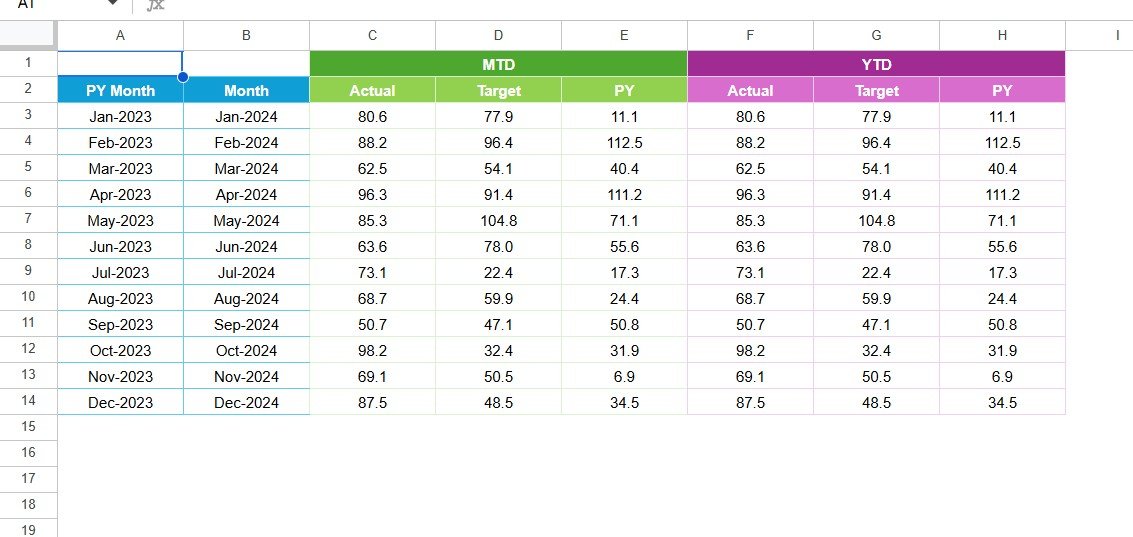
📈 Trend Analysis: Dive deep into individual KPIs using the Trend Sheet, featuring charts for Actual, Target, and Previous Year values.Scholarship Program KPI Dashboard in Google Sheets
🔢 Automated Calculations: Built-in formulas handle MTD, YTD, and YoY (Year-over-Year) comparisons automatically.
🔒 Data Accuracy: Includes a Data Validation tab to minimize entry errors through drop-down lists for KPI Groups, Units, and KPI Types.
🧮 Target vs Actual Tracking: Visually compare current results with set goals using easy-to-read color-coded indicators.
💬 Transparency & Accountability: KPI Definition Sheet ensures every metric is clearly defined, promoting data consistency and clarity.
💻 100% Editable: Modify KPIs, visuals, or layout based on your institution’s needs without technical expertise.
☁️ Cloud Collaboration: Access, edit, or share the dashboard from anywhere via Google Sheets’ real-time collaboration features.
📊 What’s Inside the Scholarship Program KPI Dashboard
This comprehensive Google Sheets template comes with 7 functional worksheets, each serving a unique purpose:
1️⃣ Dashboard Tab: The main visualization page showing MTD and YTD metrics, along with comparison arrows and cards.
2️⃣ Trend Tab: Allows detailed analysis for individual KPIs with historical data trends and performance charts.
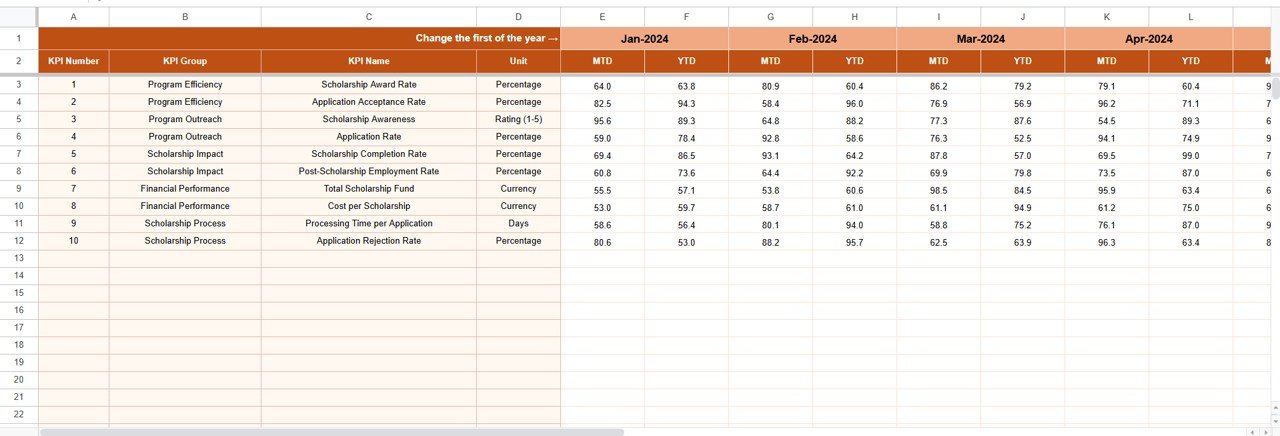
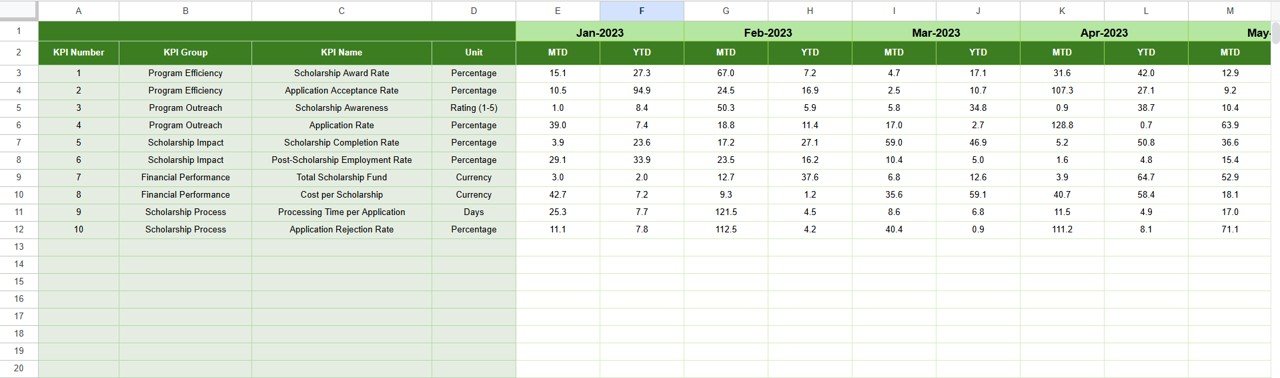
3️⃣ Actual Numbers Sheet: Input real performance data — updates automatically flow to dashboard visuals.
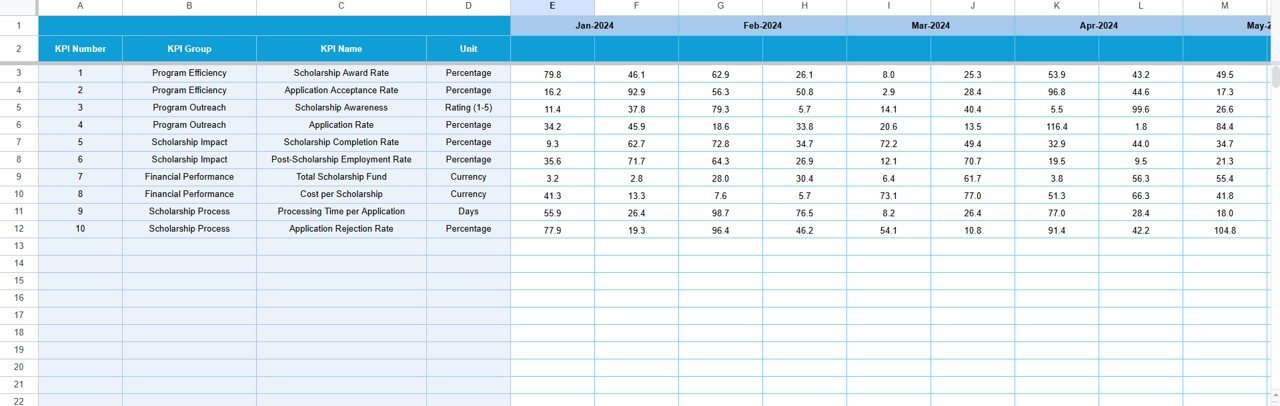
4️⃣ Target Sheet: Set your benchmarks for each KPI to track goal achievement and performance gaps.
5️⃣ Previous Year Sheet: Compare historical data and measure growth with automatic YoY calculations.
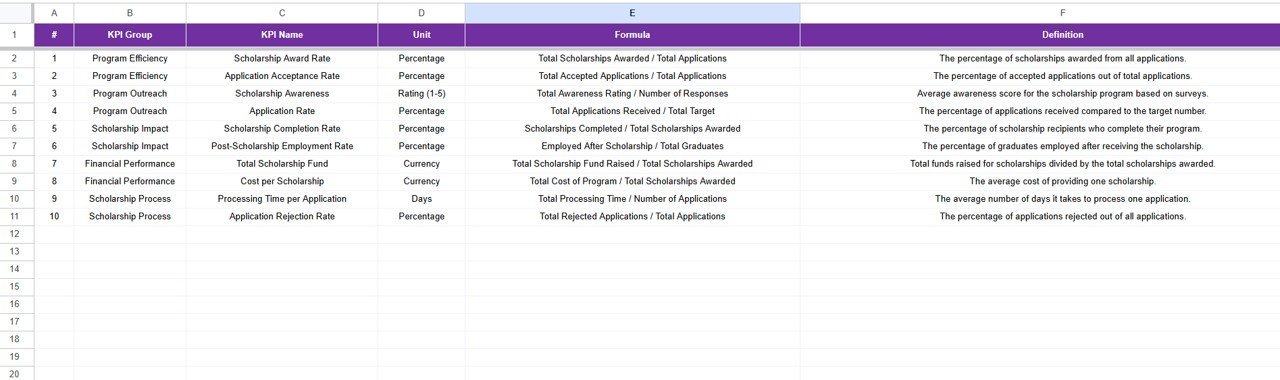
6️⃣ KPI Definition Tab: Lists each KPI with its Unit, Formula, Definition, and Type (LTB/UTB).
7️⃣ Data Validation Tab: Keeps your data clean and accurate with preset drop-down values.
Everything you need for effective scholarship monitoring is right here — structured, dynamic, and easy to navigate.
🧠 How to Use the Scholarship Program KPI Dashboard
Using this dashboard is simple and intuitive:
✅ Step 1: Define your KPIs and their formulas in the KPI Definition Tab.
✅ Step 2: Enter your Targets (monthly and annual) in the Target Sheet.
✅ Step 3: Input Actual Numbers for each KPI in the Actual Numbers Sheet.
✅ Step 4: View automated results, comparisons, and charts in the Dashboard and Trend pages.
✅ Step 5: Share insights with donors, administrators, or stakeholders using Google’s collaboration features.
No coding or technical skills required — everything runs automatically! ⚙️
👩🏫 Who Can Benefit from This Dashboard
This template is perfect for:
🎓 Educational Institutions: Track student performance, scholarship utilization, and fund distribution.
🏛️ Government Departments: Evaluate scholarship reach and efficiency across regions.
🌍 NGOs & Charitable Trusts: Measure program impact and report results to donors transparently.
💼 Corporate CSR Teams: Monitor educational initiatives funded under corporate responsibility programs.
📊 Analysts & Consultants: Use KPI insights to create data-backed reports and recommendations.
Whether you’re managing a small local program or a nationwide education fund, this tool scales effortlessly to meet your needs.



















Reviews
There are no reviews yet.