


Operational efficiency is the backbone of every successful organization. However, many operations teams still rely on static spreadsheets and disconnected reports to track performance. As a result, KPI monitoring becomes inconsistent, trends remain unclear, and decision-making is delayed.
That is exactly why the Operations KPI Scorecard in Google Sheets becomes a powerful and practical solution.
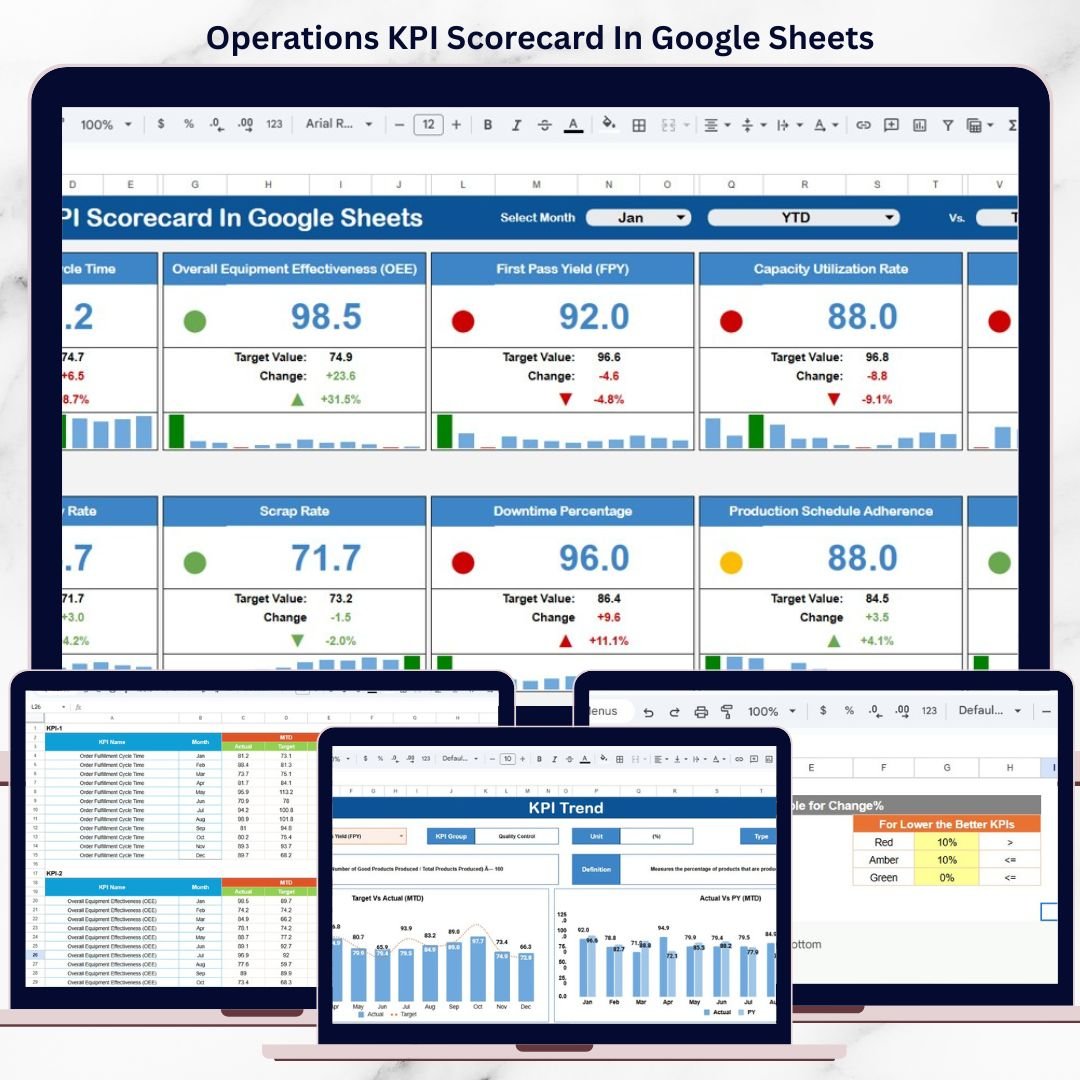
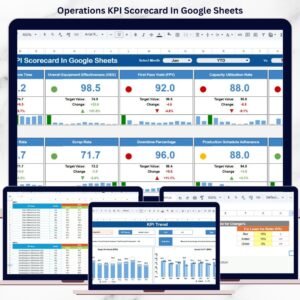
This ready-to-use scorecard provides a structured, visual, and data-driven framework to monitor key operational KPIs using traffic-light indicators, trend arrows, and automatic MTD (Month-to-Date) and YTD (Year-to-Date) calculations—all within Google Sheets.
Instead of manually reviewing raw numbers, operations teams can instantly see which KPIs are improving, declining, or missing targets, enabling faster corrective actions and better accountability.
Because the scorecard is built in Google Sheets, it is cloud-based, collaborative, cost-effective, and easy to customize, without requiring advanced BI tools or technical expertise.
⚙️ Key Features of the Operations KPI Scorecard
🔹 Structured KPI Monitoring
Track 10 predefined operational KPIs in a single, standardized scorecard view.
🔹 MTD & YTD Performance Tracking
Analyze both short-term execution and long-term operational performance.
🔹 Traffic-Light Indicators
Red, Amber, and Green status colors clearly highlight KPI health.
🔹 Percentage Change Arrows
Up and down arrows show whether performance is improving or declining.
🔹 Dynamic Month Selection
Select any month from the dropdown and refresh the entire scorecard instantly.
🔹 KPI Trend & Definition Transparency
Understand KPI behavior, formulas, and intent using dedicated trend and definition sheets.
📁 Sheet-Wise Structure of the Operations KPI Scorecard
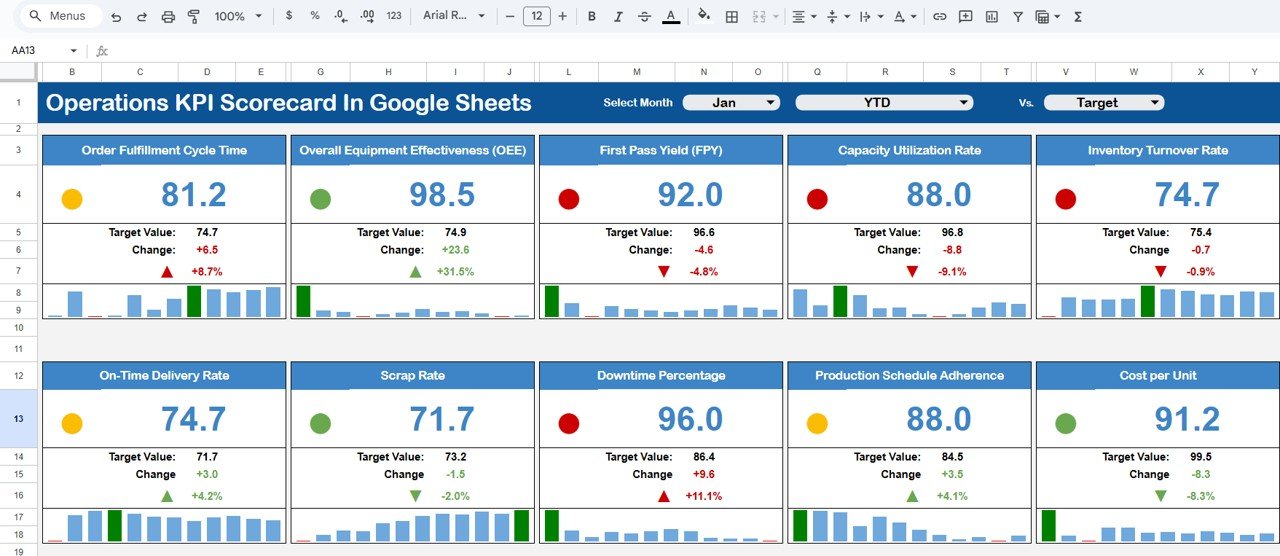
🧭 Dashboard Sheet – Main Scorecard View
This is the primary scorecard page used by managers and leadership.
What You See on the Dashboard:
Month selector at the top
10 operational KPIs displayed in a clean scorecard layout
For Each KPI, the Dashboard Shows:
MTD Actual vs Target
MTD Actual vs Previous Year
YTD Actual vs Target
YTD Actual vs Previous Year
Traffic-light colors and up/down arrows make performance interpretation instant and intuitive.
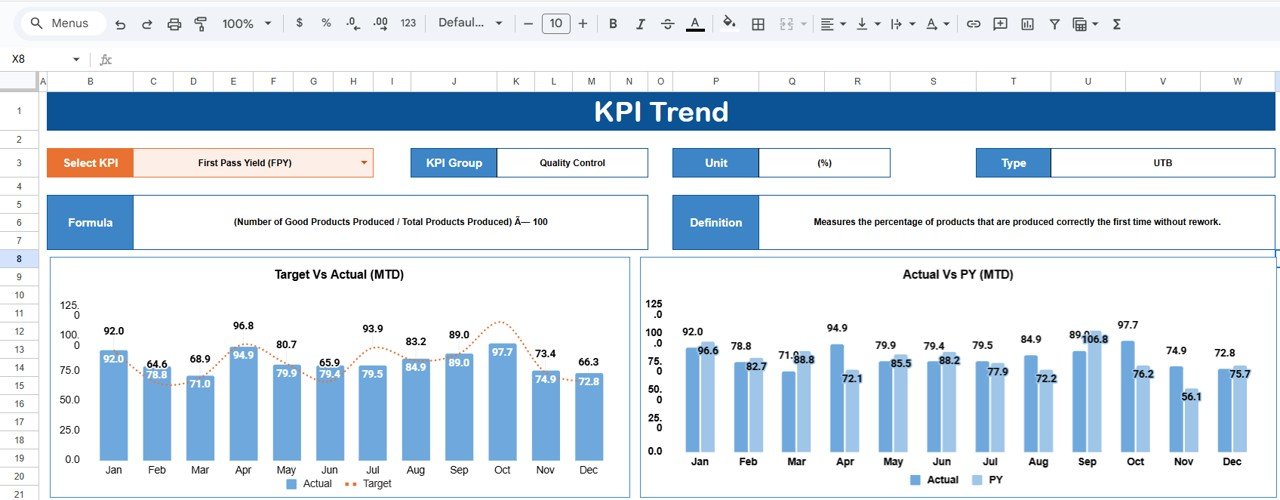
📈 KPI Trend Sheet – Deeper KPI Analysis
The KPI Trend sheet explains and contextualizes performance trends.
Features Include:
KPI selection dropdown (Cell C3)
KPI Group
Unit of Measurement
KPI Type:
UTB (Upper the Better)
LTB (Lower the Better)
KPI Formula
KPI Definition
This sheet helps teams understand why a KPI is performing the way it is, making it ideal for reviews and audits.
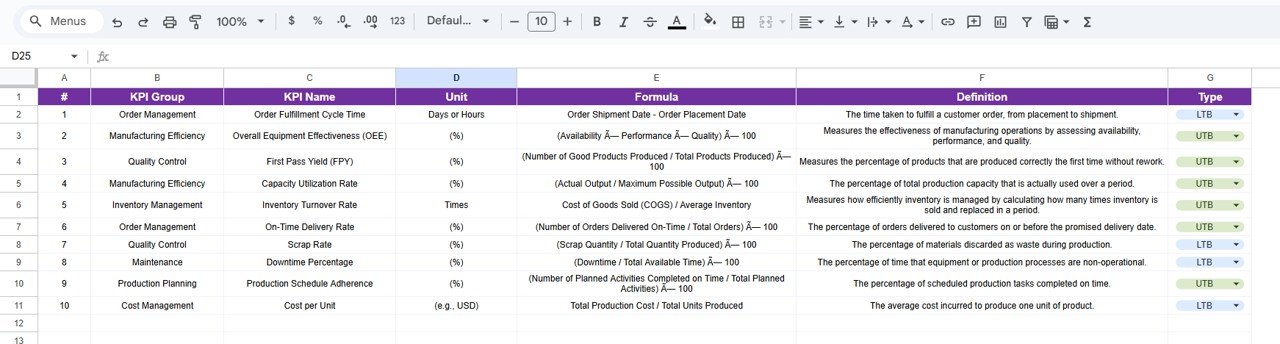
📘 KPI Definition Sheet – KPI Governance
The KPI Definition sheet acts as the master reference.
Columns Included:
KPI Name
KPI Group
Unit
Formula
KPI Definition
This ensures consistent KPI interpretation across departments and reporting cycles.
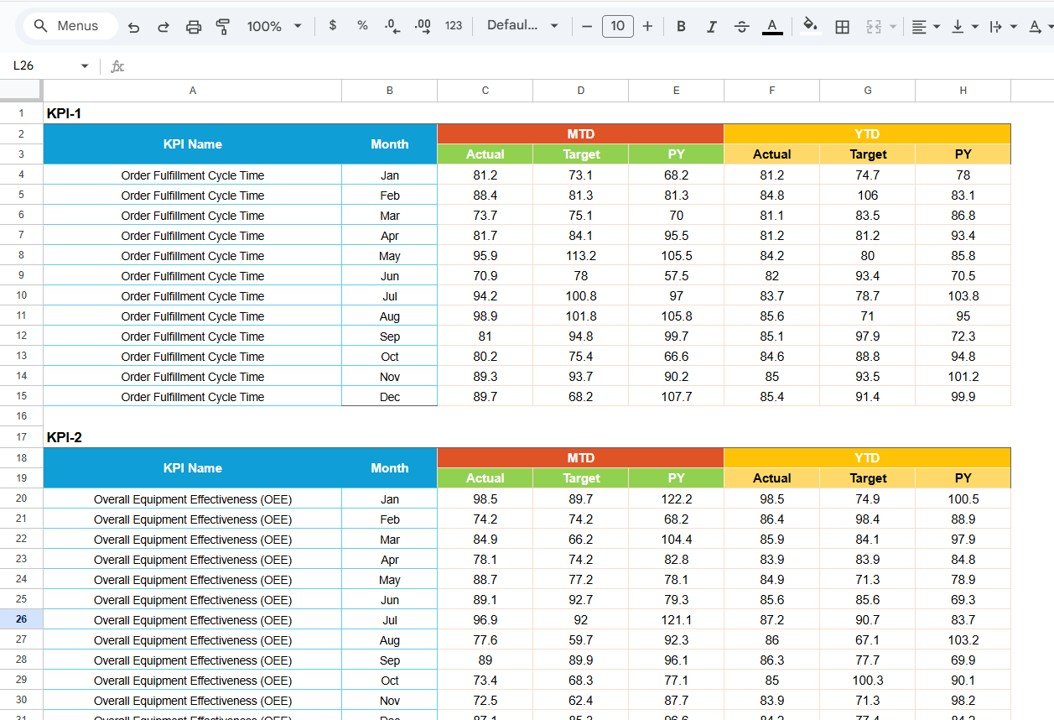
🧾 Data Input Sheet – Simple Data Entry
This sheet is used to enter operational performance data.
Key Benefits:
Structured and easy data entry
Monthly updates only
Automatic calculation of MTD, YTD, trends, and indicators
No manual formulas are required by end users.
🎨 Colour Settings Sheet – Visual Customization
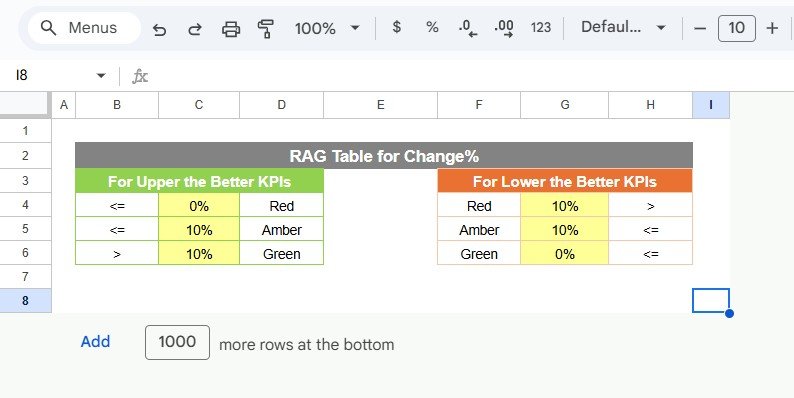
The Colour Settings sheet allows users to customize:
Traffic-light thresholds
Arrow logic
Performance color rules
This makes the scorecard adaptable to different operational standards and branding needs.
🎯 Advantages of the Operations KPI Scorecard
Centralized operational KPI tracking
Clear visibility into performance gaps
Faster, data-driven decision-making
Consistent KPI measurement month after month
Cloud-based collaboration in Google Sheets
No coding or BI tools required
🚀 Opportunities for Improvement
You can further enhance this scorecard by adding:
Department-wise or process-wise scorecards
Additional KPIs as operations scale
Automated data capture via Google Forms
Benchmark or rolling-average comparisons
👥 Who Should Use This Scorecard
Operations Managers
Plant & Facility Managers
Process Improvement Teams
Business Analysts
Senior Leadership
SMEs and growing organizations
### Click here to read the Detailed blog post
Watch the step-by-step video tutorial:
### Visit our YouTube channel to learn step-by-step video tutorials
👉 https://youtube.com/@NeotechNavigators
Compatibility and Requirements
- Works in Google Sheets. You need a free Google account and a web browser.
- You pick the month from a dropdown on the Dashboard sheet, and the KPI on the KPI Trend sheet. Google explains dropdowns in Create an in-cell dropdown list.
Frequently Asked Questions
How many KPIs does the scorecard track?
It tracks 10 predefined operational KPIs on the Dashboard sheet, each with MTD and YTD figures.
Which sheets are included?
The Dashboard, KPI Trend, KPI Definition, Data Input and Colour Settings sheets.
How do I update the scorecard?
Enter your monthly figures in the Data Input sheet. MTD, YTD, trends and indicators are calculated for you, and you pick the month from the dropdown on the Dashboard sheet.
What do the traffic lights and arrows mean?
Red, Amber and Green show how each KPI is doing against target. The up and down arrows show whether performance is improving or declining against the previous year.
Is there an Excel or Power BI version?
Yes. See the Operations KPI Scorecard in Excel and the Operations KPI Dashboard in Power BI.
Related Operations and KPI Scorecard Templates
- Operations KPI Scorecard in Excel: the same scorecard in Excel
- Operations KPI Dashboard in Power BI: an operations dashboard for Power BI
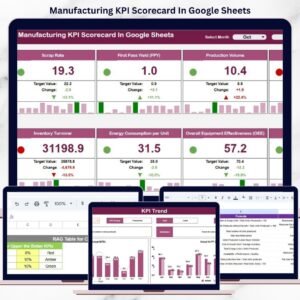
- Manufacturing KPI Scorecard in Google Sheets: a scorecard for production KPIs
- HR KPI Scorecard in Google Sheets: a scorecard for HR metrics
- Small Business Owner Essentials: 12 templates for owners in one download
Browse all Google Sheets KPI dashboards.






























Reviews
There are no reviews yet.