



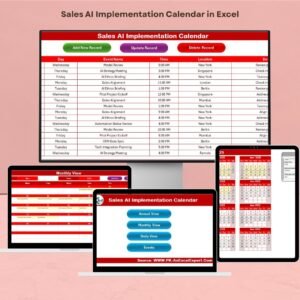
The Sales AI Implementation Calendar in Excel is a must-have tool for sales teams and businesses looking to integrate AI-driven solutions into their sales processes. This comprehensive calendar helps track AI implementation milestones, from strategy development to deployment and performance evaluation, ensuring that your AI initiatives are rolled out effectively and on schedule.
With the rise of artificial intelligence in sales, businesses need a well-organized plan to implement AI tools, automate processes, and drive sales optimization. This Excel-based calendar allows you to track key activities, set deadlines, and monitor progress, ensuring that AI adoption in your sales team is seamless and successful.
Key Features of the Sales AI Implementation Calendar in Excel
📅 Comprehensive Implementation Tracking
Track key milestones for AI implementation, such as strategy development, tool integration, employee training, and performance assessment. Keep the entire AI adoption process organized from start to finish.
🗓 Time-Based Planning & Task Scheduling
Plan AI-related tasks and activities over specific time periods. Whether you’re launching an AI tool, testing its capabilities, or reviewing performance, the calendar helps you schedule everything effectively.
📈 AI Tool & System Integration Tracking
Track the integration process of AI tools and systems into your existing sales process. Monitor implementation phases, from initial setup to full deployment and integration with existing systems.
🎯 Employee Training & Onboarding
Ensure that your sales team is properly trained on AI tools and systems. The calendar helps you manage training schedules and ensures that all team members are ready to leverage AI technologies.
🔑 Performance Review & Optimization
Track the effectiveness of AI tools after implementation. Measure KPIs such as conversion rates, lead scoring accuracy, and sales productivity improvements. Use this data to optimize AI strategies and performance.
⚙️ Customizable & Scalable
Tailor the calendar to reflect your organization’s specific AI adoption plan. Add additional tasks, adjust timelines, and monitor the performance of AI systems as they evolve.
Why You’ll Love the Sales AI Implementation Calendar in Excel

✅ Seamless AI Adoption
Track and manage every step of your AI implementation process in one place. Stay organized, meet deadlines, and ensure smooth AI integration into your sales workflow.
✅ Data-Driven Sales Transformation
Utilize AI tools to optimize your sales process. Track performance metrics and refine your strategies to boost sales productivity, enhance customer engagement, and improve conversion rates.
✅ Efficient Project Management
Stay on top of the entire implementation process, from training to tool integration. The calendar helps you ensure that no steps are missed and that the AI project is completed successfully and on time.
✅ Optimize Sales Performance
With built-in performance tracking, assess how AI is impacting your sales performance. Make adjustments based on real-time data to improve overall sales outcomes.
✅ Customizable to Your Needs
The calendar is fully customizable to suit your organization’s specific AI adoption goals. Add more tasks, adjust timelines, and optimize for a scalable AI implementation process.
What’s Inside the Sales AI Implementation Calendar in Excel?
Implementation Tracking: Track milestones and key tasks throughout the AI adoption process.
Time-Based Task Scheduling: Plan tasks and activities over daily, weekly, or monthly periods.
AI Tool Integration Tracking: Monitor the integration of AI tools into the sales system.
Employee Training Management: Ensure your sales team is properly trained on the new AI tools.
Performance Review & Optimization: Track performance and optimize strategies for better results.
Customizable Features: Adjust the calendar to fit your specific sales AI implementation plan.
How to Use the Sales AI Implementation Calendar in Excel
1️⃣ Download the Template: Instantly access the Sales AI Implementation Calendar in Excel.
2️⃣ Set Up Your AI Implementation Timeline: Input key dates and tasks for your AI integration process.
3️⃣ Monitor Tasks & Progress: Track the completion of milestones, training, and integration steps.
4️⃣ Evaluate Performance: Use the performance tracking feature to measure the success of AI tools.
5️⃣ Refine AI Strategy: Optimize your AI systems and strategies based on performance insights.
Who Can Benefit from the Sales AI Implementation Calendar in Excel?
🔹 Sales Teams & Managers
🔹 AI Project Managers & Data Scientists
🔹 Marketing & Sales Automation Teams
🔹 E-commerce Platforms & Online Retailers
🔹 Business Owners & Entrepreneurs
🔹 Consultants & Technology Integrators
🔹 Small & Medium Enterprises (SMBs) Implementing AI
Ensure a smooth transition to AI-driven sales processes with the Sales AI Implementation Calendar in Excel. Track milestones, monitor progress, and optimize AI systems for increased sales performance.
Click here to read the Detailed blog post
Visit our YouTube channel to learn step-by-step video tutorials
Youtube.com/@PKAnExcelExpert



























Reviews
There are no reviews yet.