

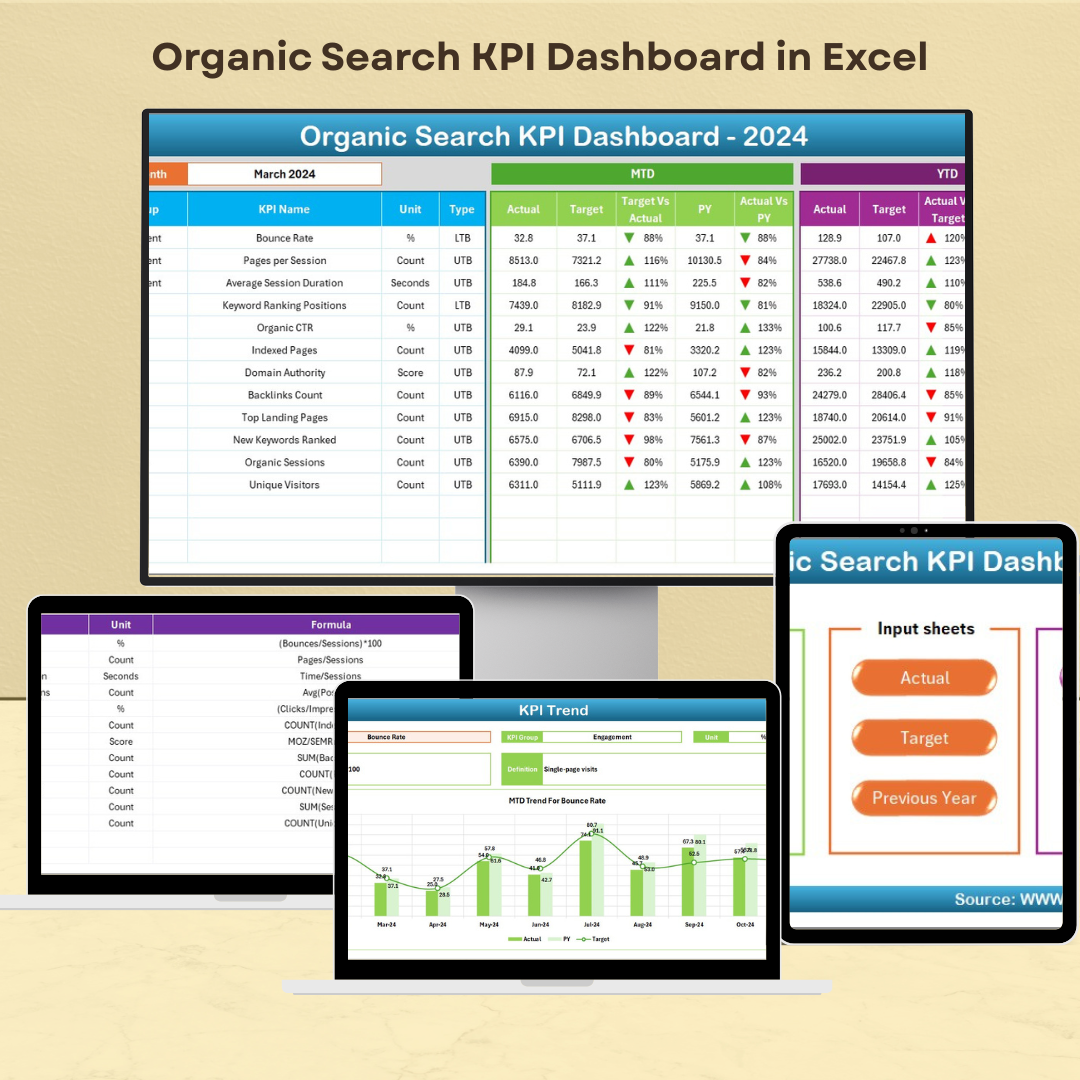

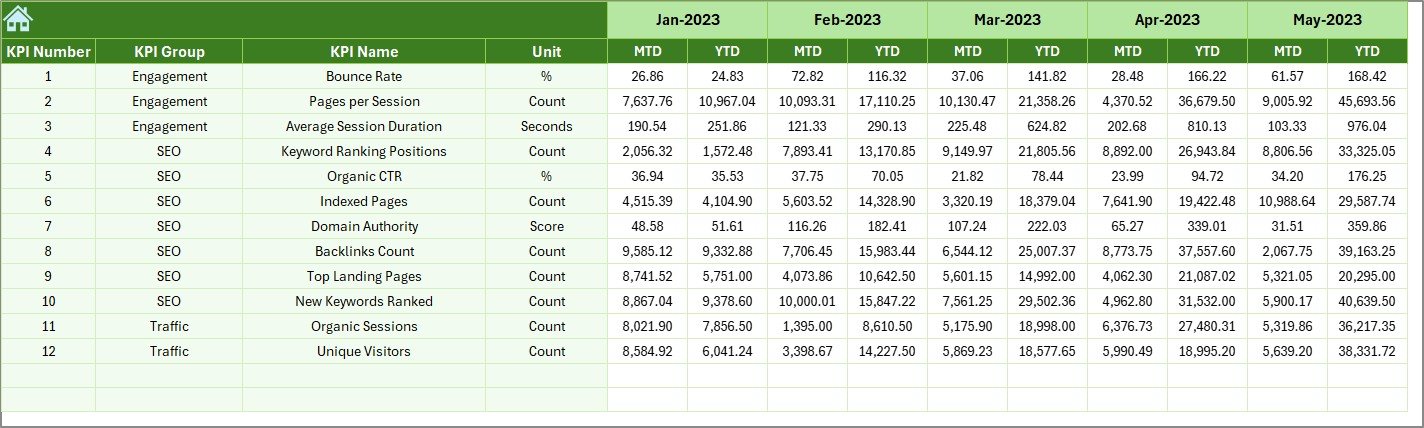
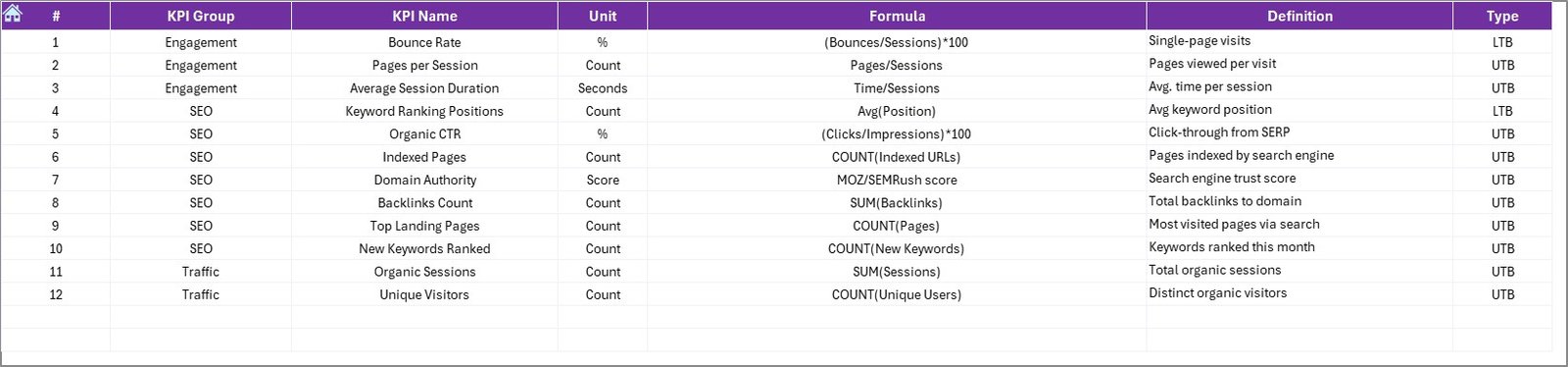

The Organic Search KPI Dashboard in Excel is a powerful tool designed to help digital marketers and SEO professionals track, analyze, and optimize their organic search efforts. This dashboard provides a clear overview of key performance indicators (KPIs) such as organic traffic, keyword rankings, bounce rates, and conversion rates, allowing you to assess and improve your SEO performance.
By using this Excel-based dashboard, you can make data-driven decisions to enhance your website’s visibility, optimize content, and improve user engagement through search engine marketing.
Key Features of the Organic Search KPI Dashboard in Excel
📊 Comprehensive KPI Tracking
Track Key Metrics: Monitor essential KPIs like organic traffic, keyword rankings, bounce rates, and conversion rates all in one place.
Real-Time Data Visualization: Utilize dynamic charts and graphs to visualize performance trends over time, making it easy to spot areas that need attention.
📈 Customizable Metrics
Adaptable to Your Needs: Tailor the dashboard to track the metrics that matter most for your SEO campaign, ensuring relevance to your business goals.
Easy Data Import: Import data from your analytics tools to keep the dashboard updated with real-time information.
🔧 User-Friendly Interface
Simple Setup: Designed to be intuitive, even for those with minimal experience in Excel, making it accessible to all users.
Flexible Layout: Adjust the dashboard layout to suit your reporting needs and add or remove KPIs as necessary.
📅 Performance Analysis and Monitoring
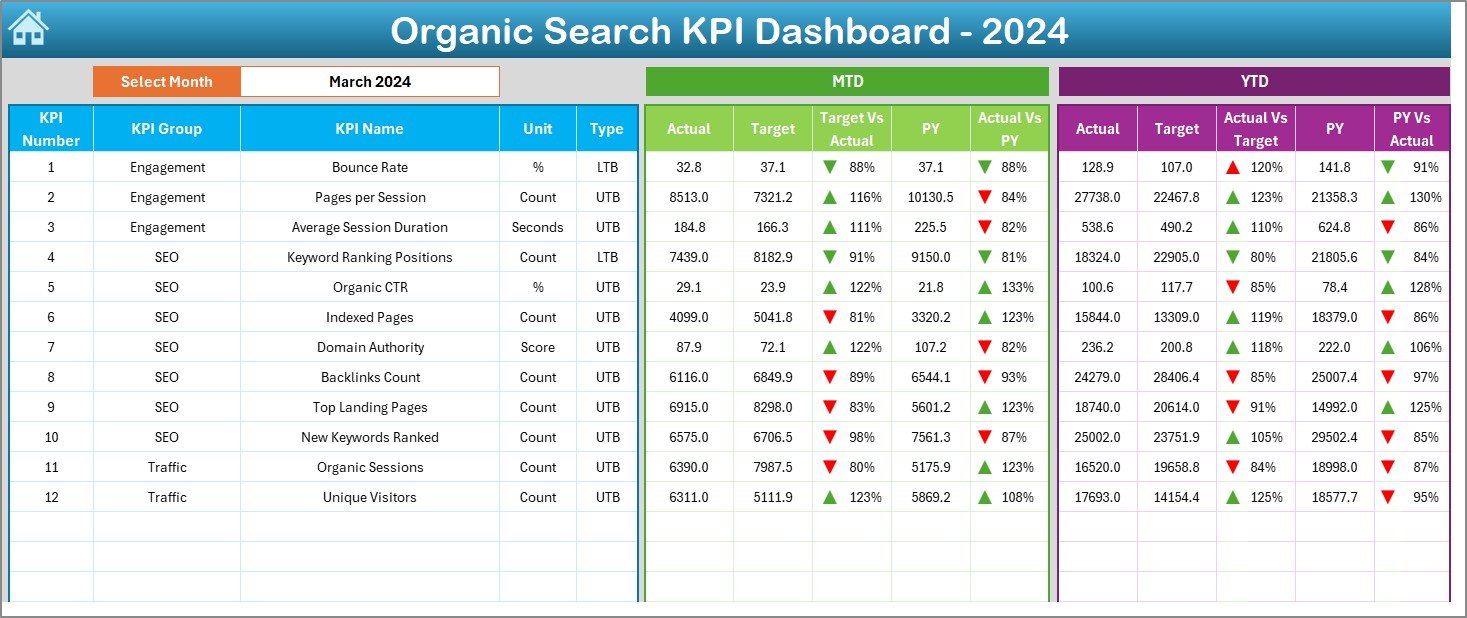
MTD & YTD Tracking: Track Month-to-Date (MTD) and Year-to-Date (YTD) data to compare performance across different periods.
Target vs. Actual Comparison: Compare actual data against set targets, allowing you to assess whether your SEO campaigns are meeting expectations.
Benefits of Using the Organic Search KPI Dashboard ARD in Excel
✅ Informed Decision-Making
Real-time data helps you make better, faster decisions to improve SEO performance and allocate resources effectively.
✅ Improved SEO Performance
Easily identify areas of improvement, such as high bounce rates or low conversion rates, and optimize your SEO efforts accordingly.
✅ Increased Accountability
With clear, transparent tracking of KPIs, marketing teams are more accountable, ensuring better execution of SEO strategies.
✅ Streamlined Reporting
Automated tracking and visualization simplify the reporting process, saving time and improving efficiency in tracking SEO campaigns.
Getting Started with Your Organic Search KPI Dashboard ARD in Excel
Download the Template: Start by downloading the Organic Search KPI Dashboard template to begin tracking your SEO campaigns.
Define Your KPIs: Set up the KPIs that align with your SEO objectives, such as organic traffic, keyword rankings, and conversion rates.
Integrate Data: Import data from Google Analytics, Google Search Console, or other relevant platforms to keep your dashboard updated.
Monitor & Analyze: Use the dashboard to track performance, compare actual results with targets, and identify areas for optimization.
Make Data-Driven Decisions: Use insights from the dashboard to improve SEO strategies and increase organic search visibility and engagement.
By utilizing the Organic Search KPI Dashboard ARD in Excel, your team can optimize SEO performance, increase organic traffic, and make informed decisions to boost search engine rankings.
Click here to read the Detailed blog post
Organic Search KPI Dashboard ARD in Excel
Visit our YouTube channel to learn step-by-step video tutorials
YouTube.com/@PKAnExcelExpert
Watch the step-by-step video Demo:
Who Uses This Dashboard
Digital marketers, SEO professionals and marketing teams who want one place to watch organic traffic, keyword rankings and conversions from search.
Compatibility and Requirements
- Works in Microsoft Excel desktop (Excel 2016 or later, or Microsoft 365).
- Trends are shown with dynamic charts and graphs. Microsoft’s chart basics are in Create a chart from start to finish.
Frequently Asked Questions
Which SEO KPIs does it track?
It tracks organic traffic, keyword rankings, bounce rates and conversion rates in one place.
Can I compare periods and targets?
Yes. It shows month-to-date and year-to-date figures and compares actual results with the targets you set.
Can I use data from Google Analytics or Search Console?
Yes. You import data from Google Analytics, Google Search Console or other platforms to keep the dashboard current.
Can I add or remove KPIs?
Yes. You can adjust the layout and add or remove KPIs to match your SEO goals.
Related SEO and Marketing Dashboards
- Organic Search KPI Dashboard in Google Sheets: the same dashboard for Google Sheets
- SEO Performance KPI Dashboard in Excel: wider SEO performance KPIs
- SEO Content Performance KPI Dashboard in Excel: see how each piece of content performs
- SEO Audit Checklist in Excel: check your site step by step
- Marketing and Social Media Analytics Kit: 7 marketing templates in Excel, Google Sheets and Power BI
Browse all Excel KPI dashboards or the Excel sales and marketing templates.


























Reviews
There are no reviews yet.