
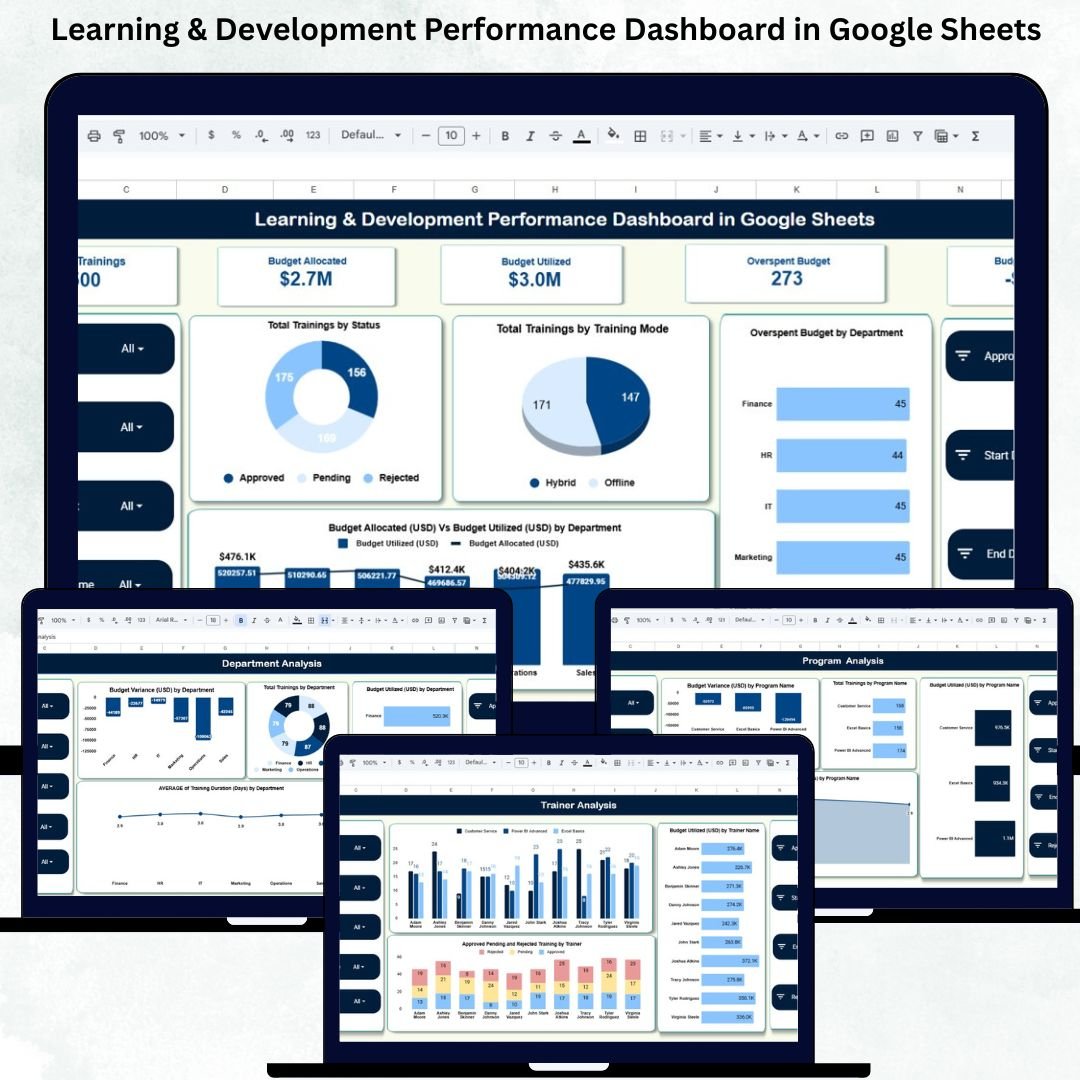
Employee learning and development is essential for building a strong workforce, increasing productivity, and improving organizational performance. But without proper tracking, HR and L&D teams can struggle to monitor training completion, evaluate trainer efficiency, manage budgets, and understand which programs deliver the most value. The Learning & Development Performance Dashboard in Google Sheets solves these challenges with a clean, modern, and fully automated reporting system.Learning & Development Performance Dashboard in Google Sheets
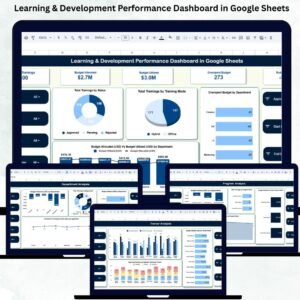
This ready-to-use cloud-based dashboard brings all critical L&D metrics into one visual workspace. Whether you’re tracking training completion, budget utilization, department performance, or trainer outcomes, this dashboard gives you a clear 360° view of your organization’s learning ecosystem. With automated charts, KPI cards, real-time data updates, and a powerful search tool, L&D teams can make faster, smarter, and more strategic decisions.Learning & Development Performance Dashboard in Google Sheets
✨ Key Features of the Learning & Development Performance Dashboard in Google Sheets
📊 1. Comprehensive KPI Tracking
Monitor every major L&D performance indicator—from total trainings and budget allocation to duration, department usage, trainer effectiveness, and program-level results. All KPIs update automatically.
💰 2. Budget Allocation vs Utilization
Track financial performance with clear metrics showing allocated budget, utilized budget, overspending, and variance across departments. This helps eliminate financial surprises and ensures efficient use of training funds.
🎓 3. Training Status Insights
View training distribution across statuses such as completed, ongoing, planned, or cancelled. Instantly see which programs require attention or follow-up.
👩🏫 4. Trainer Performance Dashboard
Evaluate trainers based on program counts, approved vs pending vs rejected trainings, and budget impact. Identify top-performing trainers with ease.
📦 What’s Inside the Learning & Development Performance Dashboard in Google Sheets
📍 1. Overview Sheet – Main Dashboard
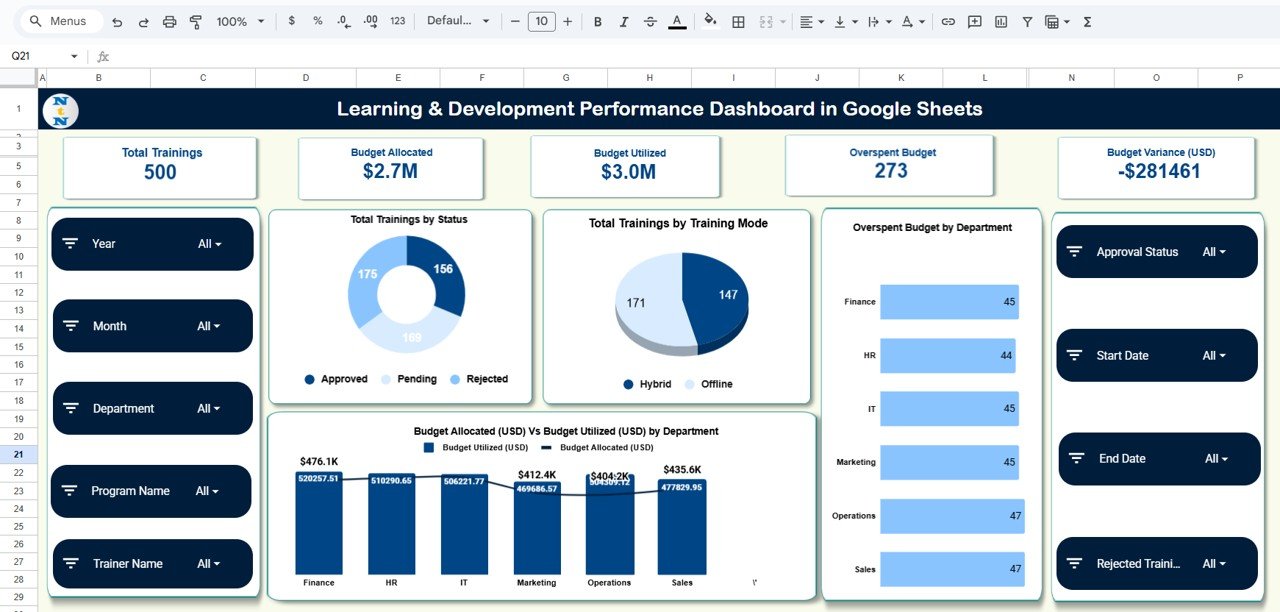
The Overview Sheet presents all high-level KPIs through cards and clean charts. It includes:
KPI Cards
-
Total Trainings
-
Budget Allocated
-
Budget Utilized
-
Overspent Budget
-
Budget Variance (USD)
Visual Charts
-
Total Trainings by Status
-
Total Trainings by Training Mode
-
Overspent Budget by Department
-
Budget Allocated vs Budget Utilized by Department
The Overview Sheet provides immediate insights for HR leaders, L&D heads, and finance teams.
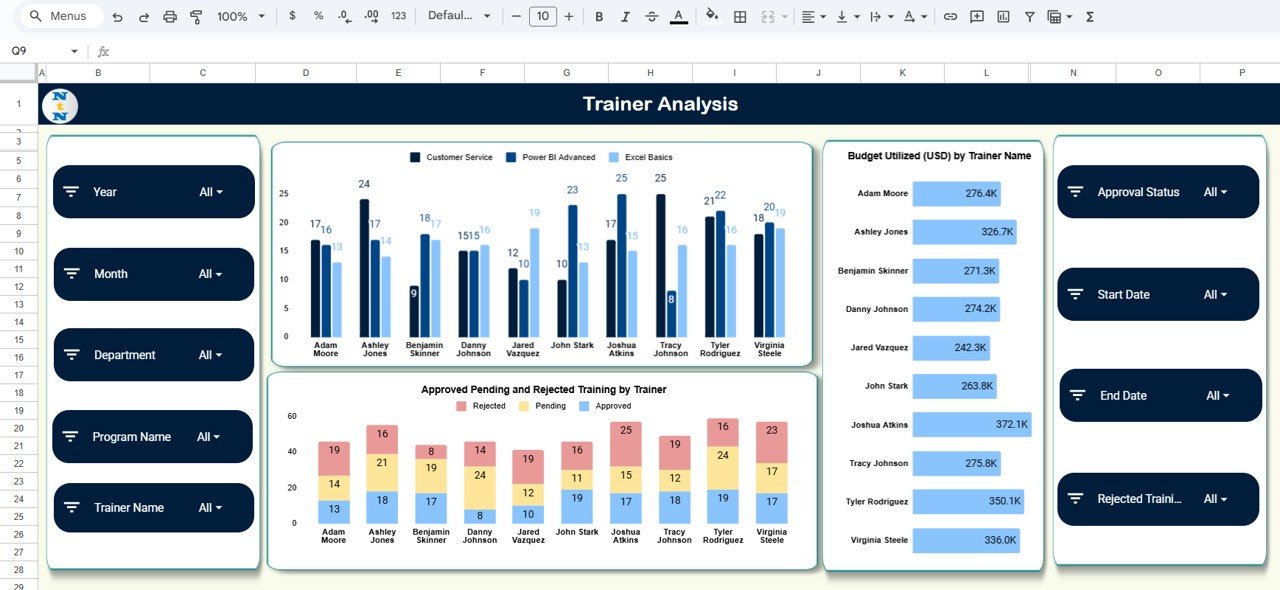
👩🏫 2. Trainer Analysis Sheet
This sheet highlights trainer-specific performance and budget impact.
Charts include:
-
Total Programs by Trainer
-
Budget Utilized by Trainer
-
Approved, Pending & Rejected Trainings per Trainer
This helps L&D teams reward high-performing trainers and identify training bottlenecks.
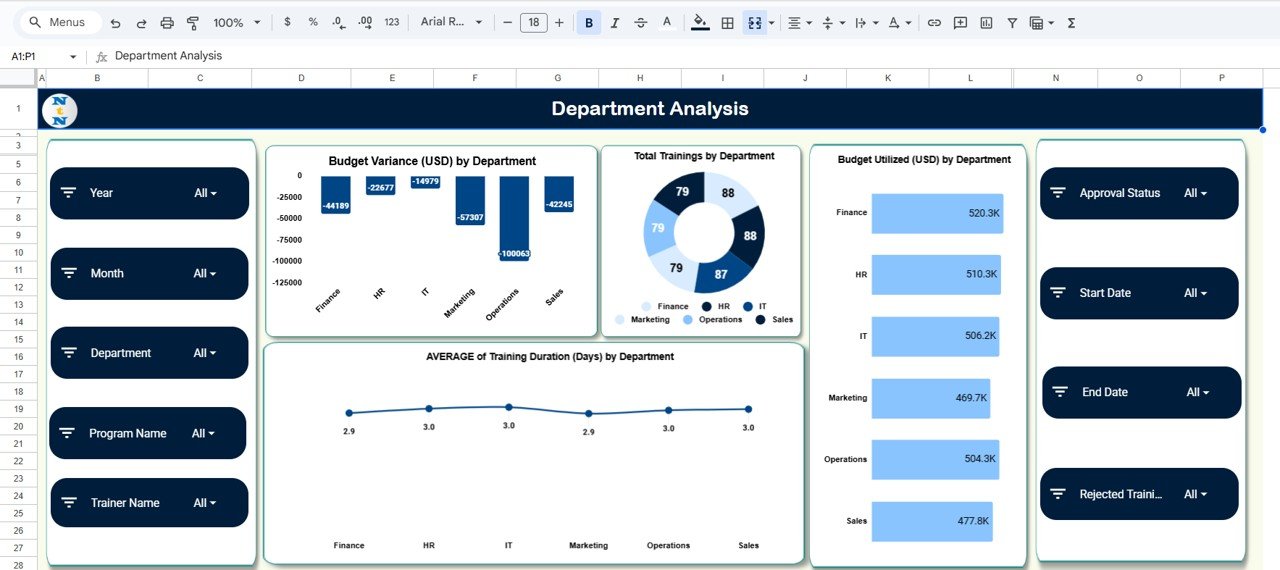
🏢 3. Department Analysis Sheet
Understand how each department performs in training participation, spending, and outcomes.
Charts include:
-
Budget Variance by Department
-
Total Trainings by Department
-
Budget Utilized by Department
-
Average Training Duration by Department
These insights help HR identify which departments need more training support or better budget management.
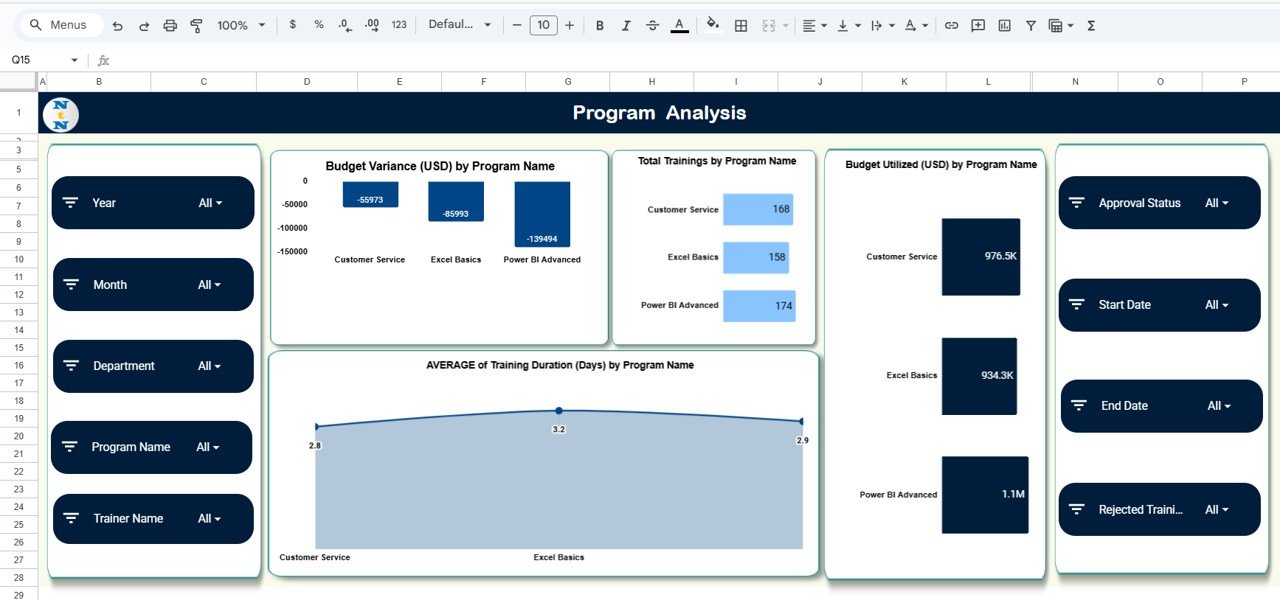
📘 4. Program Analysis Sheet
Track program-level training performance with charts showing:
-
Budget Variance by Program Name
-
Total Trainings by Program
-
Average Training Duration by Program
-
Budget Utilized by Program
This helps teams identify high-cost or low-impact programs and optimize future training plans.
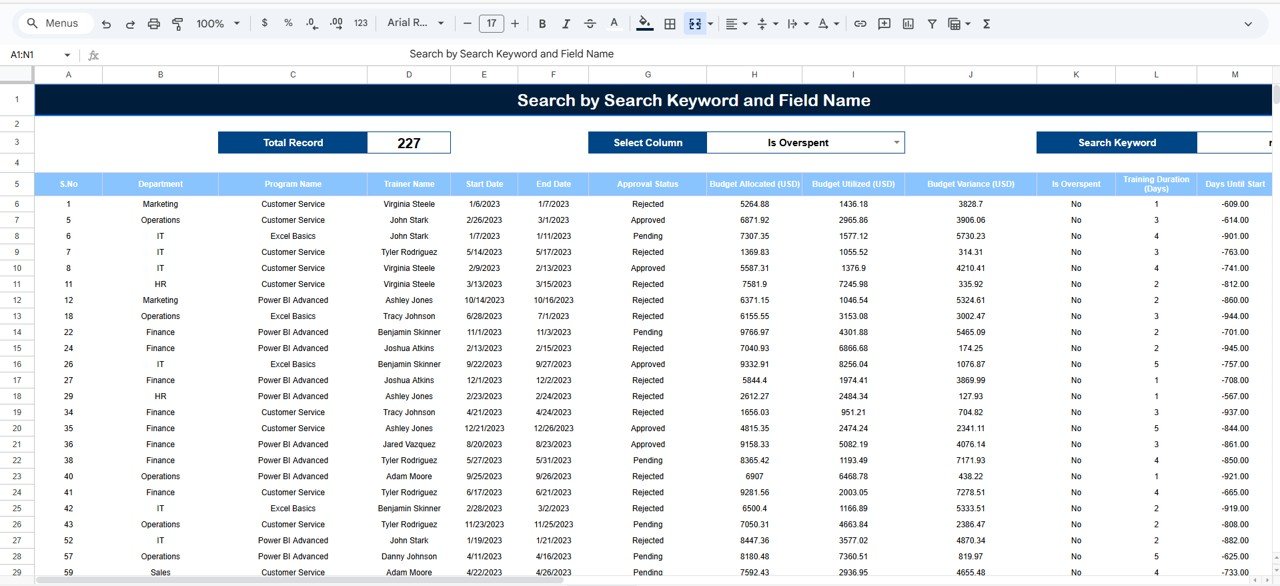
🔍 5. Search Sheet – Smart Lookup Tool
The Search tool allows fast filtering based on:
-
Training Name
-
Department
-
Trainer
-
Training Mode
-
Status
-
Any keyword
A huge time-saver when dealing with large datasets and audits.
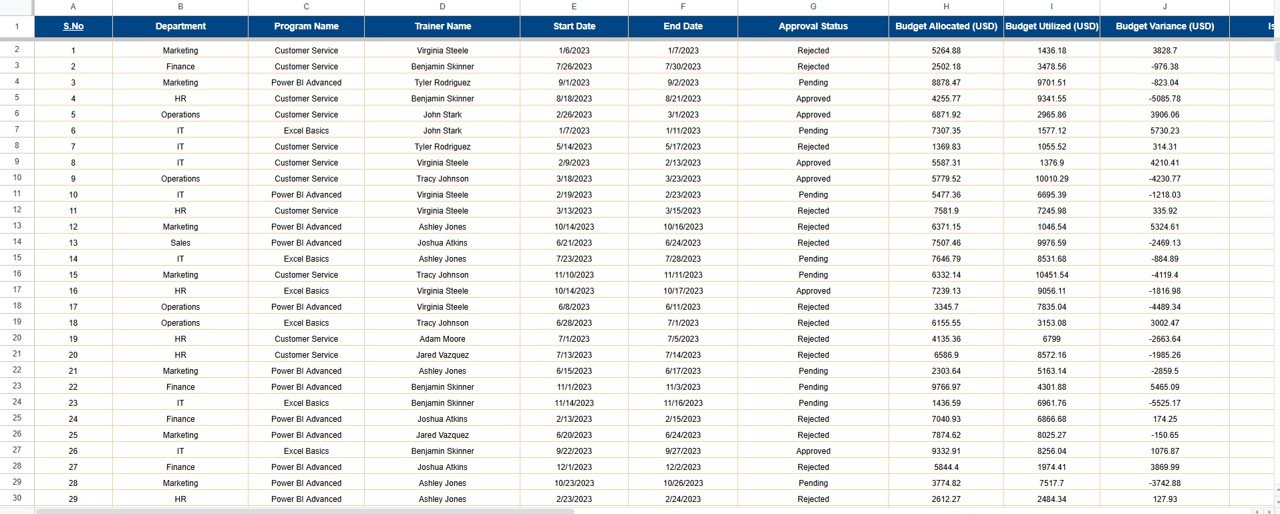
📄 6. Data Sheet – Raw Information Source
Stores all training details such as:
Training ID, Department, Trainer, Duration, Mode, Program Name, Training Dates, Budget Allocated, Budget Utilized, and more.
Every chart and KPI in the dashboard pulls live data from this sheet.
🎯 Who Can Benefit from This Learning & Development Performance Dashboard in Google Sheets
👩💼 HR & L&D Managers
Monitor all training activities, budgets, and results in one place.
🏢 Department Heads
Track their team’s progress and training participation.
📊 Senior Management
Make budgetary and strategic decisions using real-time insights.
🌍 Remote & Hybrid Teams
Collaborate easily with cloud-based access.
📚 Organizations of All Sizes
Perfect for startups, SMEs, and enterprises.


























Reviews
There are no reviews yet.