

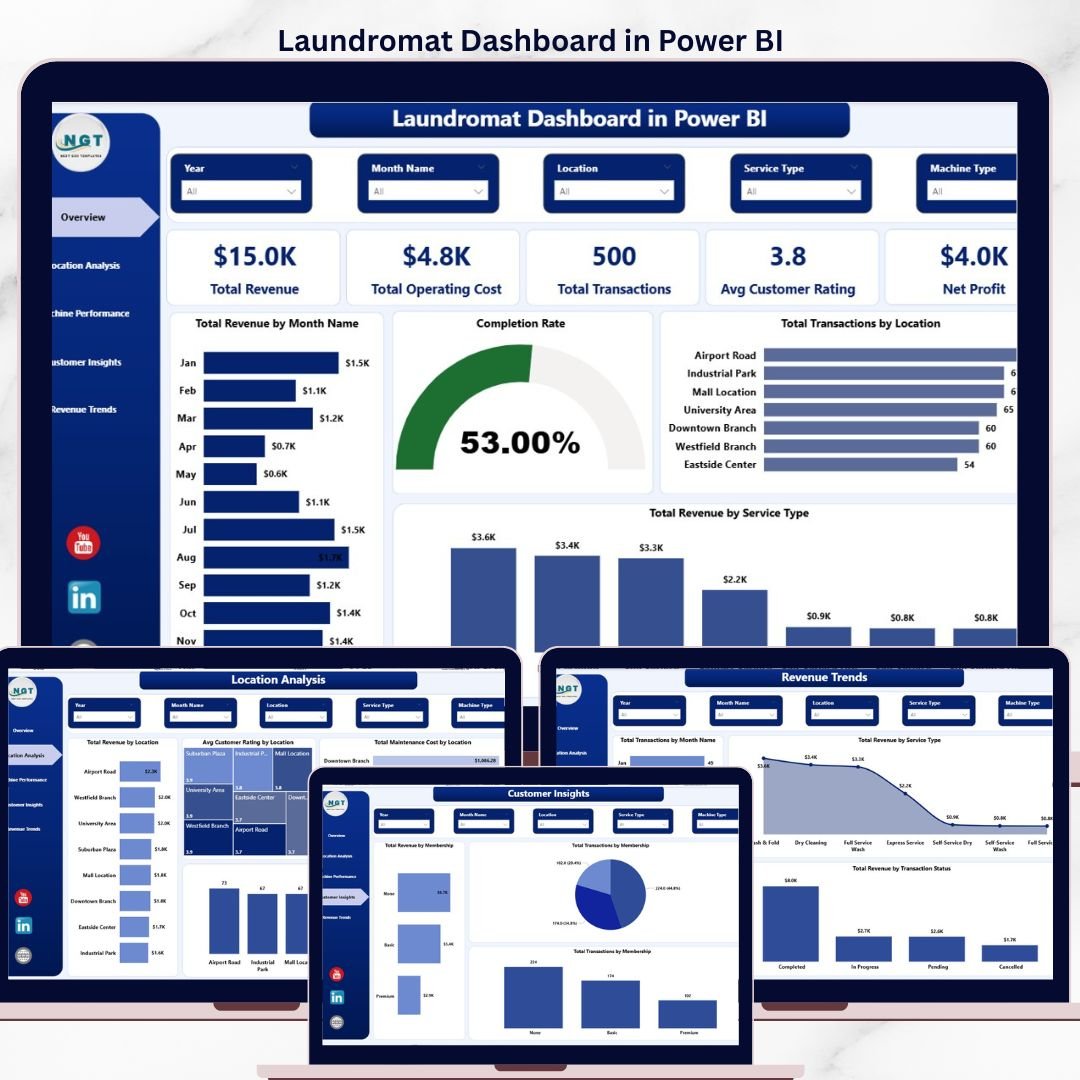

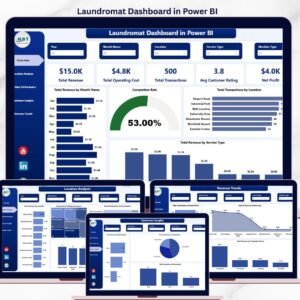
The Laundromat Dashboard in Power BI tracks 5 KPIs across 5 interactive pages, with 15+ pre-built visuals covering revenue, machine performance, customer insights and multi-location analytics. Setup takes under 10 minutes — open the .pbix file in Power BI Desktop, connect your transaction data, and every visual refreshes automatically with your own laundromat data.
🌍 Join 8,400+ teams in 40+ countries using NextGenTemplates to replace paid SaaS tools with one-time-purchase Excel, Google Sheets, Power BI, and HTML templates.
✅ Instant download · One-time payment · No subscription · No per-user fees · Lifetime access
🔑 Key Features of the Laundromat Dashboard in Power BI
This dashboard is engineered for laundromat owners, multi-store operators, franchisees and facility managers who want a DAX-powered command centre for every coin-op or card-operated laundry location they run. Built on Power BI Desktop with 5 dedicated pages, 15+ visuals and a full slicer panel, the dashboard replaces scattered POS reports with a single interactive model that refreshes in seconds. ⚡
🔹 Fully editable .pbix file — every visual, measure and relationship is open for you to customise in Power BI Desktop.
🔹 5 analysis pages — Overview, Location Analysis, Machine Performance, Customer Insights and Revenue Trends.
🔹 5 KPI cards on the Overview page — Total Revenue, Total Operating Cost, Total Transactions, Avg Customer Rating and Net Profit.
🔹 15+ interactive visuals including revenue trends, completion rate, service-type mix, machine utilisation and multi-location comparisons.
🔹 Dynamic slicers let you filter the entire report by location, machine type, service type, membership or payment method in one click.
🔹 Completion rate measure tracks cycle-complete vs aborted loads so operators can spot machine and location issues early.
🔹 Machine performance page with revenue by machine type, transactions by machine type and average cycle duration by machine type.
🔹 Multi-location ready — compare every store by revenue, rating, transactions and maintenance cost.
🔹 Publish to Power BI Service and share reports with your team or investors via the web and mobile apps.
🔹 Compatible with our full range of Power BI Dashboard Templates so you can standardise reporting across every service business you run.
📦 What’s Inside the Laundromat Dashboard in Power BI
1 — Overview Page
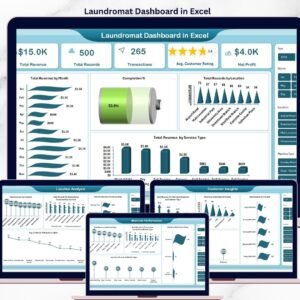
The Overview page condenses the entire laundromat operation onto a single screen. Five KPI cards at the top surface Total Revenue, Total Operating Cost, Total Transactions, Avg Customer Rating and Net Profit, while slicers let you drill the whole report by location, service type, machine type and payment method.
📈 Total Revenue by Month Name — plots the monthly revenue curve so you can spot seasonality, promotion effects and growth trends.
✅ Completion Rate — visualises cycles completed vs aborted so operators can flag recurring machine or staffing issues.
📍 Total Transactions by Location — compares transaction volume across stores to guide staffing and marketing spend.
💰 Total Revenue by Service Type — breaks revenue across wash, dry, fold, dry-clean and add-on services to protect the highest-margin mix.
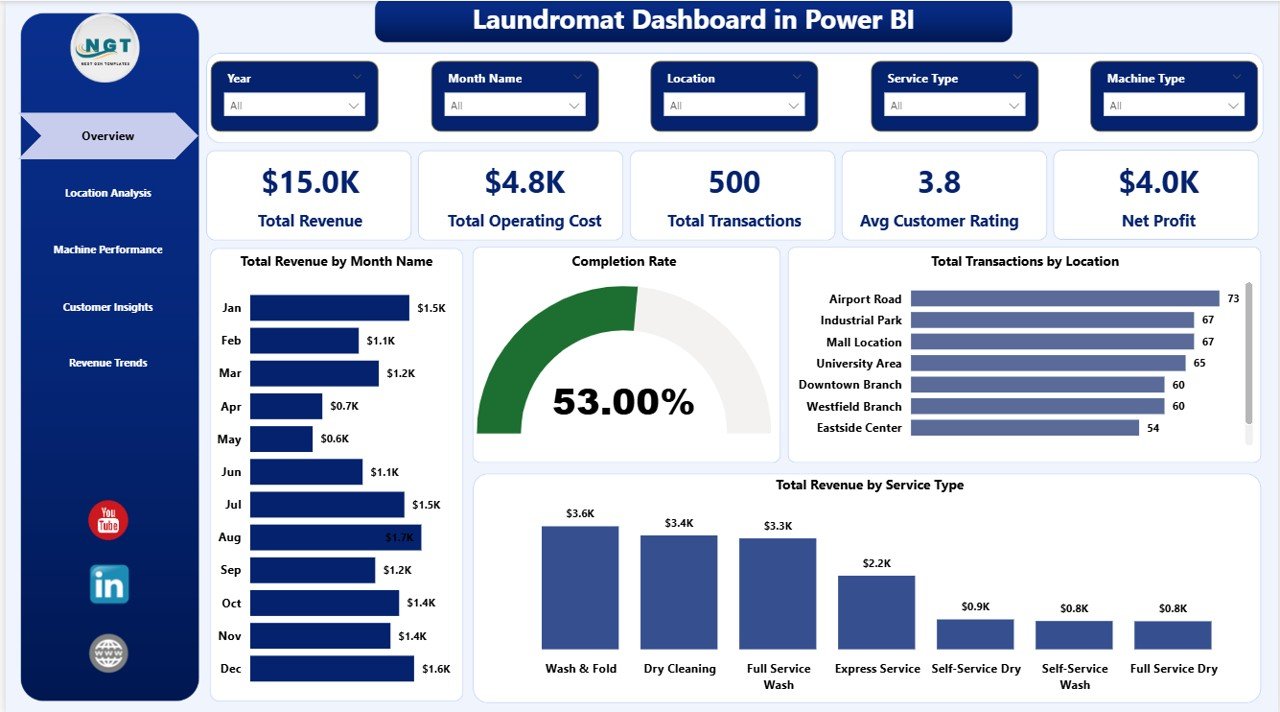
Laundromat Dashboard in Power BI – Overview Page
2 — Location Analysis
The Location Analysis page is built for multi-store operators who need to compare branch performance at a glance.
🏢 Total Revenue by Location — shows gross revenue per store to identify top and underperforming outlets.
⭐ Avg Customer Rating by Location — pinpoints which branches have satisfaction issues that threaten repeat visits.
🛠️ Total Maintenance Cost by Location — flags stores eating profit due to ageing equipment or under-investment.
📊 Total Transactions by Location — compares volume across stores to guide staffing, pricing and local marketing.
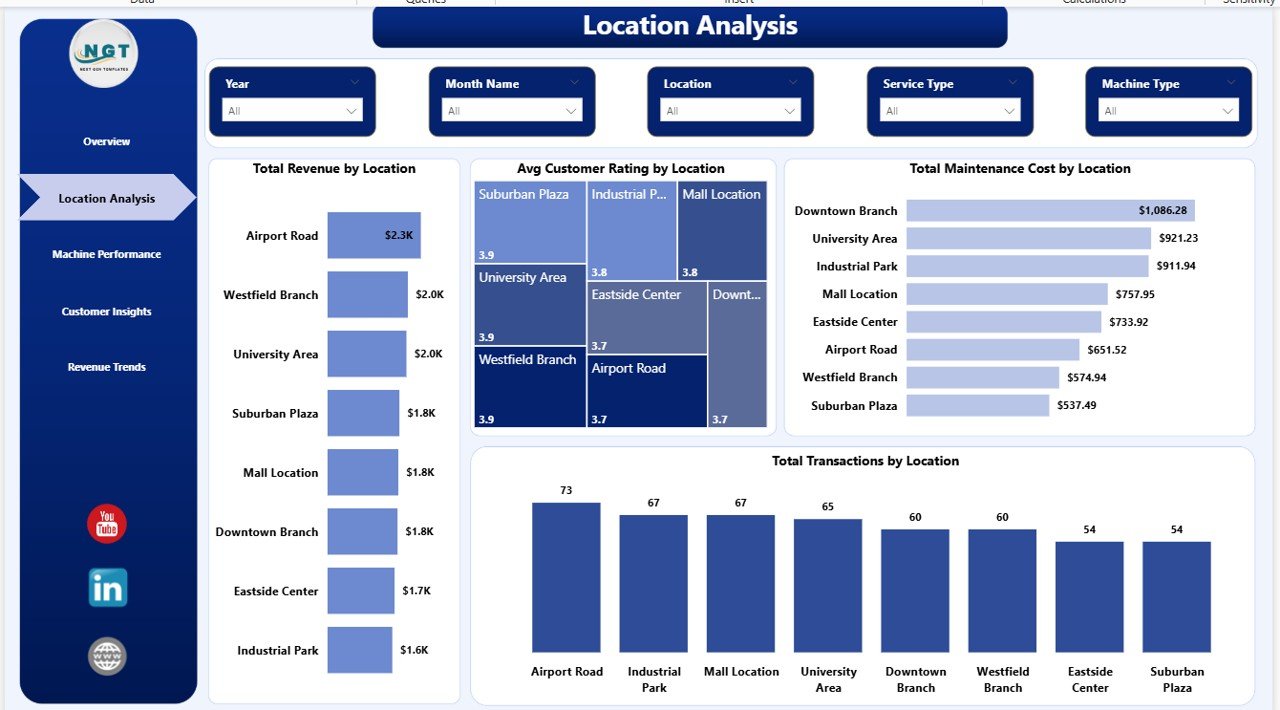
Laundromat Dashboard in Power BI – Location Analysis
3 — Machine Performance
The Machine Performance page focuses on the heart of any laundromat — the equipment itself.
🧺 Total Revenue by Machine Type — compares income generated by top-loaders, front-loaders, stack dryers and commercial units.
🔁 Total Transactions by Machine Type — measures utilisation across equipment classes to plan capacity upgrades.
⏱️ Avg Cycle Duration by Machine Type — flags slow washers and dryers eroding throughput and margin per machine.
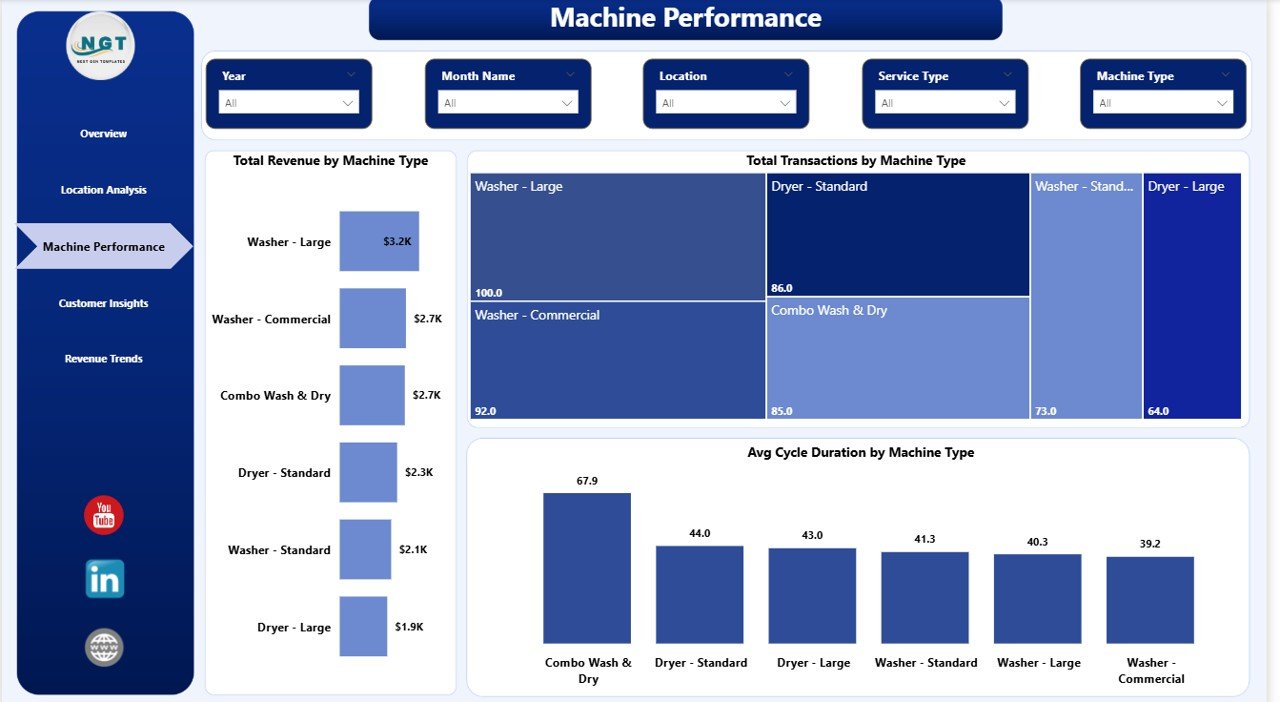
Laundromat Dashboard in Power BI – Machine Performance
4 — Customer Insights
The Customer Insights page reveals who is paying, how often and how they are paying you.
🎟️ Total Revenue by Membership — splits revenue between members and walk-ins to protect recurring income.
👥 Total Transactions by Membership — shows how often members use the stores vs walk-in customers.
💳 Total Transactions by Payment Method — tracks cash, card, app and membership payments to guide digital payment adoption.
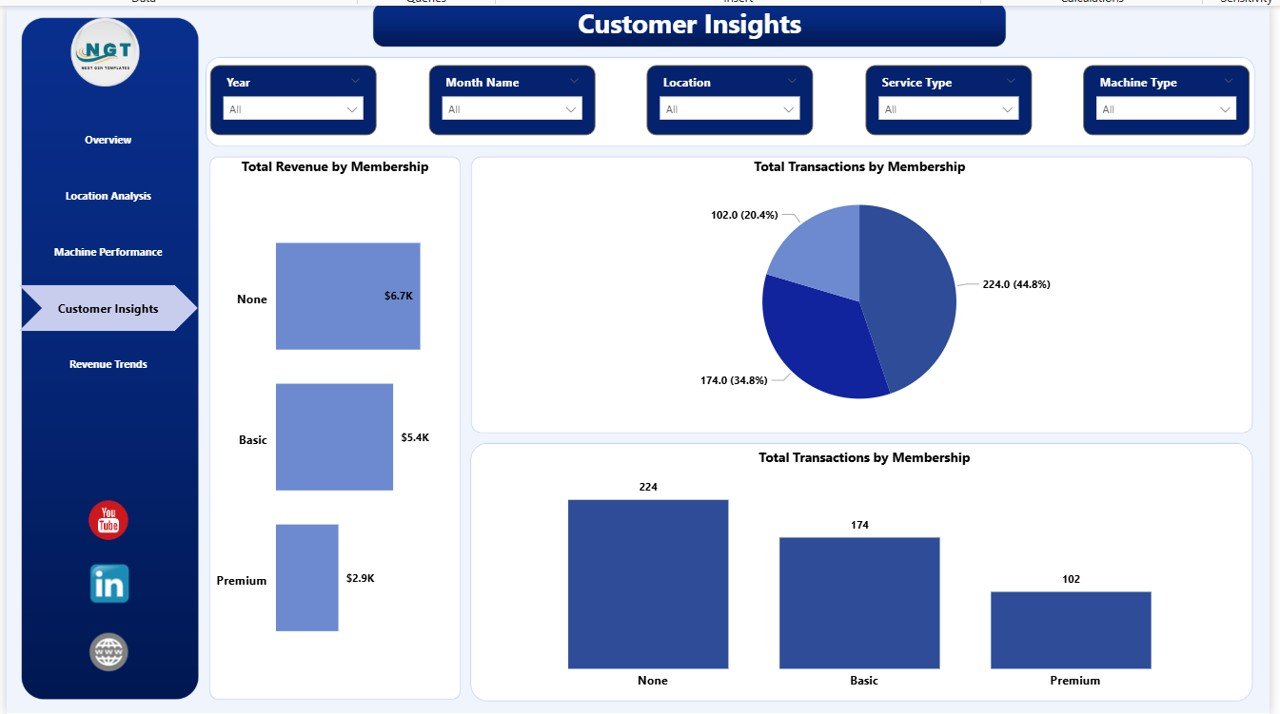
Laundromat Dashboard in Power BI – Customer Insights
5 — Revenue Trends
The Revenue Trends page gives you the long-term financial view for monthly, service-type and status-level analysis.
📅 Total Transactions by Month Name — reveals seasonal demand patterns across the year for staffing and promotion planning.
💰 Total Revenue by Service Type — tracks the service-mix evolution between wash, dry, fold, dry-clean and add-on services.
📌 Total Revenue by Transaction Status — highlights how much revenue is secured in completed cycles vs at risk in in-progress or cancelled transactions.
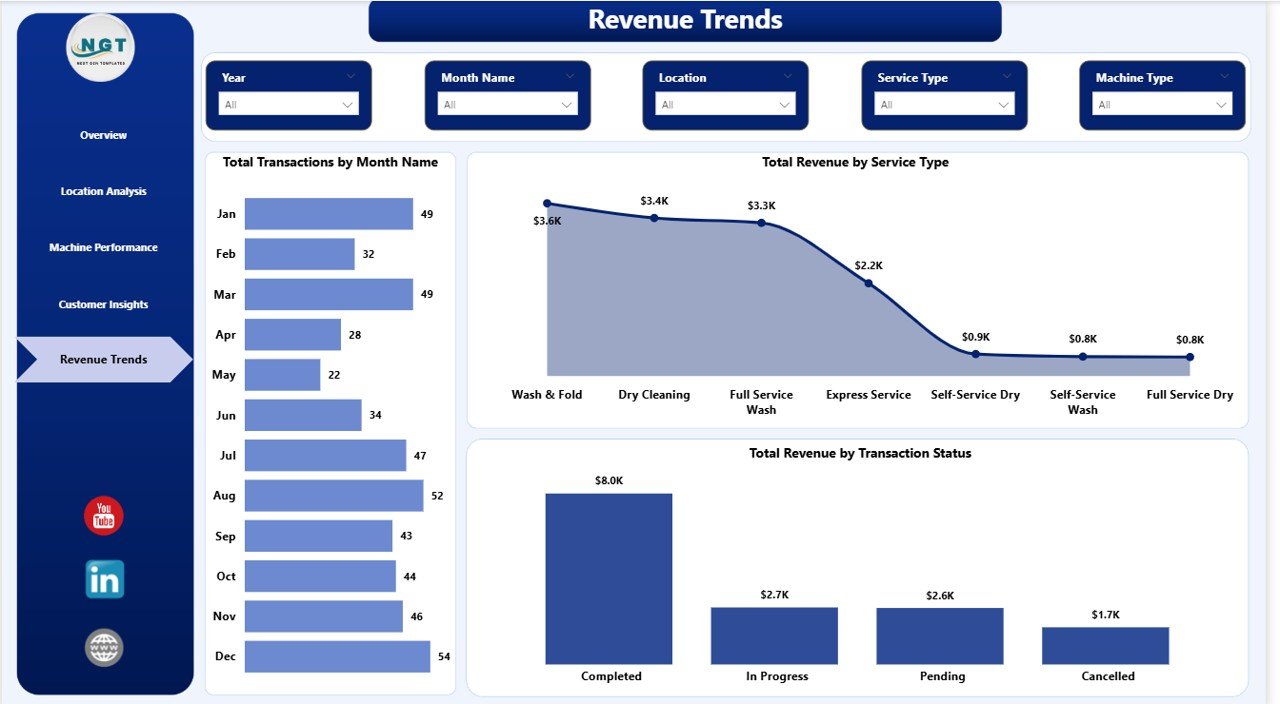
Laundromat Dashboard in Power BI – Revenue Trends
📊 Laundromat Dashboard in Power BI vs. Tableau Equivalent vs. CleanCloud / LaundryCard — Where This Fits
| Feature | Laundromat Dashboard in Power BI | Tableau / Qlik Equivalent | CleanCloud / LaundryCard / SpinXpress |
|---|---|---|---|
| Cost | $17.99 one-time | $70 / user / month (Tableau Creator) | $49–199 / store / month |
| Platform | Power BI Desktop (free) | Tableau / Qlik Sense | Cloud SaaS + POS hardware |
| Setup time | Under 10 minutes | 1–5 days | 1–3 weeks onboarding |
| Multi-location comparison | ✅ Built-in Location Analysis page | ✅ (you build it) | ✅ |
| Machine-level analytics | ✅ Revenue, transactions, cycle time | ✅ (you build it) | Varies by vendor |
| Customisable visuals and measures | ✅ Full DAX and model access | ✅ | ❌ (vendor-controlled) |
| Publish to web with RLS | ✅ Via Power BI Service | ✅ | Cloud dashboards only |
| Year-1 cost at 5 users | $17.99 total | $4,200 / year | $2,940–$11,940 |
| Software licence required | None (Desktop is free) | Tableau / Qlik licence | Monthly subscription |
For laundromat owners who want a real BI-grade analytics layer without paying monthly per-seat fees, the Laundromat Dashboard in Power BI sits in the sweet spot.
👥 Who This Template Is For — and Who It’s Not For
✅ This template is built for:
- Laundromat owners running 1–20 coin-op or card-op self-service stores who want deeper analytics than Excel.
- Multi-location chain managers who need branch-level revenue, rating and maintenance-cost comparison.
- Franchisees and investors evaluating store profitability before expansion or acquisition.
- Facility and operations managers tracking machine uptime, cycle duration and maintenance cost per store.
- Business analysts and consultants building Power BI reports for laundromat or service-business clients.
❌ This template is NOT for:
- Users who do not want to install Power BI Desktop — pick our Laundromat Dashboard in HTML or Laundromat Dashboard in Excel instead.
- Enterprise laundromat chains needing live POS hardware integration, card-reader feeds or SOC 2 audit logs.
- Businesses whose primary need is a full accounting system — this template is analytics, not bookkeeping.
⚙️ How to Use the Laundromat Dashboard in Power BI
1️⃣ Download and unzip — extract the .pbix file to any folder on your computer.
2️⃣ Install Power BI Desktop (free from Microsoft) if you do not already have it, then double-click the .pbix file to open it.
3️⃣ Replace the sample data — in Power BI Desktop open Transform Data, point the data source at your own transaction file and click Close & Apply.
4️⃣ Refresh the report — every KPI card, visual and slicer updates instantly with your own laundromat data.
5️⃣ Use slicers and filters on each page to drill into specific locations, machine types, service types or customer segments.
6️⃣ Publish to Power BI Service to share interactive reports with partners, investors or area managers via the web and mobile apps.
💼 Real-World Use Cases
Rahul owns a 4-store laundromat chain in suburban Chicago. He uses the Laundromat Dashboard in Power BI every Monday morning to compare revenue, maintenance cost and customer rating across all four locations, spots the store that keeps losing cycles to broken machines, and decides which units to replace next quarter — without paying $149 per store per month for a SaaS POS analytics add-on.
Priya runs a single boutique laundromat offering premium wash-and-fold service. She uses the Customer Insights page to confirm that members generate 58% of her revenue and that Saturday mornings drive the highest transaction volume, then aligns staff schedules and loyalty promotions accordingly.
David is a franchise investor evaluating three laundromat acquisitions. He loads each seller’s transaction data into the Power BI model and uses the Location Analysis and Machine Performance pages to compare gross profit, cycle duration and maintenance cost per location — turning messy CSVs into a defensible valuation deck in under an afternoon.
❓ Frequently Asked Questions
What is the Laundromat Dashboard in Power BI?
The Laundromat Dashboard in Power BI is a ready-made .pbix template that tracks 5 KPIs and 15+ visuals across 5 analysis pages — Overview, Location Analysis, Machine Performance, Customer Insights and Revenue Trends — for laundromat owners and multi-store operators who want BI-grade analytics without a monthly SaaS bill.
Which KPIs does the Laundromat Dashboard in Power BI track?
The Laundromat Dashboard in Power BI tracks 5 key performance indicators: Total Revenue, Total Operating Cost, Total Transactions, Avg Customer Rating and Net Profit. All five recalculate automatically the moment you refresh the data source in Power BI Desktop.
Do I need a paid Power BI licence to use this dashboard?
No. You can open, edit and refresh the Laundromat Dashboard in Power BI using Power BI Desktop, which is free from Microsoft. A paid Power BI Pro or Premium licence is only needed if you want to publish the report to the Power BI Service and share it with colleagues.
Can I use this dashboard across multiple laundromat locations?
Yes. The Location Analysis page is specifically designed for multi-store operators. Tag every transaction with a location name and the Laundromat Dashboard in Power BI will automatically compare revenue, transactions, average rating and maintenance cost across all your branches.
How does this compare to paid POS dashboards like CleanCloud or LaundryCard?
CleanCloud, LaundryCard and SpinXpress typically charge $49–$199 per store per month. The Laundromat Dashboard in Power BI is a one-time $17.99 purchase. It does not replace POS hardware, but it delivers the same analytics layer — revenue, machine performance, location comparison — for a tiny fraction of the annual cost.
How long does setup take?
Setup takes under 10 minutes. Open the .pbix file in Power BI Desktop, point the data source at your own transaction file, click Close & Apply and the Laundromat Dashboard in Power BI refreshes with your real data across all 5 pages.
Is the Laundromat Dashboard in Power BI suitable for franchise owners and investors?
Yes. Franchisees and investors use the Laundromat Dashboard in Power BI to benchmark store-level profitability, compare maintenance costs across branches and validate expansion plans using historical revenue trends — all from a single interactive Power BI report.
👤 About the Author
Built by PK — Microsoft Certified Professional with 15+ years of Excel, Google Sheets and Power BI experience. Founder of NextGenTemplates, reaching 300K+ subscribers across YouTube channels (@PK-AnExcelExpert, @NextGenTemplates, @NeoTechNavigators). Every template is hand-built and tested before release.
🔗 Explore Related Templates
📌 Laundromat Dashboard in Excel — Same Laundromat analytics in a pivot-powered Excel workbook for Office 365 users.
📌 Laundromat Dashboard in HTML — Browser-based offline version that needs no Excel or Power BI installation.
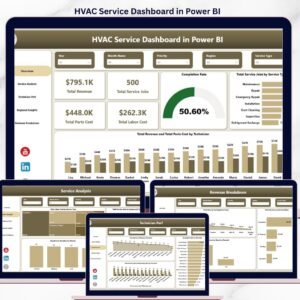
📌 HVAC Service Dashboard in Power BI — For HVAC contractors tracking technicians, jobs and regional revenue.
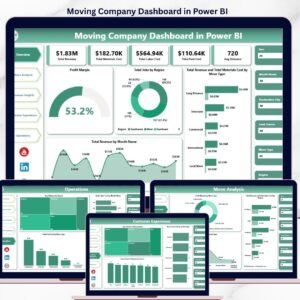
📌 Moving Company Dashboard in Power BI — Service-business dashboard for moving and logistics operators.
📌 Property Management Dashboard in Power BI — Rental and facility analytics for property operators.
Browse the full range of Power BI Dashboard Templates across every industry.
📖 Click here to read the Detailed Blog Post
Watch the step-by-step video tutorial:
🎥 Visit our YouTube channel for step-by-step video tutorials
👉 YouTube.com/@NextGenTemplates
📅 Last updated: April 2026
Compatibility and Requirements
- Runs in Power BI Desktop, which is free from Microsoft. Download it from Get Power BI Desktop.
- The download is a .pbix file. A paid Power BI Pro or Premium license is only needed to publish and share the report in the Power BI Service.



























Reviews
There are no reviews yet.