
Employee engagement has become one of the most critical drivers of organizational success in today’s modern workplace. Businesses no longer evaluate performance based only on productivity numbers. Instead, companies focus on employee satisfaction, participation levels, recognition activities, and workforce involvement to build sustainable and high-performing organizations.
However, many HR teams still depend on fragmented spreadsheets and manual reporting processes. Consequently, leadership struggles to identify engagement trends, detect dissatisfaction early, and make informed workforce decisions.
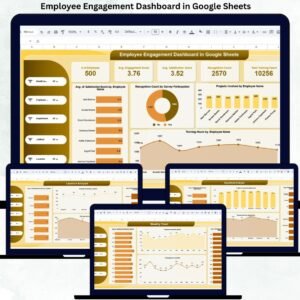
The HR Engagement Insights Dashboard in Google Sheets provides a smart, centralized, and easy-to-use solution for modern HR analytics.
This ready-to-use dashboard transforms employee data into meaningful visual insights using structured KPIs and interactive analytics. Instead of reviewing multiple HR reports, organizations can monitor engagement performance inside a single dynamic Google Sheets dashboard.
Because the platform is cloud-based, HR teams collaborate in real time while maintaining a single source of truth. Managers and executives gain instant visibility into workforce health, allowing them to improve employee experience and organizational performance proactively.
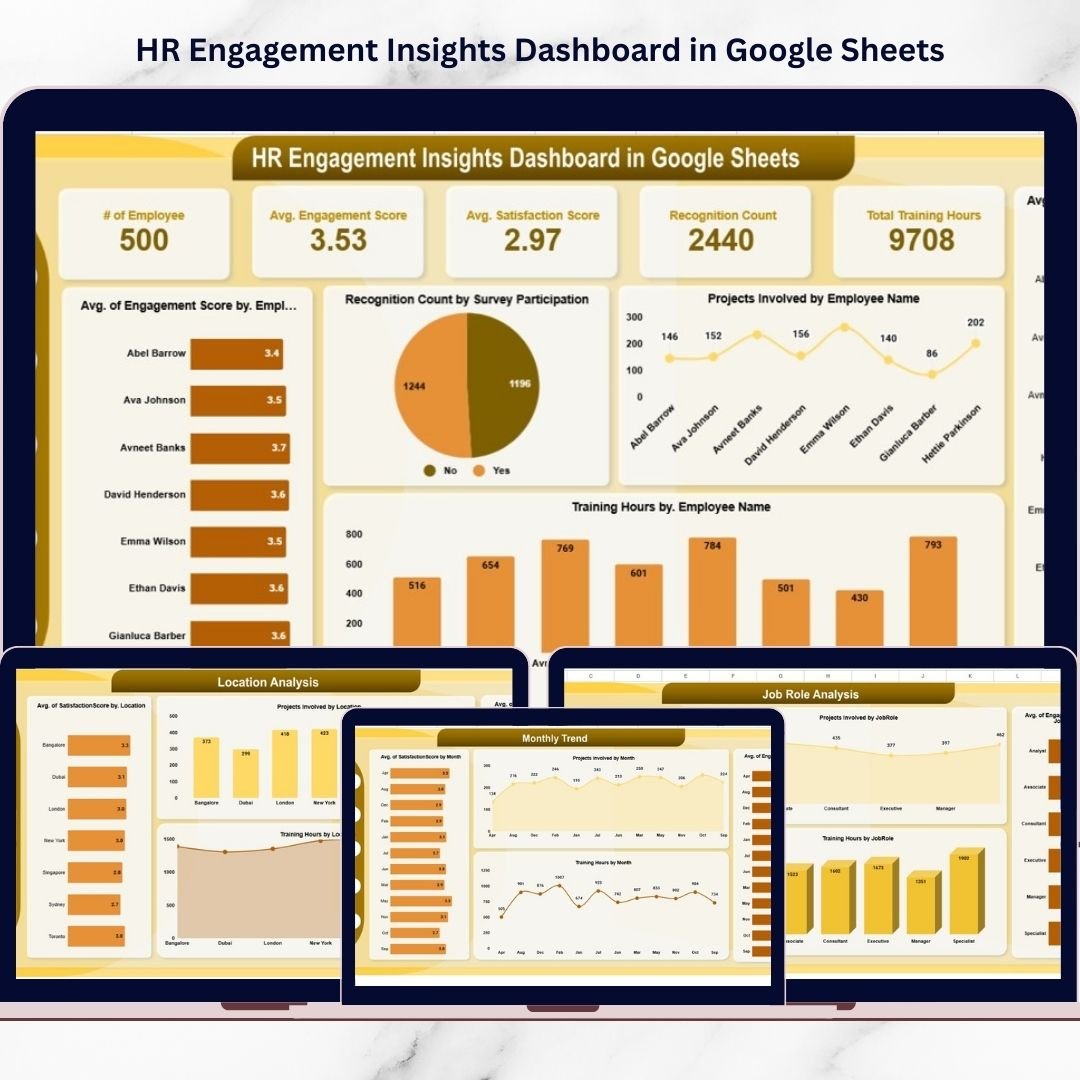
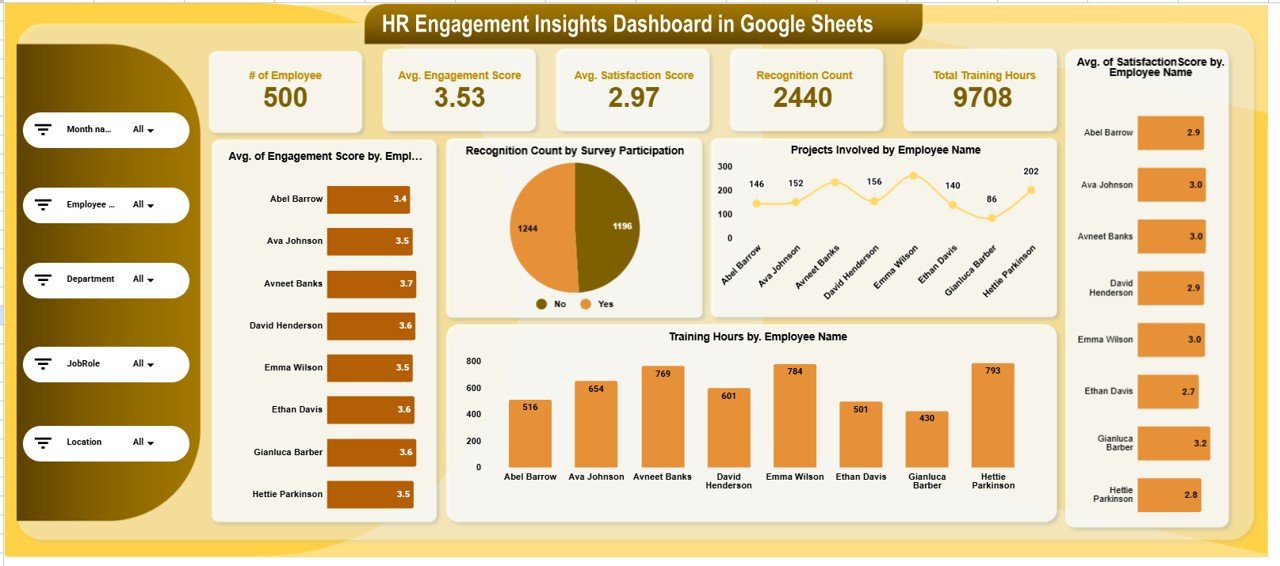
The dashboard tracks essential engagement metrics such as employee engagement score, satisfaction score, recognition participation, training hours, and project involvement. These insights help organizations understand workforce behavior and identify improvement opportunities quickly.
Whether you manage HR operations, people analytics, or organizational development initiatives, this dashboard enables faster and data-driven decision-making.
🚀 Key Features of HR Engagement Insights Dashboard in Google Sheets
✅ Interactive KPI summary cards for quick workforce overview
✅ Dynamic filters for employee, department, job role, and location analysis
✅ Employee-level engagement performance tracking
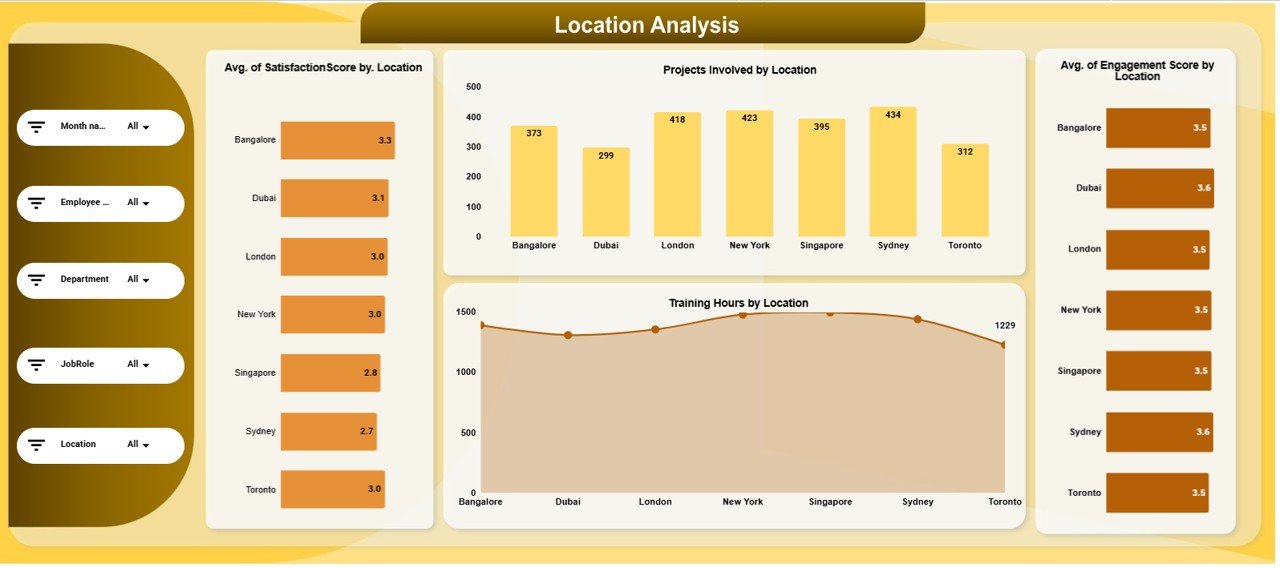
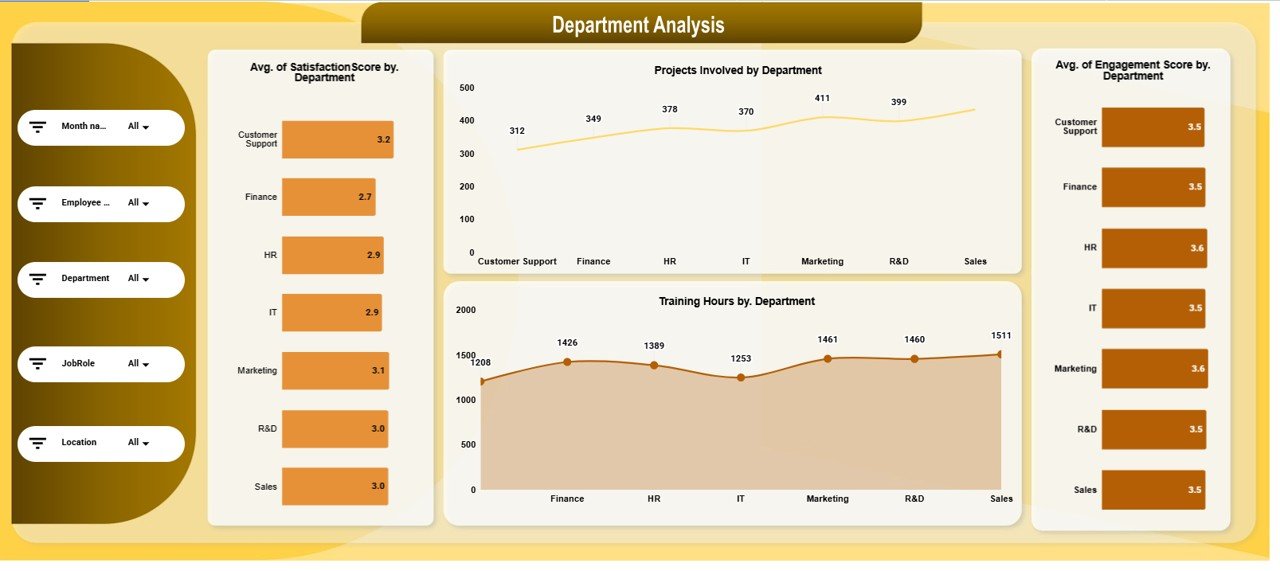
✅ Department-wise and location-wise analytics
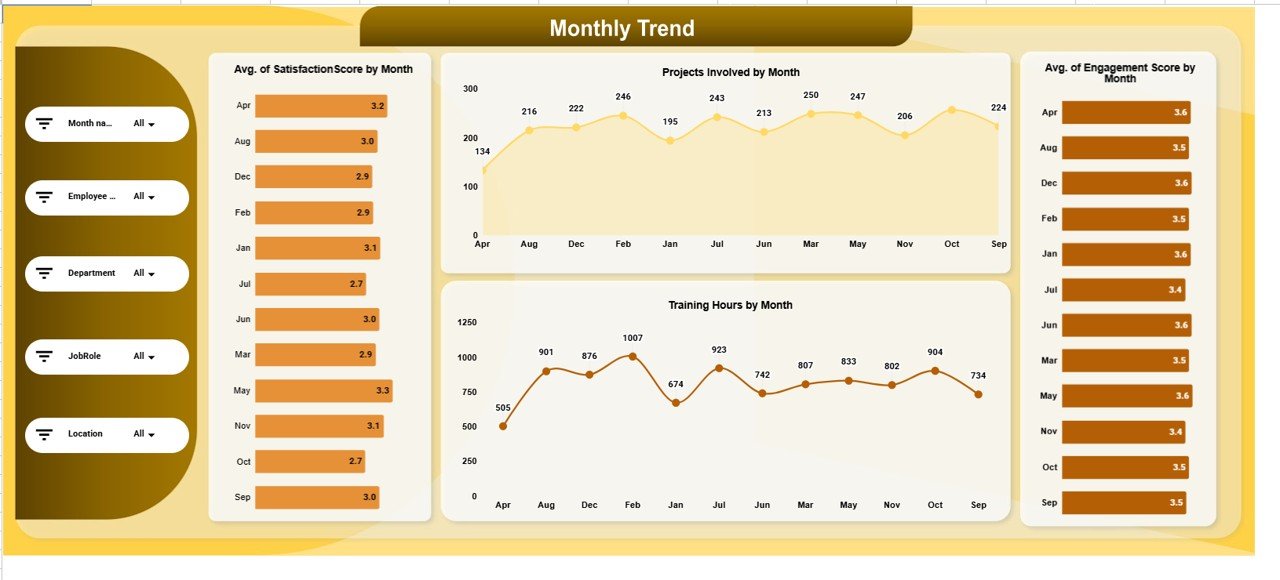
✅ Monthly engagement trend monitoring
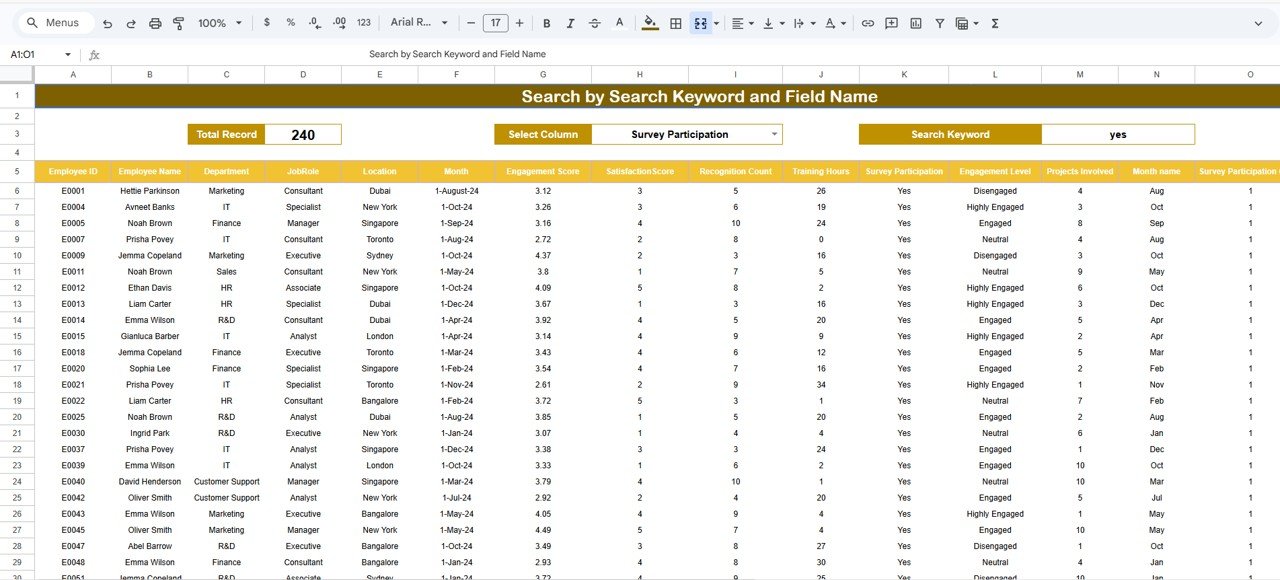
✅ Advanced search and data exploration functionality
✅ Automated visual charts and analytics
✅ Cloud-based collaboration with real-time updates
These features help HR teams analyze engagement data instantly without complex tools.
📦 What’s Inside the HR Engagement Insights Dashboard in Google Sheets
This product includes multiple analytics pages designed for complete workforce analysis:
Main HR Engagement Dashboard – Organization-wide engagement overview
Location Analysis Page – Workforce performance by geography
Department Analysis Page – Engagement comparison across teams
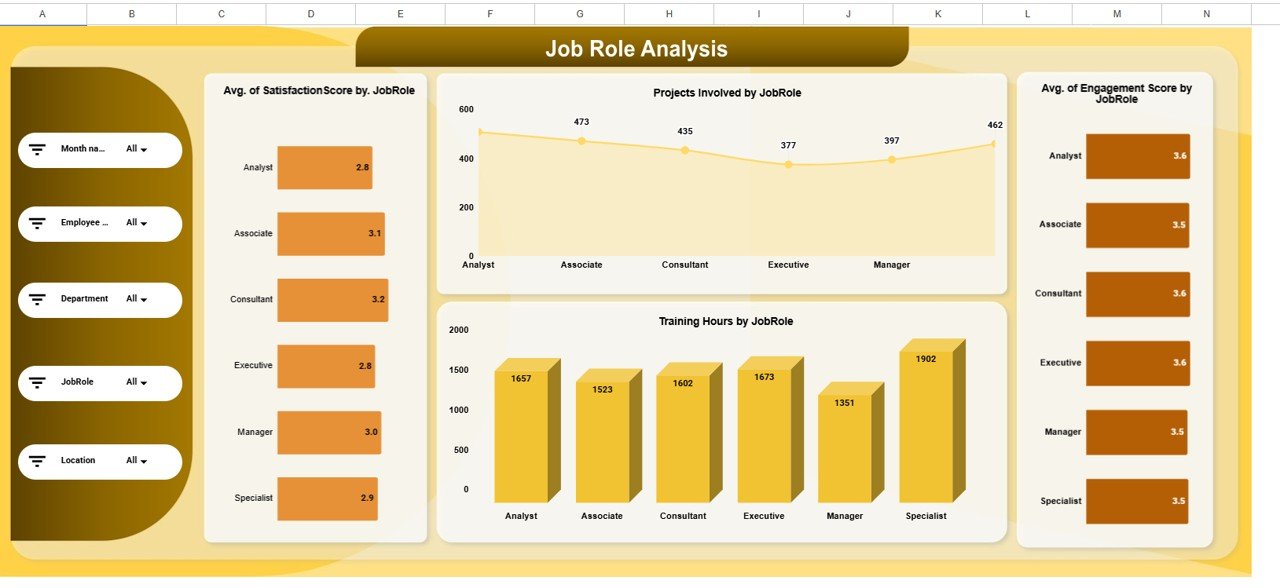
Job Role Analysis Page – Role-based engagement insights
Monthly Trend Page – Engagement performance over time
Search & Data Exploration Sheet – Detailed employee-level investigation
Together, these pages create a powerful HR analytics ecosystem inside Google Sheets.
⚙️ How to Use the HR Engagement Insights Dashboard in Google Sheets
The dashboard is designed for simplicity and quick implementation:
1️⃣ Upload or enter employee engagement data
2️⃣ Update monthly performance metrics
3️⃣ Use filters to analyze departments, roles, or locations
4️⃣ Monitor KPI summary cards for quick insights
5️⃣ Review trends and charts to identify improvement areas
All visuals update automatically, allowing HR teams to focus on strategy instead of manual reporting.
👥 Who Can Benefit from This HR Engagement Insights Dashboard
This dashboard is ideal for organizations aiming to improve workforce performance:
HR Managers monitoring engagement levels
People Analytics Teams analyzing workforce trends
Department Heads reviewing team performance
Talent Management Professionals improving retention strategies
Business Leaders evaluating organizational health
Organizational Development Teams driving culture initiatives
Because the dashboard combines analytics and visualization, it supports both operational and strategic HR decisions.
The HR Engagement Insights Dashboard in Google Sheets empowers organizations to move beyond assumptions and adopt data-driven workforce management. Instead of reacting to problems late, companies can proactively identify engagement risks and implement improvement strategies early.
By centralizing HR analytics, simplifying reporting, and enabling collaboration, this dashboard helps organizations enhance employee satisfaction, improve retention, and build stronger workplace cultures.
If you want a modern yet simple HR analytics solution without investing in complex software, this dashboard provides the perfect balance between usability and powerful insights.
### Click here to read the Detailed blog post
Watch the step-by-step video tutorial:
### Visit our YouTube channel to learn step-by-step video tutorials
👉 https://youtube.com/@PKAnExcelExpert
Compatibility and Requirements
- Works in Google Sheets. You need a free Google account and a web browser.
- You filter the dashboard by employee, department, job role and location. Google explains how charts work in Add and edit a chart or graph.
Frequently Asked Questions
Which pages are included?
The Main HR Engagement Dashboard, a Location Analysis page, a Department Analysis page, a Job Role Analysis page, a Monthly Trend page and a Search and Data Exploration sheet.
Which metrics does it track?
Employee engagement score, satisfaction score, recognition participation, training hours and project involvement.
Can I compare departments, roles and locations?
Yes. The Department, Job Role and Location pages each show engagement results for that view, and the dashboard filters let you narrow the data by employee, department, job role or location.
How do I update the dashboard?
Upload or enter your employee engagement data and update the monthly performance metrics. The KPI cards and charts update automatically.
Is there an Excel version?
Yes. See the Employee Engagement Dashboard in Excel.
Related HR and Engagement Templates
- Employee Engagement Dashboard in Excel: the Excel version for employee engagement
- Employee Engagement Survey KPI Dashboard in Excel: survey-based engagement KPIs
- Customer Engagement KPI Dashboard in Google Sheets: the same style of dashboard for customer engagement
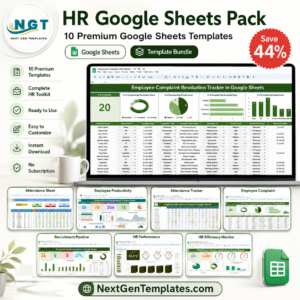
- HR Google Sheets Pack: 10 HR templates for Google Sheets in one download
Browse all Google Sheets dashboards.