
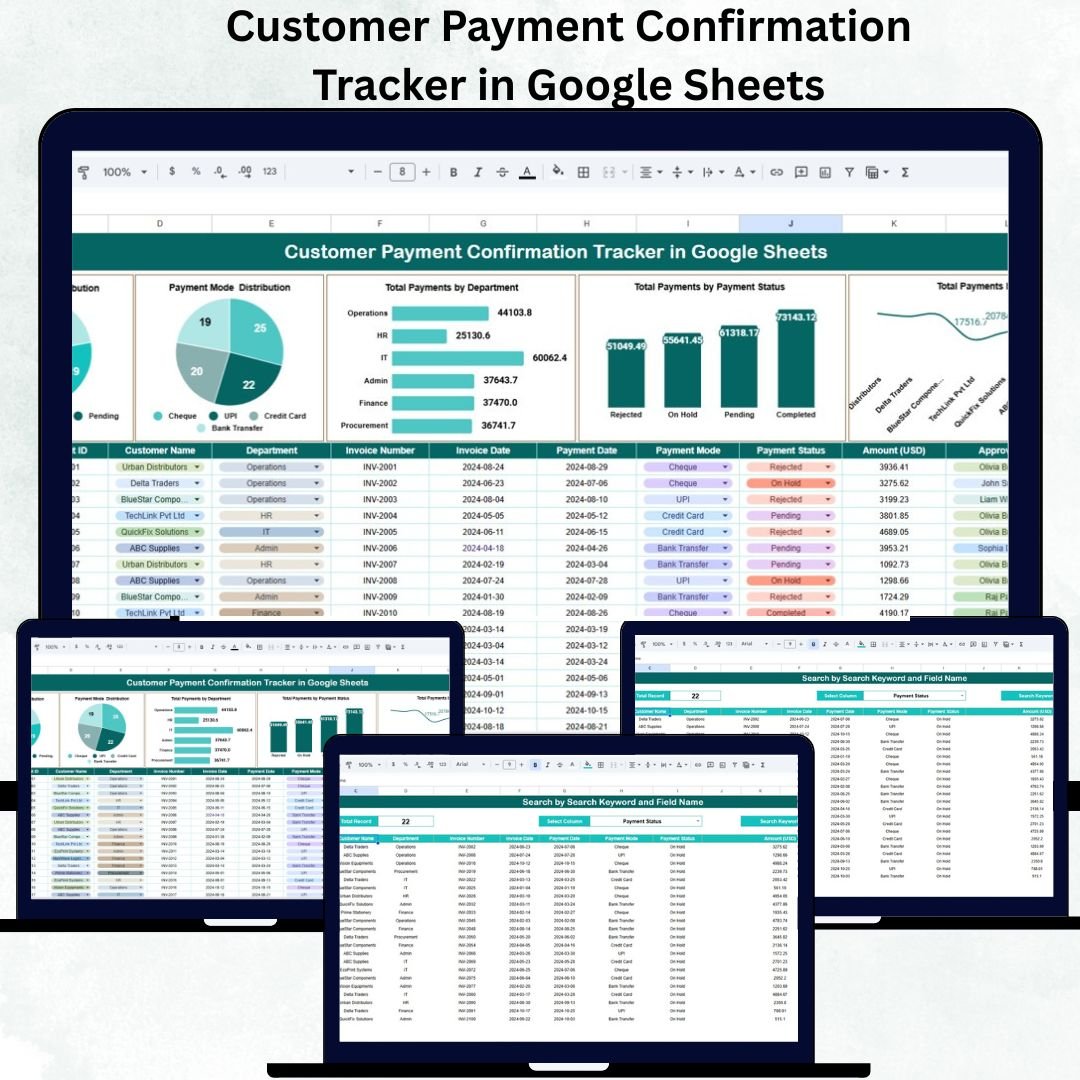
Managing customer payments accurately and efficiently is critical for maintaining healthy cash flow and financial stability. The Customer Payment Confirmation Tracker in Google Sheets is a simple yet powerful tool designed to streamline the process of tracking, confirming, and analyzing payments — all in one centralized platform.
This ready-to-use tracker helps businesses eliminate payment discrepancies, reduce delays, and improve visibility into financial transactions. With automated charts, real-time updates, and smart search functionality, it provides everything you need to monitor payments with confidence and clarity.
💳 What Is a Customer Payment Confirmation Tracker in Google Sheets?
The Customer Payment Confirmation Tracker is a pre-built Google Sheets template that allows businesses to record, monitor, and confirm customer payments in a structured, visual, and collaborative environment.
It’s designed for finance teams, account managers, and business owners who want to stay on top of customer payments — whether pending, completed, or failed — without relying on expensive ERP systems.
Since it’s built entirely in Google Sheets, it’s:
✅ Cloud-based and accessible from anywhere
✅ Fully shareable with role-based permissions
✅ Easy to customize for different business needs
✅ Automated with real-time visual dashboards
📊 Structure and Key Sheets of the Tracker
This template includes multiple easy-to-navigate sheets to keep your financial data clean, structured, and visually insightful.
🧭 1. Tracker Sheet Tab (Dashboard)
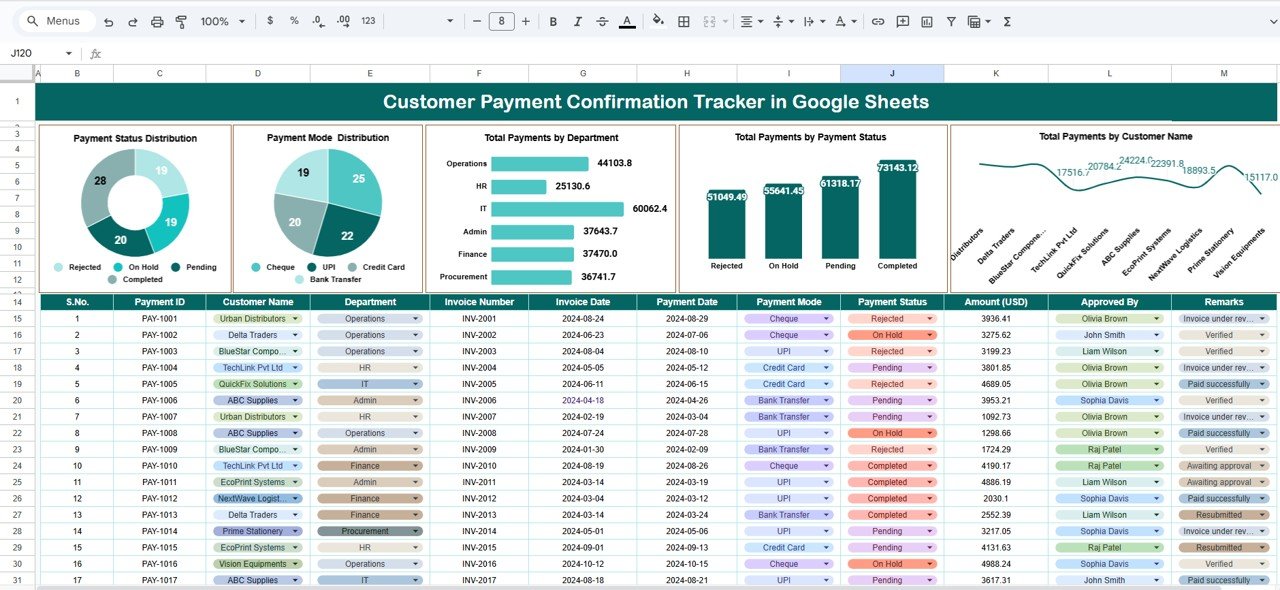
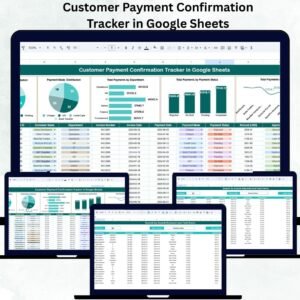
The main dashboard provides a visual summary of your payment performance through dynamic charts that update automatically.
Charts Include:
-
💰 Payment Status Distribution: Displays proportions of Completed, Pending, and Failed payments.
-
🏦 Payment Mode Distribution: Breaks down transactions by Bank Transfer, Cash, or Credit Card.
-
🧾 Total Payments by Department: Shows which departments generate the most payments.
-
👥 Total Payments by Customer Name: Identifies top clients and key contributors.
-
📈 Total Payments by Status: Highlights areas needing attention for collection follow-up.
These visuals update in real time whenever data is changed in the Data Sheet — offering instant insight into financial trends.
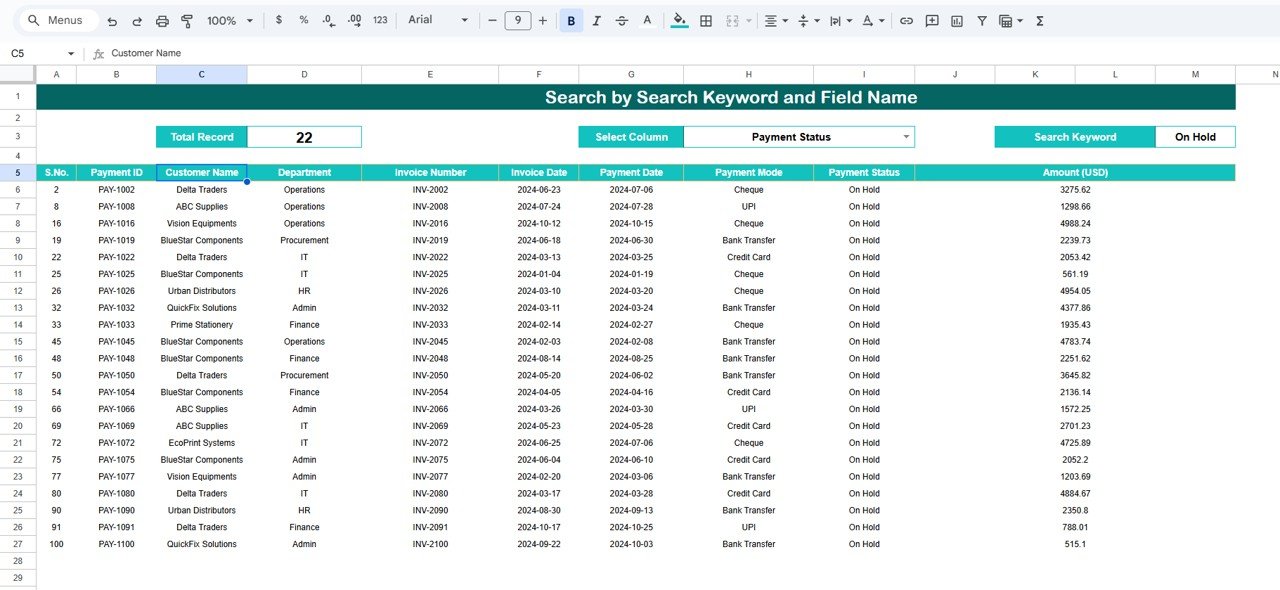
🔍 2. Search Sheet Tab
The Search tab enables quick access to any payment record with an easy keyword-based system.
Features:
-
Search by Customer Name, Status, or Department
-
Filter records instantly without scrolling through long datasets
-
Save valuable time during audits or client follow-ups
This is especially useful for finance teams handling hundreds of transactions daily.
📄 3. Data Sheet Tab
This is the foundation of the tracker — where all payment details are entered.
Typical Columns Include:
-
Customer Name
-
Department
-
Payment Date
-
Payment Amount (USD)
-
Payment Status (Completed, Pending, Failed)
-
Payment Mode (Bank Transfer, Cash, Credit Card)
-
Remarks or Comments
Once entered, the data automatically powers all dashboard metrics and visualizations.
🌟 Key Features of the Tracker
-
⚙️ Ready-to-Use Template: Start tracking instantly — no setup required.
-
📈 Real-Time Dashboard: Auto-updating visual charts and KPIs.
-
🔎 Advanced Search Function: Instantly find payments by keyword or field.
-
💵 Payment Summary by Status: See all Completed, Pending, and Failed transactions in one glance.
-
🧩 Customizable Structure: Add new columns or categories as your business grows.
-
🌍 Cloud Collaboration: Accessible and editable by multiple team members.
-
🧮 No Software Needed: Built entirely in Google Sheets — no add-ons or installations required.
💼 Advantages of Using the Customer Payment Confirmation Tracker
-
💰 Centralized Payment Management: Track all payments in one secure place.
-
🔄 Real-Time Collaboration: Teams can update or verify transactions simultaneously.
-
✅ Error Reduction: Automated formulas minimize manual mistakes.
-
🔍 Full Transparency: Monitor every payment’s journey from initiation to confirmation.
-
📊 Data-Driven Insights: Identify top-paying customers and departments.
-
⏱ Instant Access: Quickly search or filter transactions without wasting time.
-
🌐 Global Accessibility: Update and review data anytime, anywhere.
💡 Opportunities for Improvement
While this tracker is already powerful, you can enhance it even further by:
-
📧 Automating Payment Reminders: Use Google Apps Script to send follow-up emails for pending payments.
-
🧾 Adding Verification Fields: Include “Verified By” and “Verification Date” columns.
-
🔗 Attaching Invoice Links: Add clickable invoice URLs for quick reference.
-
📊 Comparing Forecast vs. Actual: Add analysis for expected vs. received payments.
-
🎨 Conditional Formatting: Highlight overdue or failed transactions automatically.
-
🧠 Google Forms Integration: Allow teams to submit payment updates directly.
🧠 Best Practices
✅ Update data daily to ensure financial accuracy.
✅ Define payment statuses consistently (Completed, Pending, Failed).
✅ Restrict editing rights to authorized users.
✅ Use filters for quick department- or customer-based insights.
✅ Review dashboard charts weekly for financial health tracking.
✅ Automate weekly reports via scheduled Google Sheets summaries.
👥 Who Can Use This Tracker?
💼 Finance Teams: Monitor, verify, and reconcile customer payments.
🤝 Sales Managers: Track payment confirmations linked to clients.
📊 Account Managers: Ensure client payment completion and transparency.
🧾 Freelancers & SMEs: Maintain accurate records of all customer transactions.
✅ Conclusion
The Customer Payment Confirmation Tracker in Google Sheets is an indispensable tool for businesses that value accuracy, efficiency, and financial transparency. With its automated charts, search functionality, and cloud accessibility, it simplifies the entire payment confirmation process — reducing manual effort while improving accountability.
If you want a smart, affordable, and easy-to-use payment tracking system, this tracker is the perfect solution to strengthen your financial operations and streamline customer payment workflows.
🔗 Click here to read the detailed blog post
Watch the step-by-step video Demo:
























Reviews
There are no reviews yet.