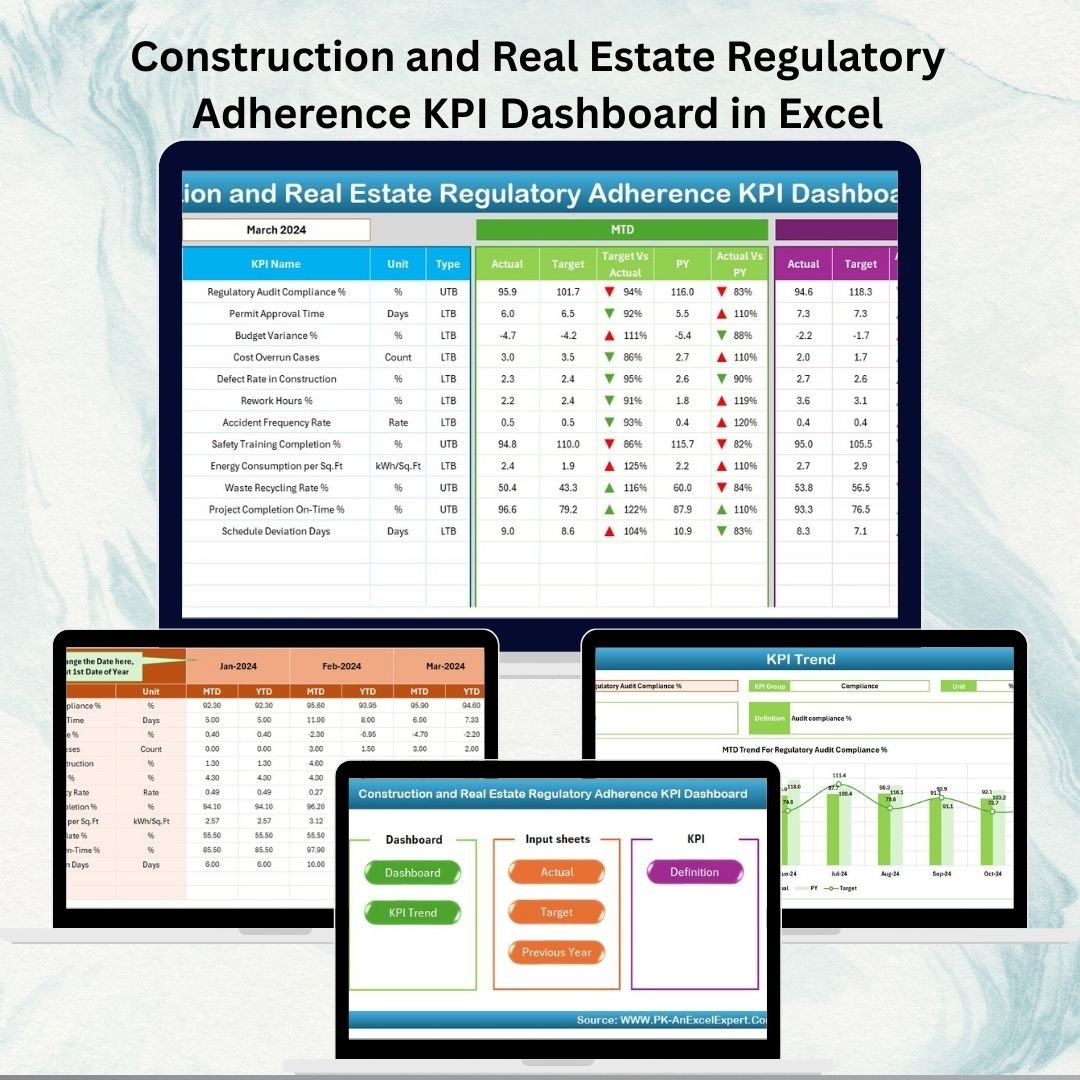
The construction and real estate industry operates in one of the Construction and Real Estate Regulatory Adherence KPI Dashboard From building codes and labor laws to environmental policies and safety regulations, every project must meet strict standards. Failure to comply can lead to project delays, heavy fines, legal action, and reputational damage.
To stay ahead, companies need a structured and reliable compliance monitoring system. That’s where the Construction and Real Estate Regulatory Adherence KPI Dashboard in Excel comes in. This ready-to-use Excel dashboard consolidates all compliance KPIs into one interactive platform, giving businesses complete visibility into their adherence levels.
Instead of juggling multiple spreadsheets or relying on manual reporting, this dashboard provides real-time insights, automated variance analysis, and trend tracking — ensuring you never miss critical compliance requirements.
🔑 Key Features of the Regulatory Adherence Dashboard
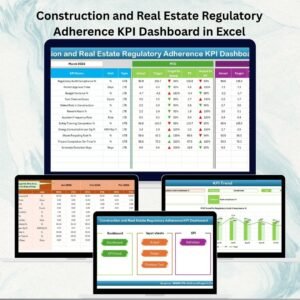
✨ 7 Pre-Built Sheets – Home, Dashboard, KPI Trend, Actual Numbers Input, Target, Previous Year, and KPI Definition.
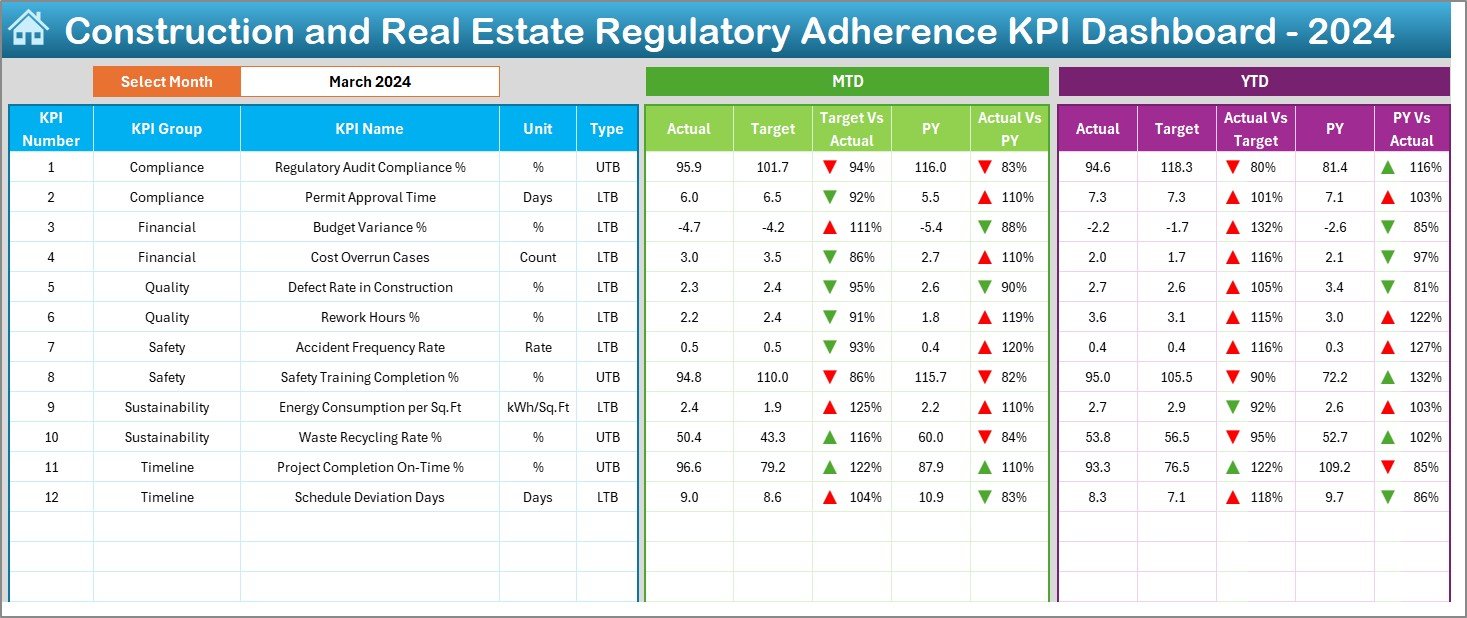
✨ Interactive Dashboard – Select reporting month from a drop-down and view instant MTD & YTD compliance performance.
✨ Actual vs Target vs Previous Year Comparison – Automated variance analysis with green/red arrows for quick interpretation.
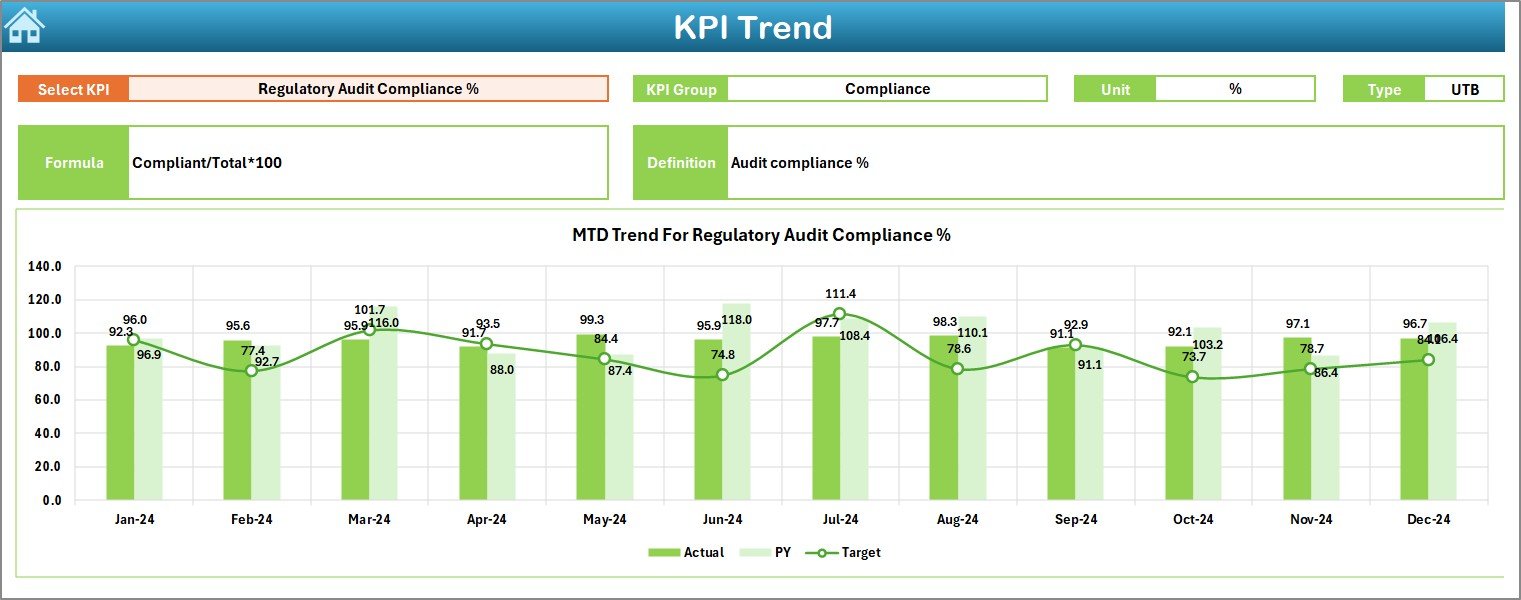
✨ KPI Trend Analysis – Track performance of each compliance KPI over time with trend charts.
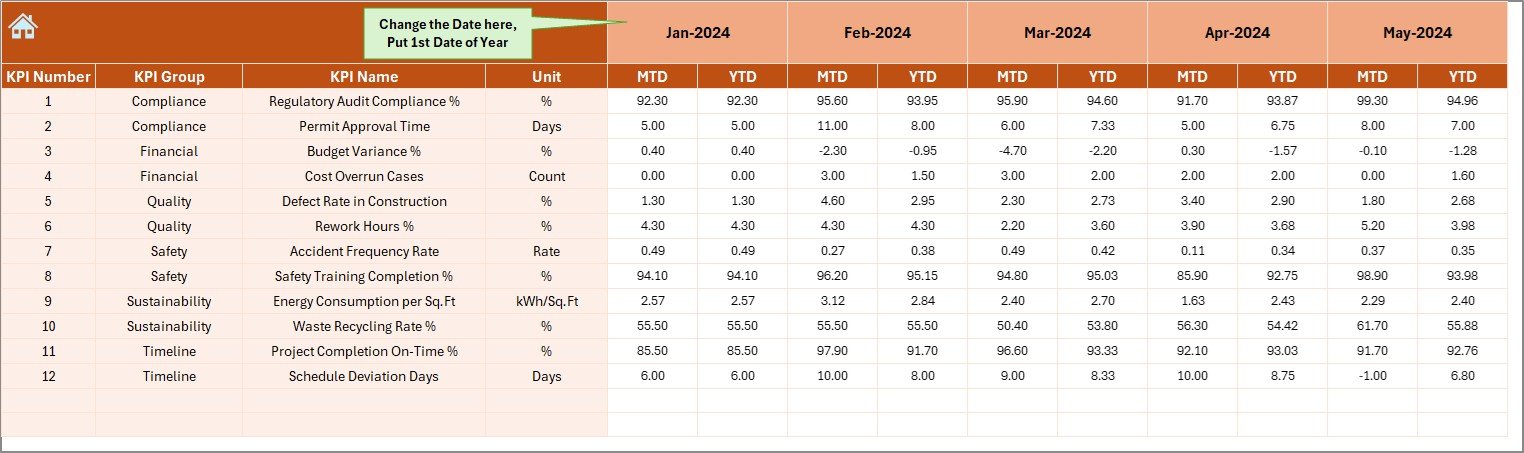
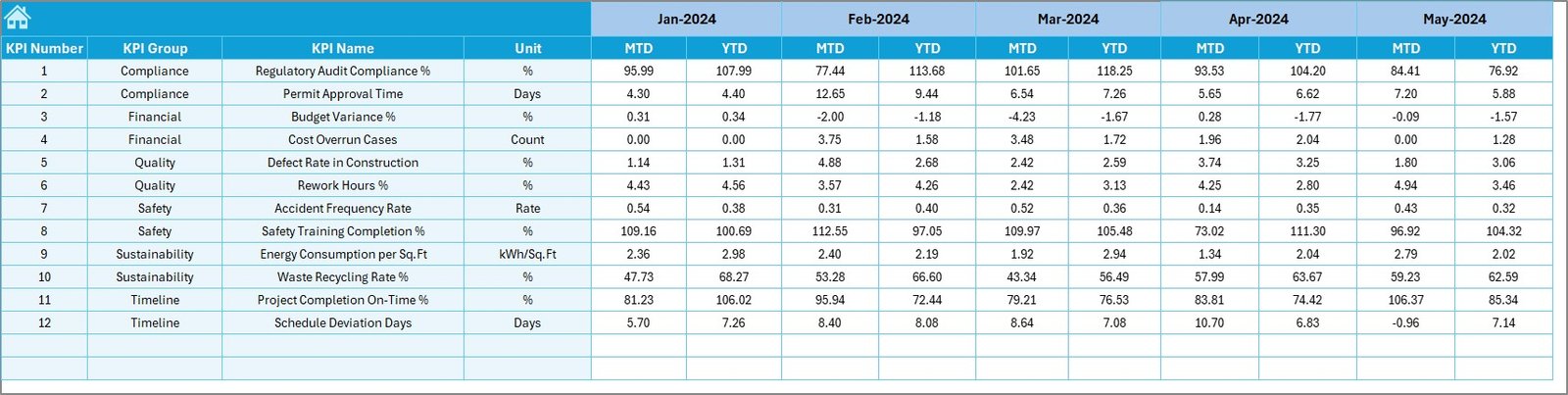
✨ Data Entry Simplified – Input MTD and YTD figures in the Actual Numbers sheet; updates reflect automatically.
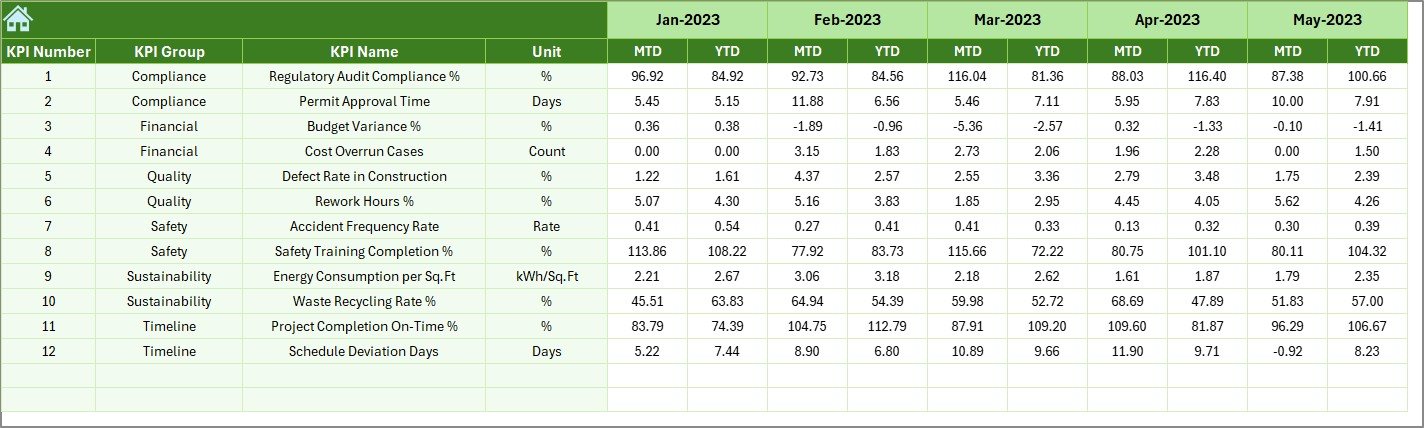
✨ Target & Previous Year Sheets – Define benchmarks and compare with historical performance.
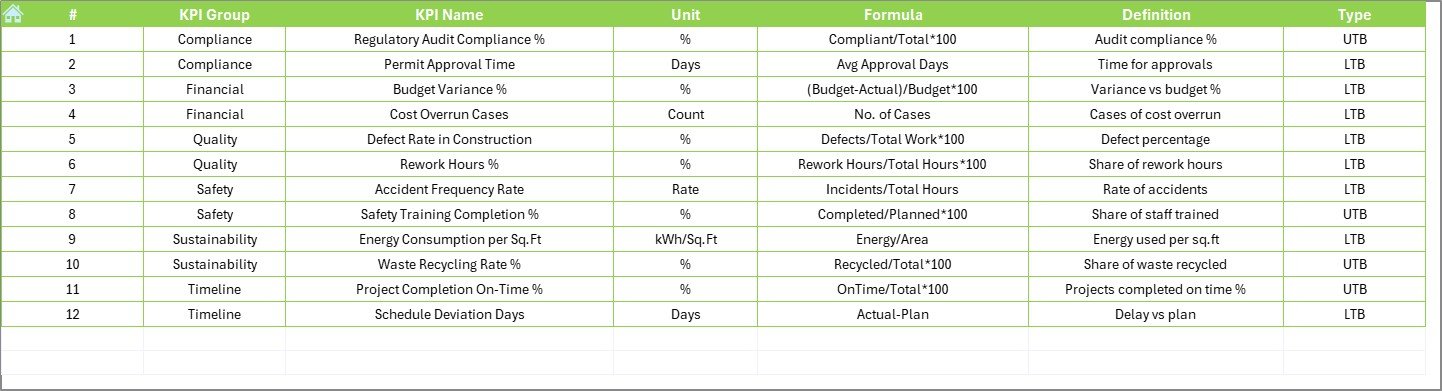
✨ KPI Definition Sheet – A built-in compliance dictionary with KPI names, formulas, and definitions.
✨ Excel-Based Solution – No costly software required, fully customizable, and beginner-friendly.
📦 What’s Inside the Dashboard
When you download the Construction and Real Estate Regulatory Adherence KPI Dashboard, you’ll get:
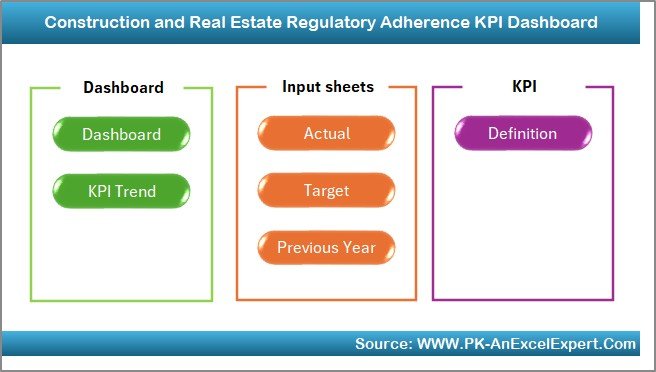
1️⃣ Home Sheet – Index page with navigation buttons for quick access.
2️⃣ Dashboard Sheet – Compliance overview with KPI cards, conditional formatting, and variance analysis.
3️⃣ KPI Trend Sheet – Drill down into MTD/YTD performance for each KPI with charts.
4️⃣ Actual Numbers Input Sheet – Enter monthly compliance data for current year.
5️⃣ Target Sheet – Set compliance benchmarks and expectations.
6️⃣ Previous Year Numbers Sheet – Store historical compliance data for year-over-year comparisons.
7️⃣ KPI Definition Sheet – Clear descriptions, formulas, and KPI types (UTB/LTB).
This structure makes the dashboard easy to use, audit-ready, and highly effective.
🛠️ How to Use the Dashboard
✔️ Step 1 – Input Data: Enter compliance data (MTD & YTD) in the Actual Numbers sheet.
✔️ Step 2 – Set Targets: Define monthly and yearly benchmarks in the Target sheet.
✔️ Step 3 – Compare Performance: Review Actual vs Target vs Previous Year in the Dashboard.
✔️ Step 4 – Analyze Trends: Use the KPI Trend sheet to identify compliance improvements or recurring issues.
✔️ Step 5 – Improve Compliance: Take action where red arrows highlight non-compliance gaps.
No complex training required — it’s plug-and-play Excel at its best.
👥 Who Can Benefit from This Dashboard
🏢 Construction Companies – Track project approvals, safety checks, and regulatory audits.
🏠 Real Estate Developers – Monitor environmental compliance, labor adherence, and building code approvals.
🔨 Contractors – Ensure subcontractors follow safety and labor regulations.
📊 Compliance Officers – Maintain centralized compliance data for audits.
👔 Senior Management – Gain insights into adherence levels and mitigate compliance risks.
From small contractors to large real estate firms, this dashboard adapts to your compliance needs.
✅ Why Use This Dashboard?
With the Regulatory Adherence KPI Dashboard in Excel, you can:
✔️ Centralize compliance monitoring in one tool.
✔️ Detect non-compliance early before it becomes costly.
✔️ Automate variance tracking with visual indicators.
✔️ Maintain structured, audit-ready records.
✔️ Support decision-making with real-time compliance insights.
Click here to read the Detailed blog post
Visit our YouTube channel to learn step-by-step video tutorials 👉 Youtube.com/@PKAnExcelExpert