

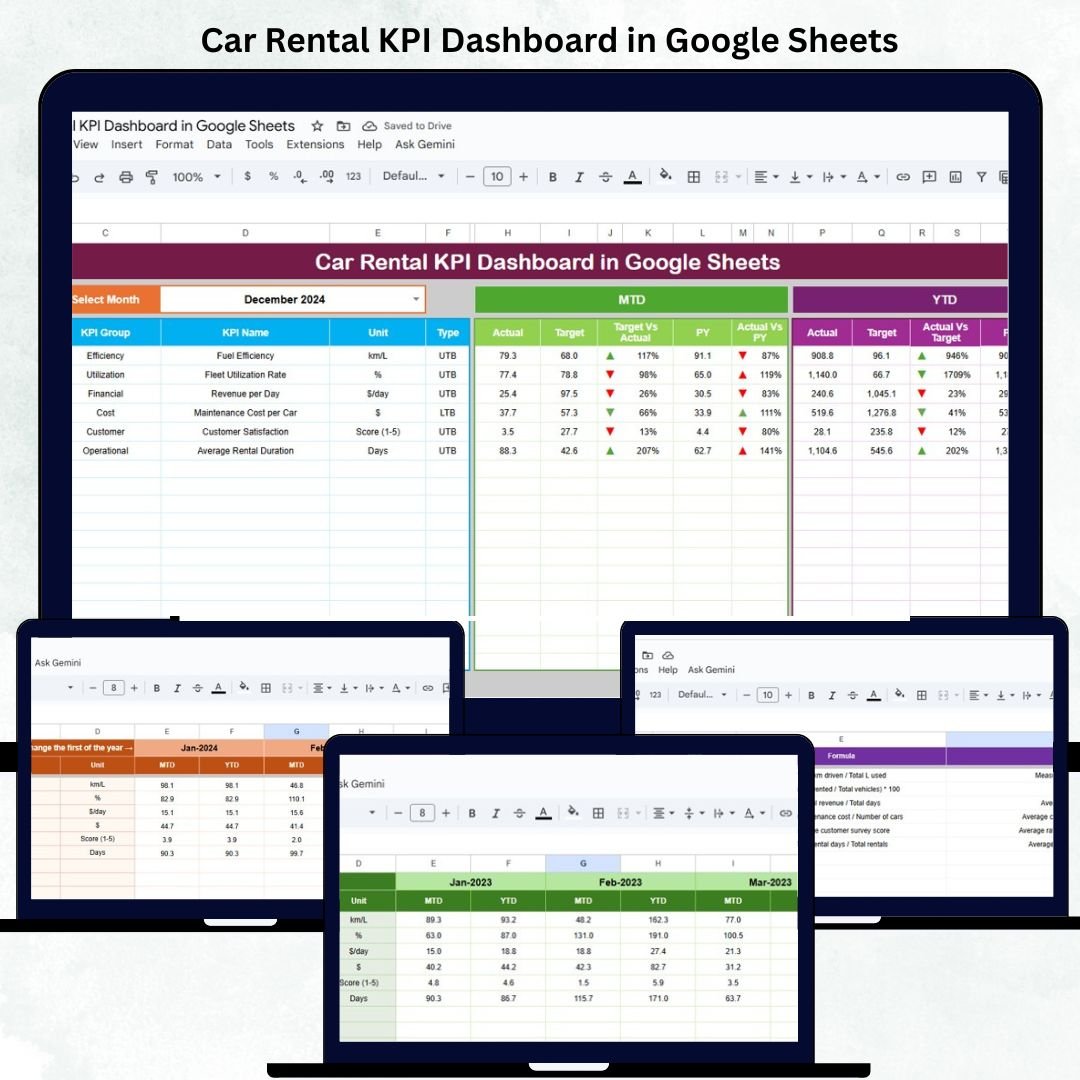

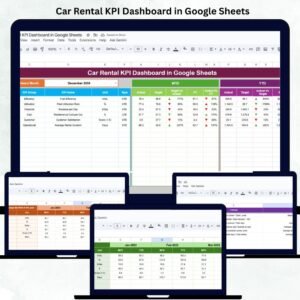
Running a successful car rental business demands accurate tracking of revenue, fleet utilization, maintenance costs, and customer satisfaction. The Car Rental KPI Dashboard in Google Sheets provides a ready-to-use, data-driven solution to simplify performance monitoring and enhance decision-making. 🚗📊
Built entirely in Google Sheets, this dashboard offers automated insights into Month-to-Date (MTD) and Year-to-Date (YTD) performance, compares actual results with targets and previous year data, and uses color-coded visuals to indicate performance trends. It’s perfect for rental companies, fleet managers, and franchise operators who need a real-time, cloud-based analytics tool — without investing in expensive software.
🔑 Key Features of the Car Rental KPI Dashboard in Google Sheets
📋 Dashboard Sheet Tab (Main Dashboard)
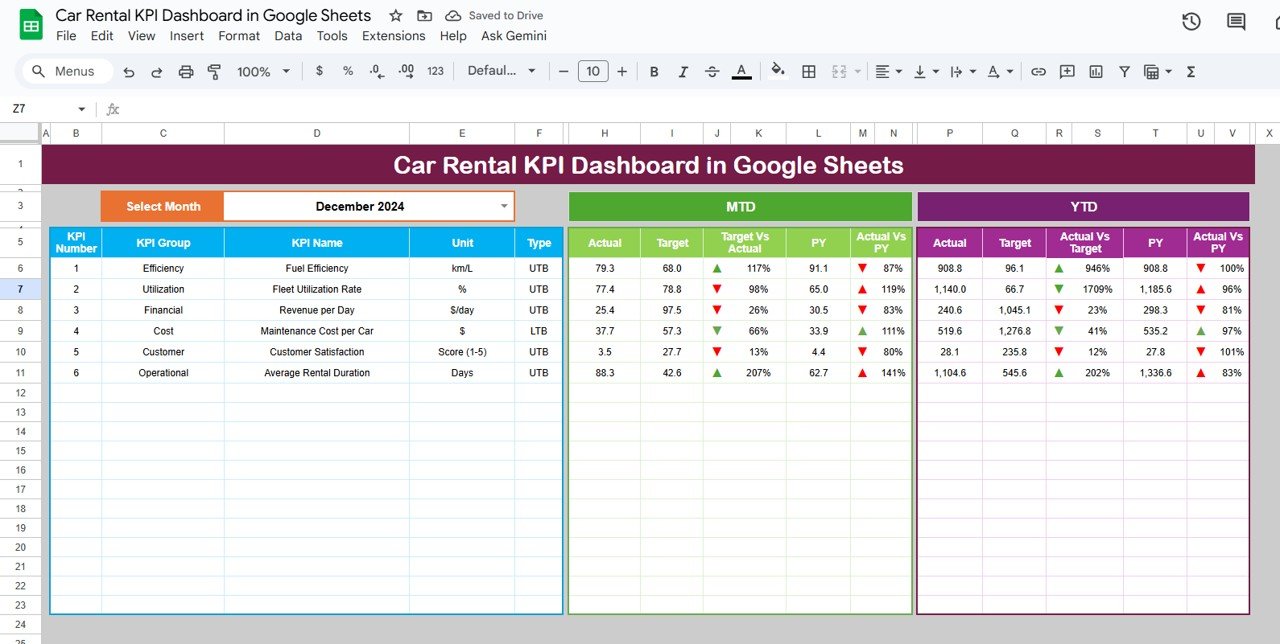
The Dashboard Sheet is the heart of this tool, displaying key performance indicators through interactive visuals.
Features:
Dynamic month selection (cell D3) to filter performance data.
KPI cards showing MTD, YTD, Target, and Previous Year (PY) metrics.
Conditional formatting and trend arrows for visual interpretation.
Automatic updates when data changes.
KPIs Displayed:
🚗 Total Bookings: Total rentals completed for the selected month.
💰 Total Revenue (USD): Overall revenue generated from car rentals.
📈 Fleet Utilization (%): Percentage of vehicles rented versus total fleet.
🛠 Maintenance Cost (USD): Total spent on maintenance and repairs.
🌟 Avg. Customer Rating: Average satisfaction score from post-rental feedback.
Charts Included:
📊 Revenue vs. Target by Month – Compare monthly revenue with goals.
🚘 Fleet Utilization Trend – Track vehicle availability and usage rate.
💵 Maintenance Cost by Car Type – Identify which vehicle categories are costliest to maintain.
👥 Bookings by Customer Segment – Measure demand by customer type (Corporate, Individual, Partner).
🏙️ Revenue by Location – See which branches or regions generate the most income.
⭐ Avg. Customer Rating by Car Type – Analyze satisfaction differences across models.
All charts are automatically linked to data sheets, updating instantly when new data is added.
📊 KPI Trend Sheet Tab (Performance Analysis)
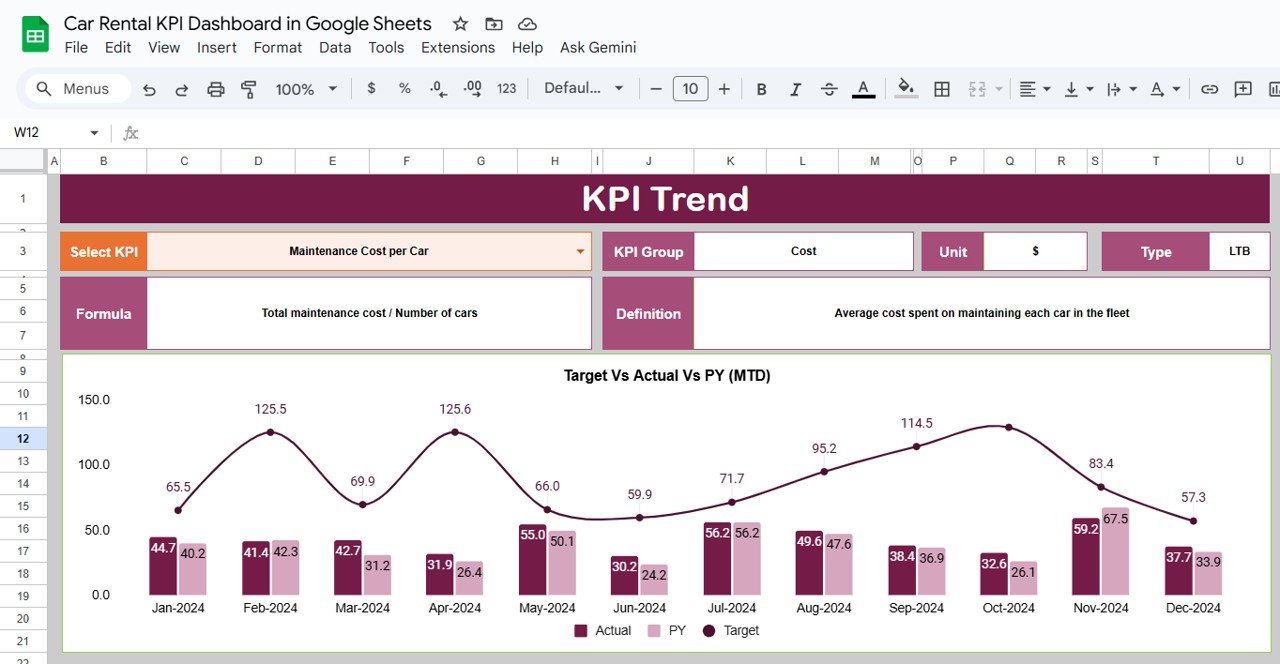
Analyze any KPI over time. Simply select a KPI from the dropdown (cell C3), and the dashboard will display its monthly trend with key metadata.
Displayed Fields:
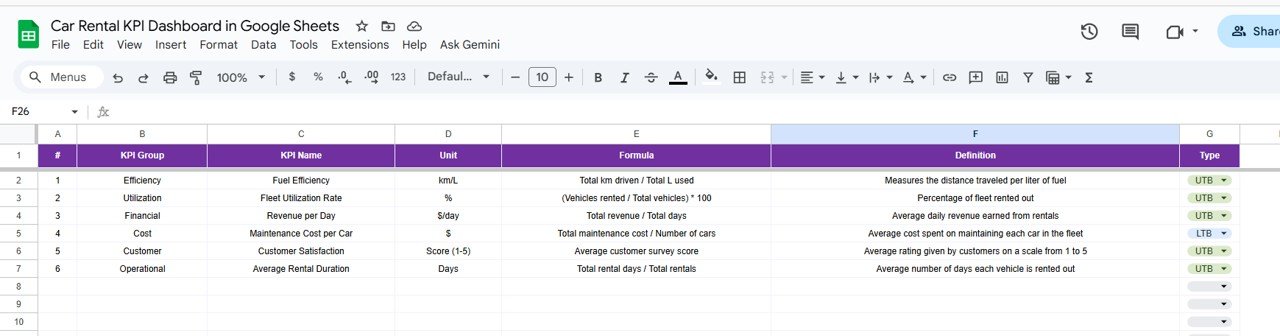
KPI Group
Unit of Measurement
Type (UTB – Upper the Better / LTB – Lower the Better)
Formula
Definition
This section helps identify performance improvements, declines, or seasonal fluctuations.
📘 Actual Number Sheet Tab
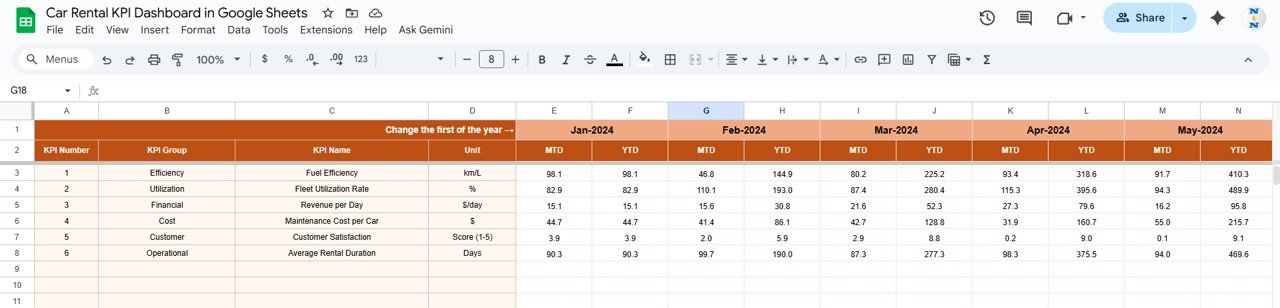
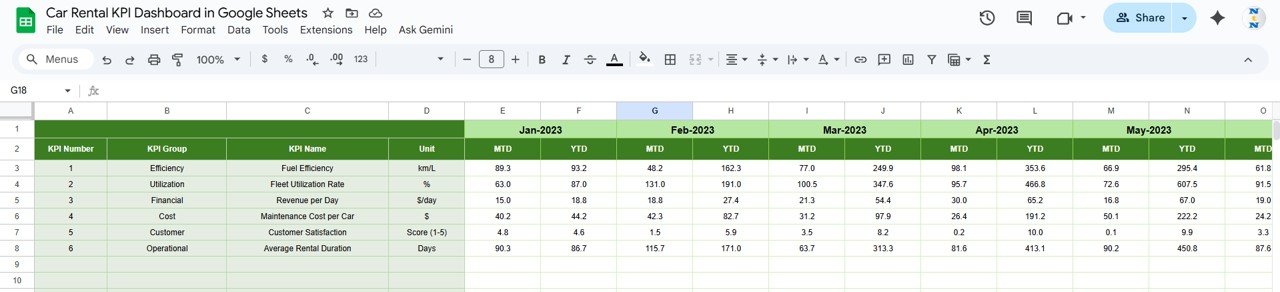
Input monthly performance data for each KPI here.
Columns include:
Month
MTD Actual
YTD Actual
The fiscal year start month (E1) can be modified to adjust all related calculations automatically.
🎯 Target Sheet Tab
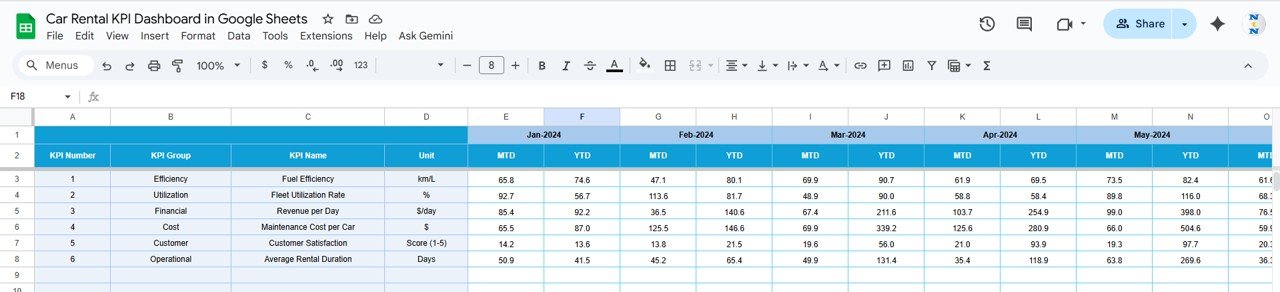
Set monthly and annual targets for each KPI.
The dashboard automatically compares targets with actuals to determine color-coded performance status (green for above target, red for below target).
📉 Previous Year Sheet Tab
Input last year’s data to benchmark year-over-year growth.
This allows visualization of how each KPI performs relative to the previous period.
📋 KPI Definition Sheet Tab
Define all KPIs with their formula, purpose, and type (UTB/LTB).
This ensures transparency and consistency across teams and reporting.
📦 What’s Included
✅ Interactive dashboard (MTD/YTD performance view)
✅ Auto-updating charts and conditional formatting
✅ Six structured sheet tabs for clarity
✅ Cloud collaboration via Google Sheets
✅ KPI definitions for easy customization
✅ Historical and target-based comparison features
🧑💼 Who Can Use This Dashboard
🚘 Car Rental Companies & Franchises: Monitor revenue and fleet performance.
🧰 Fleet Managers: Track utilization, maintenance cost, and downtime.
📊 Operations & Finance Teams: Compare cost vs. profitability.
💼 Executives & Analysts: Review strategic performance trends.
Perfect for car rental agencies, transport service providers, and mobility startups looking to simplify analytics and enhance decision-making.
⚙️ Opportunities for Improvement
Enhance the dashboard further by:
🔄 Integrating Google Forms for booking data capture.
🧾 Adding Profit Margin KPIs (Revenue – Expenses).
🔔 Automating Alerts for low fleet availability or delayed maintenance.
🛠 Tracking Maintenance Alerts with Google Apps Script.
⭐ Embedding Customer Feedback Analysis using sentiment scoring.
🧠 Best Practices
✅ Update actual and target data monthly.
✅ Use consistent KPI names across all sheets.
✅ Protect dashboard and formula cells to prevent edits.
✅ Review maintenance and revenue trends regularly.
✅ Refresh “Previous Year” data annually for accurate YoY comparison.
🌟 Why Choose the Car Rental KPI Dashboard
🚗 All-in-one fleet, revenue, and maintenance tracking
📈 Real-time data visualization
☁️ 100% Google Sheets-based — no installation required
🔄 Fully automated MTD/YTD calculations
🎯 KPI-based management and goal tracking
🧠 Intuitive interface for decision-making
With this Car Rental KPI Dashboard in Google Sheets, car rental businesses can easily measure success, reduce inefficiencies, and boost profitability — all through an interactive, shareable, and customizable platform.
🔗 Click here to read the Detailed blog post
Watch the step-by-step video Demo:
🔗 Visit our YouTube channel for step-by-step tutorials
Compatibility and Requirements
- Works in Google Sheets. You need a free Google account and a web browser.
- You pick the month from a dropdown on the Dashboard sheet and the KPI on the KPI Trend sheet. Google explains dropdowns in Create an in-cell dropdown list.
Frequently Asked Questions
Which sheets are included?
Six sheets: Dashboard, KPI Trend, Actual Number, Target, Previous Year and KPI Definition.
Which KPIs does the dashboard show?
Total Bookings, Total Revenue (USD), Fleet Utilization (%), Maintenance Cost (USD) and Avg. Customer Rating. Each one shows MTD, YTD, Target and Previous Year values.
How do I update the dashboard?
Enter your monthly MTD and YTD figures in the Actual Number sheet and your goals in the Target sheet. Then choose a month in cell D3 of the Dashboard sheet and the KPI cards and charts update.
Can I change the fiscal year start month?
Yes. Change the fiscal year start month in cell E1 of the Actual Number sheet and the related calculations adjust automatically.
Is there an Excel or Power BI version?
Yes. See the Car Rental KPI Dashboard in Excel and the Car Rental KPI Dashboard in Power BI.
Related Templates
- Car Rental KPI Dashboard in Excel: the same fleet KPIs in Excel
- Car Rental KPI Dashboard in Power BI: the Power BI edition
- Rental Property Investment Dashboard in Google Sheets: a dashboard for rental property owners
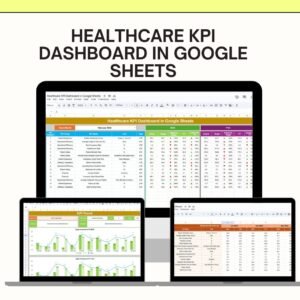
- Healthcare KPI Dashboard in Google Sheets: another KPI dashboard in Google Sheets
- Google Sheets Business Pack (Pro): 14 business templates in one download
Browse all Google Sheets KPI dashboards.


























Reviews
There are no reviews yet.