

The best free social media calendar template depends on your team size. For one person, a free Microsoft Create or Vertex42 calendar in Excel, or a blank Google Sheet, is enough. Once several people edit it, or you post on 3+ platforms, a $4.99 template such as the Multi-Platform Social Media Calendar in Excel saves rework.
Last updated: November 2026
Key takeaways
- Free calendar templates from Microsoft Create and Vertex42 cover dates and layout, but you add the post-level columns (caption, hashtags, asset link, owner, status) yourself.
- A free Google Sheet with 9 columns does the job for a solo creator posting on 1 or 2 platforms.
- Free stops working when 2+ people edit, when you plan 20+ posts a week, or when you need a 12-month view.
- The Multi-Platform Social Media Calendar in Excel costs $4.99 once and has 5 worksheets, 5 color themes and VBA add/update/delete forms.
- To measure results, pair a calendar with the Content Creator KPI Dashboard in Power BI at $11.99.
 Launch offer
SUMIFS, XLOOKUP, FILTER, LAMBDA and checking AI-written formulas, with real business projects. 11h 47m of video by PK, with practice files, quizzes and a capstone.
Free and paid social media calendar templates compared
Free options come first, because for many readers they are the right answer. The paid upgrades follow, with real prices.
| Template | Format | Best For | Price |
|---|---|---|---|
| Microsoft Create calendar templates | Excel, Word, PowerPoint | Solo creators who want a ready grid | Free |
| Vertex42 calendar templates | Excel | Printable monthly and yearly layouts | Free |
| Google Sheets template gallery | Google Sheets | Shared planning with no install | Free |
| DIY 9-column Google Sheet | Google Sheets | Posting on 1 or 2 platforms | Free |
| Multi-Platform Social Media Calendar in Excel (Best overall) | Excel with VBA | Managers with several platforms | $4.99 |
| Social Media Posting Calendar in Google Sheets | Google Sheets | Remote teams and agencies | $4.99 |
| Social Media Posting Calendar in Excel | Excel | Captions, hashtags and media links per post | $4.99 |
| Content Planning Calendar in Excel | Excel | Blog, email, video and social together | $4.99 |
| Social Media Posting Checklist Template in Excel (Best value) | Excel | Pre-publish quality control | $3.49 |
| Social Media Posting Checklist in Google Sheets | Google Sheets | Team task tracking with a progress bar | $3.49 |
| Content Creator KPI Dashboard in Power BI | Power BI | Creators tracking MTD and YTD results | $11.99 |
| Copywriting & Content Creation KPI Dashboard in Power BI | Power BI | Content teams tracking quality and ROI | $11.99 |
How we picked these
For the free half, we only included sources that give a usable calendar without a payment, and we left out anything that needs a credit card to unlock the template. We did not state free-tier limits of third-party tools, because those change often. Check each provider before you commit.
For the paid half, we searched the NextGenTemplates calendar, checklist and KPI dashboard categories and kept the 8 products that map directly to social media planning and measurement. Prices are the current list prices in USD. There is no bundle in this set, so the lowest-cost item is marked best value.
What are the best free social media calendar templates?
These are the free routes that work. Each one has a real strength and a clear point where it stops being enough.
1. Microsoft Create calendar templates
Microsoft Create is the official template site for Office apps. It publishes free calendar and planner templates you can open in Excel, Word or PowerPoint. Search it for content or social media calendars and pick the one with the most room per day.
Good for: a solo creator who already pays for Microsoft 365 or uses the free web apps and wants a clean starting grid.
Limit: most calendar layouts are built for dates and appointments. You will add columns for platform, caption and status. Browse them at Microsoft Create.
2. Vertex42 calendar templates
Vertex42 has been publishing spreadsheet templates for years, and many of its calendar and schedule files are free to download in Excel. The monthly and yearly layouts print well, which suits a wall planner or a client review meeting.
Good for: people who want a printable year view and are comfortable editing cell text by hand.
Limit: you fill every cell manually. There is no event form and no per-post record. See the catalog at Vertex42.
3. Google Sheets template gallery
Google Sheets includes a built-in template gallery with calendar and planning layouts. Because the file lives in your Google account, a colleague can open it with a link. No install, no version emailing.
Good for: a small team that wants to share one file today.
Limit: the gallery layouts are general-purpose. Expect to restructure them for posts.
4. A DIY 9-column Google Sheet
A blank sheet with the right columns beats a pretty template with the wrong ones. Use these 9 columns, one row per post:
- Date and time
- Platform
- Format (image, video, text, carousel)
- Caption
- Hashtags
- Asset link
- Call to action
- Owner
- Status (idea, drafted, approved, scheduled, published)
Add a data validation dropdown on Platform, Format and Status. That single step prevents most spelling mismatches and makes filtering reliable. Freeze the header row and filter by platform when you need a single-channel view.
Good for: posting on 1 or 2 platforms, up to about 10 posts a week.
Limit: a long list is hard to read as a calendar. You get rows, not a month grid.
5. Free plans of scheduling apps
Several social scheduling apps, including Buffer, Hootsuite and Later, offer a free plan with a visual calendar. The calendar there is tied to the accounts you connect, so it shows what will actually publish.
Good for: people who want the calendar and the publishing in one place.
Limit: free plans cap the number of channels or scheduled posts, and the caps change. Confirm the current limits on each pricing page before you plan around them. A scheduler also will not plan the campaigns behind the posts.
6. A free Trello board
Trello is a card board. Make a list per week or per status and a card per post. It handles assignment and comments well, which a plain spreadsheet does not.
Good for: teams that think in workflow stages rather than dates.
Limit: no real calendar grid on the basic setup, and no easy annual overview.
7. A free Notion database
Notion lets you build a database with a calendar view, a board view and a table view of the same posts. The personal plan is free at the time of writing, so confirm it before you rely on it.
Good for: people who already keep their notes and briefs in Notion.
Limit: you build it from scratch, and a poorly designed database becomes harder to maintain than a spreadsheet.
8. The free marketing calendar roundup on this site
We keep a separate list of free options covering wider campaign planning: 8 free marketing calendar templates for 2026. If your social plan sits inside a larger campaign calendar, start there and come back for the post-level detail.
Good for: marketers planning launches, email and paid media alongside social.
Get the 9-column social media calendar sheet
Want the column list as a ready-to-copy checklist? Leave your email and we will send the 9-column layout plus the status dropdown values from this post.
When does a free social media calendar stop working?
Free templates fail in predictable ways. Here are the five signs, with numbers so you can judge your own case.
| Symptom | Why free breaks | What fixes it |
|---|---|---|
| 2+ people edit the same file | Overwritten cells, no owner or deadline fields | Calendar with task assignment and deadlines |
| 3+ platforms | One row per post becomes unreadable | Platform and post-type organization |
| 20+ posts a week | No annual or monthly overview | Annual, monthly and daily views |
| Posts go out with missing hashtags or links | No pre-publish check | Posting checklist |
| You cannot say which content worked | No KPI layer | KPI dashboard |
Worked example: the volume problem
Take a small brand posting on 5 platforms, 4 posts per week on each. That is 20 posts a week, about 80 a month and 1,040 a year. Each post needs roughly 7 fields: date, platform, caption, hashtags, asset, owner, status. That is over 7,000 cells a year to keep consistent. A blank grid will not stop a wrong date or a duplicate post. A template with forms, a year view and a daily filter does that job, and it costs $4.99.
The numbers above are an illustration, not a benchmark. Plug in your own platform count and posting rate to see where you land.
The 8 paid upgrades from NextGenTemplates
These are the paid options that fix the limits above. All prices are USD and one-time at the listed price.
1. Multi-Platform Social Media Calendar in Excel (best overall)
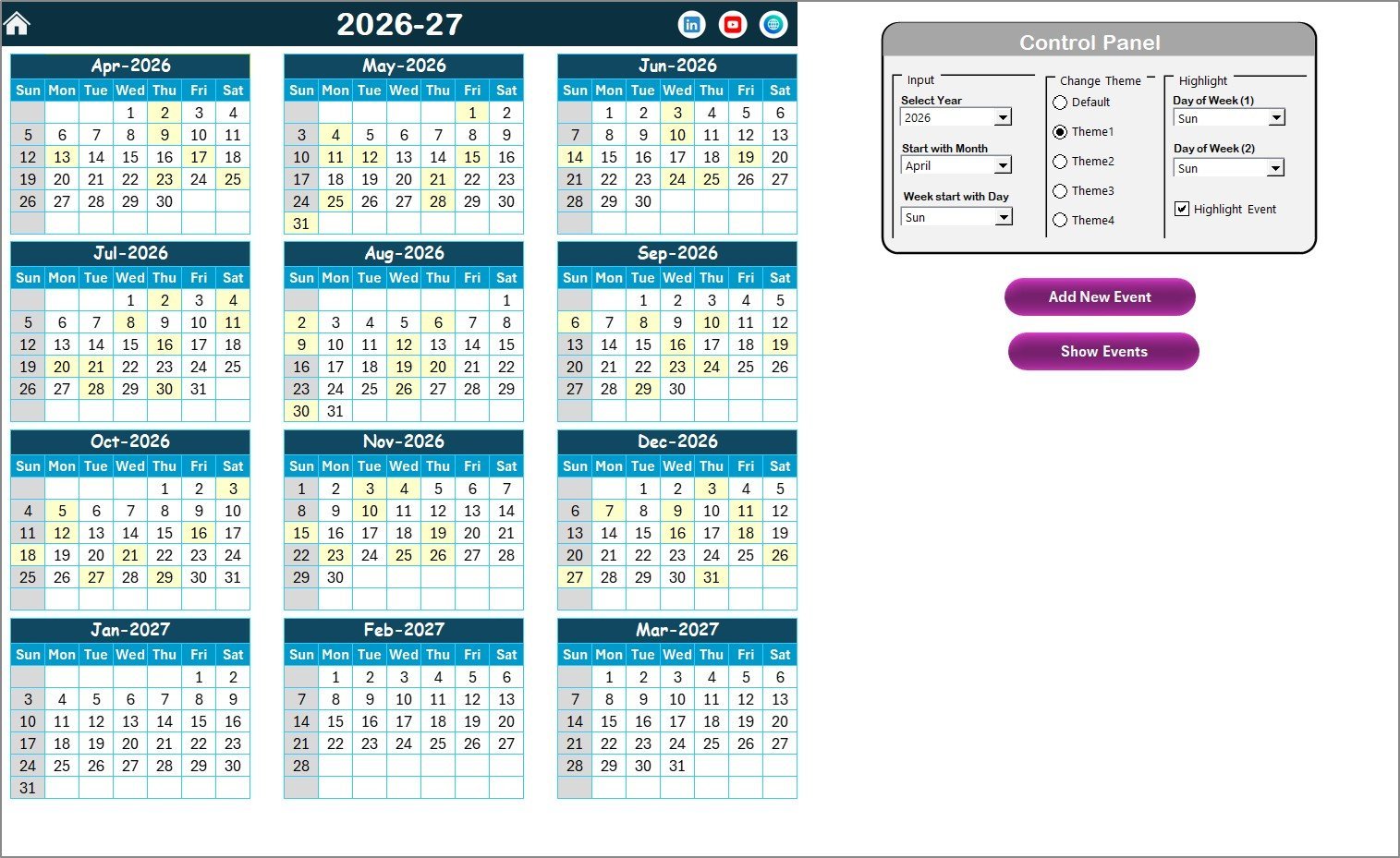
It is ranked first because it solves the most free-template problems at the lowest price: a year view, event forms, themes and a structured database in one workbook.
Who it is for: social media managers and small agencies working across several platforms in Excel.
- 5 worksheets: Home, Annual View, Monthly View, Daily View and an Events database
- 12-month annual view with a configurable year, starting month and starting weekday
- VBA pop-up forms to add, update and delete events
- 5 color themes switchable from the Annual View control panel
- 7-field Events database: ID, Date, Day, Event Name, Time, Location, Description
Use cases: plan a 12-month editorial year on one screen; highlight up to 2 weekdays, for example Saturday and Sunday in grey, to keep weekend posting visible; filter the Daily View by date range to build a weekly posting list; use one theme per client.
Price: $4.99. Get the Multi-Platform Social Media Calendar in Excel. The VBA forms need Excel on desktop with macros enabled.
Best for: one person or team running 3+ platforms who wants forms instead of manual row editing.
2. Social Media Posting Calendar in Google Sheets
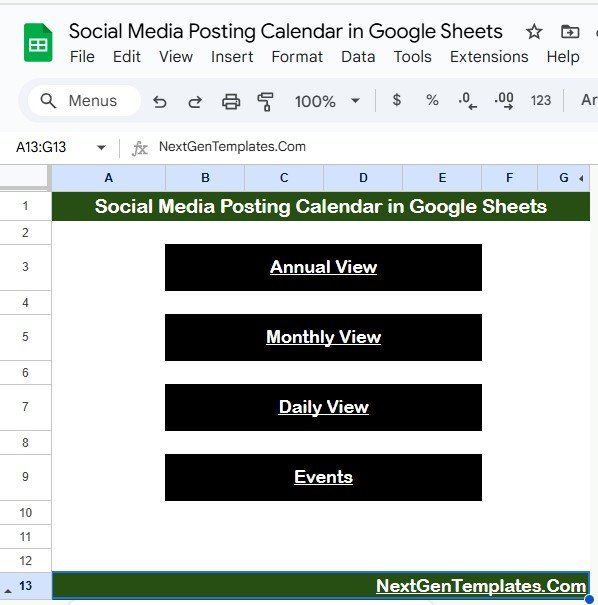
The Google Sheets version suits remote teams, because everyone edits the same live file.
Who it is for: solo entrepreneurs, agencies and creators who plan across Facebook, Instagram, X, LinkedIn and similar channels.
- 5 tabs: Home, Annual View, Monthly View, Daily View and Events
- Annual view that adjusts to the selected year, with a custom starting month and weekday
- Monthly view that shows when a day has more than one post
- Daily view filtered by a start and end date
- Events sheet as the central database for content plans
Use cases: a freelancer sharing one link with a client for approval; an agency checking next week by filtering the Daily View; a campaign lead reviewing the full year before quarterly planning.
Price: $4.99. Get the social media posting calendar in Google Sheets.
Best for: teams that need real-time collaboration and no software install.
3. Social Media Posting Calendar in Excel
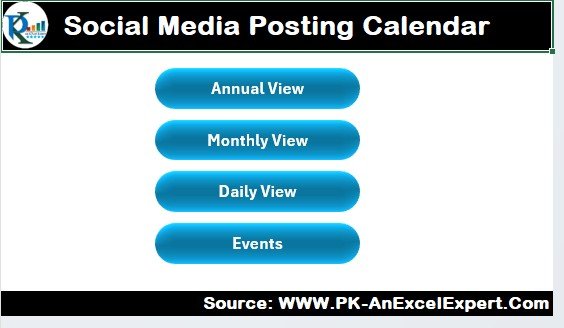
This one is built around the post record itself: caption, hashtags, media link and call to action sit next to each scheduled date.
Who it is for: social media managers and businesses that want post details and dates in one Excel file.
- Scheduling across platforms such as Facebook, Instagram, Twitter and LinkedIn
- Fields for captions, hashtags, media links and calls to action
- Platform and post-type tracking (image, video, article)
- Monthly overview plus weekly breakdown
- Task assignment with deadlines for content creation
Use cases: assign a designer a deadline three days before a post date; keep one hashtag set per campaign; review a week of content at once before approval.
Price: $4.99. Get the social media posting calendar in Excel.
Best for: managers who care more about post detail than about a forms-driven interface.
4. Content Planning Calendar in Excel
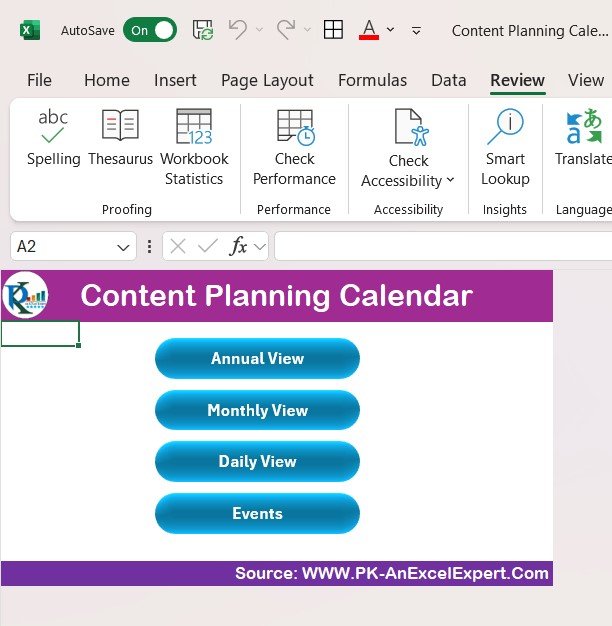
Social posts rarely stand alone. This template plans blog posts, social updates, emails and videos in one place.
Who it is for: content marketers and small teams who publish on a website, email and social at the same time.
- Content schedule covering blog, social, email and video
- Topic and title tracking for ideas
- Deadlines and assignments by team member
- Platform-specific planning
- Performance tracking with metrics such as engagement
Use cases: plan one blog post and the 4 or 5 social posts that promote it on a single sheet; assign each draft a deadline; compare engagement across content types.
Price: $4.99. Get the content planning calendar in Excel.
Best for: teams whose social plan depends on a wider content pipeline.
5. Social Media Posting Checklist Template in Excel (best value)
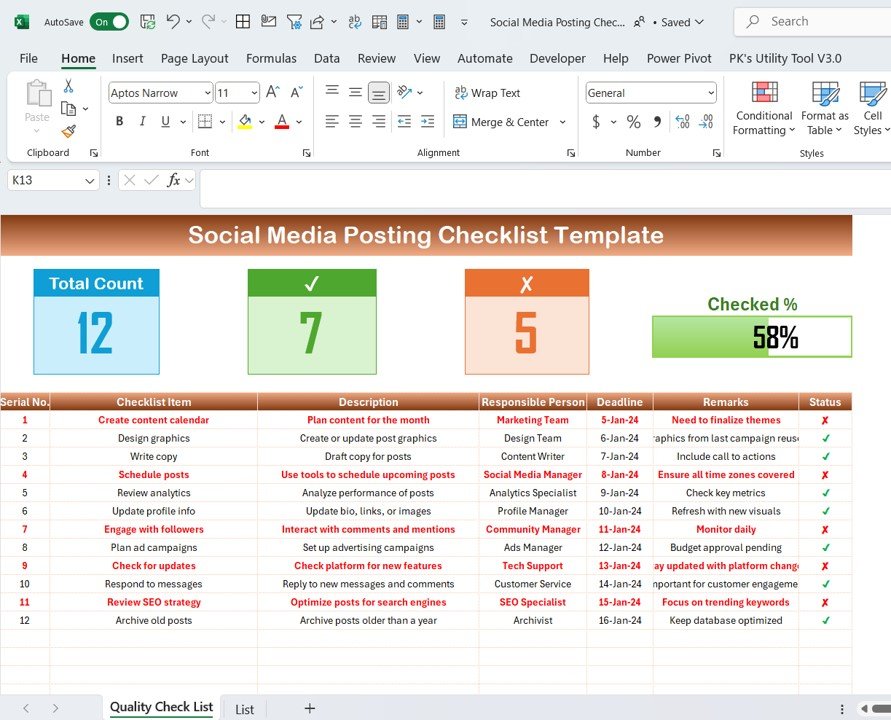
At $3.49 it is the cheapest in the set and works well next to any calendar, free or paid.
Who it is for: social managers and creators who want a repeatable pre-publish routine.
- Content calendar and scheduling section
- Step-by-step creation checklist: image, caption, hashtags, call to action
- Tracking of likes, shares, comments and reach
- Content ideas list for future posts
- Charts of post performance and trends
Use cases: run the same checklist on every post to cut missing links and hashtags; log reach after 48 hours; keep an idea bank for slow weeks.
Price: $3.49. Get the social media posting checklist template in Excel.
Best for: anyone with a free calendar who wants a quality gate before publishing.
6. Social Media Posting Checklist in Google Sheets
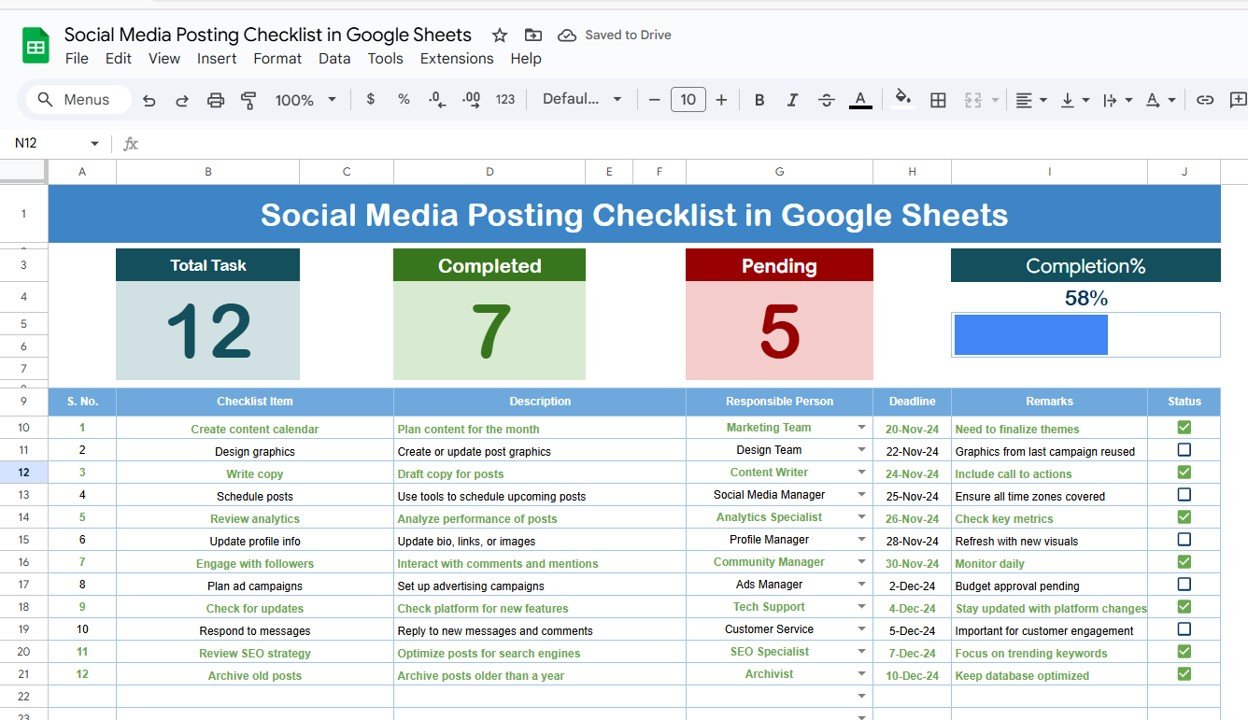
This is the team version of a checklist, with a live progress bar and a dropdown of assignees.
Who it is for: small teams that split posting tasks and need to see what is done.
- Two tabs: the main checklist and a team list
- Live progress bar and auto-updating summary of completed and pending tasks
- Assigned person dropdown pulled from the team list
- Deadline and remarks columns
- Editable layout, so you can add platform, campaign or priority
Use cases: track a monthly posting plan task by task; give each person a deadline; see the pending count at a glance in a Monday meeting.
Price: $3.49. Get the social media posting checklist in Google Sheets.
Best for: remote teams that want task status without a project management subscription.
7. Content Creator KPI Dashboard in Power BI
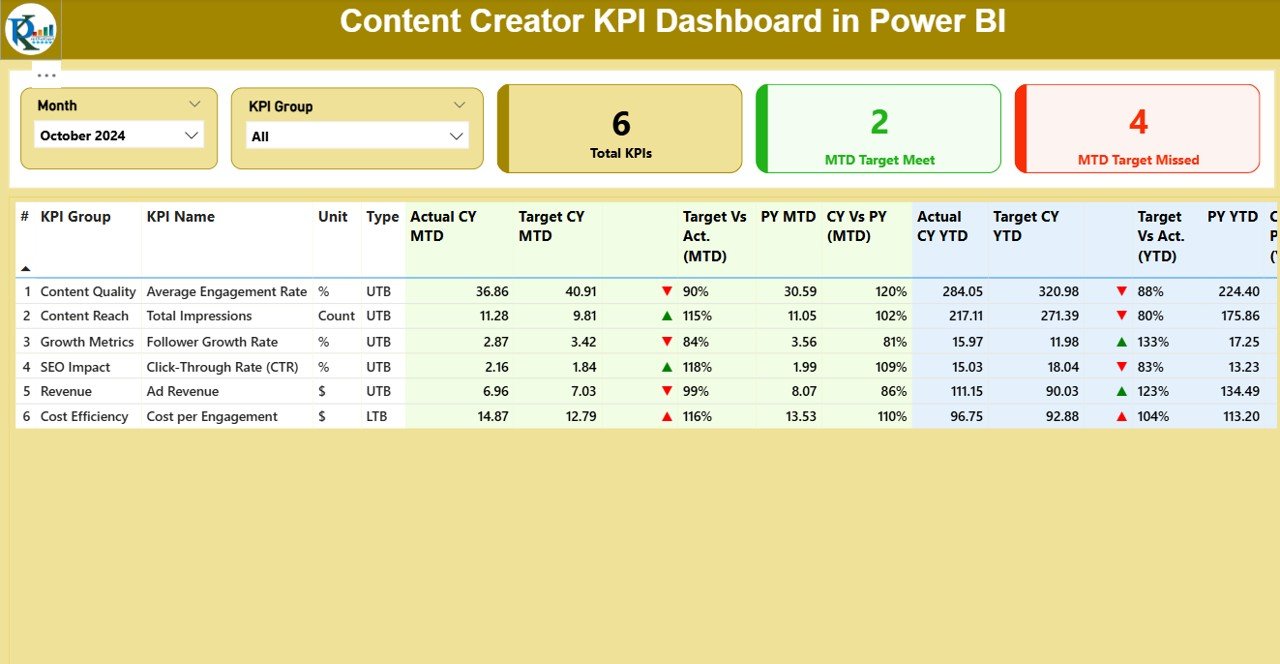
A calendar tells you what you planned. This dashboard shows whether the content hit its targets.
Who it is for: YouTubers, bloggers, influencers and agencies that need monthly and yearly KPI reporting.
- 3 pages: Summary, KPI Trend and KPI Definition
- MTD, YTD and year-over-year KPIs with green and red icons
- Excel input workbook, so no database is needed
- Drillthrough pages showing KPI formulas
- Export to PDF or share online
Use cases: compare actual against target by month; check a KPI trend against the previous year; send a PDF report to a client.
Price: $11.99. Get the Content Creator KPI Dashboard in Power BI. It needs Power BI Desktop.
Best for: creators ready to move from posting to measuring.
8. Copywriting & Content Creation KPI Dashboard in Power BI
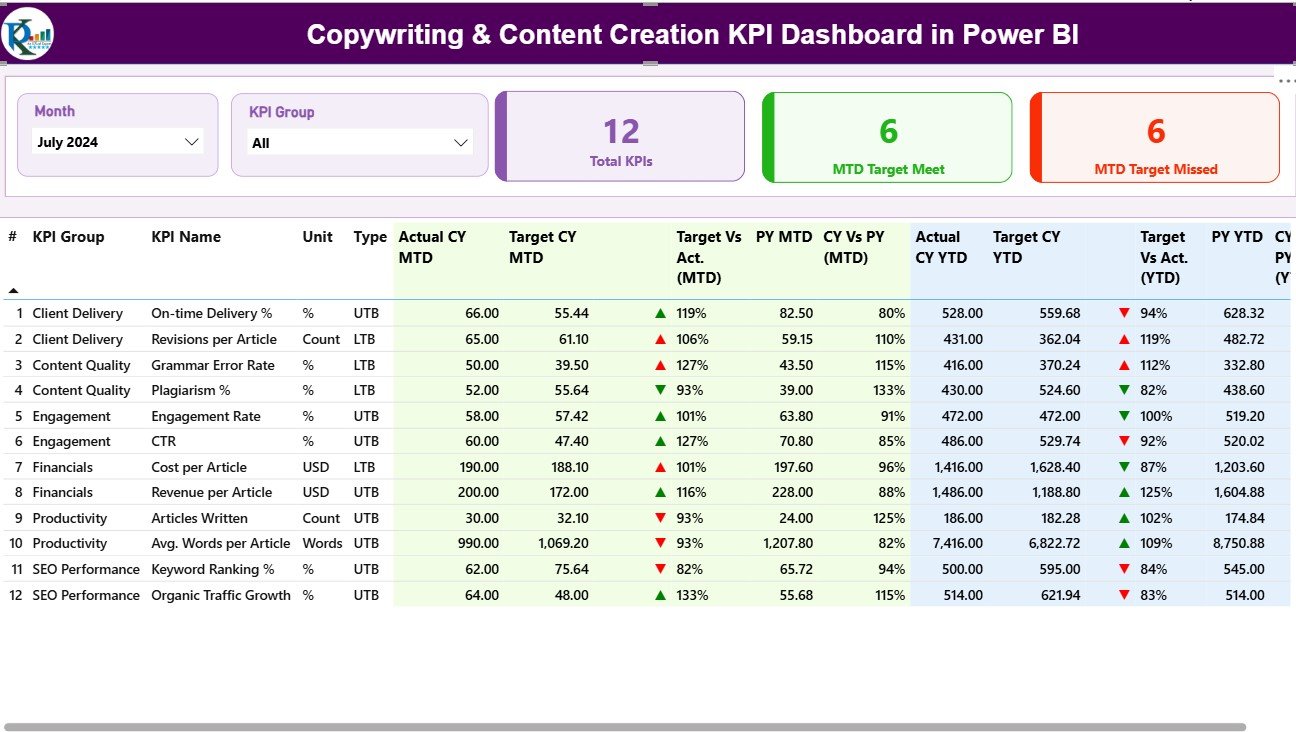
Built for content teams that track productivity and quality alongside engagement and return.
Who it is for: marketers, writers and creative teams reporting on output.
- 3 Power BI pages: Summary, Trend and Definition
- Productivity, engagement, quality and ROI KPIs
- Actual versus target with MTD and YTD views
- Excel-driven data and drill-through definitions
- Customizable KPI list
Use cases: show a content lead how output compares to target; add your own KPI when your strategy changes; publish to Power BI Service for stakeholders.
Price: $11.99. Get the Copywriting & Content Creation KPI Dashboard in Power BI.
Best for: content teams that report on productivity as well as results.
If you are unsure which metrics to put in a dashboard, read our guide to 12 social media KPIs to track in 2026. For publishers, see the media publishing dashboard templates.
How do I choose between a free and a paid calendar?
| Your situation | Pick | Cost |
|---|---|---|
| Solo, 1 or 2 platforms, under 10 posts a week | DIY Google Sheet or Microsoft Create | Free |
| Solo, 3+ platforms, Excel | Multi-Platform Social Media Calendar in Excel | $4.99 |
| Team, remote, shared file | Social Media Posting Calendar in Google Sheets | $4.99 |
| Social plus blog and email | Content Planning Calendar in Excel | $4.99 |
| Posts go out with errors | Posting checklist (Excel or Google Sheets) | $3.49 |
| Need to prove results | Power BI KPI dashboard | $11.99 |
A simple decision path: if one person edits and you post under 10 times a week, stay free. If two people edit, buy a calendar with assignments. If clients ask for results, add a dashboard. The same logic applies to other planning files, as in our roundups of free Excel dashboard templates and free lead tracker templates.
When is a template not the right answer?
A spreadsheet calendar does not publish anything. If you need posts to go out automatically at set times, you need a scheduler such as Buffer, Hootsuite or Later. Use the template to plan, and the scheduler to publish.
Spreadsheets also do not pull live analytics from platforms. If you need automatic reach and follower figures from five accounts, a social analytics SaaS will save time, though it comes with a monthly bill. The Power BI dashboards here read from an Excel input file, so you enter the numbers.
Finally, if 15 people need approvals, comments and permissions, a project tool or dedicated social suite fits better than one shared file. Templates win for one to five people who want a fixed price and full control of the file.
Frequently asked questions
Is there a free social media calendar template for Excel?
Yes. Microsoft Create and Vertex42 both publish free calendar templates that open in Excel. They give you the date grid, but usually not post-level fields such as captions, hashtags and approval status, so you add those columns yourself or use a purpose-built template.
Where can I find a free social media calendar template for Google Sheets?
Google Sheets has its own template gallery with calendar and planning layouts. You can also build one in about ten minutes with columns for date, platform, caption, asset link, owner and status. Free works for one person; teams need assignment and progress tracking.
What should a social media content calendar include?
At minimum: date and time, platform, format, caption, hashtags, asset link, call to action, owner and status. Add a results column once posts are live. These nine fields let you filter by channel, spot gaps and see who is responsible for each post.
How far ahead should I plan social media content?
As a working rule, many teams plan four weeks ahead and treat the next one or two weeks as locked. That leaves room for news and trends. Adjust it to your approval time: longer approval chains need a longer locked window.
When is it worth paying for a social media calendar template?
Pay when more than one person edits the file, when you post on three or more platforms, or when you need a 12-month view. The Multi-Platform Social Media Calendar in Excel costs $4.99 once and adds forms, themes and annual, monthly and daily views.
Should I choose Excel or Google Sheets for a content calendar?
Choose Google Sheets for live collaboration and sharing by link. Choose Excel if you work offline or want VBA forms. The Multi-Platform Social Media Calendar in Excel has add, update and delete forms. The Google Sheets version has Annual, Monthly, Daily and Events tabs.
Do I still need a scheduling tool if I use a calendar template?
Usually yes, if you want automatic publishing. A calendar template plans and tracks posts, but it does not post for you. Many people plan in a spreadsheet and paste approved posts into a scheduler, which keeps strategy and publishing separate.
How do I track whether my social content is working?
Record reach, engagement and results per post, then compare against monthly targets. The Content Creator KPI Dashboard in Power BI, $11.99, tracks MTD, YTD and year-over-year KPIs from an Excel input file and marks each one green or red against target.
Are the NextGenTemplates calendars a one-time purchase?
The Multi-Platform Social Media Calendar in Excel is listed as a one-time payment of $4.99 with no subscription and lifetime access. The other templates in this post are priced in USD on their product pages: $4.99 for calendars, $3.49 for checklists and $11.99 for the dashboards.
Get more social media calendar templates
Start with the Multi-Platform Social Media Calendar in Excel for $4.99. Add the social media posting checklist at $3.49 as a pre-publish check, and the Content Creator KPI Dashboard in Power BI at $11.99 when you want results.
Watch walkthroughs on the NextGenTemplates YouTube channel.