

An editable Excel template gives you the unlocked cells, open formulas and readable VBA or Apps Script code you need to change it forever. A locked template hides all three, so you pay again for every tweak. Before buying, demand full edit rights, source access and no per-seat lock-in.
Last updated: September 2026
Key takeaways
- An editable Excel template lets you unlock every cell, formula and macro; a locked one bills you for each change, so editability is the single biggest hidden cost in template buying.
- At NextGenTemplates, single editable systems run $24.99–$39.99 and every file ships unlocked — the Tailor Shop and Stitching Management System is $39.99 with open Apps Script code.
- Bundles beat singles once you need three or more templates: the Inventory & Warehouse Master Kit is $69.99 for 8 templates versus roughly $109 bought one by one.
- Four vendor demands separate editable from locked: unlocked cells, visible formulas, readable code, and a one-time price with no re-purchase-to-edit trap.
- Locked templates are only worth it for compliance-frozen forms; for anything you will grow into, buy editable and own it once.
 Launch offer
SUMIFS, XLOOKUP, FILTER, LAMBDA and checking AI-written formulas, with real business projects. 11h 47m of video by PK, with practice files, quizzes and a capstone.
Editable Excel template options compared
| Template | Format | Best for | Price |
|---|---|---|---|
| Tailor Shop & Stitching Management System (Best overall) | Web App (Apps Script) | Fully editable single system | $39.99 |
| Jewelry Management System Web App | Web App (Apps Script) | Retail with custom fields | $39.99 |
| Pathology Lab Management System Web App | Web App (Apps Script) | Regulated labs needing edits | $39.99 |
| Production Tracking & Dispatch System | Google Sheets | Editable Sheets on a budget | $24.99 |
| Web-Based Advanced Inventory System | Excel / Web | Unlocked stock control | $24.99 |
| VBA Management Systems Mega Pack | Excel (unlocked VBA) | 5 systems, open macros | $49.99 |
| Inventory & Warehouse Master Kit (Best value) | Excel + Sheets + VBA | 8-template bundle | $69.99 |
| NextGen Ultimate Business Bundle | Excel + Power BI + Sheets | 25-template mega pack | $99.99 |
What makes a template editable versus locked?
"Editable" is not a marketing word — it is three concrete technical facts you can verify before you pay. Miss any one and you own a template you cannot truly change.
1. Unlocked cells and sheets. Excel lets a vendor protect a worksheet so you cannot type in it, resize it, or insert rows. Microsoft documents this in its Protect a worksheet guide. A locked template ships with protection on and the password withheld, so a five-minute edit becomes a support ticket.
2. Visible, unbroken formulas. Some vendors paste values over formulas or hide them behind protection so you cannot see how a KPI is calculated. An editable Excel template shows every formula in the bar and lets you trace precedents. If you cannot see the maths, you cannot trust or extend it.
3. Readable automation code. The deepest lock is code. A locked VBA project is password-protected; a locked web app hides its script. NGT web apps ship with open Google Apps Script and every VBA module is unlocked, so a developer — or a capable spreadsheet user — can read and change the logic.
How we picked these
We searched the full NextGenTemplates catalog of 900+ paid products and filtered to systems that ship fully editable: unlocked cells, visible formulas, and open VBA or Apps Script. We excluded any file that arrives protected without a password, plus free templates and view-only dashboards. Prices are the live 2026 USD store prices at publication. We ranked on edit freedom first, then price, then breadth of use, so a $39.99 open system outranks a cheaper file you cannot fully change.
The 8 best editable Excel template options for 2026
1. Tailor Shop & Stitching Management System — best overall
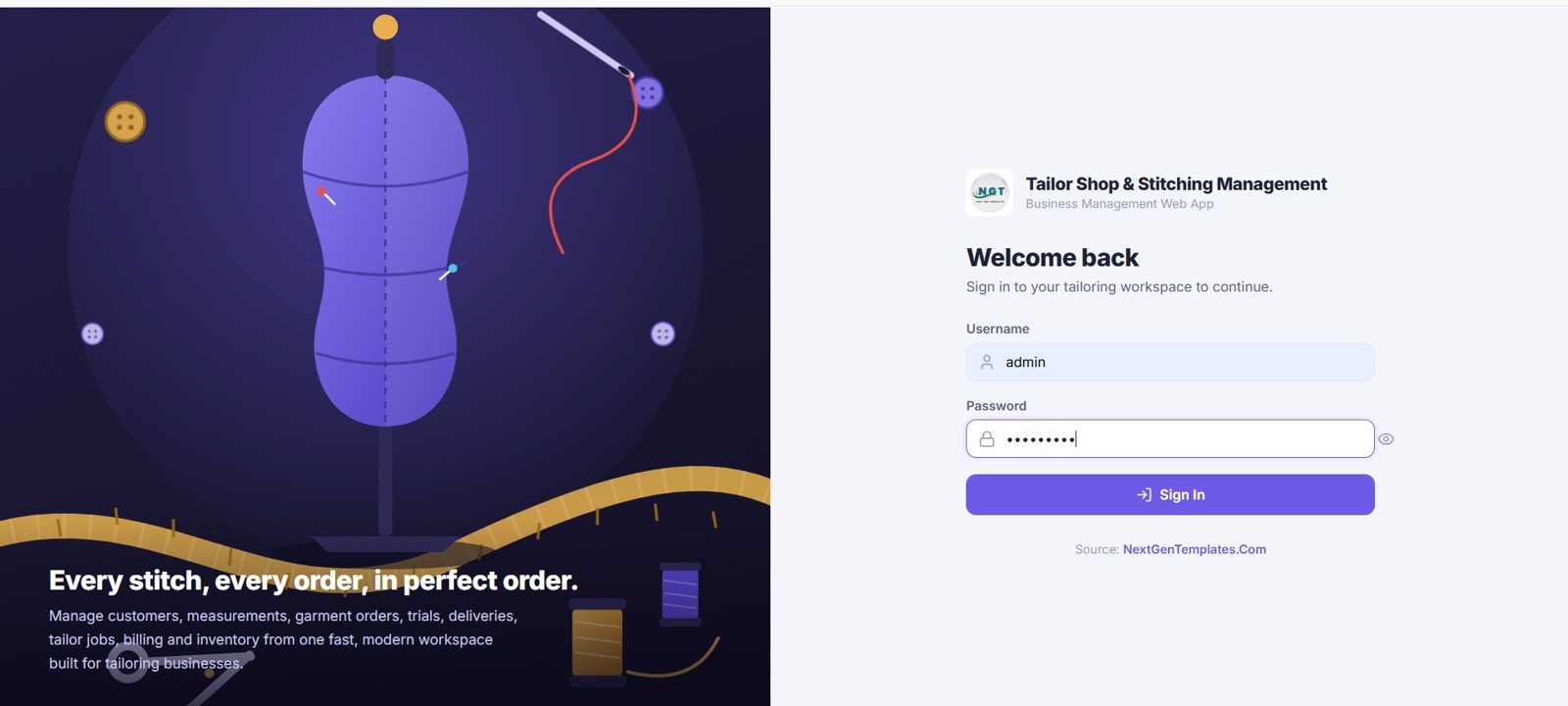
A complete order-to-delivery system for tailoring businesses, built as a Google Apps Script web app with fully open source code.
Who it is for: tailor shops, boutiques and stitching units that outgrow a paper register.
What is inside:
- Customer, measurement and order modules with editable fields
- Worker assignment and delivery-status tracking
- Invoicing and payment logging
- Dashboard KPIs you can rewire because the formulas are open
Because the Apps Script is unlocked, a shop can add a new measurement field, change the invoice format, or connect a second location without paying the vendor again. That is the whole point of an editable system: a $39.99 one-time cost instead of a change-request bill every quarter. Compare it against subscription tools in our Airtable alternatives roundup.
Best for: the buyer who wants a real, changeable system and refuses to rent one. Price: $39.99. Get the Tailor Shop system.
2. Jewelry Management System Web App
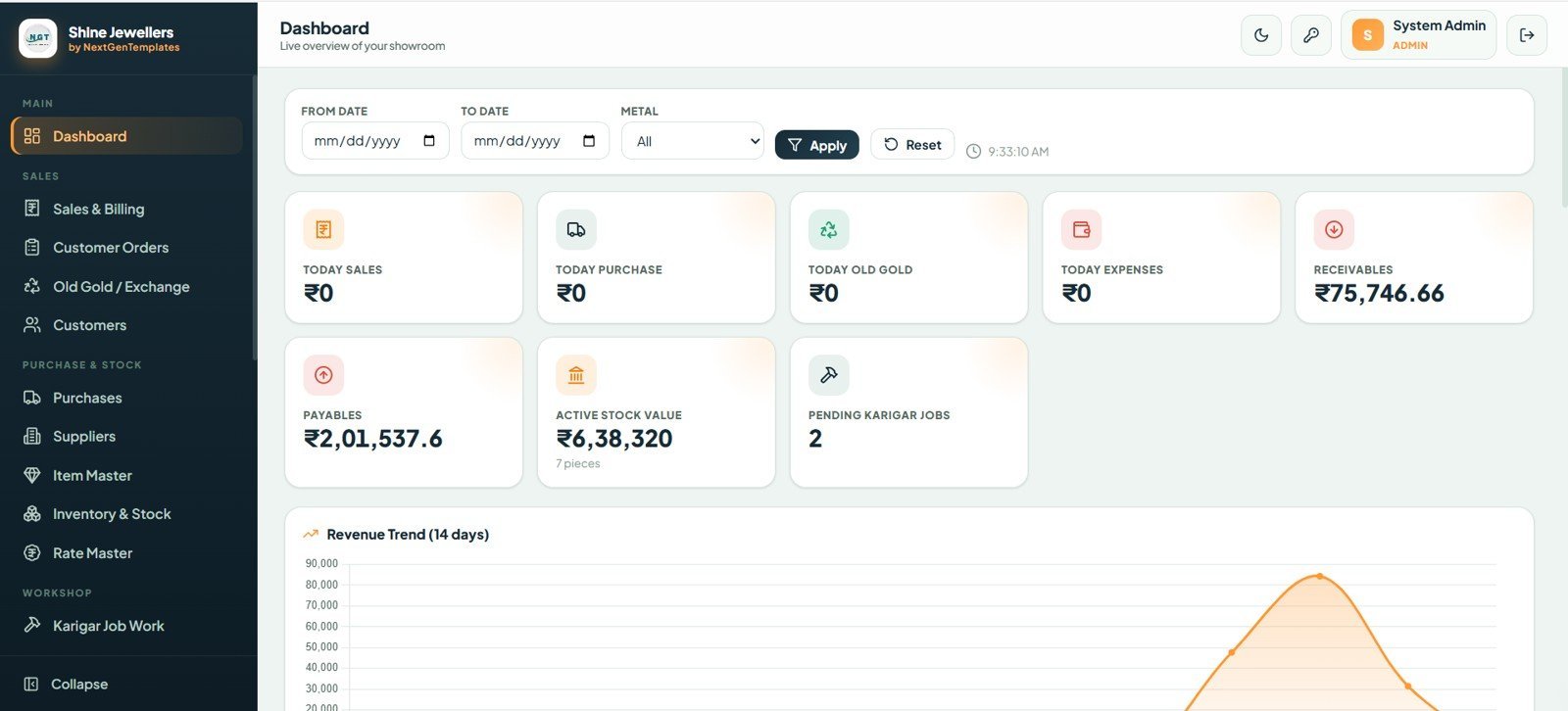
An inventory, sales and customer system for jewellers, where item weight, purity and making-charge fields are all editable.
Who it is for: jewellery retailers who need custom attributes no generic tool offers.
- Stock by weight, karat and design code
- Old-gold exchange and making-charge logic you can edit
- Customer ledger and dues tracking
- Open Apps Script for adding barcode or SMS hooks
Jewellery pricing changes daily, so a locked template would be useless within a week. The open code lets you wire in a live rate or a new tax rule yourself. At $39.99 it costs less than one hour of a developer’s time. Best for: retail with truly custom fields. View the Jewelry system.
3. Pathology Lab Management System Web App
A test-to-report workflow for diagnostic labs, from patient registration to printed reports, with editable test panels and reference ranges.
- Patient and referring-doctor registers
- Editable test master with reference ranges
- Report generation and billing
- Open code for adding new panels or NABL fields
Regulated labs change their test menu constantly, so editability is not optional here — it is compliance. The unlocked script lets a lab add a panel the day a new test launches. Price: $39.99. Best for: labs that must edit reference ranges and panels in-house. See the Pathology Lab system.
4. Production Tracking & Dispatch Management System
An editable Google Sheets system for factories tracking work orders from production floor to dispatch — the cheapest true-Sheets option here at $24.99.
- Work-order, production and dispatch stages
- Material-consumption and on-time-delivery KPIs
- All formulas visible and changeable in the Sheet
- Shareable with your team on Google Drive
Because it is native Google Sheets, editing needs no software licence — anyone with a browser can change a column or a formula. That makes it the best entry point for a buyer testing whether an editable system beats their spreadsheet chaos. Price: $24.99. Best for: budget-conscious teams that live in Google Sheets. Get the Production Tracking system.
5. Web-Based Advanced Inventory Management System
A full stock-control system with an unlocked dashboard, purchase and sales modules, and low-stock alerts — editable end to end.
- Product master, purchases, sales and returns
- Reorder-level alerts you can retune
- Supplier and customer ledgers
- Dashboard formulas open for editing
Inventory logic is where locked templates hurt most: your reorder points, units and categories are unique to you. At $24.99 this system lets you change all of them. For pure-Excel options, compare our best inventory management Excel templates. Best for: small distributors needing editable stock control. View the Inventory system.
6. VBA Management Systems Mega Pack — best for open macros
Five premium Excel management systems with fully unlocked VBA, so you can read and rewrite every macro. This is the clearest editable-versus-locked demonstration in the catalog.
- Five complete Excel systems in one download
- Every VBA module unlocked and commented
- Add / edit / delete forms you can restyle
- One-time price, no macro password wall
Most VBA templates sold elsewhere ship with a locked project, meaning you can run the macros but never change them. This pack does the opposite. At $49.99 for five systems it is roughly $10 per editable system — a fraction of buying them singly. Best for: Excel power users who want to own the code. Get the VBA Mega Pack.
7. Inventory & Warehouse Master Kit — best value
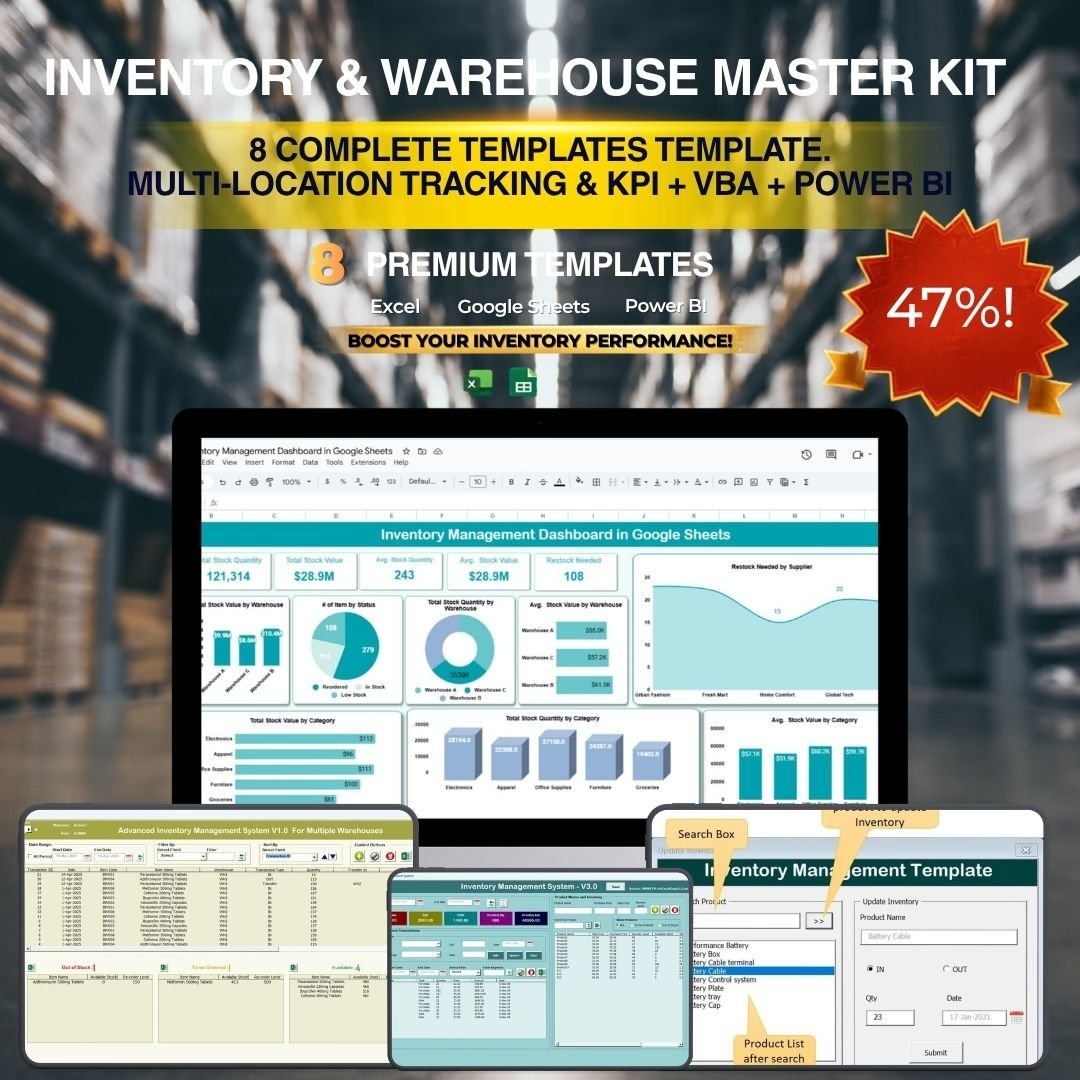
Eight editable Excel, Google Sheets and VBA templates covering inventory, warehouse and stock workflows — $69.99 for the set, a 36% saving over buying them one at a time.
- Inventory, warehouse, reorder and supplier templates
- Mixed Excel + Sheets + VBA formats, all unlocked
- One licence, edit everything
- Ideal for a growing operations team
This is the sweet spot for anyone who needs more than two templates. The maths is in the next section, but the short version: at $69.99 for eight editable files it beats three singles on price alone. Best for: operations teams standardising on one editable toolkit. Get the Master Kit.
8. NextGen Ultimate Business Bundle
Twenty-five premium Excel, Power BI and Google Sheets templates in one $99.99 pack — the widest editable library NGT sells.
- 25 templates across finance, HR, sales and operations
- Three formats so you self-select per team
- Every file editable — no locked cells or hidden formulas
- Best per-template price in the catalog
For a company kitting out several departments, this is the lowest cost-per-editable-template on the site. Pair it with a reporting layer from our Looker Studio alternatives or Tableau alternatives. Price: $99.99. Best for: multi-team rollouts. See the Ultimate Bundle.
Not sure which to start with? Any single editable system is $24.99–$39.99 and ships unlocked today. The Tailor Shop & Stitching System ($39.99) is the best all-round starting point, or jump to the Master Kit ($69.99) if you need three or more.
Full pricing table: singles versus bundles
| Option | Templates | Price | Per template |
|---|---|---|---|
| Single Google Sheets system | 1 | $24.99 | $24.99 |
| Single web-app system | 1 | $39.99 | $39.99 |
| VBA Management Systems Mega Pack | 5 | $49.99 | $10.00 |
| Inventory & Warehouse Master Kit | 8 | $69.99 | $8.75 |
| NextGen Ultimate Business Bundle | 25 | $99.99 | $4.00 |
Bundle versus single: the worked example
Say a growing manufacturer needs three editable systems this quarter: inventory, production tracking and a warehouse sheet.
Buying singles: Web-Based Advanced Inventory ($24.99) + Production Tracking & Dispatch ($24.99) + one more single ($24.99) = $74.97 for three templates.
Buying the bundle: the Inventory & Warehouse Master Kit is $69.99 for eight editable templates — cheaper than the three singles, and you get five extra files for free.
The break-even rule: at NGT prices, the bundle wins the moment you need three or more templates. Below that, buy singles and keep it simple. This is only true because every file is editable — with locked templates you would pay again each time you needed a change, and no up-front bundle discount would save you.
Scale it up and the gap widens: the 25-template Ultimate Bundle at $99.99 works out to $4.00 per editable template, versus $24.99–$39.99 each as singles — a saving of over 85% for a company outfitting several departments.
How to choose between editable options
Use this quick decision tree:
- Need one system, live in Google Sheets? → Production Tracking & Dispatch, $24.99.
- Need one full business system with open code? → a web-app system (Tailor Shop, Jewelry or Pathology Lab), $39.99.
- Want to own and rewrite Excel macros? → VBA Management Systems Mega Pack, $49.99.
- Need three or more templates? → Inventory & Warehouse Master Kit, $69.99.
- Kitting out several departments? → NextGen Ultimate Business Bundle, $99.99.
For sales-specific systems, cross-shop our Pipedrive alternatives; for support desks, the Zendesk alternatives; and for maintenance, our MaintainX CMMS alternatives.
When an editable template is NOT the right answer
Editability is usually the point — but not always. Be honest with yourself before buying:
Do not buy an editable template if you need a legally frozen, tamper-proof form — a signed compliance certificate or a fixed statutory return — where you actually want cells locked so no one alters them. A locked template is correct there.
Do not buy this if you have zero appetite to ever open a formula or a settings sheet. Editable systems reward the buyer who tweaks; if you will never change anything, you are paying for freedom you will not use, though the one-time price still beats a subscription.
Do not buy this if you need real-time multi-user database concurrency for 50+ simultaneous editors. That is a job for purpose-built software, not a spreadsheet-based system — buy the SaaS tool instead.
For everything else — a growing shop, a lab, a warehouse, a department that will change its mind — editable wins, because the cost of a locked template is not the sticker price, it is every change you cannot make.
Frequently asked questions
What is an editable Excel template?
An editable Excel template is a spreadsheet with unlocked cells, visible formulas and open macro code, so you can change layouts, calculations and automation yourself. A locked template hides one or more of these, forcing you back to the vendor — and usually a new fee — for any change.
How do I know if a template is locked before I buy?
Ask the vendor three questions: are the sheets protected without a password, are formulas visible in the formula bar, and is the VBA or script project locked? If any answer is yes, it is a locked template. Reputable vendors state edit rights on the product page; NGT ships every file unlocked.
Are NextGenTemplates files fully editable?
Yes. Every NGT system ships with unlocked cells, visible formulas and open VBA or Google Apps Script code. You can add fields, rewrite logic and rebrand freely under a one-time licence, with no re-purchase required to make changes.
Is a bundle really cheaper than buying single templates?
Yes, once you need three or more. The Inventory & Warehouse Master Kit is $69.99 for eight editable templates versus about $109 bought singly, and the 25-template Ultimate Bundle works out to $4.00 per template versus $24.99–$39.99 each as singles.
Can I edit a Google Sheets template without buying software?
Yes. Google Sheets systems like the $24.99 Production Tracking & Dispatch template open in any browser with a free Google account. You can change columns, formulas and layouts with no Excel licence, which makes Sheets the lowest-cost editable format.
What does "unlocked VBA" actually mean?
Unlocked VBA means the macro project has no password, so you can open the code editor, read every module and rewrite the automation. Many templates sold elsewhere ship with a locked project — you can run the macros but never change them. The VBA Management Systems Mega Pack ($49.99) is fully unlocked.
Will editing a template break my updates or support?
No. Because NGT files are one-time purchases with no forced auto-updates, your edits are permanent and yours. There is no cloud version that overwrites your changes. Keep a copy of the original download and you can always start fresh if an edit goes wrong.
Should I ever choose a locked template on purpose?
Only for tamper-proof documents — signed certificates, statutory forms, or shared files where you want to stop others changing formulas. In those cases you lock the cells yourself using Excel’s protection feature. For any system you will grow into, choose editable.
How much should an editable business template cost in 2026?
A single editable system should cost $20–$40 one-time, and a multi-template bundle $50–$100. NGT single systems are $24.99–$39.99 and bundles $49.99–$99.99. Anything charging a recurring subscription for a spreadsheet template is overpriced compared with a one-time editable file.
Can I resell or share an edited template?
No. Editing rights are for your own business use under the licence; you may customise and use the file, but reselling or redistributing it — edited or not — is not permitted. Check each product’s licence terms for team-size and usage limits.
Get more editable Excel templates
Own it once, edit it forever. Start with a single editable system from $24.99, or get the best value with the Inventory & Warehouse Master Kit at $69.99 (8 templates) or the NextGen Ultimate Business Bundle at $99.99 (25 templates). Every file ships unlocked — unlocked cells, open formulas, editable code.
See them in action on our YouTube channel, and browse more with our expense tracker Excel templates guide.