

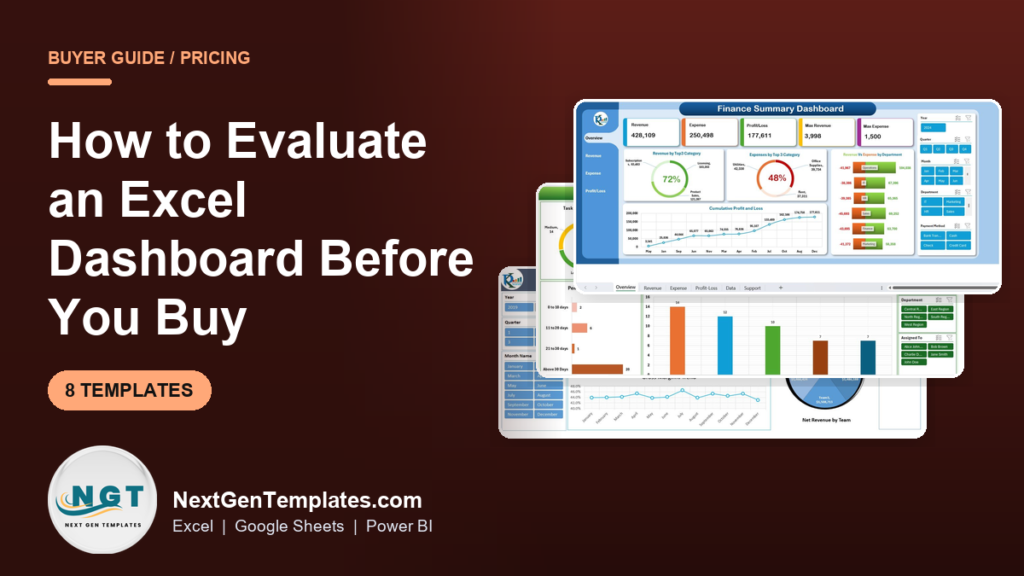
To choose an Excel dashboard template, judge it on five things before you pay: does it use real formulas (not pasted pictures), does it refresh when you swap your data, is the structure documented, does the price match the number of usable views, and does the seller show the actual working file? Templates that pass all five are worth buying; the rest are screenshots with a price tag.
Last updated: September 2026
Key takeaways
- A good Excel dashboard template is formula-driven and refreshable – if changing one input does not update the charts, it is a static mock-up, not a tool.
- Price should track usable views, not slides: expect roughly $12-$20 for a single well-built dashboard and $5-$8 per template inside a bundle.
- The Startup Founder Pack is our best overall pick at $78.99 for 12 templates across Excel, Google Sheets and Power BI – about $6.58 each.
- The Fully Automated Excel Dashboard at $17.99 is the best value single file and the clearest example of what “automated” should actually mean.
- Buying a 12-template bundle instead of 12 comparable singles typically saves 60%+ – the worked maths is below.
 Launch offer
From your first Pivot Table to the Data Model, DAX, Power Query and a one-page KPI dashboard. 11h 51m of video by PK, with practice files, quizzes and a capstone.
Excel dashboard templates compared
| Template | Format | Best for | Price |
|---|---|---|---|
| Fully Automated Excel Dashboard (Best value) | Excel | One clean, refreshable dashboard from multiple files | $17.99 |
| Data Analyst’s Chart & Visualization Pack | Excel + Google Sheets | Analysts who want 10 chart-heavy layouts | $29.99 |
| Calendar & Planner Pack | Excel + Google Sheets | Schedules, planners and date-driven views | $33.99 |
| Project Manager Power Pack | Excel + Google Sheets | PMs tracking tasks, timelines and workload | $48.99 |
| Startup Founder Pack (Best overall) | Excel + Sheets + Power BI | Founders needing finance, sales and ops in one buy | $78.99 |
| FP&A – Financial Planning & Analysis Pack | Excel + Sheets + Power BI | Finance teams building budgets and forecasts | $85.99 |
| KPI Scorecard Mega Pack | Excel + Google Sheets | Teams reporting monthly KPIs with traffic lights | $89.99 |
| Sales & Marketing Power BI Pack | Power BI | Interactive, drill-down sales and marketing analytics | $100.99 |
How we picked these
We searched the full NextGenTemplates catalogue of 300+ paid Excel, Google Sheets and Power BI products and shortlisted eight that let us test the exact evaluation checklist a buyer should apply. We prioritised templates that are formula-driven, refresh from a data sheet, and ship with more than one usable view.
We excluded free downloads, single-screenshot “dashboards” with no live calculation, and anything where the seller does not show the working file. Where the same tool exists in more than one format we kept the multi-format version, because it widens who the guide is useful for. Prices are the real published USD prices at the time of writing.
How to evaluate an Excel dashboard before you pay for it
Before you spend anything, run the template past these five checks. This is the framework we used to rank every product below, and it works on any seller’s file, not just ours.
| # | Checkpoint | What “pass” looks like | Red flag |
|---|---|---|---|
| 1 | Live formulas | Cells contain SUMIFS, INDEX/MATCH, XLOOKUP or pivot links | Numbers are typed in or pasted as an image |
| 2 | Refreshable data | Change one input and every chart updates | Charts are static pictures |
| 3 | Documentation | An instructions tab or manual explains the data structure | No guidance; you reverse-engineer it |
| 4 | Price vs. views | Roughly $12-$20 per built dashboard, less inside a bundle | Premium price for one screen |
| 5 | Proof it works | Seller shows the actual file, video or live preview | Only marketing renders, no working demo |
If a template fails checks 1 or 2 it is not a dashboard – it is a layout you will rebuild yourself. For a longer walk-through of what a healthy build looks like, see our finance dashboard Excel templates and sales dashboard templates breakdowns, and Microsoft’s own guidance on creating a dashboard in Excel.
Bundle vs. single: the maths that decides it
The single biggest money decision in this category is bundle or single file. Here is the worked example, using real prices from this list.
| Option | What you get | Price | Cost per template |
|---|---|---|---|
| Single dashboard | 1 dashboard (e.g. Fully Automated Excel Dashboard) | $17.99 | $17.99 |
| 12 singles bought separately | 12 comparable dashboards at ~$17.99 each | $215.88 | $17.99 |
| Startup Founder Pack | 12 premium templates, 3 formats | $78.99 | $6.58 |
Buying the 12-template bundle instead of 12 singles saves $136.89 – about 63%. The rule of thumb: if you will genuinely use three or more templates, a bundle almost always wins. If you need exactly one dashboard and nothing else, buy the single and skip the bundle – do not pay for eleven files you will never open.
The 8 best Excel dashboard templates for 2026
1. Startup Founder Pack – best overall
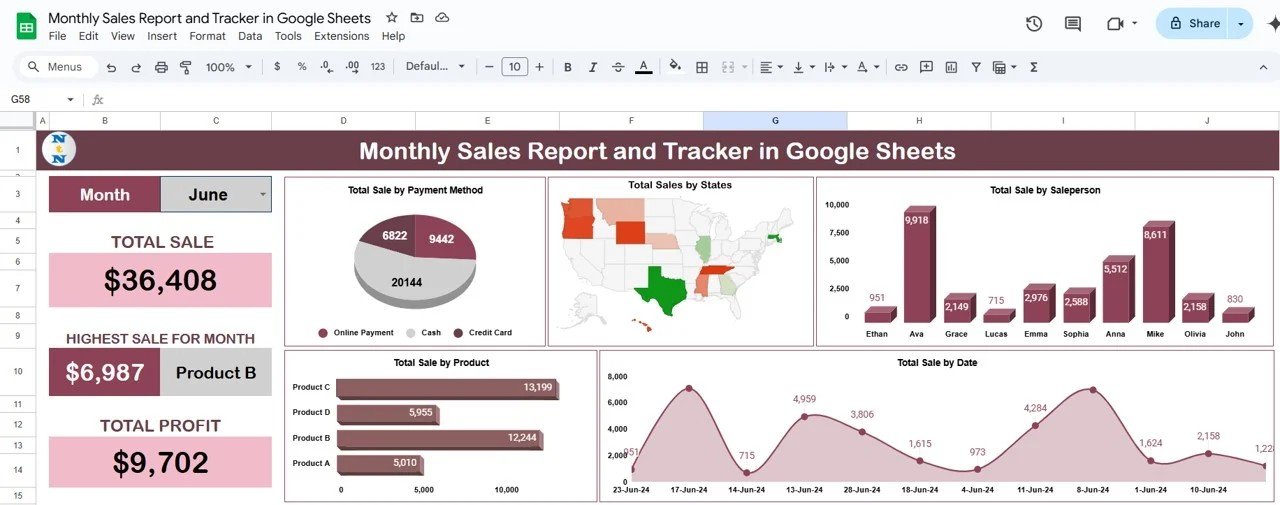
What it is: A 12-template bundle covering finance, sales, operations and planning in Excel, Google Sheets and Power BI.
Who it is for: Founders and small teams who need a full reporting stack from one purchase instead of buying piecemeal.
- 12 premium templates across three formats
- Finance, sales tracker, cash-flow and KPI views included
- Formula-driven with editable data sheets
- Works whether your team lives in Excel or Sheets
At $78.99 this is roughly $6.58 per template. A seed-stage founder can run monthly investor reporting, a sales tracker and a runway model without opening a single SaaS subscription. It passes all five evaluation checks, which is why it tops the list. Best for: getting a complete, multi-format reporting kit in one buy. Get the Startup Founder Pack – $78.99.
2. Fully Automated Excel Dashboard – best value single file

What it is: A single Excel dashboard that pulls from multiple source files and rebuilds itself on refresh.
Who it is for: Anyone who wants to see what “automated” should really mean before judging pricier files.
- Consolidates several source workbooks into one view
- Refreshes without manual copy-paste
- Clean, documented structure you can adapt
- The reference build for evaluation checks 1 and 2
At $17.99 this is the cheapest way to own a genuinely working, refreshable dashboard. Use it as your benchmark: if another seller’s file costs more but does less, you now know. Best for: a single, honest, automated dashboard on a tight budget. Get the Fully Automated Excel Dashboard – $17.99.
3. Sales & Marketing Power BI Pack – best for interactivity
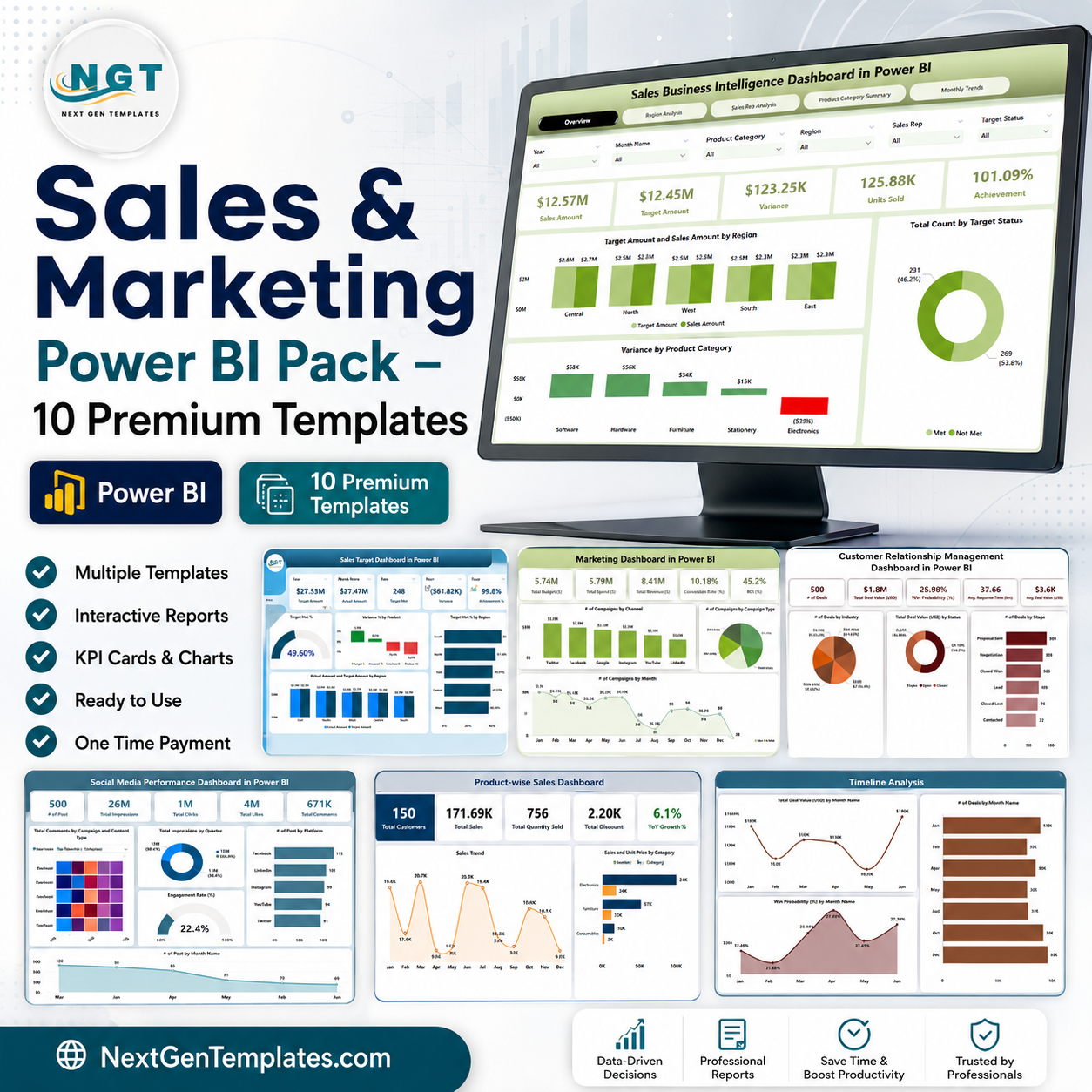
What it is: 10 premium Power BI templates for sales and marketing analytics, with drill-down and filtering.
Who it is for: Teams that have outgrown static Excel charts and want click-to-filter interactivity.
- 10 interactive Power BI dashboards
- Drill-down by product, region, channel and period
- Refreshes from your own data model
- Marked “Save 44%” versus buying the reports singly
At $100.99 it is the priciest item here, and deliberately so – Power BI does things Excel cannot, like fast slicing across millions of rows. Buy this only if your team already uses Power BI; otherwise the learning curve outweighs the gain. Best for: interactive sales and marketing analytics at scale. Get the Sales & Marketing Power BI Pack – $100.99.
4. KPI Scorecard Mega Pack – best for monthly reporting
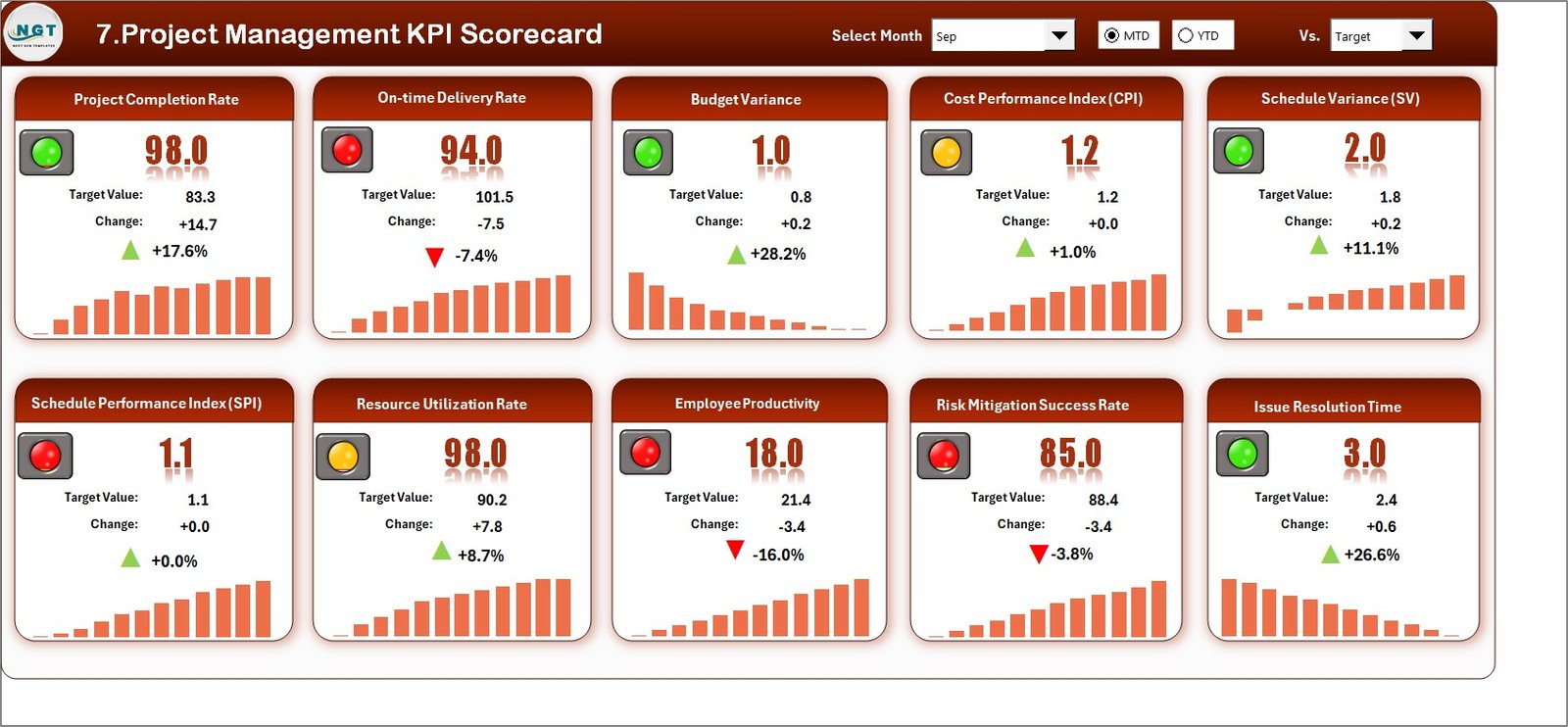
What it is: 12 KPI scorecard templates in Excel and Google Sheets with month pickers and traffic-light status.
Who it is for: Managers who report the same KPIs every month and want MTD/YTD roll-ups done for them.
- 12 scorecards with red/amber/green indicators
- Month-picker driven MTD and YTD figures
- Trend and analysis pages built in
- Excel and Sheets versions in the box
At $89.99 (Save 44%) it is aimed at recurring reporting, not one-off analysis. If your job is a monthly management pack, this removes the rebuild every cycle. Best for: repeatable monthly KPI reporting. Get the KPI Scorecard Mega Pack – $89.99.
5. FP&A – Financial Planning & Analysis Pack

What it is: 9 premium Excel, Google Sheets and Power BI templates for budgeting, forecasting and variance analysis.
Who it is for: Finance and FP&A teams that need planning models, not just reporting screens.
- Budget vs. actual and variance views
- Rolling forecast and cash-flow models
- Three formats for mixed finance teams
- Formula-transparent so auditors can follow the logic
At $85.99 (Save 40%) this is the one to buy when your dashboards feed a plan, not just a review meeting. Best for: budgeting, forecasting and variance analysis. Get the FP&A Pack – $85.99.
6. Project Manager Power Pack
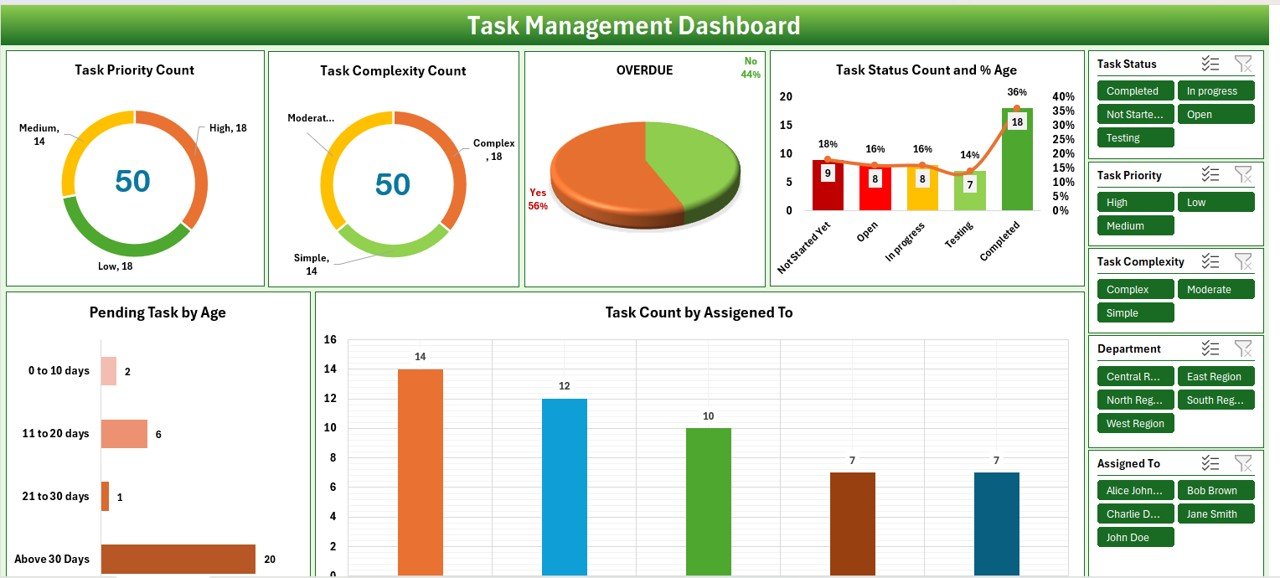
What it is: 10 project-management templates in Excel and Google Sheets – task boards, timelines and workload views.
Who it is for: PMs who want a tracking suite without paying monthly for project software.
- Task, milestone and Gantt-style timeline views
- Workload and status dashboards
- Excel and Sheets both included
- Editable without add-ins
At $48.99 it lands in the mid-range and covers most solo-to-small-team PM needs. If you manage complex, multi-team programmes, pair it with our project management dashboard templates guide first. Best for: lightweight project tracking. Get the Project Manager Power Pack – $48.99.
7. Calendar & Planner Pack
What it is: 12 calendar and planner templates in Excel and Google Sheets for date-driven dashboards.
Who it is for: Anyone whose “dashboard” is really a schedule – content calendars, shift planners, appointment views.
- Annual, monthly and daily calendar layouts
- Planner and scheduling views
- Excel and Sheets versions
- Editable colour themes
At $33.99 (Save 43%) this is the best pick when time, not metrics, is your main axis. Best for: date and schedule-driven planning. Get the Calendar & Planner Pack – $33.99.
8. Data Analyst’s Chart & Visualization Pack
What it is: 10 chart-heavy Excel and Google Sheets templates focused on visualisation, not data entry.
Who it is for: Analysts who already have data and want polished, reusable chart layouts fast.
- 10 visualisation-first templates
- Gantt, trend and comparison chart layouts
- Excel and Sheets both included
- Drop your data in and present
At $29.99 (Save 47%) it is the cheapest bundle here and a strong second buy alongside a data-entry system. Best for: fast, good-looking charts from data you already own. Get the Data Analyst’s Chart & Visualization Pack – $29.99.
Not sure which to buy? If you need one working dashboard today, the Fully Automated Excel Dashboard ($17.99) is the safest first purchase. If you will use three or more, the Startup Founder Pack ($78.99) is the better value.
How to choose between them
| If you… | Buy this | Price |
|---|---|---|
| Need exactly one working dashboard now | Fully Automated Excel Dashboard | $17.99 |
| Want a full reporting stack in one buy | Startup Founder Pack | $78.99 |
| Report the same KPIs every month | KPI Scorecard Mega Pack | $89.99 |
| Build budgets and forecasts | FP&A Pack | $85.99 |
| Already run Power BI and want interactivity | Sales & Marketing Power BI Pack | $100.99 |
| Manage projects and timelines | Project Manager Power Pack | $48.99 |
The short decision tree: one dashboard and done? Buy the single. Three or more, one department? Buy the matching pack. Whole company across formats? Buy the Startup Founder Pack. Already on Power BI? Go Power BI. For role-specific picks see our HR dashboard templates and quality control Excel templates guides.
When a template is NOT the right answer
Templates are the right tool for most reporting jobs, but not all. Buy dedicated software instead when:
- Many people edit the same file at once. Excel’s co-authoring is limited; for a live shared view, a BI tool or database-backed app is safer.
- Your data is genuinely large. Beyond a few hundred thousand rows, Excel slows down – move to Power BI or a database. Our logistics dashboard templates note the same limit.
- You need real-time feeds. Templates refresh on demand, not continuously. For live operational monitoring, use a connected dashboard tool.
- Compliance forbids local spreadsheets. Regulated teams often need audit trails a workbook cannot provide.
Being honest about these limits is why buyers trust template guides – and why they refund far less often. If any of the above is your situation, a $17.99 template will disappoint no matter how well built it is.
Frequently asked questions
How do I choose an Excel dashboard template?
Check five things before paying: that it uses live formulas, refreshes when you change the data, ships with documentation, is priced sensibly per view, and comes with proof it works. A template that passes all five is worth buying; one that fails the first two is just a picture of a dashboard.
How much should an Excel dashboard template cost?
A single well-built, refreshable Excel dashboard usually costs $12-$20. Inside a bundle, expect $5-$8 per template. On this list singles start at $17.99 and 12-template bundles work out to about $6.58 each, so bundles win once you will use three or more.
Are free Excel dashboard templates good enough?
Free templates are fine for learning or a one-off, but they are rarely formula-driven, seldom documented, and almost never supported. If a dashboard feeds a real decision or a client, a paid template that refreshes reliably pays for itself the first time you avoid rebuilding it by hand.
What is the difference between a dashboard and a report template?
A report shows a fixed snapshot; a dashboard updates when the underlying data changes and usually lets you filter or drill in. If changing one input does not move the charts, you are looking at a report with a dashboard’s name – price it accordingly.
Should I buy a single dashboard or a bundle?
Buy a single if you need exactly one dashboard and nothing else. Buy a bundle the moment you will use three or more, because per-template cost drops sharply – a 12-template pack at $78.99 is about $6.58 each versus $17.99 for a comparable single, a saving of roughly 63%.
Do these templates work in Google Sheets too?
Many do. On this list the Startup Founder Pack, FP&A Pack, Project Manager Power Pack, Calendar & Planner Pack, KPI Scorecard Mega Pack and Data Analyst’s Pack all include Google Sheets versions, so teams split between Excel and Sheets can use one purchase.
Will an Excel dashboard template handle my data size?
Excel comfortably handles tens of thousands of rows and often more. Past a few hundred thousand rows it slows down, and that is when a Power BI template like the Sales & Marketing Power BI Pack, which is built for large models, is the better buy.
Can I customise a purchased dashboard template?
Yes. Every template on this list is editable – colours, labels, formulas and layout are all open. Because they are formula-driven rather than pictures, you can point them at your own data, rename metrics, and add charts without starting from scratch.
What file formats do I get?
Depending on the product you get .xlsx Excel files, Google Sheets copies, or Power BI .pbix files – the format is stated on each product page. Multi-format packs bundle two or three so you are not locked to one tool.
How do I know the template actually works before I buy?
Look for a working demo: a video walk-through, a live preview, or gallery screenshots of the real file rather than marketing renders. On NextGenTemplates each product page shows the actual workbook, and our YouTube channel demonstrates many of them in use.
Get more Excel dashboard templates
Best value: The Startup Founder Pack gives you 12 premium templates across Excel, Google Sheets and Power BI for $78.99 – about $6.58 each. Need just one? Start with the Fully Automated Excel Dashboard for $17.99. Browse more finance, sales and training dashboards, and see them in action on our YouTube channel.