

The best Zendesk alternatives for small teams are spreadsheet and Power BI helpdesk templates that replace Zendesk’s core ticketing, SLA tracking and CSAT reporting for a one-time $6.99–$14.99 fee instead of $55–$115 per agent every month. For a 5-agent team that is roughly $3,300–$6,900 a year saved, with no seat maths and no unused modules.
Last updated: August 2026
Key takeaways
- Zendesk Suite is published at $55, $89 and $115 per agent per month (billed annually); a 5-agent team on the Growth plan pays about $5,340 a year.
- Three things push small teams off Zendesk: per-seat cost, paid-for modules they never switch on, and admin overhead to keep it configured.
- The IT Helpdesk Ticket Tracker in Google Sheets replaces the core ticket queue for a one-time $6.99 — the best overall and best-value pick here.
- All 8 templates are one-time purchases between $6.99 and $14.99, in Excel, Google Sheets or Power BI, with no per-agent billing ever.
- Zendesk still wins when you need omnichannel automation, a public help centre and 20+ agents — we say exactly when below.
Why small teams switch away from Zendesk
Zendesk is a genuinely powerful helpdesk, but its pricing model is built for scale, not for a support desk of two to eight people. On the official Zendesk pricing page, the Suite plans are published as Suite Team at $55, Suite Growth at $89 and Suite Professional at $115 per agent per month, all billed annually, with Enterprise quoted on request. Support-only plans start lower but strip out most of what makes Zendesk worth buying.
Run the seat maths. A five-person support team on Suite Growth is 5 × $89 × 12 = $5,340 every year, forever, before a single add-on. That is the first reason teams churn: the bill scales with headcount, not with value delivered.
The second reason is unused modules. Most small desks use ticketing, a few macros and a CSAT survey. They are still paying for AI answer bots, workforce management, advanced routing and analytics tiers they never open. The third reason is admin overhead — triggers, automations, SLA policies and business rules need an owner, and on a small team that owner is usually the person who should be answering tickets.
A spreadsheet or Power BI template attacks all three at once: you pay once, you get only the sheet you need, and setup is filling in columns rather than configuring a rules engine. That is the trade this guide is about — and, honestly, the trade does not suit everyone, which is why there is a “when Zendesk still wins” section further down.
Zendesk vs the NGT template that covers it
Here is the head-to-head. Each Zendesk capability is mapped to the NextGenTemplates helpdesk template that covers the same job, with the one-time price beside it.
| Zendesk feature | NGT template that covers it | Format | Price (one-time) |
|---|---|---|---|
| Ticket queue & agent tracking | IT Helpdesk Ticket Tracker (Best overall & value) | Google Sheets | $6.99 |
| Support performance & agent metrics | Customer Service & Support Performance KPI Dashboard | Excel | $12.99 |
| SLA policies & breach monitoring | Customer Support SLA KPI Dashboard | Power BI | $11.99 |
| SLA compliance + ticket monitoring | IT SLA Compliance & Ticket Monitoring Dashboard | Google Sheets | $9.99 |
| CSAT & customer feedback surveys | Customer Service & Support Customer Feedback KPI Dashboard | Excel | $14.99 |
| Technical / tier-2 support reporting | Technical Support KPI Dashboard | Power BI | $11.99 |
| Cost-per-ticket & efficiency analytics | Customer Service & Support Cost Efficiency KPI Dashboard | Excel | $12.99 |
| Compliance & regulatory reporting | Customer Service & Support Regulatory Adherence KPI Dashboard | Excel | $14.99 |
Every row is a one-time purchase. Buy all eight and you have spent about $96.92 once — less than one agent’s single month on Suite Growth.
How we picked these
We searched the NextGenTemplates catalogue of 400+ paid Excel, Google Sheets and Power BI templates for tools that map onto a real Zendesk workflow: logging tickets, tracking SLAs, measuring agent performance and capturing customer satisfaction. We kept only paid, actively maintained templates priced between $6.99 and $14.99, and we excluded generic project trackers and anything that did not have a clear helpdesk or customer-support use case. Ranking favours templates that replace an operational Zendesk function you use daily over ones that only produce a monthly report.
The 8 best Zendesk alternative templates for 2026
1. IT Helpdesk Ticket Tracker in Google Sheets — best overall
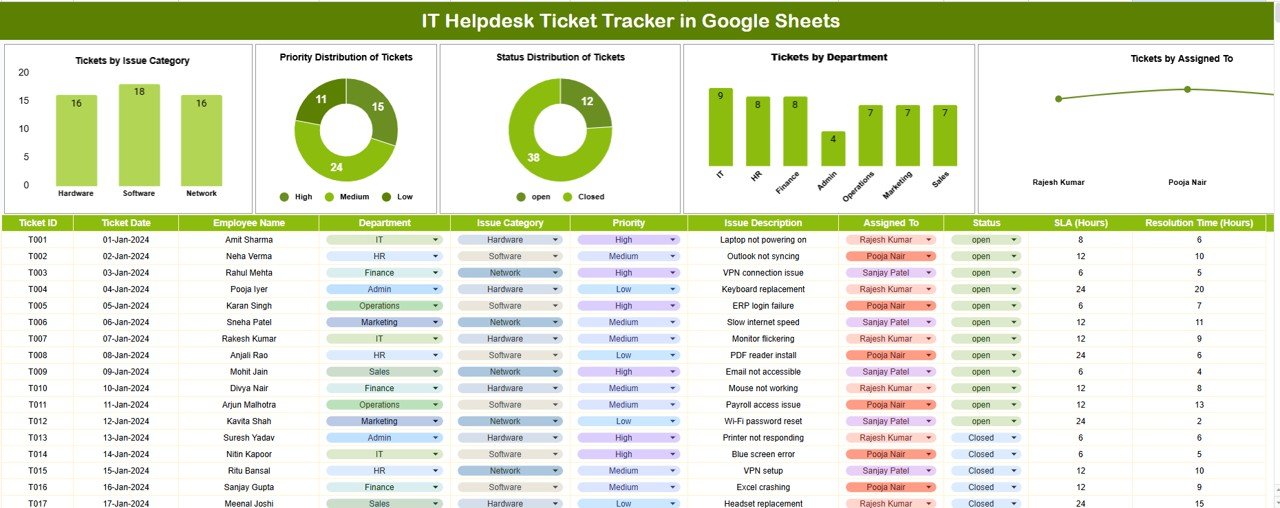
What it is: a live ticket queue in Google Sheets — the single sheet that does what teams actually churn off Zendesk to keep. Who it is for: IT and support desks of 2–10 people who need to log, assign and close tickets without a monthly bill.
- Ticket log with ID, requester, priority, status, assignee and dates
- Auto dashboard: open vs closed, tickets by department and by priority
- Resolution-time and backlog views built from the queue directly
- Dropdown-driven data entry so the log stays clean
Use cases: a 4-agent desk clearing 300 tickets a month tracks who owns what in real time; managers see the open backlog at a glance instead of buying a $89/agent analytics tier; new agents onboard by reading columns, not a rules engine. It is the direct replacement for Zendesk’s ticket view, and at $6.99 it is also the lowest price in this guide — which is why it is both our best-overall and best-value pick.
Price: $6.99 — get the IT Helpdesk Ticket Tracker in Google Sheets. Best for: replacing the day-to-day ticket queue.
2. Customer Service & Support Performance KPI Dashboard in Excel
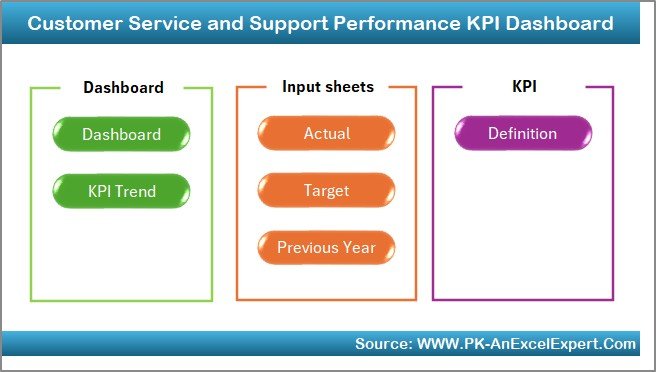
What it is: the flagship support-metrics dashboard, covering the numbers Zendesk Explore charges an analytics tier for. Who it is for: team leads who report weekly on desk performance.
- First response time, resolution time and average handle time
- Ticket volume by channel, agent and category
- Backlog trend and agent-utilisation views
- Input sheets for Actual, Target and Previous Year comparisons
Use cases: a support manager builds a Monday stand-up scorecard; a director tracks response time against a target without an Explore subscription; a growing team benchmarks this quarter against last. Pairs naturally with the ticket tracker above — that one runs the desk, this one reports on it.
Price: $12.99 — get the Performance KPI Dashboard. Best for: weekly and monthly support reporting.
3. Customer Support SLA KPI Dashboard in Power BI
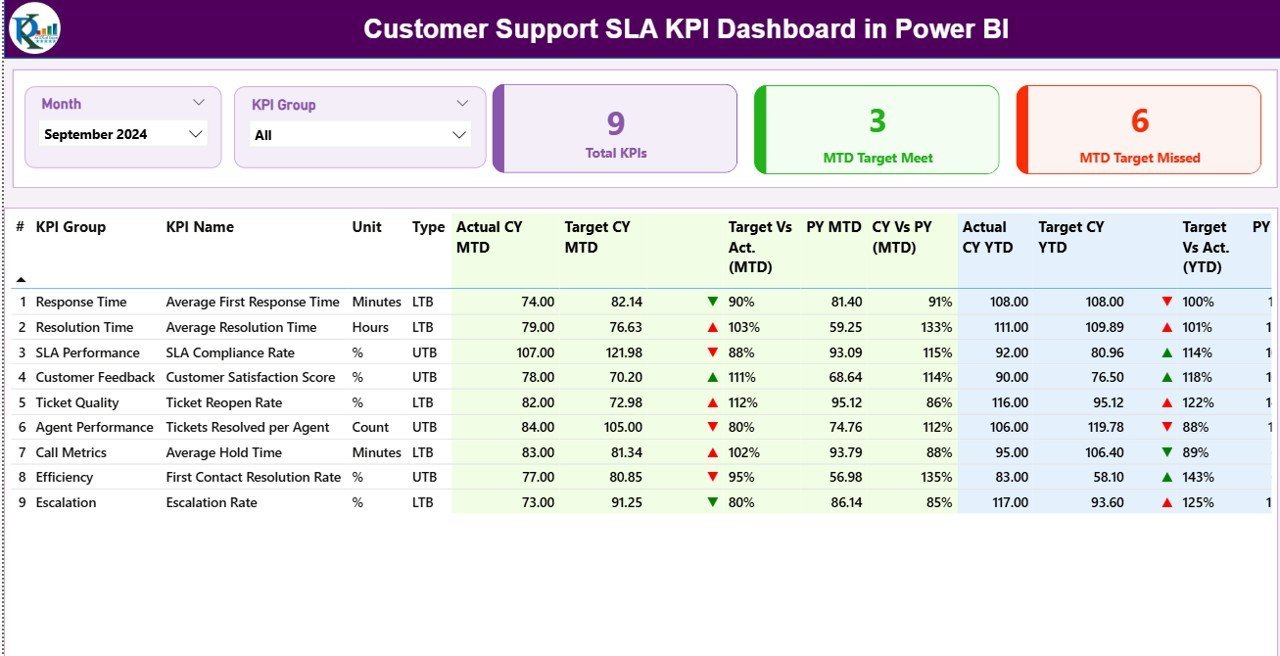
What it is: an interactive Power BI report for SLA attainment — the equivalent of Zendesk’s SLA policies plus breach reporting. Who it is for: desks with contractual response and resolution targets.
- SLA attainment % by priority, team and month
- Breach counts and at-risk tickets highlighted
- Response-vs-resolution target tracking with month slicer
- Drillable visuals for any period
Use cases: an MSP proves 95% SLA attainment to a client; a lead spots the priority band that keeps breaching; a QBR deck is exported straight from the report. Power BI Desktop is free, so there is no viewer cost for the person building it.
Price: $11.99 — get the Customer Support SLA KPI Dashboard. Best for: teams held to SLA contracts.
4. IT SLA Compliance & Ticket Monitoring Dashboard in Google Sheets
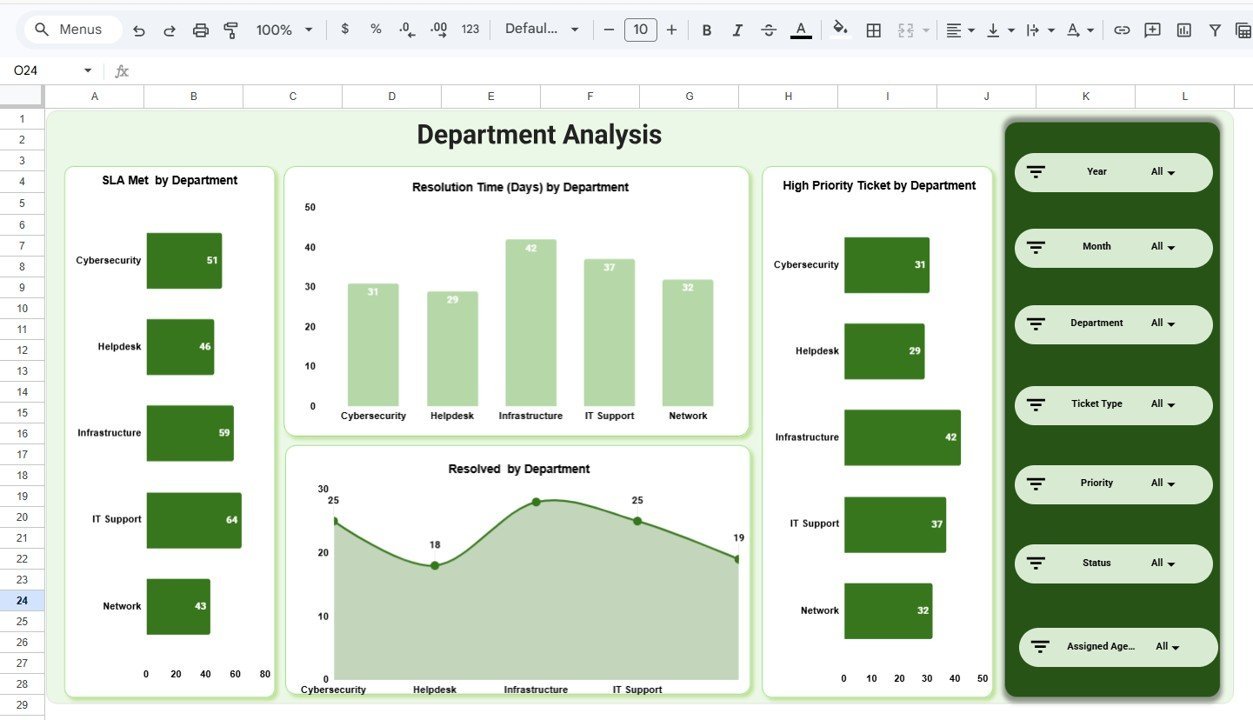
What it is: SLA tracking and live ticket monitoring in one Google Sheet — a lighter, no-Power-BI route to the same SLA visibility. Who it is for: teams that live in Google Workspace.
- SLA compliance rate with within/breached flags
- Ticket monitoring by status, priority and owner
- Aging and overdue-ticket views
- Shareable via a Google Sheets link, no install
Use cases: a distributed team shares one live SLA view without buying seats; a lead flags overdue tickets each morning; leadership gets a read-only link instead of a login. It overlaps with #3 — choose Sheets here if you want zero setup, Power BI above if you want richer visuals.
Price: $9.99 — get the IT SLA Compliance & Ticket Monitoring Dashboard. Best for: Google Workspace SLA tracking.
5. Customer Service & Support Customer Feedback KPI Dashboard in Excel

What it is: a CSAT, CES and NPS dashboard — the reporting layer for the customer-satisfaction surveys Zendesk bundles into higher tiers. Who it is for: teams that measure how customers rate support.
- CSAT, NPS and CES tracked over time
- Feedback themes and sentiment breakdown
- Score-by-agent and by-channel views
- Actual vs Target vs Previous Year inputs
Use cases: a support lead reports a CSAT trend to the exec team; a manager finds the channel dragging satisfaction down; feedback themes feed the next training cycle. Feed it from any survey tool — even a free Google Form — and skip the higher Zendesk tier.
Price: $14.99 — get the Customer Feedback KPI Dashboard. Best for: CSAT and satisfaction reporting.
6. Technical Support KPI Dashboard in Power BI
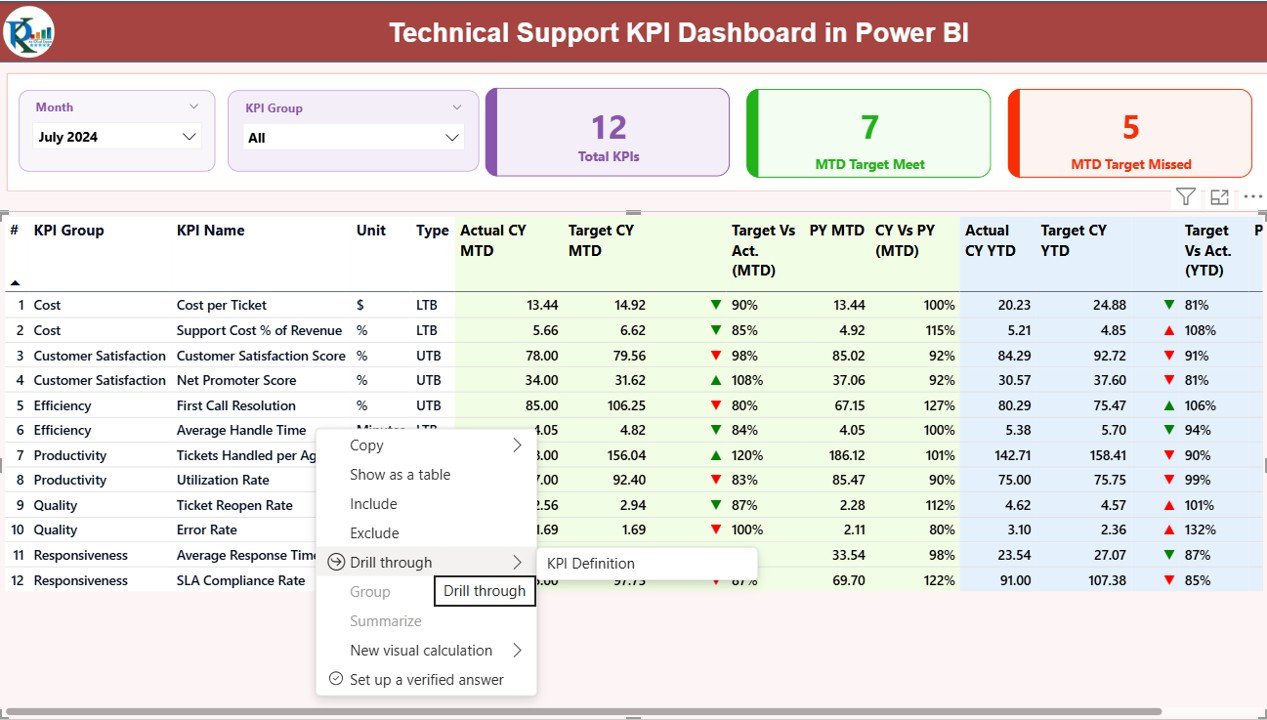
What it is: a Power BI report built for technical / tier-2 support — escalations, resolution depth and engineer workload. Who it is for: IT and product-support teams handling complex issues.
- Escalation rate and tier-1-vs-tier-2 split
- Mean time to resolve by issue type
- Engineer workload and reopen rate
- Interactive filters by product, severity and period
Use cases: an IT manager sees which product area drives escalations; a lead balances load across engineers; a reopen-rate spike flags a knowledge-base gap. This is the analytical depth Zendesk reserves for its Professional and Enterprise Explore tiers.
Price: $11.99 — get the Technical Support KPI Dashboard. Best for: tier-2 and technical support analytics.
7. Customer Service & Support Cost Efficiency KPI Dashboard in Excel
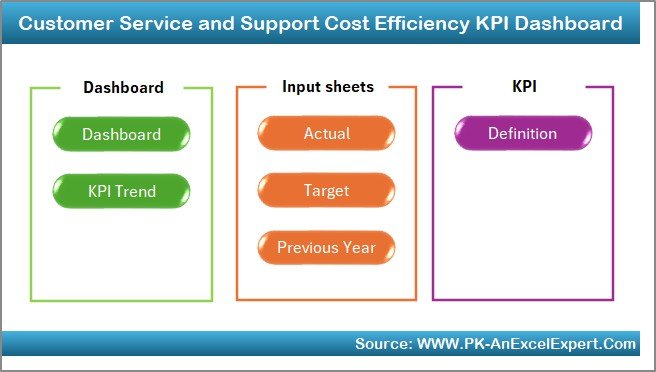
What it is: the money view of your desk — cost per ticket, cost per contact and efficiency ratios Zendesk does not report at all. Who it is for: managers who have to justify the support budget.
- Cost per ticket and cost per resolved contact
- Deflection and self-service savings tracking
- Cost by channel and by team
- Budget-vs-actual with prior-year comparison
Use cases: a head of support proves the desk got cheaper per ticket after a process change; finance sees channel-level cost; a business case for another hire is built on real numbers. Ironically, this is the dashboard that makes the strongest case for leaving Zendesk in the first place.
Price: $12.99 — get the Cost Efficiency KPI Dashboard. Best for: support cost and budget analysis.
8. Customer Service & Support Regulatory Adherence KPI Dashboard in Excel
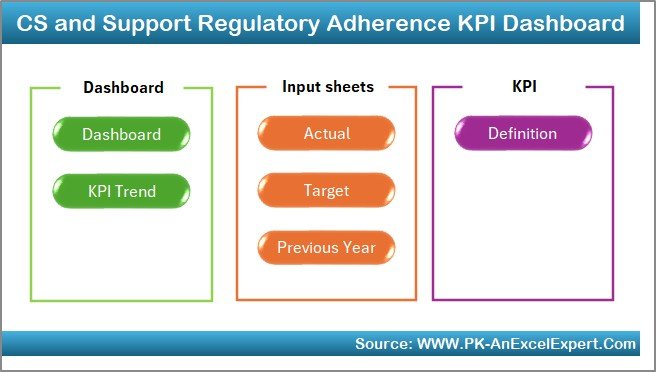
What it is: a compliance and regulatory-adherence dashboard for regulated support desks — audit trails and policy-adherence rates. Who it is for: finance, healthcare and other regulated support teams.
- Policy-adherence and compliance-rate tracking
- Audit-flag and exception monitoring
- Adherence by team, process and period
- Target-vs-actual compliance inputs
Use cases: a compliance officer reports adherence ahead of an audit; a lead catches a process falling below its threshold; a regulated desk documents its controls. It is the most specialised template here — buy it only if compliance reporting is part of your mandate.
Price: $14.99 — get the Regulatory Adherence KPI Dashboard. Best for: compliance-heavy support teams.
How to choose between them
Match the template to the job you are trying to take back from Zendesk:
- You just need the ticket queue → start with the IT Helpdesk Ticket Tracker ($6.99).
- You report on desk performance → add the Performance KPI Dashboard ($12.99).
- You are held to SLAs → SLA KPI Dashboard in Power BI ($11.99), or the Google Sheets SLA Compliance dashboard ($9.99) if you want zero setup.
- You measure customer satisfaction → Customer Feedback KPI Dashboard ($14.99).
- You answer to finance or a regulator → the Cost Efficiency ($12.99) or Regulatory Adherence ($14.99) dashboards.
Most small desks buy two: the ticket tracker to run the queue, plus one dashboard for whatever they report on. That is under $22 once, versus $5,340 a year.
When Zendesk is still the right call
These templates are not a full helpdesk platform, and pretending otherwise would cost you later. Stay on Zendesk — or another SaaS helpdesk — when any of these is true:
- You need true omnichannel with automation. Email, chat, phone, WhatsApp and social funnelled into one inbox with auto-routing is exactly what Zendesk is for. A spreadsheet does not ingest email.
- You run a public help centre or knowledge base. Customer-facing self-service portals are a platform feature, not a template.
- You have 15–20+ agents. At that scale, concurrent real-time editing and role permissions matter more than per-seat cost, and a shared sheet strains.
- You need customer-facing SLA automation and triggers. Auto-escalation, business-hours rules and macro-driven replies are live automation a static template cannot run.
- Integrations are core. Deep two-way sync with your CRM, billing and telephony is where a platform earns its price.
The honest rule: use these templates to run and measure a small, mostly-email desk cheaply — and keep or buy a platform the moment live automation, a customer portal or heavy integrations become the point. Many teams run both: the platform for intake, a template for the cost and KPI reporting the platform bills extra for.
Frequently asked questions
What is the best Zendesk alternative for a small team?
For most small teams the best Zendesk alternative is the IT Helpdesk Ticket Tracker in Google Sheets at a one-time $6.99. It replaces Zendesk’s core ticket queue — logging, assigning and closing tickets — with no per-agent billing, then pairs with a KPI dashboard for reporting.
How much does Zendesk cost in 2026?
Zendesk Suite is published at $55 (Team), $89 (Growth) and $115 (Professional) per agent per month, billed annually, with Enterprise quoted on request. A five-agent team on Growth pays about $5,340 a year. Always confirm current figures on the official Zendesk pricing page before you decide.
Can a spreadsheet really replace Zendesk?
For a small, mostly-email support desk, yes — a template covers ticket logging, SLA tracking, performance and CSAT reporting. It cannot replace omnichannel intake, automation, a customer help centre or deep integrations, so heavier operations should keep a platform for those parts.
Are these templates Excel or Google Sheets?
Both, plus Power BI. The ticket tracker and the SLA compliance dashboard are Google Sheets; the performance, feedback, cost-efficiency and regulatory dashboards are Excel; the SLA and technical-support dashboards are Power BI. You can mix formats to match the tools your team already uses.
Do I pay monthly for these helpdesk templates?
No. Every template here is a one-time purchase between $6.99 and $14.99. You download it once and own it — there is no per-agent seat cost and no recurring subscription, which is the whole point of switching away from a SaaS helpdesk.
Which template tracks SLA compliance?
Two do. The Customer Support SLA KPI Dashboard in Power BI ($11.99) gives interactive attainment and breach visuals; the IT SLA Compliance & Ticket Monitoring Dashboard in Google Sheets ($9.99) does the same in a shareable sheet with zero setup. Pick Power BI for depth, Sheets for simplicity.
How do I migrate my Zendesk tickets into a template?
Export your tickets from Zendesk as a CSV, then paste the columns into the ticket tracker’s log sheet and map fields (ID, requester, priority, status, assignee, dates). The dashboards update automatically from the log. Keep Zendesk running in parallel for a week while you confirm nothing is missing.
Will I lose reporting if I leave Zendesk?
Not the reporting most teams use. The Performance, Cost Efficiency and Customer Feedback dashboards cover response times, resolution, cost per ticket, CSAT and NPS — the metrics Zendesk charges an Explore tier for. What you lose is real-time automation and platform-native dashboards, not the numbers themselves.
Are these templates good for an MSP or IT helpdesk?
Yes. The IT Helpdesk Ticket Tracker, IT SLA Compliance dashboard and Technical Support KPI Dashboard are built for IT and managed-service workflows — ticket monitoring, SLA attainment for client contracts and tier-2 escalation reporting. They suit an MSP proving SLA performance to clients without paying per technician.
Can I customise these helpdesk templates?
Yes. Because they are ordinary Excel, Google Sheets and Power BI files, you can rename fields, add columns, change categories and re-theme colours yourself. There is no locked configuration and no admin console — if you can edit a spreadsheet, you can adapt the template to your desk.
Get more helpdesk & support templates
Replace Zendesk’s core ticketing for a one-time $6.99 with the IT Helpdesk Ticket Tracker in Google Sheets, then add the Performance KPI Dashboard ($12.99) for reporting — under $20 once, versus thousands a year in seat fees. Browse the full range of KPI dashboard templates to build out your desk.
Prefer to replace other tools too? See our guides to Salesforce alternatives in Excel & Sheets, Zoho CRM alternatives, Pipedrive alternatives and BambooHR HR alternatives. For dashboards specifically, compare Domo alternatives and Qlik Sense alternatives.
See every template in action on our YouTube channel: youtube.com/@NextGenTemplates.