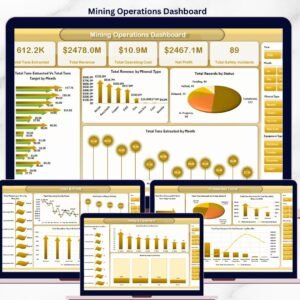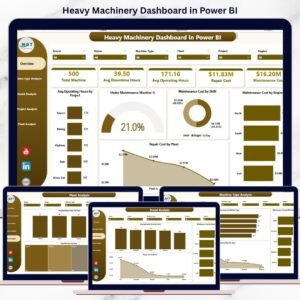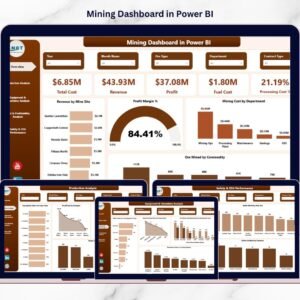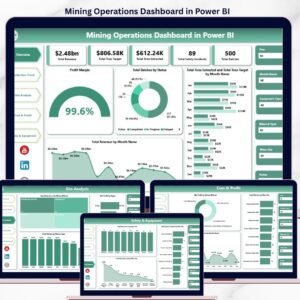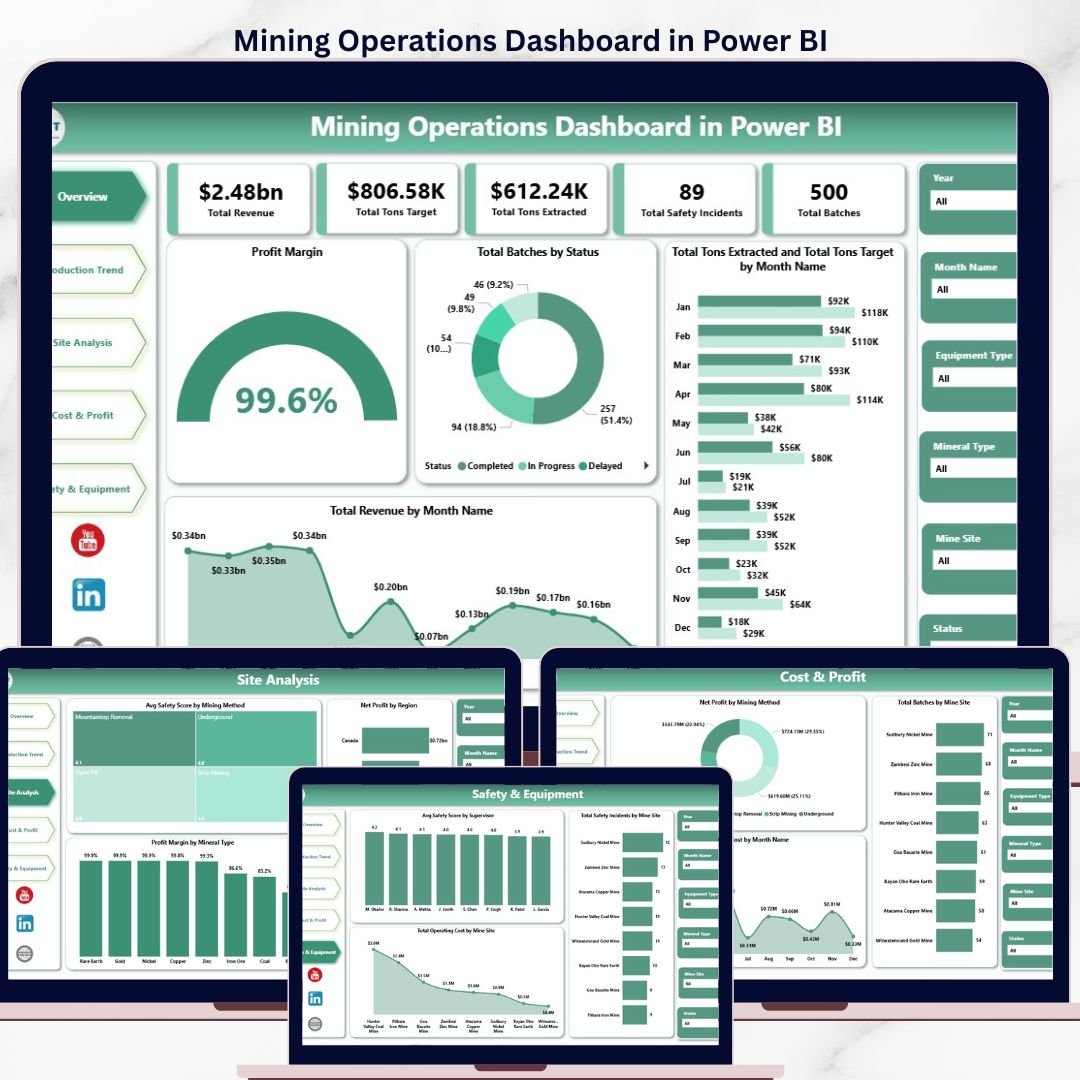
The mining industry runs on tonnage, time, and tight margins — and the operators that survive volatile commodity cycles are the ones who can see production gaps, cost overruns, and safety incidents before they compound. Industry research consistently shows that mining companies lose 20–30% of potential revenue each year to undetected production shortfalls, equipment downtime, and reactive cost management. According to McKinsey’s mining productivity research, even a 5% lift in equipment utilization can move site EBITDA by double digits. The Mining Operations Dashboard in Power BI closes that visibility gap with a single, refreshable model that consolidates production, revenue, cost, and safety data across every mine site, mineral type, and shift — and surfaces the answers in five interactive pages.
Trusted by 8,400+ operations and finance teams worldwide, this template is built by a Microsoft Certified Professional with 15+ years of Excel, Power BI, and analytics experience and 300K+ subscribers across the @PK-AnExcelExpert YouTube channels. 30-day money-back guarantee. Lifetime access. Free updates. If the file does not work in Power BI Desktop on your machine, we refund — no questions asked.
Why Mining Operations Need a Power BI Dashboard, Not Another Spreadsheet
Most mining operators still report KPIs in disconnected workbooks emailed weekly between sites, finance, and HSE. By the time a tons-target gap or a safety spike reaches the GM, the window to act has already closed. A Power BI model that pulls all five operating dimensions — production, cost, profit, safety, and equipment — into one canvas turns weekly retrospective reporting into daily forward-looking decisions. Slicers replace pivot rebuilds. DAX measures replace fragile SUMIFS. And the same .pbix can be published to the Power BI Service so site managers, supervisors, and the C-suite all see the same numbers.
What’s Inside: 5 Pages Built for Real Mining Operations
Each page is designed to answer a specific operational question — not just to look impressive in a screenshot.
- Overview Page — High-level health check with 5 cards (Total Revenue, Total Tons Target, Total Tons Extracted, Total Safety Incidents, Total Batches) plus Profit Margin gauge, Total Batches by Status, monthly Tons Extracted vs Tons Target trend, and Total Revenue by Month.
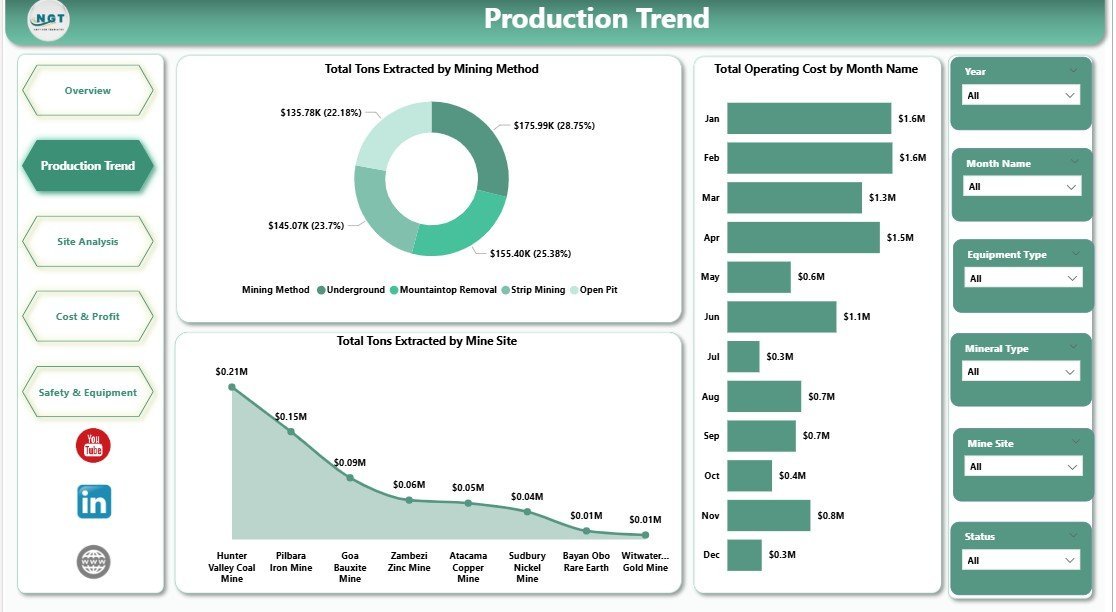
- Production Trend — Tons Extracted by Mining Method, Total Operating Cost by Month, and Tons Extracted by Mine Site to spot under-performing sites and methods.
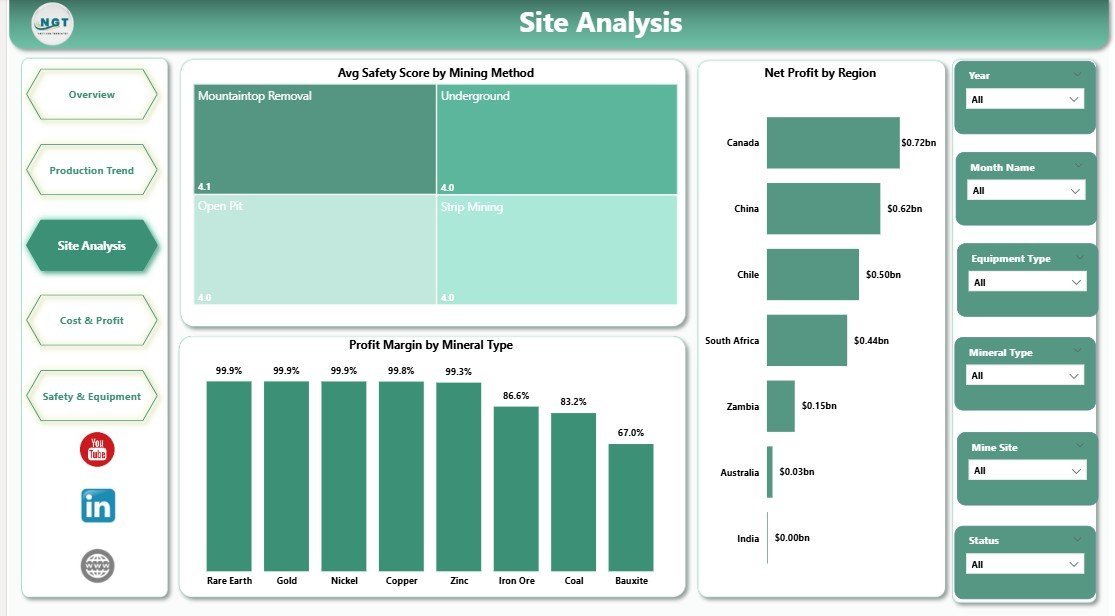
- Site Analysis — Average Safety Score by Mining Method, Net Profit by Region, and Profit Margin by Mineral Type for portfolio-level decisions on where to invest capex.
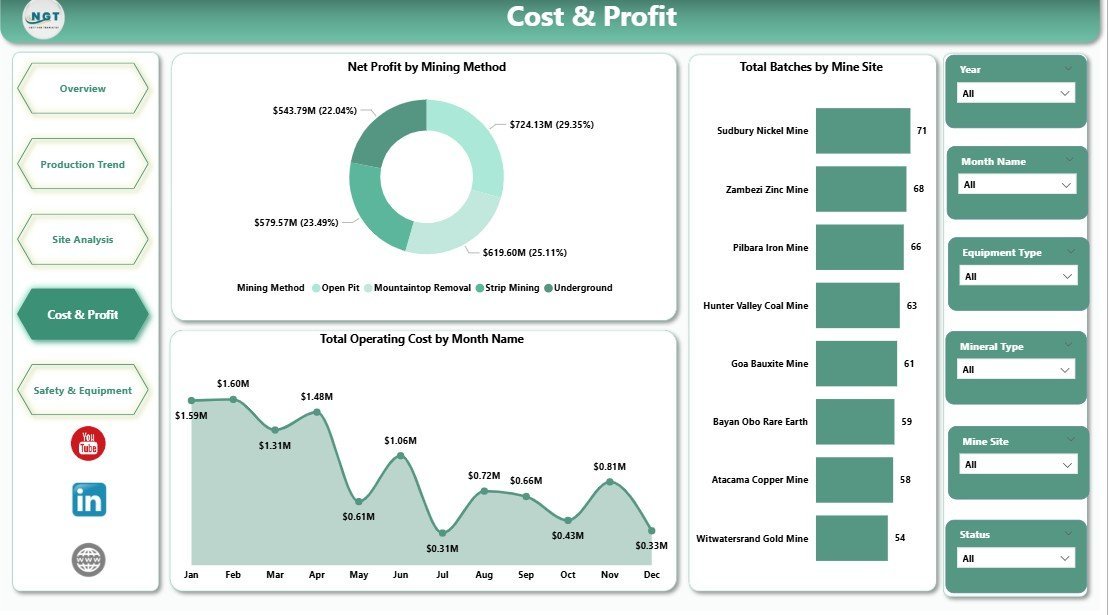
- Cost & Profit — Net Profit by Mining Method, Operating Cost by Month, and Batches by Mine Site to identify cost leaks before they hit quarterly results.
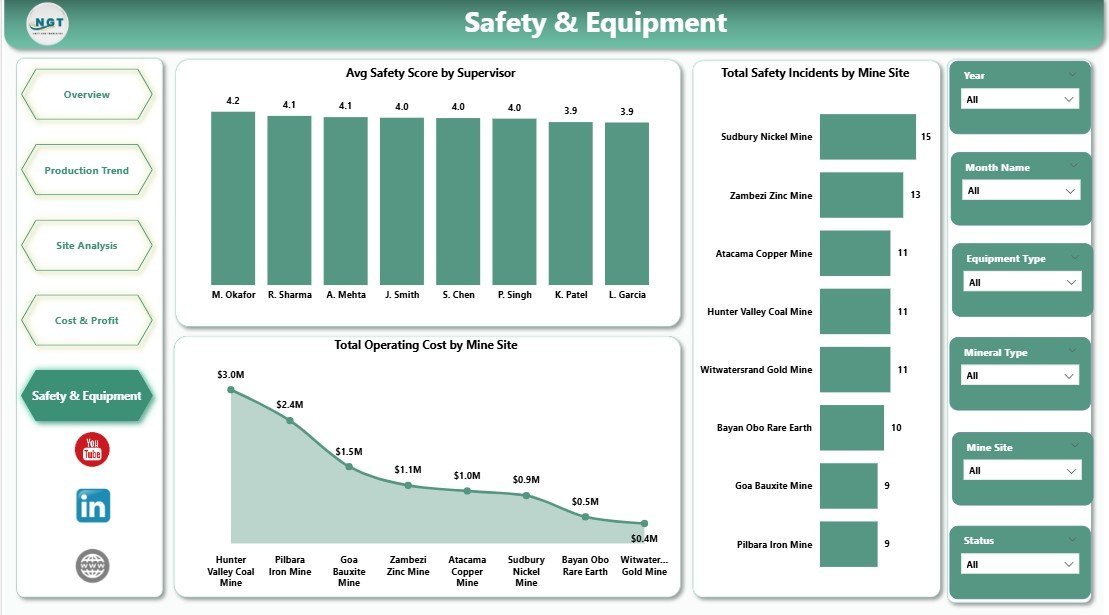
- Safety & Equipment — Avg Safety Score by Supervisor, Total Safety Incidents by Mine Site, and Operating Cost by Mine Site to connect HSE outcomes to operational and cost performance.
Mining Operations Dashboard in Power BI vs Tableau vs Specialist Mining Software
| Capability | This Template (Power BI) | Tableau / Qlik Builds | MineSight / Deswik / Surpac |
|---|---|---|---|
| Upfront cost | $17.99 one-time | $1,500–$5,000+ for custom build | $25,000+ license + implementation |
| Time to first dashboard | Under 15 minutes | 2–6 weeks | 3–9 months |
| Tons, cost, safety, equipment in one view | ✅ Built-in (5 pages) | ⚠️ Custom development | ✅ But siloed in geology/scheduling modules |
| Free Power BI Desktop runtime | ✅ Yes | ❌ Paid Tableau Creator/Viewer | ❌ Paid seat licenses |
| Editable DAX, slicers, visuals | ✅ Fully editable | ⚠️ Depends on consultant access | ❌ Locked enterprise system |
| Best for | Operations + finance teams who want fast, refreshable answers | Enterprises with BI teams already on Tableau | Geologists and mine planners doing block models |
How to Use This Power BI Mining Dashboard (5 Steps)
- Download the .pbix file after purchase and open it in Power BI Desktop (free from Microsoft).
- Replace the sample data by pointing the data source to your own production, cost, and safety tables (Excel, SQL, SharePoint, or any Power BI-supported source).
- Click Refresh — every card, chart, and slicer recalculates against your live data instantly.
- Filter by mine site, mineral, method, supervisor, or month using the slicers on each page to drill into specific operational questions.
- Publish to Power BI Service to share with site managers, finance, and leadership with role-level access — no more emailed PPT decks.
Who This Dashboard Is For — and Who It Is Not For
Best for: Mine General Managers, Operations Directors, Plant Superintendents, FP&A teams covering metals & mining, HSE Managers, and BI/analytics teams in mid-market and enterprise mining companies who want a refreshable, editable Power BI starting point instead of building from a blank canvas.
Not for: Geologists running block models or pit optimization (use specialist software like Surpac or Deswik). Single-pit artisanal operators with no digital data capture. Teams that need real-time SCADA-level streaming (this is operational reporting, not OT telemetry).
Real Buyer Personas Using This Template
- Operations Director, 4-site copper miner: Uses the Site Analysis and Cost & Profit pages in monthly leadership reviews to redirect capex toward the highest-margin mineral types and regions.
- FP&A Manager, mid-cap iron ore producer: Replaced 14 disconnected workbooks with this single .pbix, cutting month-end reporting time from 6 days to 1.
- HSE & Operations Lead, contract mining services firm: Uses the Safety & Equipment page to correlate supervisor performance with incident rates across client sites.
Frequently Asked Questions
Q1. Do I need a paid Power BI subscription to use this?
No. Power BI Desktop is free from Microsoft and runs the .pbix file fully. A Power BI Pro license is only needed if you want to publish to the Power BI Service for collaborative sharing.
Q2. Can I connect my own SQL / Excel / SharePoint data?
Yes. Open the file in Power BI Desktop, go to Transform Data > Data Source Settings, and point the queries to your source. The data model, DAX measures, slicers, and visuals stay intact.
Q3. Can I add or remove pages, charts, or KPIs?
Absolutely. Every visual, slicer, and DAX measure is fully editable. Use it as a starting point and customize to your operation.
Q4. Will this work for any mineral type — gold, copper, iron ore, coal?
Yes. Mineral Type is a dimension in the model. The same template works for metals, energy minerals, industrial minerals, and aggregates.
Q5. How is this different from your Mining Dashboard in Power BI?
The Mining Dashboard focuses on overall mining KPIs. This Mining Operations Dashboard goes deeper on operational levers — mining method, mine site, supervisor, batches, and cost-per-ton — across 5 dedicated analysis pages.
Q6. Is there an Excel version?
Yes — see the Mining Operations Dashboard in Excel for teams that prefer pivot-driven Excel over Power BI.
Q7. Can I see a full walkthrough before I buy?
Yes — read the page-by-page walkthrough on our companion blog post: Mining Operations Dashboard in Power BI — Full Walkthrough.
About the Author
Created by PK, a Microsoft Certified Professional with 15+ years of hands-on Excel, Power BI, and Google Sheets experience and the founder of NextGenTemplates. PK’s tutorials reach 300,000+ subscribers across @PK-AnExcelExpert, @NextGenTemplates, and @NeoTechNavigators. Every NextGenTemplates dashboard is QA-tested in Power BI Desktop on Windows before release.