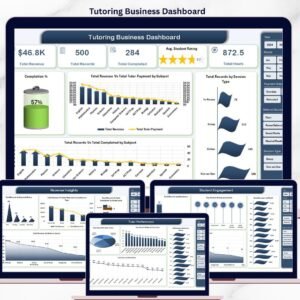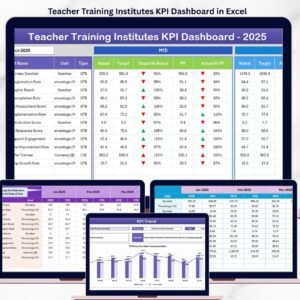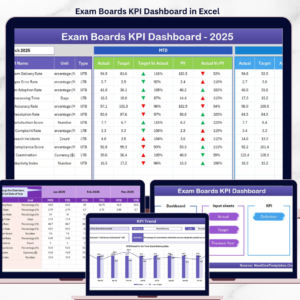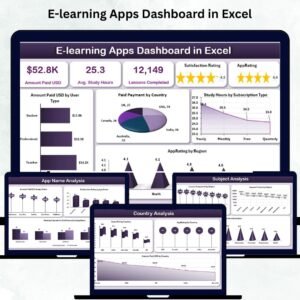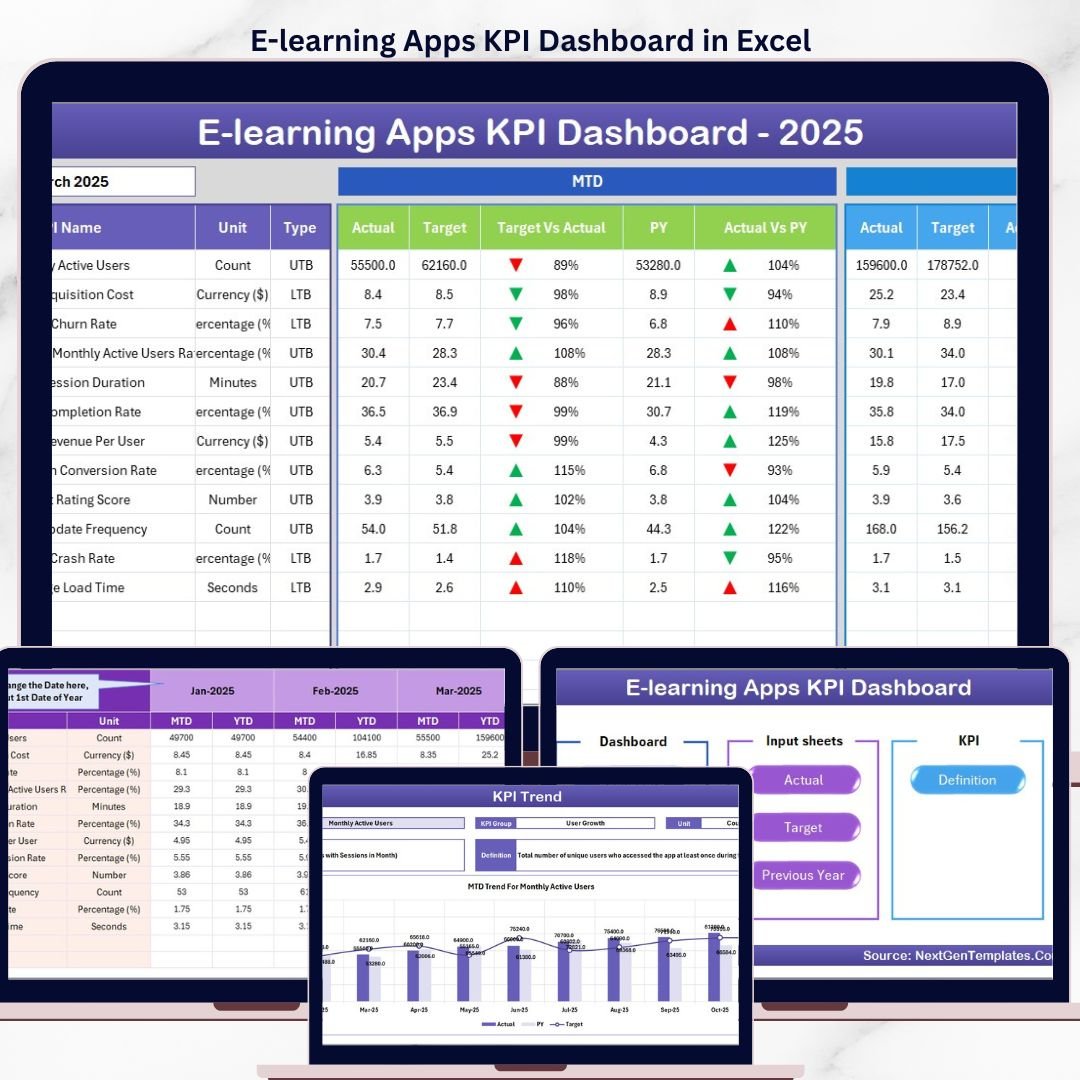

The E-learning Apps KPI Dashboard in Excel tracks 20+ e-learning KPIs across 7 interactive worksheets, with MTD and YTD trend charts, conditional formatting arrows, and month-based filtering. Setup takes under 10 minutes — enter your KPI definitions, input actual and target numbers, and the entire dashboard updates automatically.E-learning Apps KPI Dashboard in Excel
🌍 Join 8,400+ teams in 40+ countries using NextGenTemplates to replace paid SaaS tools with one-time-purchase Excel, Google Sheets, Power BI, and HTML templates.E-learning Apps KPI Dashboard in Excel
✅ Instant download · One-time payment · No subscription · No per-user fees · Lifetime access
🔑 Key Features of E-learning Apps KPI Dashboard in Excel
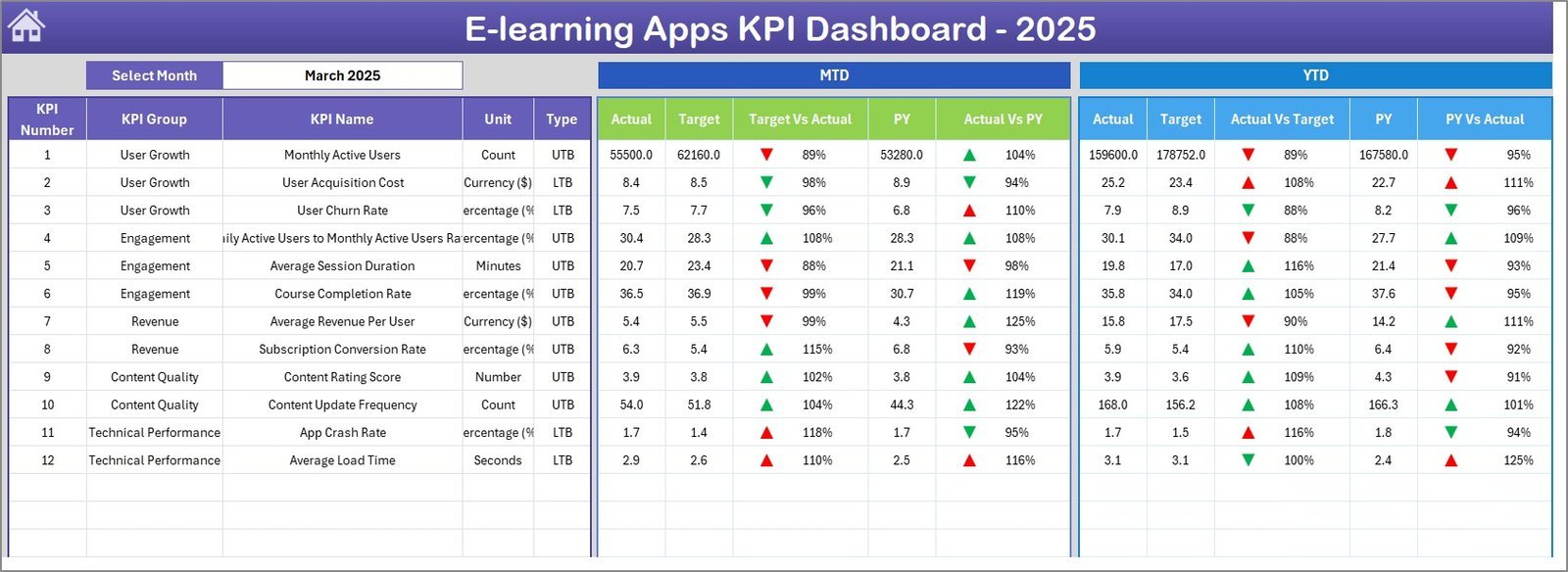
📌 Month-Based Dynamic Filtering – Select any month from a dropdown on the Dashboard sheet (range D3) and all MTD and YTD numbers refresh instantly across every KPI row.
📌 MTD and YTD Comparison Engine – View Actual vs. Target and Actual vs. Previous Year side by side, with conditional formatting arrows (▲ green for favorable, ▼ red for unfavorable) that flag performance gaps at a glance.
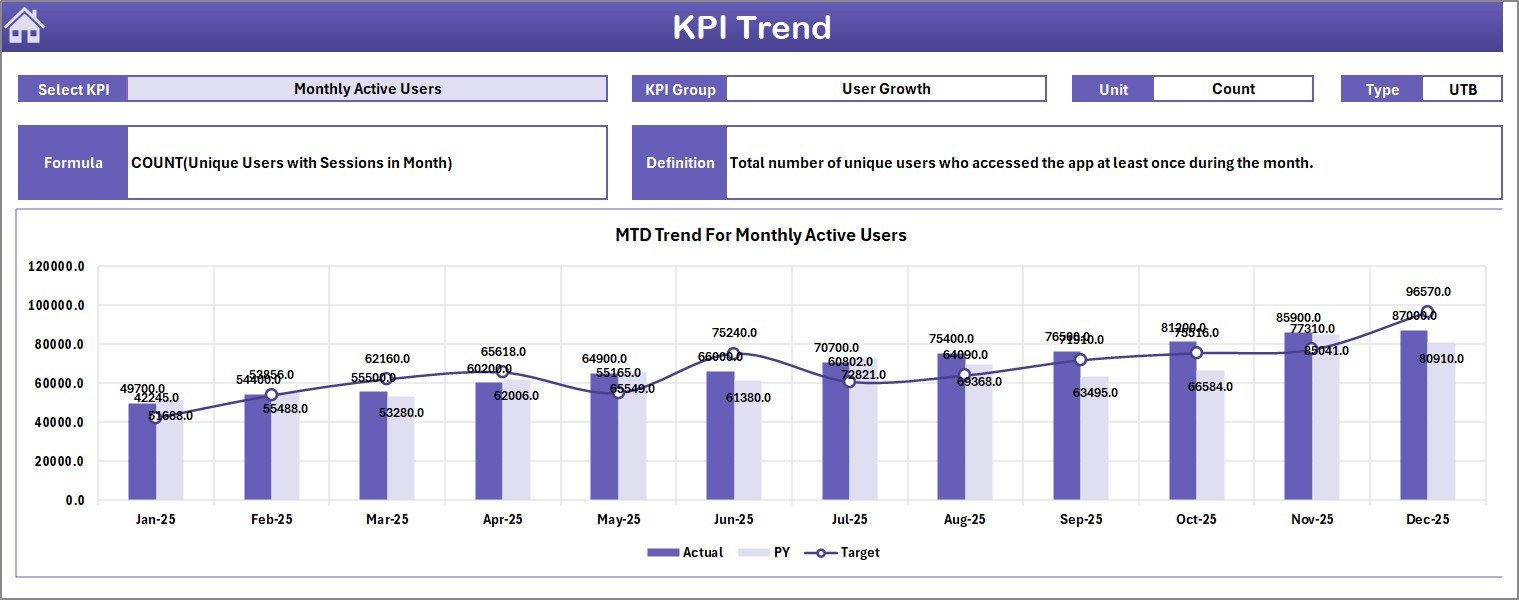
📌 KPI Trend Analysis Page – Select any KPI from a dropdown to see its definition, formula, unit, group, type (Lower the Better or Upper the Better), and 12-month trend charts comparing Actual, Target, and Previous Year data.
📌 Structured Data Entry Sheets – Three separate input sheets for Actual Numbers, Target Numbers, and Previous Year Numbers keep raw data organized and audit-ready.E-learning Apps KPI Dashboard in Excel
📌 KPI Definition Sheet – Define each KPI’s name, group, unit, formula, definition, and type (LTB/UTB) in one central location that feeds the Dashboard and Trend pages.E-learning Apps KPI Dashboard in Excel
📌 Home Navigation Page – An index sheet with 6 clickable buttons lets you jump directly to any worksheet without scrolling through tabs.E-learning Apps KPI Dashboard in Excel
📌 No Macros Required – Built entirely with Excel formulas and conditional formatting. Works on Windows, Mac, and Excel Online without enabling macros.E-learning Apps KPI Dashboard in Excel
If you manage KPIs for platforms like Coursera, Udemy, Duolingo, Khan Academy, or any in-house LMS, this template gives you a ready-made reporting structure. Explore more Excel Dashboard Templates for other industries.E-learning Apps KPI Dashboard in Excel
📦 What’s Inside the E-learning Apps KPI Dashboard
This Excel KPI dashboard contains 7 worksheets:
📋 Home Sheet – An index page with 6 navigation buttons linking to each worksheet for quick access.
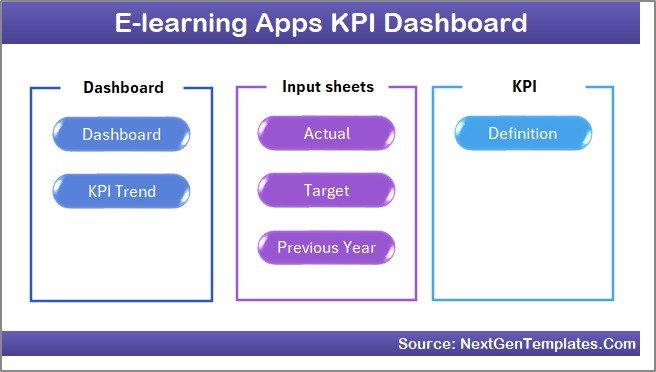
Home Page
📋 Dashboard Sheet – The main reporting view showing all KPIs with MTD Actual, Target, and Previous Year data alongside YTD Actual, Target, and Previous Year data. Conditional formatting arrows highlight Target vs. Actual and PY vs. Actual variances. Select any month from the dropdown on range D3.
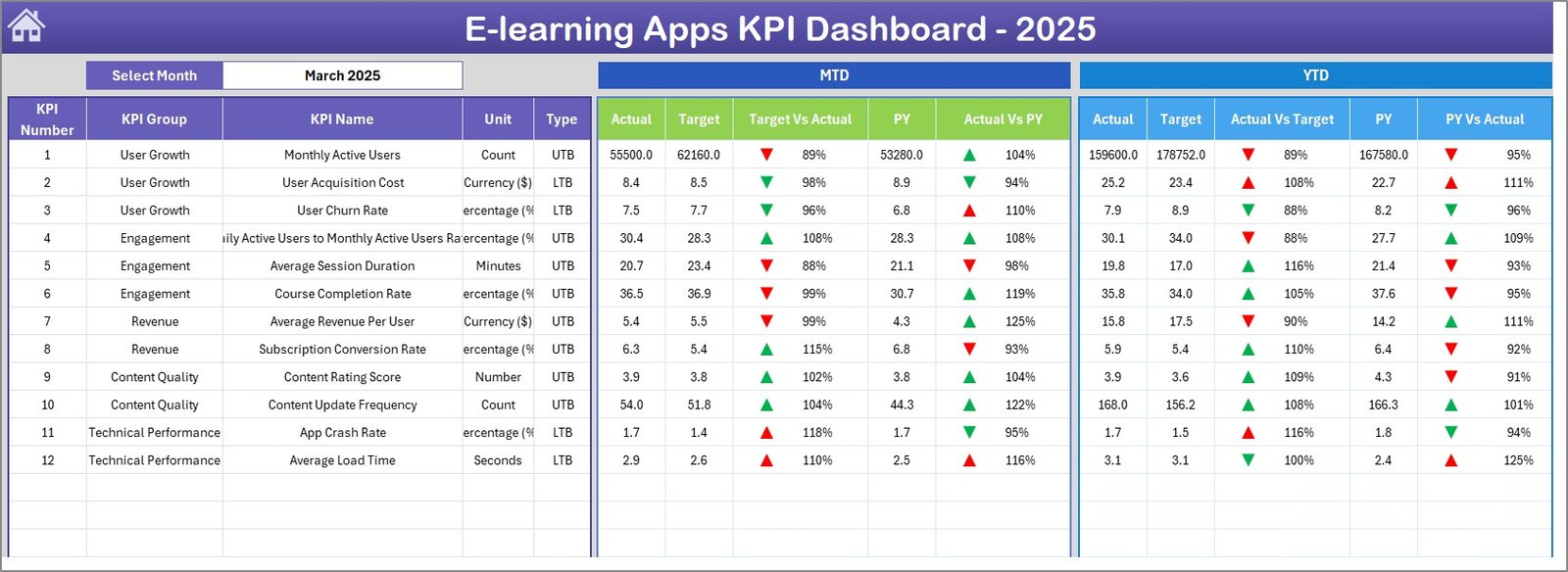 E-learning Apps KPI Dashboard
📋 KPI Trend Sheet – Select any KPI from the dropdown on range C3 to see its Group, Unit, Type (LTB/UTB), Formula, and Definition. MTD and YTD trend charts display Actual, Target, and Previous Year lines.
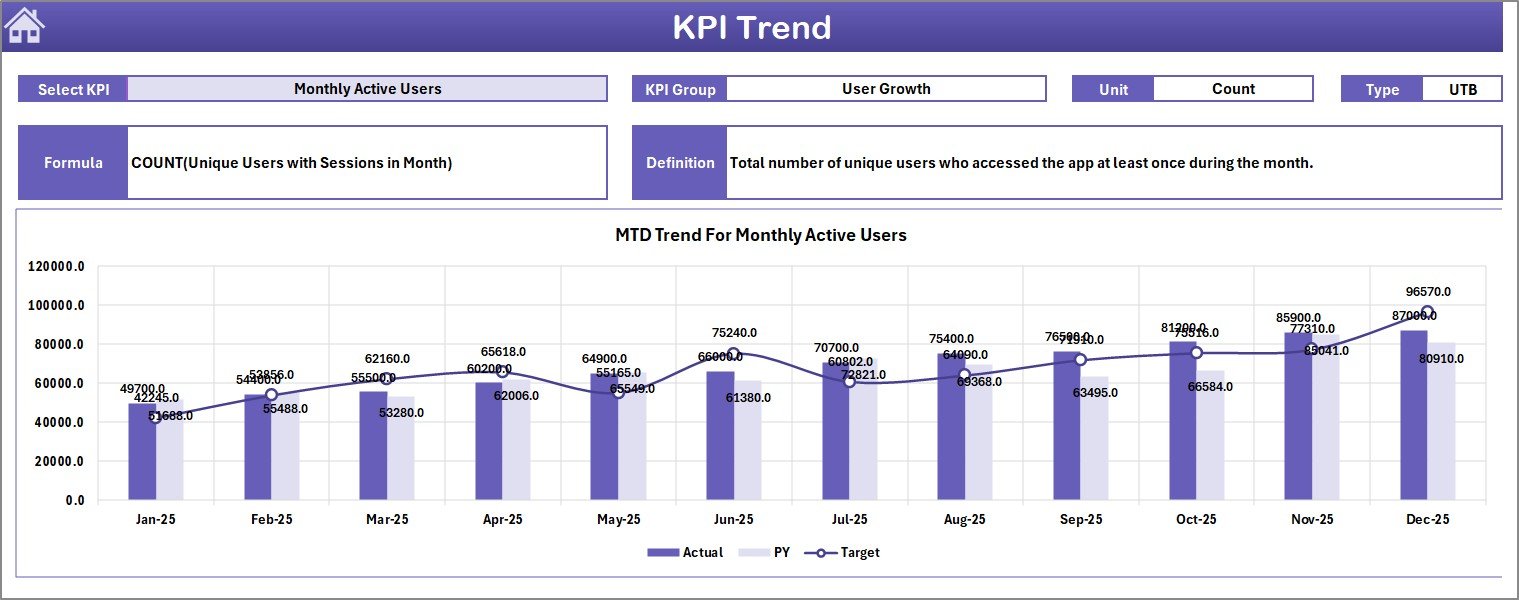 KPI Trend Sheet
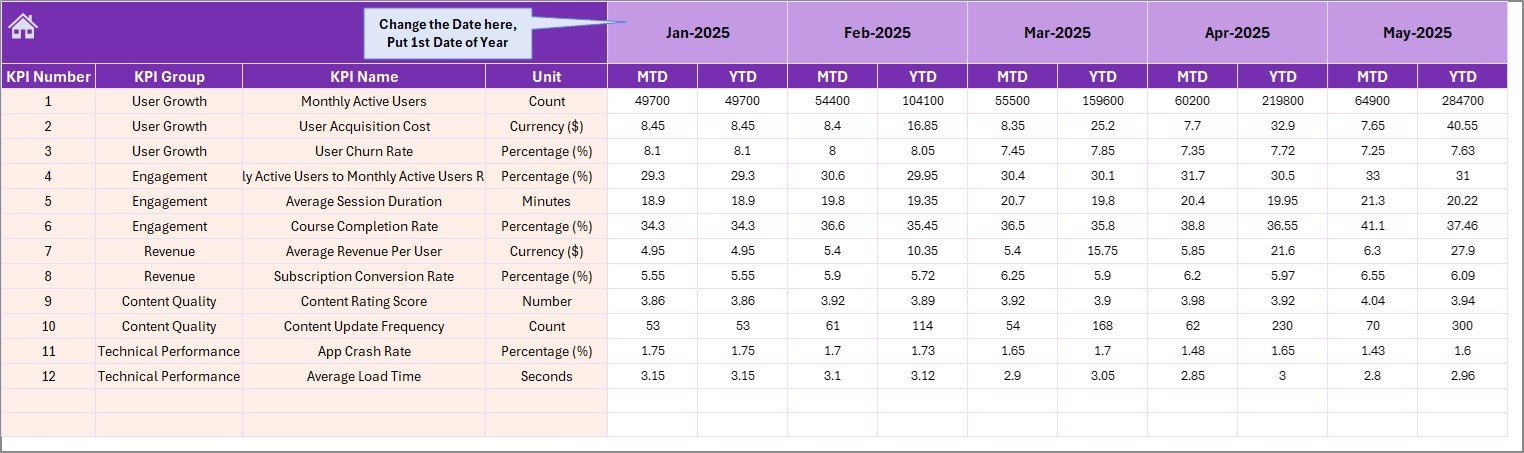
📋 Actual Numbers Input Sheet – Enter actual MTD and YTD numbers for each KPI by month. Set the first month of your fiscal year on range E1.
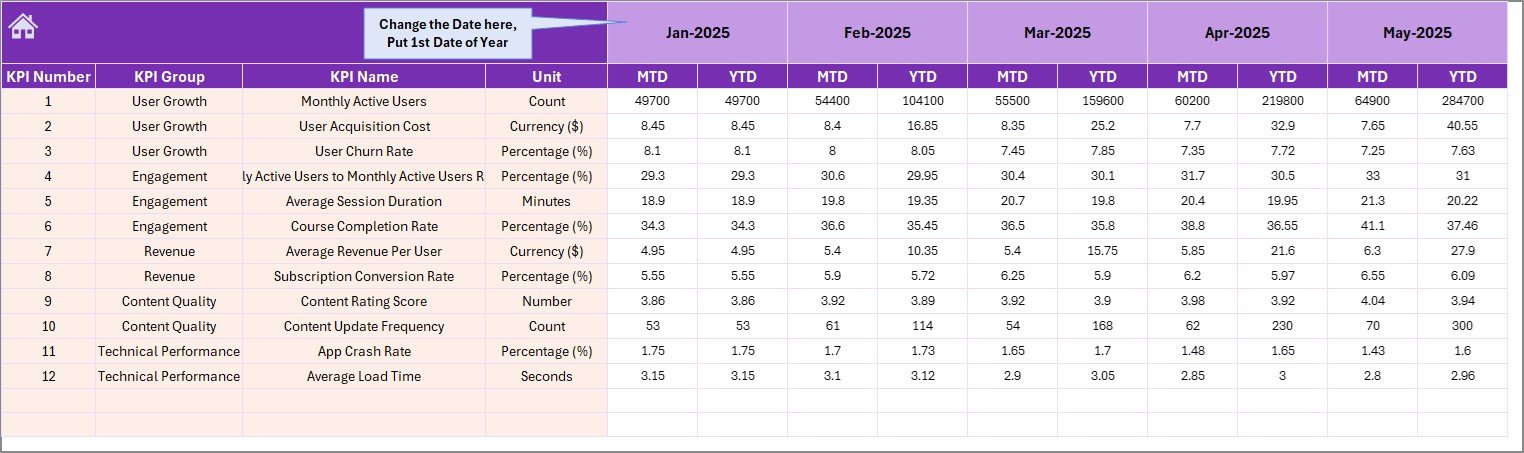 Actual Numbers Input Sheet
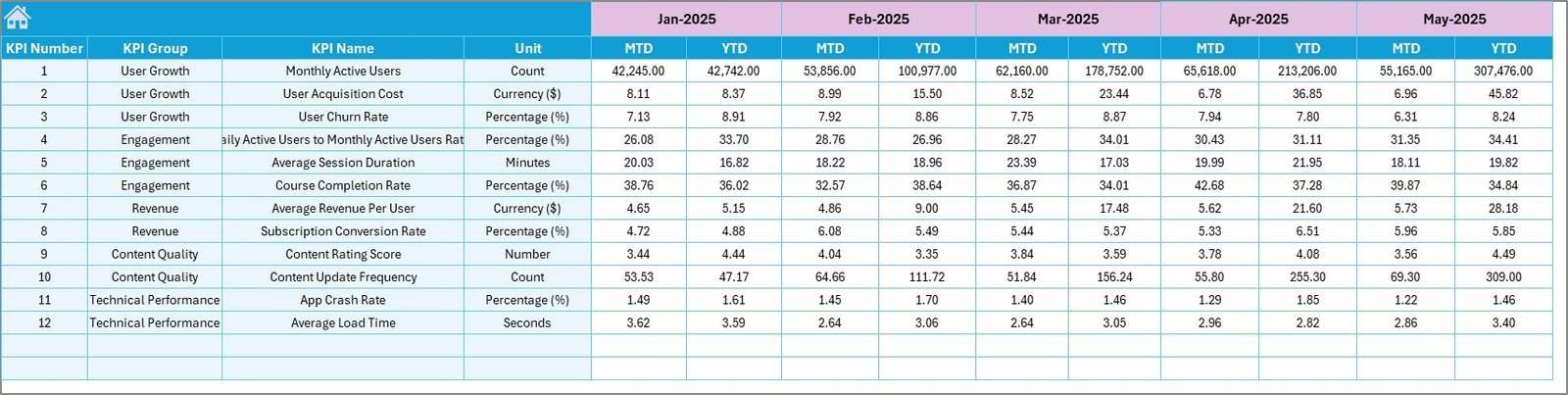
📋 Target Numbers Input Sheet – Enter target numbers for each KPI as MTD and YTD values for every month.
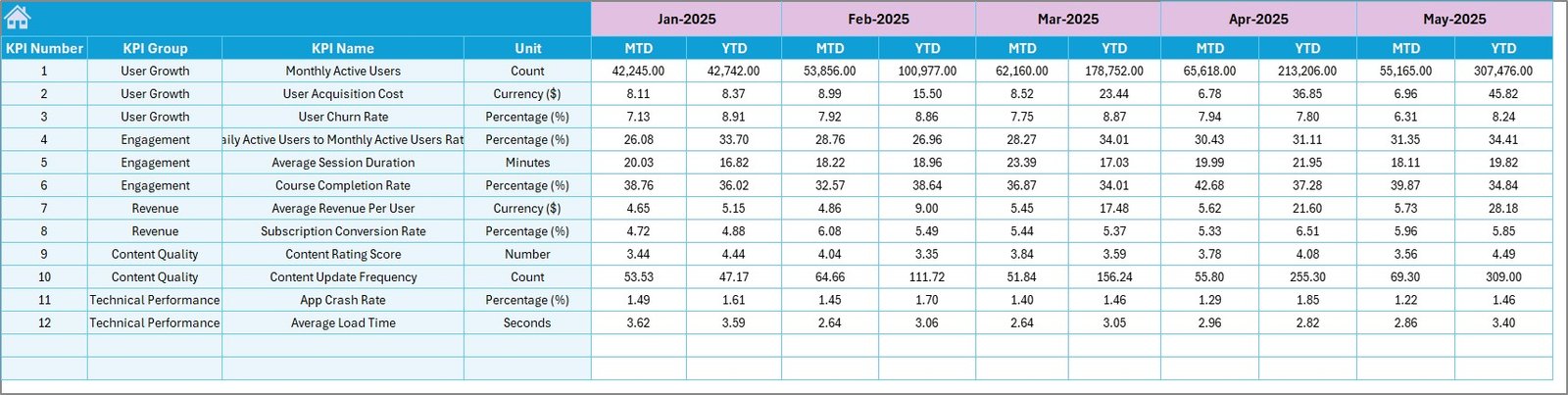 Target Number Input Sheet
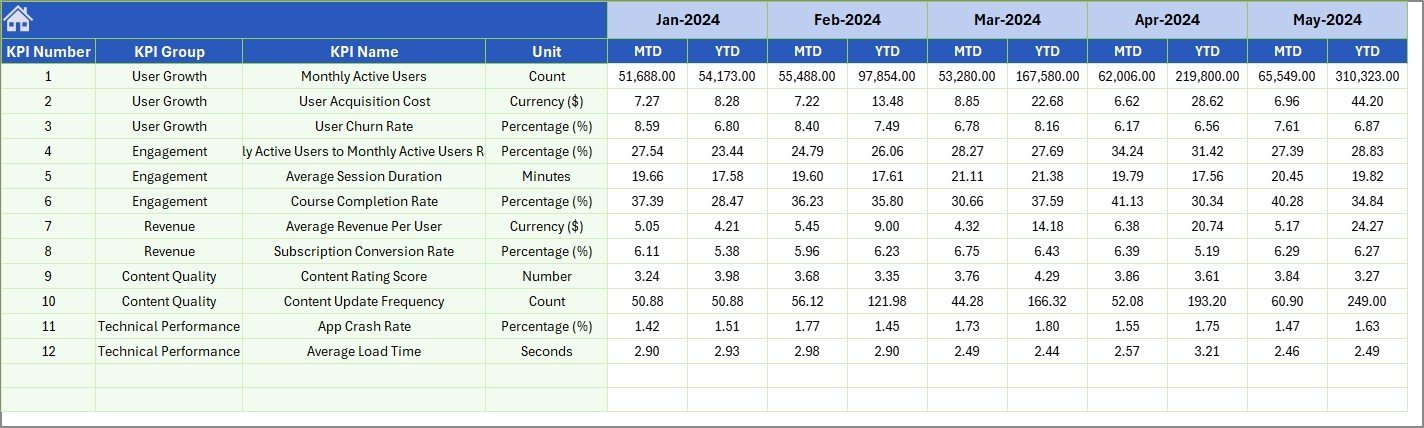
📋 Previous Year Numbers Sheet – Enter previous year data in the same format as the current year for year-over-year comparison.
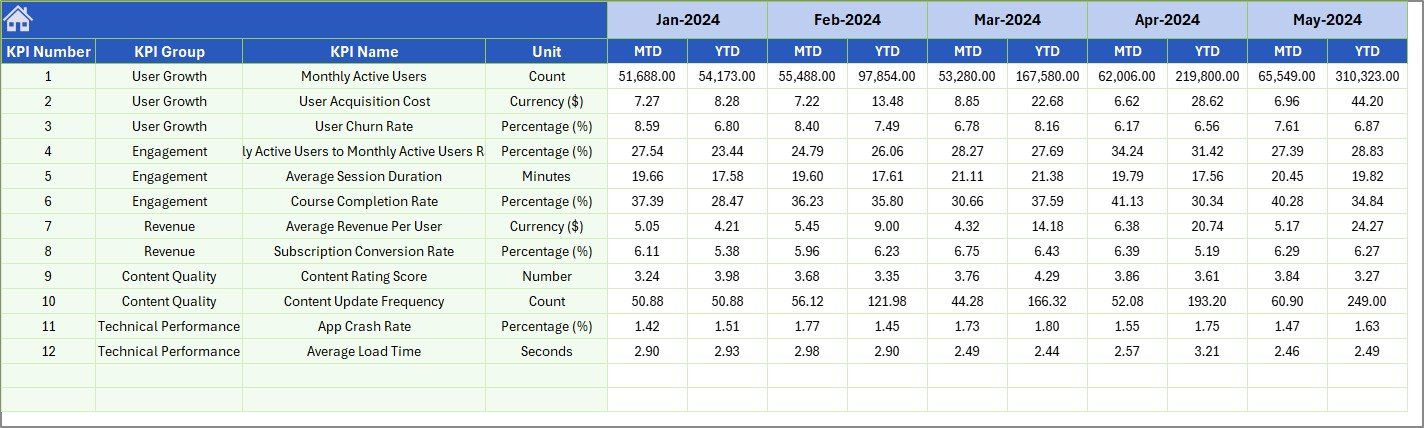 Previous Year Number Input Sheet
📋 KPI Definition Sheet – Define each KPI’s Name, Group, Unit, Formula, Definition, and Type (LTB or UTB). This sheet feeds the Dashboard and Trend pages.
 KPI Definition Sheet
📊 E-learning Apps KPI Dashboard vs. Google Sheets Alternative vs. Paid LMS Analytics — Where This Fits
| Feature | E-learning Apps KPI Dashboard (Excel) | Google Sheets E-learning Dashboard | Paid LMS Analytics (Teachable / Thinkific) |
|---|---|---|---|
| Cost | $14.99 one-time ✅ | Free (manual setup) | $39–$199/month |
| Platform | Microsoft Excel ✅ | Google Sheets | Web-based SaaS |
| Setup Time | Under 10 minutes ✅ | 2-4 hours (build from scratch) | 1-2 hours (config + integrations) |
| KPI Trend Charts | Built-in MTD + YTD ✅ | Manual chart creation | Limited to platform metrics |
| Custom KPI Definitions | Fully customizable ✅ | Requires manual formulas | Fixed metrics only |
| Offline Access | Full offline use ✅ | Limited offline | Requires internet |
| Year-over-Year Comparison | Built-in PY tracking ✅ | Manual setup | Varies by plan |
| Year-1 Cost (5 users) | $14.99 total ✅ | $0 (DIY effort) | $468–$2,388 |
For e-learning teams that want structured KPI tracking without paying monthly SaaS fees, the E-learning Apps KPI Dashboard in Excel sits in the sweet spot.
👥 Who This Template Is For — and Who It’s Not For
✅ This template is built for:
- E-learning product managers tracking course completion rates, learner engagement, and revenue per user across mobile or web apps
- EdTech startup founders who need investor-ready KPI reports without subscribing to analytics SaaS
- Training coordinators at schools, universities, or corporate L&D departments managing 5–50 KPIs monthly
- Freelance course creators on Udemy, Skillshare, or Teachable who want a single KPI view across platforms
❌ This template is NOT for:
- Enterprise LMS teams needing real-time API integrations with platforms like Cornerstone or SAP SuccessFactors
- Organizations requiring multi-user concurrent editing — this is a single-file Excel template
- Teams needing automated data ingestion from live databases or cloud APIs
⚙️ How to Use the E-learning Apps KPI Dashboard
1️⃣ Open the file in Microsoft Excel — works on Windows, Mac, or Excel Online.
2️⃣ Go to the KPI Definition sheet — enter your KPI names, groups, units, formulas, definitions, and types (LTB or UTB).
3️⃣ Enter Target Numbers — fill in monthly MTD and YTD targets on the Target Numbers Input sheet.
4️⃣ Enter Actual Numbers — add your monthly actual data on the Actual Numbers Input sheet. Set the fiscal year start month on range E1.
5️⃣ Enter Previous Year Data — add last year’s numbers on the Previous Year Numbers sheet for YoY comparison.
6️⃣ View the Dashboard — select any month from the dropdown on the Dashboard sheet to see all KPIs with MTD/YTD actuals, targets, and PY comparisons.
7️⃣ Analyze KPI Trends — go to the KPI Trend sheet, select a KPI, and review trend charts.
💼 Real-World Use Cases
Rahul manages product analytics at an EdTech startup in Bangalore. His team tracks 15 KPIs including daily active users, course completion rate, and average session duration across their mobile learning app. He uses the E-learning Apps KPI Dashboard to pull monthly actuals from their internal database into the Actual Numbers sheet, compare against board-approved targets, and generate a one-page PDF report for investor updates — replacing a $150/month analytics tool.
Maria runs the L&D department at a 200-person logistics company in Mexico City. She tracks training completion rates, assessment pass rates, and learner satisfaction scores for 12 internal courses on their Moodle LMS. The KPI Trend sheet helps her spot which courses have declining engagement quarter over quarter, so she can flag them for content updates before the annual review cycle.
James is a solo course creator selling on Udemy and Skillshare. He tracks revenue per course, enrollment rate, refund rate, and average review rating across both platforms using this dashboard. The Previous Year comparison feature shows him which courses grew vs. declined year over year, helping him decide where to invest in new content.
Looking for related templates? Check out the E-learning Platform KPI Scorecard, the Digital Learning KPI Scorecard in Excel, or the Online Learning Platforms KPI Dashboard in Power BI.
❓ Frequently Asked Questions
What KPIs can I track with the E-learning Apps KPI Dashboard?
You can track any e-learning KPI including course completion rate, daily active users, learner engagement score, revenue per user, churn rate, assessment pass rate, and more. The KPI Definition sheet lets you define 20+ custom KPIs with names, formulas, and types.
Does this Excel KPI dashboard work on Mac?
Yes. The E-learning Apps KPI Dashboard uses standard Excel formulas and conditional formatting only — no VBA macros required. It works on Excel for Windows, Excel for Mac, and Excel Online without compatibility issues.
How long does setup take?
Under 10 minutes. Enter your KPI definitions on the KPI Definition sheet, fill in your target and actual numbers on the input sheets, and the Dashboard and KPI Trend pages update automatically. No formulas to write.
How does this compare to paid LMS analytics tools like Teachable or Thinkific?
Paid LMS analytics cost $39–$199 per month and only track metrics within their own platform. The E-learning Apps KPI Dashboard costs $14.99 once, works offline, tracks KPIs from any source, and gives you full customization over which metrics to monitor.
Can I add more KPIs beyond the sample ones included?
Yes. Go to the KPI Definition sheet, add new rows with KPI name, group, unit, formula, definition, and type (LTB/UTB). Then add corresponding data rows in the Actual, Target, and Previous Year input sheets. The Dashboard updates automatically.
Is this template suitable for multiple e-learning platforms?
Yes. You can track KPIs from Coursera, Udemy, Moodle, Teachable, your own LMS, or any combination. Since you manually enter data, the template is platform-agnostic — it works with any data source.
What does LTB and UTB mean in the KPI Definition sheet?
LTB means Lower the Better — KPIs like churn rate or bounce rate where a decrease is favorable. UTB means Upper the Better — KPIs like revenue or completion rate where an increase is favorable. The conditional formatting arrows on the Dashboard use this to color-code performance correctly.
👤 About the Author
Built by PK — Microsoft Certified Professional with 15+ years of Excel, Google Sheets, and Power BI experience. Founder of NextGenTemplates, reaching 300K+ subscribers across YouTube channels (@PK-AnExcelExpert, @NextGenTemplates, @NeoTechNavigators). Every template is hand-built and tested before release.
🔗 Explore Related Templates
📌 E-Learning Apps Dashboard in Excel — A full interactive dashboard for e-learning app analytics with charts, filters, and data entry sheets.
📌 E-learning Platform KPI Scorecard — A traffic-light scorecard format for monitoring e-learning KPIs with red/amber/green status indicators.
📌 EdTech KPI Scorecard in Excel — Track EdTech business metrics with a structured scorecard layout in Excel.
📌 Online Learning Platforms KPI Dashboard in Power BI — Also available in Power BI for teams that prefer interactive Power BI reports.
Browse all Excel Dashboard Templates or explore Education Templates.
📖 Click here to read the Detailed Blog Post
🎥 Visit our YouTube channel for step-by-step video tutorials
👉 YouTube.com/@NextGenTemplates