


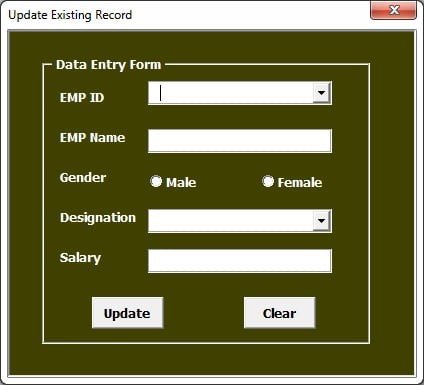



The Data Entry Form in Excel is a simple yet powerful tool that simplifies data collection and entry processes. Whether you are managing customer information, inventory, or any other type of data, this Excel-based form helps you capture information efficiently and accurately. With an easy-to-use interface and automated features, this template ensures that data entry is as fast and error-free as possible.
This form provides a streamlined method to input data, eliminating the risk of manual errors while ensuring consistency across your data entries. The tool is designed to handle large volumes of data, making it suitable for both small and large-scale businesses. Customize it for any purpose, whether you’re tracking sales, employee details, or managing inventory.

Key Features of the Data Entry Form in Excel
📌 User-Friendly Interface
The data entry form is designed with ease of use in mind. It features clear labels, input fields, and an intuitive design, so even non-technical users can enter data without confusion.
🛠 Automated Data Entry
Reduce the time spent on manual data entry by automating common tasks. The form includes drop-down lists, pre-set fields, and automated calculations to speed up the process and reduce errors.
💡 Customizable Fields
You can easily modify the form to fit your needs. Whether you need to track customer information, employee data, or inventory details, you can add or remove fields to tailor the form to your specific use case.
🔢 Data Validation
Ensure that only valid data is entered with built-in data validation rules. The form prevents incorrect or incomplete entries, ensuring that your records are always accurate.
🚀 Streamlined Data Storage
Data entered through the form is automatically stored in an organized database within Excel, making it easy to manage and analyze the information without manually organizing the data.
📊 Reporting Capabilities
Once data is entered, you can easily generate reports and analyze trends. The form is compatible with Excel’s data analysis tools, enabling you to get insights quickly.
⚙ No Programming Required
This template is designed for Excel users at any skill level. You don’t need any programming knowledge to get started—simply download the form and begin entering data.
🚀 Why You’ll Love This Data Entry Form in Excel
✅ Efficiency – Speed up your data entry process with automated fields and drop-down lists. ✅ Accuracy – Minimize errors with data validation and automatic calculations. ✅ Customizable – Modify the form to track any type of data you need. ✅ User-Friendly – Simple to use, with no complex setup required. ✅ Improved Reporting – Automatically generate reports based on entered data.
📂 What’s Inside the Data Entry Form in Excel?
- User-Friendly Form: Clear labels, input fields, and an intuitive design.
- Automated Fields: Includes drop-down lists, pre-set fields, and auto-calculations.
- Data Validation: Built-in rules to ensure accurate data entry.
- Data Storage: Automatically stores entries in an organized database.
- Reporting Tools: Create reports easily with your entered data.
🔍 How to Use the Data Entry Form in Excel
1️⃣ Download the Template – Instantly access the Excel form after purchase. 2️⃣ Customize the Form – Add or remove fields to suit your data entry needs. 3️⃣ Enter Data – Input data through the simple user interface. 4️⃣ Review Data – Automatically store and organize your entries in Excel. 5️⃣ Generate Reports – Use Excel’s reporting tools to analyze trends and generate insights.
🎯 Who Can Benefit from This Data Entry Form in Excel? 🔹 Business Owners 🔹 HR Departments 🔹 Inventory Managers 🔹 Sales Teams 🔹 Administrators and Analysts 🔹 Anyone needing a reliable and efficient data entry solution
Streamline your data entry process with the Data Entry Form in Excel. It’s the perfect solution for businesses and individuals looking to improve accuracy and efficiency in data collection.
Click here to read the Detailed blog post
https://www.pk-anexcelexpert.com/data-entry-form-in-excel/
Visit our YouTube channel to learn step-by-step video tutorials
Watch the step-by-step video tutorial:
Also check our Incentive Dashboard in Excel
Compatibility and Requirements
- Microsoft Excel desktop on Windows (Excel 2016 or later, or Microsoft 365).
- Macros must be enabled, because the forms and buttons run on VBA. Microsoft shows how in Enable or disable macros in Microsoft 365 files.
- It does not run in Excel for the web, Google Sheets or the Excel mobile apps.
Frequently Asked Questions
Can I change the fields on the form?
Yes. Add or remove fields to track customer details, employee data, inventory or any other records.
How does the form prevent wrong entries?
It uses data validation rules and drop-down lists, so incorrect or incomplete entries are blocked.
Where are the entries saved?
Each entry is stored automatically in an organized table inside the same workbook.
Can I build reports from the data?
Yes. The records sit in Excel, so you can use Excel’s own analysis tools to summarize them.
Related Data Entry Templates
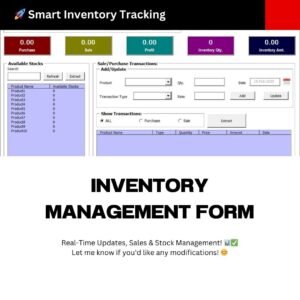
- Data Entry form with Picture Box in Excel VBA.: a free form that also stores a picture for each record.
- Smart Data Entry form with minimum VBA: a data entry form built with very little VBA.
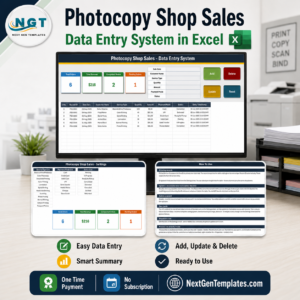
- Training Enrollment Data Entry Form: a form for training enrollments.
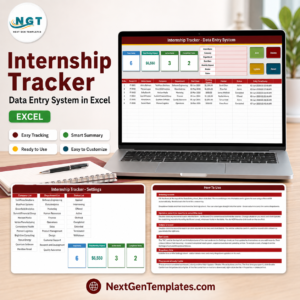
- Payroll Data Entry System in Excel: a data entry system for payroll records.
- VBA Management Systems Mega Pack: 5 VBA management systems in one pack.
Browse all Excel VBA tools or the MS Excel templates.































Reviews
There are no reviews yet.