

In today’s hyper-competitive media environment, public relations teams must track performance with clarity and speed. Unfortunately, many organizations still depend on scattered spreadsheets and manual reports. As a result, PR managers struggle to measure campaign effectiveness, media reach, and brand visibility in real time.
The Public Relations KPI Scorecard in Excel is designed to eliminate this confusion. This powerful, ready-to-use Excel dashboard gives PR professionals a centralized system to monitor key metrics, compare Actual vs Target performance, and analyze trends with confidence.
Instead of wasting hours compiling reports, your team can instantly visualize performance in one clean and interactive scorecard. Consequently, decision-makers gain faster insights, improve accountability, and strengthen communication strategies.
Whether you manage corporate communications, agency campaigns, or brand reputation, this Excel KPI scorecard becomes your command center for data-driven PR management.
✨ Key Feature of Public Relations KPI Scorecard in Excel
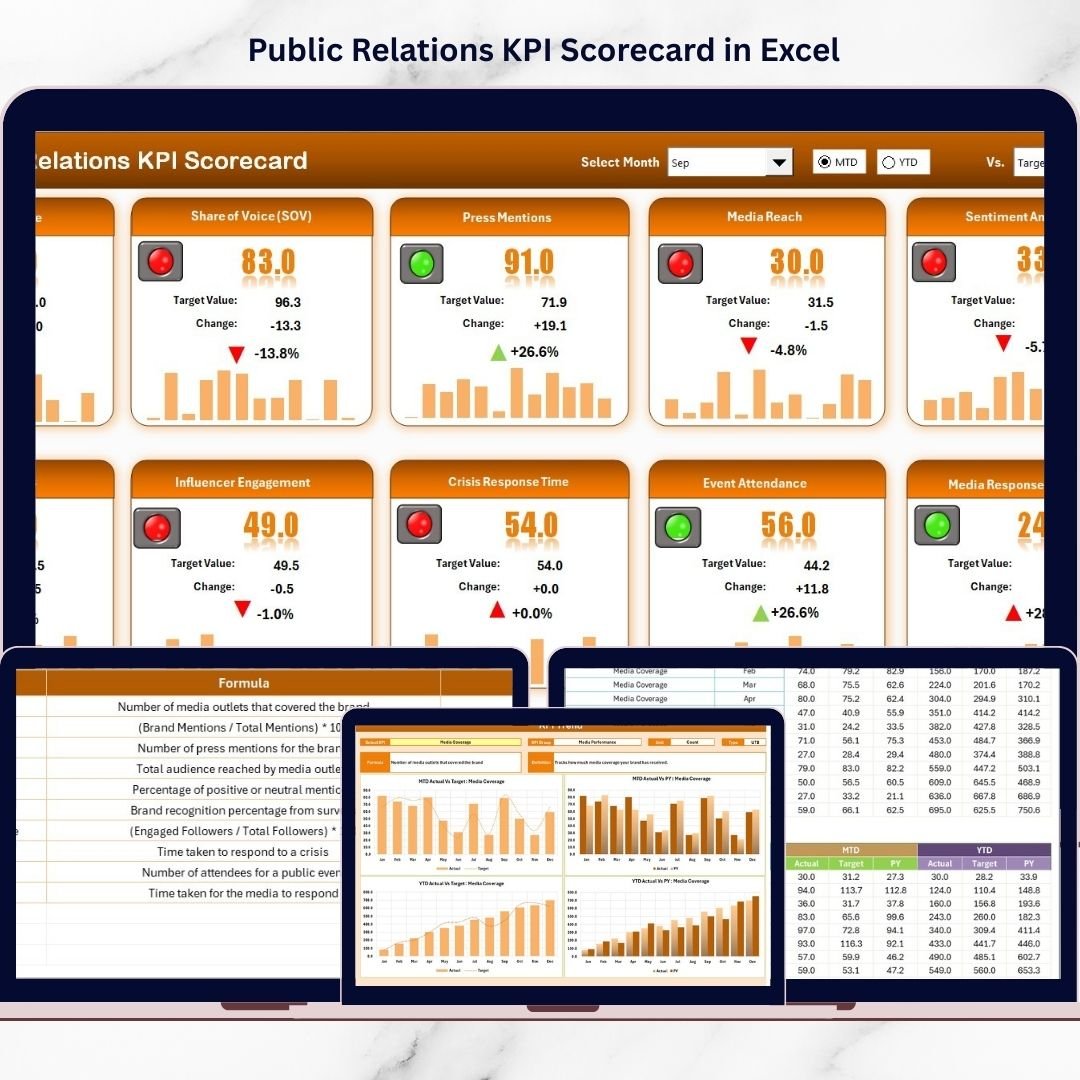
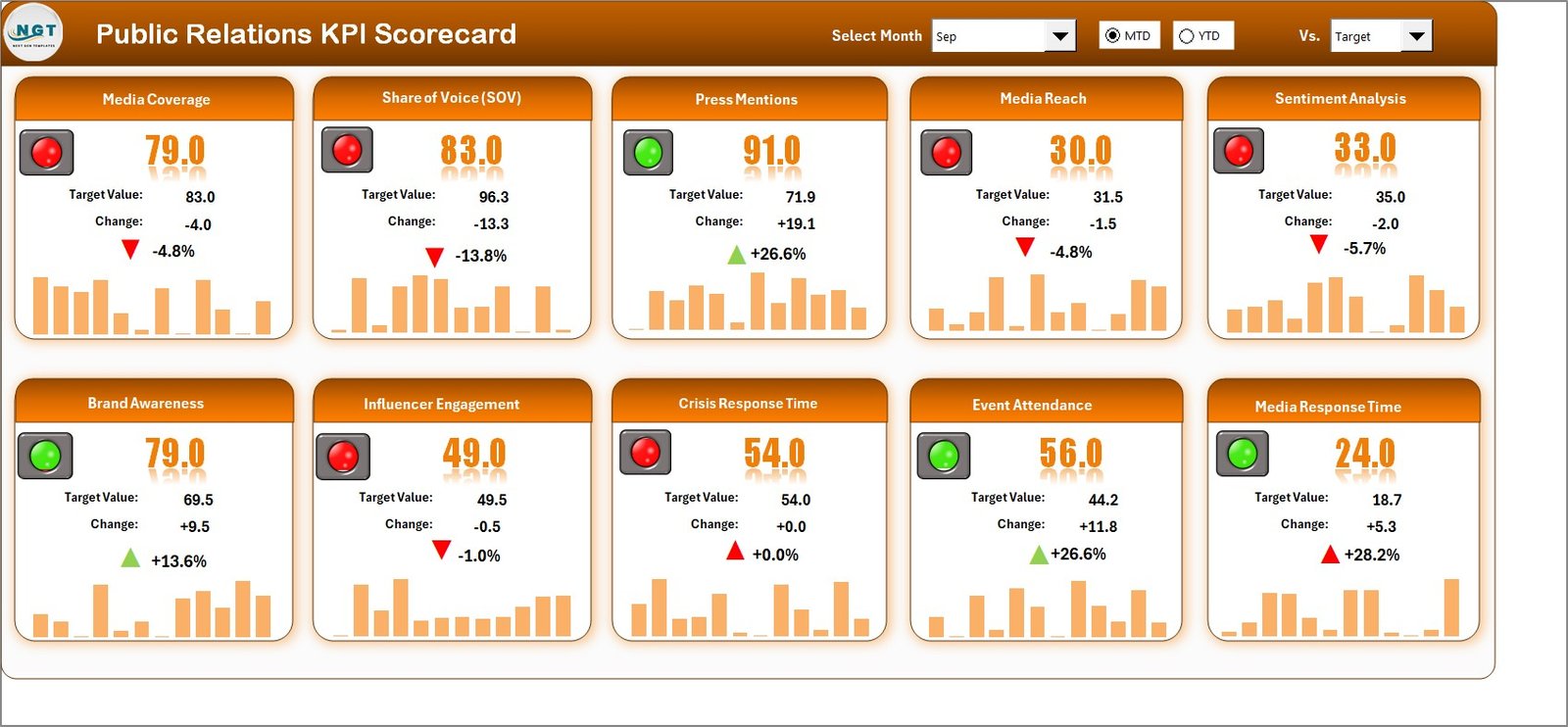
📊 Dynamic Scorecard Dashboard – Monitor all PR KPIs in one unified and visually appealing interface.
🎯 Actual vs Target Comparison – Quickly identify performance gaps and track goal achievement.
📅 MTD & YTD Analysis – Evaluate both short-term and long-term PR performance effortlessly.
🟢🟡🔴 Smart Performance Indicators – Color-coded signals highlight strong, average, or weak KPIs instantly.
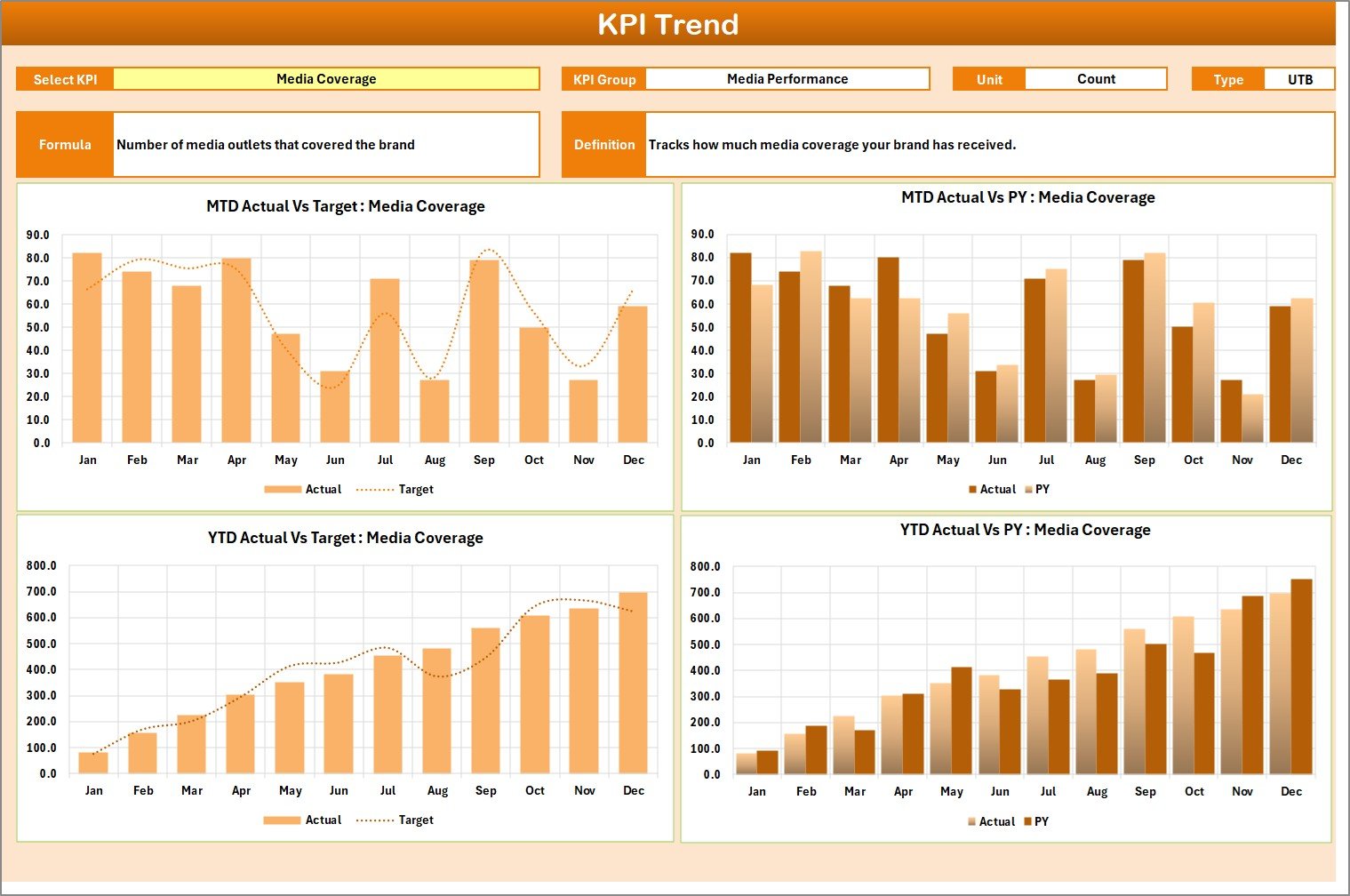
📈 Advanced KPI Trend Analysis – Visual trend charts help you understand performance patterns over time.
🧾 Centralized KPI Definition Repository – Maintain consistent KPI definitions across the organization.
⚡ Automated Calculations – The dashboard updates automatically when you enter new data.
🧩 Fully Customizable Excel Template – Add new KPIs, modify formulas, and adapt visuals to your needs.
📦 What’s Inside the Public Relations KPI Scorecard in Excel
This professionally designed Excel file includes four powerful worksheets that work together seamlessly.
You will receive:
✔ Scorecard Sheet (main performance dashboard)
✔ KPI Trend Analysis Sheet
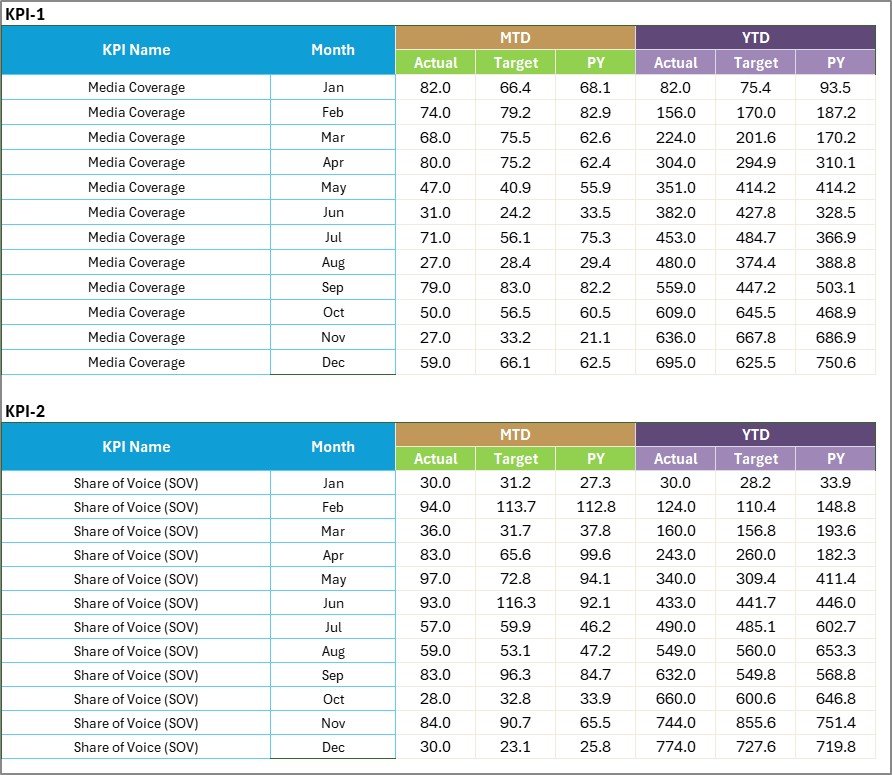
✔ Input Data Sheet for monthly updates
✔ KPI Definition Master Sheet
✔ Pre-built MTD and YTD calculations
✔ Conditional formatting indicators
✔ Interactive dropdown filters
✔ Clean, executive-ready layout
Because everything is pre-configured, your team can start tracking PR performance within minutes.
🛠️ How to Use the Public Relations KPI Scorecard in Excel
The template is built for simplicity, so you do not need advanced Excel skills.
Step 1: Enter KPI definitions in the KPI Definition sheet
Step 2: Input monthly Actual and Target values
Step 3: Select Month, MTD, or YTD from dropdown
Step 4: Review the Scorecard dashboard
Step 5: Analyze KPI trends in the Trend sheet
Once data is entered, the dashboard updates automatically. Therefore, your team focuses on insights instead of manual calculations.
🎯 Who Can Benefit from This Public Relations KPI Scorecard in Excel
This scorecard is ideal for professionals who need structured PR performance monitoring.
Perfect for:
Public Relations Managers
Corporate Communications Teams
Marketing Analysts
Brand Managers
Media Relations Teams
PR Agencies
Startup Founders
Marketing & Communications Leaders
If your role involves measuring PR success, this template will significantly improve your reporting efficiency.
## Click hare to read the Detailed blog post
Visit our YouTube channel to learn step-by-step video tutorials
👉 https://Youtube.com/@PKAnExcelExpert