


The electric vehicle (EV) industry is expanding at an unprecedented pace. Governments promote sustainability, businesses invest in clean mobility, and organizations manage growing EV fleets. However, tracking electric vehicle performance across scattered spreadsheets often leads to confusion, delayed insights, and missed optimization opportunities.
That is exactly why the Electric Vehicle KPI Dashboard in Google Sheets becomes a powerful and practical solution.
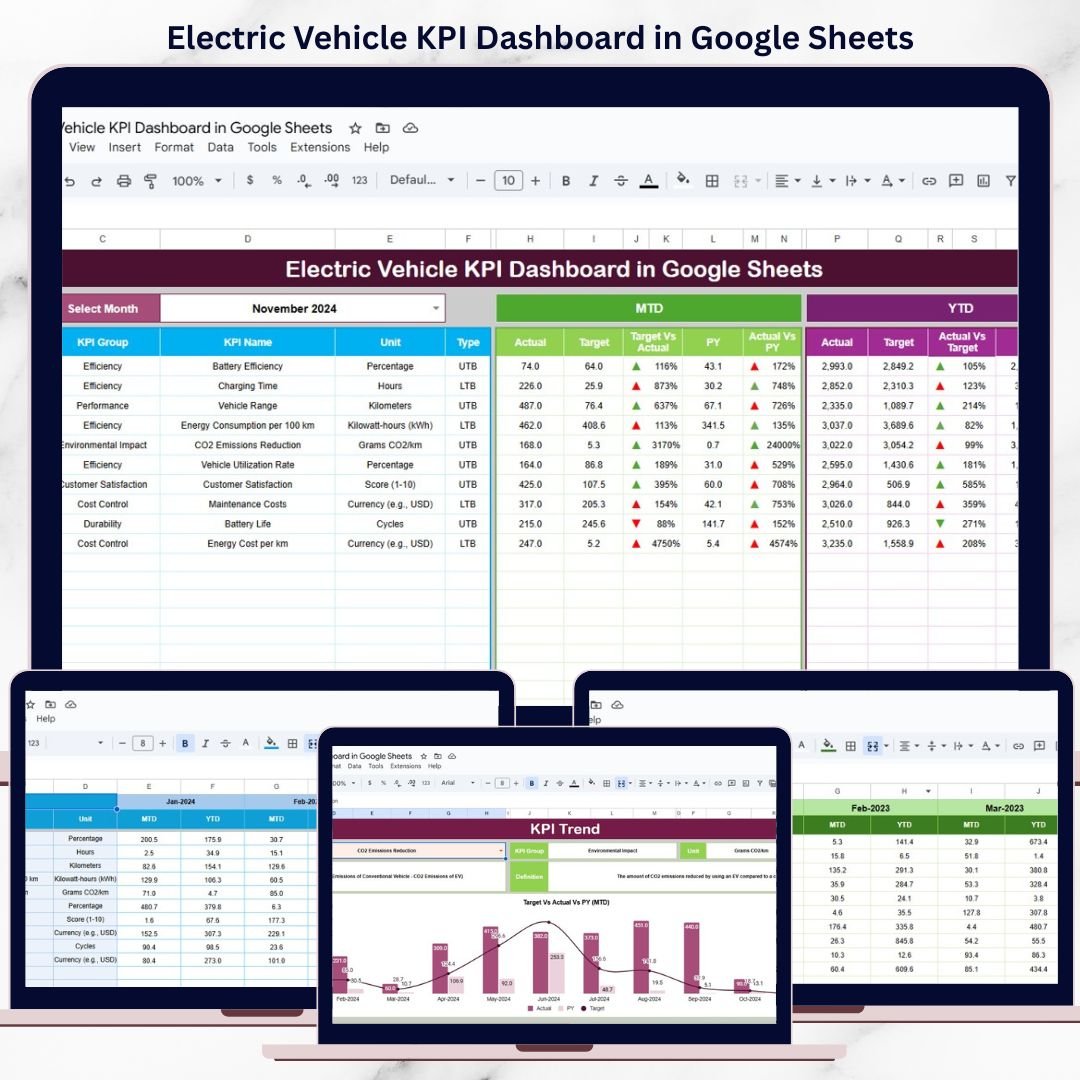
This ready-to-use dashboard transforms raw EV data into clear KPIs, visual trends, and performance comparisons. Instead of reviewing multiple sheets, you can track energy efficiency, operating costs, charging performance, utilization, and sustainability metrics from one centralized Google Sheets dashboard.
Because the dashboard is built in Google Sheets, it is cloud-based, collaborative, cost-effective, and easy to customize—without requiring complex BI tools or technical expertise.
🔋 Key Features of the Electric Vehicle KPI Dashboard
🚀 Centralized EV Performance Tracking
Monitor all electric vehicle KPIs from one unified dashboard.
📊 MTD & YTD Performance Visibility
Track short-term operations and long-term strategic performance together.
🎯 Target & Previous Year Comparison
Measure progress against goals and historical benchmarks.
📈 Trend-Based Insights
Identify efficiency improvements, cost increases, or operational risks early.
🤝 Real-Time Collaboration
Share insights instantly with teams using Google Sheets.
📦 What’s Inside the Electric Vehicle KPI Dashboard
🧭 Dashboard Sheet Tab – EV Performance Overview
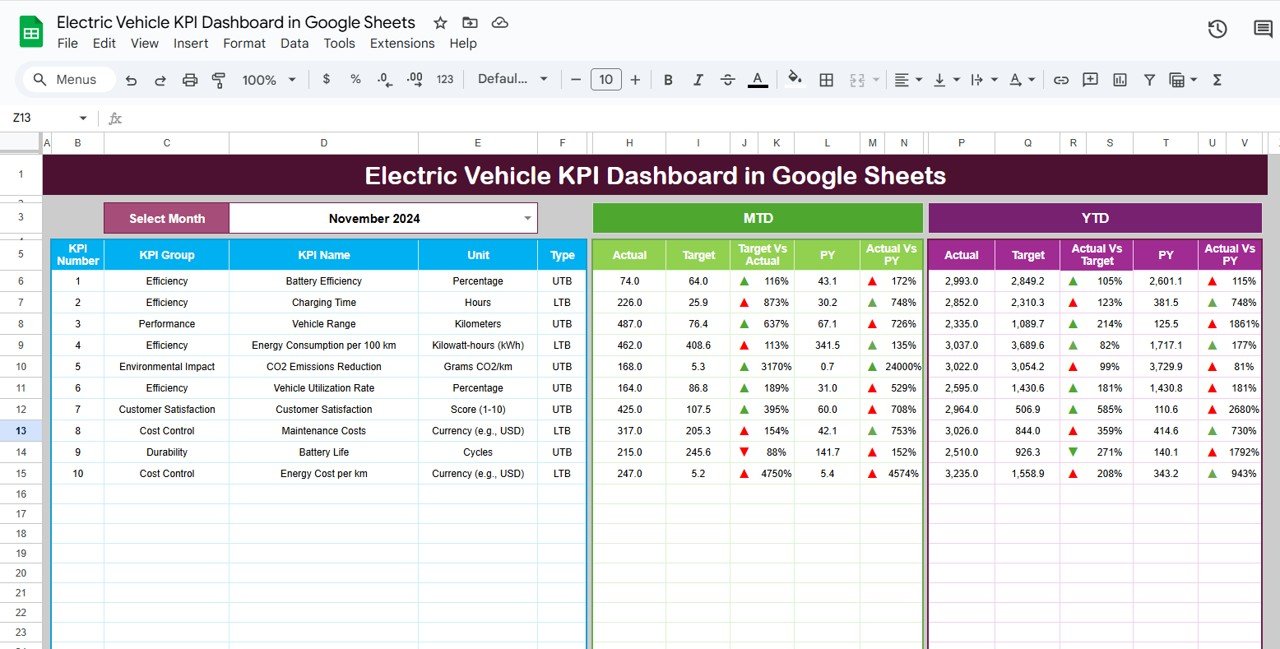
This is the main dashboard where all KPIs are displayed clearly.
Key Highlights:
Month selector in cell D3
Automatic KPI refresh on month selection
MTD and YTD tracking
Target vs Actual comparison
Previous Year vs Actual comparison
Conditional formatting with up/down arrows
KPI Views Include:
MTD Actual vs Target
MTD Actual vs Previous Year
YTD Actual vs Target
YTD Actual vs Previous Year
As a result, performance gaps and improvements become instantly visible.
📈 KPI Trend Sheet Tab – KPI Intelligence Layer
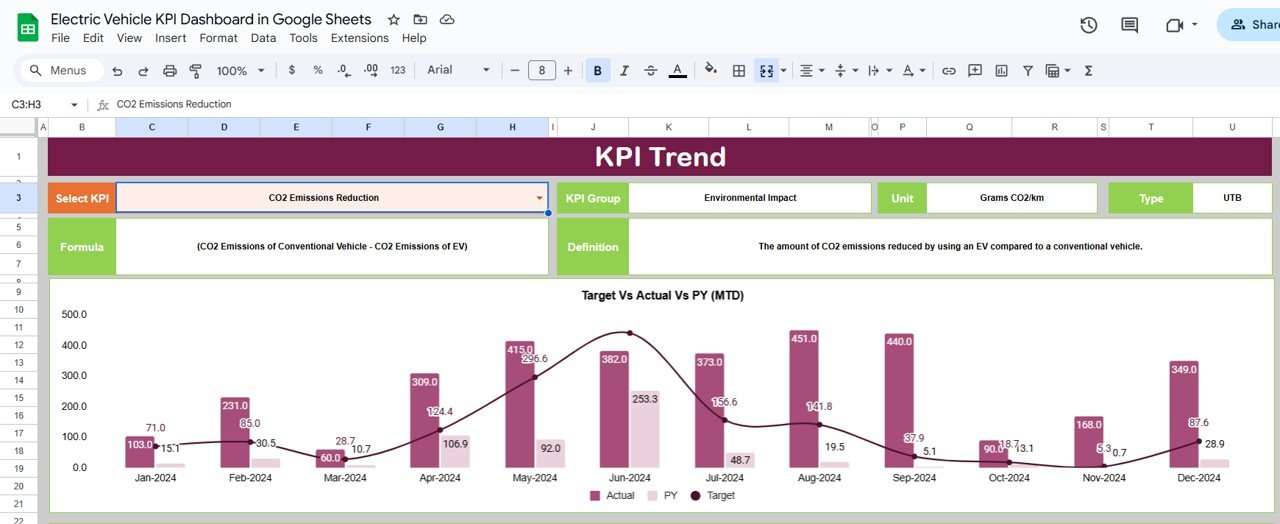
This sheet explains each KPI in detail and shows its behavior over time.
What You Can Analyze:
KPI selection dropdown (Cell C3)
KPI Group
Unit of Measurement
KPI Type
UTB (Upper the Better)
LTB (Lower the Better)
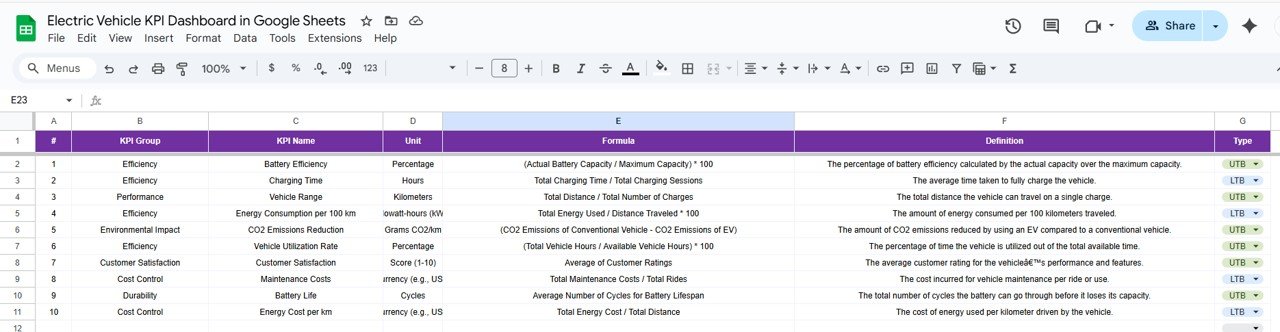
KPI Formula
KPI Definition
This sheet ensures that all stakeholders clearly understand what each KPI means and why it matters.
🗂️ Actual Number Sheet Tab – Simple Data Entry
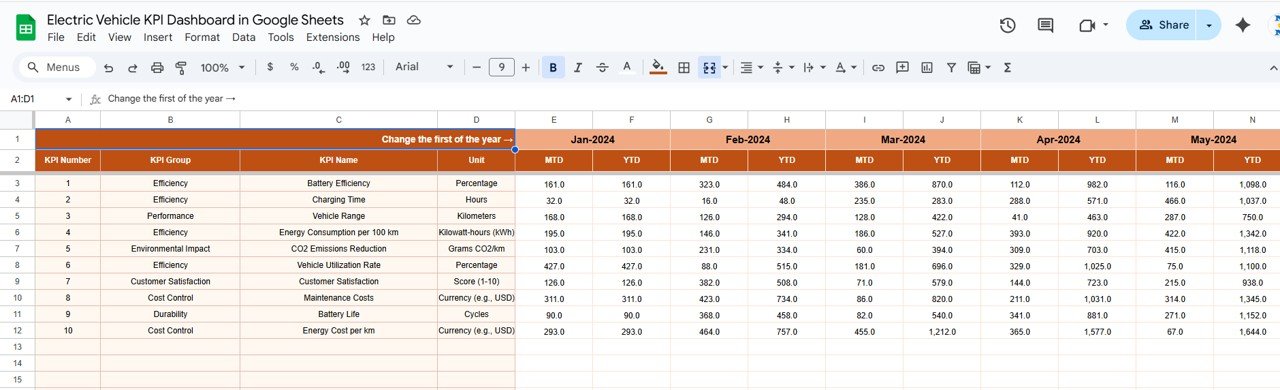
This sheet is used to enter current year EV performance data.
How It Works:
Select the first month of the year in cell E1
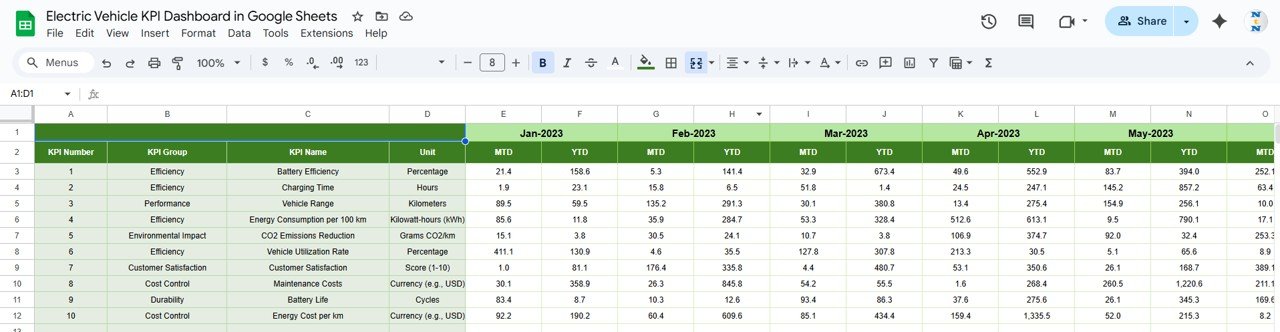
Enter MTD and YTD actual values for each KPI
Dashboard and trend sheets update automatically
No complex formulas are required from the user side.
🎯 Target Sheet Tab – Performance Goals
The Target Sheet allows you to define expected performance levels.
What You Enter:
Monthly MTD targets
Cumulative YTD targets
Targets drive all variance calculations and performance indicators.
📅 Previous Year Number Sheet Tab – Historical Benchmarking
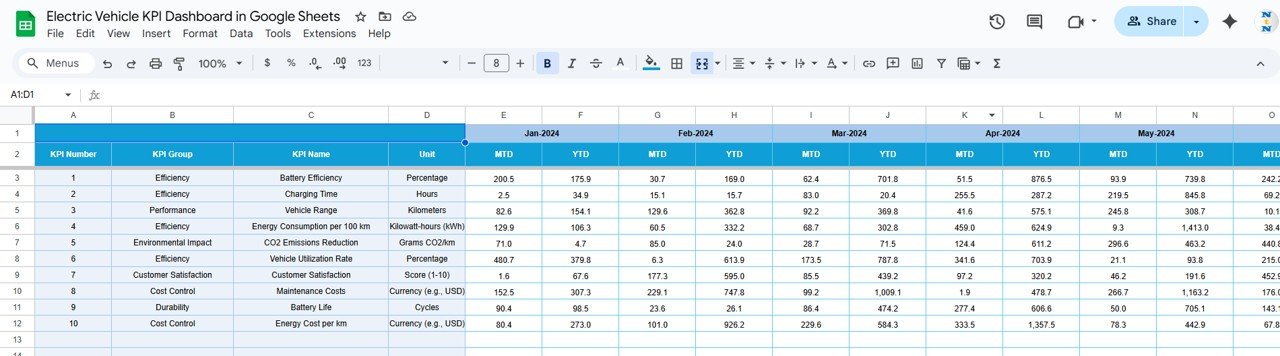
This sheet stores last year’s EV performance data.
Benefits:
Enables year-over-year analysis
Highlights growth, decline, or stability
Supports long-term planning and forecasting
📘 KPI Definition Sheet Tab – Governance & Consistency
This sheet acts as the KPI master reference.
Columns Included:
KPI Name
KPI Group
Unit
Formula
KPI Definition
KPI Type (UTB / LTB)
This ensures consistent KPI interpretation across teams and reporting periods.
👥 Who Can Benefit from This Dashboard
EV Fleet Managers
Sustainability & ESG Teams
Operations Managers
Energy & Mobility Consultants
Corporate Transportation Departments
Smart City & Green Mobility Initiatives
The dashboard works for small EV fleets and large-scale operations alike.
⚙️ How to Use the Electric Vehicle KPI Dashboard
Enter actual EV data in the Actual Number sheet
Define targets and previous year values
Select the reporting month
Review MTD and YTD KPIs
Analyze trends and performance gaps
Take action based on insights
No advanced Google Sheets skills required.
### Click here to read the Detailed blog post
### Visit our YouTube channel to learn step-by-step video tutorials
👉 https://youtube.com/@NeotechNavigators
Compatibility and Requirements
- Works in Google Sheets. You need a free Google account and a web browser.
- You pick the month from a dropdown on the Dashboard sheet and the KPI on the KPI Trend sheet. Google explains dropdowns in Create an in-cell dropdown list.
Frequently Asked Questions
Which sheets are included?
Six sheets: Dashboard, KPI Trend, Actual Number, Target, Previous Year Number and KPI Definition.
How do I update the dashboard?
Enter your MTD and YTD actual values in the Actual Number sheet and your goals in the Target sheet. Then select the reporting month on the Dashboard sheet and the KPIs refresh.
Can I compare this year with last year?
Yes. Enter last year’s figures in the Previous Year Number sheet. The Dashboard shows MTD and YTD actuals against both the target and the previous year, with up and down arrows.
How do I see the trend for one KPI?
Open the KPI Trend sheet and choose the KPI from the dropdown in cell C3. It shows the KPI group, unit, type (Upper the Better or Lower the Better), formula and definition.
Is there an Excel or Power BI version?
There is an Electric Vehicle KPI Dashboard in Excel. For charging data, see the Electric Vehicle Charging Dashboard in Power BI.
Related Electric Vehicle Templates
- Electric Vehicle KPI Dashboard in Excel: the same EV KPIs in Excel
- Electric Vehicle Charging KPI Dashboard in Excel: KPIs focused on charging
- Electric Vehicle Charging Dashboard in Power BI: charging data in Power BI
- Vehicle Maintenance Checklist in Google Sheets: a checklist for fleet upkeep
Browse all Google Sheets KPI dashboards.
































Reviews
There are no reviews yet.