

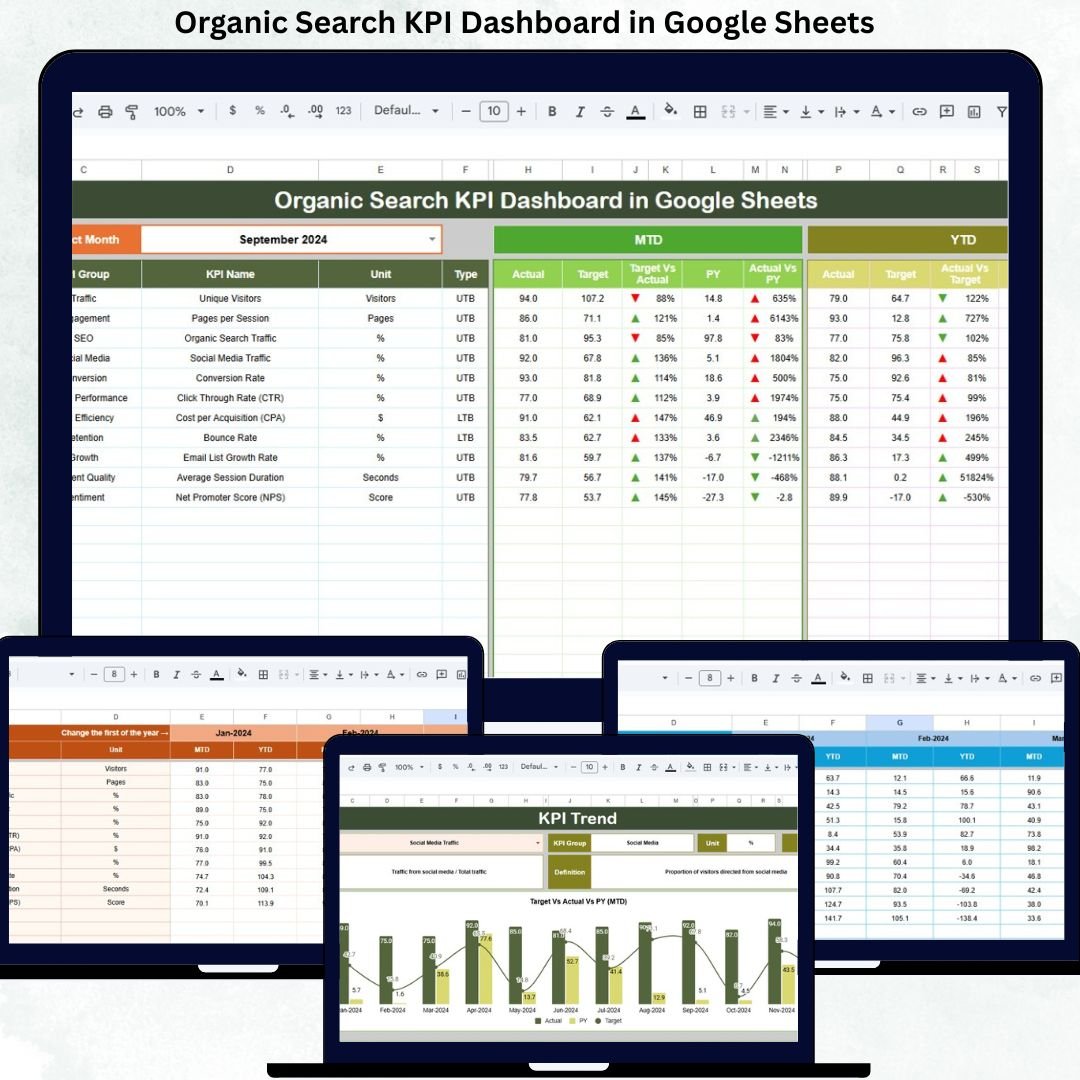
Organic search is one of the most powerful long-term growth channels for any business. It delivers consistent traffic, high-intent users, and strong ROI without ongoing ad spend. However, many marketing teams struggle to track organic performance clearly because SEO data is scattered across multiple tools and spreadsheets. As a result, insights stay hidden, progress becomes unclear, and decisions slow down.
That is exactly where the Organic Search KPI Dashboard in Google Sheets becomes a game-changing solution.
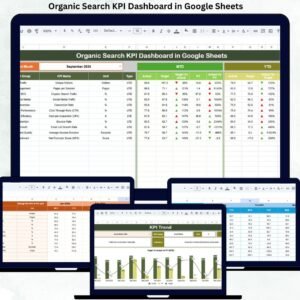
This ready-to-use dashboard transforms complex SEO metrics into a clean, visual, and performance-driven reporting system. It helps SEO managers, marketing teams, and business leaders track traffic growth, keyword visibility, engagement, conversions, and revenue impact—all in one centralized Google Sheets file. With automatic updates, structured KPIs, and comparison logic, this dashboard turns raw SEO numbers into clear insights you can act on immediately.
✨ Key Features of the Organic Search KPI Dashboard in Google Sheets
📊 1. MTD & YTD Performance Tracking
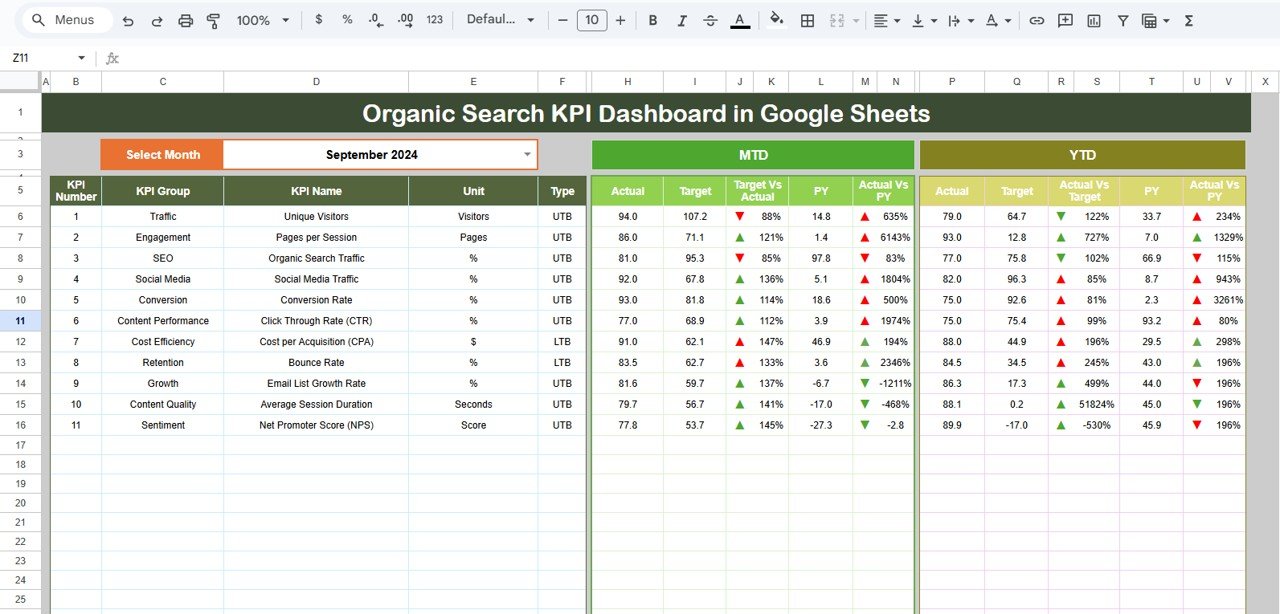
Instantly monitor Month-to-Date and Year-to-Date performance for every organic KPI. Simply select a month, and the dashboard refreshes automatically.
🎯 2. Target vs Actual & YoY Comparison
Compare Actual vs Target and Actual vs Previous Year values to understand whether SEO efforts are on track or falling behind.
📈 3. Visual KPI Status Indicators
Conditional formatting arrows make performance crystal clear:
-
Green arrows for improvement
-
Red arrows for decline
-
Neutral indicators for stability
This allows quick performance reviews without manual analysis.
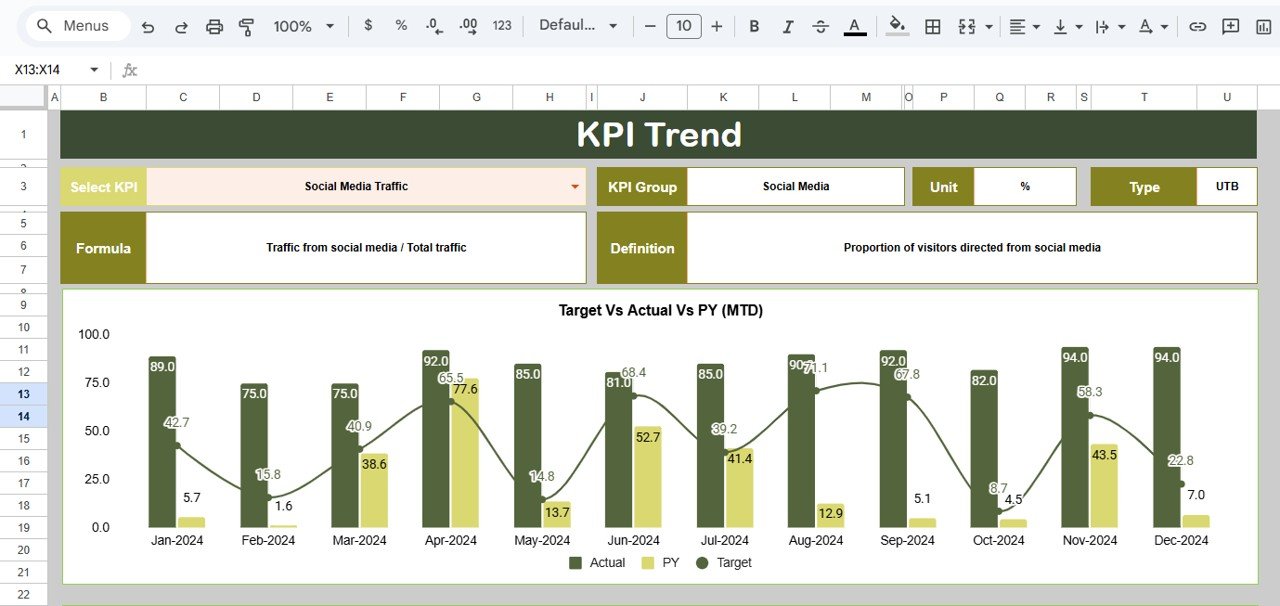
📉 4. KPI Trend Analysis
Analyze individual KPIs over time to identify patterns, seasonality, and long-term growth trends.
☁️ 5. Google Sheets-Based & Collaborative
Because the dashboard runs in Google Sheets, teams enjoy cloud access, real-time collaboration, and instant sharing without any technical setup.
📦 What’s Inside the Organic Search KPI Dashboard in Google Sheets
🖥️ Dashboard Sheet (Main Page)
This is the central reporting view. You select the month from cell D3, and the entire dashboard updates automatically.
For each KPI, it displays:
MTD Metrics
-
Actual
-
Target
-
Previous Year
-
Target vs Actual
-
PY vs Actual
YTD Metrics
-
Actual
-
Target
-
Previous Year
-
Target vs Actual
-
PY vs Actual
This structure ensures complete visibility at both short-term and long-term levels.
📊 KPI Trend Sheet
Select a KPI from the dropdown (cell C3) to view:
-
KPI Group
-
KPI Unit
-
KPI Type (UTB / LTB)
-
KPI Formula
-
KPI Definition
This sheet helps SEO teams understand KPI behavior and performance movement across months.
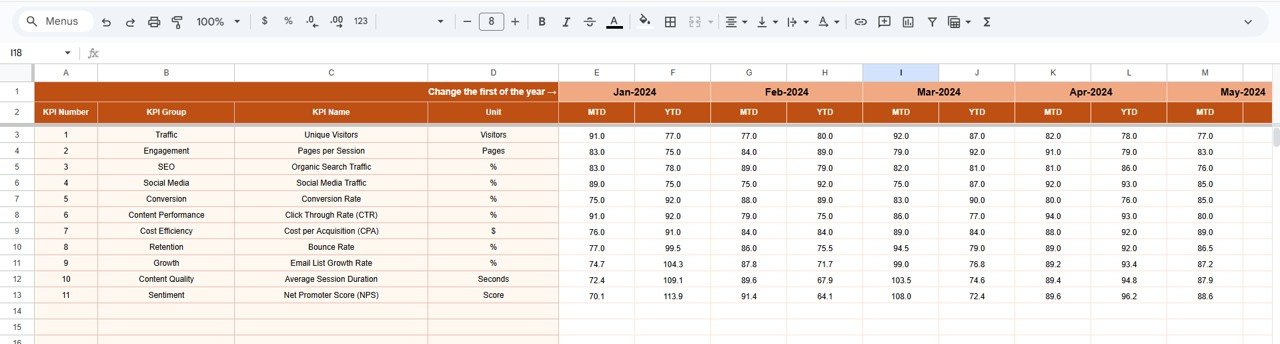
📋 Actual Number Sheet
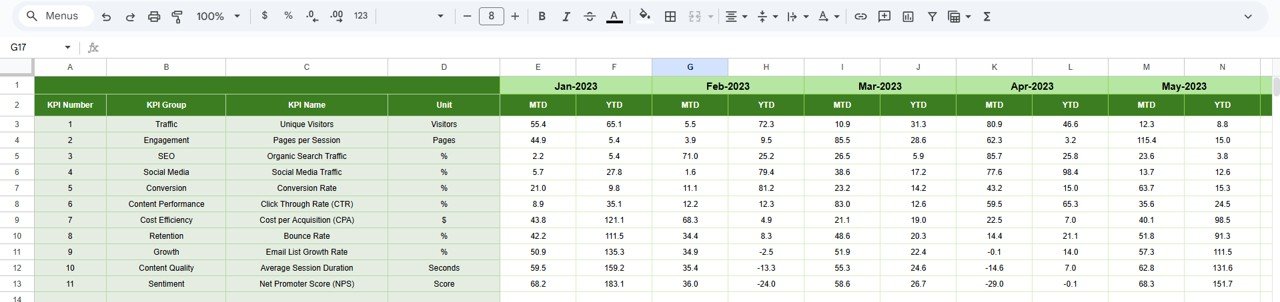
Enter all MTD and YTD actual SEO values here. You can define the first month of the year in cell E1, and the structure adjusts automatically.
🎯 Target Sheet
Set monthly and yearly SEO targets for traffic, rankings, engagement, and conversions. Targets help align SEO activity with business goals.
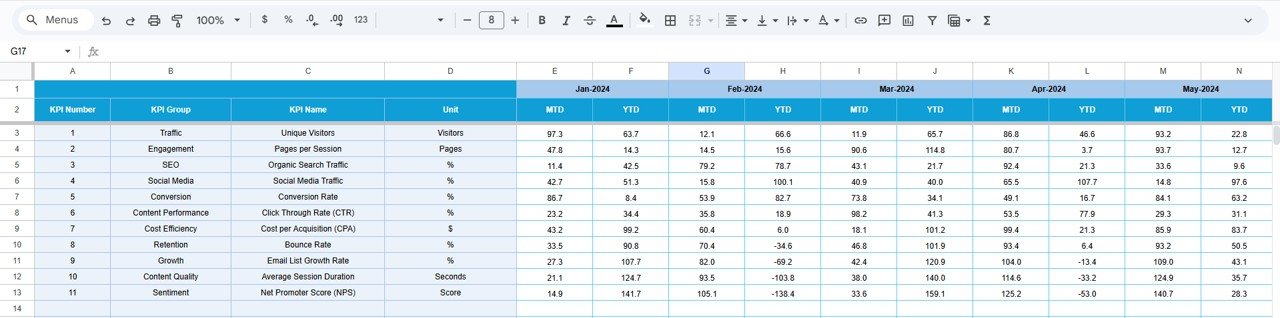
📆 Previous Year Number Sheet
Store last year’s SEO data to enable accurate year-over-year growth analysis and seasonal trend comparison.
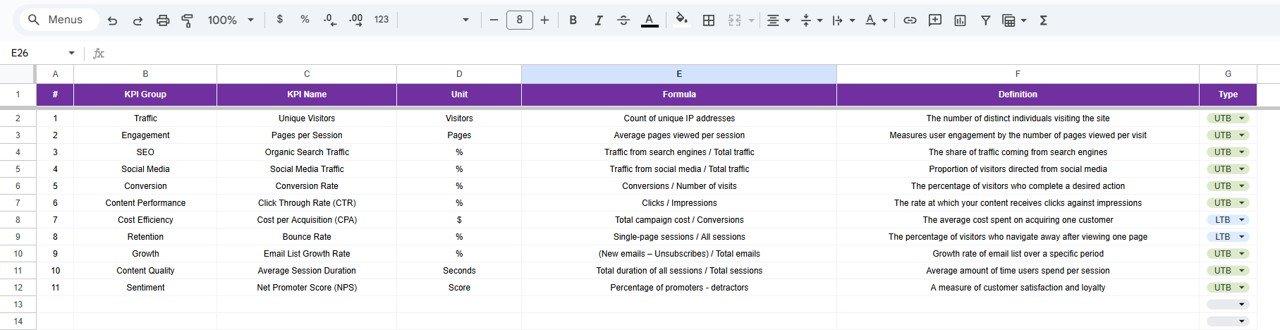
📘 KPI Definition Sheet
A complete reference sheet that defines:
-
KPI Name
-
KPI Group
-
Unit
-
Formula
-
Definition
-
KPI Type (LTB / UTB)
This ensures clarity and consistency across teams.
🛠️ How to Use the Organic Search KPI Dashboard in Google Sheets
1️⃣ Enter Actual SEO Data
Update actual numbers monthly in the Actual Number sheet.
2️⃣ Define Targets Clearly
Set realistic SEO targets in the Target sheet.
3️⃣ Add Previous Year Data
Enable YOY analysis by entering last year’s numbers.
4️⃣ Select Month & Review Dashboard
Choose the desired month and instantly review MTD & YTD performance.
5️⃣ Analyze Trends for Optimization
Use the KPI Trend sheet during SEO reviews to identify opportunities and gaps.
🎯 Who Can Benefit from This Organic Search KPI Dashboard
📈 SEO Managers
Track keyword visibility, traffic growth, and SEO effectiveness clearly.
📣 Digital Marketing Teams
Understand how organic traffic contributes to engagement and conversions.
🏢 Business Owners & Leaders
Get a high-level view of SEO performance without technical complexity.
🚀 Startups & Agencies
Present SEO results professionally to stakeholders and clients.
📊 Analytics & Growth Teams
Use data-driven insights to improve long-term organic strategy.
### Click here to read the Detailed blog post
Watch the step-by-step video tutorial:











Reviews
There are no reviews yet.